The $20 AI Subscription Showdown 2026: Claude Pro vs ChatGPT Plus vs Gemini Advanced for Freelance WordPress Devs
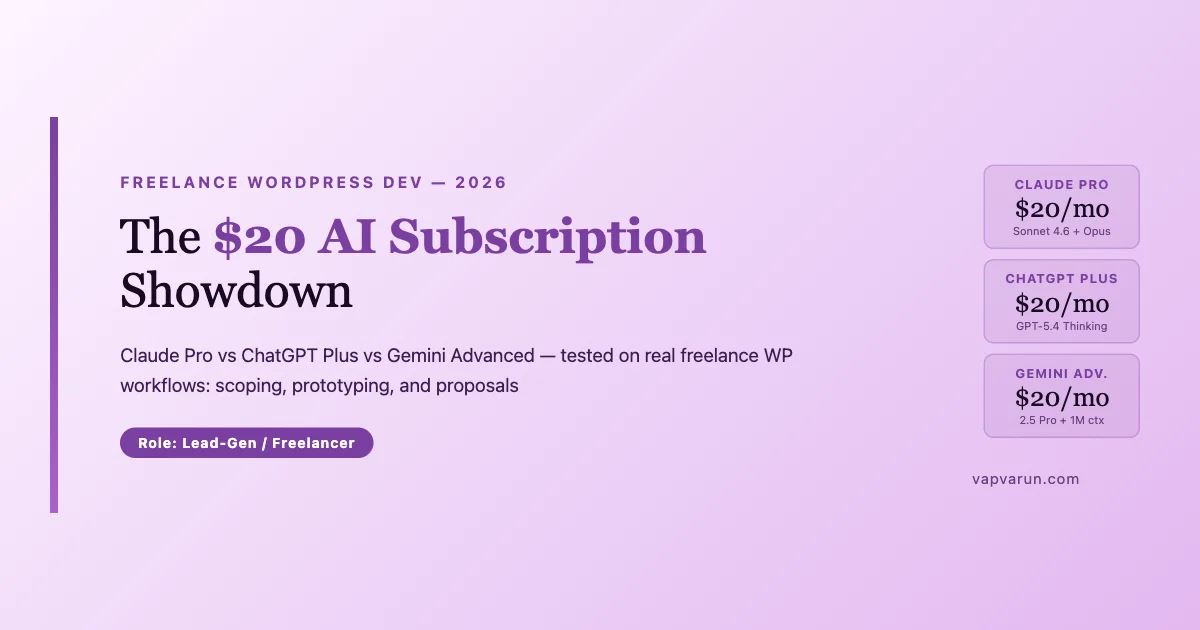
Every freelance WordPress developer I talk to is paying $20 per month for one of the big three AI subscriptions. Most picked one and stuck with it. I ran all three for a full month on my actual client work to see if that choice is costing anyone real productivity.
The short answer: they are all genuinely useful, and the right one depends heavily on which part of your freelance workflow you want help with most. Here is the full breakdown.
What You Get at $20/Month
| Plan | Price | Model Access | Context Window | Key Extras |
|---|---|---|---|---|
| Claude Pro | $20/mo | Sonnet 4.6 (primary), Opus limited | 200K tokens | Projects, extended thinking, Artifacts |
| ChatGPT Plus | $20/mo | GPT-5.4 Thinking + o3 | 128K tokens | Codex, Agent Mode, Canvas, DALL-E |
| Gemini Advanced | $20/mo via Google One AI | Gemini 2.5 Pro | 1M tokens | Drive/Docs integration, Deep Research |
Worth noting upfront: at the $20 tier, you are not getting unlimited Opus 4.7 with Claude Pro. Sonnet 4.6 is the workhorse with Opus available for complex tasks under usage limits. Gemini Advanced gives you full 2.5 Pro access. ChatGPT Plus gives you GPT-5.4 Thinking, their top consumer-available model.
Before getting into the comparison, one important note on what these subscriptions are not: they are not API access. If you want to build WordPress plugins that call these models programmatically, you need separate API accounts with each provider. These $20 plans give you UI access to the models for your own personal and professional work within the chat interface, not programmatic API access for building into your own products or services.
Task 1: Scoping a New WordPress Project
I ran the same client brief through all three: a mid-size WooCommerce build for a subscription box company, vague requirements, unclear tech constraints.
Claude Pro (Sonnet 4.6) produced the best scoping document of the three. Claude asked clarifying questions first, rare, most AI tools just generate, then produced a structured requirements breakdown with explicit assumptions flagged, a list of plugin dependencies, and a timeline estimate with three scenarios (minimal, standard, premium). The output reads like something a senior dev would write, not a list of bullet points.
ChatGPT Plus produced a comprehensive scope document quickly. Slightly more template-y in structure, you can tell it has seen a lot of project briefs. The estimates were aggressive (typical for ChatGPT, which tends to underestimate complexity). The Agent Mode integration meant it tried to look up some pricing data, which was a nice touch but occasionally pulled stale numbers.
Gemini Advanced was the weakest here. Good logical structure, but the WordPress-specific details were generic. It did not flag WooCommerce subscription plugin conflicts, did not mention Stripe vs PayPal gateway considerations, and the timeline felt disconnected from WP reality. The Google Workspace integration meant it could reference my Drive docs, which is useful, but the core scoping output needed more editing than the other two.
Winner for scoping: Claude Pro, by a clear margin. If a new client brief lands and you have 30 minutes to produce a credible requirements breakdown, Claude is the fastest path to something you can actually send. The clarifying-questions behavior is the differentiator here: it surfaces ambiguities in the brief that you would otherwise discover during development, which is a much more expensive time to find them.
Task 2: Plugin Prototyping
Same prompt for all three: build the skeleton of a WordPress plugin that adds a custom REST endpoint for syncing order metadata to a third-party CRM. Include authentication, error handling, and a basic test stub. I have covered the full AI tools workflow for WordPress plugin development elsewhere; this test isolates the consumer subscription tier specifically.
Claude Pro (Sonnet 4.6) produced clean, correct WordPress-idiomatic code. Proper use of register_rest_route, nonce and application password auth options, WP_Error handling, and a basic PHPUnit test class. The code is deployable with minor customization. The Artifacts panel made it easy to iterate without losing context.
ChatGPT Plus also produced working code, and Codex access meant it could explain the code in detail and suggest refactors interactively. The output was slightly less WP-idiomatic (used raw PDO for one database call instead of $wpdb), but ChatGPT’s back-and-forth refinement flow is excellent for developers who want to talk through the logic. Agent Mode let it run a quick search for known WP security pitfalls in the pattern I was using, which was genuinely useful.
Gemini Advanced produced serviceable code but noticeably less WP-specific. Missing the application password auth option, the error handling leaned on PHP exceptions rather than WP_Error, and the test stub was a generic PHPUnit skeleton without WP mock setup. The 1M context window was irrelevant for this task size.
Winner for prototyping: Claude Pro and ChatGPT Plus tied. If you prefer a structured starting point you then polish, Claude. If you prefer an interactive conversation that builds toward the right output through iteration, ChatGPT. Both produce code that a competent WP developer can deploy with confidence.
Task 3: Writing a Client Proposal
This is the task that actually closes deals. I used the same project scope from Task 1 and asked each AI to draft a client-facing proposal.
Claude Pro produced the most natural-sounding proposal. Avoided template language, included a why-us section that felt genuine rather than boilerplate, and framed the investment in terms of business outcomes rather than deliverables. With Projects, I could feed Claude my previous proposals as reference documents and it matched my voice closely.
ChatGPT Plus produced a solid proposal, slightly more formal and corporate in tone. The Canvas feature let me edit sections inline with AI assistance, which is excellent for iterative revision. If you send a lot of proposals and need fast turnaround with polish, Canvas plus ChatGPT is a strong workflow.
Gemini Advanced had the best integration with Google Docs: the proposal could be sent to a Doc directly and formatted cleanly. If your delivery workflow is Google Workspace-native, this matters. The Deep Research feature pulled in some market context (hourly rates for WP developers, typical project costs) that added credibility to the pricing section.
Winner for proposals: Claude Pro for voice and quality, ChatGPT Plus for revision speed, Gemini for Google Workspace users.
Claude Pro’s Projects Feature: Client Context That Persists
One feature of Claude Pro that does not get enough attention is Projects. You create a Project per client, upload their codebase files, past proposals, brand guidelines, and notes, and Claude maintains that context across every conversation in the project. There is no re-explaining who the client is, what their tech stack is, or what constraints apply.
For freelance WP developers with 5-10 active clients, this is significant. I have client projects in Claude with 40+ files uploaded: plugin source, WP config, past bug reports, and the full communication history. Claude references all of it without prompting. The quality of responses on client-specific questions is noticeably higher than asking a fresh session the same question.
ChatGPT has a similar concept in Memory, but it operates account-wide rather than per-project. This creates cross-client bleed; Claude’s Projects keeps contexts cleanly separated, which matters when you are working on competing clients or under NDA. For freelancers with multiple clients in the same niche, per-project isolation is a meaningful differentiator.
The practical implication: when you start a Claude project for a new client, upload everything you have on them in the first session: their existing site, any past communication, the initial brief, competitor examples they mentioned. That investment pays back across every subsequent conversation in the project, because Claude already knows the full context when you ask your next question.
ChatGPT Plus Agent Mode: Plugin Compatibility Research
Agent Mode in ChatGPT Plus is where the product pulls ahead on research-heavy tasks. Here is a real example: a client needed to know whether three specific WooCommerce plugins would conflict when used together on WP 6.8. I gave the task to Agent Mode.
Agent Mode queried each plugin’s WordPress.org changelog, pulled recent GitHub issues mentioning conflicts, checked the plugins’ declared dependencies against each other, and summarized the findings in a table. Total elapsed time: about 4 minutes. That is 4 minutes vs 45 minutes of manual research. The accuracy was good; it correctly identified one known conflict that I verified independently.
Claude Pro can do some of this with web search enabled, but Agent Mode’s autonomous multi-step research loop is more capable for tasks with several research sub-steps. For plugin compatibility research, ChatGPT Plus wins this workflow specifically. The key difference is that Agent Mode can decide on its own what to search for next based on what it finds, rather than waiting for you to direct each step.
Gemini Advanced Deep Research: Client Discovery
Gemini Advanced’s Deep Research feature is genuinely different from standard web search. It runs an extended research process, 5 to 15 minutes, that synthesizes dozens of sources into a structured report. For client discovery before a proposal, this is useful.
I tested it before a call with a prospective client in the fitness tech space: asked Deep Research to summarize current WooCommerce fitness platform patterns, pricing expectations for custom WP development in this niche, and recent community chatter on their competitor products. The output was a 2,400-word briefing with citations. I skimmed it in 10 minutes before the call and arrived knowing the space.
The caveat: Deep Research is slower and the quality is research-briefing quality, not technical-depth quality. It is strong at industry context and market positioning. It is weaker at technical specifics, where you still want to verify manually. Use it for the business intelligence layer of a client engagement, not for the technical decision layer.
Building a Two-AI Stack at $40/Month
If $40/month is in budget, the combination I recommend most for WordPress freelancers is Claude Pro plus Gemini Advanced. Here is the logic: Claude Pro covers scoping, proposal writing, plugin prototyping, and code review: the high-quality output tasks. Gemini Advanced covers large codebase review (1M context), client discovery research, and Google Workspace deliverables. Together they cover every major freelance WP workflow with the right tool for each.
I would not stack Claude Pro and ChatGPT Plus as a first move because the overlap is high; both are strong at code and writing, but neither covers the large-context gap. Gemini fills the gap Claude leaves; ChatGPT mostly duplicates Claude at different strengths. That said, if you are already a heavy ChatGPT user and comfortable with its interface, keeping both Claude and ChatGPT at $40/month is defensible; the workflow differences are real enough to justify two tools.
When building a two-AI stack, the most important thing is being intentional about which tool owns which workflow. Vague overlap leads to the worst outcome: using whichever tool you opened first rather than the right tool for the task. Write down your routing rules, even informally, in a note, and review them monthly. As the models update and new features ship, your routing decisions should evolve too. A Claude feature that ships in a future release might reclaim a workflow that currently belongs to Gemini, and vice versa.
What Each AI Does Best for Freelance WP Work
| Workflow | Best Pick | Why |
|---|---|---|
| Project scoping | Claude Pro | Asks clarifying questions, WP-aware output |
| Plugin prototyping | Claude Pro / ChatGPT Plus | WP-idiomatic (Claude) vs interactive refinement (ChatGPT) |
| Client proposals | Claude Pro / ChatGPT Plus | Voice quality (Claude) vs Canvas iteration (ChatGPT) |
| Large codebase review | Gemini Advanced | 1M context handles full repos in one shot |
| Google Workspace docs | Gemini Advanced | Native Drive/Docs integration |
| Research and market data | Gemini Advanced | Deep Research pulls current sources |
| Plugin compatibility research | ChatGPT Plus | Agent Mode autonomous multi-step research |
| Client context persistence | Claude Pro | Projects keeps per-client context cleanly separated |
Common Freelancer Questions
Can I use these for client code without privacy risk?
All three companies offer data controls. Claude Pro lets you opt out of training data use in settings. ChatGPT Plus has a similar toggle. Gemini Advanced is covered under Google Workspace privacy terms if you access it through a Google Workspace account. For client NDA situations, verify your specific plan’s data terms before pasting proprietary code. As a general practice, avoid pasting full production database schemas or authentication credentials into any AI tool regardless of the privacy settings.
Which works best for non-English client communication?
Gemini 2.5 Pro has the strongest multilingual coverage of the three, reflecting Google Translate’s training history. For clients communicating in French, German, Spanish, or Japanese, Gemini Advanced handles nuance and register better. Claude is excellent in English and strong in major European languages. ChatGPT is broadly capable but occasionally formal where casual language is better.
Is the $20 AI subscription ROI actually there?
In my experience, yes, if you use it consistently. The math is simple: if any of these tools saves you 2 hours of billable-equivalent time per month, and your effective rate is over $10/hour, the subscription pays for itself. At $80-150/hour rates typical for WordPress freelancers, saving 2 hours monthly is a 16x to 30x return on a $20 subscription. The larger risk is paying $20 and then not building the habit of using it; the tool only delivers value if it becomes part of your actual workflow.
My Recommendation for Freelance WordPress Developers
If you are picking one: Claude Pro at $20/month is the most consistently useful tool for the core freelance WP workflow: scoping work accurately, writing code that lands in WordPress idiom, and producing proposal copy that does not read like a template. This tracks with what I see when watching how AI is actually affecting web development agencies; the edge goes to the tools with domain fluency, not just general intelligence.
If you are already on Claude Pro and want a second tool: Gemini Advanced at $20/month adds 1M context for large codebase reviews and Google Workspace integration. The incremental cost is the price of a lunch per month, and the large-context capability alone is worth it for codebases over 50K lines.
If your workflow is heavy on async research, client communication polish, and interactive code refinement: ChatGPT Plus competes hard. Agent Mode and Canvas are genuinely good, and GPT-5.4 Thinking handles complex reasoning tasks well.
At $20/month, all three subscriptions cost less than one hour of client billable time. The real question is which one fits your workflow well enough that you actually use it consistently. For most WordPress freelancers I know: start with Claude Pro, learn it well, then layer in a second subscription once you know what gaps exist in your specific workflow.
I run all three at Wbcom Designs for different roles on the team. Happy to go deeper on any specific workflow comparison in the comments.
One final thought on the subscription decision: the best AI tool is the one you actually open. All three of these are genuinely capable. The productivity gains come from building consistent habits around whichever tool you choose, using it on every scoping call, every proposal draft, every prototyping session, not from picking the theoretically superior option and then using it occasionally. The $20 per month is a rounding error at freelance rates. The real investment is the time it takes to build a workflow that makes the tool feel indispensable. That habit takes about 2-3 weeks to form, and once it is there, the productivity difference from before you started using AI at all is substantial.
Getting Started Without Overthinking the Tool Choice
The single most common mistake I see WordPress freelancers make with AI subscriptions is spending too long evaluating before committing. The comparison paralysis is real; there are enough nuanced differences between the three plans that you can rationalize indecision indefinitely. The productivity gain from picking one and using it for 60 days outweighs the marginal optimization of picking the theoretically better one for your specific workflow. You will learn far more about which tool fits your actual work by using it than by reading any comparison post, including this one.
If you have already been using one of the three for more than six months and you have not hit a wall, stay on it. The switching cost is not just the $20 monthly fee; it is the 2-3 weeks of relearning prompting patterns, reloading client context, and rebuilding the mental model of what the new tool is good at. That switching cost is real and should factor into any decision to change.
If you have not tried any of them, start with Claude Pro. The WordPress-specific output quality on scoping and code tasks means fewer editing passes on the things that cost real time. If after 60 days you are hitting the limits of its capabilities for your specific work, most likely on large codebase reviews or async research, add Gemini Advanced as a second tool. That two-step path covers most freelance WP workflows with appropriate tools at each stage.
The productivity math at freelance rates is strongly in favor of any of these subscriptions. The question is not whether $20/month is worth it. At $80+ hourly rates, the question answers itself. The question is which specific tool helps you get client-ready output faster on the tasks that take the most time. Scoping, proposals, and code prototyping are where most freelancers spend their non-billable hours. All three of these tools attack that problem directly.
The comparison here reflects one full month of real client work across active WooCommerce and BuddyPress projects at Wbcom Designs. Your results will differ based on your project mix, your client types, and your existing proficiency with each tool’s interface. Use this as a starting framework, run your own evaluation on tasks that represent your actual work, and build a routing decision that fits your specific workflow rather than a generic average. The investment in that evaluation is two or three hours. The return on a well-matched tool choice, used consistently, runs for years. At the $20/month price point, any one of these three tools will pay for itself in the first week you use it well, and continue paying dividends for every project after that.