Secure & Scalable: How to Choose the Right WooCommerce Payment Plugin
In the world of e-commerce, seamless payment processing is non-negotiable. Whether you’re a small business owner selling niche products or an enterprise-level retailer managing high-volume orders, your ability to accept secure, flexible, and fast payments directly impacts your bottom line.
As of 2025, global eCommerce transactions are projected to exceed $8.5 trillion, with digital payments accounting for over 90% of all online purchases. In this evolving ecosystem, WooCommerce remains a top choice for online merchants, powering over 6.5 million active websites globally and handling billions in sales volume each year.
One of WooCommerce’s biggest strengths is its modularity, and that includes how it handles payments. The platform offers a wide range of payment gateway integrations, from traditional credit card processors to region-specific solutions and modern fintech providers. Yet with this flexibility comes complexity: choosing the right gateway isn’t just about picking the most popular brand. It’s about optimizing for security, customer experience, localization, fees, and compatibility.
A Brief History of Online Payment Gateways
The concept of online payment gateways began in the late 1990s with the rise of internet-based commerce. Early players like Authorize.Net and PayPal revolutionized how businesses collected money, eliminating the need for physical POS systems. Over the years, payment technologies have evolved from basic card processing to full-service solutions offering fraud protection, recurring billing, currency conversion, and embedded checkouts.
Today’s gateways do more than just process payments—they manage risk, offer consumer financing, integrate with mobile wallets, and support personalized checkout flows across global markets. As customer expectations grow, so does the demand for intelligent, developer-friendly, and secure payment tools.
The Rise of Flexible Checkout Experiences
According to Baymard Institute, nearly 18% of cart abandonment is directly tied to a poor payment experience, whether that’s due to a lack of preferred payment methods, slow loading times, or perceived security issues. Meanwhile, mobile eCommerce now accounts for over 58% of global digital sales, putting added pressure on businesses to deliver mobile-optimized, frictionless payment options.
This is where WooCommerce’s gateway ecosystem shines. With the right plugin, store owners can offer:
- Apple Pay and Google Pay
- Buy Now, Pay Later (BNPL) options like Klarna
- Local bank transfer methods like iDEAL or SEPA
- Wallets like PayPal and Paystack
- Unified platforms that support both online and in-person transactions (e.g., Square)
Future Outlook: Where Payments Are Heading
As fintech continues to grow at breakneck speed, the future of WooCommerce payments will likely include:
- More decentralized options (e.g., blockchain-based payments)
- AI-driven fraud prevention
- Embedded finance (subscriptions, loans, insurance at checkout)
- Instant cross-border settlement
- Open banking and direct account-to-account payments in Europe and beyond
By staying ahead of these trends and choosing the right gateway now, you’re not only protecting your operations—you’re building a scalable foundation for future growth.
What to Consider When Selecting a WooCommerce Payment Gateway
Choosing a payment gateway isn’t just a technical decision, it’s a strategic business move. The right gateway improves customer trust, increases conversions, reduces failed transactions, and helps you scale globally with ease. The wrong one can do the opposite: frustrate users, inflate costs, and limit your reach.
Here’s what tech-savvy WooCommerce store owners should analyze:
1. Regional Availability
Not every gateway operates in every country. Before anything else, ensure the provider supports:
- Your business’s legal location (where your merchant account is registered)
- The countries you’re targeting for sales
For example, Razorpay is excellent in India but unavailable in North America. Conversely, Authorize.Net works great in the U.S. but has limited global support. Stripe and PayPal offer broader international coverage.
2. Currency Support & Multi-Currency Compatibility
If your store serves customers across borders, your gateway must support multi-currency transactions without forcing users into conversion fees. Look for:
- Built-in currency conversion
- Real-time exchange rates
- Localization (display currency and language based on geolocation)
WooPayments, Stripe, and Mollie offer excellent support for 100+ currencies and native localization.
3. Transaction Fees & Hidden Costs
Understand the cost structure in detail:
- Domestic vs. international transactions
- Cross-border fees
- Currency conversion markups
- Monthly fees or setup charges
While most gateways operate on a pay-per-transaction basis (2.9% + $0.30 is typical), some—like Authorize.Net—also charge a monthly gateway fee. Make sure you’re not bleeding margin on avoidable costs.
4. Checkout Experience
A frictionless checkout directly impacts conversion rates. Choose a gateway that:
- Offers on-site checkout (without redirecting to another domain)
- Is mobile-optimized
- Supports express checkout (e.g., PayPal Express, Apple Pay)
- Allows saved cards and fast reordering for logged-in users
Stripe, WooPayments, and Square offer fully embedded, branded checkout flows. In contrast, some gateways (like older PayPal implementations) redirect users away from your site, which may hurt trust and conversions.
5. Security & Compliance
Never compromise on payment security. Your chosen gateway should be:
- PCI-DSS Level 1 certified
- SCA-compliant (Strong Customer Authentication, mandatory in the EU)
- Support 3D Secure 2, tokenization, and CVV verification
- Offer built-in fraud detection and mitigation tools
Leading providers like Stripe, PayPal, and Authorize.Net invest heavily in cutting-edge security and often exceed baseline compliance.
6. Feature Set & Flexibility
Consider your business model and long-term needs:
- Selling subscriptions? You need recurring billing support.
- Offering BNPL (Buy Now, Pay Later)? Look for Klarna or PayPal Pay Later.
- Managing in-store and online sales? Square syncs inventory across both.
- Need advanced reporting and analytics? Choose gateways with built-in dashboards.
7. Integration & Developer Friendliness
Tech-savvy store owners often want fine control over their checkout stack. Ensure your gateway:
- Offers robust API access and documentation
- Supports webhooks, custom endpoints, and filters/actions in WordPress
- Is compatible with popular WooCommerce extensions (e.g., Subscriptions, Memberships)
Stripe, Razorpay, and Paystack are standout performers in developer environments.
Recommended WooCommerce Payment Gateways
1. Stripe for WooCommerce

Stripe is the go-to solution for developers and global businesses. It offers a comprehensive suite of tools for accepting online payments—from credit and debit cards to wallets and regional methods like iDEAL or Klarna. Stripe is built for scale, flexibility, and modern checkout experiences.
Key Features:
- Accepts cards, Apple Pay, Google Pay, ACH, Klarna, iDEAL, and more
- On-site, fully embedded checkout experience
- Recurring payments, subscriptions, and instant refunds
- Smart fraud detection, API-first design
- Webhooks for automation and integration with Woo extensions
Transaction Fees:
- 2.9% + $0.30 per transaction (standard for US)
- International cards and currency conversion may incur additional fees
- No setup or monthly charges
Available Regions:
40+ countries, including the US, UK, EU nations, Australia, New Zealand, India, and more
Currency Support:
135+ currencies with dynamic currency conversion
Security:
- PCI-DSS Level 1 certified
- Tokenized payments
- 3D Secure 2 and Strong Customer Authentication (SCA) ready
- AI-powered fraud detection (Radar)
2. PayPal Payments for WooCommerce
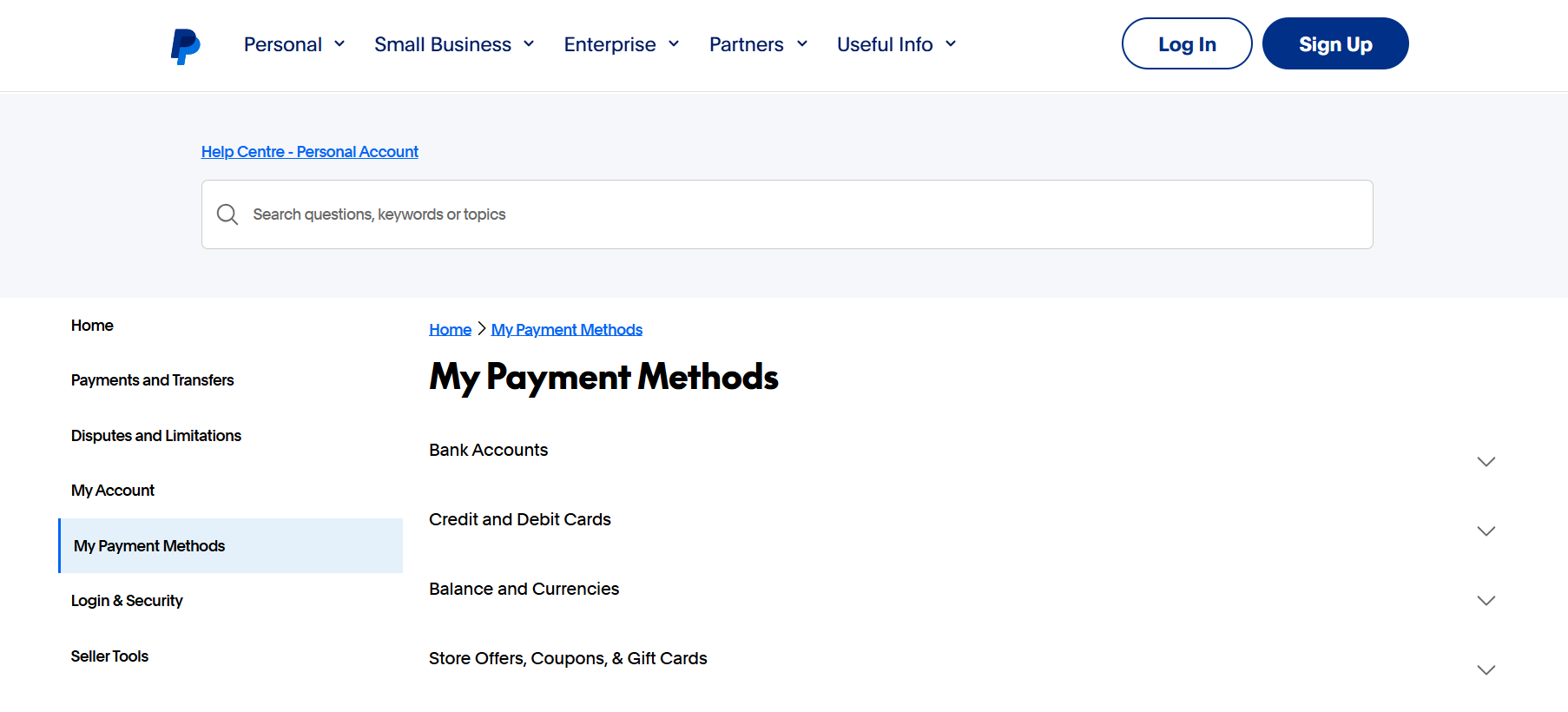
PayPal Payments is the official WooCommerce integration for PayPal. It offers a unified solution that supports PayPal wallets, credit and debit cards, Pay Later (BNPL), and even local payment methods—all without needing multiple plugins.
Key Features:
- PayPal, debit/credit cards, Pay Later, Venmo (US), and local options
- One-click Express Checkout
- Fully hosted or on-site checkout
- Recurring payments and subscriptions
- Seller and buyer protection policies
Transaction Fees:
- 2.9% + fixed fee based on currency (e.g., USD 0.30)
- Additional fees for currency conversion and cross-border transactions
Available Regions:
200+ countries, including North America, Europe, Asia, and Latin America
Currency Support:
100+ currencies
Security:
- PCI-compliant (PayPal handles security)
- Built-in dispute resolution and chargeback protection
- Two-factor authentication
- Fraud detection and monitoring
3. Square for WooCommerce

Square is ideal for omnichannel businesses—those with both physical and online stores. It syncs products, inventory, and customer data between your WooCommerce site and Square POS terminals, offering a seamless experience across platforms.
Key Features:
- Accept in-person and online payments
- Real-time sync between Square POS and WooCommerce
- No monthly fees, only per-transaction pricing
- Advanced reporting and unified sales data
- PCI compliance managed by Square
Transaction Fees:
- 2.6% + $0.10 per transaction (US swipe/dip/tap)
- Online and international fees may vary
Available Regions:
US, Canada, UK, Australia, Japan, Ireland, France, Spain
Currency Support:
Supports regional currencies (USD, GBP, CAD, AUD, EUR, JPY)
Security:
- End-to-end encryption
- PCI DSS compliance
- Advanced fraud prevention tools
- Chargeback management
4. Authorize.Net for WooCommerce

Authorize.Net is one of the oldest and most established payment gateways, backed by Visa. It’s trusted by businesses needing high control over transactions, flexible security tools, and compatibility with recurring payments.
Key Features:
- Accepts credit cards, eChecks, and recurring payments
- Full control over captures, refunds, voids, and authorizations
- Advanced Fraud Detection Suite (AFDS)
- Compatible with saved cards and subscriptions
Transaction Fees:
- $25 monthly fee
- 2.9% + $0.30 per transaction (standard)
- Varies based on the merchant account
Available Regions:
Primarily the US, Canada, the UK, and Australia
Currency Support:
Supports major currencies: USD, CAD, GBP, EUR, AUD
Security:
- PCI-DSS Level 1 certified
- CVV and AVS support
- Tokenization
- Advanced fraud filters and rules (AFDS)
5. Mollie Payments for WooCommerce
Mollie is a European-focused gateway offering support for a wide range of local and global payment methods. It’s ideal for merchants operating in the EU looking for fast settlements and broad customer payment choices.
Key Features:
- Supports iDEAL, SEPA, Bancontact, Klarna, SOFORT, PayPal, and major cards
- No monthly fees or hidden charges
- Recurring billing and Subscriptions integration
- Built-in support for Apple Pay
- Excellent for multi-language, multi-currency stores
Transaction Fees:
- Pay-per-transaction model (e.g., 1.8% for cards, 0.9% for iDEAL)
- No setup or maintenance costs
Available Regions:
Primarily European countries: Netherlands, Belgium, Germany, France, Spain, etc.
Currency Support:
EUR, GBP, USD, CHF, DKK, NOK, SEK, and more
Security:
- PCI-DSS certified
- PSD2 and SCA-compliant
- 3D Secure 2 support
- Secure HTTPS payment pages
6. Paystack for WooCommerce
Paystack is a modern, mobile-friendly payment gateway built specifically for African merchants. It offers a smooth checkout experience across cards, bank transfers, USSD, and mobile money—all backed by a robust API and real-time reporting.
Key Features:
- Accepts local and international cards, bank transfers, USSD, QR codes, and mobile wallets
- Hosted or embedded checkout options
- Real-time transaction monitoring
- Webhook support and a developer-friendly API
- Branded checkout with custom domains
Transaction Fees:
- Local: 1.5% + ₦100 per transaction (Nigeria)
- International: 3.9% + ₦100
- No monthly or setup fees
Available Regions:
Nigeria, Ghana, South Africa, Kenya
Currency Support:
NGN, GHS, ZAR, USD
Security:
- PCI-DSS Level 1 certified
- OTP and biometric authentication
- Anti-fraud monitoring and chargeback resolution
- Encrypted transactions with 2FA support
7. Payrexx for WooCommerce
Payrexx is a Swiss-based platform that aggregates over 200 global payment methods into a single plugin. Instead of locking you into one provider, it connects your WooCommerce store with PayPal, Stripe, Klarna, Sofort, and many more—all through one dashboard.
Key Features:
- Unified interface for 200+ payment providers
- Hosted payment pages, PayLinks, and one-click checkouts
- Subscription billing support
- Currency and tax localization tools
- Ideal for international and multi-vendor stores
Transaction Fees:
- Varies by payment method (Stripe, PayPal, etc.)
- Payrexx doesn’t charge per transaction; it may have monthly plans depending on features
Available Regions:
Global coverage (Europe-focused, especially DACH regions)
Currency Support:
Supports 30+ currencies including CHF, EUR, USD, GBP, SEK, NOK
Security:
- PCI-DSS compliant
- SSL-encrypted hosted pages
- 3D Secure 2 authentication
- GDPR-compliant with data privacy controls
8. Razorpay for WooCommerce
Razorpay is India’s leading payment gateway, offering a full suite of digital payment options including UPI, NetBanking, credit/debit cards, EMI, and wallets. It’s particularly known for high success rates and developer flexibility.
Key Features:
- Accepts UPI, cards, wallets (Paytm, PhonePe), EMI, and subscriptions
- Embedded checkout or externally hosted pages
- Smart routing to minimize failed transactions
- Fast refunds and instant settlement options
- Native support for recurring billing and invoicing
Transaction Fees:
- Domestic: 2% per transaction
- International: 3% per transaction
- No monthly fees; GST may apply in India
Available Regions:
Primarily India
Currency Support:
INR (multi-currency support in beta/limited)
Security:
- PCI DSS Level 1 compliant
- SCA-ready, tokenized card storage
- AI-driven fraud prevention
- OTP and biometric integration
9. WooPayments
WooPayments, developed by Automattic, is WooCommerce’s native solution built for simplicity and deep integration. It eliminates the need for third-party dashboards and provides real-time payment data directly within your WordPress admin panel.
Key Features:
- Accepts cards, Apple Pay, Google Pay, and local methods
- Fully integrated with the WooCommerce dashboard
- Built-in support for WooCommerce Subscriptions and Pre-Orders
- Instant deposits and detailed reporting
- No monthly fees, automatic updates, and compliance
Transaction Fees:
- 2.9% + $0.30 per transaction (US)
- Varies by country
- No setup or monthly charges
Available Regions:
30+ countries, including the US, UK, Canada, Australia, and EU nations
Currency Support:
Supports 100+ currencies
Security:
- PCI-DSS compliant
- Tokenized card data
- Strong Customer Authentication (SCA) compliant
- Dispute and refund tools built into the dashboard
10. Klarna for WooCommerce
Klarna is one of the most popular Buy Now, Pay Later (BNPL) providers in Europe and North America. With Klarna for WooCommerce, merchants can offer flexible financing options like Pay in 3, Pay in 30 Days, and longer-term installments, without taking on any credit risk themselves.
This gateway helps boost conversion rates, average order value (AOV), and customer retention by giving shoppers more payment flexibility.
Key Features:
- Pay Now, Pay Later, and Financing options
- Supports full and partial refunds
- Klarna assumes credit risk and handles collections
- Seamless, branded checkout experience
- Order management and payment tracking from the Woo admin
Transaction Fees:
- Varies by market and Klarna contract
- Typically 1.9%–3.29% + fixed fee per transaction
- No monthly fees for plugin usage
Available Regions:
Supported in 15+ countries, including Sweden, Germany, the UK, the US, the Netherlands, Norway, Finland, and Austria
Currency Support:
Multi-currency support aligned with Klarna’s regions — typically includes EUR, GBP, USD, SEK, NOK, DKK
Security:
- PCI-compliant
- Klarna handles all sensitive customer data
- Strong Customer Authentication (SCA) support
- Risk checks and fraud screening are built into Klarna’s backend
| Plugin | Transaction Fees | Available Regions | Currency Support | Security & Compliance |
|---|---|---|---|---|
| Stripe | 2.9% + $0.30 (US); varies globally | 40+ countries (US, UK, EU, AU, India) | 135+ currencies | PCI-DSS, 3D Secure 2, tokenization, Radar AI |
| PayPal | 2.9% + fixed fee; extra for FX | 200+ countries | 100+ currencies | PCI-compliant, 2FA, fraud detection |
| Square | 2.6% + $0.10 (US); region-specific | US, CA, UK, AU, JP, IE, FR, ES | Local currencies | End-to-end encryption, PCI, chargeback tools |
| Authorize.Net | $25/mo + 2.9% + $0.30 | US, CA, UK, AU | USD, CAD, GBP, EUR, AUD | PCI, tokenization, AFDS, CVV, AVS |
| Mollie | ~1.8% cards; 0.9% iDEAL; no monthly | EU: NL, DE, BE, FR, ES, etc. | EUR, GBP, USD, CHF, more | PSD2, SCA, 3D Secure 2, fraud monitoring |
| Paystack | 1.5% + ₦100 (local), 3.9% intl. | Nigeria, Ghana, Kenya, South Africa | NGN, GHS, ZAR, USD | PCI, OTP, biometric auth, real-time fraud filters |
| Payrexx | Varies per processor; monthly plan | Global (EU/DACH focused) | 30+ currencies | PCI, GDPR, 3DS2, SSL encryption |
| Razorpay | 2% domestic, 3% international | Primarily India | INR (some multi-currency) | PCI-DSS, tokenization, AI fraud analytics |
| WooPayments | 2.9% + $0.30 (US); varies by region | 30+ countries (US, UK, CA, AU, EU) | 100+ currencies | PCI, tokenized, SCA, secure refunds & disputes |
| Klarna | ~1.9%–3.29% + fixed fee | 15+ countries (EU, UK, US) | EUR, USD, GBP, SEK, etc. | PCI, Klarna risk checks, SCA, fraud screening |
How to Set Up a Payment Gateway in WooCommerce
Integrating a payment gateway into your WooCommerce store doesn’t require advanced coding—just proper configuration and a merchant account with your chosen provider. Most plugins are plug-and-play, with intuitive settings and sandbox environments for testing.
Here’s how to integrate a payment gateway in WooCommerce:
General Steps (for any payment gateway)
- Login to your WordPress dashboard
- Go to:
https://YourSite.com/wp-admin
- Go to:
- Install the payment plugin
- Navigate to: Plugins > Add New
- Search for the official gateway plugin (e.g., “Stripe for WooCommerce”)
- Click Install Now, then Activate
- Go to WooCommerce Settings
- Navigate to: WooCommerce > Settings > Payments
- Locate your newly installed gateway in the list
- Enable the gateway
- Toggle the switch to Enable
- Click Manage to configure details
- Connect your merchant account
- Some plugins use API keys (like Stripe or Mollie), while others use OAuth login (like PayPal)
- Enter required credentials securely
- Configure preferences
- Choose accepted card types, enable test mode, and configure sandbox keys
- Set webhook URLs if required (Stripe, Razorpay, Paystack)
- Save changes
- Test the checkout
- Use sandbox/test credentials
- Ensure payment completes and redirects correctly
- Go Live
- Switch from test to live mode
- Verify account connection and real transactions
How to Integrate Stripe with WooCommerce (Step-by-Step)
Stripe is often the first gateway store owners integrate, thanks to its ease of use and developer tools. Here’s a focused guide:
Step 1: Install Stripe for WooCommerce
- Go to Plugins > Add New
- Search: Stripe Payment Gateway for WooCommerce
- Click Install Now, then Activate
- Or download directly from the official site: 🔗 https://woocommerce.com/products/stripe/
Step 2: Enable Stripe in WooCommerce
- Navigate to WooCommerce > Settings > Payments
- Find Stripe – Credit Card (Stripe)
- Toggle it ON and click Manage
Step 3: Connect the Stripe Account
- When prompted, click to connect with Stripe
- Log in or create a Stripe account
- Authorize WooCommerce to access your Stripe account
- Alternatively, enter your keys manually from Stripe Dashboard: Developers > API keys (Publishable Key & Secret Key)
Step 4: Configure Gateway Settings
- Set the payment method title (e.g., Credit Card) and description
- Enable/disable features such as:
- Saved cards
- Apple Pay / Google Pay
- 3D Secure
- Logging
- Choose Test Mode while testing
Step 5: Set Up Webhooks (Important for Refunds & Status Updates)
- Copy the webhook URL shown in your Stripe settings in WooCommerce
- In Stripe Dashboard, go to Developers > Webhooks
- Click Add endpoint
- Select events such as:
payment_intent.succeededpayment_intent.payment_failed- Other relevant events as needed
- This allows WooCommerce to receive real-time updates from Stripe
Step 6: Test the Integration
- Use Stripe’s test card numbers (e.g.,
4242 4242 4242 4242) - Place a test order
- Confirm order status, success message, and review Stripe logs
Step 7: Go Live
- Disable Test Mode in the Stripe settings
- Save changes
- You’re ready to accept real payments!
Pro Tips: Optimize Your WooCommerce Payment Experience
Even with the right gateway, your job isn’t done. A smooth, trustworthy, and efficient checkout process can significantly impact your conversion rates and customer retention. Here are expert-level tips to maximize the performance of your payment system:
- Offer Multiple Payment Options
Don’t rely on just one gateway. Combine Stripe, PayPal, and local options (like Razorpay or Paystack) to:- Serve different customer preferences
- Provide a failover if one provider is temporarily down
- Support global expansion with regional methods
- Use On-Site Checkout Whenever Possible
Redirecting users to external sites (like old-school PayPal flows) adds friction. Instead, prioritize gateways that support:- Embedded fields
- Tokenized one-click checkouts
- Saved payment methods
This keeps users on your site and increases trust.
- Enable Express Payment Methods
Payment methods like:- Apple Pay
- Google Pay
- PayPal Express
- Klarna “Pay in 3”
allow customers to check out in a few clicks. These can reduce cart abandonment by up to 35%, according to Baymard Institute research.
- Display Trust Signals
- Show secure badge icons (SSL, PCI, etc.) at checkout
- Clearly state accepted payment methods
- Offer transparent refund and protection policies
This builds confidence and decreases bounce.
- Optimize for Mobile Transactions
Since over 58% of eCommerce sales happen on mobile, ensure:- Checkout forms are responsive
- Tap-to-pay options are enabled
- Autofill and wallet integrations are tested
- Monitor Failed Transactions & Abandoned Carts
Use analytics or WooCommerce add-ons to:- Identify drop-off points
- Track failed payments due to technical issues
- Send automated cart recovery emails or SMS
- Test Everything—Regularly
Use sandbox environments and dummy cards to:- Test new payment methods
- Validate new WooCommerce/plugin updates
- Avoid surprises on launch days
Choose Smart, Scale Faster
Selecting the right WooCommerce payment gateway is not just a setup task—it’s a strategic decision that shapes your store’s cash flow, user experience, and global reach.
By understanding your business model, customer geography, and platform capabilities, you can confidently implement one or more of the gateways we covered—including industry leaders like Stripe, PayPal, and WooPayments, as well as region-specific champions like Razorpay, Paystack, and Mollie.
As the digital payment landscape evolves, so should your checkout. Stay secure, stay optimized, and always test before scaling.
Ready to Build a Smarter WooCommerce Store?
Whether you’re optimizing checkout flows, integrating advanced shipping rules, or setting up high-converting payment gateways—your WooCommerce store deserves a solution tailored to your business goals.
At Wbcom Designs, we specialize in Custom WooCommerce Development that enhances performance, improves UX, and drives more revenue. From plugin customization to full-scale checkout redesigns, our expert team helps you build a store that sells better.
Explore Our WooCommerce Development Services »
Let’s turn your WooCommerce site into a conversion machine.