Jetonomy 1.3.0 to 1.3.5: What We Improved in Three Weeks
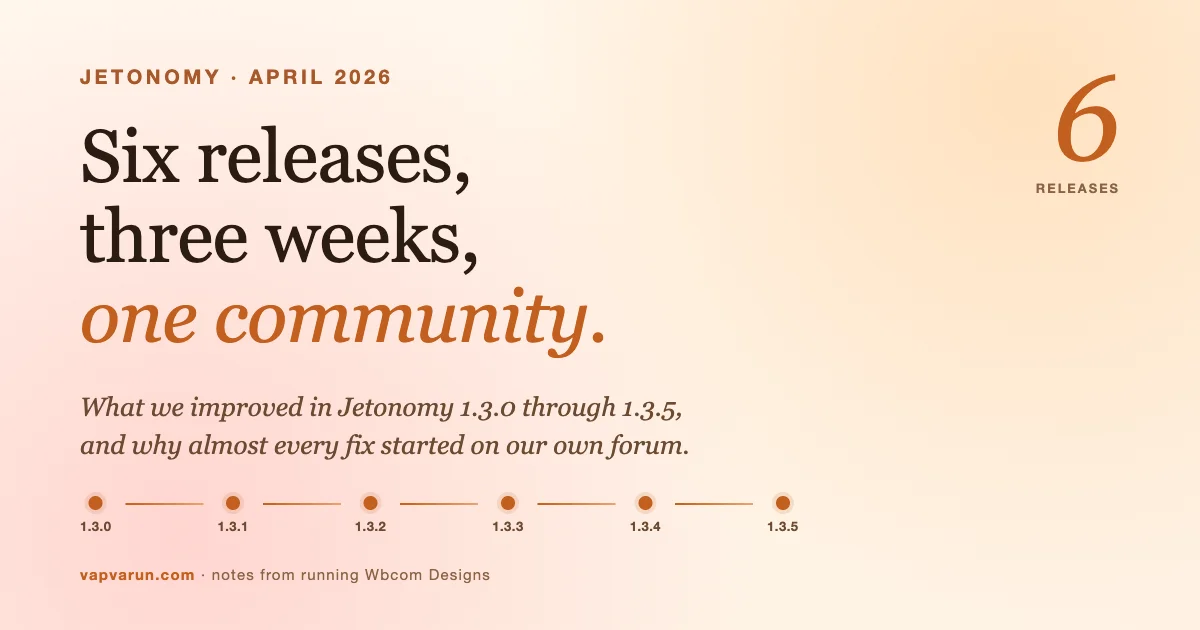
We run our own community on Jetonomy. Everything we shipped this month started as a problem on our own forum.
Short version: between April 5 and April 18, 2026, we released Jetonomy 1.3.0 through 1.3.5. Six releases in 13 days. Almost every improvement in that stretch came from something we hit first on our own community at community.wbcomdesigns.com, which runs on Jetonomy in production.
That community is going to matter to you shortly. We’re opening public registration there in the next few days, and we’re shifting most Wbcom product support into the open. Public self-help forums, where customers help each other and our team shows up publicly. Paid support tickets stay exactly where they are. But the default answer to “how do I do X in BuddyX?” is about to be, “search the community, or ask, and we’ll answer there so the next person doesn’t have to ask again.”
That’s the context for this post. When I say “we improved X” below, what I actually mean is: we hit X on our own site, it annoyed us, and we fixed it in the plugin that powers it. Dogfood at scale.
If you missed the earlier releases, the Jetonomy 1.2.0 update laid the groundwork for most of what followed, including private topics, BuddyPress integration, polls, and the first round of LMS adapters. 1.3 is where we started turning that foundation into something we could run our own support org on top of.
Here’s what got better, release by release, and why.
1.3.0 on April 5. Improving social reach, theme fit, and trust.
1.3.0 was the wide release. Seventeen improvements and a database migration that runs automatically on the next admin page load. These are the improvements that mattered most for our own community.
Improved: how our threads travel across the internet
We shipped proper oEmbed providers for every topic and reply URL. Paste a Jetonomy topic into Slack, Discord, Twitter/X, Facebook, or another WordPress site and you now see a real preview card with title, author, excerpt, space, thumbnail. No setup, no configuration, no schema plugin required.
We also improved inline embeds inside posts and replies. Paste a YouTube, Vimeo, SoundCloud, Spotify, or TED Talks link and it unfurls inline instead of showing as a raw URL. Instagram and Facebook are gated behind a Meta Developer App setting (Settings, then SEO, then Social Embeds) with a 5-minute setup guide embedded right in the admin screen. Leave it blank and those URLs fall back to plain links. No nag.
On our community: every time a team member shares a bug thread in Slack, there’s now a preview card with the actual context. That’s a small quality-of-life win that has already reduced the number of “what is this about?” replies internally.
Improved: theme fit on BuddyX, BuddyX Pro, and Reign
Jetonomy has always read theme.json, but we added a dedicated Kirki bridge for the three themes our customers actually run: BuddyX, BuddyX Pro, and Reign. The plugin now reads the theme’s Kirki mods (accent color, dark-mode state) and injects them as --jt-accent, and toggles .jt-dark via body_class. On those themes, the community looks like it was designed for the theme. Dark mode flips with the rest of the site. Zero custom CSS required.
Community verdict: we rebuilt community.wbcomdesigns.com on Twenty Twenty-Five for the relaunch, and the same bridge pattern makes it inherit Twenty Twenty-Five’s typography and color tokens cleanly. The theme.json path is now the default, and the Kirki bridge is the “works anyway” fallback for our classic themes.
Improved: AI spam filtering, with a self-hosted option
This is the improvement I was proudest to ship. A lot of our enterprise customers cannot, for legal or policy reasons, send member content to OpenAI or Anthropic for spam scoring. So we built an AI Adapter interface with a first-party Ollama provider. Install Ollama on your own server, point Jetonomy at it, and the plugin scores every new post and reply locally. No API key. No data leaves your infrastructure. No cost per request.
For everyone else, Jetonomy Pro 1.3.0 added proper multi-provider cloud support (OpenAI GPT-4 and GPT-5, Anthropic Claude, or any OpenAI-compatible service). Set two or three providers and Pro automatically falls over to the next one if the first errors mid-request. Monthly spend caps per provider so a runaway loop can’t drain your budget. A Test Connection button. A usage dashboard widget on the main Jetonomy admin page that tells you exactly what this feature costs you.
On our community: we’ve been running Ollama locally against an 8B model for spam scoring since 1.3.0. Zero cost, and it caught three different ChatGPT-written referral-spam reply patterns that Akismet was letting through.
Improved: rendering speed on big spaces
Topic listings on large spaces are now 2 to 3 times faster thanks to smarter batch queries. COUNT(*) replaced with cursor-based pagination, eager loading for avatars and vote state, denormalized counters on the topic row itself. On a test space with 10,000 topics, a paginated listing went from about 480ms to about 170ms on my dev box. This is the work that pays off more as the community grows, and it’s the reason we can run our own community and know it will hold up when we open registration publicly.
Improved: URL-base safety
One of my personal pet peeves. You rename /forum/ to /community/ and two years of bookmarks and search traffic disappear. 1.3.0 stores the previous base slug and issues 301 redirects from the old URL scheme to the new one automatically. You change the setting; the plugin handles the rest. We used this when we moved community.wbcomdesigns.com’s base from /pt/ to /discuss/ mid-migration. Zero broken inbound links.
Improved: scriptability via the WordPress Abilities API
The Abilities API is new in WP 6.9 and it’s going to be how AI assistants drive WordPress. We registered 18 abilities across posts, replies, spaces, moderation, and user management. In practice: an AI agent can now be told, “create a Q&A space called Support, gated behind Pro, and post a welcome topic,” and do it without custom integration. We use this internally to seed our community content.
Plus ten customer-reported bug fixes we had accumulated. BuddyPress compatibility crash, notification defaults, vote state indicator, admin “View” link, join request admin UI, post scheduling default timestamps, settings write consistency, REST nonce handling, cookie credentials on fetch. Small individually, important in aggregate.
1.3.1 on April 7. Improving theme CSS isolation.
Two days after 1.3.0 I hit a bug on our own community that customers would have hit within hours. Theme buttons in the theme’s own areas were inheriting Jetonomy’s hover styles, and vice-versa. My CSS reset wasn’t scoped tightly enough to the .jt-app container.
The fix was 20 minutes. The lesson was longer. Every Jetonomy release since 1.3.1 requires browser verification on at least three themes before I tag it: BuddyX, Reign, and Twenty Twenty-Five. That’s a non-negotiable part of the release process now.
Pro 1.3.1 shipped the same day and cleaned up six more CSS and PHP issues: reaction picker sizing (emojis were clipping on mobile, overlapping on desktop), a “React” trigger label that was duplicating the reaction emoji, a Private Messaging 404 on fresh installs (rewrite rules registered after activation, fixed with a deferred flush), and a batch of PHP 8.1+ warnings from an EDD updater SDK.
1.3.2 on April 10. Improving PHP 8.1+ hygiene.
1.3.2 was small but important. Three PHP deprecation warnings were firing on setup-wizard pages under PHP 8.1 + WordPress 6.4+: strip_tags(null), print_emoji_styles, wp_admin_bar_header. None of them broke anything, but they were cluttering error logs and making the plugin look sloppy on sites with strict error reporting. All three fixed.
The more interesting addition was a new filter, jetonomy_new_post_submit_action, that lets Pro extensions intercept the new-post form’s submit URL without mutating DOM after hydration. This closed the door on three Preact-related bugs in the Poll extension that were caused by inline onclick handlers fighting the virtual DOM on form render.
1.3.3 on April 13. Improving admin clarity.
This is the release where I removed a setting that nobody understood.
Access Control used to be a three-option dropdown: Public, Private, and “Members only (registered users can view but not post).” In customer feedback, and on my own support tickets, nobody used the third option correctly. People kept picking it and wondering why their public community had stopped letting anyone post.
1.3.3 collapses the dropdown to two options:
- Public community. Anyone can read, login required to post.
- Private community. Login required to view anything.
Existing sites migrate automatically on upgrade. Private stays private. Members-only becomes private. Public stays public.
1.3.3 also added two admin improvements I wish we had shipped from 1.0:
Counter rebuild from the admin. Topic totals, reply totals, member stats, and vote scores can drift after a bulk import or a manual database change. Until 1.3.3 you had to drop to WP-CLI (wp jetonomy admin rebuild-counters) to fix that. Now it’s a button in the admin dashboard. Not glamorous, but the kind of thing that saves a support ticket every time someone runs a bbPress import and sees “0 topics” on a space listing.
Preserved original dates when seeding. When admins post topics via the importer or the demo seeder, the topic keeps its original created_at timestamp instead of being stamped with today’s date. Obvious in retrospect. Should have been there from 1.0.
Plus a real bug: the “Default Space Type” setting we had shipped as admin-configurable had never actually been read by the code that creates new spaces. It defaulted to Forum unconditionally. That was embarrassing. Wired up properly now, both in the admin UI and the API.
1.3.4 on April 15. Improving moderation, the boring, critical work.
This is the release that fixed the things quietly hurting moderators. Every single improvement here came out of a day when I was moderating community.wbcomdesigns.com and noticed something was off.
Akismet no longer flags staff replies as spam
If you had Akismet active, Jetonomy was submitting replies written by site admins, space admins, and moderators to Akismet and quarantining the staff response when the score came back high. On a support community that’s catastrophic. The staff’s actual answer was being hidden from the member who asked the question.
1.3.4 skips Akismet submission entirely for staff roles. If your moderators are spammers, you have a different problem.
Denormalized counters stay accurate through moderation actions
Approving, marking-as-spam, or trashing a topic or reply from the admin list was not updating the aggregate counters we rely on for performance. A space with 50 real topics and 12 trashed topics was still showing “62 topics” on the listing. Fixed. The 1.3.3 counter-rebuild tool now also repairs member-count drift, not just topic and reply drift.
Spaces track real membership, not just explicit joins
This was the biggest mental-model improvement in the release.
Jetonomy spaces used to have a space_members table that only tracked people who had explicitly clicked the Join button. On open communities, most active participants never click Join. They just post. So spaces showed “1 member” (the creator) while having dozens of active contributors.
1.3.4 changes the contract: posting a topic or replying in an open community automatically joins the author as a member. Space counts now reflect who’s actually contributing. We also shipped a one-time upgrade routine that back-fills historical authors into space membership, so existing communities start showing accurate numbers immediately after the update.
Our own community at wbcomdesigns.com jumped from showing about 40 members across all spaces to the actual 600-plus contributors the instant this migration ran. Huge credibility difference for anyone landing on a space page.
One-click spam approval
The Replies and Posts admin lists now show an Approve / Not Spam action next to Trash on any row currently held for moderation. Admins can also see spam-flagged items alongside pending ones via the REST API (/moderation/queue?status=pending|spam|all), which is what the Pro Advanced Moderation extension uses for its unified queue.
Bulk trust-level promotion via admin API
Useful after migrations or onboarding batches. Admins can now promote many members to a trust level in one API call. Previously you had to loop in WP-CLI.
1.3.5 on April 18. Improving the editor, improving the release pipeline.
Two new Gutenberg blocks for the sidebar
1.3.5 shipped two small but heavily-requested blocks:
- Jetonomy Navigation block. Renders the Category to Space tree as sidebar navigation. Permission-aware (private spaces stay hidden from anonymous viewers), highlights the current space, scales to sites with thousands of spaces.
- Jetonomy Login block. Inline login and register panel for the community sidebar. Logged-out viewers see Login and Register tabs without leaving the page. Logged-in viewers see nothing, so there’s no layout shift when state changes. Rate-limited. Nonce-protected.
Both are in use on community.wbcomdesigns.com’s sidebar right now.
Paragraph preservation in the inline editor
An editor bug that had been bothering me since 1.2.0. Editing a topic or reply collapsed paragraphs into a single run-on line. The inline editor now preserves blank lines all the way through open, save, and display, and historical posts that had already been flattened render with paragraphs restored on the next page load.
Improved release discipline: the broken-zip story
Here’s the improvement that’s actually the most important one in the whole month. And the one that cost me the most.
I cut 1.3.5 on a Friday morning. CI green. I attached a zip sitting in my Desktop folder to the GitHub release. A zip that had been built the night before, before a critical bootstrap fix for Jetonomy\table() got committed. A customer on auto-updates pulled it within 30 minutes. Their site went down with a fatal at plugins_loaded.
I fixed the zip, re-cut the release, emailed the customer, and apologized. The real improvement was in the build pipeline. We now have a bin/build-release.sh script that is the only way a release zip gets produced, and it enforces:
- Clean-tree gate. No release builds from a dirty working copy.
- Version triangulation. The
Version:header, theJETONOMY_VERSIONconstant, and thereadme.txtStable tag:must all match. - Production composer install in a staging directory (
--no-dev --optimize-autoloader). php -lon every staged PHP file.- Smoke test. We boot the plugin through
plugins_loadedandinitin a minimal WordPress stub. This is the check that would have caught the 1.3.5 bug before the zip ever left my laptop. - Zip, re-extract, re-run smoke test. Catches zip corruption.
Rule that matters more than the script: never attach a pre-existing zip to a release. Always rebuild from the tagged commit.
If you maintain a WordPress plugin with auto-updates on customer sites, steal this. The 30 minutes it costs to wire up is nothing compared to a single “your plugin bricked my site” ticket.
What a three-week release rhythm actually looks like
A few things I want to put on record, because they shaped every decision above and they’re worth more than any individual bug fix.
Small patch releases beat batched ones. We used to batch fixes into bi-weekly or monthly releases to avoid looking noisy. Customers pushed back. They would rather get a small fix today than wait two weeks for a bundle. 1.3.1, 1.3.2, and 1.3.3 each shipped within 72 hours of the issue being reported. Not one customer complained about the upgrade cadence. Several thanked us for moving fast on things they had flagged.
Every drift bug needs a rebuild button. Denormalized counters are a performance optimization; they are also a category of data-drift bug waiting to happen. Any schema that stores aggregate totals on a parent row will eventually drift. The lesson from 1.3.3 is: ship the rebuild button on day one, not in release ten. The same pattern applies to any cached aggregate, search index, or materialized view you hand to a customer.
Autojoin on post is almost always the right default for open communities. The explicit-Join-button model maps to how most plugin developers think about community membership. It does not map to how members actually participate. Every open community is going to look empty under explicit-join metrics even when it is thriving. If you are designing a community product, the default should be “participation implies membership,” and the explicit Join button should be reserved for closed or gated spaces.
“Staff bypass” is a legitimate special case. Akismet integration is the cleanest example. The rule “submit all content to Akismet” sounds uniform and principled, and it produces a terrible product experience. We now have Akismet bypass for admins and moderators, and I suspect we’ll add similar bypasses for rate limiting on trust-level promotions and for AI spam scoring on manually-reviewed posts. Rules should have explicit trust escape hatches where the trust is already established.
Release hygiene compounds. The 1.3.1 hotfix and the 1.3.5 broken zip were both caused by process gaps I could have closed earlier. 1.3.1 should have been browser-tested on three themes before tagging. 1.3.5 should have gone through a build script, not a Desktop drag-and-drop. One hour of process work at the top of the month would have saved both releases and the customer who called in about the bricked site. Process discipline is the compound interest of plugin development.
If any of this resonates, the 50+ community projects we’ve shipped over the years makes a lot more sense through this lens. The plugin is the distillation of lessons from real communities, run by real people with real moderation budgets.
The improvement you can’t see in the changelog: community.wbcomdesigns.com
Every improvement above made community.wbcomdesigns.com better, because that community is the reason most of these improvements got found.
A few things that aren’t in any changelog but matter if you use Wbcom plugins:
Registration is opening to the public in the next few days. Right now community.wbcomdesigns.com is locked behind Jetpack SSO. We’re flipping that to open registration for anyone who wants to ask a question about BuddyX, Reign, Jetonomy, or any of our plugins and themes.
Public self-help forums become the first answer to support questions. We’re shifting most Wbcom product support into the open. Our team will actively answer there, visibly, under our own names, so that the next person asking the same question can find the answer in a search instead of opening a ticket. This is the whole reason we built Jetonomy in the first place. Now we’re using it the way we intended.
Paid support tickets don’t go anywhere. If you have a licensed Wbcom plugin and you need private, SLA-backed support, that path is unchanged. The public forums are the default channel, not the only one.
The plugin gets better because we use it. Every bug I hit moderating our own community becomes a ticket. Most of the improvements in 1.3.3 and 1.3.4 came directly from me sitting in the moderation queue and going “this is wrong.” Dogfood at scale.
If you’re still weighing forum plugin options, the bbPress vs wpForo vs Jetonomy comparison I wrote earlier walks through the architectural trade-offs in detail. This post is the “what’s happening on the Jetonomy side of that comparison, right now” companion.
What we’re focused on improving next: 1.4.0
We’re wrapping the 1.3.x branch with 1.3.5. The next release is 1.4.0 and the working theme is “the editor people actually want to write in.” Planned improvements:
- Markdown editor as a first-class alternative to the rich-text editor
- Draft autosave (embarrassed we don’t have it yet)
- Better mention picker with group mentions (
@moderators,@space-members) - Topic templates per space for structured bug reports and structured ideas
- Accessibility pass on every admin screen
If you run Jetonomy and any of those would change your day, tell me on the community once public registration opens, and it’ll be weighted accordingly.
Jetonomy is on WordPress.org; Pro is at store.wbcomdesigns.com/jetonomy-pro. If you want to see Jetonomy running in production before you try it yourself, go visit community.wbcomdesigns.com. It’s the best demo we’ll ever ship.