Mastering the WP_DEVELOPMENT_MODE Constant in WordPress: A Comprehensive Guide
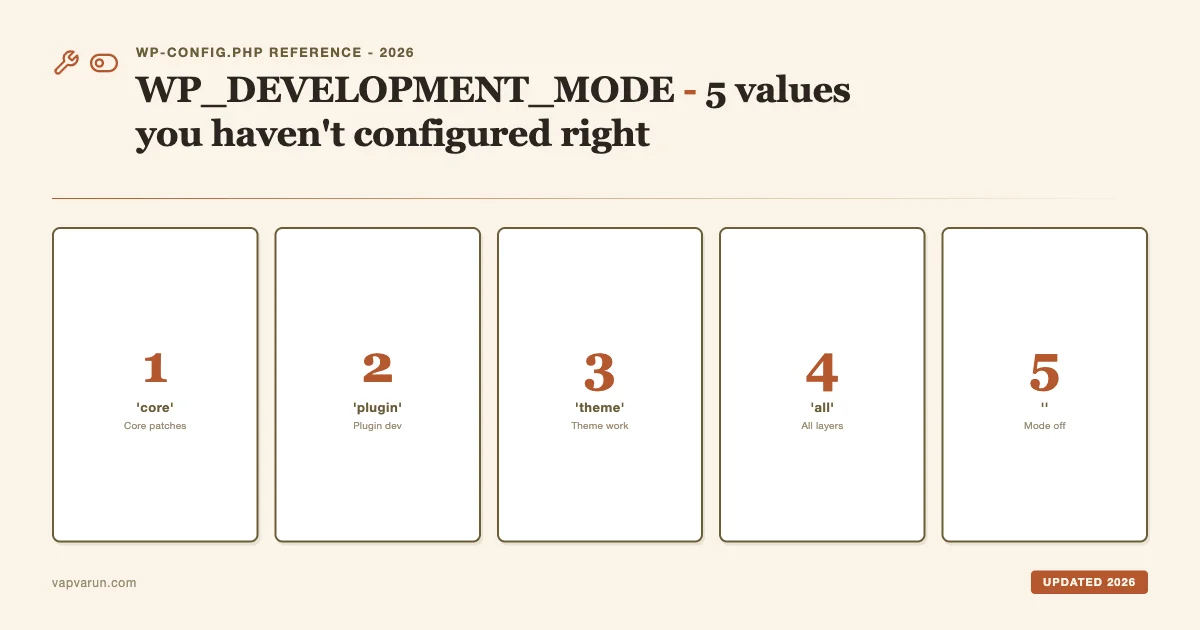
I’ve set up WordPress development environments on dozens of client sites over the years. The configuration that trips up most backend developers isn’t WP_DEBUG or SAVEQUERIES, it’s WP_DEVELOPMENT_MODE. Not because it’s complicated. Because most people either don’t know all five valid values exist, or they set the wrong one for the work they’re actually doing.
This post is a complete reference. Five values, what each one actually does inside WordPress core, when to reach for each, how to pair them with your debug logging stack, and how to wire them into Local by Flywheel, WP Playground, and multisite environments. Updated for WordPress 6.7 and the 2026 tooling landscape.
What WP_DEVELOPMENT_MODE actually does (and what it doesn’t)
Before listing the values, it’s worth being precise about what this constant controls. WP_DEVELOPMENT_MODE was introduced in WordPress 6.3 as a formal way for WordPress core, and by extension plugin and theme authors, to know what kind of development work is happening right now on this install.
It does NOT replace WP_DEBUG. It does NOT control error reporting. It does NOT affect WP_DEBUG_LOG or SCRIPT_DEBUG. Those constants are still separate and still required if you want PHP notices in your log file.
What WP_DEVELOPMENT_MODE does control:
- Theme caching behavior, in theme mode, WordPress bypasses its in-memory cache for
theme.jsonso changes you make to your theme’s JSON file appear immediately without a cache flush. - Plugin asset behavior, in plugin mode, certain minification and concatenation shortcuts that WordPress uses in production are skipped, so you see the real unprocessed output of your plugin’s enqueued assets.
- Core build paths, in core mode, WordPress loads from the
srcdirectory instead of thebuilddirectory when development builds are present, which is relevant if you are working directly in a WordPress core checkout. - Third-party plugin and theme code, any plugin or theme can call
wp_get_development_mode()orwp_is_development_mode( 'plugin' )to conditionally load debug panels, development-only REST endpoints, or verbose logging that you don’t want running on production.
Understanding that distinction, this constant is a signal, not a debug switch, makes it much easier to choose the right value.
The five valid values
Here are all five valid values for WP_DEVELOPMENT_MODE, in the order you’re most likely to reach for them.
1. ‘plugin’
Use this when you are actively building or debugging a plugin. This is the value I use for the vast majority of my development time at Wbcom Designs, any time I’m writing PHP, REST API endpoints, admin UI, or WooCommerce/BuddyPress integration code.
What changes in plugin mode:
- WordPress skips object cache lookups for plugin asset version hashes. In practice this means your
wp_register_scriptversion strings update correctly on page load even when using persistent object cache like Redis. - Plugin authors can use
wp_is_development_mode( 'plugin' )to conditionally register debug REST routes or admin notices that shouldn’t appear in production. - The
allvalue also satisfies anywp_is_development_mode( 'plugin' )check, so if you later switch toallmode you don’t break plugin-gated dev code.
Recommended wp-config.php block for plugin development:
Notice the CONCATENATE_SCRIPTS false companion constant. WordPress admin concatenates all JS into a single request by default. That blob is almost impossible to debug in browser DevTools. Disabling concatenation gives you individual file names and line numbers in the network panel.
2. ‘theme’
Use this when you are building or editing a theme, including FSE block themes and theme.json configuration. This is the value I switch to whenever I’m working on block theme build tooling or tweaking a custom child theme.
What changes in theme mode:
- WordPress bypasses the in-memory cache for
theme.jsonfile contents. Without this, you’d need to flush object cache every time you edit your theme’s JSON configuration. - Theme block style variations are reloaded on each request rather than from cache, which is critical when you’re tuning block gap values or color palette entries.
- Theme stylesheet version hashes refresh automatically so you don’t need cache-busting query strings during active development.
Recommended wp-config.php block for theme development:
The WP_ENVIRONMENT_TYPE constant is worth pairing here. Setting it to 'development' changes some hosting-layer behaviors (notably Jetpack and some caching plugins read this constant to decide whether to activate) and makes the WordPress admin show an “Development Environment” badge in the toolbar.
3. ‘core’
Use this when you are contributing to WordPress core itself, patching a Trac ticket, writing unit tests against the core test suite, or working on a Gutenberg PR that lives inside the core editor. This is the value that most agency developers never need, but it’s worth knowing what it does.
What changes in core mode:
- WordPress loads scripts from the
/src/directory instead of the compiled/build/directory when development builds of the block editor are present. This lets you edit React source files and see changes without running a build step on every change. - Block editor development mode is activated inside Gutenberg, surfacing additional React DevTools integration hooks.
- Core unit test helpers and the WP-CLI scaffold for tests expect this constant to be set.
Recommended wp-config.php block for core development:
If you are NOT doing core development, don’t set this. It has no meaningful effect on plugin or theme code, and loading scripts from the src directory when no src directory exists just causes silent fallbacks.
4. ‘all’
Use this when you are touching multiple layers at once, say, building a plugin that registers a custom block that ships inside a child theme. With 'all', every wp_is_development_mode() check passes regardless of which specific mode is tested.
What changes in all mode:
- All behaviors from core, plugin, and theme mode activate simultaneously.
- Any call to
wp_is_development_mode( 'plugin' ),wp_is_development_mode( 'theme' ), orwp_is_development_mode( 'core' )returns true. - This is the highest-signal state, it tells every piece of code in your install that you are in full development.
Recommended wp-config.php block:
The tradeoff: because all mode activates everything, you may see more verbose output from third-party plugins that respect this constant. If you’re already running the site in Local by Flywheel with no persistent cache, this overhead doesn’t matter. On a shared staging server with Redis object cache enabled, use a targeted mode (plugin or theme) instead.
5. ” (empty string)
This is the one most developers forget to explicitly set. An empty string means development mode is off. WordPress is in standard runtime mode.
Why you should set it explicitly rather than just omitting the constant:
- Third-party plugins or hosting platform mu-plugins may define
WP_DEVELOPMENT_MODEto a non-empty value based on environment detection. If your wp-config.php doesn’t define it explicitly, those definitions win. - Some managed hosting platforms (WP Engine, Kinsta) inject environment constants via a system-level config file loaded before your wp-config.php. Explicitly defining
WP_DEVELOPMENT_MODEto''in your wp-config.php ensures your intent is honored because WordPress respects the firstdefine()call. - It documents intent. Whoever reads your wp-config.php six months from now can see that development mode was considered and deliberately turned off.
The debug logging stack that pairs with WP_DEVELOPMENT_MODE
Setting WP_DEVELOPMENT_MODE alone doesn’t give you a debug log. You need to pair it with the debugging constants. Here’s the combination I use on every local site, regardless of which mode I’m in:
WP_DEBUG true, enables PHP error display system-wide. Without this, none of the other debug constants do anything useful.WP_DEBUG_LOG true, writes PHP errors, warnings, notices, and deprecations towp-content/debug.log. Set this to a custom path string (e.g.,'/tmp/wp-debug.log') if you want the log file outside the web root.WP_DEBUG_DISPLAY false, keeps errors out of the browser output. On a local site this matters less, but the habit of setting it to false means you won’t accidentally ship debug output to a staging URL that a client can see.SCRIPT_DEBUG true, forces WordPress to load unminified versions of its own JS and CSS. Core uses.min.jsfiles in production. WithSCRIPT_DEBUG true, you get the readable source versions in the network panel.
The combination of WP_DEVELOPMENT_MODE plus this debug stack is what I mean when I say “development configuration.” Any one piece alone is incomplete.
Reading debug.log in real time during active development:
tail -f wp-content/debug.log | grep -v "Deprecated"The grep -v "Deprecated" part filters out the flood of deprecation notices that modern WordPress throws for legacy code in older plugins. You still see them in the full log, but your terminal doesn’t drown in noise when you’re chasing an actual bug.
How to read WP_DEVELOPMENT_MODE from inside your plugin or theme
This is where the constant becomes genuinely useful for plugin authors. WordPress provides two functions:
wp_get_development_mode(), returns the current mode string:'core','plugin','theme','all', or''.wp_is_development_mode( $mode ), returnstrueif the current mode matches$modeOR if the current mode is'all'.
Use wp_is_development_mode() rather than checking the constant directly. It handles the 'all' case for you and is the idiomatic API.
A practical use case from one of our BuddyPress-adjacent plugins: we ship a development panel that shows the full hook execution trace for community activity feeds. That panel is gated behind wp_is_development_mode( 'plugin' ). It never loads on production even if someone accidentally copies a development wp-config.php to a live server, because on production we always explicitly set WP_DEVELOPMENT_MODE to an empty string first.

Environment-aware configuration: keeping one wp-config.php across dev, staging, and production
The pattern I’ve settled on for client projects is environment-variable-driven wp-config.php. A WP_ENV server environment variable (or .env file read by a small snippet) controls which block of constants gets applied. This means the same wp-config.php checks into version control and deploys to every environment without modification.
Local by Flywheel makes this pattern straightforward. In your site’s Flywheel environment, set a custom environment variable WP_ENV=development via the local site preferences. On Kinsta or WP Engine staging, set WP_ENV=staging in the hosting control panel’s environment variables section. Production gets no variable set, defaulting to the production switch case.
The staging case is intentional: staging has WP_DEVELOPMENT_MODE empty (production behavior) but keeps debug logging on. QA teams can review debug.log after running test scenarios without triggering development-mode asset changes that would affect performance benchmarks.
WP_DEVELOPMENT_MODE vs. WP_ENVIRONMENT_TYPE, what’s the difference
This is the other constant that causes confusion. They sound similar but serve different purposes.
WP_ENVIRONMENT_TYPE communicates what kind of server the WordPress install is running on. Valid values are 'local', 'development', 'staging', and 'production'. Some plugins, hosting platforms, and Jetpack read this to decide whether to send data to external services, show admin notices, or enable production-safety features.
WP_DEVELOPMENT_MODE communicates what kind of development work is happening right now, which layer of the WordPress stack you are actively editing. It’s workflow-oriented, not environment-oriented.
They can and often should be set together:
define( 'WP_ENVIRONMENT_TYPE',   'development' );
define( 'WP_DEVELOPMENT_MODE',   'plugin' );
define( 'WP_DEBUG',              true );
define( 'WP_DEBUG_LOG',          true );
define( 'WP_DEBUG_DISPLAY',      false );
define( 'SCRIPT_DEBUG',          true );
Setting WP_ENVIRONMENT_TYPE alone does NOT activate development mode caching behaviors. You need WP_DEVELOPMENT_MODE for that. I’ve seen developers assume WP_ENVIRONMENT_TYPE development is sufficient and then wonder why their theme.json changes don’t appear until they flush cache. It isn’t sufficient. Both constants serve different concerns.
Multisite implications
WP_DEVELOPMENT_MODE is a network-level constant. When you define it in wp-config.php on a multisite network, it applies to every subsite. There is no built-in per-subsite override mechanism via wp-config.php alone.
If you need per-subsite control, say, you want development mode on a staging subsite but not on the rest of the network, you can use a sunrise.php mu-plugin to conditionally redefine constants before WordPress fully loads.
One multisite-specific gotcha: when SCRIPT_DEBUG is true across an entire network, every subsite loads unminified JS. On a large multisite network with dozens of active subsites and hundreds of concurrent users, this can meaningfully increase page weight and TTFB. Be deliberate about whether you need SCRIPT_DEBUG true network-wide or only on specific subsites.
WP Playground integration
WP Playground supports WP_DEVELOPMENT_MODE via the blueprint JSON defineWpConfigConsts step. This means you can spin up a shareable Playground URL with your plugin pre-installed and development mode pre-configured, useful for sharing reproducible bug reports, testing a plugin against a clean WordPress version, or demoing a dev build to a client without giving them access to a staging server.
The defineWpConfigConsts step runs before WordPress initializes, so constants defined here behave identically to constants defined in wp-config.php. You can pass your entire debug stack this way. This is a significant workflow improvement: you can write a blueprint once, commit it to your plugin repository, and anyone testing your plugin against a specific WordPress version gets a properly configured environment by opening a single URL.
I use this pattern when filing core Trac tickets. A blueprint that reproduces the bug, pre-loaded with the right constants and the relevant plugin version, is far more useful to core contributors than a written reproduction steps list.
Local by Flywheel staging sync patterns
The most common mistake when pushing from Local to staging via Local’s push feature is accidentally pushing development wp-config.php values. Here’s how I handle this:
Keep two files in version control:
wp-config.php, uses the environment-variable pattern shown above. Safe to push anywhere.wp-config-local.php, local-only overrides, gitignored. Contains any machine-specific paths or local credentials.
In the main wp-config.php, load the local override file if it exists:
if ( file_exists( __DIR__ . '/wp-config-local.php' ) ) {
    require_once __DIR__ . '/wp-config-local.php';
}
The wp-config-local.php file can set WP_ENV=development explicitly so the main file’s switch statement picks up the right block. When Local’s push syncs files to staging, the local override file is absent (gitignored), so staging uses its own server environment variable, which returns the staging block.
This pattern means you never manually edit wp-config.php before a push and never accidentally leave WP_DEVELOPMENT_MODE all running on your staging server. I’ve seen that happen on a client project, a staging URL was shared publicly for client review, and the staging server was running in full development mode with script concatenation disabled, inflating page load times by 40%. The client thought the plugin was slow. It was the config.
Quick reference: which value for which scenario
| Scenario | WP_DEVELOPMENT_MODE value |
|---|---|
| Building or debugging a plugin | 'plugin' |
| Editing a theme or theme.json | 'theme' |
| Contributing to WordPress core | 'core' |
| Touching plugin + theme simultaneously | 'all' |
| Staging or production | '' (empty string) |
The right value is the one that matches what you are actually editing. If you’re only writing plugin PHP, don’t run all mode, you don’t need theme cache busting and it adds unnecessary overhead.
WP_DEVELOPMENT_MODE vs. WP_DEBUG: the clearest summary I can give
WP_DEBUG answers: should PHP report errors?WP_DEVELOPMENT_MODE answers: which part of WordPress am I developing right now?
They’re orthogonal. You can have WP_DEBUG true without any development mode (useful on staging for QA logging). You can have WP_DEVELOPMENT_MODE 'theme' without WP_DEBUG if you’re doing pure visual work and want cache busting without the PHP error output. In practice you almost always want both set together in a local development environment, but understanding that they are separate concerns helps you configure each one deliberately.
The full recommended local development stack:
define( 'WP_DEVELOPMENT_MODE', 'plugin' ); // or 'theme', 'all' as appropriate
define( 'WP_ENVIRONMENT_TYPE',  'local' );
define( 'WP_DEBUG',             true );
define( 'WP_DEBUG_LOG',         true );
define( 'WP_DEBUG_DISPLAY',     false );
define( 'SCRIPT_DEBUG',         true );
define( 'CONCATENATE_SCRIPTS',  false );
define( 'SAVEQUERIES',          false ); // set true only when profiling DB queries
I keep SAVEQUERIES off by default because it stores every query in memory for the duration of the request. On a site with complex custom queries, that memory overhead adds up quickly and slows down the very requests you’re trying to debug. Turn it on when you need it, profile, turn it off again.
Checking the current mode from WP-CLI
If you’re ever unsure what mode a site is actually running in, especially useful when verifying a staging or shared environment, you can check from WP-CLI:
wp eval "echo wp_get_development_mode();"An empty response means the constant is either not defined or set to an empty string. Both mean development mode is off, which is what you want on production. A non-empty response on a production server is worth investigating, something is defining that constant when it shouldn’t be.
You can also check all relevant constants at once:
wp eval "echo WP_DEVELOPMENT_MODE . ' | ' . WP_DEBUG . ' | ' . WP_ENVIRONMENT_TYPE;"This gives you a one-liner status read without accessing wp-config.php directly. Useful when you have SSH access to a server but not filesystem access to the config file, or when you want to verify a deploy pipeline’s environment variable injection is actually working.
Common mistakes and how to fix them
Setting ‘all’ on a shared staging server. All mode activates every development behavior simultaneously. On a staging server that multiple team members or clients access, this means degraded performance and potential exposure of dev-only REST endpoints that plugin authors gate behind wp_is_development_mode(). Use '' on staging with WP_DEBUG_LOG true for the logging benefit without the mode-related overhead.
Omitting WP_DEBUG_DISPLAY false. When WP_DEBUG is true, WordPress defaults to displaying errors in the browser. A client hits your staging URL, sees a PHP notice about a deprecated hook in an old plugin, and emails you thinking the site is broken. Set WP_DEBUG_DISPLAY false explicitly every time you set WP_DEBUG true.
Expecting WP_DEVELOPMENT_MODE to enable debug logging. It does not. WP_DEBUG_LOG controls logging. The development mode constant is purely about WordPress’s internal caching and loading behaviors. If your debug.log is empty after setting WP_DEVELOPMENT_MODE 'plugin', that’s expected, you also need WP_DEBUG true and WP_DEBUG_LOG true.
Setting ‘core’ when doing plugin work. Core mode loads WordPress scripts from src directories when development builds are present. If you don’t have a development build, nothing meaningful changes. But you also don’t get the plugin-mode caching behaviors that actually help with plugin development. Match the mode to what you’re editing.
Putting it into your workflow
The way I think about WP_DEVELOPMENT_MODE now: it’s part of the project setup, not an afterthought. When I start work on a new client plugin, the first thing I do is open the local wp-config.php and confirm the mode is set to 'plugin'. When I switch to working on a block theme for the same project, I change it to 'theme'. When I’m doing both on the same day, I switch it to 'all' for that session.
That deliberate switching means I’m always getting the caching behaviors that match the work. It takes ten seconds to change. The alternative, running everything on 'all' all the time, or never setting it at all, means you’re either over-signaling (activating dev behaviors that aren’t relevant to what you’re doing) or under-signaling (not getting the cache busting that would make your development feedback loop faster).
If you’re looking for a deeper look at how these debug constants fit into a full WordPress debugging workflow, the complete WordPress debugging guide covers everything from DNS down to object cache profiling. And if you’re building with modern WordPress tooling, the @wordpress/scripts to @wordpress/build migration article covers the build side of the development configuration story.
At Wbcom Designs we’ve shipped plugins with AI-assisted development workflows, those workflows rely on a correctly configured development environment as the foundation. WP_DEVELOPMENT_MODE is part of that foundation. Get it right once, configure it systematically, and stop losing time to cache issues that shouldn’t exist in a development environment.
All nine code snippets referenced in this post are available as a single gist: vapvarun/wp-development-mode-examples. Fork it, adapt it to your project structure, and use it as the starting point for your wp-config.php on every new WordPress project.