WordPress 7.0 AI Connectors: Pros, Cons, and What the Ecosystem Needs to Get Right
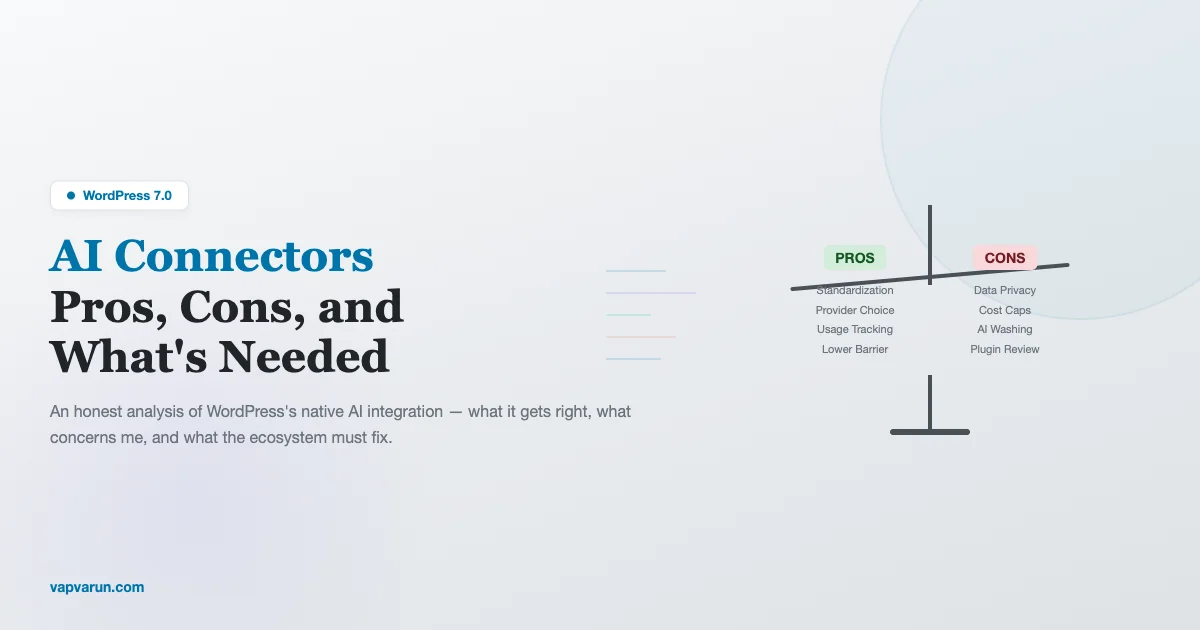
WordPress 7.0 AI Connectors: The Biggest Shift Since Gutenberg
When WordPress announced native AI connector APIs for version 7.0, the developer community split into two camps almost overnight. One side celebrated it as the natural evolution of the world’s most popular CMS. The other side raised alarms about data privacy, runaway costs, and third-party plugins operating without guardrails.
I’ve been working with WordPress for over a decade, and I’ve been integrating AI tools into my development workflow for the past couple of years. So I’m not approaching this from the outside, I’m someone who uses AI extensively and genuinely believes in its potential. But that belief doesn’t mean I think every implementation is going to be good, or that every concern is unfounded.
Let’s dig into what WordPress 7.0 AI Connectors actually offer, what they get right, what worries me, and what the ecosystem needs to do to make this work for everyone.
What Are WordPress 7.0 AI Connectors?
For those who haven’t followed the development closely, WordPress 7.0 introduces a standardized API layer that allows plugins and themes to interact with external AI services. Instead of each plugin implementing its own AI integration from scratch, with its own authentication, its own data handling, its own billing relationships, WordPress provides a common interface.
Think of it like the WordPress REST API, but for AI services. A plugin developer can use standard WordPress functions to send text for analysis, generate content, process images, or create embeddings, and WordPress handles the routing to whichever AI provider the site owner has configured.
The architecture includes:
- Provider registration: AI service providers (OpenAI, Anthropic, Google, open-source models) register themselves as WordPress AI providers, similar to how payment gateways register in WooCommerce
- Capability system: Site administrators control which AI capabilities are available, text generation, image analysis, embeddings, etc., and which providers handle each capability
- Usage tracking: Built-in metering that lets site owners see how much AI processing each plugin consumes
- Data routing controls: Settings for which data can be sent to external AI services and which must stay local
On paper, this is elegant. In practice, the implementation and the ecosystem that grows around it will determine whether it’s a success or a cautionary tale.
The Pros: What WordPress Gets Right
1. Standardization Prevents Fragmentation
Before 7.0, if you wanted AI features in your WordPress site, you needed individual plugins that each had their own AI service integration. Your SEO plugin connected to one AI service. Your content generation plugin connected to another. Your image optimization plugin had its own relationship with yet another provider.
Each of these plugins handled API keys separately, stored data differently, and gave you varying levels of control over what data was being sent where. If you wanted to audit your site’s AI usage, you’d need to check each plugin individually.
The 7.0 connector API centralizes this. One dashboard to manage AI providers. One place to set data policies. One view of total usage across all plugins. For site owners managing multiple plugins with AI features, this is a genuine improvement in control and visibility.
2. Lower Barrier to Entry for Plugin Developers
Building AI features used to require significant investment, implementing API client libraries, handling authentication flows, managing rate limits, building fallback logic, dealing with provider-specific response formats. It was a substantial engineering effort that only larger plugin teams could realistically tackle.
With the connector API, a solo developer can add AI-powered features to their plugin with a few function calls. wp_ai_complete(), wp_ai_analyze(), wp_ai_embed(), these abstractions mean the developer focuses on what to do with AI, not how to connect to it.
This democratization is important. Some of the most innovative WordPress plugins come from small teams and individual developers. Giving them easy access to AI capabilities will accelerate innovation across the ecosystem.
3. User Choice of Provider
The connector architecture is provider-agnostic. Site owners choose which AI service handles their requests. Prefer open-source models running locally? Configure a local Ollama instance. Want the latest cloud models? Connect to Anthropic or OpenAI. Need GDPR compliance? Choose a European-hosted provider.
This is far better than the alternative where each plugin locks you into a specific AI provider. Competition between providers benefits users through better pricing, better privacy options, and better performance.
4. Usage Visibility and Budgeting
The built-in metering system addresses one of the biggest concerns site owners have about AI: unpredictable costs. Being able to see which plugins are consuming AI resources, set monthly budgets, and receive alerts before costs spike is exactly the kind of guardrail that builds trust.
I’ve personally seen situations where a poorly configured AI plugin made hundreds of unnecessary API calls, generating a surprising bill. Having this visibility at the WordPress level, rather than hoping each plugin implements its own usage tracking, is a significant step forward.
5. Gradual Adoption Path
WordPress 7.0 doesn’t force AI on anyone. The connector API is opt-in. If you never configure an AI provider, your site works exactly as it did before. Plugins that use the AI API gracefully degrade when no provider is available, they simply don’t offer their AI-powered features.
This is the WordPress way: progressive enhancement, not forced modernization. It respects the diversity of the WordPress user base, from personal bloggers who want nothing to do with AI to enterprise sites that want AI everywhere.
The Cons: What Concerns Me
1. Data Privacy Is Only As Strong As the Weakest Plugin
Here’s my biggest concern, and it’s not about WordPress core, it’s about the ecosystem that will build on top of it. The connector API provides data routing controls, but what data a plugin sends to the AI service is ultimately up to the plugin developer.
Imagine a contact form plugin that uses AI to detect spam. Reasonable use case. But what if the plugin sends the entire form submission, including the sender’s email, name, phone number, and message, to an external AI service for analysis? The connector API will route it to the configured provider, and the metering will track the usage, but the decision about what data to send was made by the plugin developer, not the site owner.
WordPress 7.0 includes a data classification system, you can label data as “personal,” “sensitive,” or “public”, but enforcement is on the plugin developer’s honor system. There’s no technical mechanism that prevents a plugin from sending personal data to an AI service even when the site owner has configured “no personal data” policies.
The broader trend of new WordPress plugins being built for scale means more developers will adopt these connectors. This is the same trust model that WordPress has always used with plugins, but the stakes are higher when data is being sent to external AI services. A plugin that stores data in your database inappropriately is bad; a plugin that sends personal data to a cloud AI service is potentially a GDPR violation, a CCPA violation, and a breach of user trust.
2. Third-Party Plugins Without Cost Caps
The metering system tracks usage, and you can set budgets. But what happens when a plugin exceeds its allocated budget? The default behavior in the current implementation is soft enforcement, the plugin gets a warning, but the request still goes through.
This design choice makes sense from a reliability perspective (you don’t want a critical feature to stop working because a monthly budget was hit on the 28th), but it means that a misbehaving or poorly optimized plugin can generate costs beyond what the site owner intended.
I’d like to see hard budget limits as an option. If I say “this plugin gets $10/month of AI budget,” I mean $10, not $10 with a friendly suggestion that it should maybe slow down. Site owners, especially those running multiple sites professionally, need predictable costs.
The potential for billing surprises is real. A plugin that generates AI completions on every page view, or processes every uploaded image through AI analysis, or runs AI-powered search indexing on large content libraries could rack up costs that the site owner didn’t anticipate. And unlike hosting costs that scale somewhat predictably, AI API costs can spike dramatically based on input size and request volume.
3. The “AI Washing” Problem
With AI capabilities now easy to add, we’re going to see a flood of “AI-powered” plugins that add AI features not because they’re useful but because “AI” is a marketing keyword. AI-powered contact forms. AI-powered backup plugins. AI-powered maintenance mode pages. Not every feature needs AI, and adding it where it doesn’t belong creates cost, privacy risk, and complexity for no real benefit.
This isn’t a technical problem that WordPress can solve, it’s a marketplace problem. But it’s worth acknowledging that making AI easy to integrate will inevitably lead to some plugins integrating it gratuitously. Users will need to evaluate “does this AI feature actually help me?” rather than assuming AI equals better.
4. Local/Self-Hosted AI Is Still Second-Class
The connector API supports local AI providers in theory, but in practice, the documentation and tooling heavily favor cloud providers. Setting up a local Ollama instance as a WordPress AI provider requires technical knowledge that most WordPress users don’t have. And the default provider options presented during setup are all cloud services.
I’ve actually built a private AI assistant for WordPress that never sends data externally, so I know firsthand that local AI is viable. For users who care about data sovereignty, keeping their data within their own infrastructure, the current implementation makes the right choice the hard choice. I’d like to see WordPress make local/self-hosted AI a first-class experience, with the same ease of setup as cloud providers.
This is especially important for organizations in regulated industries (healthcare, finance, legal, government) where sending data to cloud AI services may be prohibited regardless of the provider’s privacy policy.
5. Plugin Review and Enforcement Gaps
The WordPress.org plugin review team does an admirable job of reviewing plugins for security issues, but they’re already stretched thin. Adding AI-specific review criteria, checking data handling practices, verifying cost transparency, ensuring proper consent mechanisms, increases their burden significantly.
Without robust review and enforcement, the WordPress.org plugin directory could become a minefield of plugins that nominally comply with AI data policies but practically cut corners. The community needs a clear set of AI plugin guidelines and the resources to enforce them.
What the Ecosystem Needs to Get Right
1. Mandatory Data Transparency
Every plugin that uses the AI connector API should be required to declare, in human-readable language:
- What data it sends to AI services
- Why it sends that data
- Whether the data includes personal information
- Whether the user can opt out of AI processing for their data
This should be enforced at the WordPress.org review level and displayed prominently on the plugin’s page. Users should know before installation, not after, what data a plugin will send to AI services.
2. Hard Budget Limits
As I mentioned above, soft enforcement isn’t enough. WordPress should provide site owners with the option to set hard limits, “if this plugin hits its AI budget, stop processing AI requests from this plugin.” The plugin should handle this gracefully (showing cached results, falling back to non-AI functionality), and the connector API should provide clear patterns for handling budget exhaustion.
3. Consent Mechanisms for End Users
If a WordPress site processes visitor data through AI, analyzing comments for sentiment, using AI-powered search that processes query text, generating personalized content, the site’s visitors should be informed and given the opportunity to consent or opt out.
WordPress already has a privacy policy page mechanism and data export/erasure tools. The AI connector should integrate with these existing privacy tools. When a user requests their data export, they should see what data was sent to AI services. When they request erasure, that should include requesting deletion from AI providers (to the extent providers support it).
4. Provider Certification
Not all AI providers are equal in terms of data handling practices. WordPress should establish a certification program for AI providers that register as connector providers. At minimum, certified providers should:
- Not use request data for model training without explicit opt-in
- Provide data retention and deletion policies
- Comply with GDPR, CCPA, and other major privacy regulations
- Offer data processing agreements (DPAs) for business users
- Provide uptime and performance SLAs
Uncertified providers should still be usable (preserving user choice), but the interface should clearly distinguish between certified and uncertified providers.
5. Education for Site Owners
Most WordPress site owners are not developers. They’re business owners, bloggers, creators, and organizations who chose WordPress because it’s accessible. The introduction of AI connectors adds a layer of complexity, cost management, data privacy, provider selection, that these users need help navigating.
WordPress.org should invest in comprehensive, non-technical documentation about AI connectors. Not “how to configure the API” but “what you need to know before enabling AI on your site.” Covering costs, privacy implications, and how to evaluate whether a plugin’s AI features are worth enabling.
6. Open-Source AI as a Default Option
The WordPress community has always championed open source. The AI connector should reflect this by making open-source AI models a prominent option. A curated list of self-hostable models that work well with WordPress, with one-click setup for popular hosting environments, would align with WordPress’s values and give users a privacy-first option that doesn’t depend on cloud providers.
The Bigger Picture: AI As a Tool
I want to step back from the technical details and share my broader perspective on AI in WordPress.
AI is a tool. Like every tool, its value depends entirely on how it’s used and who’s using it. A knife in a chef’s hands creates art. In a carpenter’s hands, it shapes wood. The same knife in inexperienced hands causes injury. The knife isn’t good or bad, the application determines the outcome.
WordPress 7.0 AI Connectors are putting a powerful tool in the hands of an ecosystem that ranges from world-class developers to first-time plugin authors. The potential for both incredible innovation and unfortunate mishaps is enormous.
The communities and individuals who will benefit most from AI connectors are the ones who approach it with clear intentions: “I want AI to help my users do X specific thing, and here’s how I’ll handle the data responsibly.” The ones who will struggle are those who add AI because it’s trendy without thinking through the implications.
For Plugin Developers
If you’re building plugins that will use the AI connector API, I’d encourage you to:
- Start with the problem, not the technology. What user problem does AI solve? If you can’t articulate this clearly, the AI feature probably isn’t needed.
- Minimize data exposure. Send the minimum amount of data needed for the AI to do its job. Don’t send an entire post when a paragraph is sufficient. Don’t include user metadata when the content alone suffices.
- Provide non-AI fallbacks. Not every user will have AI configured. Not every user will want AI processing. Your plugin should work without it, even if some features are reduced.
- Be transparent about costs. If your plugin’s AI features will generate significant API costs, say so upfront. Provide estimates. Give users controls to limit usage.
- Test with budget constraints. Test what happens when the AI budget is exhausted. Test what happens when the AI provider is down. Test what happens when the provider returns an error. Don’t just test the happy path.
For Site Owners
If you’re managing WordPress sites and evaluating AI-connected plugins, here’s my advice:
- Understand what data leaves your site. Before enabling any AI-connected plugin, understand what data it sends externally. Check the plugin’s documentation, and if it doesn’t clearly state what data it processes through AI, consider that a red flag.
- Set budgets from day one. Don’t enable AI features without a cost budget in place. Start conservative, you can always increase it. Starting high and getting a surprise bill is the worst outcome.
- Review your privacy policy. If your site processes visitor data through AI, your privacy policy needs to reflect this. Consult with a legal professional if you’re processing personal data in jurisdictions with data protection regulations.
- Evaluate AI features critically. “AI-powered” isn’t automatically better. For each AI feature, ask: does this genuinely improve my site for my users, or does it just sound impressive? If the non-AI version works fine, the AI addition might not be worth the cost and complexity.
For the WordPress Community
The WordPress community has an opportunity to set the standard for responsible AI integration in content management systems. The decisions made in the 7.0 release cycle, about defaults, about enforcement, about education, will influence how millions of sites interact with AI services.
I’d like to see the community prioritize:
- Privacy by default. The default configuration should be the most privacy-protective one. Users who want to send more data to AI services can opt in; users who don’t shouldn’t have to opt out.
- Cost transparency by default. Every AI-connected plugin should display its estimated monthly cost based on the site’s traffic and content volume.
- Open-source alternatives as a first-class option. Cloud AI services are convenient, but self-hosted alternatives should be equally well-supported.
My Own Plans
I’m cautiously optimistic about AI connectors. For the plugins and themes I maintain, I plan to integrate AI features gradually and transparently:
- Community moderation assistance (flagging potentially problematic content for human review, never automated action)
- Content recommendations based on user activity patterns
- Accessibility improvements (auto-generated alt text for review, content readability analysis)
- Search enhancement through semantic understanding
Each of these features will be optional, clearly documented regarding data handling, and designed to enhance human decision-making rather than replace it. AI assists; humans decide.
Conclusion: Get It Right, Not Just Get It Done
WordPress 7.0 AI Connectors have the potential to make WordPress the most AI-capable CMS in the world. But capability without responsibility is dangerous. The ecosystem, core contributors, plugin developers, hosting providers, and site owners, needs to collectively commit to doing this right.
That means taking data privacy seriously, not just as a legal obligation but as a moral one. It means building cost controls that actually protect users. It means being honest about where AI helps and where it’s just adding complexity. And it means maintaining the WordPress philosophy of user empowerment, giving people tools, not taking away their agency.
I’m excited about what’s possible. I’m cautious about what could go wrong. And I’m committed to contributing to the conversation about how we get from here to the best possible version of AI-powered WordPress.
As I’ve written about in my exploration of building MCP servers for WordPress, the tools are getting more powerful every month. The knife is in our hands. Let’s be chefs, not just enthusiastic amateurs.
Frequently Asked Questions
Will WordPress 7.0 AI Connectors increase my hosting costs?
The connectors themselves don’t increase hosting costs, they’re part of WordPress core. However, the AI services you connect to have their own pricing. If you connect to cloud AI providers like OpenAI or Anthropic, you’ll pay per API request. The amount depends on which plugins use AI features and how heavily they use them. WordPress 7.0 includes usage metering so you can monitor costs. For a typical blog with moderate traffic and basic AI features (spam detection, content suggestions), expect costs in the range of a few dollars per month. Sites with heavy AI usage (AI-powered search, content generation, image analysis) could see significantly higher costs.
Can I use WordPress 7.0 AI Connectors without sending data to the cloud?
Yes, the connector API supports local AI providers. You can run models locally using tools like Ollama or LocalAI and configure WordPress to route AI requests to your local instance. This keeps all data on your infrastructure. The trade-off is that local models typically require significant server resources (GPU or high-end CPU) and may not match the capability of larger cloud models. For many use cases, text classification, basic content generation, embedding creation, local models work well. For more complex tasks, cloud providers may still offer better results.
How does this affect GDPR compliance?
If your site processes personal data of EU residents through AI services, GDPR applies to that processing. You’ll need to update your privacy policy, potentially conduct a Data Protection Impact Assessment (DPIA), ensure you have a legal basis for the processing, and have a Data Processing Agreement (DPA) with your AI provider. WordPress 7.0 integrates AI data handling with the existing privacy tools (data export, erasure requests), which helps with compliance. However, the specific GDPR implications depend on what data your plugins send to AI services, so you should review each AI-connected plugin’s data practices carefully.
What happens if my AI provider goes down?
The connector API includes fallback handling. If a provider is unavailable, plugins should degrade gracefully, showing cached results, falling back to non-AI functionality, or queuing requests for later processing. Well-built plugins will handle provider outages transparently. However, plugins that are poorly designed might show errors or break. When evaluating AI-connected plugins, check their documentation for how they handle provider unavailability. You can also configure multiple providers for the same capability, with automatic failover if the primary provider is unavailable.
Should I wait for WordPress 7.0 or start using AI plugins now?
If you have a specific need that current AI plugins address, there’s no reason to wait. Current AI plugins work fine and will likely update to use the connector API when 7.0 launches, giving you centralized management of what you’ve already been using. If you don’t have a specific need, there’s no rush to adopt AI features just because the connector API makes them easier. The best time to add AI to your site is when you’ve identified a clear benefit for your users, not when the technology becomes available. Technology should follow need, not the other way around.