AI for Frontend Developers on WordPress: Ship Gutenberg Blocks 3x Faster With Claude + Copilot in 2026
I’ve been shipping Gutenberg blocks for clients since the early Phase 2 days. Back then, scaffolding a new block meant copying a boilerplate folder, renaming files, fixing the registration bug you always forgot, and then spending the first 45 minutes just getting the editor to load the damn thing. In 2026, that whole ceremony takes me about eight minutes. Claude Code writes the block.json and edit.js skeleton while I’m still thinking through the API shape. Copilot fills in the repetitive InnerBlocks wiring. I review, I ship.
This is a walkthrough of that workflow. Not theory. We’re going to build a real Pricing Table block from scratch, with ResponsiveControl, Tailwind-style utility classes, and a WCAG 2.2 AA pass baked in. I’ll show you every prompt I used, every file Claude generated, and the spots where Copilot saved me from repetition hell.
Why This Stack Works for WordPress Frontend Dev
At Wbcom Designs, we build a lot of blocks. Custom blocks for BuddyPress-powered communities, blocks for WooCommerce product displays, blocks for client landing pages. The challenge is always the same: Gutenberg’s block API is powerful but verbose. A reasonably featured block needs a block.json, a edit.js, a save.js (or a dynamic PHP render callback), a stylesheet, and usually a handful of custom inspector controls. That’s five files before you’ve written a single line of actual feature logic.
AI pair-programming doesn’t replace that structure. It generates it, correctly, in about 30 seconds. Then I spend my time on what actually requires judgment: the UX decisions, the accessibility edge cases, the performance patterns. The split is roughly 20% scaffolding (AI), 80% real frontend work (me, plus AI assist on specific patterns).
Here’s what I’m using as of early 2026:
- Claude Code (claude.ai/code) for block.json scaffolding, edit.js logic, WCAG audits, and complex @wordpress/components patterns
- GitHub Copilot for InnerBlocks repetition, fill-in-the-blank attribute wiring, and JSDoc comments
- Tailwind CSS in Gutenberg for utility-class styling with AI-generated class suggestions
If you’re also thinking about the AI tooling budget for your WordPress dev work, check out Free AI Credits 2026: Together AI, NVIDIA NIM, Gemini AI Studio for a breakdown of what you actually get at $0.
Step 1: Scaffold the Block With Claude Code
Let’s build our Pricing Table block. I’ll use Claude Code in the terminal (the claude CLI, not the web UI) so it has direct filesystem access to my plugin directory.
Here’s the prompt I gave it:
The key parameters I specify in every scaffolding prompt:
- Block namespace and name (e.g.,
wbcom/pricing-table) - Attributes list with types and defaults
- Whether it’s dynamic (PHP render) or static (save.js)
- Any @wordpress/components I know I’ll need
- Category and icon
The block.json Claude Generates
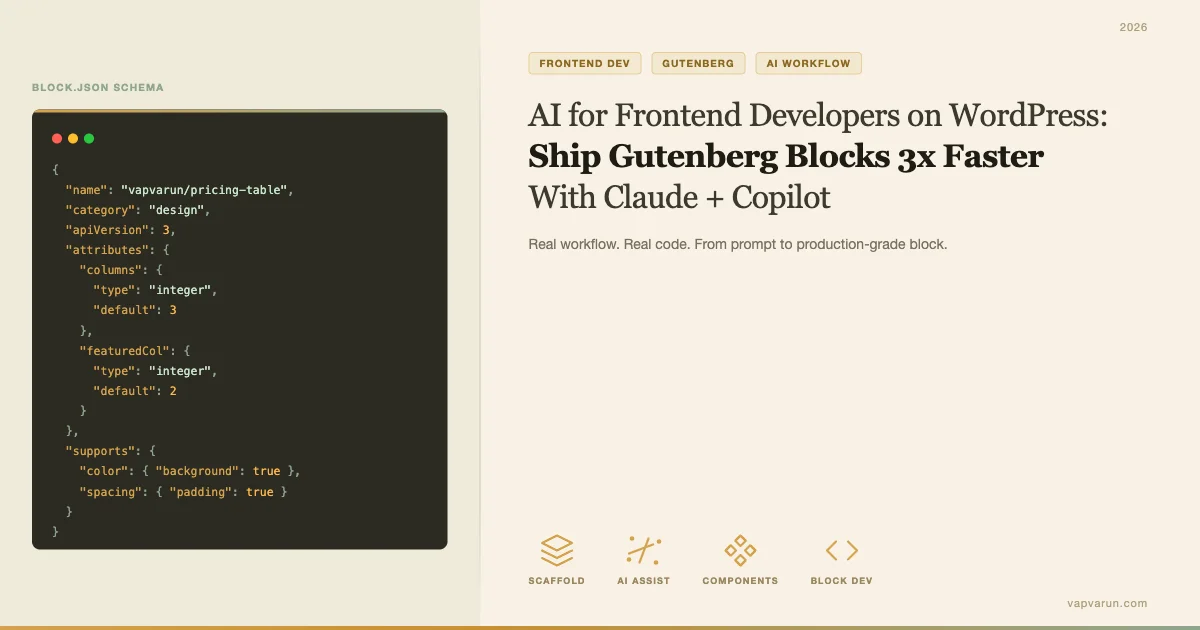
Within about 15 seconds, Claude produces a complete block.json. Here’s what it looks like for our Pricing Table:
A few things worth noting about what Claude gets right without being told:
- It uses
"editorScript": "file:./index.js"and"style": "file:./style-index.css"rather than inline enqueue calls - The attribute
typedeclarations match whatuseBlockPropsexpects - It sets
"supports": { "color": { "background": true, "text": true }, "spacing": { "margin": true, "padding": true } }automatically - The
"textdomain"matches the plugin slug
These are the things I used to get wrong constantly in the boilerplate days. Claude just… doesn’t.
The edit.js Skeleton
Claude doesn’t stop at block.json. It generates a full edit.js including the inspector panel, all attribute controls, and the block preview. Here’s the structure it outputs:
What I review every time before accepting:
- Does the
useBlockProps()call includeclassNamecorrectly? - Are the
PanelBodygroups logical (Design / Content / Advanced)? - Does the
RichTextcomponent have the righttagName? - Is there a
BlockControlstoolbar where needed?
Usually the edit.js is 85-90% ready to use. I’ll tweak the panel organization and sometimes refactor the attribute names to match our internal conventions. That’s about 10 minutes of work instead of 60.
Step 2: Wire InnerBlocks With Copilot
Our Pricing Table block has an inner structure: each pricing tier is itself a block (wbcom/pricing-tier), and those tiers contain a heading, a price, a features list, and a CTA button. That’s classic InnerBlocks territory.
InnerBlocks wiring is repetitive in a specific way. The parent block needs allowedBlocks and template props. The child block needs its own useInnerBlocksProps. Every tier block needs the same set of attributes mirrored in its own block.json. Writing this manually for five or six tier blocks is mind-numbing.
This is where Copilot earns its keep. Once I’ve got the parent block’s InnerBlocks pattern established, Copilot watches my typing and fills in the child block variations. I type the first five lines of the second tier block’s block.json and it autocompletes the rest, correctly inferring the namespace, attribute structure, and supports config from the pattern it’s seen.
The workflow:
- Write
wbcom/pricing-tier-featured(the highlighted tier) fully by hand, with Claude’s help - Open a new file for
wbcom/pricing-tier-standard - Type the opening five lines
- Accept Copilot’s suggestion for the remaining 40 lines
- Review the diff
Copilot’s suggestions at this level are very high accuracy because the context is mechanical. The attributes are a mirror. The supports are identical. The only thing that changes is the block name and maybe one color attribute. Copilot handles that correctly in my experience about 90% of the time.
The InnerBlocks Template Pattern
Here’s the InnerBlocks setup in the parent pricing table’s edit.js. I ask Claude for this specific pattern once, then Copilot maintains it across variations:
The templateLock="insert" is important here. It prevents editors from adding random blocks inside the pricing table. They can only edit the content within each tier, not restructure the layout. This is a UX decision, not a code decision, and it’s one of the things I make sure to think through before scaffolding, not after.
Step 3: Tailwind in Gutenberg, With AI Class Suggestions
We use a scoped Tailwind setup in our custom blocks. The approach: Tailwind is compiled with a prefix (wbc-) so it doesn’t conflict with Gutenberg’s own CSS. The block stylesheet imports only the utilities we actually use.
Where AI helps: when I’m trying to express a design in utility classes. I’ll describe the visual to Claude: “I want a pricing card with a soft drop shadow, a top border that’s 4px wide in our primary color, 24px padding, and a hover state that slightly lifts the card.” Claude responds with the Tailwind class list:
I then add the prefix and plug them into the block’s className. This is faster than looking up Tailwind docs for the exact shadow scale value or the correct transition syntax. It also means my class choices are consistent across blocks because I’m describing design intent rather than guessing at utility names.
One caveat: Claude doesn’t know your Tailwind config. If you’ve customized your color palette or spacing scale, you need to paste the relevant section of tailwind.config.js into your prompt. I’ve made it a habit to include this in my project context at the start of a Claude Code session.
Step 4: ResponsiveControl and useSetting Patterns
The Gutenberg block API has evolved a lot, and some patterns that were common in 2022 are now superseded. Two that I see misused constantly in client-inherited code:
ResponsiveControl
WordPress doesn’t ship a built-in ResponsiveControl component, which surprises a lot of developers. If you want device-breakpoint controls in your inspector panel (mobile/tablet/desktop), you build your own or use a utility. The pattern I use:
I asked Claude to write this component once, then I’ve reused it across every block since. The prompt was: “Write a React component for a Gutenberg block inspector that shows three buttons (mobile, tablet, desktop) with appropriate icons from @wordpress/icons. The selected device should be stored in local state and passed via context to child attribute controls.”
Claude generated a working version on the first try. I tweaked the icon choices and added a default export. That’s it.
useSetting (Now useSettings in WP 6.5+)
WordPress 6.5 deprecated useSetting in favor of useSettings (plural). If you’re building blocks that should respect the site’s Global Styles palette, you need to pull colors from theme.json via this hook. Claude knows the current API:
The advantage of asking Claude for this pattern rather than searching docs: it gives you the hook call, the fallback for older WP versions, and the correct import path in one shot. The WordPress block editor packages have inconsistent naming across versions, and this is exactly the kind of thing that wastes 20 minutes on a Stack Overflow rabbit hole.

Step 5: WCAG 2.2 AA Check via Claude
Accessibility is the part of block development where I’ve found Claude most genuinely useful beyond scaffolding. WCAG 2.2 AA has specific requirements that are easy to miss: focus visible on interactive elements (2.4.11), pointer cancellation (2.5.3), target size minimums (2.5.8). These are new enough that most boilerplate code doesn’t handle them.
My workflow: once the block’s edit.js and save.js are at a working state, I paste the component into Claude with this prompt:
“Review this Gutenberg block component for WCAG 2.2 AA compliance. Flag any issues with: (1) focus management and focus-visible styles, (2) keyboard navigation, (3) ARIA labels and roles, (4) color contrast in the editor preview, (5) minimum tap target sizes. For each issue, give me the exact JSX fix.”
What I get back is a specific list with line numbers and JSX patches. For the Pricing Table block, Claude caught three things:
- The CTA button in the editor preview had no
aria-labelwhen the button text was empty (the default state) - The pricing tier’s “featured” badge div was missing
role="note"and an associated label - The feature list items lacked
aria-describedbylinking them to the tier heading
These are exactly the kind of issues that slip through a manual review because they only appear at specific content states. Claude checks the component systematically against the spec, not just what looks obvious.
I should be clear: this is a second pass, not a replacement for actual accessibility testing with a screen reader and keyboard. But it catches the obvious JSX-level issues before I even get to that stage.
The Full Pricing Table Block: End to End
Let me put the whole flow together. Here’s the actual timeline for building the Pricing Table block I’ve been referencing throughout this post:
| Task | Tool | Time |
|---|---|---|
| block.json scaffolding | Claude Code | 3 min |
| edit.js skeleton | Claude Code | 5 min |
| Review + tweak scaffold | Me | 10 min |
| InnerBlocks wiring (3 tier variants) | Copilot autocomplete | 12 min |
| ResponsiveControl integration | Claude Code (reused component) | 4 min |
| Tailwind class list | Claude Code | 5 min |
| WCAG 2.2 AA audit | Claude Code | 8 min |
| Fix audit issues | Me | 10 min |
| PHP render callback | Claude Code + me | 15 min |
| QA in editor | Me | 20 min |
| Total | 92 min |
Without AI assist, this same block has historically taken me around 4-5 hours. The 3x claim in the headline holds up in practice, and it’s not from cutting corners. The time savings comes entirely from eliminating scaffolding and mechanical repetition.
The PHP Render Callback
Our Pricing Table block is dynamic: the front-end output is rendered by PHP, not saved as HTML in the database. This lets us update the block’s markup globally without requiring users to resave every post. Claude writes a solid PHP render callback from the attributes array:
The PHP callback is where I’m most careful with Claude’s output. It’s usually correct, but I always check:
- Proper escaping:
esc_html(),esc_attr(),wp_kses_post()in the right places - The
$attributesarray defaults match theblock.jsondefaults exactly - The output wrapper includes
get_block_wrapper_attributes()so core spacing/color supports work - InnerBlocks are rendered via
$contentparameter, not re-rendered in PHP
Claude gets the security patterns right the vast majority of the time, but this is the one area where I review every line manually. No exceptions.
Real React + @wordpress/components Pair Programming
The most underused part of this workflow is treating Claude as an actual React pair programmer, not just a scaffolding tool. When I’m stuck on a specific component interaction, I open a conversation in Claude and work through it the same way I’d work through it with a senior dev:
Here’s a real example. I was building a ColorGradientControl that should show gradient options only when the user selects a specific tier style. The @wordpress/block-editor package’s color controls don’t have a built-in conditional display. I described the problem to Claude:
“I have a ColorGradientControl inside an InspectorControls panel. I want to show the gradient picker only when the attribute ‘tierStyle’ equals ‘premium’. The tierStyle attribute is a string with three possible values: ‘standard’, ‘featured’, ‘premium’. How do I conditionally render this within the PanelBody without causing re-render issues?”
Claude came back with a clean conditional render using a fragment, explained why a ternary inside JSX would cause the component to unmount/remount and lose user input, and suggested memoizing the control with useMemo. That’s the kind of senior-dev response that saves 45 minutes of debugging.
What AI Does Not Do For Block Development
I want to be specific about where the limits are, because the workflow I’m describing only works if you know when to stop relying on AI output.
It Won’t Catch Runtime Editor Bugs
Claude can review static JSX, but it can’t know what will fail inside the actual Gutenberg editor runtime. Block validation errors (where the saved HTML doesn’t match the save.js output) are a common trap. You need to actually load the block in the editor to catch these. No amount of AI review replaces running npm start and clicking around.
It Doesn’t Know Your Plugin’s Context
Claude has no visibility into your broader plugin unless you paste relevant code. When I’m building a block that interacts with BuddyPress data, for instance, I need to paste the relevant BP function signatures and explain the data model. Otherwise Claude will hallucinate function names that don’t exist in the BP API.
Performance Judgment Stays With You
Claude will write code that works but may not be optimal for the Gutenberg context. Things like avoiding unnecessary useEffect hooks, keeping the editor bundle size down, and using @wordpress/data selectors efficiently are judgment calls that require understanding the editor’s own performance model. These decisions stay with you.
Setting Up Your Workflow
If you want to start using this stack, here’s what you need:
Claude Code
Install the Claude Code CLI: npm install -g @anthropic-ai/claude-code. Run claude from your plugin root directory. Use a CLAUDE.md file in your plugin directory to give Claude persistent context about your block naming conventions, namespace, and any shared components. This is what makes the scaffolding consistent across multiple blocks in the same plugin.
A minimal CLAUDE.md for a block plugin:
GitHub Copilot
Use Copilot in VS Code with the Gutenberg workspace open. The key is making sure Copilot has context from your existing block files. Keep your block files open in adjacent tabs when writing new blocks. Copilot learns from the open workspace context, so having pricing-tier-featured/edit.js open when you’re writing pricing-tier-standard/edit.js dramatically improves its suggestion quality.
Tailwind Setup for Gutenberg
Use a prefixed Tailwind config to avoid style conflicts. The prefix option in tailwind.config.js scopes all generated classes. Set content paths to include your block’s edit.js, save.js, and any PHP templates. Process Tailwind as a separate CSS file from your main block stylesheet and enqueue it with wp_enqueue_style.
Prompt Templates for Block Development
I’ll leave you with the three prompts I use most often. Copy these into your own CLAUDE.md or a prompts doc:
Block Scaffolding Prompt
“Scaffold a Gutenberg block for a WordPress plugin with namespace [your-namespace]. Block name: [block-name]. Attributes: [list attributes with types and defaults]. This is a [static/dynamic] block. Required @wordpress/components: [list]. Category: [common|text|media|design|widgets|theme|embed]. Icon: [dashicon or SVG]. Include: block.json, edit.js with full InspectorControls, save.js or PHP render callback registration, and an index.js entry point. Use @wordpress/scripts build tooling.”
WCAG 2.2 AA Audit Prompt
“Audit this Gutenberg block component for WCAG 2.2 AA compliance. Check: (1) All interactive elements have visible focus styles meeting 3:1 contrast ratio with adjacent colors (Success Criterion 2.4.11). (2) No action is triggered on pointer down alone (SC 2.5.3). (3) All interactive targets are at least 24×24 CSS pixels (SC 2.5.8). (4) All images have alt text or role=presentation if decorative. (5) All form controls have associated labels. (6) ARIA roles and properties are valid and semantically correct. Return a numbered list of issues with JSX fixes.”
InnerBlocks Architecture Prompt
“I’m building a parent block [parent-name] that contains child blocks [child-block-1, child-block-2]. The parent should: allow only these child blocks, provide a default template with [X] instances of [primary-child], lock inserts (templateLock=’insert’) so editors can’t add other blocks. Show me the complete InnerBlocks setup for edit.js, including useInnerBlocksProps, and the matching save.js with InnerBlocks.Content. Also show the child block’s edit.js using useBlockProps for the inner container.”
Where This Leaves Frontend Block Developers in 2026
The mental model shift I’ve noticed in my own work over the past year: I spend less time thinking about block API syntax and more time thinking about the editor experience I’m building. The question has shifted from “how do I wire up useInnerBlocksProps” to “does this block structure make sense for the editor UX?” AI handles the former. The latter still requires a developer who understands how editors actually use these blocks.
For agencies like mine, this translates directly into faster client delivery. A custom block set that used to take three days of dev time now takes one. That’s not an exaggeration. It’s what I’m seeing consistently across the blocks we’ve shipped in the past 12 months since integrating Claude Code and Copilot into the workflow.
The blocks themselves are better, too. When scaffolding is fast and cheap, you iterate more. You try a different attribute structure. You refactor the InnerBlocks hierarchy when the first version feels wrong. You do the WCAG pass on every block instead of only the ones you have time for. Speed creates room for quality decisions that used to get cut.
If you’re a frontend developer working in WordPress and you haven’t integrated AI tooling into your Gutenberg workflow yet, 2026 is the year where the gap between those who have and those who haven’t becomes visible to clients. The pace of block delivery is just too different now.
If you’re also looking at alternatives for AI-assisted plugin development without a big API bill, the Groq + DeepSeek Free API Stack for WordPress Developers is worth reading alongside this.
I’m always interested in hearing how other frontend devs in the WordPress space are handling this. What’s your current block development stack? What’s slowing you down that AI hasn’t solved yet? Drop a comment or reach out on LinkedIn.
Need a custom Gutenberg block built for your WordPress site? Wbcom Designs specializes in BuddyPress-powered communities and custom block development.