Free AI Credits 2026: What WordPress Devs Actually Get From Together AI, NVIDIA NIM, and Gemini AI Studio
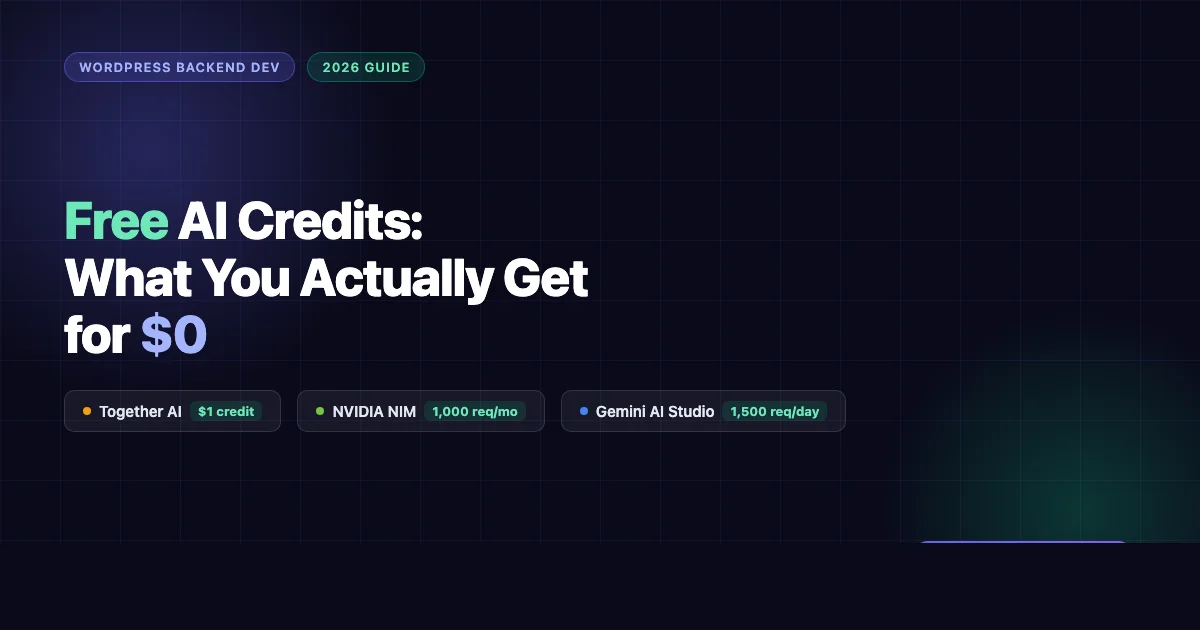
Three AI platforms are handing out real free AI credits in 2026. Not trials that expire in 14 days. Not “contact sales for pricing.” Actual free tiers you can hit with a cURL command right now. Here is what Together AI, NVIDIA NIM, and Gemini AI Studio give WordPress backend developers at $0, plus the signup steps that actually work and the rate limits you will hit first.
Why Free AI Credits Matter for WordPress Backend Work
Most WordPress backend work does not need a frontier model on every call. Translating plugin strings, writing docblocks, summarizing a WP_Error object, generating a quick REST schema, these are tasks where a smaller open-weight model at zero cost beats paying per token on GPT-4o or Claude Opus. The free tiers below let you prototype entire workflows before you commit a dollar to API spend.
If you are evaluating whether a paid AI subscription makes sense for your workflow, our $20 AI subscription comparison for freelance WordPress devs breaks down Claude Pro, ChatGPT Plus, and Gemini Advanced side by side. But before you pay anything, exhaust the free tier options below.
Before picking a model to call, it also helps to understand the overall WordPress development setup for 2026, how AI fits into the local toolchain alongside VS Code and Local WP.
Together AI: $1 Credit at Signup, Open-Weight Models That Ship
Together AI (api.together.ai) gives you $1 in API credit when you create an account with an email. No credit card required. That sounds small but at their pricing it goes further than you expect.
What Models You Actually Get
| Model | Input (per 1M tokens) | Output (per 1M tokens) | Best for |
|---|---|---|---|
| Llama 3.3 70B Instruct | $0.18 | $0.18 | General code, plugin logic |
| Qwen 2.5 Coder 32B Instruct | $0.20 | $0.20 | PHP code gen, code review |
| Mistral 7B Instruct v0.3 | $0.10 | $0.10 | Fast batch tasks, translation |
| DeepSeek Coder V2 Lite | $0.07 | $0.07 | Bulk string processing |
At $0.10/1M tokens for Mistral 7B, your $1 signup credit buys you 10 million tokens. That is enough to run batch translation on an entire plugin’s .pot file several times over.
Signup Steps
- Go to api.together.ai and click “Get started for free”
- Create an account with email (no credit card)
- Navigate to Settings > API Keys > Create new key
- Copy your key and test:
curl https://api.together.xyz/v1/chat/completions -H "Authorization: Bearer $TOGETHER_API_KEY" -H "Content-Type: application/json" -d '{"model":"mistralai/Mistral-7B-Instruct-v0.3","messages":[{"role":"user","content":"Hello"}]}' - Your $1 credit appears in the dashboard under Billing
Rate Limits on the Free Tier
- 60 requests per minute on most models
- No hard daily cap (credit depletes at usage rate)
- Context window: 4K to 32K depending on model
- Llama 3.3 70B supports up to 128K context
WordPress Backend Use Cases
Batch plugin translation: Feed your plugin’s .pot file strings to Mistral 7B in batches. At $0.10/1M tokens you can translate a 500-string plugin into 5 languages for fractions of a cent.
PHP code generation: Qwen 2.5 Coder 32B is one of the strongest coding models below GPT-4o. Use it for generating boilerplate: custom post type registration, REST API endpoints, WP_Query wrappers. It understands WordPress coding standards with the right system prompt.
Docblock generation: Pipe your PHP files through Llama 3.3 70B to generate PHPDoc comments at scale. Feed it 20 functions at once and get back annotated code. Your $1 credit handles a mid-size plugin end to end.
Together AI’s OpenAI-compatible endpoint means you can drop it into any existing integration that uses the OpenAI SDK by changing the base URL and model name. No library changes required.
NVIDIA NIM: Heavy Models Free via build.nvidia.com
NVIDIA’s inference microservices platform (build.nvidia.com) gives you access to serious models on NVIDIA’s own infrastructure for free. The positioning is different from Together AI: NIM is designed for evaluation and low-volume production prototyping, not batch processing.
What Models You Get Free
| Model | Free Tier Limit | Context | Notes |
|---|---|---|---|
| Llama 3.1 405B Instruct | 1,000 req/month | 128K | Meta’s largest open model |
| Mixtral 8x22B Instruct | 1,000 req/month | 64K | Strong at structured output |
| Llama 3.1 70B Instruct | 1,000 req/month | 128K | Good all-rounder |
| Microsoft Phi-3 Medium | 1,000 req/month | 128K | Fast, lighter weight |
| Google Gemma 2 27B | 1,000 req/month | 8K | Google’s open model |
The 1,000 request/month limit resets on the first of each month. There is no credit card required for the free tier.
Signup Steps
- Go to build.nvidia.com
- Click “Sign In” then “Create Account” (NVIDIA account or Google/GitHub login)
- Once logged in, browse to any model page (e.g. Llama 3.1 405B)
- Click “Get API Key” on the model page
- Your key is issued immediately, it scopes to all NIM models
- Test endpoint:
https://integrate.api.nvidia.com/v1
Rate Limits and Constraints
- 1,000 requests per month per account on the free tier
- Burst rate: roughly 10 requests per minute sustained
- No per-token cost on the free tier (you pay only once you add a credit card and upgrade)
- Output is capped at 4,096 tokens per response on most models
WordPress Backend Use Cases
One-off heavy reasoning: Llama 3.1 405B is the biggest open-weight model you can call for free anywhere. Use it for tasks where you need depth: analyzing a complex plugin architecture, reviewing a security-sensitive piece of code (authentication, nonce handling, capability checks), or generating a full database schema for a custom plugin.
Code review on pull requests: 1,000 requests a month is about 33 per day. Enough to run a full code review on every PR your team opens. Feed the diff to Mixtral 8x22B, ask it to check for WordPress coding standard violations and security anti-patterns, and get a structured JSON response you can pipe into a GitHub comment.
Structured output generation: Mixtral 8x22B handles JSON output reliably. Use it to generate block.json files, plugin headers, readme.txt data, or REST API schema definitions from a short description. The 64K context window means you can pass your entire existing plugin as context.
NIM’s free tier is not for batch jobs. It is for the task you run once and want the best possible answer from the largest model you can access without paying.
Gemini AI Studio: Genuinely Free, 1,500 Requests Per Day
Google’s AI Studio (aistudio.google.com) is the standout free tier in 2026. You get access to Gemini 2.0 Flash and Gemini 2.5 Pro Experimental with no credit card and a daily limit that resets at midnight Pacific time.
What Models You Get Free
| Model | Free Tier Limit | Context Window | Output limit |
|---|---|---|---|
| Gemini 2.0 Flash | 1,500 requests/day | 1M tokens | 8,192 tokens |
| Gemini 2.0 Flash Lite | 1,500 requests/day | 1M tokens | 8,192 tokens |
| Gemini 2.5 Pro Experimental | 50 requests/day | 1M tokens | 65,536 tokens |
| Gemini 1.5 Flash | 1,500 requests/day | 1M tokens | 8,192 tokens |
That 1M token context window on Gemini 2.0 Flash is the most useful free feature in this entire list. You can feed an entire WordPress plugin codebase, 30+ PHP files, into a single prompt and ask questions about it.
Note: Gemini 2.5 Pro Experimental is Google’s current top model. Fifty requests per day free is genuinely useful. If you need to evaluate whether to pay for Gemini 2.5 Pro on the paid tier, our Gemini 2.5 Pro pricing breakdown for WordPress agencies covers the ROI calculation.
Signup Steps
- Go to aistudio.google.com and sign in with any Google account
- Click “Get API key” in the left sidebar
- Click “Create API key in new project” (or select an existing Google Cloud project)
- Copy the key, it is active immediately with free tier limits
- Test:
curl "https://generativelanguage.googleapis.com/v1beta/models/gemini-2.0-flash:generateContent?key=YOUR_KEY" -H 'Content-Type: application/json' -d '{"contents":[{"parts":[{"text":"Hello"}]}]}'
Rate Limits on the Free Tier
- Gemini 2.0 Flash: 15 requests per minute, 1 million tokens per minute, 1,500 requests per day
- Gemini 2.5 Pro Experimental: 5 requests per minute, 50 requests per day
- Limits reset at midnight Pacific time
- No token-level cost on the free tier, you pay nothing until you add billing
WordPress Backend Use Cases
Prototyping REST API integrations: Use the AI Studio playground to design your REST endpoint schemas before writing a line of PHP. Paste your current routes, describe the feature you want to add, and iterate until the design is right. 1,500 requests a day is enough to prototype all day.
Large codebase analysis: The 1M token context window is not a gimmick. Feed your entire plugin to Gemini 2.0 Flash, all PHP files, the readme, the block.json files, and ask “where are potential SQL injection points?” or “what hooks am I not sanitizing?” No chunking needed.
Documentation generation: Gemini 2.0 Flash is fast enough to generate developer documentation for every function in your plugin within a few minutes. Feed it a class, ask for PHPDoc + usage examples, get back structured Markdown you paste into your docs site.
PR review automation: Set up a simple script that fires on GitHub Actions: on PR open, send the diff to Gemini 2.0 Flash via the API, get back a structured review comment. At 1,500 requests/day free, you can run this on every PR with room to spare.
Other Free Tiers Worth Knowing
Cerebras: Fastest Inference on the Free Market
Cerebras (cloud.cerebras.ai) runs inference on custom wafer-scale chips. The result: Llama 3.3 70B at 2,000+ tokens per second. Their free tier gives you 60 requests per hour on Llama 3.3 70B and Llama 3.1 8B. No credit card required. The speed alone makes it worth signing up, if you are running interactive developer tools where latency matters, Cerebras free tier beats paid tiers on other platforms in raw speed.
Fireworks AI: Trial Credits
Fireworks AI (fireworks.ai) gives new accounts $1 in trial credits with no card required. Their model selection focuses on fast inference of open-weight models. Fireworks’ key differentiator is function calling reliability, if you are building WordPress automation that calls tools or returns structured JSON, Fireworks handles it cleanly at low cost once your trial credits run out ($0.20/1M tokens on Llama 3.1 70B).
GitHub Student/Education Pack
If you have a .edu email or can verify student status, the GitHub Student Developer Pack includes credits from multiple AI providers. As of 2026 this includes access credits for Perplexity Pro, DigitalOcean GPU instances (useful for self-hosting models), and several AI coding tools. Not strictly a free API tier, but if you qualify, it layers on top of the free tiers above.
Full Comparison: All Free Tiers at a Glance
| Platform | Free Offer | Top Free Model | Rate Limit | Card Required? | Best For |
|---|---|---|---|---|---|
| Together AI | $1 credit | Llama 3.3 70B / Qwen 2.5 Coder 32B | 60 req/min | No | Batch translation, bulk docblocks |
| NVIDIA NIM | 1,000 req/month | Llama 3.1 405B | ~10 req/min | No | Heavy reasoning, code review |
| Gemini AI Studio | 1,500 req/day | Gemini 2.0 Flash (1M ctx) | 15 req/min | No | Prototyping, large codebase analysis |
| Cerebras | 60 req/hour | Llama 3.3 70B | 2000+ tok/s speed | No | Low-latency interactive tools |
| Fireworks AI | $1 trial | Llama 3.1 70B | Varies | No | Function calling, structured output |
Which Platform Should You Start With?
Start with all three main ones. The signups take under five minutes each and none require a credit card.
- Sign up for Gemini AI Studio first if you want to immediately run analysis on a large codebase. The 1M token context window and 1,500 daily requests give you the most room to experiment.
- Add Together AI when you have a batch task: translating a plugin, generating docblocks at scale, or running code review on many small files. The $1 credit and cheap per-token pricing make it ideal for volume work.
- Use NVIDIA NIM selectively for tasks where you want the best possible model, security review, architecture decisions, complex logic, and you can work within 1,000 requests per month.
None of these replace a paid API account for production traffic. But for development, prototyping, one-off automation, and learning what works before you spend money, the free tiers above cover most WordPress backend workflows without touching your wallet.
If you want to understand the full cost picture before you scale, the Claude Opus 4.7 tokenizer tax breakdown shows exactly what happens to API bills when usage grows, useful context for knowing when to move off the free tier.
The Practical Checklist: Get All Three Running Today
- Create account at aistudio.google.com, get API key, test with cURL
- Create account at api.together.ai, get API key, confirm $1 credit in billing dashboard
- Create account at build.nvidia.com, get API key from any model page
- Store all three keys in your .env file or a local secrets manager
- Write a simple PHP wrapper function that accepts a “provider” parameter and routes to the right endpoint, now you can switch between free tiers in your dev tools without changing anything else
- Use Gemini 2.0 Flash for large context tasks, Together AI Mistral 7B for batch tasks, NVIDIA NIM Llama 405B for one-off heavy reasoning
Free AI credits are not charity. Platforms offer them because they want your workload when it grows. The right move is to take the free access seriously, run real work through it, and let actual usage data tell you which platform earns your paid spend. With Together AI, NVIDIA NIM, and Gemini AI Studio all available at $0 right now, you have no reason to pay before you know what you need.