Aider + Gemini Flash-Lite: The $0 AI Pair-Programmer Freelance WordPress Devs Are Sleeping On
Let me tell you how my last plugin refactor went. It was a medium-complexity BuddyPress add-on, about 1,800 lines across six PHP files. I had the spec written up in Claude.ai. I knew what needed to change. But every time I sat down to actually type it out, the context-switching killed me. Tab to Claude, copy the suggestion, tab back to VS Code, paste, adjust for the actual file path, tab back to Claude for the next chunk.
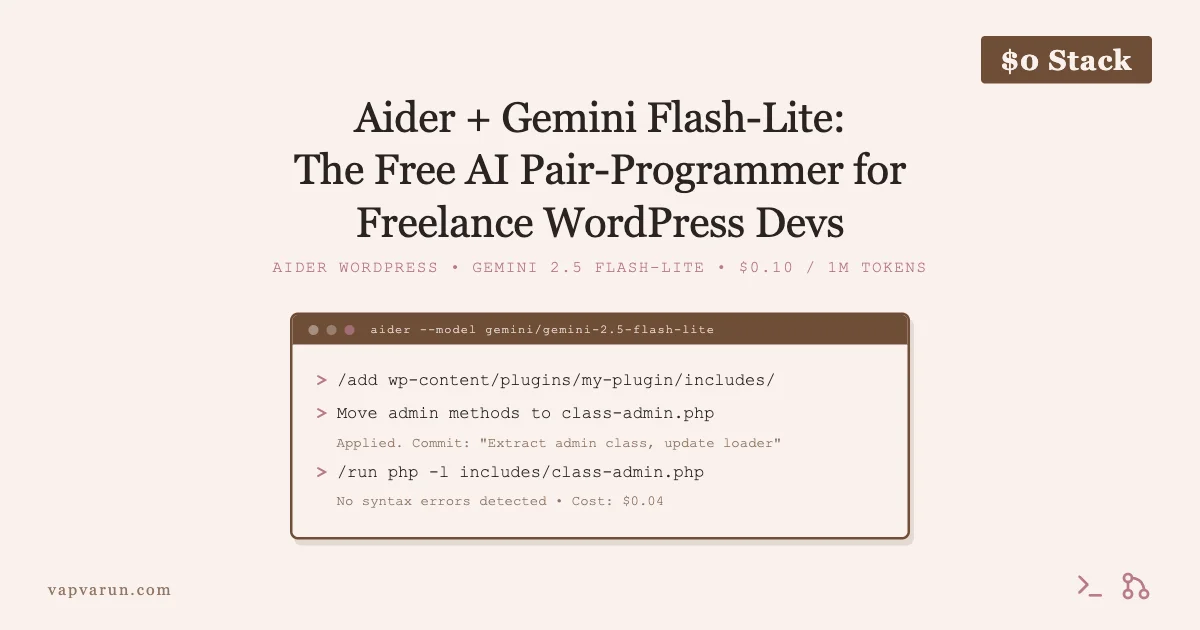
Then I tried Aider with Gemini 2.5 Flash-Lite. That refactor took me a focused 90-minute session. No tab-switching. No copy-pasting. The AI read my actual files, understood the codebase, and wrote changes directly into git. Total API cost: $0.06.
That is the workflow I am going to walk you through today.
What Aider Actually Is (Not What You Think)
Most people hear “AI coding tool” and picture GitHub Copilot or a chatbot plugin in their editor. Aider is neither. It is a CLI tool that acts as a true pair programmer operating directly on your local files. You run it in your terminal, tell it which files are in context, and give it instructions. It reads the files, writes the changes, and commits them to git. All from the terminal.
The GitHub repo has over 28,000 stars as of early 2026. Paul Gauthier, the creator, has been shipping updates almost weekly. It supports 100+ LLMs via LiteLLM, which is how you slot in Gemini Flash-Lite as the backend model.
Aider is free. You bring your own API key. That is the entire pricing model.
Aider reads your actual files, writes the changes, and commits to git. All from the terminal. No tab-switching. No copy-pasting.
Why Gemini 2.5 Flash-Lite Is the Right Pairing
Aider supports Claude, GPT-4o, Gemini, DeepSeek, local Ollama models, and more. For everyday freelance WordPress work, Gemini 2.5 Flash-Lite is the sweet spot. If you want to compare what each AI provider actually gives you on their free tiers, I wrote a full breakdown: Free AI Plan Reality Check 2026: What Claude, ChatGPT, Gemini, and Grok Actually Give You For $0.
Here is the official pricing from Google AI Studio as of April 2026:
- Input: $0.10 per 1 million tokens
- Output: $0.40 per 1 million tokens
- Context window: 1 million tokens
- Free tier: Yes, with rate limits (1,500 requests/day, 1 million tokens/minute)
For a typical WordPress plugin refactor session, you are sending maybe 5,000-15,000 tokens and getting back 3,000-8,000 tokens. That works out to roughly $0.003 to $0.01 per task. A full two-hour session with 20 back-and-forth exchanges might cost you $0.05 to $0.15. I have done full plugin overhauls for under $0.20.
Compare that to Claude Sonnet or GPT-4o at $3-15 per million tokens on the input side. Flash-Lite is 30x cheaper. For freelance work where you are not billing AI API costs to the client, this matters a lot.
The model is genuinely good at PHP. It understands WordPress hooks, filter/action patterns, and class-based plugin architecture. It is not perfect at complex logic, but for refactoring, renaming, restructuring, and writing boilerplate, it is fast and accurate.
Installation and Setup (15 Minutes, One Time)
Step 1: Install Aider
Aider installs via pip. You need Python 3.9+ on your machine.
If you prefer to keep Aider isolated (recommended), use pipx:
pipx install aider-chat
Step 2: Get Your Gemini API Key
Go to Google AI Studio at aistudio.google.com. Create an API key. It is free to create. The free tier gives you 1,500 requests per day and 1 million tokens per minute, which is more than enough for solo freelance work.
Store the key in your shell profile:
export GEMINI_API_KEY="your-key-here"
Add that line to your ~/.zshrc or ~/.bashrc so it persists across sessions.
Step 3: Verify the Setup
Navigate to a WordPress plugin directory and run:
aider --model gemini/gemini-2.5-flash-lite --list-models
If you see the Gemini models listed, you are set up correctly. Your first session command will look like this:
aider --model gemini/gemini-2.5-flash-lite
How Aider Thinks: The Git-Aware Editing Model
This is the part that makes Aider different from a chatbot. Aider is deeply git-aware. Every change it makes gets staged and committed automatically. This means:
- You get a clean git history showing exactly what the AI changed
- You can
git diff HEAD~1to review any change before it goes further - You can
git reset --hard HEAD~1to undo any AI change instantly - Commit messages are generated automatically and are surprisingly descriptive
The workflow inside an Aider session uses slash commands:
| Command | What It Does |
|---|---|
/add includes/class-main.php | Add file to context |
/add includes/ | Add whole directory |
/drop filename.php | Remove file from context (saves tokens) |
/diff | Show what changed in last edit |
/undo | Revert last AI commit |
/run php -l file.php | Run command, feed output back to Aider |
/commit | Force commit pending changes |
/ls | List files in context |
You stay in the Aider session the whole time. It is a conversation with memory of your files, not a stateless chatbot.
Real Demo: Refactoring a WordPress Plugin with Aider
Let me walk through a real scenario. You have a WordPress plugin that has grown messy over time. The main class file is 900 lines, there is no separation of admin and frontend logic, and half the functions are not following WordPress coding standards. A client wants you to make it extendable before adding new features.
Starting the Session
Navigate to the plugin root and start Aider:
cd wp-content/plugins/my-client-plugin
aider --model gemini/gemini-2.5-flash-lite
You are now in an interactive session. Add the files you want to work on:
> /add includes/class-main.php
> /add my-client-plugin.php
Giving It a Real Task
Now you talk to it like you would a junior developer who has read all your files:
“The admin-facing methods in class-main.php need to move to a new file includes/class-admin.php. Create that file, move the admin methods, and update the loader in my-client-plugin.php to instantiate the admin class only on the is_admin() condition. Keep all hook registrations in place.”
Aider reads both files, creates the new file, moves the methods, updates the loader, and commits. The whole thing takes 30-60 seconds. You then do:
> /diff
> /run php -l includes/class-admin.php
If there is a syntax error, Aider sees the output and fixes it automatically. This is a tight loop that would have taken me 45 minutes manually. With Aider it is 3 minutes.
Adding Action Hooks for Extensibility
Next task in the same session:
“Go through class-admin.php and add do_action() hooks at the start and end of each public method. Use the naming pattern ‘my_plugin_before_{method_name}’ and ‘my_plugin_after_{method_name}’. Also add apply_filters() on any value that gets output to the screen.”
This would be tedious to do by hand in a 400-line admin class. Aider does it in one pass. It understands the pattern and applies it consistently across all methods. Commit message auto-generated: “Add extensibility hooks and filters to admin class methods.”
Running the WordPress Coding Standards Check
At the end of the session:
> /run vendor/bin/phpcs --standard=WordPress includes/class-admin.php 2>&1
Aider reads the PHPCS output and fixes the violations in the next message. You do not have to explain what the errors mean. It reads the raw PHPCS output and knows what to do.
The Freelance Workflow: Scope + Plan + Execute
Here is the workflow I use for client plugin work. Three distinct phases, each with the right tool.
Phase 1: Scope with Claude.ai Free Tier
Before writing a line of code, I paste the client brief into Claude.ai (free tier is fine for this). I ask it to help me scope the work: what are the edge cases, what existing WordPress patterns apply, what are the risks, what should the data model look like?
Claude.ai is excellent at this kind of architectural thinking. It does not need to see your files for this phase. You are just working out the spec.
Output from this phase: a clear implementation plan written in plain English. Maybe 500-800 words. This becomes your Aider session script.
Phase 2: Implementation with Aider + Gemini Flash-Lite
You take the plan from Phase 1 and break it into 5-10 discrete tasks. Each task becomes a prompt in your Aider session. Because the plan is already solid, you are not asking Aider to make architectural decisions. You are asking it to write code from a clear spec.
This is where Aider shines. It is not a planner. It is an executor. Give it clear, specific instructions and it will write correct PHP 90% of the time on the first pass. The remaining 10% gets fixed in the same session when you run the linter or unit tests.
A typical session flow:
- Open terminal, navigate to plugin directory
aider --model gemini/gemini-2.5-flash-lite/addthe files relevant to the first task- Give the instruction, review the diff, run a quick lint check
/dropirrelevant files,/addfiles for next task- Repeat until the session is done
git log --onelineto see the clean commit history Aider built
Phase 3: Review and QA
After the Aider session, I do a manual review pass. I read every file that was touched, check the git diff for the whole session, and test in a local WordPress environment. This takes maybe 20-30 minutes for a medium refactor.
The git history from Aider makes this easy. Each commit is one logical change. You are not staring at a 2,000-line diff trying to figure out what changed. You are reviewing 10 commits of 50-200 lines each.
I estimate I am shipping client deliverables 30-40% faster on implementation tasks since adopting this workflow. That compounds into more clients or shorter timelines, not just API savings.

Commit Message Automation That Actually Works
One underrated feature of Aider is the commit message generation. By default, Aider writes a commit message for every change it makes. These messages are descriptive and accurate because the model just wrote the code, so it knows what changed and why.
Typical Aider-generated commit messages from a recent session:
- “Extract admin page render logic to dedicated Admin class and update main plugin loader”
- “Add before/after action hooks to all public admin methods for third-party extensibility”
- “Fix PHPCS spacing violations in class-admin.php (WordPress Coding Standards)”
- “Add apply_filters to user-facing output strings in admin templates”
These are better commit messages than most developers write manually. If you are delivering a plugin to a client who will maintain it themselves, this history is genuinely useful to them.
You can customize the commit message style with a .aider.conf.yml file in your project root. For example, to enforce Conventional Commits format:
commit-message-prefix: "feat(plugin): "
Combining Claude.ai Free Tier + Aider: A Practical Example
Here is exactly how I handled a recent client request: adding a custom REST API endpoint to a BuddyPress plugin.
Step 1 (10 min, Claude.ai free): Pasted the client brief. Asked Claude to outline the endpoint structure, permissions model, and which BuddyPress functions to use. Got a clear plan with the register_rest_route() signature, the permission_callback approach, and a note about nonce verification for authenticated requests.
Step 2 (25 min, Aider + Flash-Lite): Started Aider session. Added the main plugin file and an empty includes/class-api.php. Gave Aider the spec from Step 1. It wrote the full REST controller class, registered the route, added the permission callback, wrote the endpoint handler. Then I asked it to add PHPDoc comments to every method. Then I ran the PHP linter via /run and it fixed two small issues.
Step 3 (15 min, manual): Tested the endpoint in Postman. Checked the git history. Sent a diff summary to the client.
Total API cost for Step 2: $0.04. Total wall-clock time: 50 minutes. Without this workflow, this would have been a 3-hour task for me.
What Aider Is Not Good At
Being honest here because I have run into these limits myself.
Large codebases without careful context management: If you /add 40 files at once, token costs go up and output quality drops. Aider works best when you are deliberate about what is in context. Add only the files relevant to the current task.
Complex business logic that requires human judgment: Aider will implement whatever you ask. It does not push back when the approach is wrong. If your spec has a flaw, Aider will faithfully implement the flaw. The Claude.ai planning phase exists specifically to catch this before you get to Aider.
JavaScript-heavy frontends: Aider handles PHP well. It is decent with vanilla JS. When you get into React/JSX-heavy Gutenberg blocks, output quality is more variable. Flash-Lite specifically struggles more with complex React patterns than with PHP.
Database schema design: Do not ask Aider to design your schema. Use Claude.ai for that. Aider can write the migration SQL and the WordPress $wpdb queries once you have the schema sorted.
Comparing Models: When to Upgrade from Flash-Lite
For 80% of WordPress freelance work, Flash-Lite is the right call. But there are situations where I switch to a heavier model mid-session. If you are weighing the full AI cost landscape, this breakdown of free AI credits available in 2026 from Together AI, NVIDIA NIM, and Gemini AI Studio is worth a read before you decide on a monthly budget.
| Scenario | Model to Use | Approx Cost |
|---|---|---|
| Routine PHP refactor | Gemini 2.5 Flash-Lite | $0.01-$0.12/session |
| Complex algorithm | Gemini 2.5 Flash | $0.05-$0.30/session |
| Large multi-file refactor | Claude Sonnet | $0.20-$0.80/session |
| Gutenberg block work | Claude Sonnet | $0.30-$1.00/session |
You can switch models mid-session in Aider with /model gemini/gemini-2.5-flash or /model anthropic/claude-sonnet-4-5. The context stays the same. This is genuinely useful.
Real Cost Numbers from My Sessions
I have been tracking Aider session costs for the past three months. Here are actual numbers:
| Task Type | Token Range | Cost Range |
|---|---|---|
| Single file refactor (300-500 lines) | 8K-20K tokens | $0.01-$0.03 |
| Multi-file refactor (4-6 files) | 20K-60K tokens | $0.04-$0.12 |
| New feature (3-5 new files) | 40K-100K tokens | $0.08-$0.18 |
| Full plugin audit + PHPCS pass | 80K-150K tokens | $0.15-$0.25 |
| Full heavy day of Aider use | 300K-700K tokens | $0.50-$1.20 |
For context, I was spending roughly $12-18 per month on Claude API credits before switching to this workflow. Now I spend $2-4 on Gemini Flash-Lite for the implementation work and keep Claude for planning in the free tier. Monthly savings: around $10-14, which is not life-changing but adds up across a year.
The bigger win is time. I estimate I am shipping client deliverables 30-40% faster on implementation tasks since adopting this workflow. That compounds into more clients or shorter project timelines, not just API savings.
Setting Up Aider for WordPress Specifically
A few configuration tweaks that make Aider work better for WordPress plugin development:
Create a .aider.conf.yml in Your Plugin Root
This file tells Aider how to behave in this project:
model: gemini/gemini-2.5-flash-lite
auto-commits: true
lint-cmd: vendor/bin/phpcs --standard=WordPress
test-cmd: vendor/bin/phpunit
auto-lint: true
With auto-lint: true, Aider automatically runs PHPCS after every change and attempts to fix violations before committing. This alone saves significant back-and-forth.
Create an .aiderignore File
Like .gitignore, this tells Aider what to ignore so it does not accidentally add vendor files or generated assets to context:
vendor/
node_modules/
*.min.js
*.min.css
languages/
assets/js/dist/
Add a CONVENTIONS.md File
Aider automatically reads a CONVENTIONS.md file if it exists in the project root. Use this to encode your WordPress coding standards and project-specific patterns:
- All PHP follows WordPress Coding Standards (PHPCS with WordPress ruleset)
- Text domain: my-plugin-slug
- All functions prefixed with myplugin_
- All classes in includes/ directory, one class per file
- Admin classes only loaded when is_admin() returns true
- All user-facing strings run through __() or esc_html__()
- All output escaped with esc_html(), esc_attr(), or esc_url()
- Nonces required for all form submissions
Aider reads this file at the start of every session and applies these conventions without you having to repeat them in every prompt.
How This Fits Into a Freelance Billing Model
I get asked sometimes whether using AI tools affects how I price work. My honest answer: no, and I do not think it should.
Clients are paying for the outcome, not the hours. If I can deliver a high-quality plugin refactor in 3 hours instead of 8 hours because I have good tools, that is my competitive advantage, not a reason to charge less. The quality of what I ship has not dropped. If anything it has improved because I catch more issues with the lint/test loop that Aider encourages.
Where this does affect billing is in fixed-price projects. If I can quote a refactor at a price that is competitive and still profitable, and deliver faster, I win more business and earn better margins. That is the compounding benefit of better tooling.
On the cost transparency side: I do not pass API costs through to clients. The $0.06 I spent on the BuddyPress refactor session comes out of my overhead, like my PhpStorm subscription or my hosting bill. It is a rounding error on a project that bills at a few hundred dollars.
Getting Started Today: The 30-Minute Path
If you want to try this on a real project today, here is the shortest path:
- Minute 1-5: Install Aider.
pip install aider-chatorpipx install aider-chat - Minute 5-10: Get a Gemini API key from aistudio.google.com. Set the environment variable.
- Minute 10-15: Pick one small task in a WordPress plugin you know well. Something specific: “rename this function and update all its call sites” or “add a missing nonce check to this form handler.”
- Minute 15-25: Run
aider --model gemini/gemini-2.5-flash-lite, add the relevant files, give the instruction, review the diff. - Minute 25-30: Check the git log. Read the commit message. Verify the change is correct.
That first session will feel a little rough because Aider’s interaction model is different from what you are used to. By the second or third session, the pattern clicks and you will not want to go back to the old way.
The Tools I Use Together (Full Stack)
For completeness, here is my current AI toolchain for freelance WordPress work. If you are also looking at the Groq + DeepSeek free API stack as an alternative, that post covers a different angle on the same zero-cost philosophy.
- Scoping and architecture: Claude.ai free tier (or Claude Code for complex multi-file planning)
- Day-to-day implementation: Aider + Gemini 2.5 Flash-Lite ($0.05-0.20 per session)
- Complex PHP logic: Aider + Gemini 2.5 Flash (still under $0.50 per session for most tasks)
- Gutenberg block development: Aider + Claude Sonnet (more expensive but worth it for JS-heavy work)
- Code review and QA: Claude Code or Claude.ai with file paste
- Documentation: Aider with a
/askcommand to generate PHPDoc from existing code
Total monthly AI spend: $6-10. Compared to what this toolchain saves me in time, the ROI is absurd.
Final Thoughts
Aider is not magic. It writes code that you still need to review. It makes mistakes that you still need to catch. But it moves fast, it respects your git workflow, and with Gemini 2.5 Flash-Lite as the backend, it costs almost nothing to run.
The freelance WordPress market is moving fast. The developers who figure out how to use AI tools effectively, without surrendering code quality, are going to out-price and out-speed the ones who do not. Aider + Flash-Lite is one of the clearest examples of a tool that gives you a real edge at essentially zero cost.
Set it up this weekend on a small plugin task. See how it feels. That first $0.03 session might change how you work for the next few years.