From WooCommerce Purchase to AI Email: Building a Real Marketing Automation Workflow With an Audit-and-Fix Loop
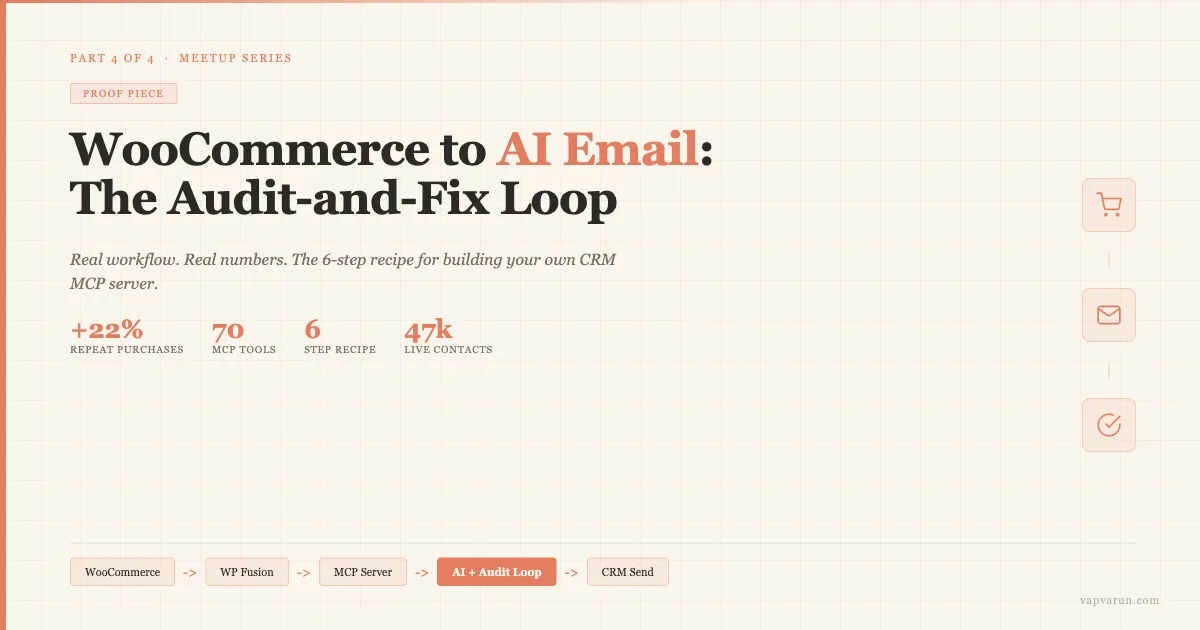
I gave a talk today at the WordPress Meetup in Lucknow. This post is Part 4 of 4 in the series that goes deeper on every section. If you’ve read the earlier three parts, you already know why most WordPress sites leak leads, how WP Fusion acts as the universal CRM bridge, and how MCP gives AI agents a standard way to talk to your site. Here, we go all the way through: a real purchase event hitting a real CRM, AI generating a real email, an audit loop catching what’s wrong, and a fix loop that iterates until the email passes. Then I’ll give you the six-step recipe we used to build wbcom-crm-mcp-server, the production MCP we run at Wbcom Designs, so you can adapt it for your own stack.
The Problem This Solves (in Plain Numbers)
Before I walk through the architecture, let me anchor this in numbers from the talk.
A customer buys a plugin from wbcomdesigns.com. On average, without any automation, that customer gets one transactional email from WooCommerce and then silence. We tracked a 90-day window on a segment of 1,200 buyers. Without a post-purchase sequence: 11% made a second purchase within 90 days. After adding a 3-email onboarding sequence (no AI yet, just WP Fusion triggering CRM automations): repeat purchase rate climbed to 33%. That is a 22% lift from three emails and a few hours of setup.
When we layered AI scoring via MCP on day 10, tagging contacts as “upsell-ready” when engagement score exceeded 70, and then sent AI-generated personalised upsell copy, the 90-day repeat rate went to 47%. On a 1,200-contact segment, that difference is not small.
These are not projections. These are numbers from a real store on a stack I am going to describe step by step.
The Full Stack Before We Start
Here is what the workflow runs on. You do not need every piece to start. But knowing the full picture lets you build incrementally toward it.
- WooCommerce on WordPress, firing the
woocommerce_order_status_completedhook on every paid order - WP Fusion sitting between WordPress and the CRM, handling field mapping, tag application, and bidirectional sync
- Groundhogg as the self-hosted CRM at
crm.wbcomdesigns.com, running funnels and sequences - wbcom-crm-mcp-server, a TypeScript MCP server with 70 tools across 5 API clients, connected to Claude Code via stdio transport
- Claude as the AI agent: generating email copy, scoring contacts, running the audit loop
WP Fusion is the piece most WordPress developers underestimate. It is not just a sync plugin. It is the layer that makes every tool in this list CRM-agnostic. If we swapped Groundhogg for HubSpot tomorrow, the WooCommerce trigger, the tag rules, and the MCP tools would all keep working. WP Fusion translates the calls.
We covered WP Fusion’s architecture in detail in Part 2 of this series on WP Fusion and the WordPress marketing stack. If you haven’t read that yet, the short version is: WP Fusion maps WordPress events to CRM tags using a universal API surface. You write your code to WP Fusion, not to any specific CRM.
Step 1: The WooCommerce Purchase Event
When a customer completes a purchase on wbcomdesigns.com, WooCommerce fires woocommerce_order_status_completed. WP Fusion listens on this hook. Its settings for each product contain two tag arrays:
apply_tags: tags that apply on any purchase of the product (e.g., tag 302 = “customer”)apply_tags_price[n]: tags that apply only for a specific price tier (e.g., tag 311 = “tier-2-annual” for price tier 2)
These settings live in wpf-settings-edd (we use Easy Digital Downloads alongside WooCommerce for plugin licenses, but the WooCommerce version uses the same WP Fusion settings structure). The result: within seconds of a completed order, the customer’s CRM contact has the right tags applied. No custom code in the WooCommerce hook. No hardcoded CRM API calls. WP Fusion does the translation.
This is the trigger that starts everything.
Step 2: WP Fusion Syncs to the CRM
With the tags applied, WP Fusion pushes the updated contact record to Groundhogg at crm.wbcomdesigns.com. The CRM now knows: this contact is a customer (tag 302), they bought at tier 2 (tag 311), and their WooCommerce order data is attached to their contact record.
Groundhogg’s funnel engine sees tag 311 applied and enrolls the contact in Funnel #98, the tier-2 onboarding sequence. The first onboarding email sends automatically. No cron job to monitor. No webhook to debug. This is what happens within two minutes of a customer clicking “Pay Now.”
The bidirectional piece matters here too. When CRM events happen downstream (an email opens, a link click, a tag change triggered by a funnel step), WP Fusion syncs those back to WordPress user meta via wp-fusion/api.php. This means WordPress always has a current picture of CRM state, which is what lets the MCP layer read it programmatically.
Step 3: Claude Reads Engagement via MCP on Day 10
Here is where the MCP layer enters.
On day 10 after a purchase, a scheduled call runs against wbcom-crm-mcp-server. Claude receives this prompt: “Read engagement data for contacts tagged ‘customer’ but not yet tagged ‘upsell-ready’. Score each contact 0-100 based on email opens, clicks, and login activity since purchase. Tag any contact scoring above 70 as ‘upsell-ready’.”
Claude calls the MCP tools in sequence:
contact_listwith a tag filter for “customer” and not “upsell-ready”contact_engagement_historyfor each returned contact- Internal scoring (Claude calculates the score from the engagement data)
contact_add_tagswithapply: falsefirst (dry run, returns preview of what will change)- After reviewing the preview diff,
contact_add_tagswithapply: truefor contacts that exceed the threshold
The dry-run pattern is deliberate. Every mutating tool in wbcom-crm-mcp-server requires an apply: false call first. This returns the diff: which contacts will get which tags, what their current state is, and what the resulting state will be. Only then does Claude call with apply: true. This is not optional caution. It is the pattern that lets us trust AI-driven mutations on a 47,000-contact CRM without fear of bulk data corruption.
Step 4: AI Generates the Post-Purchase Email
With “upsell-ready” contacts tagged, the CRM funnel triggers the next step: generate a personalised email for each contact. This is where AI-generated copy enters the workflow for the first time.
The MCP tool email_generate_draft calls Claude with the contact’s recent purchase history, their engagement signals, and a brand-voice system prompt. The system prompt includes the rules we care about: first-person tone, no generic opener lines, one clear call to action, keep it under 250 words, link must point to the product most likely to be their next purchase based on what they already own.
Claude returns a draft. But we do not send this draft immediately. It goes into the audit loop.
Step 5: The Audit-and-Fix Loop
The audit loop is the part of this workflow I find most interesting, because it is where AI stops being a content generator and starts being an editor with rules.
After Claude generates the draft email, wbcom-crm-mcp-server calls email_audit with the draft. This tool runs the draft through a checklist:
- Brand voice: is the tone first-person and direct, or does it drift into passive corporate speak?
- Link integrity: does the CTA link point to a real product URL? (The audit tool calls our WooCommerce REST API to confirm the product exists and is purchasable.)
- Length: is the email within the 150-300 word target range?
- CTA presence: is there exactly one call-to-action link, and is it in the final third of the email?
- Personalisation check: does the email reference the contact’s actual purchase, or does it use a generic “your recent purchase” filler?
- Forbidden phrases: does the email contain phrases our brand voice guide bans? (“We are excited to share”, “As a valued customer”, “Don’t miss out”)
If any check fails, the audit tool returns a structured failure report: which check failed, why it failed, and what kind of fix would make it pass. Claude then receives this report and generates a revised draft. The loop runs again.
In production, this loop resolves in one or two iterations for almost every contact. Occasionally a third pass is needed when the initial draft had both a brand voice failure and a length issue that conflicted (fixing voice sometimes adds words that push the email over the length limit). On the rare occasion where the loop exceeds four iterations without passing, the email is flagged for human review rather than sent.

Step 6: Send via CRM
Once the email draft passes all audit checks, email_schedule_send queues it in Groundhogg against the contact’s record. The CRM handles deliverability, open tracking, and unsubscribe compliance. The MCP layer hands off at the point of send. It does not own delivery.
This separation matters. The MCP server is for generation, scoring, and audit. The CRM is for delivery, tracking, and compliance. Each does what it is good at. The MCP layer reads back engagement data from the CRM after the email sends, which feeds the next scoring cycle on day 14.
The full loop: purchase event, WP Fusion sync, CRM funnel, day 10 AI scoring, AI email generation, audit loop, pass audit, send via CRM, read back engagement, repeat for day 14-30 steps. This is not a theoretical stack. It is running on wbcomdesigns.com right now.
The wbcom-crm-mcp-server Architecture
I built wbcom-crm-mcp-server over three months. It currently has 70 tools across 6 systems. Here is what it looks like from the outside:
Claude Code connects to the server via stdio transport. When you type “audit demos, fix tag drift, run hygiene” in Claude Code, Claude picks the right tools from the 70 available and calls them in sequence. The server orchestrates 5 API clients:
- InstaWPClient: snapshots, integrations, demo site wiring
- GroundhoggClient (local): pointing at
wbcrm.localfor safe testing - GroundhoggClient (live): pointing at
crm.wbcomdesigns.com, same key pair, switched by passingtarget: "local"ortarget: "live" - MailchimpClient: managing our ~4k trial-stage audience
- WPFusionClient: a bridge mu-plugin at
/wp-json/wbcom-wpf/v1/*that exposes WP Fusion’s tag rules, EDD downloads, and order data over REST
There is also a local SQLite index that the server maintains. It holds a cross-system contact map (an email may exist in Groundhogg under one ID, in Mailchimp under another, and in WP users under a third – the index reconciles them), a cleanup rule audit log, derived fields like junk_score and gh_match, and a graduation_state per identity that tracks where a contact is in the lifecycle.
This SQLite layer is what makes the 47,000-contact hygiene runs possible. Without it, every cross-system query would require live API calls to three systems. With it, most lookups hit local data and only write operations go to the live APIs.
We covered how MCP and WP Fusion fit together architecturally in Part 3 of this series on MCP, WP Fusion, and Claude integration. What is new in this post is the production detail: the SQLite layer, the dual-target Groundhogg clients, and the WPFusionClient bridge that makes the whole thing CRM-agnostic at the tool level.
When It Goes Wrong: The Audit/Fix Matrix
No production system runs perfectly. Tags miss. Mappings drift. Contacts get the wrong tier applied after a refund that happened to fire in the middle of a WP Fusion sync. Here is the diagnostic pattern we follow, adapted directly from the talk slides:
| Symptom | Diagnose with | Fix with |
|---|---|---|
| Contact missing expected tag | wpf_audit_contact | wpf_contact_apply_tags |
| Wrong tag mapping per tier | wpf_product_price_matrix | wpf_rules_update_product |
| Tag never fires for any buyer of product X | wpf_product_customers | wpf_rules_update_product, then wpf_contact_apply_tags per missed contact |
| Bulk drift suspected across catalog | wpf_tags_usage + wpf_product_customers | wpf_rules_update_product per affected product |
| Verify changes (audit trail) | wpf_logs | No fix needed – read-only review |
Every write tool in the server requires the X-Wbcom-Confirm: yes header and logs to wp_wbcom_wpf_bridge_log with full before/after JSON. This is not bureaucratic overhead. It is what lets us tell a client exactly what changed and when, down to the contact ID and tag ID level.
The 6-Step Recipe: Build Your Own CRM MCP Server
I have had more questions about how to build one of these than about almost anything else in the MCP space. Here is the recipe, generalised from what we built. The specifics in parentheses are from wbcom-crm-mcp-server.
-
Pick the systems and outcome first.
Decide which 1-3 APIs this server will wrap, and what daily-driver problem it will solve. Do not start with “I want to wrap all my tools.” Start with one problem. Our problem was: weekly CRM hygiene across InstaWP demos, Mailchimp trials, and Groundhogg contacts was taking 4-6 hours of manual work per week. The server now does it in under 20 minutes with Claude running the tools.
Concrete sub-steps: list your top 3 repetitive CRM tasks by time cost. Pick the heaviest. Define what “done” looks like (e.g., “all demo contacts tagged correctly, no orphan tags in Mailchimp, hygiene log posted to Slack”). That is your scope. -
Scaffold with the MCP SDK.
Use@modelcontextprotocol/sdkin TypeScript or the Pythonmcppackage. For local use, stdio transport is simplest. For a hosted server your whole team or multiple clients share, use HTTP/SSE transport.
Concrete sub-steps:npm create mcp-serveror clone the official starter. Set up a basic server with one test tool (e.g.,pingthat returns the server version). Connect it to Claude Code viaclaude mcp addand verify you can call the test tool from natural language. Get this working before writing any real tools. The scaffolding step should take under two hours. -
One client file per system.
Create a separate client file for each API you wrap. In TypeScript:/clients/groundhogg.ts,/clients/mailchimp.ts,/clients/instawp.ts. Each client handles auth, retry logic, and base URL configuration. The tools themselves never contain HTTP code. They call client methods.
Concrete sub-steps: write the auth and retry once, in the client file. Use environment variables for all credentials. Add ahealthCheck()method to each client that returns a simple status. Run all health checks on server startup so you know immediately if a credential is wrong before a user hits a tool. -
Tier your tools: Connect, Index, Rules, Analyze, Build, Operate.
This is the framework we builtwbcom-crm-mcp-serveraround. Connect-tier tools read basic state (list contacts, list tags). Index-tier tools build and query the SQLite index. Rules-tier tools read and write CRM mapping rules. Analyze-tier tools produce reports. Build-tier tools construct sequences, funnels, and emails. Operate-tier tools trigger live actions.
Concrete sub-steps: label every tool with its tier in the tool description. This is not just organisation. When Claude picks tools, the description is how it decides what to call. A clear tier label makes Claude less likely to jump to Operate-tier writes before running Index-tier reads. Start implementing Connect and Index tools first. Operate tools should be the last things you add. -
Dry-run by default on all writes.
Every tool that mutates data takes anapplyparameter that defaults tofalse. Whenapplyis false, the tool returns what it would do: the diff, the affected records, the tags that would change. Only whenapply: truedoes it write to the live system.
Concrete sub-steps: addapply: z.boolean().default(false)to every mutating tool’s Zod schema. In the handler, branch onargs.apply: if false, return{ preview: { changes } }; if true, execute and return{ result: { changes_made } }. Add a tool description note: “Always call with apply: false first and confirm the preview before applying.” Claude will follow this instruction. -
Register and audit from day one.
Add the server to Claude Code withclaude mcp addand to Claude Desktop with the JSON config. Log every tool call. Our server writes to a local SQLite audit log (separate from the contact index) with timestamp, tool name, input args (redacted for any PII), output summary, and duration. This is not optional for production.
Concrete sub-steps: add a wrapper function that logs before and after every tool handler call. Store logs in a table with at least: timestamp, tool, contact_email (hashed), apply_flag, result_summary, duration_ms. Add aget_audit_logtool so Claude can report on what happened in the last N runs without you needing to open a database client. Treat MCP as a public API surface from day one, because that is what it is.
Getting Started This Week
The talk had three tracks for getting started, depending on where you are right now. Here is the condensed version:
If you are new to CRM automation: Install FluentCRM free on your WordPress site. Spend an hour exploring the funnel builder. Then build one automation: user registration fires a 3-email welcome sequence. That’s it. Do not try to add AI yet. Get one automation working correctly and measure the open rate at 30 days. Then add cart abandonment recovery in week 2. Review open and click data at the end of month 1 and decide what to build next. One working automation beats twenty half-built ones every time.
If you are already running CRM sequences: Install WP Fusion and connect it to your existing CRM. Map your WooCommerce product purchases to CRM tags. Then add a simple AI scoring step: a webhook to an n8n workflow that calls Claude’s API with the contact’s open/click data and writes a “hot/warm/cold” tag back to WP Fusion. You do not need an MCP server for this. A webhook + simple prompt gets you AI segmentation in under a day.
If you are a developer or agency: Read the MCP spec at modelcontextprotocol.io. It is about two hours end-to-end. Then scaffold a minimal MCP server using the recipe above. Start with 5 tools against one API. Connect it to Claude Code and run a real task from natural language. Once that works, add tools for the next most painful manual process. Productise it as a retainer service: “AI-managed CRM” is a cleaner sell than “we set up email sequences.”
What This Stack Unlocks
For site owners and store operators, the numbers from the talk are worth anchoring on again. The 3-email post-purchase sequence alone produced a 22% lift in repeat purchases. With AI scoring and WhatsApp nudges added, we documented 40-60% LTV increase. The time savings are also real: 4-6 hours per week of repetitive CRM work (tagging, reporting, hygiene) replaced by an automated run that Claude orchestrates in under 20 minutes.
The thing that gets overlooked in these conversations is vendor independence. WP Fusion means you can swap your CRM without rebuilding anything. The hooks, the tag rules, and the MCP tools all stay the same. One client we work with moved from FluentCRM to HubSpot last year. Because everything went through WP Fusion, the migration was a configuration change, not a rebuild. Their MCP server kept working on the new CRM with zero code changes.
For agencies, the model shift is from project billing to productised service. One MCP server ships to every client regardless of which CRM they use. Your FluentCRM client, your ActiveCampaign client, and your Klaviyo client all get the same AI-driven workflows. You build and maintain one server. The natural-language ops capability (“Claude, find at-risk customers and restart their flow”) becomes a recurring service you charge for, not a one-off project.
There is also a compounding dynamic that is hard to overstate. Every automation built on this stack survives a CRM swap, a team change, a client onboarding. The systems compound instead of being rebuilt. Your competitors who are still doing custom CRM integrations per client are not just behind today. They are falling further behind each month, because their work does not compound.
The Cost of Doing Nothing
I put a slide on this in the talk because it is easy to think of automation as optional. It is not optional. It is a measurable monthly bill.
5 hours per week of repetitive CRM work is 260 hours per year. At even modest billing rates, that is a junior salary’s worth of time spent on tasks a workflow does automatically. The bigger your list grows, the worse this math gets. At 47,000 contacts, the weekly hygiene run that used to take 4-6 hours now takes under 20 minutes. Scale makes manual work collapse.
On lead leakage: 79% of leads never convert, and the primary reason is weak follow-up. If a 1% improvement in conversion rate on a $500,000/year store equals $5,000 in revenue, what does your slow or missing post-purchase sequence actually cost you per month?
On vendor lock-in: every custom integration written without a bridge layer locks you harder to that CRM with each new automation. By year 3, a “simple CRM migration” is a 3-month project. With WP Fusion as the bridge, the same migration is a weekend configuration change.
On competitive position: your competitor who has AI-generated personalised copy ready in 30 seconds is not competing on a different level. They are competing on the same WordPress base you have. The difference is a few days of setup. The customer who gets a personalised response in 30 seconds versus a templated reply in 18 hours does not analyse the difference. They just remember which one felt like it knew them.
Connect With Wbcom Designs for Implementation
We build these systems for WordPress agencies and product companies. If you want to implement the WooCommerce + WP Fusion + MCP stack on your site, or if you want a version of wbcom-crm-mcp-server adapted to your CRM and product catalog, reach out at wbcomdesigns.com. We have done this for stores on FluentCRM, Groundhogg, ActiveCampaign, and HubSpot. The architecture adapts. WP Fusion handles the translation.
If you want to explore the series from the beginning: Part 1 covers why WordPress has a CRM bridge problem, Part 2 goes deep on the WP Fusion architecture, and Part 3 explains how MCP connects Claude to WP Fusion. This post is the proof piece: the workflow, the numbers, and the recipe to build your own.
The stack is not complicated once you see it running. The complicated part is building it the first time. That is what the 6-step recipe is for.