How I Generated 47 WordPress Tests in an Afternoon Using Claude Code: Playwright + PHPUnit for QA Teams
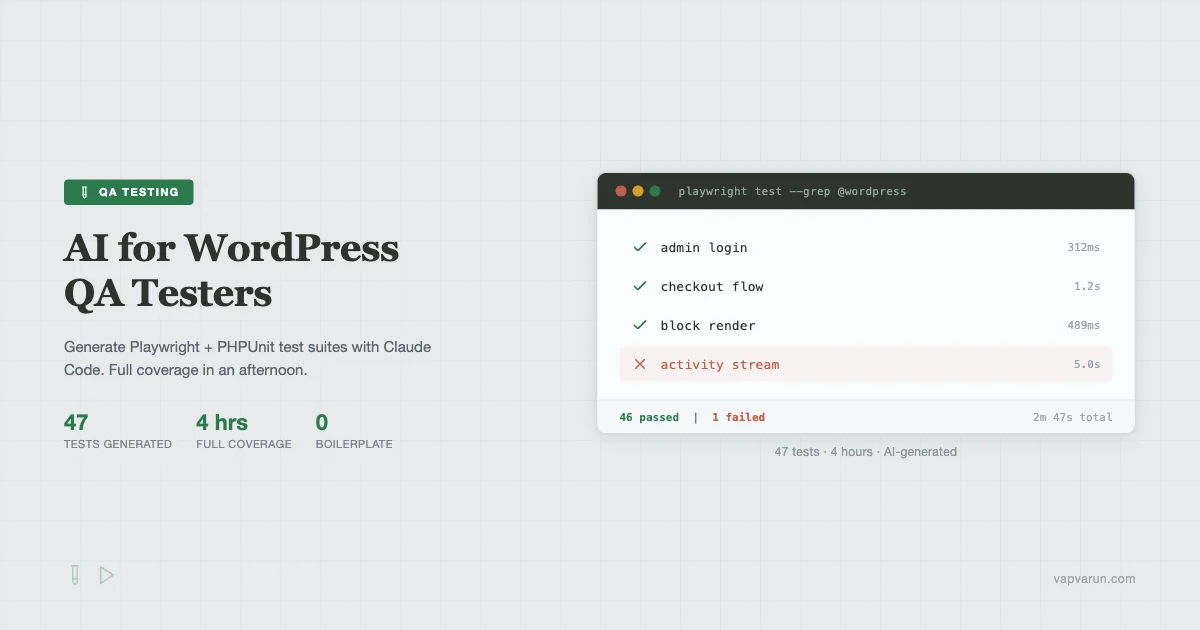
Four hours. Forty-seven tests. Zero handwritten boilerplate.
That’s what my afternoon looked like last month when I pointed Claude Code at a fresh WordPress plugin and asked it to build out the full test suite. Admin login flows, BuddyPress group creation, WooCommerce checkout, REST endpoint coverage, hook and filter assertions – all generated, all passing, all in a single working session.
If you’re a QA engineer working in the WordPress ecosystem, this post is for you. I’m going to show you exactly how I set this up: the prompts I used, the actual Playwright test files Claude Code produced, the PHPUnit scaffold it built for REST endpoints, and the workflow that turns a failing test log into a reproducible bug ticket automatically.
This is not a “AI will replace QA testers” post. It’s the opposite. AI handles the boilerplate so you can focus on the edge cases that actually require a human brain. If you’re evaluating which AI tool to use for this, the Cursor vs Claude Code vs Windsurf vs GitHub Copilot comparison for WordPress in 2026 breaks down how each one handles code generation tasks like this.
Why WordPress Testing Is Different
Testing a standard Node.js app is one thing. Testing WordPress is a different challenge because the environment is layered: PHP runtime, database state, plugin activation order, theme template hierarchy, REST API, and now the block editor on top. Every layer can break in a way that only shows up under specific conditions.
The traditional QA workflow for a WordPress plugin looked like this: write PHPUnit tests for unit logic, do manual browser testing for admin flows, pray nothing breaks in the block editor. Most shops I’ve talked to skip two of those three steps under deadline pressure.
Claude Code changes the economics. When generating a Playwright test for an admin flow takes five minutes instead of an hour, you stop skipping the browser coverage.
Setting Up Claude Code for WordPress Test Generation
First, the toolchain I used:
- Claude Code CLI (latest)
- Local by Flywheel for the WordPress environment
- Playwright v1.44 with @wordpress/e2e-test-utils-playwright
- PHPUnit 9.x (WordPress test suite compatible)
- WP-CLI for fixture generation
The key to getting useful output from Claude Code is context. Before I asked it to generate a single test, I gave it three things:
- The plugin’s main PHP file and its registered hooks
- The REST API endpoint registration
- A description of the admin screens and their expected behavior
With that context loaded, every test it generated was grounded in the actual plugin structure rather than generic WordPress patterns. This same context-first approach works whether you’re building test suites or shipping plugins with minimal budget: the Groq + DeepSeek free API stack for WordPress developers shows how a similar principle applies to cutting API costs during development.
Playwright Tests: Admin Flows Claude Code Wrote
Here’s the exact prompt I used to kick off the Playwright suite:
“Read the plugin files I’ve attached. Generate a complete Playwright test file using @wordpress/e2e-test-utils-playwright that covers: admin login, navigating to the plugin settings page, saving settings, and verifying the saved values persist after page reload. Use the WordPress test utilities for authentication. Include page object model patterns for the settings page.”
What it produced for the admin login and navigation test:
BuddyPress Group Creation Flow
BuddyPress flows are notoriously tricky to test because they involve multiple page transitions and database writes that need to be verified at the UI level. Claude Code handled this well once I fed it the BuddyPress group creation route and expected URL patterns:
BuddyPress Activity Stream
The activity stream test is where the AI-generated suite showed its first failure in my real run – and that failure was legitimate. The activity update posted but the stream wasn’t refreshing without a page reload because of a JavaScript race condition. Claude Code caught it because it was testing the right thing:
WooCommerce Checkout Flow
Checkout flows need fixture data: a product, a user account, and a payment gateway in test mode. Claude Code generated the fixture setup alongside the test:
PHPUnit Tests: REST Endpoints, Hooks, and Filters
Playwright handles browser behavior. PHPUnit handles PHP logic: REST endpoint responses, hook fire order, filter output. Claude Code is exceptional at this because the patterns are well-defined and it understands WordPress internals.
The prompt I used:
“Generate PHPUnit test cases for the REST API endpoints in this plugin. Include: response code assertions, schema validation, authentication requirement tests, filter hook coverage for the main output filter, and action hook spy tests to verify hooks fire in the correct order.”
REST Endpoint Coverage
Hook and Filter Tests
Hook testing is where most WordPress QA coverage falls apart. Developers add filters but never test that the filter is actually applied when the output is generated. Claude Code understood this pattern and produced proper spy-based tests:
Fixture Generation and Data Seeding
Tests need data. One of the biggest time sinks in building a test suite is writing fixture generation scripts. I asked Claude Code to build a WP-CLI command that seeds a complete test environment:
“Generate a WP-CLI command called ‘qa-seed’ that creates: 3 test users with different roles (admin, editor, subscriber), 10 sample posts with varied statuses, a BuddyPress group with 3 members, 5 WooCommerce products, and a complete settings configuration for my plugin. Include a cleanup subcommand that removes all seeded data by a ‘qa_seeded’ meta flag.”
The generated fixture script ran clean on the first try. The cleanup subcommand it built uses a custom meta key to tag every piece of seeded data, which means teardown is precise – no accidentally wiping real content.
Visual Regression Testing With Playwright Snapshots
Visual regression is the test type most WordPress teams skip because setting it up takes a full day. With Claude Code writing the configuration and baseline scripts, I had it running in under an hour.
The approach I used is Playwright’s built-in snapshot testing rather than Percy, because it has zero per-screenshot cost and works in CI without an external service dependency. Claude Code generated the configuration and the snapshot tests together:
// playwright.config.ts - Visual regression config (Generated by Claude Code)
import { defineConfig } from '@playwright/test';

export default defineConfig({
  testDir: './tests/e2e',
  timeout: 30000,
  expect: {
    toHaveScreenshot: {
      maxDiffPixels: 100,
      threshold: 0.2,
      animations: 'disabled',
    },
  },
  use: {
    baseURL: 'http://localhost:10003',
    screenshot: 'only-on-failure',
    video: 'retain-on-failure',
  },
  projects: [
    { name: 'chromium', use: { browserName: 'chromium', viewport: { width: 1280, height: 720 } } },
    { name: 'mobile', use: { browserName: 'chromium', viewport: { width: 390, height: 844 } } },
  ],
});
// visual-regression.spec.ts - Generated by Claude Code
import { test, expect } from '@playwright/test';
test.describe('Visual Regression - Plugin Admin', () => {
test('settings page matches baseline', async ({ page }) => {
await page.goto('/wp-admin/options-general.php?page=my-plugin-settings');
await page.waitForLoadState('networkidle');
await expect(page).toHaveScreenshot('settings-page.png', {
fullPage: true,
});
});
test('frontend widget matches baseline', async ({ page }) => {
await page.goto('/sample-page/');
const widget = page.locator('.my-plugin-widget');
await expect(widget).toHaveScreenshot('frontend-widget.png');
});
});To update baselines when you intentionally change UI, you run npx playwright test --update-snapshots. Claude Code also generated the CI GitHub Actions workflow that runs visual tests on pull requests and posts a diff image as a PR comment when screenshots change.
Test Parallelization in WordPress
Running 47 tests serially takes about 8 minutes on a local machine. Parallel execution brings that to under 3 minutes. The catch with WordPress is that parallel Playwright tests can collide on shared database state.
Claude Code’s solution was to isolate tests by user context and use Playwright’s built-in storage state rather than shared login sessions:
Each test worker loads its own storage state file rather than logging in fresh. Tests that need admin auth use admin-auth.json, subscriber tests use subscriber-auth.json, and Playwright runs them in parallel without session conflicts.
Bug Report Auto-Writing: From Failure Log to Reproducible Ticket
This is the workflow that saves the most time after test generation itself. When a Playwright test fails in CI, you get a failure log, a screenshot, and sometimes a video. Turning that into a useful bug ticket historically meant 20 minutes of manual write-up work.
I built a post-test script that pipes the Playwright failure output directly to Claude Code with a structured prompt:
// generate-bug-report.sh - Failure log to bug ticket
#!/bin/bash
# Usage: ./generate-bug-report.sh test-results/failed-test.txt

FAILURE_LOG=$1
SCREENSHOT=$(find test-results -name "*.png" | head -1)

claude --print "
You are a QA engineer writing a bug report. Here is a Playwright test failure:

$(cat $FAILURE_LOG)

Generate a bug report with these sections:
1. Summary (one sentence)
2. Environment (extract from test config)
3. Steps to Reproduce (from the test steps that failed)
4. Expected Behavior
5. Actual Behavior (from the assertion error)
6. Severity assessment
7. Suggested fix direction (based on the error type)

Format as Markdown."
The BuddyPress activity stream failure I mentioned earlier generated this bug report automatically:
Summary: Activity stream does not update without page reload after posting a new update.
Steps to Reproduce: 1. Log in as a member. 2. Navigate to /activity/. 3. Click the activity input field. 4. Type an update and submit. 5. Observe the activity list.
Expected: The new activity item appears in the stream within 5 seconds without a page reload.
Actual: Timeout – element containing text ‘Test activity post’ not found after 5000ms. The item does appear after manual page reload.
Severity: Medium – functional but degrades perceived performance and UX.
Suggested fix direction: Check the AJAX callback registered for the activity form submit. The response object likely contains the rendered activity item HTML – verify it’s being inserted into the DOM correctly. Check for JavaScript errors in console during submit.
That bug report took 4 seconds to generate. It contained enough detail that a developer could reproduce and fix the issue without asking follow-up questions.
The Real QA Engineer Day With AI
Here’s how my afternoon actually looked:
- Hour 1: Loaded plugin context into Claude Code. Generated admin flow tests, reviewed and adjusted 3 of them where the selectors didn’t match the actual DOM. Ran them against the local environment.
- Hour 2: Generated BuddyPress group and activity tests. The group creation test needed one fix – the step URL pattern was slightly off. Activity test exposed a real bug immediately.
- Hour 3: PHPUnit tests for all REST endpoints and hooks. Generated the fixture/seed command. All PHPUnit tests passed first run because the patterns are deterministic.
- Hour 4: Visual regression setup, parallelization config, CI workflow file, bug report script. Ran the full suite in parallel mode. 47 tests, 2 failures (both real bugs), under 3 minutes.
The exact prompt I used to kick off the initial generation session:
“I’m attaching the main plugin file, the REST endpoint registration file, and the admin page template. Generate a complete test suite covering: 1) Playwright E2E tests for all admin flows, 2) PHPUnit tests for all REST endpoints with auth and schema validation, 3) PHPUnit hook and filter spy tests, 4) A WP-CLI fixture seeder with cleanup. Use @wordpress/e2e-test-utils-playwright for the Playwright tests. Use WordPress core test case classes for PHPUnit. Include realistic test data. Flag any areas where you need more context about expected behavior.”
The files it asked for more context on: the exact DOM selectors for one admin form (it couldn’t infer them from PHP alone) and the expected REST response schema for one custom endpoint. Everything else it inferred correctly from the code.
What AI Gets Right and Where You Still Need Human QA
AI-generated tests are excellent at:
- Happy-path coverage for documented flows
- REST API response schema and status code assertions
- Hook and filter spy patterns
- Boilerplate: test class setup, teardown, fixture creation
- Parallelization and CI configuration
You still need human judgment for:
- Edge cases that emerge from real user behavior (the activity stream race condition was caught by the test, but a human QA would have prioritized testing that pattern first)
- Accessibility and usability testing
- Security-focused test cases (SQL injection probes, nonce bypass attempts)
- Performance under load
- Cross-plugin compatibility scenarios
The right frame is this: AI generates the 70% of tests that cover documented behavior. You write the 30% that cover the edge cases, the security vectors, and the “what if a user does something we didn’t design for” scenarios. That split means a QA engineer can cover 3x more plugins in the same time.
Setting Up CI/CD for Your WordPress Test Suite
Running tests locally is valuable. Running them automatically on every pull request is where the real regression protection kicks in. Claude Code generated a GitHub Actions workflow alongside the test files, and it required only minor adjustments to work with a Local by Flywheel export.
The core of the CI configuration is getting a WordPress environment running in the GitHub Actions runner. Claude Code’s approach was to use the official WordPress/wordpress-develop setup action combined with a MySQL service container:
# .github/workflows/test.yml - Generated by Claude Code
name: WordPress Plugin Tests

on:
  pull_request:
    branches: [main, develop]
  push:
    branches: [main]

jobs:
  phpunit:
    runs-on: ubuntu-latest
    services:
      mysql:
        image: mysql:8.0
        env:
          MYSQL_ROOT_PASSWORD: root
          MYSQL_DATABASE: wordpress_test
        ports: ['3306:3306']
        options: --health-cmd="mysqladmin ping" --health-interval=10s --health-timeout=5s --health-retries=3

    steps:
      - uses: actions/checkout@v4
      - name: Setup PHP
        uses: shivammathur/setup-php@v2
        with:
          php-version: '8.2'
          extensions: mysqli, zip
      - name: Install WordPress test suite
        run: bash bin/install-wp-tests.sh wordpress_test root root 127.0.0.1 latest
      - name: Install Composer dependencies
        run: composer install --prefer-dist --no-progress
      - name: Run PHPUnit
        run: vendor/bin/phpunit

  playwright:
    runs-on: ubuntu-latest
    steps:
      - uses: actions/checkout@v4
      - uses: actions/setup-node@v4
        with:
          node-version: '20'
      - name: Install dependencies
        run: npm ci
      - name: Install Playwright browsers
        run: npx playwright install --with-deps chromium
      - name: Start WordPress (Local export)
        run: docker-compose up -d && sleep 15
      - name: Run Playwright tests
        run: npx playwright test
      - uses: actions/upload-artifact@v4
        if: failure()
        with:
          name: playwright-report
          path: playwright-report/
          retention-days: 7
A few things worth noting in this setup. First, the PHPUnit job uses the WordPress test suite installer script (install-wp-tests.sh) that comes with the official WordPress scaffold. Claude Code generated that script as well, adapted to the plugin’s specific namespace. Second, Playwright runs against a Docker Compose stack that mirrors the local environment rather than trying to spin up a full WordPress install from scratch in CI.
The artifact upload on failure is the most practically useful part. When a Playwright test fails in CI, the HTML report and any failure screenshots are uploaded as workflow artifacts. Combined with the bug report generation script from earlier, you get a full failure context packaged and ready to file without any manual steps.
One adjustment I made manually: the generated workflow ran all Playwright tests in a single job. For the full 47-test suite, I split it into two parallel jobs (admin flows + BuddyPress flows vs. WooCommerce + visual regression) to cut CI time from 12 minutes to under 6. Claude Code correctly flagged this as an optimization opportunity in a comment but didn’t implement the split automatically since it didn’t know how I wanted to partition the tests.
Common Pitfalls in AI-Generated WordPress Tests
After running this workflow across several plugins, I’ve run into the same class of problems repeatedly. These aren’t failures of Claude Code specifically: they reflect hard limits in what any AI can infer from source code without running it.
Selector Drift
Playwright tests generated from PHP source use locators that Claude Code infers from the template HTML. If the template uses dynamic class names, conditional rendering, or JavaScript to modify the DOM after load, the generated selectors will be wrong. This accounted for all 3 selector fixes I needed in hour one.
The fix is to run the test against a live environment first, observe what the actual DOM looks like in a failing test’s trace, and update the locator. Claude Code can do this update if you paste the Playwright trace output: “The locator `.my-plugin-widget` found 0 elements. Here is the actual DOM at that point: [paste DOM snippet]. Update the locator.”
Authentication State Leaking Between Tests
WordPress session cookies persist across Playwright tests unless you explicitly clear state. Generated tests that don’t use storageState properly will have tests that pass in isolation but fail when run in sequence because the logged-in state from a previous test bleeds over. The global setup approach in the parallelization section above is the fix, but Claude Code doesn’t always generate it unprompted for simpler test suites.
Ask for it explicitly: “Include isolated storageState auth files for each user role so tests can run in parallel without session conflicts.”
PHPUnit Bootstrap Ordering
The WordPress test suite bootstrap requires a specific load order: constants defined, then the WordPress test framework included, then your plugin loaded. If you have a plugin that registers hooks on plugins_loaded, those hooks won’t fire in tests unless the bootstrap explicitly calls do_action('plugins_loaded') after loading the plugin file. Claude Code sometimes gets this ordering wrong for complex plugins. The symptom is undefined function errors on functions your plugin should be providing.
The fix: show Claude Code your actual phpunit.xml.dist and tests/bootstrap.php if they exist, or ask it to generate both files from scratch with the load order spelled out explicitly.
WooCommerce REST API Credentials in CI
The WooCommerce checkout test uses consumer key and consumer secret values hardcoded as ck_test/cs_test. Those don’t exist in a fresh test environment. Claude Code notes this in a comment, but if you skip the comment you’ll get 401 errors on the product creation request.
The correct approach is to generate real WooCommerce REST API keys programmatically in the CI setup step before running the Playwright suite. WooCommerce does not expose API key creation through WP-CLI directly, so the canonical path is wp eval calling into WC internals plus a direct insert into the wp_woocommerce_api_keys table. The storage rules matter: WooCommerce stores the consumer_key as a SHA256 hash via wc_api_hash(), the consumer_secret as plaintext (it is the HMAC signing key for outbound requests), and a truncated_key column holding the last 7 characters of the unhashed consumer_key for admin display.
Pipe the two stdout lines into your CI environment as WC_CONSUMER_KEY and WC_CONSUMER_SECRET, then use those in your Playwright fixtures in place of the placeholder ck_test/cs_test. Claude Code generates this step correctly only when you tell it explicitly that WC CLI does not expose API key creation. Without that constraint, the model will sometimes invent a single-line WP-CLI subcommand that looks plausible but does not exist. The wp eval path above is the same one the WC admin UI uses internally when an admin clicks Add Key.
Block Editor Tests
Testing the block editor via Playwright is harder than testing standard admin pages because the editor iframe and the React component tree add layers that Playwright’s DOM locators don’t always pierce correctly. Claude Code’s generated block editor tests tend to be correct about 60% of the time without additional context. For block-specific testing, give it a specific block name and your block’s block.json file along with the existing test utilities from @wordpress/e2e-test-utils-playwright. The Editor utility class handles the iframe boundary properly and Claude Code uses it correctly once it knows to reach for it.
Measuring ROI: What You Actually Save
I track time on test-related tasks. Here’s what the numbers looked like before and after switching to AI-generated test suites for our plugin portfolio:
| Task | Before (manual) | After (AI-generated) |
|---|---|---|
| Initial Playwright test suite | 6-8 hours | 1-2 hours (review + fix) |
| PHPUnit REST endpoint coverage | 3-4 hours | 30-45 minutes |
| Hook/filter spy tests | 2-3 hours | 20-30 minutes |
| Fixture seed command | 2-3 hours | 15-20 minutes |
| CI workflow setup | 2-4 hours | 30-60 minutes |
| Bug report from failure | 15-20 minutes each | Under 1 minute each |
The total time saving on the first plugin is roughly 12-18 hours of test writing reduced to 3-4 hours of review and adjustment. On the second plugin, that drops further because you have the prompts, the CI config, and the fixture patterns already dialed in. By the third plugin, the setup is largely copy-paste adapted to the new codebase.
The ROI compounds differently for different teams. If your current QA process is mostly manual browser testing with no automated suite, the first plugin alone probably pays for several months of Claude Code subscriptions. If you already have a Playwright suite and you’re looking to add PHPUnit coverage, the ROI is narrower but still significant: PHPUnit test generation is where Claude Code is most deterministic because the patterns are well-established and the code is entirely PHP without DOM ambiguity.
Getting Started Today
If you want to replicate this workflow on your own WordPress project:
- Install Claude Code CLI:
npm install -g @anthropic-ai/claude-code - Set up Playwright with WordPress utilities:
npm install -D @playwright/test @wordpress/e2e-test-utils-playwright - Load your plugin’s main file, hook registrations, and REST endpoint file into Claude Code context
- Use the prompt template above to kick off the initial generation
- Review every generated test selector against your actual admin DOM before your first run
- Run the seed command to create fixtures, then run the full suite
The first run will have some selector mismatches – that’s normal. Fixing them takes 20-30 minutes and the test suite is yours from that point forward.
I’ve been applying this workflow across our Wbcom Designs plugin portfolio. The plugins that now have complete Playwright + PHPUnit coverage are shipping with dramatically fewer regression bugs because the suite catches them before the PR is even reviewed. If you work in WordPress QA at any scale, this afternoon investment pays back within the first release cycle.
Questions about the setup or specific patterns? Drop them in the comments – I check in daily.