Cursor vs Claude Code vs Windsurf vs GitHub Copilot for WordPress in 2026: Which AI IDE Wins?
Picking the best AI IDE for WordPress development in 2026 means more than picking the tool with the highest benchmark score. It means picking the tool that fits your actual workflow: PHP plugin dev, Gutenberg block work, WP-CLI integration, WPCS compliance checks, and the way your team reviews and ships code. Here is a direct comparison of the four tools that matter most for WordPress developers right now.
The Four Contenders at a Glance
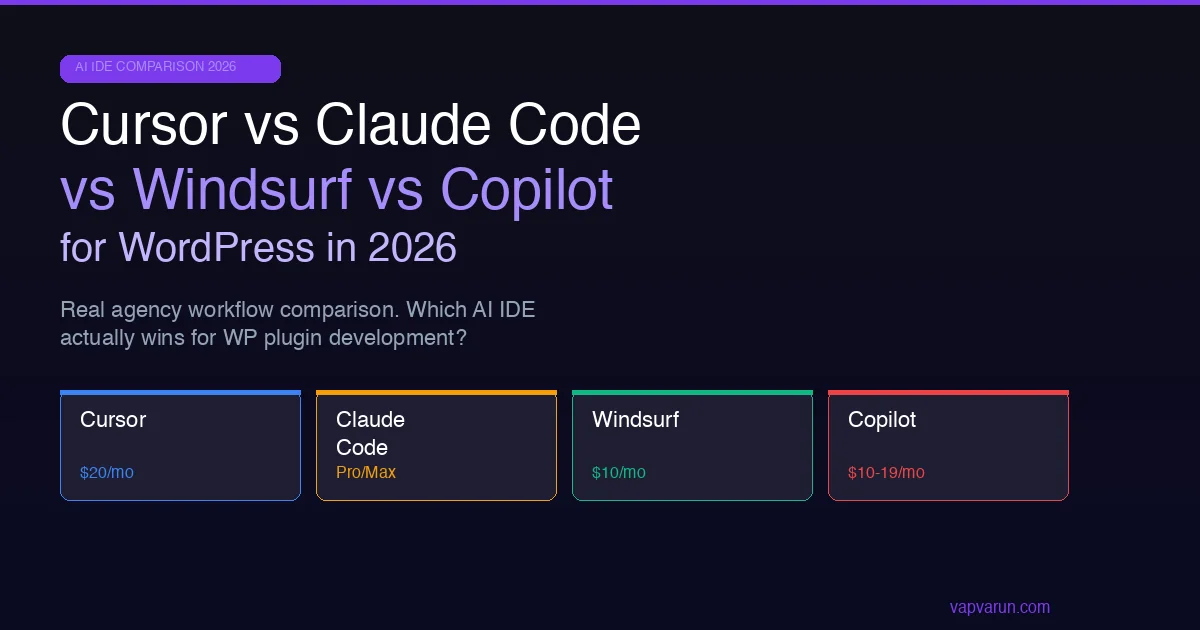
The AI IDE market for WordPress developers has consolidated around four serious options. Cursor is a VS Code fork with deep AI integration and a $20/mo Pro plan that gives you access to both Claude and GPT-4o backends, plus a fast model for tab completion. Claude Code is Anthropic’s own CLI tool, not an IDE, but an agent that runs in your terminal with MCP server support for filesystem access, browser control, and WordPress-specific tooling. Windsurf is JetBrains- and VS Code-compatible with the Cascade agent model and a $10/mo Pro plan backed by the Codeium infrastructure. GitHub Copilot is the incumbent, now running GPT-5 as its backend at $10/mo (individual) or $19/mo (business), with deep VS Code and JetBrains integration and a new Copilot Workspace feature for multi-file task execution.
Each tool has a meaningfully different philosophy. Cursor optimizes for the code editor experience. It stays out of your way for routine code and activates for complex tasks. Claude Code optimizes for agentic execution. It reads your codebase, writes multiple files, runs tests, and iterates without manual steering. Windsurf’s Cascade sits in between, with a conversational agent experience that feels more interactive than Cursor’s passive suggestions but less autonomous than Claude Code. Copilot optimizes for ubiquity and integration. It works in every major IDE and editor with minimal configuration and is the option most likely to already be paid for by your employer or freelance client.
| Tool | Price | Backend Model | IDE Support | Agent Mode |
|---|---|---|---|---|
| Cursor | $20/mo | Claude 3.7, GPT-4o | VS Code fork | Composer |
| Claude Code | $20/mo (Pro) or $100/mo (Max) | Claude Sonnet/Opus | Terminal/CLI | Full agent |
| Windsurf | $10/mo | Codeium + Claude | VS Code, JetBrains | Cascade |
| GitHub Copilot | $10-19/mo | GPT-5, Claude | VS Code, JetBrains, Neovim | Workspace |
Cursor for WordPress Development
Cursor’s strongest feature for WordPress developers is the Composer multi-file agent, which lets you describe a task in natural language and have Cursor write changes across multiple PHP files simultaneously. For plugin development tasks like adding a new admin settings page, adding the corresponding sanitization functions, and hooking everything into the WordPress admin menu in one pass, Composer handles this reliably. The model switch between Claude 3.7 and GPT-4o happens automatically based on task type, though you can lock it to a specific model in settings if you have a preference for consistency.
The weakness for WordPress specifically is PHPCS and WPCS integration. Cursor does not natively run PHP_CodeSniffer as part of its suggestion pipeline. You get suggestions that sometimes produce PSR-12 style PHP when the WordPress Coding Standards require tabs and opening braces on the same line. You need a separate PHPCS configuration and either a pre-commit hook or a local linting step to catch these deviations before they reach code review. Teams that invest in setting up the WPCS Composer rule set and configuring it in their local environment first see much better results from Cursor than teams that install Cursor first and configure linting later. The initial setup time is about 30-45 minutes per developer machine, but once done it persists across projects via the shared phpcs.xml.dist file in each repository root.
Claude Code for WordPress Development
Claude Code is the most powerful option for WordPress backend developers who are comfortable working in the terminal. The key differentiator is MCP (Model Context Protocol) server support, which lets Claude Code connect to WordPress-specific tooling that expands what it can do without manual copy-paste. With the right MCP server configuration, Claude Code can read your site’s database schema, check plugin activation status, run WP-CLI commands, and push changes to a local WordPress install, all from the same conversational session without switching tools or copying output between windows.
The PHP plugin development workflow in Claude Code is faster than any IDE-based tool for complex multi-file tasks. When you describe a new plugin feature at a high level, Claude Code reads the existing codebase in context, writes the new code across every relevant file, checks for hook conflicts with existing code, and produces a working implementation in a single pass at a rate that Cursor and Copilot cannot match on tasks of that complexity. The limitation is that it runs in the terminal, which means no visual IDE features, no syntax highlighting during editing, and a steeper learning curve for developers who are not comfortable with terminal-first workflows. As noted in the 48-hour Claude Opus 4.7 field report for WordPress plugin development, the tokenizer cost on long sessions is a real consideration for agencies watching their API bill. The Max plan at $100/mo is significantly more expensive than the other three options, but for senior developers doing complex multi-plugin work, the time savings justify the monthly spend.
Windsurf for WordPress Development
Windsurf’s Cascade agent runs inside a VS Code-compatible interface and takes a middle path between Cursor’s suggestion model and Claude Code’s full autonomy. You describe a task and Cascade executes it step by step, showing you what it is doing at each stage and asking for confirmation before applying significant changes. For WordPress developers who want AI assistance without handing full autonomy to the tool, this approach reduces the anxiety of letting an agent rewrite multiple files without review. The $10/mo price point is $10 cheaper than Cursor for comparable functionality on most WordPress tasks, making it a strong choice for freelancers watching their tooling budget carefully.
The JetBrains plugin is the most relevant selling point for WordPress developers who use PhpStorm. Cursor is VS Code only, Claude Code is terminal only, but Windsurf works inside PhpStorm, which is the most popular IDE for serious PHP development. If your agency has invested in PhpStorm licenses and your developers rely on PhpStorm’s PHP-specific analysis tools, Windsurf is the only AI coding assistant on this list that integrates natively rather than running alongside in a separate terminal window. The Cascade agent inside PhpStorm reads the project structure, understands the file relationships, and makes multi-file edits without the context switching overhead of a separate tool.
GitHub Copilot for WordPress Development
Copilot is the incumbent for a reason: it works reliably, is available in every major editor, and is already paid for by many employer tooling budgets. The GPT-5 backend upgrade improves PHP code quality noticeably compared to earlier versions, and the Copilot Workspace feature lets you describe multi-file changes in natural language similar to Cursor Composer and Claude Code. For WordPress plugin development, Copilot handles routine tasks well and produces WPCS-compliant PHP more consistently than Cursor when the project has a phpcs.xml.dist file in the root, because Copilot reads that file and adjusts its suggestions accordingly.
The limitation compared to Claude Code and Cursor is that Copilot’s agentic capabilities on complex multi-file tasks are weaker. Copilot Workspace is promising but still lags behind Cursor Composer and Claude Code on complex plugin architecture tasks that require understanding the relationships between multiple interdependent files. For day-to-day inline suggestions and single-function completion, Copilot is excellent. For large-scale plugin feature additions that touch many files, the other three options are currently stronger. Read the AI subscription comparison for freelance WordPress developers for more detail on how the model quality difference between these tools affects everyday plugin work.
WPCS and PHPStan Integration Across All Four Tools
WordPress Coding Standards compliance is non-negotiable for plugins submitted to WordPress.org and for any agency maintaining multiple client codebases at scale. None of the four AI tools produce WPCS-compliant PHP by default without guidance, but they respond to WPCS configuration differently. Cursor requires a phpcs.xml.dist file in the project root and a Cursor rules file that tells it to follow WordPress standards. Claude Code requires a system-level instruction in the CLAUDE.md file at the project root. Windsurf reads project-level configuration files automatically. Copilot integrates with the VS Code PHPCS extension and applies warnings inline as you type.
PHPStan integration follows a similar pattern. Claude Code handles PHPStan errors natively when you tell it to run PHPStan as part of the workflow. Cursor requires a terminal side panel or a pre-commit hook to surface PHPStan errors to the AI. Windsurf reads PHPStan output when you paste it into the chat. Copilot does not currently integrate PHPStan output into its suggestion pipeline at all. For agencies running PHPStan at level 6 or higher on WordPress plugin codebases, Claude Code is the most productive option because it closes the feedback loop automatically. The other three require more manual copy-paste to get PHPStan errors in front of the AI model for correction.
Team Budget Framework for WordPress Agencies
Before picking a tool, map your team structure. For a solo freelance WordPress developer, the decision is between Windsurf at $10/mo and Cursor at $20/mo, with Claude Code as a supplementary tool for complex tasks. The $10 difference between Windsurf and Cursor is not material at the individual level, so the decision should be made entirely on workflow fit: if you use VS Code as your primary editor, Cursor’s deeper VS Code integration is worth the extra $10. If you use PhpStorm, Windsurf is the clear choice and there is no meaningful reason to evaluate the others for your IDE layer.
For a three to five developer WordPress agency, the math changes. Standardizing on Cursor at $20/mo per seat costs $60-100/mo, while standardizing on Windsurf at $10/mo costs $30-50/mo. Many agencies find the right answer is Windsurf for the team at $10/mo per seat, plus Claude Code Max at $100/mo for one senior developer, keeping total tooling cost for a five-person team to around $150/mo. That covers both the JetBrains use case for senior PHP developers and the agentic multi-file execution use case for complex plugin architecture work, without paying $20/mo per seat for Cursor across every developer regardless of how intensively they use the AI features. Audit your actual usage at 90 days and adjust seat allocation based on which developers are generating the most value from the tool.
Which One Wins for WordPress in 2026?
There is no single winner because the right tool depends entirely on your role and workflow. For WordPress backend developers building plugins and working with WP-CLI, Claude Code with the Max plan is the most powerful option. For WordPress agencies using VS Code with a team of mixed experience levels, Cursor at $20/mo is the most practical starting point. For PhpStorm users who need AI that integrates with their existing environment, Windsurf is the only real option. For teams where the AI tool budget is already committed through employer tooling, Copilot at $10/mo is a strong baseline that has improved significantly with the GPT-5 backend.
The smart agency move in 2026 is to pick one primary tool for your team to standardize on, but supplement it with Claude Code on a Max plan for the senior developer handling complex plugin architecture work. The two tools complement each other: the IDE tool handles day-to-day suggestions in the editor, and Claude Code handles the complex multi-file tasks where agentic execution saves hours. The combined monthly cost for a senior developer is $100/mo for Claude Max plus whatever the IDE tool costs, which is a fraction of the value recovered from a single complex plugin feature that would have taken a full day to implement manually.
Whatever tool you pick, configure it properly for WordPress before evaluating whether it works for you. A tool evaluated without WPCS rules, without a system prompt tailored to WordPress coding conventions, and without proper PHP version targeting will always underperform compared to a properly configured setup. First-week impressions of an AI coding tool are almost always a reflection of setup quality rather than the tool’s actual capability ceiling.
Pick based on your primary workflow, not the benchmark table. A tool that fits your editor and team habits delivers more value than the technically superior option that nobody on the team uses consistently.