BuddyPress Moderation Pro v4.0.0: Frontend Moderation That Works
Your community moderators shouldn’t need to live in wp-admin. With BuddyPress Moderation Pro v4.0.0, they finally don’t have to.
The Problem With Backend-Only Moderation
Running a BuddyPress community means dealing with content moderation. Spam, inappropriate content, harassment—these issues don’t wait for convenient times. They need immediate attention.
But here’s what’s been broken: every time a moderator needed to review a report, they had to leave the community, log into wp-admin, navigate to the moderation screen, take action, then return to the frontend. For active communities with multiple daily reports, this context-switching is exhausting.
Version 4.0.0 fixes this with a complete architectural shift: moderation now lives where your moderators already are—in the community itself.
NEW: Frontend Moderation Queue
The headline feature of v4.0.0 is the Frontend Moderation Queue. Moderators can now review and act on reports directly from their BuddyPress profile—no wp-admin required.
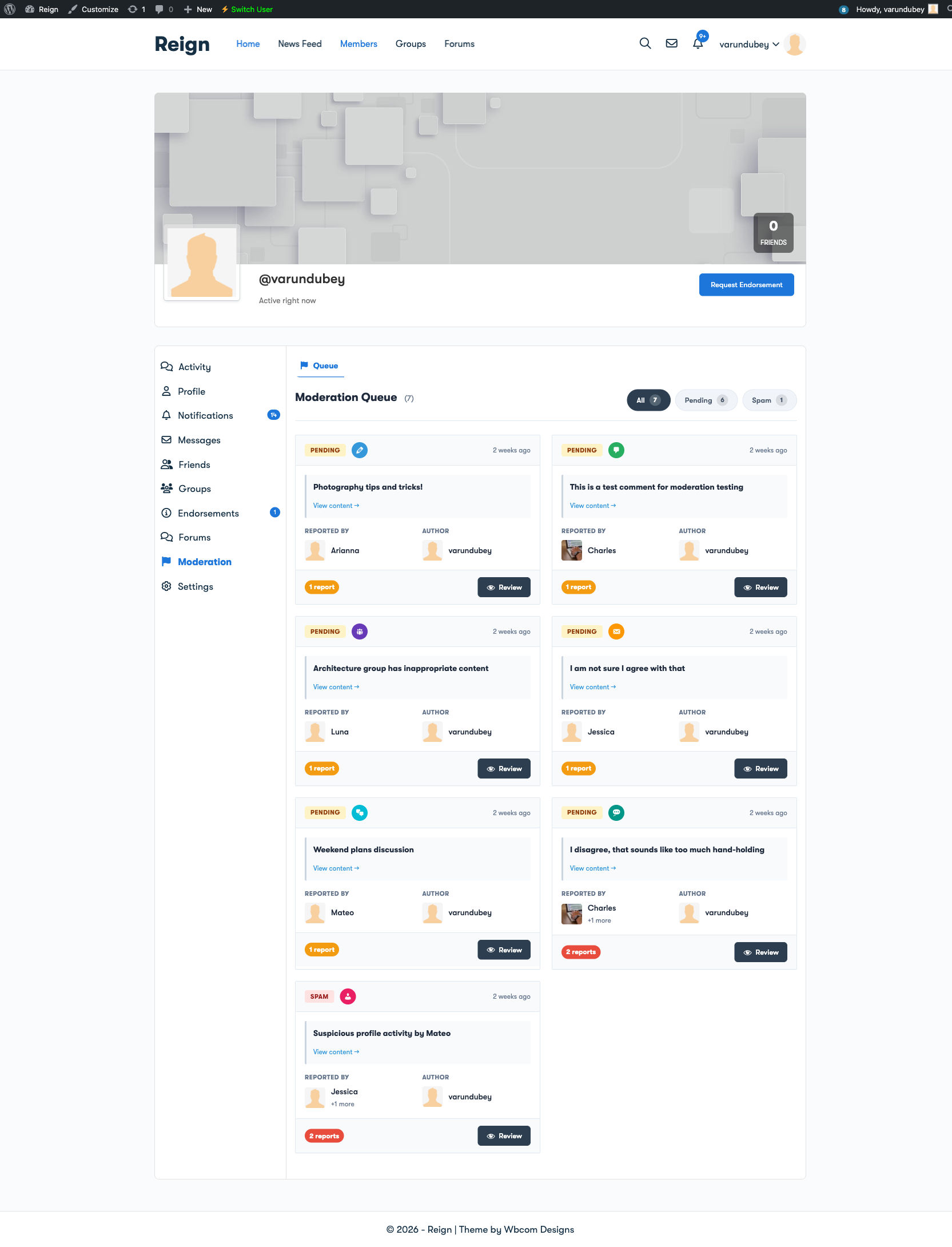
Here’s what moderators see:
- “Moderation” tab in their BuddyPress profile
- “Queue” sub-navigation for quick access to pending reports
- Card-based layout showing reported content with context
- Inline reporter display showing who flagged the content
- One-click actions to dismiss or take action on reports
Your moderators can now handle reports while browsing the activity feed, checking groups, or responding to messages. Moderation becomes part of the natural community workflow instead of an interruption.
Cleaner, Faster Report Management
We completely redesigned the moderation queue interface based on real-world feedback from community managers:

Simplified Actions
Gone is the confusing “Clear/Approve” terminology. Now it’s simply “Dismiss” when a report doesn’t require action. The language matches what moderators actually think: “This report is dismissed” vs. “This report is approved” (approved for what?).
Inline Reporter Information
Every report card shows who flagged the content, when they flagged it, and what category they selected. No more clicking into details just to see basic information.
Filter Tabs
Quick-filter between Pending, Resolved, and All reports. Jump straight to what needs attention.
Role-Based Reporting Controls
Not every community wants every member to submit reports. Some communities prefer that only established members or specific roles can flag content. Version 4.0.0 adds role-based reporting controls:

- Select which roles can report — Subscribers, Contributors, Authors, Editors, or custom roles
- Prevent abuse — New accounts can’t weaponize the report system
- Reward trust — Give reporting privileges to established community members
This is especially valuable for communities that have experienced report abuse, where bad actors use the flagging system to harass legitimate members.
Smarter Auto-Moderation
Auto-moderation is now enabled by default for activities and comments. When content receives enough reports, it’s automatically hidden pending review—no manual intervention required for obvious violations.
You control the thresholds:
- Set how many reports trigger automatic hiding
- Configure different thresholds for different content types
- Choose whether hidden content is visible to reporters only or completely hidden
The crowd-sourcing approach means your community helps police itself. Truly problematic content gets flagged quickly by multiple members, triggering automatic action before moderators even see it.
The Report Experience: Clean and Intuitive
When members flag content, they see a clean modal that guides them through the process:
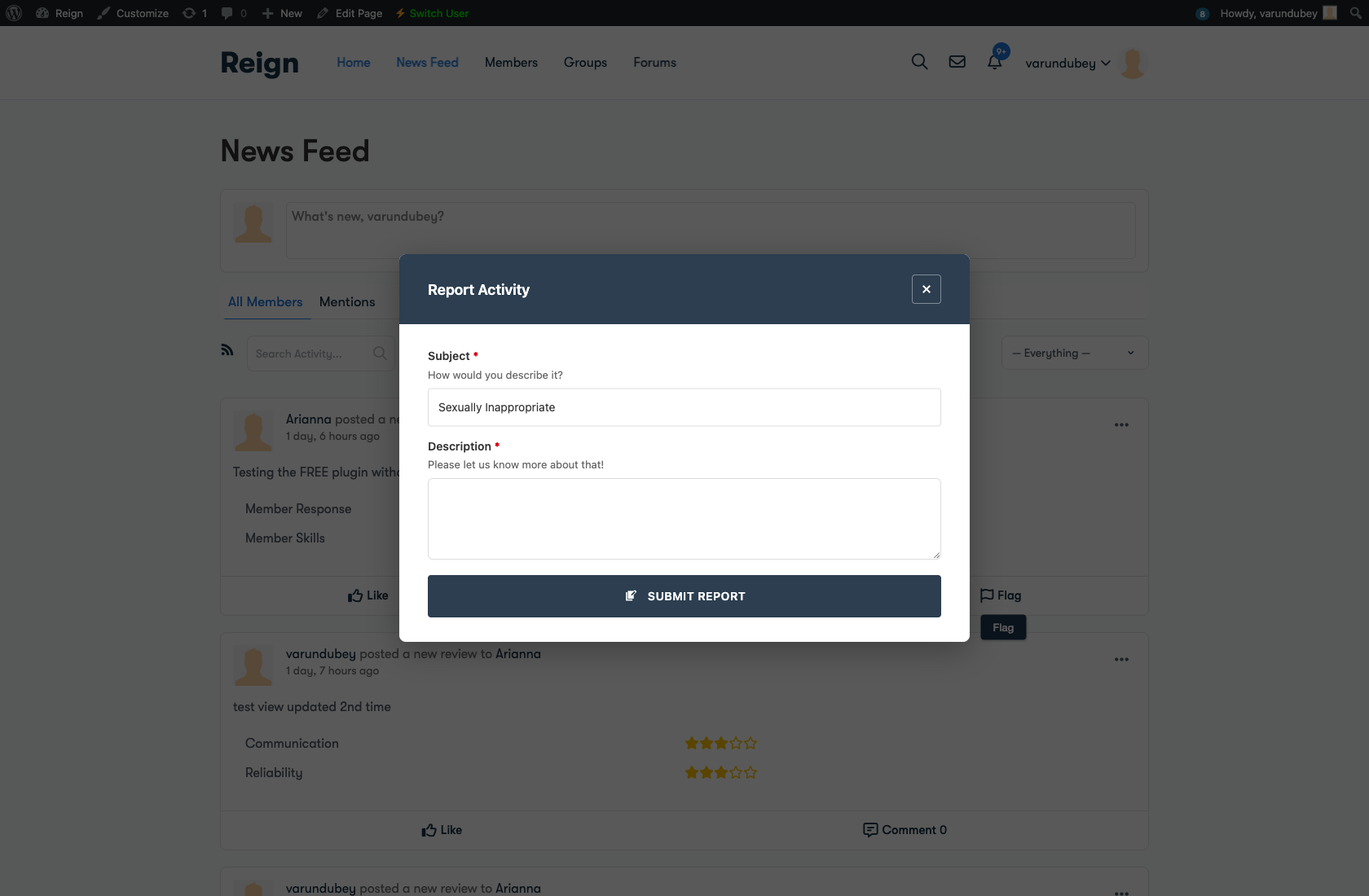
- Category selection — Spam, harassment, inappropriate content, or custom categories
- Optional details — Members can add context to their report
- Instant feedback — Confirmation that the report was submitted
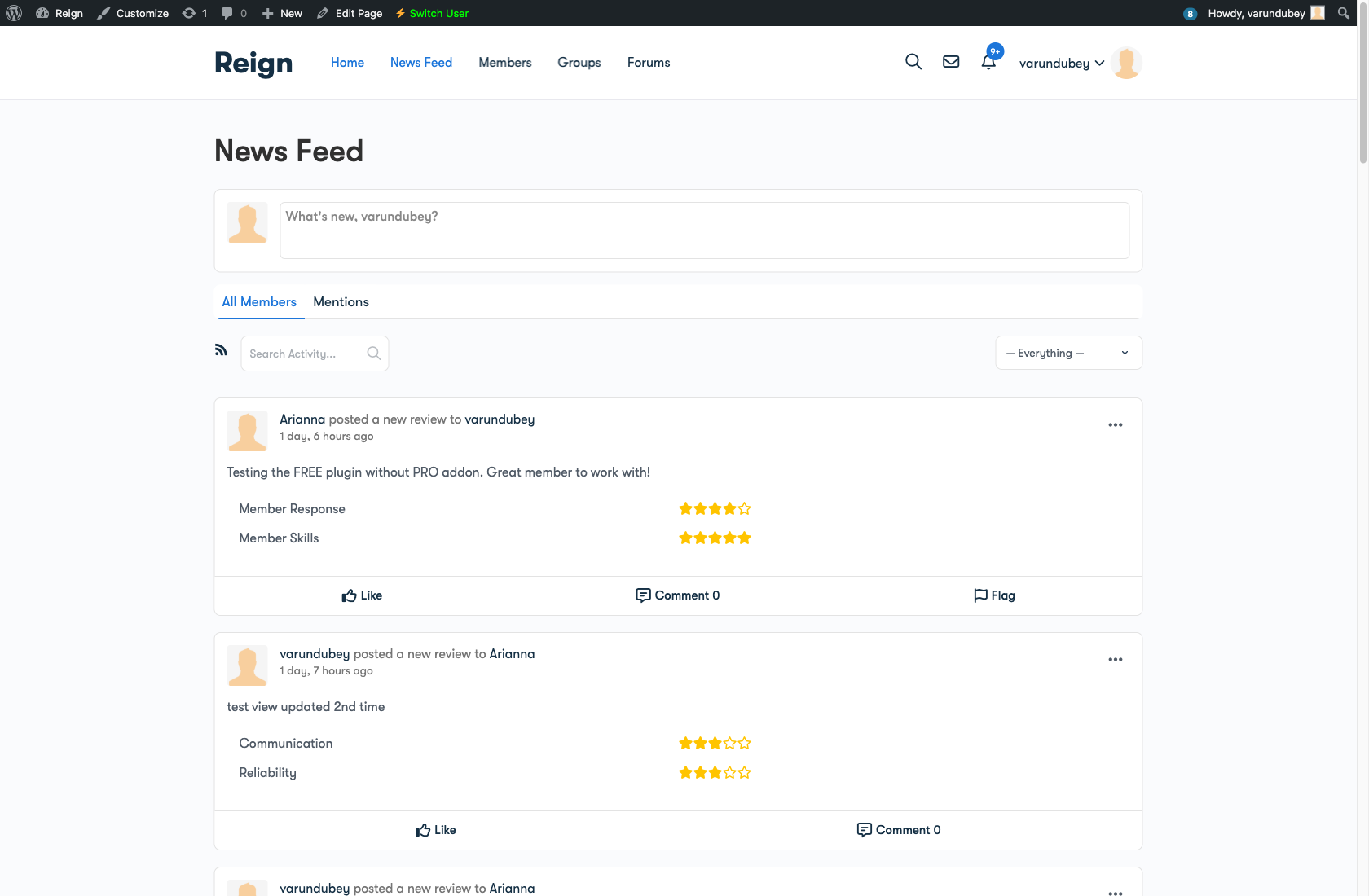
The flag button appears consistently across all supported content types:
Member Blocking: Give Users Control
Sometimes members need to handle issues themselves. The blocking feature lets members hide content from specific users:
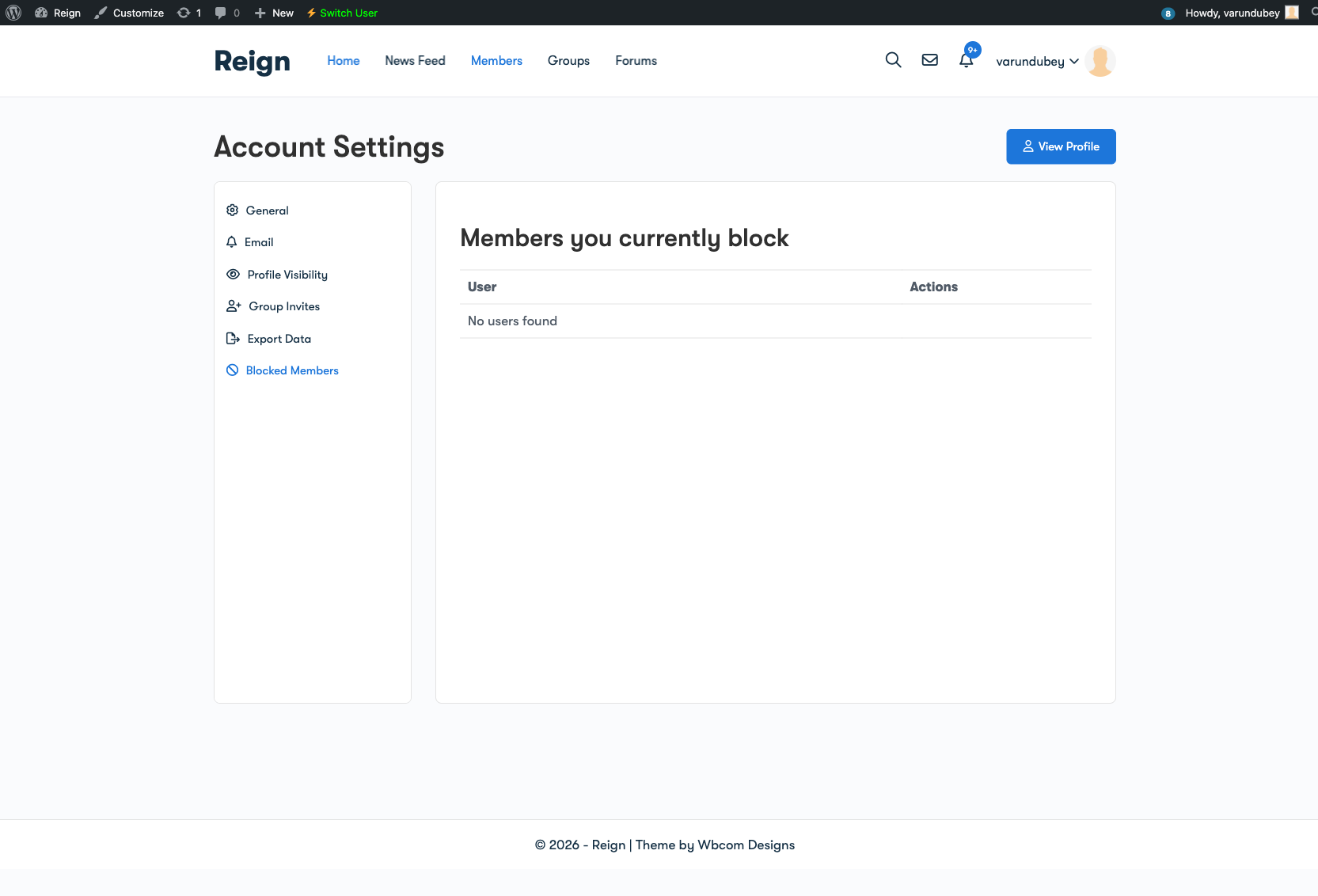
- Block from profile — One-click blocking from any member’s profile
- Manage blocked list — See and unblock members from a central location
- Two-way hiding — Blocked members can’t see the blocker’s content either
This empowers members to curate their own experience without requiring moderator intervention for every interpersonal conflict.
Complete Security Overhaul
Version 4.0.0 includes a comprehensive security audit with fixes throughout:
- XSS vulnerabilities fixed — All user input properly escaped
- SQL injection prevention — Parameterized queries throughout
- CSRF protection — Nonce verification on all actions
- Capability checks — Every moderation action verifies user permissions
- Input sanitization — All inputs sanitized before processing
- Output escaping — All outputs escaped before display
We also fixed edge cases that could be exploited:
- Moderators can’t dismiss their own content reports — Prevents conflict of interest
- Users can’t report their own content — Prevents gaming the system
- SSL verification enabled — License API calls use proper SSL
Security isn’t optional for moderation tools. These plugins handle sensitive community data and moderation decisions. We take that responsibility seriously.
Performance: Caching That Matters
Moderation data gets checked constantly—every activity, every comment, every member profile. Without caching, this creates database load that slows everything down.
Version 4.0.0 introduces a new caching system:
- Batch preloading — Moderation data fetched in single queries for activity loops
- Object caching support — Works with Redis, Memcached, or any object cache
- Runtime caching — Fast in-memory cache for the current request
- Smart invalidation — Cache clears automatically when data changes
Scripts and styles also only load on BuddyPress pages now—no unnecessary assets on your blog posts or other WordPress pages. For even deeper community insights, pair this with BuddyPress Statistics to track engagement alongside moderation.
Email Notifications Done Right
Email notifications have been completely rebuilt:
- Consistent across all content types — Activities, comments, messages, forums all trigger proper notifications
- Separate admin and moderator emails — Configure different recipients for different notification types
- Professional templates — Clean, readable email formatting
- Avatar moderation alerts — Get notified when avatars need review
Theme Compatibility
BuddyPress Moderation Pro v4.0.0 works seamlessly with:
- BuddyBoss Theme — Full compatibility with BuddyBoss Platform
- BuddyX / BuddyX Pro — Consistent styling throughout
- Reign Theme — Flag buttons and moderation UI match the theme
- Youzify — Works with Youzify’s profile customizations
Mobile responsiveness has also been improved—moderation works on phones and tablets, not just desktops.
What Else Can You Moderate?
BuddyPress Moderation Pro handles moderation across your entire community:
- Activity Updates — Flag and moderate activity posts
- Activity Comments — Moderate comments on activities
- Private Messages — Flag inappropriate messages
- Members — Report problematic members, lock accounts
- Groups — Flag and moderate groups
- bbPress Forums — Moderate topics and replies
- Member Avatars — Approve avatars before they go live
- Group Avatars — Approve group photos before display
If you’re running a community with BuddyPress Member Types, you can combine member type segmentation with moderation controls for even more granular management.
Upgrade Today
BuddyPress Moderation Pro v4.0.0 is available now. If you’re running an earlier version, update through your WordPress dashboard. If you’re new to the plugin, now is the perfect time to add professional moderation to your community.
Resources:
Your community deserves moderation that works. Now it does.