The Claude Code Config Layer Nobody Uses: Hooks, Plan Mode, and Skills
Most of the conversation about coding agents is about the wrong layer. People argue about which model is smartest and how to word the perfect prompt, and then they run the tool with everything left on its defaults. We did that too, for a while. The change that actually made Claude Code reliable for us was not a better prompt or a newer model. It was configuring the layer almost nobody touches: Claude Code hooks, plan mode, and the skills that sit around the model and decide how it behaves.
This is a founder-level look at that config layer, from a team that runs Claude Code across plugin development, support, and content every day. Not the settings reference, which the official docs already cover, but which pieces of the control surface actually earned their place for us, why, and how they turn a clever-but-unpredictable assistant into something you can trust with real work.
The mental model: a fast worker who needs guardrails
Before the specifics, the frame that makes all of this make sense. A coding agent is a fast, capable worker with poor judgment about when to stop and no memory of your standards unless you give it some. Left on defaults, it will happily make a confident change you did not want, run past the point where it should have checked with you, and forget the rule you told it last week.
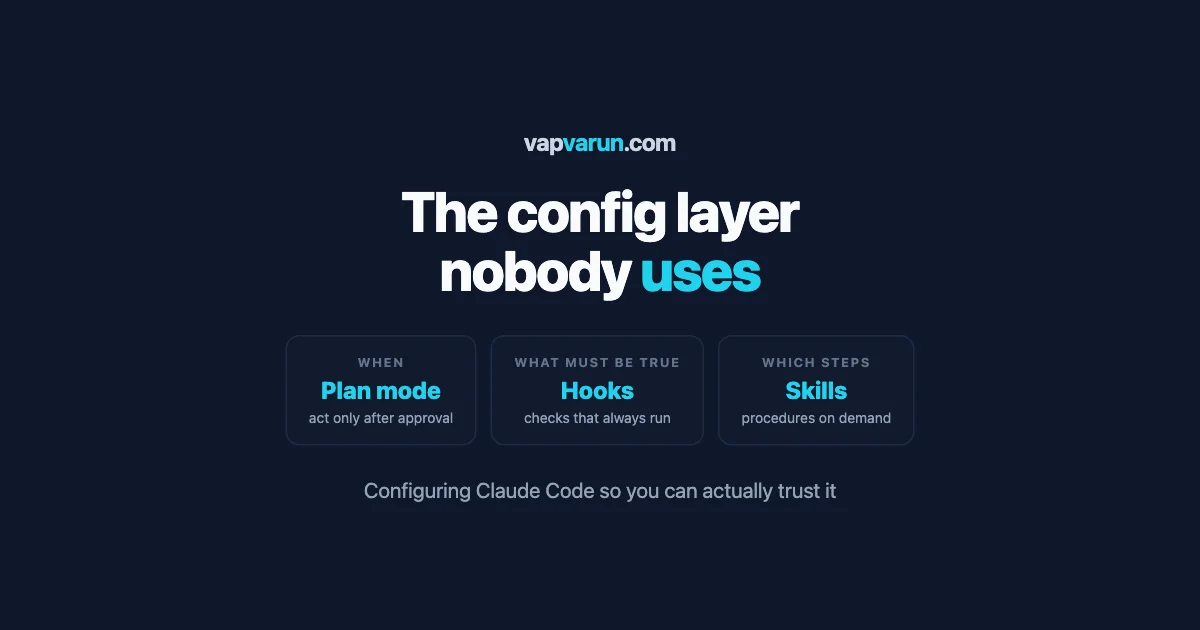
The config layer is how you fix that without slowing the worker down. Plan mode controls when it is allowed to act. Hooks enforce what must be true around its actions. Skills give it the procedures it should follow. Together they turn a general assistant into one shaped to your work, and the shaping is where the reliability comes from. The model is the engine; this layer is the steering, the brakes, and the seatbelts.
The model decides what to try. The config layer decides what it is allowed to do, what must be true before and after, and which of your procedures it follows. Skip it, and you are trusting defaults with your production code.
Plan mode: the single highest-value setting
If you change one thing, make it this. Plan mode tells the agent to investigate and propose a plan before it touches a single file, staying read-only until you approve. It sounds small. It is the difference between an agent that helps and one that quietly breaks things.
The failure we kept hitting on defaults was the confident wrong edit: the agent misunderstands the task, jumps straight to changing code, and now you are cleaning up a plausible-looking change that solved the wrong problem. Plan mode removes that class of failure entirely. The agent reads the code, tells you what it intends to do and why, and you catch the misunderstanding while it is still just words on the screen rather than a diff across six files.
The way we use it is simple: plan mode is the default for anything that is not trivial. A one-line fix can go straight through. Anything touching more than one file, anything unfamiliar, anything where being wrong is expensive, starts in plan mode. The thirty seconds you spend reading a plan is the cheapest bug prevention you will ever do, because a bad plan is free to reject and a bad diff is not.
There is a second, quieter benefit. Reading the agent’s plan tells you whether it actually understood the task, which is information you want before it spends effort, not after. A vague or wrong plan is an early warning that your request was unclear, and you get to fix the request instead of the code.
Claude Code hooks: the deterministic layer around a non-deterministic model
Claude Code hooks are the piece almost nobody sets up, and they are what let you trust an agent with real work. A hook is your own command that runs automatically at a point in the agent’s cycle: before it uses a tool, after it edits a file, when it finishes. The model is non-deterministic; hooks are not. They run every time, no matter what the model decided, which is exactly what you want for the things that must not be skipped.
The reason this matters is that you cannot rely on an agent to remember your standards through persuasion alone. You can tell it in a prompt to run the linter, and most of the time it will, and the one time it does not is the time something breaks. A hook removes the “most of the time.” It is enforcement, not a request.
Here is what we actually wire into hooks:
- Run the checks after every edit. Coding standards and static analysis run automatically after the agent changes code, so a change that breaks them is caught the moment it happens, not three steps later when it is tangled with other work.
- Block the dangerous action before it happens. A before-tool hook can refuse an action that should never run unattended, so the agent physically cannot do the thing you would have vetoed anyway.
- Format and tidy on save. The boring consistency work happens by machine, every time, so it never becomes a review comment or a source of noisy diffs.
- Surface a reminder at the end. A stop hook can print the checklist you always forget, so the last thing you see is the thing you were about to skip.
The point of all of it is the same: move the things that must always happen out of the model’s judgment and into code that always runs. The model is free to be creative about the solution. The hooks make sure the non-negotiables are non-negotiable. That division is what lets you hand the agent more rope without getting burned by it.
Skills: procedures the agent loads when it needs them
The third piece is skills, and understanding them fixes a mistake almost everyone makes early: trying to cram every instruction into one giant prompt or one enormous rules file. That does not scale. A wall of instructions dilutes the ones that matter, and the agent follows some and forgets others because they are all competing for attention at once.
A skill is a packaged procedure the agent pulls in only when the task calls for it. Instead of every instruction being present all the time, the relevant procedure loads at the relevant moment. Our release steps load when we are releasing. Our QA checklist loads when we are testing. The content pipeline loads when we are writing. Each one is focused, and none of them is cluttering the agent’s attention when it is doing something else.
The gain is both accuracy and maintainability. Accuracy, because a focused procedure loaded at the right time is followed far more reliably than the same steps buried in a giant prompt. Maintainability, because when a process changes you update one skill, in one place, rather than hunting through a monolith. It is the same reason you split code into functions instead of one long file: the boundaries are what keep it manageable as it grows.
We wrote about the broader idea of splitting knowledge across the right homes in a separate piece on layered knowledge: rules in one place, facts in another, procedures as skills, tools as servers. Skills are the “procedures” layer of that model, and they are the one that most changes day-to-day output, because they are what the agent actually executes.
Skills, hooks, and rules: which holds what
People new to this layer mix up where a given instruction belongs, and putting things in the wrong home is why some setups feel messy. A simple test sorts most of it. Ask what kind of thing the instruction is.
If it is a standing fact or preference that is always true, “we use this coding standard,” “never touch these files”, it belongs in the rules file the agent always reads. If it is a procedure you follow for a certain kind of task, “how we cut a release,” “how we verify a fix”, it belongs in a skill that loads for that task. If it is a non-negotiable that must be enforced no matter what the model decides, “the tests must pass before this is done”, it belongs in a hook, because a hook runs whether or not the model remembered. And if it is access to a live system, your database, your analytics, that belongs in a tool server, not in text at all.
Getting this sorting right is most of what makes the layer maintainable. A rule that should have been a hook gets ignored under pressure. A procedure crammed into the rules file clutters every task. A one-off stuffed into a skill never loads when you need it. Put each instruction in the home that matches what it is, and the whole environment stays legible, which is the property that lets you keep trusting it as it grows.
How the pieces fit together
None of these works best alone; the value is in how they combine into one shaped environment. It helps to see where each fits.
- Plan mode governs when the agent acts, keeping it read-only until you approve the approach.
- Claude Code hooks govern what must be true around its actions, enforcing your non-negotiables deterministically.
- Skills govern which procedure it follows, loaded on demand for the task at hand.
- Rules and tools round it out: a rules file for the standing instructions, and tool servers for the live access to your systems, which we covered in our guide to connecting agents to WordPress.
Read together, they describe a worker who plans before acting, is fenced in by checks that always run, follows your exact procedures, knows your standards, and can reach your systems. That is a very different thing from a chat window with a smart model behind it, and the difference is entirely in the configuration, not the model.
One task, through the whole layer
To make it concrete, here is a single real task moving through the configured environment, so you can see each piece doing its job. A support ticket describes a bug in one of our plugins.
The agent starts in plan mode, so its first move is not to change code but to read the plugin, find the function at fault, and write back what it intends to do: the one function to fix, the callers that route through it, and the change it proposes. We read that plan in half a minute and see it understood the problem correctly, so we approve. Had the plan been wrong, we would have corrected the request right there, before any code moved.
Now it edits, and the hooks take over. The moment it saves the change, the coding standards and static analysis run automatically; if the edit had broken either, we would know instantly rather than three steps later. The relevant skill, our fix-verification procedure, is loaded because this is a bug fix, so the agent follows our actual steps: reproduce, fix the shared function rather than patching each caller, confirm. When it finishes, a stop hook prints the checklist we always want to see before shipping.
What reaches us at the end is not a raw guess to inspect line by line. It is a change that already planned correctly, passed our standards at the moment it was made, and followed our real procedure. We review the diff and decide whether it ships. Every piece of the config layer did one job, and the sum is a result we can trust with a glance instead of a forensic read.
What actually changed for us
It is fair to ask whether all this setup pays off, so here is the honest before and after. On defaults, Claude Code was useful but supervised: helpful for a burst of work, but needing a close eye because it would occasionally make a confident wrong change or skip a step we cared about. It saved time and spent some of it back on cleanup.
With the config layer in place, the character of the work changed. Plan mode caught the misunderstandings before they became diffs. Claude Code hooks meant a change that failed our standards never reached us as a surprise, because it was caught at the moment of the edit. Skills meant the agent followed our actual processes instead of a fuzzy memory of them. The supervision did not disappear, because a human still reviews and still owns the outcome, but it moved from babysitting every action to reviewing a result that had already passed the gates we set.
That shift, from watching everything to reviewing checked work, is the whole return on configuring this layer. It is what let us give the agent bigger tasks with less anxiety, because the guardrails were doing the watching that we used to do by hand.
The mistake to avoid: configuring everything at once
A warning, because it is easy to overdo. When people discover this layer, the temptation is to wire up every hook, write a dozen skills, and lock everything down on day one. That usually backfires, because you end up with a tangle you do not understand and cannot debug when it misbehaves, and you cannot tell which piece is helping.
The layer is only worth having if you understand what each part does, because the whole point is trust, and you cannot trust a setup you cannot reason about. A small, understood configuration beats a large, mysterious one every time, the same way a few good tests beat a hundred you do not read.
So add pieces one at a time, and only when you have felt the problem each one solves. Turn on plan mode, live with it, notice the wrong edits it prevents. Then add one hook for the check you most often wish the agent had run. Then write your first skill for the procedure you repeat most. Each addition should earn its place by fixing a real annoyance, not by sounding thorough.
Why this is a moat, not a chore
It is easy to see all this configuration as overhead, a tax you pay to use the tool. We have come to see it the opposite way. The models are available to everyone; your competitor can open the same Claude Code and type the same prompts. What they cannot copy by typing a prompt is the layer you built around it: your hooks that encode your standards, your skills that carry your exact procedures, your habit of planning before acting. That accumulated configuration is a real advantage, and it compounds.
It compounds because every rough edge you hit becomes a permanent fix. The agent skips a check once, you add a hook, and it never skips that check again. A process is fuzzy, you write it as a skill, and it is followed precisely from then on. Over months, the environment gets steadily more reliable while the effort of maintaining it shrinks, because the pieces are small and understood. A year in, you have an agent shaped to your work in a way no default setup and no amount of clever prompting can match.
So the config layer is not a cost of using the tool; it is where the durable value lives. The prompt is disposable and the model is a commodity. The environment you build around them is the thing that is yours, and it is the reason two teams using the identical model get very different results from it.
Where to start
If you want the shortest path to most of the benefit, here is the order we would choose again.
- Turn on plan mode and make it your default for anything non-trivial. This single change removes the most painful failure, the confident wrong edit, and costs you nothing but thirty seconds of reading.
- Add one hook: run your linter or tests automatically after edits. Pick the check you most often wish had run, and make it run every time. This is where most people first feel what Claude Code hooks buy them.
- Write one skill for the procedure you repeat most, whether that is your release steps or your test checklist. Get it loading at the right moment and see how much more reliably it is followed.
- Only then expand. Add the next hook or skill when you feel the specific need, and never faster than you can understand what you added.
Do those three things and you will have most of the reliability the config layer offers, with a setup small enough to reason about. From there it grows naturally, one earned piece at a time.
One more note on order: resist the urge to copy someone else’s giant configuration wholesale. A borrowed setup you did not build is exactly the mysterious tangle warned about earlier, only now it is someone else’s mystery. Start from zero, add what you feel the need for, and you will understand every piece because you added it for a reason you remember. The goal is not the biggest config; it is the config you can fully trust, and trust only comes from having built it yourself.
The layer that decides whether you can trust it
The lesson we keep relearning is that the model is rarely the bottleneck. The current models are more than capable enough for the work we give them. What decides whether a coding agent is a genuine team member or a liability you have to watch is the layer around it: whether it plans before it acts, whether your standards are enforced or merely hoped for, and whether it follows your real procedures or a vague approximation.
That layer is configuration, not intelligence, which is good news, because configuration is something you control completely. You do not have to wait for a smarter model to get a more trustworthy agent. You have to set up plan mode, wire the hooks that enforce what matters, and write the skills that carry your procedures. Do that, and the same model that felt unpredictable on defaults becomes something you can hand real work to and trust to hand it back done properly. The intelligence was always there. The trust is something you build.