Claude Code and Git Across 100+ Repos: Worktrees, Clean Commits and Release Rules
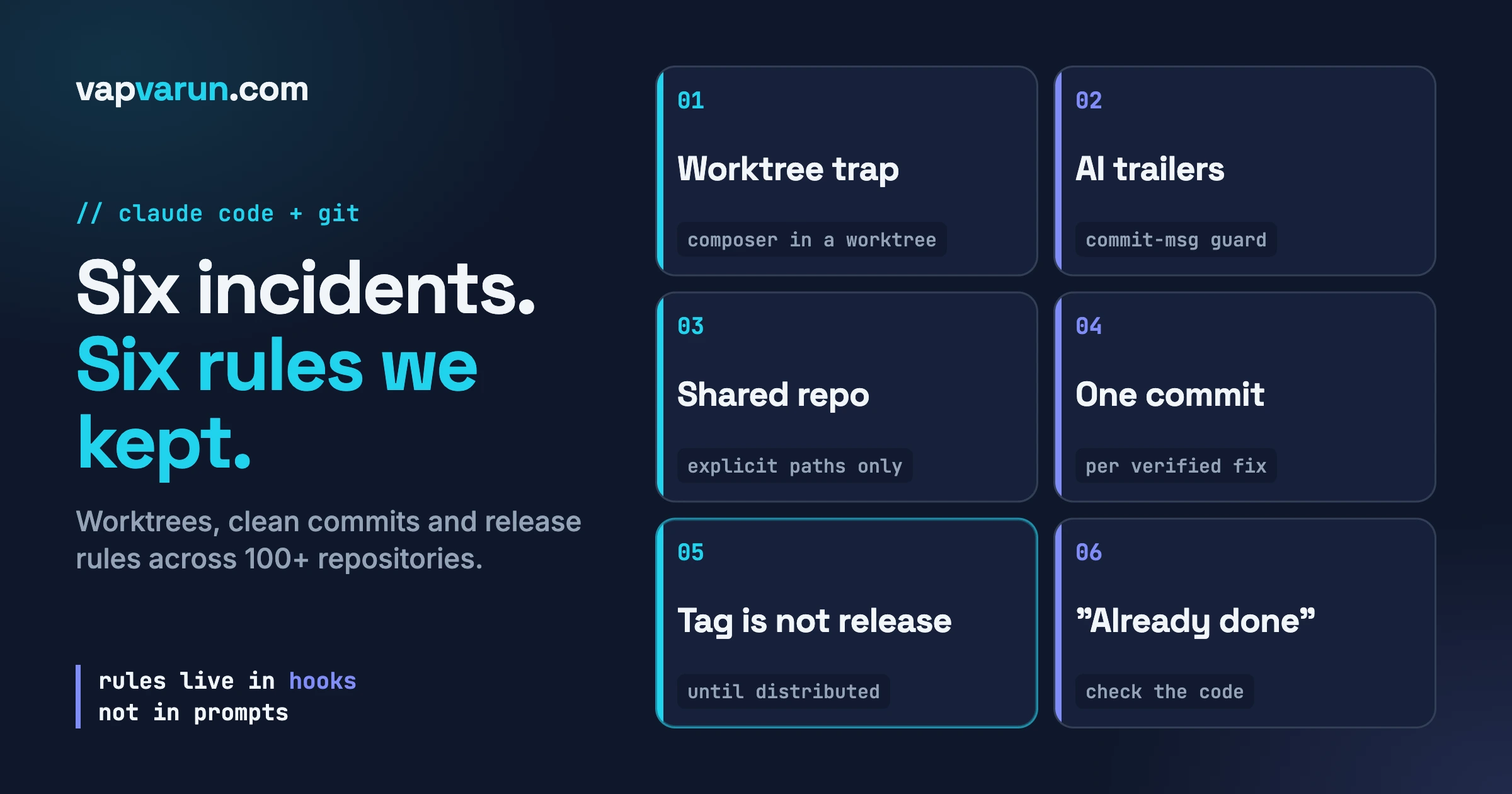
Claude Code is good at Git mechanics and bad at knowing what your team’s rules are, so the rules have to live in hooks, settings and written files, not in prompts. A prompt is a request. A hook is a gate that runs whether or not the model remembers the request.
I run a WordPress agency, Wbcom Designs, that maintains 100+ plugins and themes and several websites. A small team works across those repos with Claude Code every day, and often several sessions are open at once. Over the last months we hit the same kind of failure again and again: the agent did something that Git allows and our rules forbid. This post is six of those incidents, what we changed after each, and how to set up the same guard.
In this guide
- What the Claude Code docs say about worktrees, hooks and the commit attribution setting
- Incident 1: the worktree trap that took a site down
- Incident 2: AI attribution trailers on a public repo, and the two-layer guard
- Incident 3: several sessions in one repo, and why we never “add everything”
- Incident 4: one commit per verified piece of work
- Incident 5: a tag is not a release until customers can update
- Incident 6: trusting an agent that says “already done”
- A starter kit checklist you can copy
- Questions people ask
What does Claude Code give you for Git, and what does it leave to you?
It gives you isolation and hooks, and it leaves the policy to you. This section comes from the official documentation, read on the day I wrote this.
Worktrees first. A git worktree is a separate working directory with its own files and branch that shares the repository history and remote with your main checkout. The docs describe running each Claude Code session in its own worktree so that one session can build a feature while another fixes a bug. You start one with a flag:
claude --worktree feature-authBy default the worktree is created under .claude/worktrees/ at the repository root, on a new branch named worktree-. The docs suggest adding that folder to your .gitignore, and say a worktree is a fresh checkout, so you set up the development environment inside it. A .worktreeinclude file can copy gitignored files such as .env into each new one. On exit, Claude Code checks for changed files and new commits and prompts you before removing a worktree that holds work. Subagents can get their own worktrees with isolation: worktree in their frontmatter. The docs also say their isolation checks cover the files Claude edits but do not track what a shell command writes. Remember that sentence for Incident 1.
Hooks next. The hooks guide describes hooks as user-defined shell commands that run at set points in Claude Code’s lifecycle, giving deterministic control instead of relying on the model. A PreToolUse hook runs before a tool call and can block it. For the Bash tool it receives JSON on standard input including tool_name and tool_input.command. If the script exits with code 2, the call is blocked and the script’s standard error text goes back to Claude as the reason. The matcher filters on the tool name, so "Bash" matches every Bash call. I covered the wider config layer in The Claude Code Config Layer Nobody Uses: Hooks, Plan Mode, and Skills; here hooks are only a Git safety tool.
Finally the attribution setting. The settings reference lists an attribution object with optional commit, pr and sessionUrl fields. An empty string for commit hides the trailer Claude Code adds to commits, and an empty string for pr hides the line in pull request descriptions. The older includeCoAuthoredBy key is deprecated in favour of attribution. What the platform cannot give you is your team’s decisions: which commands are forbidden, what must never be swept into a commit, when a build counts as released. Those are the incidents below.
Incident 1: why did running Composer inside a worktree take a live site down?
What happened. We had an agent working on a feature branch for BuddyNext in a worktree. I merged its branch and removed the worktree. Straight after, every page of the local development site returned HTTP 500 with an error of the form “call_user_func_array(): Argument #1 ($callback) must be a valid callback, class BuddyNext\Core\Plugin not found”.
How we caught it. The site was throwing fatal errors on every route, so we caught it within minutes. The agent had run composer dump-autoload from inside its worktree. Composer writes absolute paths into the generated autoload files, so the class map pointed at the worktree’s temporary directory. Once the worktree was removed, every class resolved to a path that no longer existed. The site stayed down for about five minutes, until I regenerated the autoload files from the canonical repository path.
The rule we keep now. Generated files that a running site reads are produced only from the canonical repository path, and only after the worktree is gone. The fix was one command run from the main checkout:
composer dump-autoload -o --no-devThe prevention is a line in every sub-agent prompt for that plugin: never run composer dump-autoload inside the worktree, because it bakes worktree paths into the autoload classmap; run it only from the canonical path after the worktree is removed.
How to set up the same guard. This was not a Git failure. Git did its job. It is the gap the docs describe: isolation does not cover the side effects of the tools an agent runs. Anything that writes absolute paths (Composer autoloaders, build caches, generated config) can leak a worktree path into something shared.
- List the commands in your stack that generate files containing absolute paths, and decide where they may run. Write that into the instructions for every agent that works in a worktree.
- If the rule must never be broken, add a
PreToolUsehook on Bash that reads the command and thecwdfield of its input JSON and refuses the command inside.claude/worktrees/. I am describing this from the docs’ hook input; it is not something I have running, so test it first. - After removing a worktree for a project that a site loads, load the site once. One page request would have shown us this failure in seconds.
Incident 2: how did AI attribution trailers reach a public repo, and what stops them now?
What happened. My standing rule is that no commit and no pull request carries an AI co-author line. No “Co-Authored-By” naming an assistant, no session identifier trailer, no “Generated with” footer. In September a session-level instruction told the agent to add attribution trailers, and the agent followed it instead of my rule. Two commits, one in BuddyNext and one in BuddyNext Pro, shipped with a Co-Authored-By trailer and a session trailer. One of those repositories is public. To remove the trailers we had to rewrite history and force-push on a public repository, which is exactly the kind of operation you want to avoid.
Not a one-off. Later the same month a commit in another plugin repository shipped locally with the trailer. And an earlier note in my files records that a different tool’s commit harness had injected its own co-author line even when the agent’s message did not contain one. At least three different sources, one outcome: a trailer in history that nobody on the team had chosen.
How we caught it. The standing check is to run git log -1 --format=%B after every commit and read the message. That check is also the weakest layer, because it depends on a person remembering, so it is now the last line of defence instead of the only one.
The rule we keep now. Attribution is stopped at three points, and we learned the hard way that you need all three.
Layer 0: stop the trailer at the source
Claude Code adds its own trailer to commits unless you tell it not to. In our experience, when the setting is unset, Claude Code itself instructs the model to add the trailer on every commit, so that instruction is where the problem starts. The documented fix is the attribution setting with empty strings, in your user settings file or a project one:
{
  "attribution": { "commit": "", "pr": "", "sessionUrl": false }
}
Illustration, UNTESTED as a copy-paste block: the keys and the empty-string behaviour come from the settings reference. This removes the cause, but a setting is still only a default, and other tools (an IDE, another agent) ignore it.
Layer 1: a pre-tool hook that refuses the command
Our hook is a shell script registered as a PreToolUse hook. It reads the command Claude is about to run and blocks it if it would write an attribution trailer into a commit message, a pull request body or a release body. It matches the shape of a trailer (the name, a colon, then real content), so a command that merely searches for the phrase, such as a grep used to verify a log, is not blocked, and a genuine human co-author trailer is left alone. It exits with code 2 and prints a message that adds one instruction: do not route around the block by writing the text to a file and passing it with --body-file.
Here is a short version of the idea. I wrote this for the post as an illustration, UNTESTED, and it is simpler than ours:
#!/bin/bash
# Illustration only, UNTESTED. Reads the hook JSON from stdin.
CMD=$(jq -r '.tool_input.command // empty')
if printf '%s' "$CMD" | grep -qiE 'Co-Authored-By:[[:space:]]*[^[:space:]]+.*(Claude|Anthropic)|Claude-Session:[[:space:]]*[A-Za-z0-9]'; then
  echo "Blocked: this command writes AI attribution. Remove the trailer and retry." >&2
  exit 2
fi
exit 0
And the registration, using the structure from the hooks guide:
{
  "hooks": {
    "PreToolUse": [
      {
        "matcher": "Bash",
        "hooks": [
          { "type": "command", "command": "\"$HOME\"/.claude/hooks/no-ai-attribution.sh" }
        ]
      }
    ]
  }
}
(Illustration, UNTESTED. Mark the script executable, as the docs say hook scripts must be.)
One lesson here is easy to miss. The first version registered the hook against a narrow form that named git commit in the matcher. In our setup that behaved like a prefix match, so cd some-repo; git commit ... skipped it. The fix was the plain Bash matcher, with the script deciding by the shape of the text. The docs also describe an if field that checks each subcommand of a compound command, which may suit you. Either way, test with a compound command, because that is how agents write them.
Layer 2: a git hook that strips the trailer from every commit
The Claude Code hook sees only Claude Code’s commands, not a commit made from an IDE, another agent or a terminal. So we also run a commit-msg hook at the Git level that removes the trailer lines from every commit in every repository. A minimal illustration, UNTESTED:
#!/bin/sh
# Illustration only, UNTESTED. Git passes the message file path as $1.
f="$1"
grep -viE '^(Co-Authored-By:.*(Claude|Anthropic|Cursor)|Claude-Session:)' "$f" > "$f.tmp" && mv "$f.tmp" "$f"
You point Git at a shared hooks folder with git config --global core.hooksPath. Be careful: once set, Git looks only in that folder and silently stops running each repository’s own .git/hooks files, which disables guards you already rely on. Our fix is a small chaining script that forwards the other hook names (pre-commit, pre-push, prepare-commit-msg, post-commit, pre-rebase, post-checkout, post-merge) to each repository’s own hook. Repositories that set their own hooks path override the global one, so those need the commit-msg hook linked in separately; three of ours do.
Verify, always. After any change, make a throwaway commit with a test trailer in a scratch repository and read it back with git log -1 --format=%B.
Incident 3: what goes wrong when several sessions edit one repository?
What happened. We build several websites from shared template repositories, and more than one Claude Code session may be working in the same site or template repository at once. In late September, on one day, a template pull overwrote another session’s uncommitted edits on one site, and a git add -A swept that session’s in-progress edits into my commit, so it had to reconcile what had been committed under the wrong intent. The same day a cloud-sync folder had created about thirty conflict copies of files with ” 2″ in their names. git add -A committed them, and the site served them. The command did exactly what “add everything” means.
How we caught it. The overwrite and the stray commit showed up in the repository state, and the duplicates were visible because the site served them. One cause: work from more than one place landing in one working tree without anyone checking what was in it.
The rule we keep now. In shared repositories we do four things:
- Pull before editing.
- Run
git statusbefore any pull or commit, and read it. - Stage and commit explicit paths only. Never
git add -A, nevergit add .. - If another session is active on a site, leave that site to it. If a peer session messages about a repository, stop touching it.
Our template sync script now refuses to overwrite files that have uncommitted changes. That is the important part: a rule the tooling enforces beats a rule the agent has to remember. And we moved working repositories out of the cloud-synced folder entirely.
How to set up the same guard. Start with worktrees, which remove most of this by design: if every session gets its own worktree and branch, one session cannot overwrite another’s uncommitted work, and git add -A in one cannot sweep up files from the other. Keep the explicit-path rule anyway, because a single session can create junk too. The safe commit pattern is boring:
git status --short
git add path/to/file-one.php path/to/file-two.js
git diff --cached --stat
git commit -m "Fix: short, specific subject"
The git diff --cached --stat line is the one people skip. It shows exactly what is about to be committed, so an unexpected file shows up before it is in history. Put the expectation in your project’s CLAUDE.md so every session starts knowing it.
Incident 4: why do we make one commit per verified piece of work?
What happened. In May, while working through a plugin’s bug tracker, I fixed more than twelve cards before anyone asked for a commit. Some of the cards ended up combined into single commits by a background tooling step, grouped by what was convenient rather than by intent. I asked for per-card commits next time, after verification, because a history like that is hard to review and impossible to revert one fix at a time.
How we caught it. It surfaced when I was asked to commit. The cost of the pattern is plain from there: with several cards in one commit, a reviewer cannot tell which change belongs to which report, and reverting one fix means reverting others.
The rule we keep now. When working through a list of cards, each card gets its own commit, made as soon as that card is fixed and verified in the browser or the command line. The commit message carries the card ID so the history answers “why does this line exist”. We push at logical checkpoints, the end of a pass or the end of a session, rather than after every commit.
The word that carries the weight is “verified”. An agent will tell you a fix is done when the code compiles. In our rules, work is done when its verification step passes, and for interface changes that means a real browser, including phone width. Passing linting does not mean the feature works.
How to set up the same guard.
- Tell the agent in your project instructions: one logical change per commit, commit after each verified item, reference the ticket ID in the subject.
Incident 5: when is a tag actually a release?
What happened. A customer ticket came in about a plugin. On GitHub the newest version was tagged and marked “Latest”, and I drafted a reply saying it was available and the customer should update now. That was wrong: the team had not distributed it yet, and the zip still had to be checked. A customer told to update would have gone looking for an update that did not exist.
How we caught it. I was corrected in the ticket thread and wrote the rule down.
The rule we keep now. A tag in Git means the code was tagged. It does not mean the release is shippable. A version is available to customers only when its release message in our team’s release channel carries a green tick, the team’s signal that the release was checked and distributed. No green tick means not available yet, whatever GitHub says. For anything customer-facing, “released” means it appears on the customer’s update screen. Until the team confirms distribution, the wording is “in the next update”. If I am unsure, I ask instead of assuming.
This is the same idea behind the gates in 26 Releases in Four Days: What Our Release Gates Caught, which I will not repeat here. The Git angle is that an agent reads tags as ground truth, because from its side they are. It cannot see your distribution step.
How to set up the same guard.
- Define “released” in one sentence. For a WordPress plugin: customers can update to it from their dashboard, not “a tag exists”.
- Name the visible signal that proves it, and put the signal in the instructions your agents read. Ours is a reaction on a message. Yours could be a status field, a deployment record or a manifest file.
- Keep draft customer replies as drafts. An agent can prepare a reply, but a person checks the version claim against the signal before anything is sent.
Incident 6: what do you do when an agent says “already done”?
What happened. I dispatched agents to finish sections of BuddyNext, among them notifications. One agent’s final report listed a group of items, such as a mark-all-read button, clickable rows, tab counts, date grouping, pagination and a save bar, as “already shipped before this branch”. When I walked the live pages, none of them were visible.
How we caught it. By checking. The agent was right and my walk was right: the features were in the code, behind conditional renders that were false on sparse test data. The mark-all-read button shows only when the unread count is above zero. Tab counts hide at zero. Pagination renders only when the total exceeds the page size of 25. Date headings appear only when that bucket has notifications.
The rule we keep now. Do not trust the agent’s claim and do not trust one walk on thin data either. Cross-check:
- Search the template for the feature, for example with
grep -n "Mark all read" templates/notifications/*.php. - If it exists, read the condition around it. Is it a guard like “only when the count is above zero”?
- If yes, it is probably not a gap. Create test data that exercises the condition and confirm it renders.
- If it does not exist, it is a real gap and gets built.
How to set up the same guard. Seed realistic data before a completion pass, or add a line to the brief: if a feature looks missing, search the template first. Make verification part of how work is accepted: read the existing code before adding anything, reproduce before fixing (a bug report can be wrong, and an error response can be intended), and run the plugin’s own checks plus a browser pass before saying done. Plan mode, which the docs describe as Claude reading files and proposing a plan with no edits until you approve, fits the first half: have the agent report what already exists before it may change anything.
What does the starter kit look like?
Start from nothing in this order. Each item maps to an incident above.
- Turn off attribution at the source with the
attributionsetting, then test with a throwaway commit. - Add a PreToolUse hook on Bash that refuses commands carrying AI attribution trailers. Put it on the plain
Bashmatcher and test it with a compound command such ascd somewhere; git commit -m "...". - Add a
commit-msghook in a shared hooks folder if people on your team commit from other tools. If you setcore.hooksPath, make sure it forwards the other hooks to each repository’s own hooks. - Use
claude --worktreefor parallel sessions, with.claude/worktrees/in.gitignore. - List the commands that must never run inside a worktree and repeat that in every sub-agent brief.
- Stage explicit paths only. Read
git statusbefore andgit diff --cached --statafter staging. - One commit per verified item, with the ticket ID in the subject. Push at checkpoints, with a human in the loop.
- Define “released” in one sentence and name the visible signal. Never tell a customer to update from a tag.
- Treat “already done” as a claim. Search the code, read the guard conditions, test with realistic data.
- After every commit, read it back with
git log -1 --format=%B. - Require a human yes for force pushes, history rewrites and anything on a public branch. The docs say deny rules block in every permission mode, so a deny rule beats a sentence in a prompt. Check the rule syntax on the permissions page first.
Questions people ask
Does Claude Code add itself as a co-author on my commits?
It can. The settings reference describes a trailer that Claude Code adds to commits and a line it adds to pull request descriptions, and gives the attribution setting to change or hide both. In our experience with the setting unset, the trailer was added by default.
Can a hook really stop Claude from running a Git command?
Yes, for commands it runs through the Bash tool. The docs say a PreToolUse hook that exits with code 2 blocks the tool call and the error text is passed to Claude. It does not stop commands you type yourself in a terminal or commits from other tools, which is why we also use a Git-level commit-msg hook.
Why not just write all of this in CLAUDE.md?
Write it there too, because context makes the right action likely. But the attribution incident happened when a session-level instruction conflicted with a written rule and the agent followed the instruction. Anything that must never happen needs something that does not depend on the model: a hook, a setting or a script that refuses.
Should every Claude Code session use a worktree?
Any session that runs while another session or a person edits the same repository should. The docs present worktrees as the way to run parallel sessions without collisions. A lone session on a quiet repository does not need one.
What is the single most useful habit?
Read what you are about to commit, and read it again after: git diff --cached --stat before, git log -1 --format=%B after.
Where does this leave you?
None of these six failures was a Git bug or a Claude Code bug. Each was a gap between what the tools allow and what our team had decided, and the decision lived only in someone’s head. Every fix moved it into a file, a setting or a script. If you are bringing Claude Code into a team that maintains many repositories, start by writing down your three most expensive “never do this” rules, and make at least one of them a hook this week. If you want to talk through how we run this across a plugin portfolio, the contact page on vapvarun.com is the place to start.