Shipping Jetonomy for iOS: a native app for your WordPress community
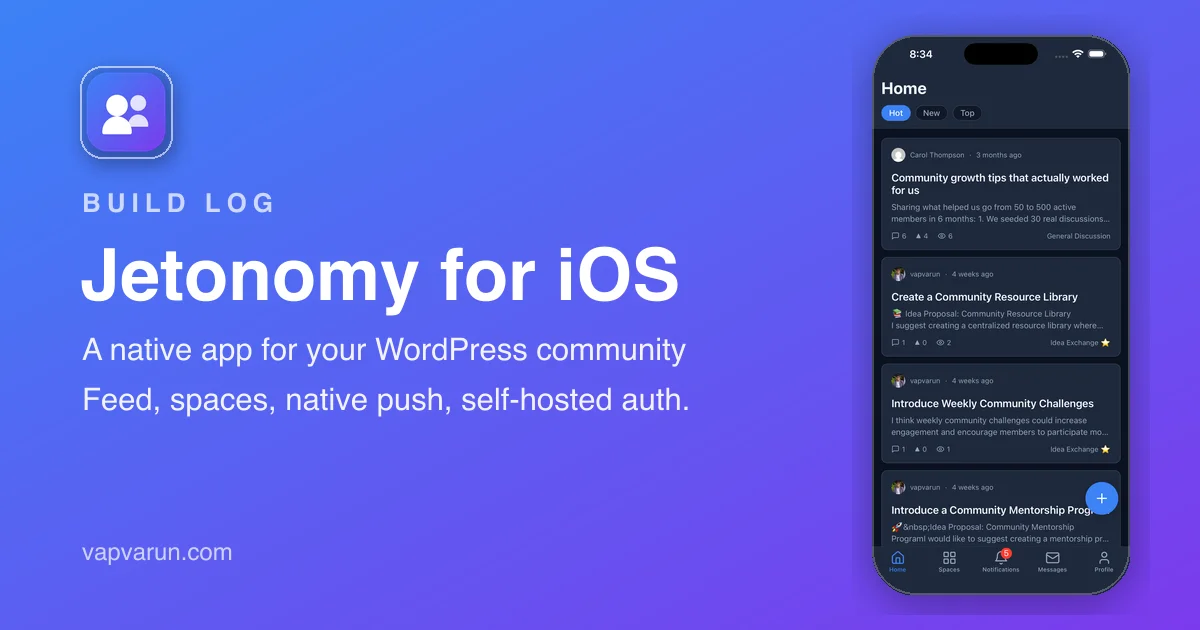
Jetonomy just went to the App Store. It is a native iOS app that turns any Jetonomy-powered WordPress community into a fast mobile experience on iPhone and iPad. This post is the build log: what the app does, the decisions behind the stack, and the process of getting it review-ready, including two hurdles that ate the most hours and are worth writing down.
Why build a native app at all
Communities on WordPress already work in a browser, so why ship an app? Because the browser is where community engagement goes to die on mobile. No home-screen icon, no push notifications, no offline read, no fast tab-to-tab feel.
A member who has to type a URL and log in every time will check the community once a week. A member with an icon on their home screen and a push when someone replies will check it every day. The app is not a wrapper around a website; it is a native client that talks to the community’s REST API and renders real screens.
There is also a longer-term reason. Most of the app, roughly 70 percent, is a reusable shell: auth, theming, networking, navigation, and push. The community-specific part is a thin module on top. That is the seed of a single app that can host several products as modules, so the work here pays forward. It is the same instinct that led me to build a directory plugin instead of recommending one: if the tool should exist, build it once and reuse the parts.
What the app does
Once a member signs in to their site, the app gives them the full experience without a browser:
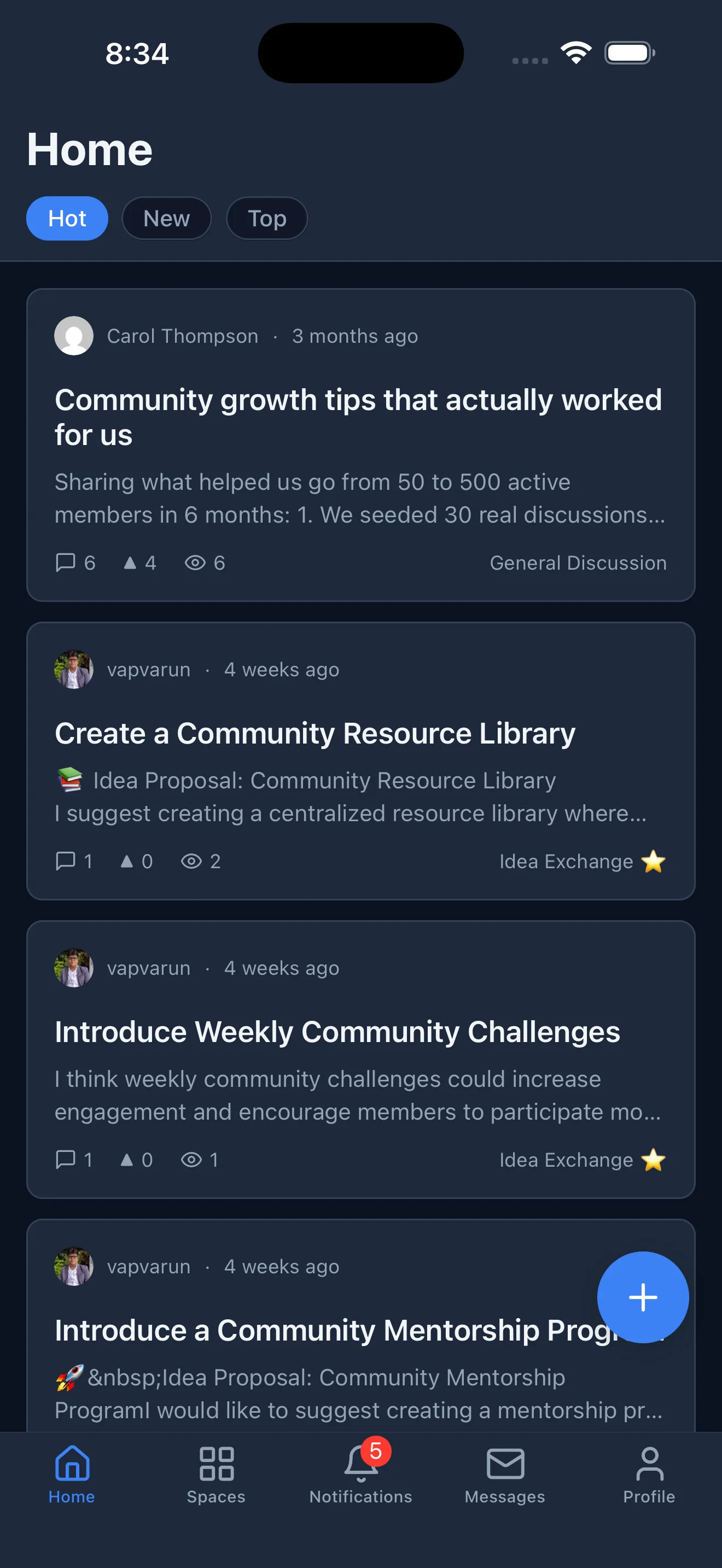
- Browse the feed across all spaces and sort by Hot, New, or Top
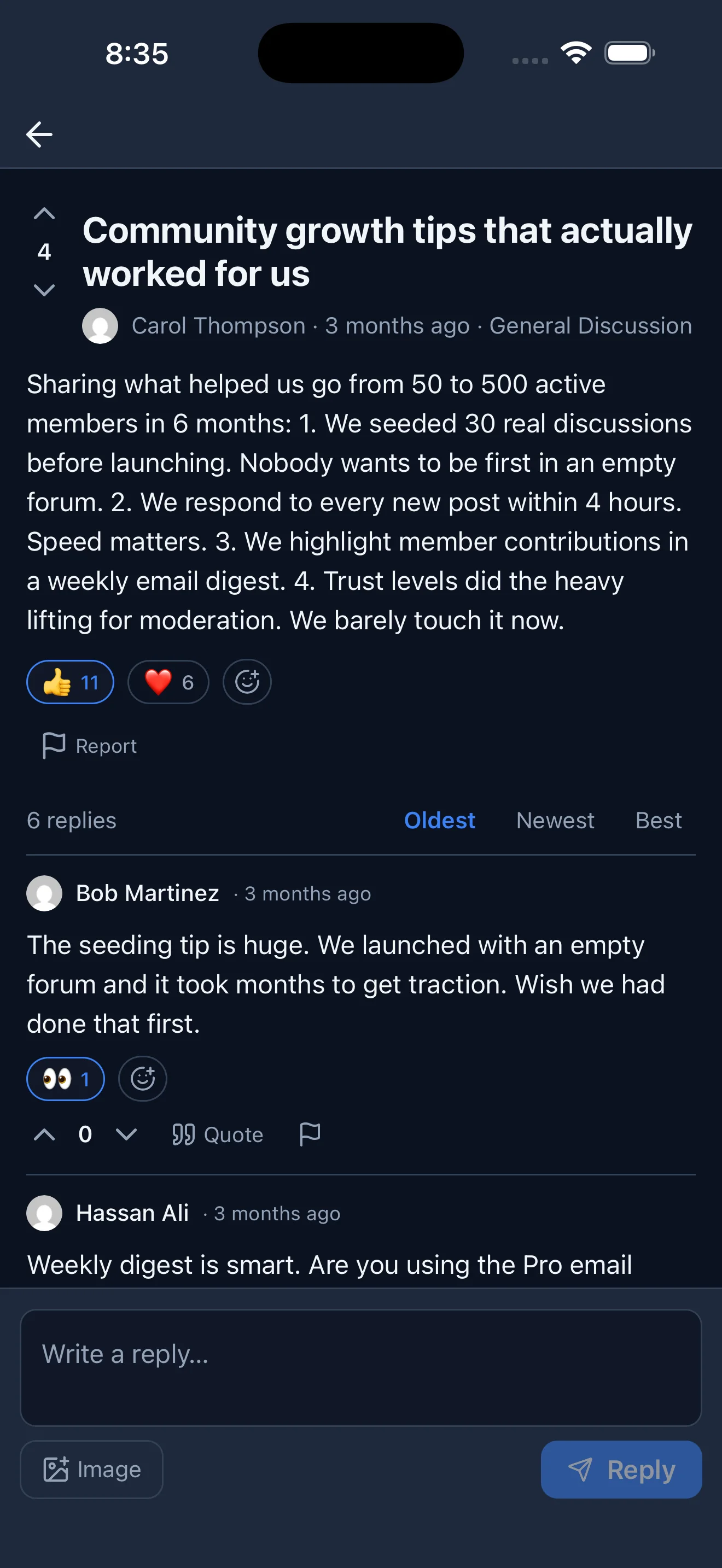
- Post topics and questions, reply in threads, and upvote the best answers
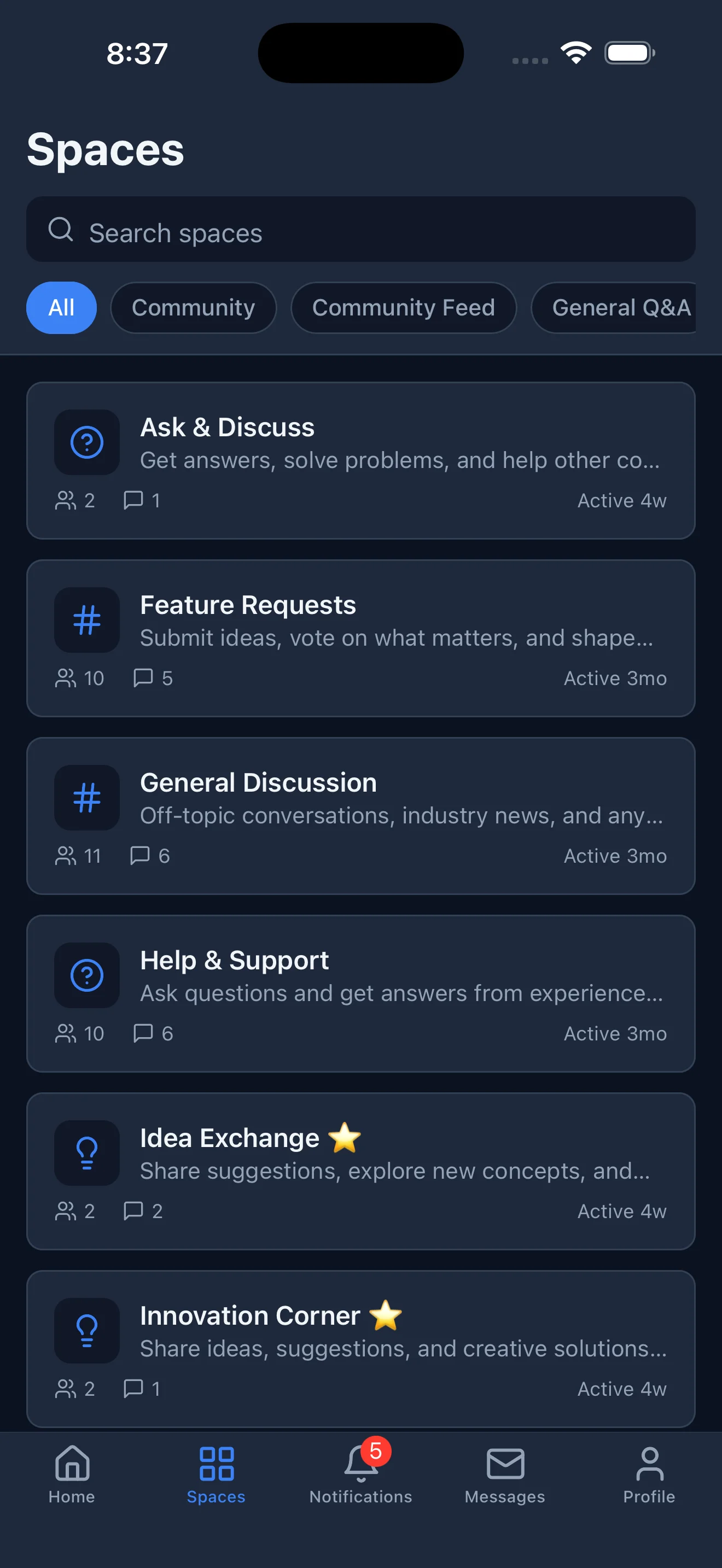
- Join forums, Q&A spaces, and idea boards
- Private messaging, reactions, polls, and badges (with Jetonomy Pro)
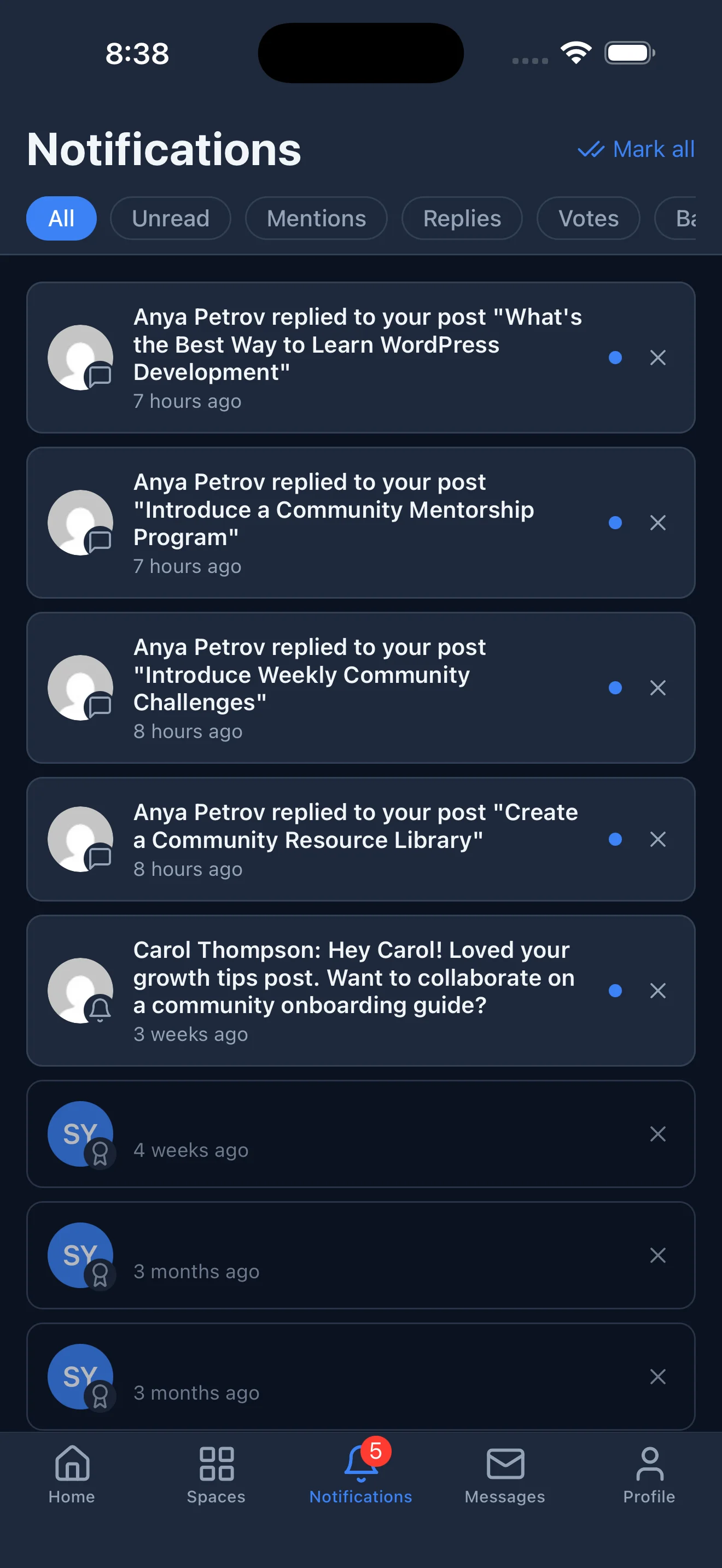
- Push notifications for replies and mentions
- Belong to several communities and switch between them in one app
The feed pulls posts across every space the member can see, with server-side pagination so a community with thousands of topics stays fast. Everything is designed for the worst case: a space with hundreds of replies, a member with thousands of activity entries. Nothing loads unbounded, and enrichment like the viewer’s vote or bookmark state is batch-fetched rather than one request per row.
The stack, and why
Expo and React Native. expo-router for file-based navigation, React Query for data fetching and an offline cache, Zustand for auth and push state, Nativewind for Tailwind-style styling, Expo SecureStore for credentials, and Expo Notifications for native push.
Backward compatibility with older plugin versions is handled with graceful 404 fallbacks, so the app still runs against a community that has not updated the plugin yet, it just turns off the features that need the newer API. Expo is the right call here because it keeps the managed workflow, which means config plugins instead of hand-edited native projects, plus EAS for cloud builds and submission. That matters when the same recipe has to apply to several apps rather than one.
Auth done right: WordPress Application Passwords
This is the decision I am happiest with. The community stays on the member’s own WordPress site, and sign-in uses WordPress core Application Passwords. The app opens the built-in authorize screen, the member approves, and the credential comes back and is stored encrypted in the device keychain through SecureStore. It is sent only to the member’s own site, and every write request carries it as a standard Authorization header.
What this avoids: a custom token server, a JWT library, a separate account system, and a pile of security responsibility. There is no middleman between the member and their data.
If a member is banned on the site, the REST permission callbacks reject their writes with a 403 even though they hold a valid credential, because Application Passwords are minted by core and bypass plugin login gates. That check has to live in the API, not just at login, and it does.
The polish that makes it feel native
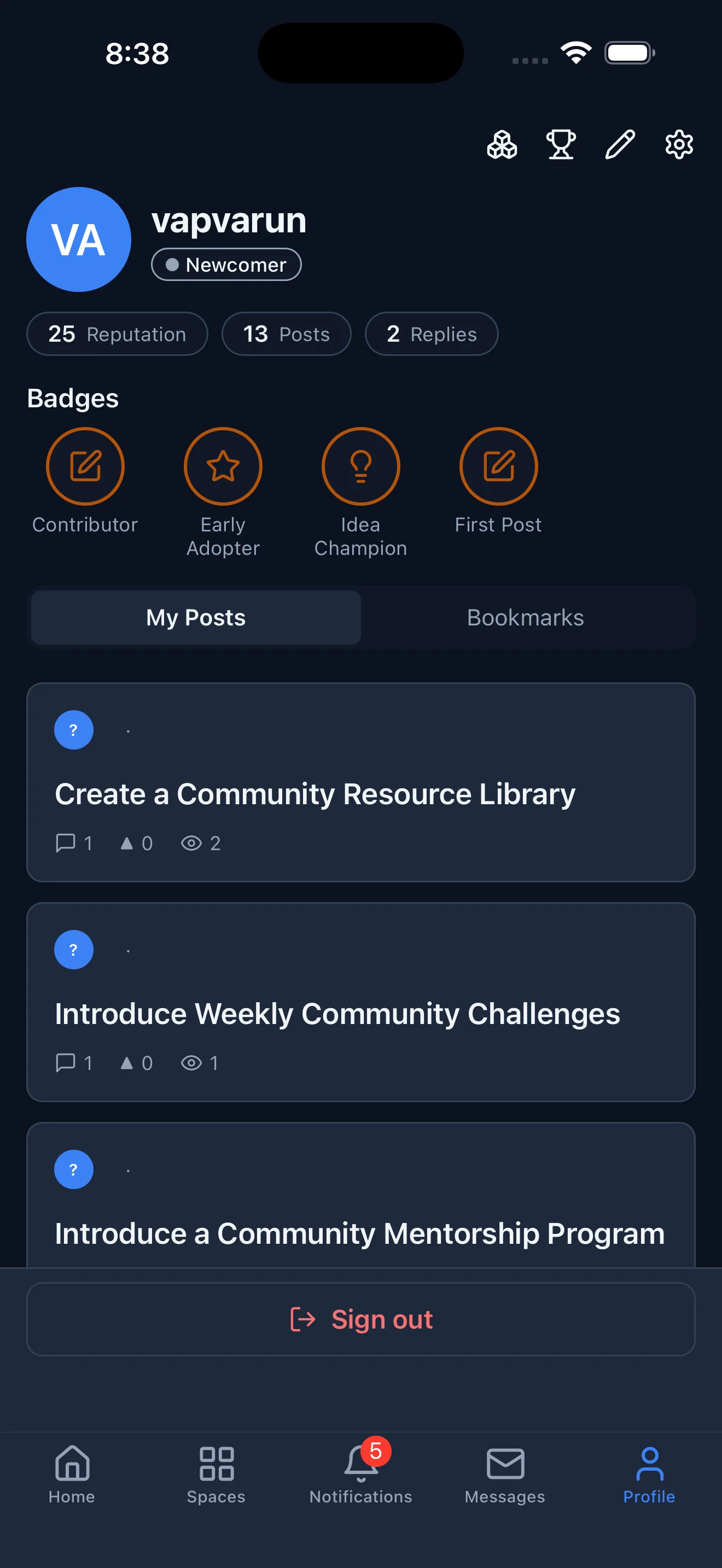
A community app lives or dies on small rendering details, and two mattered more than expected: avatars and icons. Demo users and gravatar-less accounts have no avatar URL, which used to render a blank grey dot in every list. The fix was one shared Avatar component that shows the member’s initials on an accent badge when there is no image, and handles broken image URLs the same way.
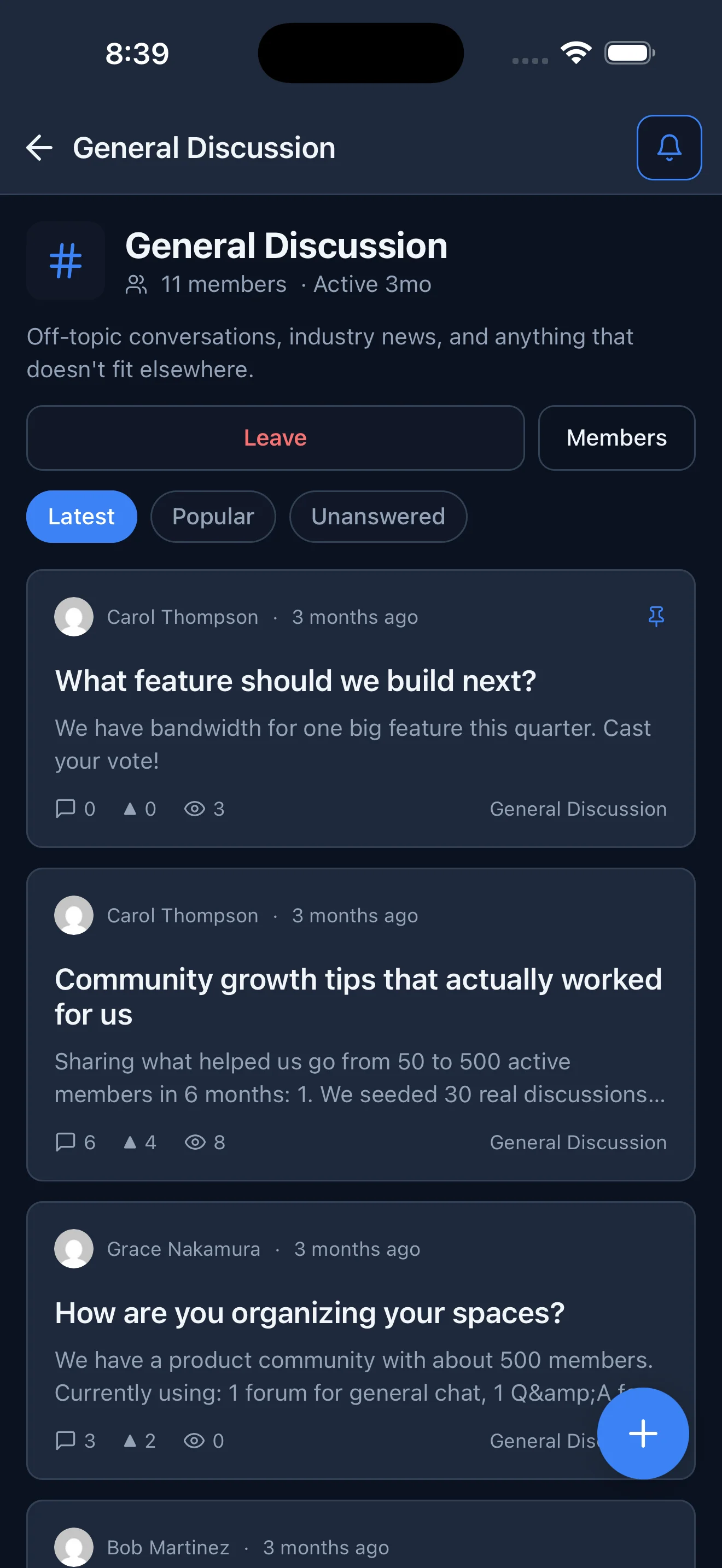
Space icons had a similar issue: the plugin stores a Lucide icon slug such as lightbulb or bookmark, and the app was rendering the raw slug as text. Mapping those slugs to the actual icon components turned the slug into a real glyph. Neither change is glamorous, but the difference between an app that looks shipped and one that looks like a prototype is exactly this kind of thing, fixed once in a shared component so every screen benefits.
Native push, through WordPress
Notifications are the reason a community app earns a place on the home screen, so push runs end to end. The app requests permission, mints an Expo push token, and registers it with the Jetonomy 1.6.0 REST API. When a reply or mention happens, the plugin’s notifier fans the event out to registered devices through the Expo Push API. No third-party push SDK, no Firebase console to babysit, just the plugin talking to Expo’s transport.
The lesson that cost the most time was a contract mismatch. The plugin route reads two fields, expo_push_token and device_name. The app was sending token and device_id. The server received an empty token, failed validation, returned a 400, and the app swallowed the error as best-effort.
Registration silently never happened, no device was ever stored, and no push was ever sent, with nothing in the UI to explain why. Matching the field names fixed it in one line. This is the class of bug a contract audit is built to catch, and it is a good argument for keeping client and server field names identical and documented.
The second trap was not a bug at all. A phone in Do Not Disturb delivers push quietly to Notification Center with no banner and no sound. During testing that looks exactly like broken push. The Expo delivery receipt confirmed the message reached Apple; the only thing wrong was the moon icon in the status bar. Always check Focus mode before you conclude push is broken.
Branding from a real kit
The app icon and splash are the actual Jetonomy brand mark, a blue-to-violet gradient tile with two member silhouettes, taken from the brand kit rather than a placeholder. The App Store icon has to be a flat 1024 by 1024 with no alpha channel, which is easy to get wrong and shows up as black corners on device. Generating it as a full-bleed opaque gradient avoided that.
Everything else that is site-specific, the accent color, the logo, the community name, the dark-mode default, comes live from the plugin’s app-config endpoint. That is what makes white-label a configuration rather than a fork, which matters later in this post.
The Xcode 26 hurdle
Apple now requires apps to be built with the iOS 26 SDK, which means Xcode 26. The first production build was made with an older SDK and was rejected with error ITMS-90725. Pinning the EAS build image to the latest, which is Xcode 26.4, fixed the SDK requirement but immediately exposed a deeper problem.
React Native 0.76 vendors fmt 11.0.2, and fmt’s consteval format-string checker is rejected by Xcode 26’s stricter clang with “call to consteval function … is not a constant expression.” fmt fixed this in 11.1, which ships with newer React Native, but until an SDK upgrade the app is stuck on the old fmt.
The trap is that a preprocessor flag does not help: fmt’s base.h has no ifndef guard and unconditionally defines the consteval macro for Apple clang, so a command-line define is overridden by the header. The working fix is a small Expo config plugin that patches the header in the Podfile post-install step, forcing fmt to skip the consteval path:
// eas.json, production profile
"ios": { "image": "latest" }   // macos-tahoe-26.4-xcode-26.4 = iOS 26 SDK

// config plugin, in Podfile post_install, patch fmt/base.h
//   #  define FMT_USE_CONSTEVAL 1   becomes   #  define FMT_USE_CONSTEVAL 0
With that in place the whole app compiles cleanly on Xcode 26 and the App Store accepts the binary. This is the kind of toolchain friction that modern dev tooling is slowly smoothing over, but for now it is a patch worth keeping documented for the next app.
Screenshots without a photographer
App Store screenshots have to be exact sizes: 6.9 inch iPhone at 1320 by 2868 and 13 inch iPad at 2064 by 2752. Rather than shoot on a device, I captured them on the iOS Simulator, driven through the app in dark mode.
Navigation between screens used the app’s own deep links so each screen could be reached programmatically, and simctl grabbed the frames at the exact required resolution. The iPad set came from the same universal build installed on a 13 inch iPad simulator. Consistent, repeatable, and no cropping. Even the fun part, capturing a clean set, turns into an automation problem once you refuse to do it by hand five times.
Build and submit with EAS
The build and upload ran through EAS. A single command builds the production binary and, with auto-submit, uploads it straight to App Store Connect. The listing metadata, description, keywords, and URLs can be pushed from a config file, and the privacy, age rating, and content-rights answers came from a reusable checklist.
For a self-hosted client that collects nothing itself, the App Privacy answer is simply “data not collected,” because all content lives on the member’s own site and the login credential never leaves the device. Understanding what it takes to run a product end to end includes this unglamorous last mile, and getting it repeatable is what makes shipping the next several apps realistic instead of daunting.
Free for Pro, and yours to white-label
Here is the best part. The app is free for every Jetonomy Pro user. If you own a Pro license, your community gets the native iOS app at no extra cost, no separate purchase and no per-seat pricing.
It also does not have to say Jetonomy. Pro users can white-label the app with their own name, icon, splash, and colors, so it ships as their community’s own branded app. That is possible because everything site-specific, the branding and the enabled features, comes from configuration rather than a code fork. A single-product white-label build is just a build profile with one module enabled and the branding baked in.
The reusable playbook
Because the data model is identical across the community apps, most of this repeats. The Xcode 26 fix is two changes: pin the build image and add the fmt config plugin. Native push is the same field-name contract and the same plugin extension. Submission is the same EAS command and the same App Store Connect finish, reusing one privacy policy and one set of privacy answers. What was a week of discovery for the first app becomes a checklist for the rest, which is the entire point of doing the first one carefully.
What comes next
The first app is the expensive one. The next is a template. The shell that carries Jetonomy is built to host other community products as modules, so the same auth, theming, networking, and push work once and the domain screens plug in on top.
That is the unified-app direction: one app a community can run with whichever modules its site has enabled, instead of several separate downloads. Practically, the next few apps follow the checklist this one produced, and the interesting work is no longer the plumbing; it is the product that sits on top of it.
Try it, and read the code
Jetonomy for iOS is in App Store review as of this writing. If you run a Jetonomy-powered community, this puts it in your members’ pockets with secure, self-hosted auth and native push, free with Pro and white-label ready. Learn more and get Jetonomy at jetonomy.org.
The whole app is open on GitHub. If you want to see exactly how any of this works, from the Application Passwords sign-in flow to the push registration and the Xcode 26 config plugin, read the source at github.com/vapvarun/jetonomy-app.