Agent Tools Are the New Place Secrets Leak: How We Keep Tokens Out of MCP Configs, Logs and Chat
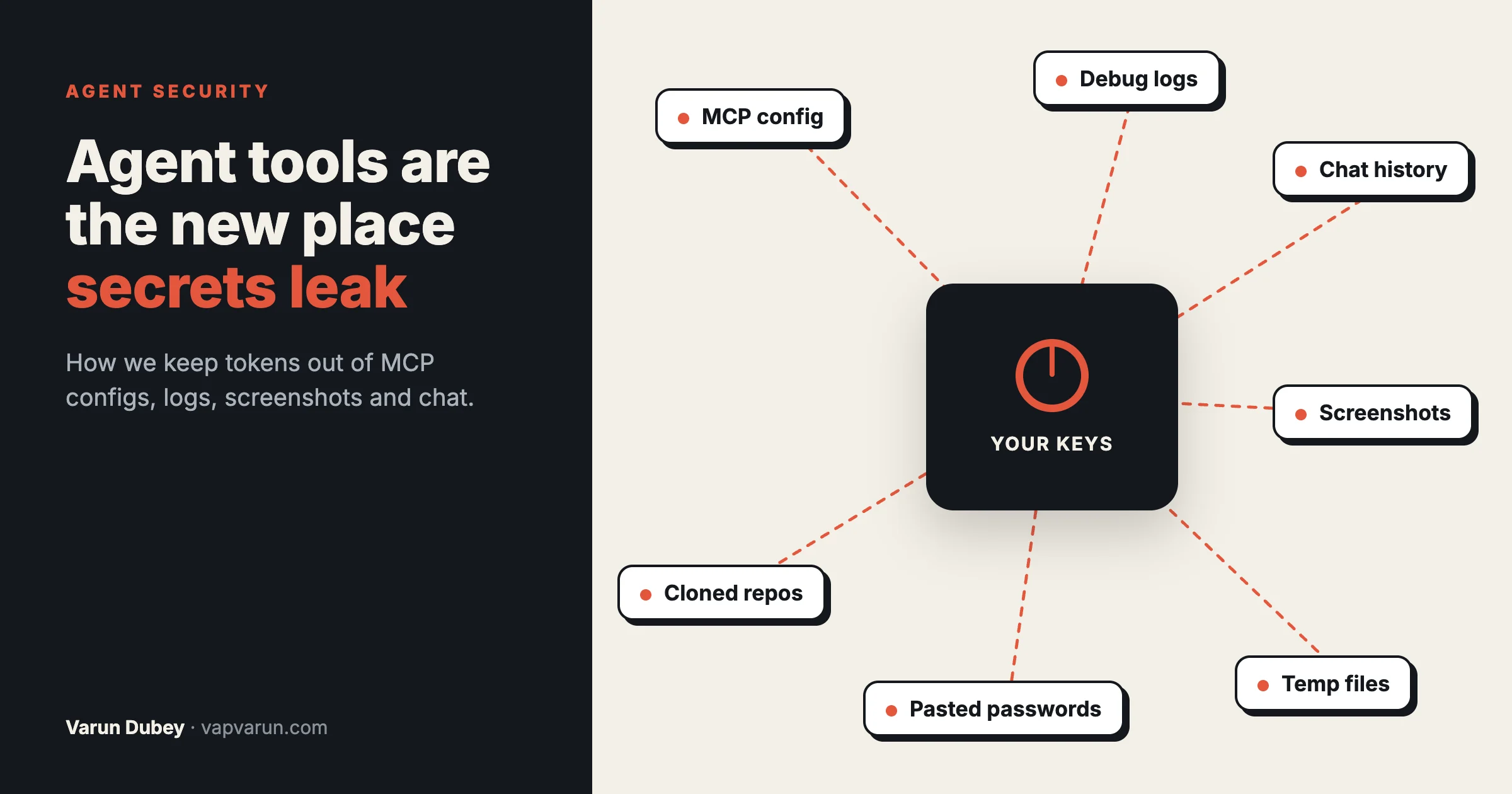
For years the security conversation around code was about the code: an injection here, a missing permission check there. In 2026 a lot of the risk has moved somewhere else. It now sits in the tools around an AI coding agent: the MCP servers it connects to, the logs those servers write, the files the agent opens, the screenshots it takes and the chat history that records everything it printed. Those tools hold API keys, cloud tokens and passwords, and most of them were written as quick developer helpers, not as production services.
Three reports in the same few weeks of October 2026 made the point clearly. This post walks through what they showed, where secrets actually leak in an agent setup, the rules we run at Wbcom Designs across more than 100 plugin repos and a fleet of sites, and a checklist any agency can work through in an hour. It deliberately describes our guards in general terms: no file paths, no token names, no exploit steps.
The short version
- An MCP server is usually a stored credential with a small API in front of it. Whoever can call the server can use the credential.
- Secrets leak sideways: into debug logs, error messages, command output echoed into chat, screenshots, temp files and pasted messages. Rarely through the front door.
- Keep every token in one owner-only place, referenced by path, never printed, never pasted.
- Give each tool its own narrow token, so a leak exposes one job, not the whole account.
- Enforce the dangerous cases with hooks, not instructions. A rule written in a prompt is a suggestion; a hook that blocks the command is a guard.
- Treat anything an agent opens from outside as untrusted, including files in a repo you just cloned.
Three reports, one pattern
1. An MCP server that handed out its own token
Apiiro’s write-up of CVE-2026-82456 covers argocd-mcp, the MCP server that lets AI coding agents manage Argo CD deployments. In version 0.8.0 it listened on every network interface, checked neither the Origin nor the Host header, and used its own Argo CD token for any request that arrived without one. Anyone who could reach the port could create and sync a deployment from their own Git repository. The CVSS score is 10.0. The maintainers fixed it in 13 days: 0.9.0 binds to localhost, requires an inbound token and refuses to start exposed without one.
The line from that report worth remembering is that an MCP server is, in most cases, a stored credential with a small API in front of it. The protection already existed in the SDK the server used. It was just never switched on, because the server was written as a developer convenience.
2. A preview pane that could read local files
Noma Labs reported a flaw in Claude Code Desktop’s preview pane, the panel that renders an HTML file when the agent reads or edits it. A large HTML file planted in a public repo, dressed up as a coverage report, could run JavaScript and read local files when a developer cloned the repo and asked the agent to review it. That reach included API keys, SSH keys and cloud credentials. Anthropic scored it CVSS 8.7 and shipped a complete fix in Claude Desktop 1.30096.1 on 17 August 2026, delivered through auto-update, after a further bypass was found in the first fix.
The issue is fixed. The lesson is not about one product: the files an agent opens are input, and the tooling that displays them is part of your attack surface.
3. Debug logs that keep the token
Ben Greenberg’s post “Your MCP Debug Log Should Not Become a Credential Store” looks at MCP Inspector 2.9.0, which moved OAuth tokens into a secret store and fixed redaction of secrets in URL query strings and recorded form bodies. His point: nobody deliberately logs a token. An error handler copies the failed request, the request carried a secret, and the copied error gets pasted into an issue, where it outlives the session you were debugging.
Put the three together and the pattern is clear. The credential was rarely stolen from where it was kept. It leaked from the tooling around it.
Where secrets actually leak in an agent setup
When we audited our own setup, every place a secret could escape fell into one of seven buckets.
- MCP and tool configuration files. A token pasted straight into a config file sits in plain text, gets backed up, synced and sometimes committed.
- Command output. An agent that runs a command to “check the token works” may print the token. That output lands in the session transcript, and transcripts are kept.
- Logs and error messages. Request bodies, query strings and headers copied into an error, as in the Inspector example.
- Files the agent writes. Exports, scrapes, screenshots and scratch files. Written into the wrong folder, they can be served publicly or synced to a cloud drive.
- Screenshots. A browser screenshot of an admin screen or a terminal can capture a key as easily as a page.
- Pasted credentials. Customers email admin passwords. Colleagues paste a password into chat to save time. People send screenshots with a password in view.
- Files from outside. A cloned repo, a downloaded archive or a customer’s export can carry content designed to make an agent or its tools act against you.
None of these is solved by a stronger password. Each needs a rule about where things go and what gets printed.
Our rules, as we actually run them
These are the rules in place today across our machines. Each one exists because a real incident, ours or someone else’s, showed why.
1. One home for tokens, referenced by path, never printed
Every API token lives in one folder per machine, one token per file, readable only by the machine’s user. Tools and scripts are given the path to the file, not the value. They read it at the moment they make the call and never echo it. When a script needs to confirm a token works, it calls a harmless read endpoint and reports “valid” or “invalid”, never the token itself.
This sounds small. It removes three of the seven buckets at once: config files hold paths instead of secrets, command output has nothing to print, and a backup of the config leaks nothing. It also gives every machine one obvious place to check when a token needs replacing.
2. One job, one narrow token
We do not hand an agent one powerful account token and trust it to use only what it needs. Each job gets a token scoped to that job. The token that deploys our sites cannot purge their cache; purging has its own token. The token our blog publishing tool uses to clear a site’s cache after a post goes live can write to that cache store and nothing else. Analytics access is read-only.
Narrow tokens cost a little setup time and repay it the first time something goes wrong. A leaked cache token can make a site serve a stale page for a minute. A leaked account token can do anything the account can.
3. Guards that block, not instructions that ask
We wrote about this in why written rules do not reliably govern AI agents: a rule in a prompt holds most of the time, and “most of the time” is not good enough for the actions that matter. So the dangerous cases are enforced by hooks that run before every command the agent issues.
- A hook blocks any command that would change our live licensing systems unless the owner approved that specific action. The agent cannot talk its way past it, and it cannot be routed around by phrasing the command differently.
- A hook checks commit messages and pull request bodies before they are created and blocks the ones that break our publishing rules, so nothing reaches a public repository that we would have to rewrite history to remove.
- Permission prompts stay on for actions that change live sites or send anything outside, so a person confirms them.
The hooks are small scripts. What matters is where they sit: in front of the action, not in the agent’s instructions. Our post on the Claude Code config layer covers how hooks fit with plan mode and skills.
4. Tools write only to fixed folders, by plain names
Every kind of file an agent produces has one allowed home: screenshots in one place, scratch files in another, exports in a third. Nothing is written into the folder the agent happens to be working in, and never into a website’s public folder.
We learned that one the hard way. A sweep in September 2026 found 884 screenshots that had been saved into the public folders of 24 local development sites over the months, because tools defaulted to “the current folder”. On a local site that is harmless; on a live server every one of those files would have had a public address. Now each context has a legal place to write, and a scheduled job empties the scratch folders weekly, so a screenshot that happened to capture a key does not sit around for a year.
The same rule applies inside our own tools. This week, while adding an export feature to our blog publishing tool, a security review found that the output file name was taken as given, which meant a crafted name could have written outside the intended folder. It never shipped that way: the tool now writes only into one fixed folder and accepts only a plain file name with an expected extension. We describe it here because it is exactly the kind of hole a quick developer helper grows, and the kind a review catches if you ask it to look.
5. No passwords in chat, and a pasted password is never used
Customers sometimes email us their admin password to “make it easier”. Teammates have pasted a server password into a message to save a minute. The rule is the same either way: we do not use it, we say so, and we ask for it to be changed. For customer sites we ask for a separate account we can remove later. For our own servers we use keys, not passwords.
The same goes for the agent. A password that appears in a screenshot or a pasted message is treated as exposed, not as a convenience. The agent does not type it into anything, and the person who owns it is asked to rotate it. In live chat, an operator who sends a password gets flagged so the habit stops.
6. Outside code runs on a bench, not on the main machine
When support needs to reproduce a customer problem, the plugin or site export is set up inside a disposable local test environment, not opened in the folder where our own repos and keys live. The Noma report is a good reminder of why: a repo can contain files designed for the tools that open them, not for the people reading them. Keeping outside material on a bench means a bad file meets an empty environment.
7. Read before you share
Before a log, a terminal capture or an error goes into a GitHub issue, a Slack thread or a support reply, someone reads the copy that is leaving. Query strings and request bodies get trimmed. It is the oldest rule on this list and the one most often skipped when someone is in a hurry, which is why it is written into our support checklist rather than left to memory.
MCP servers themselves
The Argo CD case is worth turning into a short checklist for every MCP server you run or install, because most of them are young code that has not been reviewed like a production service.
- Prefer local servers that do not open a network port. A server the agent starts as a local process (stdio) is not reachable from the network at all. The argocd-mcp report notes that its stdio mode was not affected.
- If a server must listen on a port, bind it to localhost and require a token. Check this yourself, especially for servers shipped as containers, which often expose ports by default.
- Give each server its own least-privilege credential. A server that only reads tickets gets a read-only key.
- Use read-only modes where they exist. Several servers offer one. Switch writes on only for the jobs that need them.
- Know which servers can act without asking. Writes to live systems go through a confirmation, or through a hook that checks them.
- Update deliberately and read the release notes, which is how a fix like 0.9.0 reaches you. Our post on pinning, testing and watching MCP servers covers the update side in detail.
What this means for an agency running client sites
Agencies hold other people’s keys: hosting accounts, DNS, payment gateways, CRM access. Connecting AI agents to that work multiplies the places those keys can travel. That is not a reason to avoid agents. It is a reason to set the rules before the agent touches client systems, not after the first scare.
Three questions are worth asking any provider, us included, who uses AI agents on your site:
- Where do the credentials for my site live, and who or what can read them?
- What can your agents change on my live site without a person confirming it?
- If one of your tools leaked a key tomorrow, which of my systems would it reach?
A provider with real answers will give them quickly. Vague answers are a signal. We cover the wider question of what agents can and cannot take over in our post on agent rules, and if you would like a second pair of eyes on how your own agent setup handles credentials, get in touch.
A one-hour checklist
Work through this on every machine that runs an AI agent against real systems.
Tokens (20 minutes)
- List every token the agent’s tools use. Move each into one owner-only folder, one per file.
- Replace any token pasted into a config file with a reference to its file, then rotate it, because it was sitting in plain text.
- For each token, write down what it can do. Replace any account-wide token with a narrow one for the job.
- Search your shell history and recent transcripts for anything that looks like a key, and rotate what you find.
Servers (15 minutes)
- For each MCP server: local process or network listener? If a listener, bound to localhost and protected by a token?
- Switch on read-only modes where the server offers them.
- Update any server with a published security fix, then rotate the credential it held.
Files and output (15 minutes)
- Pick one folder each for screenshots, exports and scratch files. Point your tools at them explicitly.
- Check your website folders for screenshots, exports or logs that do not belong there.
- Schedule a weekly clean-up of scratch folders.
- Keep the desktop agent app up to date; fixes like the preview-pane one arrive through updates.
Guards and habits (10 minutes)
- Identify the two or three actions that would hurt most if done by mistake, and put a hook in front of them.
- Agree as a team: no passwords in chat, and a pasted password is rotated, not used.
- Add “read the copy before sharing” to the support and bug-report checklist.
- Open unfamiliar repos and customer exports in a disposable environment.
The bigger shift
For a long time, keeping secrets safe meant keeping them out of the code. That rule still holds, and it is no longer enough. An agent setup is a small distributed system: a model, a dozen servers, a browser, a transcript, a scratch folder and a person, all passing data to each other. Secrets travel along every one of those paths unless something stops them.
The good news is that the fixes are mostly boring: one place for keys, narrow tokens, fixed folders, a hook in front of the dangerous actions, and the habit of reading what you are about to share. None of it slows the work down once it is set up. All of it means that when the next report lands about a tool you use, the honest answer to “were we exposed?” is short.
Frequently asked questions
Are MCP servers safe to use?
They can be, but treat each one as a stored credential with an API in front of it. Prefer servers that run as a local process without a network port, give each its own narrow credential, use read-only modes where available and keep them updated.
Where should I keep API keys for Claude Code and MCP servers?
In one folder on each machine that only your user can read, one key per file, with tools pointed at the file rather than given the value. Do not paste keys into config files, prompts or chat.
Was the Claude Code Desktop preview-pane issue fixed?
Yes. According to Noma Labs’ disclosure timeline, Anthropic shipped the complete fix in Claude Desktop 1.30096.1 on 17 August 2026, delivered through auto-update. Keep the app updated.
What should I do if a token ends up in a log or a chat?
Rotate it straight away, then remove the copy where you can. Assume a secret that left its home was seen, even if the log was private.
Can a written rule in the agent’s instructions keep secrets safe?
It helps, but it is not a guarantee. For the actions that would do real damage, use a hook or permission check that blocks the command, so the rule holds even when the instruction is missed.
Do screenshots really need the same care as logs?
Yes. Agents take screenshots constantly to check their work, and a screenshot of a settings page, a terminal or a dashboard can show a key in full. Save them to one folder outside any website, clear that folder on a schedule, and check a screenshot before attaching it to a ticket or a message.
Should I give an AI agent my client’s admin password?
No. Create a separate account with only the access the job needs, so it can be removed afterwards, and never pass a password through chat or a screenshot.