MCP Servers Change Under You: How We Pin, Test and Watch Them
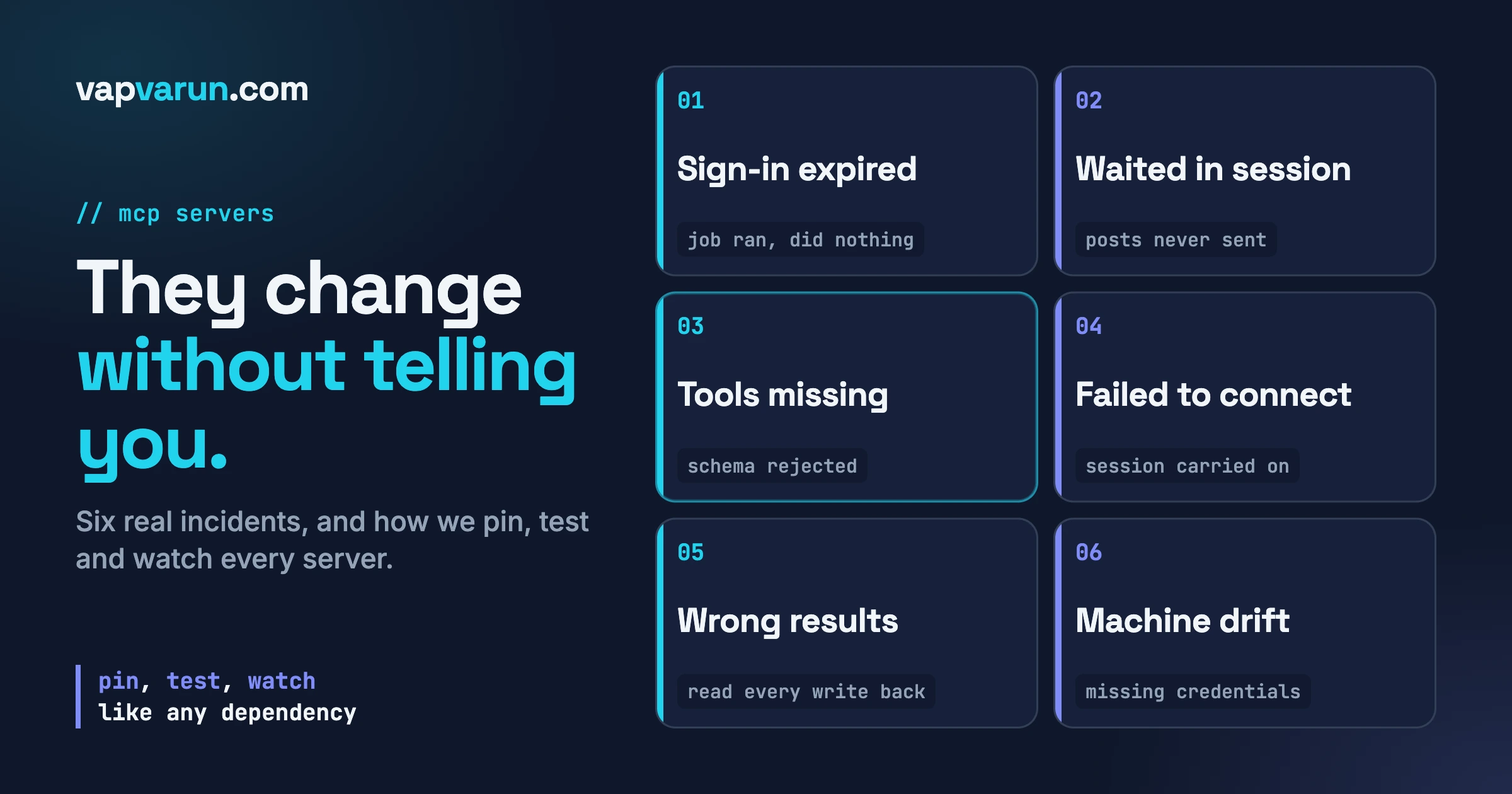
An MCP server is a dependency that can change without telling you. Sign-ins expire, tool descriptions and input schemas change, tools disappear, a server stops connecting, and the agent carries on as if nothing happened. The fix is the one you already use for any other dependency: pin it, test it, watch it.
MCP (Model Context Protocol) is the standard that lets an AI agent such as Claude Code use outside tools: your help desk, your CRM, your social scheduler. Each connection is an “MCP server”. In From Proposal to Delivery: The MCP Servers That Run Our Agency I walked through which servers touch a client project at each stage. This post is the sequel: what happens after you depend on them, on the day one of them quietly stops being what you thought it was.
I run Wbcom Designs, a WordPress agency. Blog publishing, support triage, CRM, social scheduling and site health all run through MCP servers connected to Claude Code. Six things went wrong for us in ways that did not announce themselves. This guide is those six, the rule we keep after each, and the small start-of-day check that now catches most of them.
In this guide
- What the MCP specification and the Claude Code docs say, so I only claim what is written
- Six failure types, each tied to one of our incidents
- Pin: scopes, versions, where server code lives, one sign-in method per server
- Test: a start-of-day check, with a short script (marked UNTESTED)
- Watch: verify every write, make unattended jobs report, alert on empty results
- A one-page checklist
- Questions people ask
Why does an MCP server count as a dependency that can change?
Because the agent reads it fresh every session, and nothing freezes it. A library you install stays put until you update it. An MCP connection does not: the tool list, the descriptions the model reads, the input schemas and the sign-in that lets it through can all move between yesterday and today. I read the official documents while writing this, so here is what they say.
What the MCP specification says
The current revision is 2026-07-28 (versions are date strings in the form YYYY-MM-DD, marking the last date a backwards incompatible change was made). A tool is a definition with a name, a human-readable description and an inputSchema, a JSON Schema that says what parameters the tool accepts. A client discovers tools with a tools/list request, and the spec says the set returned “MAY be empty and MAY change over time.”
A server can declare a listChanged capability, meaning it will send a notifications/tools/list_changed notification when its tools change. Change is therefore normal and expected in the protocol. The spec gives you a way to be told, if the server and client both use it. It does not promise the tools stay the same.
On sign-in, the spec says authorization is optional. HTTP-based servers should follow its OAuth flow, and “invalid or expired tokens MUST receive a HTTP 401 response.” Servers that run as a local process (stdio) should not follow that flow and should “retrieve credentials from the environment.” Clients must not assume refresh tokens will be issued. An expiring sign-in is part of the design, not a bug. The changelog also reclassifies the older HTTP+SSE transport as deprecated in favour of Streamable HTTP.
What the Claude Code documentation says
Claude Code has three scopes. Local (the default) loads in the current project only and is not shared. Project loads in the current project only and is shared through a .mcp.json file in version control. User loads in all your projects and is not shared. If the same server is defined in several places, Claude Code connects once using the highest-precedence definition: local, then project, then user, then plugin servers, then claude.ai connectors.
For sign-in, the docs describe OAuth (/mcp inside Claude Code, or claude mcp login ), static headers with --header, and a headersHelper command for short-lived tokens, run fresh on each connection and retried on a 401 or 403. To see state, claude mcp list shows each server as connected, needing authentication or failed to connect, and /mcp gives the same plus reconnect and re-authenticate actions.
One more detail matters for incident 3. The Claude API rejects a whole request if any tool schema is invalid, so Claude Code checks schemas when it loads a server’s tools, excludes each tool that would fail, records the reason in the server’s log and tells Claude which tools it excluded, so you can ask Claude why a tool is missing. The server’s other tools keep working.
What changes under you? Six failure types from our own incidents
Each item is one real incident: what happened, how we noticed, and the rule we keep. These are integration lessons, not complaints about any vendor. The products involved work as designed; the gaps were in how we connected and watched them.
1. The sign-in expires and the job does nothing useful
What happened. A social scheduling connection (Buffer) was registered for one project folder and signed in through a browser sign-in. A scheduled daily job started from a different folder, so the server did not load at all. Then the sign-in expired. The daily social job ran and did nothing useful, and no error reached anyone.
How we noticed. We did not get an alert, and that is the whole problem with this failure type: the job “succeeded” because the session finished, not because posts were scheduled.
The rule we keep. Register the server at user level so it loads from any folder (the scopes above are why), authenticate it with an API key sent in a request header instead of a browser sign-in that can lapse, and write the job’s prompt so it verifies what it scheduled and fills any gaps. Buffer’s own server instructions offer both routes, a connector sign-in or an API key from account settings. We use the key.
Check yours. Run claude mcp list from the folder your scheduled job starts in, not the folder you usually work in.
2. A timing instruction the session cannot keep
What happened. The same daily job was told to space posts “five minutes apart”. Running unattended, it waited between posts and the session ended mid-wait, so later posts never went out.
The rule we keep. Never ask an agent session to wait as a way of keeping time. Let the scheduling service hold the timing: schedule each post for a specific time and let the session finish. The service is built to publish at a time; a session is not built to sleep reliably. Anywhere an unattended job is told to “wait” or “check back”, ask whether a system built for timing should hold that instead.
3. Tools missing because their schemas were rejected
What happened. A help desk server (Zoho Desk) exposed about two dozen tools whose input schemas were rejected by the model API at load time, because a “required” list named the same field twice. Those tools were silently not available, while the same server’s other tools worked.
How we noticed. Nothing failed loudly; the tools were just missing. The Claude Code docs describe this handling (exclude the tool, log the reason, tell the model), which is sensible, but it is not the same as a person being alerted.
The rule we keep. “Connected” is not “complete”. The start-of-day check counts the tools we depend on by name, not just the server’s status. When a tool is missing, the first question to Claude is why it was excluded. We also run two Zoho Desk connections, an in-house one and the official one, and use each for what it does well, so a gap in one is not a gap in the work.
4. A server that does not connect, and the session carries on
What happened. On one ordinary day, two configured servers failed to connect at session start. One closed the connection. The other returned an HTTP 410 on its old event-stream endpoint. The session continued without them.
The rule we keep. A failed connection is a failure, not a missing feature. The session start does print it, in a line you will not read in a hurry, and an unattended job has nobody to read it. Our start-of-day check treats “Failed to connect” as a stop for any job that depends on that server. I did not trace the cause of the 410 further; I will only note that the specification lists the older HTTP+SSE transport as deprecated, a good reason to check that every remote server you use is on a current endpoint.
5. A server that returns wrong results while reporting success
What happened. Our own CRM server had tools that returned wrong results. A contact lookup by email returned the same contact whatever address you gave it. A list tool’s email filter was ignored on the server side and returned the full first page of contacts instead of one match. Separately, a tag tool reported success while the tag was not on the contact, because it sent its request in the wrong shape; that one is fixed in source.
How we noticed. By reading the record back and finding it did not match what the tool had said. A success flag is a statement by the tool, not a fact about the data.
The rule we keep. Verify every write by reading it back. After a tag is added, fetch the contact and look for the tag. After a sequence email is updated, fetch the email and check the text. After a funnel is committed, fetch its steps and check the commit date is real. For lookups we know are unreliable, we use a documented workaround (a local index) and note it beside the tool. This is the one failure type where the bug was ours, which is why the rule is strictest.
6. Per-machine setup drifts
What happened. A blog publishing step expected a credentials file at a path that did not exist on a second machine. The keyword-research step failed there while everything else worked.
The rule we keep. Anything a server needs outside its own code (a credentials file, an environment variable, a registered path) goes in a short per-machine setup note, and the start-of-day check runs on every machine that runs jobs, not only the main one. “Works on my machine” is a dependency problem too.
Only one of the six (the fifth) was a bug in server code. The other five were about connection, configuration and the instructions we gave the agent. That is why the fix is process rather than a better server.
How do you pin an MCP server?
Pinning means deciding, in one place, exactly what you run and how it signs in, so a change is something you did, not something that happened to you.
Pin the scope
Decide for each server whether it is local, project or user scope, and write it down. Anything a scheduled job or team workflow depends on goes at user level (or shared project level when the whole team needs the same set). Local scope is for experiments. Remember the precedence order: a stale local entry can shadow a correct user entry. When a server behaves strangely, list what is defined, not just what is connected.
Pin the version, or your expectations
For a server you run as a local package, name the version in the command that starts it instead of taking “latest” each session. For a remote server you do not control, you cannot pin the code, so you pin your expectations: write down the tool names and parameters you depend on and let the daily check compare against them.
A public example of why: the WordPress MCP Adapter 0.7.0 release notes list breaking changes for code that extends it. Generated DTO classes were removed, the tool, resource and prompt validator classes were removed, and the mcp_adapter_validation_enabled filter was removed. Custom transports must now delegate to the adapter’s request handler or wire orchestrator, invalid components are rejected rather than silently repaired, and using the adapter as a bundled Composer library is deprecated in favour of installing the plugin. That release says what broke, which is the good case. Someone who pinned the version read the notes before upgrading; someone who did not found out when their code stopped working.
Pin where the code lives
We keep every server we run ourselves in one canonical directory under the home folder, and every registration points there. A convenience alias elsewhere is a symlink to the same directory, and the rule we wrote down is that they are one place, not two: deleting through the alias deletes the real folder. Shared libraries that several servers import sit beside them, because the servers find them by relative path.
Pin one sign-in method per server
A server that can be signed in two ways ends up signed in two ways on two machines, with two expiry behaviours. Pick one and record it. For anything unattended, use a long-lived API key in a request header, or headersHelper for short-lived tokens, because neither needs a person at a browser. For interactive work, OAuth through /mcp is fine and you accept that someone will occasionally sign in again. An unattended job must never depend on an interactive sign-in. That was incident 1.
# Register once, at user level, so it loads from any folder.
# Replace the name, URL and token with your own. Do not commit the token.
claude mcp add --transport http --scope user my-scheduler https://example.com/mcp \
  --header "Authorization: Bearer $MY_SCHEDULER_API_KEY"
(UNTESTED as written, because the server and token are placeholders. The flags are the ones the Claude Code documentation shows for adding an HTTP server with a scope and a header.)
How do you test an MCP server every day?
Run three small checks at the start of the day, or before any unattended job: does each server connect, are the tools I depend on present, and does one harmless read call return the shape I expect. If all three pass, the server is still the server you think it is.
- Connect.
claude mcp listprints one line per server with its state. I ran it while writing this: it prints a health-check line, then each server marked connected, needing authentication or failed to connect, with the failure text beside it. For an unattended job, “needs authentication” is the same as failed. - Present. For every server a job depends on, keep a plain list of the tool names it must have, and compare it with what the session actually has.
- Shape. Call one read-only tool per server and check the response has the fields you rely on. Pick something cheap and stable (“list channels”, “count open items”). Never make it a write.
#!/usr/bin/env bash
# UNTESTED sketch: start-of-day MCP check. Adapt names and the expected list.
# Needs the `claude` CLI on PATH, with read-only tools already allowed in your
# permission settings so the headless run is not blocked on a prompt.
set -u

# 1. Connect: any server not connected stops the day.
status=$(claude mcp list 2>&1)
bad=$(printf '%s\n' "$status" | grep -E 'Failed to connect|Needs authentication')
if [ -n "$bad" ]; then
  echo "MCP CHECK FAILED: servers not connected"
  printf '%s\n' "$bad"
  exit 1
fi

# 2 and 3. Present and shape: ask the agent, and demand a strict verdict.
# expected-tools.txt holds one tool name per line that jobs depend on.
verdict=$(claude -p "For each tool name below, say whether you can see it in \
this session. Then call exactly one read-only tool from the scheduler server \
and confirm the response contains a channel id. Write nothing anywhere. \
Reply PASS on the first line only if every tool is present and the read \
matched. Otherwise reply FAIL and list what is missing. \
Tools: $(tr '\n' ' ' < expected-tools.txt)" 2>&1)

if [ "$(printf '%s\n' "$verdict" | head -n 1)" != "PASS" ]; then
  echo "MCP CHECK FAILED"
  printf '%s\n' "$verdict"
  exit 1
fi
echo "MCP check passed"
Two honest limits. Step 2 relies on the model reporting what it can see, which catches a missing tool but is not a guarantee. And the script is untested as a whole; I only ran the underlying claude mcp list command. Run it by hand a few times first.
What to do when a check fails
“Needs authentication”: sign in again through /mcp, or fix the key in the header. “Failed to connect”: use reconnect in /mcp, then check the server’s own log and endpoint, since a closed connection or a 410 can mean an endpoint moved. A tool missing from a connected server: ask Claude why it was excluded, fix the schema if the server is yours, or raise it with the vendor if not, and add a note beside the tool so the next person does not rediscover it.
How do you watch MCP servers for silent change?
Watching is what you do between daily checks: make sure jobs cannot fail quietly, and catch a wrong answer when it is written. Three habits cover most of it.
Verify every write by reading it back
This is the rule from incident 5 and the most valuable habit on this page. When a tool changes something, the job does not trust the response. It fetches the thing it changed and checks the specific field it meant to change. If the tool says success and the data says otherwise, the job stops and reports. It costs one extra read per write, and it is the only defence against a tool that is wrong about itself.
Make unattended jobs report what they did and did not do
An unattended job that ends with “done” tells you nothing. Write the prompt so the job ends with a short report in a fixed shape: what it set out to do, what it did, what it verified, and what it could not do and why. A report that said “scheduled 0 of 5, scheduler not reachable” would have exposed incident 1 at once, and “scheduled 2 of 5” would have exposed incident 2. Send the report where a person will see it, not into a session log nobody opens. Pair it with a gap-fill step: after the main work, list what is actually in the destination (the queue, the ticket list, the page) and fill what is missing.
Alert on empty results
Many of these failures show up as zero: zero posts scheduled, zero tickets found, zero tools listed. Alert on a zero where you expected a number, not on every zero. Give each job a floor (“this should schedule at least one post on a weekday”) and make crossing it a message to a person. That turns the quiet failures of incidents 1, 2 and 4 into loud ones.
What the wider world has measured, and what I have not verified
A public repository called RugSnare, which I read while writing this, describes itself as a tool that monitors MCP tool definitions for change after approval. By its README, the method is to take each tool’s name, description and input schema, hash them, and compare consecutive releases of a server, sorting changes into breaking (schema changes), annotation (behaviour hints) and cosmetic (description wording). The README reports, as the project’s own result, 66 release pairs across four official reference servers and 140 findings, none announced in a changelog. It also lists limits, for example that it detects changes to a tool’s contract, not malicious code behind an unchanged contract.
Read that as the project’s claim. I did not reproduce its numbers, so I am not offering them as established fact, and nothing in this post depends on them. The useful part is the method: record the contract on a good day, compare it after an update. You can do the same with a saved copy of a tools/list response and a diff.
One-page checklist: pin, test, watch
Pin
- Every server a job depends on is at user scope (or shared project scope), not local.
- One sign-in method per server, written down. Unattended jobs use a header key or helper, never a browser sign-in.
- Locally run servers start from a named version, not “latest”.
- Server code lives in one directory; any alias is known to be the same place.
- A plain list of the tool names and key parameters you depend on, per server.
- A per-machine setup note for files, variables and paths each server needs outside its code.
Test
- Start-of-day check on every machine that runs jobs: connect, tools present, one read call returns the expected fields.
- Run
claude mcp listfrom the folder the scheduled job starts in. - “Needs authentication” and “failed to connect” stop dependent jobs.
- Re-run the check after any server or client update.
- Read the release notes of any server you extend or lean on closely before upgrading.
Watch
- Every write is read back and compared with what was intended.
- Every unattended job ends with a report: attempted, done, verified, could not do.
- Jobs never wait inside a session to keep time; a scheduling service holds the timing.
- A floor per job, and a message to a person when a result falls below it.
- Known-bad tools are listed with their workaround, beside the tool.
Questions people ask
Do MCP servers really change without notice?
Some changes are announced and some are not. The specification expects tool lists to change and offers a list-changed notification, and breaking releases such as the WordPress MCP Adapter 0.7.0 publish their changes. But a sign-in expiring, a schema being rejected or an endpoint moving does not come with a notice to you. Plan for change whether or not a given server announces it.
What is the difference between pinning a server and pinning a library?
With a library you fix a version and the code is frozen. With a remote MCP server you often cannot fix the code, so you pin what you can: the scope it is registered in, how it signs in, where it lives, and a written list of the tools and parameters you rely on. The daily test then tells you when the remote side no longer matches.
Is a browser sign-in or an API key better?
For anything unattended, a key (or a helper that produces a short-lived token), because nobody has to be at a browser when it expires. For interactive work, a browser sign-in through /mcp is fine. The specification notes that clients cannot assume refresh tokens will be issued, so plan for the sign-in to lapse.
How do I know if a tool was dropped?
Keep a list of the tool names your jobs need and check it at the start of the day. If a server is connected but a tool is absent, ask Claude why. The Claude Code documentation says it excludes tools with invalid input schemas, records the reason in the server’s log and tells the model which tools it excluded and why.
Can I rely on a server’s “success” response?
For reads, usually. For writes, no: read the record back and check the field you changed. A success flag says the call was accepted, not that the data is right. We learned that from our own CRM server, and the rule applies to any server, including ones you wrote.
This is operating practice, not security or legal advice; if a server handles personal data or money, review its permissions separately. If you run agents against client systems and want a second pair of eyes on how your servers are pinned, tested and watched, reach me through the contact page. For the thinking behind turning rules into checks, see Why Written Rules Do Not Reliably Govern AI Agents, and for how the wider setup is organised, The Claude Code Skills Library That Runs Our Agency.