The Claude Code Skills Library That Runs Our Agency
Most writing about Claude Code skills shows you one skill at a time. A skill for commit messages. A skill for writing tests. Those are useful, but they hide the bigger picture. A skill is not a clever prompt. It is a job description for a department, written once, so the work gets done the same way every time.
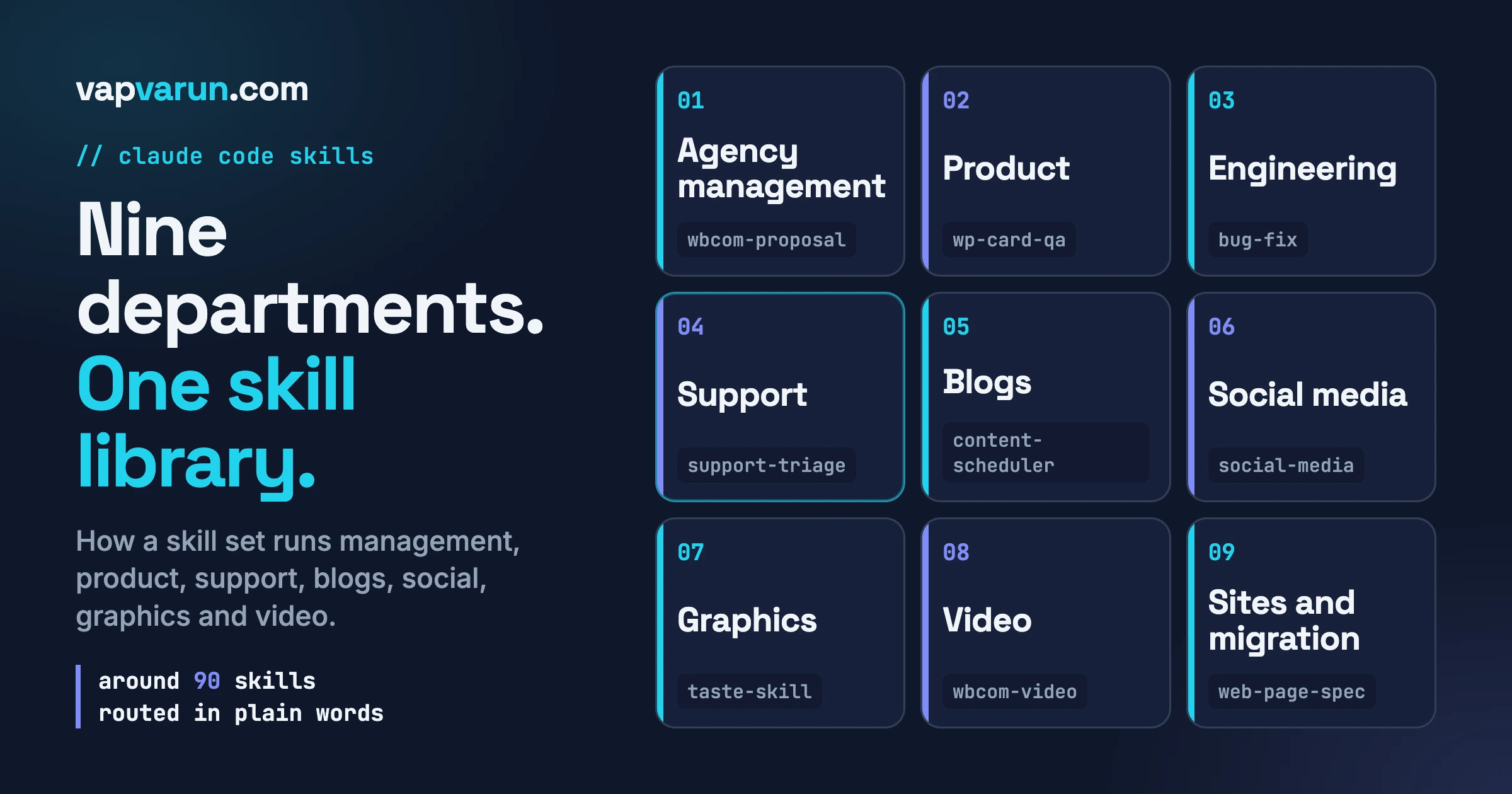
We run our agency on a Claude Code skills library of around ninety skills. They cover management, product, engineering, support, blogs, social media, graphics, video, and the sites we run. This post is a tour of that library, organised by department rather than by tool. For each department we describe the job that used to eat the day, the skills that handle it now, and what still needs a person.
We have tried to be honest about the limits. We do not give productivity multipliers here, because we do not have clean numbers for most of this, and an invented number is worse than none. What we can describe is what changed and how we keep it under control.
What a Claude Code skills library actually is
A skill is a folder with a plain text file inside it. The file starts with a short description that says when the skill should be used. Below that sits the working knowledge: the steps, the rules, the traps, and the checks that make the work come out right.
When a request arrives, Claude Code reads the descriptions of all your skills and loads the one that matches. That is why the description matters so much. It is the front door. A vague description means the skill never fires. A greedy description means it fires when it should not.
Two other ideas matter for a library. The first is that skills can point to extra files that load only when needed, so a long skill does not fill the context on every run. The second is that a skill can be told which model to use. We will come back to both. For now, hold on to the main idea: a skills library is how a team writes down how work gets done, in a form an agent can follow.
If you want the mechanics of how skills, hooks and plan mode fit together, we covered them in the Claude Code config layer nobody uses. This post is the catalogue that sits on top of that layer.
The nine departments
We think about the library as nine departments. Some of them are classic agency functions. Others only exist because we run a lot of products and sites. Every skill name below is a real skill in our library today. We describe what each one does and leave the internals out.
1. Agency management
The job that used to eat the day: writing proposals, sending the right legal paper, keeping clients informed, and answering the same team questions in chat.
The skills:
- wbcom-proposal produces a scoped, branded proposal as a web page and a PDF, using our template and our standard structure. The scope is written once and is explicit.
- wbcom-nda prepares a non-disclosure or data protection agreement when a client asks for one.
- client-communication writes project updates, milestone notes, scope and timeline messages, and plain-language explanations for clients who are not technical. It is deliberately separate from support, which has its own skill.
- team-standards holds our coding standards and conventions so a new project or a new team member starts from the same page.
- slack-mentions catches up on questions and requests that were directed at the owner in internal channels, so nothing sits unanswered.
Alongside the skills, a CRM tool server gives the agent access to leads and customers. That is an MCP server rather than a skill, and the distinction is useful. A skill tells the agent how we work. A server gives it a way to reach a system. Most of our departments use both. For the server side, stage by stage, see the MCP servers that run our agency, from proposal to delivery.
What still needs a person: every proposal is read and priced by a human. Anything legal is checked before it is sent. Client relationships are not delegated. The skills remove the blank page and the typing, not the judgment.
2. Product management
The job that used to eat the day: knowing what each product already does, so nothing is built twice, and getting a release out without breaking the promises it makes.
We maintain many plugins and themes. The biggest risk in a portfolio that size is rebuilding something that already exists a few folders away.
The skills:
- wp-plugin-onboard reads a plugin or theme and produces a machine-readable manifest: its hooks, routes, settings and data tables, plus a short orientation file. Before anyone adds a function, the agent reads the manifest, so it reuses what exists instead of writing a near-duplicate.
- wp-card-qa is our day-to-day quality check. It takes a bug card from our project board, reproduces the report from the seat of the site owner, and posts a justified verdict. It checks what an owner can actually see, such as options, defaults, templates and emails.
- wp-plugin-smoke is the pre-release walk. Before a version is tagged, it runs the core paths of the plugin in a real browser, per role.
- wp-contract-audit is a release gate that looks for a specific family of bug: a setting that is saved but never applied, or read but never written. These are the bugs that QA files as “toggle does nothing”.
- wp-plugin-release packages and publishes from a release branch.
- release-notes-style keeps every changelog and release body in one format, so customers can scan them.
What still needs a person: deciding what to build, deciding whether a QA finding is a real defect or a matter of taste, and deciding when a release ships. The skills gather evidence. People make the call.
3. Engineering
The job that used to eat the day: writing and reviewing code to a standard that holds across a hundred products, and finding the cause of a bug rather than a symptom.
This is the largest department, so it has the most skills. Rather than list them all, here are the groups.
- Building: wp-plugin-development is the main skill for plugin work: features, fixes, settings, REST routes, scheduled jobs, database work, admin screens and release packaging. Around it sit specialist skills: wp-block-development for Gutenberg blocks, wp-theme-development and wp-block-themes for themes, wp-interactivity-api for front-end behaviour, wp-abilities-api for exposing actions to AI clients, wp-i18n for translation, and woocommerce for store work.
- Fixing: bug-fix is a router. It classifies a report, verifies it, and sends it to the right place, usually wp-debugging, which has routes for fatal errors, conflicts after updates, scheduled jobs that never fire, and stale caches.
- Gates: wp-security-review, wp-performance, wp-phpstan and wp-pcp-compliance check code against security, speed, static analysis and WordPress.org rules.
- Review: pr-review runs a security-first review of a change using several review agents in parallel and posts findings back.
The bug-fix router is the one we would recommend to anyone starting out, and it works because of one rule it enforces: a bug report is a lead, not a spec. The report names a symptom. The skill makes the agent reproduce it, find the real cause, and look for every other place the same cause lives. We wrote about that habit in a bug report is a lead, not a spec.
What still needs a person: architecture decisions, anything touching money or authentication, and the final read of a change. We cover how this is split between agents and people in custom AI agents for plugin development.
4. Support
The job that used to eat the day: reading a customer message, working out what is really wrong, and finding out whether it is a real bug before anyone replies.
The main skill is support-triage. It reads incoming messages from our team chat, our live chat tool and our help desk, cross-checks them against each other, and keeps a view of open tickets. For each one it can pull the customer’s history, check the status of a related bug card, and verify a claimed fix on a test bench.
Two rules inside the skill matter more than any feature.
The first is replicate before you reply. The agent must reproduce the problem in a real browser on a bench site before it files a bug card or drafts an answer. Early on, an answer was drafted from reading code alone. The code explained one defect. Reproducing it later in the browser revealed a second, unrelated one, and both the card and the reply had to be redone. The rule now says the order is fixed.
The second is drafts, never sends. The skill prepares a reply and a card. A person reads the reply and sends it. It also never edits plugin code. The deliverable for a confirmed bug is the evidence, the cause, a card for the development team, and a draft for the customer.
A second skill, email-to-basecamp, reads a support mailbox, sorts each message, and files or updates a bug card for every real customer-reported issue, avoiding duplicates.
What still needs a person: the tone of the reply, the decision to refund or not, and anything where the customer is upset. The skills make sure that the person starts with the facts.
5. Blogs
The job that used to eat the day: choosing what to write, checking we have not written it already, then drafting, optimising, auditing and publishing.
You are reading the output of this department. The pipeline runs through a publishing server we built, which exposes the steps as tools. We described it in inside a blog publishing MCP.
The pieces:
- content-trends-daily runs our daily trends flow: it reads the sources, walks the social surfaces and curates a list of ideas, so the topic list is not a guess.
- content-scheduler plans the calendar: it turns ideas into scheduled entries and shows the week or the month.
- publish-queue manages what is due, what is in review, and what has been approved or rejected.
- seo-optimization is used to audit and improve rankings, meta tags and structured data.
- llms-txt sets up the file that lets AI assistants cite a site cleanly.
The publishing server enforces the rules. It will not let a post go live unless the audit passes. That includes word count, links, categories, tags, an image and the SEO checks. It also checks for duplicates against an index of what we have already published. A duplicate check that only trusts one search is not enough, so we run two.
What still needs a person: the angle, the facts, and the decision to publish. Every claim in a post has to be checked against a source. The pipeline measures structure. It cannot tell you whether something is true.
6. Social media
The job that used to eat the day: turning each post into the right format for each network, and remembering what has already been shared where.
- social-media writes platform-native posts and plans a content calendar. It also keeps a local index of everything that can be posted and which network each item suits, with a log of what has been shared, so we can ask for the next unposted item per channel. Scheduling goes through Buffer.
- social-search is for listening. It finds threads on the networks where people ask about the things we build, so we can answer a real question instead of broadcasting.
- bsky, pin and tumblr post a blog post to those networks from any session. Each one picks up the title, excerpt and featured image from the blog and builds the right card.
What still needs a person: the voice. Social is where an automated post can sound hollow fastest. We write for the page, read the page before posting, and answer replies ourselves.
7. Graphics
The job that used to eat the day: making a featured image, an Open Graph card or a product visual for every post and every release.
Our featured images are built as web pages and rendered to images with a browser. A page is easier to keep consistent than a design file, it can use our fonts and colours exactly, and it renders at double resolution so it stays sharp. We wrote the workflow up in the HTML and Playwright featured image workflow.
The skills:
- plugin-marketing-visuals produces marketing graphics, product screenshots, launch assets and social carousels for our plugins and themes.
- taste-skill holds design direction for marketing pages: layout, hierarchy, and what separates a considered page from a templated one.
- redesign-skill is for pages that exist and look generic. It pairs with the taste skill for direction and with a page-quality gate for correctness.
- brndle-page-design covers building marketing pages on one of our theme-powered sites, including the layout traps that keep returning.
What still needs a person: taste. The skills encode a direction, but someone has to look at the result and say whether it is right. We check an image by reading it at the size people will actually see it.
8. Video
The job that used to eat the day: recording a product walkthrough, editing it, adding captions, and getting it to the right place.
One skill, wbcom-video, owns two pipelines. The first is a real browser walkthrough: a browser is driven by a script, screen-recorded, with a visible cursor and step captions. The second is motion graphics, built from code. Both end in a rendered video with the audio normalised to a standard loudness for YouTube.
The skill also holds a set of hard-won rules. A few examples. Videos are grouped one folder per series. Thumbnails are authored for each video rather than taken from a frame, because a frame grab gives every video in a series the same image. Uploads to the video platform are done by hand for routine batches, while the interface is used for metadata, thumbnails and playlists.
The narration is not generated by the agent. The skill writes the script, and a person records the voice. That is a deliberate choice we made, and the skill says so.
What still needs a person: the voice, the final watch, and the upload.
9. Sites and migration
The job that used to eat the day: launching and maintaining a set of portfolio sites, and moving customers onto our platform from somewhere else.
- vapvarun-sites covers adding, deploying and debugging our own sites.
- vapvarun-emdash covers sites built on a particular headless CMS stack, across their whole life: migration, launch, deployment and upkeep.
- web-page-spec is a per-page gate. Before a page is called done, it is checked against a written standard covering foundations, search, accessibility, security, performance, privacy and more.
- portfolio-site-launch is a launch checklist that forces every new site through the same gates.
- mighty-migration moves a community from Mighty Networks onto our stack. It extracts members, posts, comments, events and courses, imports them, repairs what the import breaks, and runs a verification pass.
What still needs a person: the cutover decision, and the conversation with the customer whose community is moving.
How we run it: five rules that keep ninety skills usable
A library this size becomes a mess without rules. These are the five that matter most.
Rule one: a plain-word routing table
Our main instruction file holds a short table that maps what a person says to the skill that should handle it. It is written in plain words, because that is how requests arrive. A few lines from it, in simplified form:
| When the request sounds like | The skill that handles it |
|---|---|
| bug, error, broken, crash | bug-fix, which classifies and routes |
| slow, performance, caching | wp-performance |
| security, audit, vulnerability | wp-security-review |
| review, pull request | pr-review |
| triage, tickets, support | support-triage |
| schedule, calendar, plan the week | content-scheduler |
| publish, queue, what is due | publish-queue |
| create a page, page quality | web-page-spec |
| block, Gutenberg, editor | wp-block-development |
The descriptions inside each skill do most of the matching. The table exists for the ambiguous cases and as a map for the people on the team.
Rule two: keep each skill small, and load detail on demand
A skill loads in full every time it fires. A long skill therefore costs attention on every run, even when most of it does not apply. Our rule is that the main file stays short, with core rules and routing only, and the detail lives in reference files that load when needed.
We should be straight about this: not every skill meets the rule. Several are far too long, and we keep a list of the worst ones to split. A written rule is not the same as a rule that is followed. That brings us to the fourth rule.
Rule three: use the right model for the kind of work
We split by the kind of work. The model that writes, fixes and reviews code is the more capable and more expensive one. Everything else, including debugging and reproducing bugs, releases, support, content, marketing, docs and research, runs on the faster one. You can see it in the header of each skill, because each declares its model.
The hand-off between the two is explicit. A cheaper model finds the cause and writes it up in a fixed format: the evidence, the cause with its location, how that was established, how far it reaches, and what has not been verified. Before the more capable model plans a fix, it checks only the claims the fix depends on. If one fails, the work goes back to investigation. Nothing is built on an unchecked brief, and nothing that already checks out is investigated again.
Rule four: enforce the important rules with gates, not sentences
This is the rule we learned the hard way. A rule written in an instruction file is a request. It works most of the time, and it fails when something with more authority says otherwise. We wrote about the research behind this in why written rules do not reliably govern AI agents.
We had our own example. We have a firm rule that our commits carry no AI attribution lines. On one occasion a session-level instruction asked for them, the agent followed that instruction, and two commits shipped with the lines we ban. Fixing it meant rewriting history. The written rule had been clear. It simply was not enforced.
So now a hook sits in front of the command. A hook is a small script that runs before a tool call, and it can refuse. If a commit message carries the banned lines, the command is blocked before it runs. We also run a coding-standards check as a pre-commit hook. The lesson is simple. If breaking a rule is expensive, do not write the rule down and hope. Put a gate in front of it.
Rule five: one backup repository keeps every machine in step
Skills live in one folder on each machine, and a single backup repository keeps those folders in sync across the machines we work on. When a skill changes, the change is pushed, and the other machines pull it. This also gives us history: we can see when a skill changed and why.
It comes with a discipline. When a skill is retired, it must be deleted everywhere. If a machine still holds a local copy, it will quietly re-add the skill to the backup. So a deprecated skill is marked as deprecated in its description, and the routing never points to it.
A note for developers
This section is for developers. If you are here for the catalogue, you can skip to the last heading.
A few practical points from building the library.
- Write the description for the router, not for a reader. Put the trigger phrases a person will really type in the description. State what the skill is not for, and name the neighbouring skill that is. Our client-communication and security skills each say so in their first lines.
- Put the traps in the skill. The most valuable lines in our skills are not the steps. They are the specific failures: the bug that was missed, the thumbnail that was identical across a series, the upload that used up a quota. Each one has a rule next to it.
- Keep generic and specific apart. We have generic reference skills for things like PHP or JavaScript, and WordPress-specific skills that say they are canonical. Where two skills overlap, the generic one points to the specific one. Without that, the router picks whichever it reads first.
- Make the skill declare its model. It is one line in the header, and it saves a surprising amount of waste.
- Pair a skill with a gate where it counts. For any skill whose output could cause damage, such as a release or a commit, add a hook or a check that does not depend on the agent remembering.
For the shape of the agents that call these skills, see Claude Code as an agency team member.
What we would not automate
It is worth saying what the library does not do, because the list of limits is part of the design.
- It does not decide what to build or what to charge.
- It does not send customer replies or sign anything.
- It does not publish a post without a person approving it.
- It does not record the voice on our videos.
- It does not fix a bug on the support side. Support finds, proves and hands over.
A good skill makes the human part of the job better, by putting evidence and structure in front of the person before they decide. It does not hide the decision.
Start with three
You do not need ninety skills. You need three, chosen well. These are the three we would build first if we were starting an agency today.
- A bug-fix router. One skill that takes a report, makes the agent reproduce it before anything else, finds the cause, and checks for every other place that cause lives. This single habit prevents more rework than any other we have.
- A release checklist. One skill that lists what must be true before a version ships: tests, a walk through the main paths in a browser, a changelog in a fixed format, and a package that installs cleanly. Make it a checklist the agent walks, not a paragraph it reads.
- A proposal template. One skill that produces your standard proposal from a short brief, with your structure, your terms and your tone. It saves the blank page and keeps every proposal consistent.
Write each one the same way. Start with a description that says when to use it and when not to. Add the steps. Then add the traps, the specific things that have gone wrong before. Use the skill for a month, and every time it fails, add a line. A skill is finished when it stops surprising you, not when it is first written.
When those three are working, add a fourth for whichever job eats your own week. The library grows one real problem at a time.
Where to go next
If you want the larger story of how agents changed our work over a year, read what a year of AI agents changed in our WordPress agency. If you want the setup layer underneath, start with the config layer post linked above.
And if you are running an agency and want a team that already works this way, we do this for clients too. Our team at Wbcom Designs builds, maintains and improves WordPress products and platforms in-house, with this library behind it.