A Bug Report Is a Lead, Not a Spec
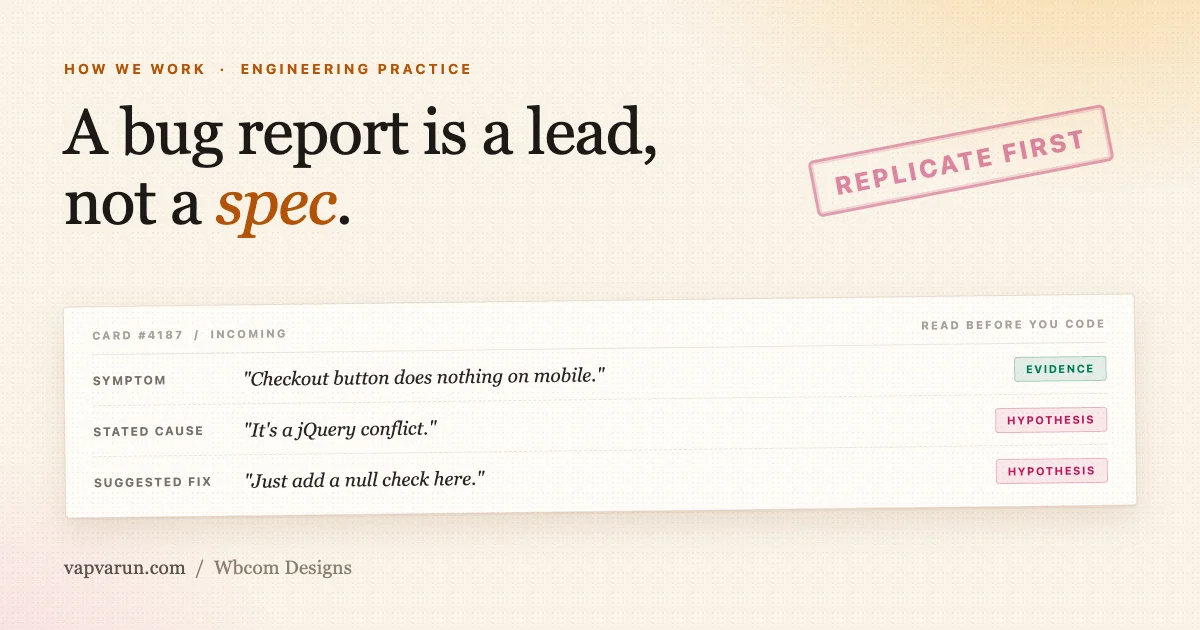
A bug report lands in the queue with three things stitched together: what the reporter saw, what they think caused it, and often a line about how they think it should be fixed. Only the first of those three is evidence. The other two are guesses, and that stays true even when the person who filed the card is on our own team.
We treat every bug report, every support ticket, and every QA bounce the same way: as a lead into the codebase, not as a specification for what to build. That distinction sounds small. In practice it is the difference between a fix that closes the loop and a patch that quietly breaks something else six months later.
This matters more as a product portfolio grows. Our team builds and maintains a set of full-stack WordPress products (BuddyNext, Eventonomy, Learnomy, WP Sell Services, Listora, WB Gamification) running on installs we will never see, configured with themes we did not write, alongside third-party plugins we did not choose. A card from one of those installs is a single data point from a system with hundreds of variables. Treat that data point as a complete description of the bug and you will fix the wrong thing with total confidence.
What a bug report actually gives you
Before touching any code, it helps to sort the bug report into what is fact and what is somebody’s theory. Most cards blur the two together in a single paragraph, which is exactly why teams end up fixing the wrong layer.
| What the card contains | Evidence or hypothesis? | How to treat it |
|---|---|---|
| The symptom described (“checkout button does nothing on mobile”) | Evidence | Trust it. Reproduce it exactly as described before doing anything else. |
| The reporter’s stated cause (“it’s a jQuery conflict”) | Hypothesis | Note it, don’t build on it. Confirm the actual cause independently. |
| The suggested fix (“just add a null check here”) | Hypothesis | Treat as one idea among several. Often the first plausible guess, rarely the best seam. |
| The affected version listed | Partial evidence | Useful for narrowing the search, but confirm it still reproduces on current code before assuming scope. |
| The screenshot attached | Evidence, but incomplete | Shows the result, not the path there. Pair with the reporter’s exact steps and configuration. |
Once the symptom is separated from the theory, the actual work can start. We use the same five-step loop on every card that comes through, whether it originates from a support ticket, an internal QA pass, or a note a customer left in a review.
Step one: replicate first, with the real conditions
The first step is not reading the code. It is reproducing the problem exactly as the reporter experienced it. That means installing the actual third-party plugin they run, not a plugin that seems similar. It means setting the same options they set, not the defaults. It means testing with data at the volume they actually have, not five rows in a fresh install.
This step gets skipped more than any other, usually because it feels slower than jumping straight to the code. It isn’t slower. A fix built on an assumption about what a competing plugin’s markup looks like, or how a setting behaves under load, sends you down a path that either does nothing or breaks something the reporter never mentioned.
- Install the exact third-party plugin and version named in the report, not a substitute from the same category.
- Match the reported configuration: same theme, same active plugins where feasible, same user role.
- Use data at real scale. A pagination bug that never shows on 20 rows can be obvious at 2,000. Our big-site readiness checklist exists precisely because “looks fine on 5 rows” has never once been proof that a list, grid, or dashboard is fine.
- Read the source when you need to understand intent. Run the actual code when you need to know what it does. The second beats the first every time there’s a conflict between them.
- Never write a selector, a condition, or a fix against markup you assume another plugin emits. Open the DOM. Check the actual output.
Replication is also where scope gets defined honestly. A card that says “the widget breaks” might mean it breaks on every page, or only on one template, or only for logged-out visitors on a specific theme. You don’t know which until you’ve watched it happen with your own eyes, on the same conditions the reporter had.
Step two: a card that won’t replicate is a finding, not a blocker
Sometimes the bug doesn’t show up. The steps are followed exactly, the configuration matches, and nothing breaks. This is where a lot of teams make their second mistake: they either close the card with no explanation, or they invent a fix for a problem that isn’t actually there because closing “cannot reproduce” feels like admitting failure.
Neither response is correct. A card that won’t replicate is information. It might mean:
- The issue was already fixed in a later release the reporter hasn’t installed yet.
- The issue is specific to a configuration, plugin combination, or hosting environment we haven’t matched yet.
- The reporter’s description doesn’t match what’s actually happening on their site (a common outcome when the symptom is filtered through someone else’s interpretation before it reaches us).
- The card is simply wrong, whether from a support agent guessing at a cause or a QA pass flagging something that was correct behavior all along.
In every one of those cases, the right move is to report back with the evidence: what was tried, what configuration was tested, what happened. That’s a real deliverable. It closes the loop honestly, and it often surfaces the actual missing variable (a specific plugin version, a caching layer, a role the reporter didn’t mention) that lets the next attempt succeed.
What we don’t do is treat “cannot reproduce” as a reason to write speculative code anyway. A fix for a bug nobody confirmed is a coin flip: it either does nothing, or it changes behavior for every other customer based on a guess.
Step three: fix the class, not the instance
Once a bug is confirmed and its actual cause is understood (not the reporter’s guess, the real one, found by reading and running the code), the next decision is where to apply the fix. This is the step where the card’s suggested fix is most tempting and most often wrong.
A suggested fix in a bug report is usually the first idea that occurred to whoever wrote it. It’s rarely wrong in the sense of “doesn’t work.” It’s wrong in the sense of “patches this one screen and leaves the same bug alive everywhere else the same logic runs.” The better question is: where is the seam where this whole category of bug can die in one place?
That often means:
- Moving logic that’s duplicated across three templates into one shared helper, so the fix lands once instead of three times.
- Adding a filter at the point where free and pro logic diverge, instead of hardcoding a special case in one branch.
- Fixing the data layer that feeds five different views, instead of patching the one view that happened to surface the symptom.
- Adding validation at the boundary where data enters the system, instead of adding a null check at every place that data gets read.
Our own release history has examples of this distinction playing out directly. The BuddyNext 1.0.8 hardening release exists because a handful of reports pointed at symptoms in different corners of the product, and the actual work was tracing them back to shared seams rather than closing each ticket with its own local patch. Fixing the class instead of the instance is slower on the first ticket and faster on every ticket after it, because the second, third, and fourth report of the same underlying issue never get filed.
Step four: verify the way you replicated
A fix is not done when the code changes. It’s done when it has been checked against the same conditions used to confirm the bug in the first place: same URL, same configuration, same data volume, same user role. Before and after evidence, not “the tests pass so it should be fine.”
Code-quality gates are not verification. A green test suite tells you the code behaves the way the tests expect, and if the tests were written around the same wrong assumption as the original bug, they’ll happily pass while the real problem is untouched. Static analysis catches a different class of error. Neither one watches the actual screen a customer will actually load.
| Check | What it confirms | What it does NOT confirm |
|---|---|---|
| Unit / integration tests pass | Code matches the assumptions written into the tests | The reported symptom is actually gone |
| Static analysis / linting clean | No obvious type errors or style violations | The fix addresses the confirmed root cause |
| Manual re-run of the original repro steps | The exact reported symptom no longer occurs, under the exact conditions it occurred in | Nothing else broke as a side effect (needs a broader sweep, see below) |
Verification also has to look past the exact reported case, because the reported case is one theme, one role, one viewport out of many. That widens naturally into the second argument below: judging the fix against the whole install base, not just the ticket that raised it.
Step five: hand it back with the evidence
The last step is the one that turns a fix into something a reviewer, a support agent, or a customer can actually trust. That means writing down, plainly:
- What was reproduced, and under what exact conditions.
- What the cause actually turned out to be, in contrast to what the card guessed.
- What changed in the code, and why that seam was chosen over the card’s suggested fix.
- How it was verified, with the same URLs and configuration used to confirm the original bug.
A fix delivered without that trail asks everyone downstream to take it on faith. A fix delivered with it lets a support agent answer a follow-up question accurately, lets a reviewer catch a gap in ten minutes instead of an hour, and lets the next engineer who touches that code understand why it looks the way it does.
Judge the fix against the whole install base, not the one ticket
A single card is one reporter, on one site, running one theme, describing one symptom. That’s a real data point, but it is an entry point into the code, never a complete map of what’s broken. The bar for any fix is what the entire customer base needs, not what makes this one ticket disappear.
Most of our customers are not running our own themes. They’re on themes we didn’t build, sometimes themes we’ve never opened. Any behavior that only holds up on our own stack is broken for the majority of the install base, even if it looks perfect in every internal screenshot. That’s why testing against a generic theme and a handful of well-known premium themes matters as much as testing against our mapped, in-house pairings.
Three habits keep this honest:
- Ask what else is broken the same way. If a list broke on desktop for an editor role, check it on mobile, check it for a subscriber role, check it under RTL. The same logic bug rarely respects the one surface the reporter happened to be looking at.
- Sweep every surface that shares the seam you just fixed. If the fix lives in a shared helper, every caller of that helper needs a pass, not just the one that triggered the ticket.
- Say what you didn’t cover. If time or scope didn’t allow a full sweep of every theme and role combination, write that down explicitly rather than implying full coverage. An honest gap is useful information. A silent one becomes next month’s ticket.
Findings that fall outside the original card are not scope creep. They are the point. A card is where the code gets entered; the actual bug is often bigger than the report, or sitting somewhere the reporter never looked. Owning a full stack of products, rather than a single plugin in isolation, makes this sweep practical instead of theoretical: the same bug shape (a stale meta key, an unindexed query, a modal that traps focus) tends to show up across more than one product, and having the whole platform stack in view means one fix can be checked against every place that shape could recur, instead of getting re-discovered product by product over the following year.
Not every bug shows up because of a code defect at all, either. Some of the sharpest reports our team has closed only ever surface on real customer installs, running real data, under real load, doing things no internal test environment replicates. The pattern behind five releases that were mostly about fixing money-handling edge cases is a good example: those weren’t bugs anyone could have found by staring at the code. They needed a live install, a live transaction, and a customer willing to tell us something looked wrong.
Not every report is a defect: functional bugs versus subjective bounces
One more distinction matters before any fix ships: whether the bug report describes something broken, or something a particular person would simply prefer to look different. Those two categories get handled in opposite ways, and conflating them is its own failure mode.
A functional bug is objective. A button that doesn’t do what its label says, data that saves incorrectly, a payment that fails when it should succeed: these get fixed without negotiation. There’s no reasonable disagreement about whether a checkout that silently drops an order is broken.
A subjective layout or UX bounce is different. “Looks empty,” “feels narrow,” “should be wider,” “the color is off” are all preferences, not defects, and they deserve a different process:
- Reproduce the exact viewport and configuration the report was made against. Don’t evaluate a claim about a 390px screen by looking at a desktop browser.
- Evaluate it as the actual end user would: the site owner configuring the product, or the customer using it day to day. Not as the person who happened to file the report.
- Check the current behavior against a published design reference rather than an opinion. Contrast complaints get measured against the WCAG 2.2 success criteria; spacing and density complaints get checked against an established system such as Material’s layout foundations. If the reference supports what’s already there, the bounce is a preference conflicting with a working default, not a bug.
- If the current behavior holds up, push back on the report with the principled reason, citing the reference, rather than changing the code to make one report go quiet.
- When the disagreement is genuinely a matter of taste and there’s no objectively wrong answer, offer an extension point instead of a global change: a filter a site owner can override for their own install, while the shipped default stays right for the typical customer.
None of this is about dismissing what people report. It’s about protecting the product for every other customer instead of reshaping a shared default around one person’s preference. A layout that gets narrower every time someone says “feels wide” eventually serves nobody.
| Type of report | Example | How we handle it |
|---|---|---|
| Functional bug | Save button submits the form but the new value never persists to the database | Fix without negotiation, at the seam where the write actually happens |
| Subjective layout bounce | “The dashboard feels empty at the top” on a fresh install with no data yet | Reproduce at the exact viewport, compare to design references, push back with reasoning if current behavior is correct, or offer a filter if it’s a genuine preference call |
| Cannot-reproduce card | Reported crash on save, not reproducible with matching theme, role, and plugin set | Document the exact conditions tried, close with evidence, leave the door open for a follow-up with more detail |
| Wrong stated cause, real symptom | Reporter blames “a jQuery conflict”; actual cause is an unindexed query timing out under load | Discard the stated cause, confirm the real one independently, fix at the actual seam (in this case, indexing and query shape, not a script loading order change) |
For developers: what this looks like in the code
This section is for the engineers doing the work day to day. If you’re reading this as the person deciding whether to trust an engineering partner rather than the one writing the fix, the sections above cover the parts that matter to you, and you can skip ahead.
The five-step loop above translates into specific habits at the code level. None of these are exotic; they’re mostly discipline about where the fix goes and what evidence backs it.
Reproduce against real markup, not assumed markup
A selector written against markup you guessed at is a bug waiting to happen, and it’s one of the most common causes of “works in dev, breaks on the customer’s site.” If a report involves how our product interacts with a third-party plugin’s output, install that plugin, render the actual page, and inspect the actual DOM before writing a single selector or condition against it. Third-party plugins change their markup between versions without warning; a selector based on memory or documentation from six months ago is a coin flip at best.
Fix at the seam, not the template
When the same broken behavior shows up (or could show up) in more than one place, the right fix is a single shared helper or filter that every affected surface routes through, not a patch dropped into the one template that happened to surface the symptom in the report. Ask, before writing the fix: if this exact logic runs somewhere else in the codebase, will this change reach it, or did I just fix one of three callers?
This is a large part of why we design products around explicit seams in the first place. When a plugin is built so that every behavior has a documented hook and REST surface, a confirmed bug usually has one obvious place to be fixed and one obvious place for a site owner to override it. When it doesn’t, every fix becomes a hunt for which of five copies of the logic the reporter happened to hit.
Guard the old state out of existence
A fix that only corrects a value leaves the door open for the same bad state to occur again through a slightly different path. A fix that adds a guard, so the old broken state becomes structurally unreachable rather than merely unlikely, is the version that actually closes the bug class. If the root cause was “this function can be called with a null argument and nothing checks for it,” the fix is not “set a default in this one call site.” It’s a guard at the function boundary that makes the null case impossible to reach unchecked, anywhere it’s called from.
Remove the dead branch once the guard lands
Once a new guard makes an old code path unreachable, that path should come out, not sit there as a fallback nobody trusts. Dead branches left in place after a fix are one of the most common sources of confusion for the next person who touches that file: they read as intentional, get copied into new code, and quietly reintroduce the exact condition the guard was meant to prevent. Clean removal is part of the fix, not a separate cleanup task for later.
Leave verification evidence a reviewer can re-run
The strongest form of a PR description or commit message states the exact URL tested, the exact configuration (theme, role, plugin versions, data volume), and what was observed before and after. A reviewer should be able to load the same URL under the same conditions and see the same result, without having to reconstruct the test setup from scratch. This is also where a big-site check belongs: if the change touches any list, grid, or table, confirm it was verified against realistic row counts, not five rows in a fresh install, because pagination and indexing bugs frequently don’t exist until the data volume does.
A short checklist before closing any bug-fix branch
- Reproduced against the actual reported configuration (theme, plugin versions, role, data volume)?
- Root cause confirmed by running the code, not inferred from the card’s description alone?
- Fix applied at the shared seam, with every caller of that logic checked, not just the one in the report?
- A guard added so the old broken state can’t recur through a different path?
- Any now-dead branch removed, not left as an unused fallback?
- Verified against the same exact conditions used to confirm the bug, with before/after evidence recorded?
- Checked against at least one theme and role the report didn’t mention, to catch the wider version of the same bug?
None of this is a heavier process for its own sake. It’s the same five steps every card goes through, written at the level of the actual commit. A card gets you into the code. What happens after that is the part that decides whether the fix holds for the one customer who reported it, and for everyone else running the same product who never filed a ticket at all.