Claude Code as an Agency Team Member: Workflows That Stick
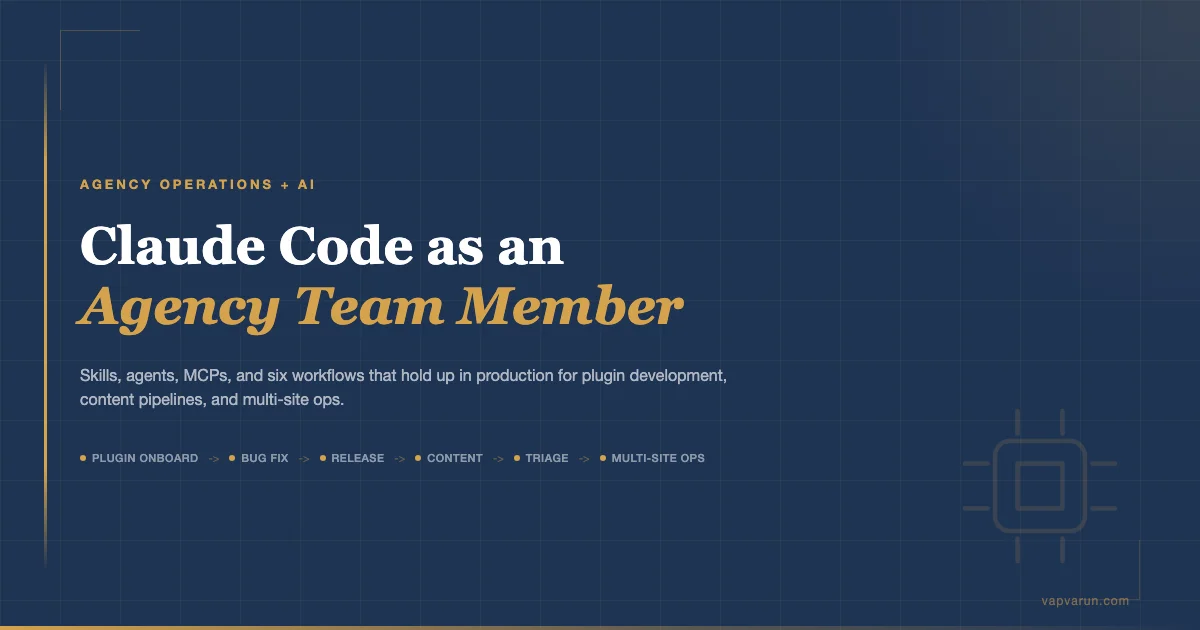
The framing matters. Claude Code is not a smarter autocomplete. It is not a chatbot you paste code into. At Wbcom Designs, after running it across plugin development, support triage, content pipelines, and multi-site ops for several months, the clearest description is this: it operates like a contractor who reads the entire codebase before touching a line, follows your process documentation, and ships work that can be reviewed and reverted. That mental model changes what you assign to it and, more importantly, what you do not.
What “Claude Code as Team Member” Actually Means
The autocomplete framing sets the wrong expectations. With autocomplete, you write; it suggests the next token. You stay in the driver’s seat on every character. With a team-member framing, you define a task with a scope boundary, hand it off, and review the output – the same way you would hand a junior developer a well-scoped ticket.
That shift in framing has practical consequences. It means you write documentation that Claude Code reads before acting (CLAUDE.md files, workflow markdown, skill definitions). It means you define scope boundaries in skills so the agent knows when to stop and ask rather than guess. It means you treat its output the same way you would treat a pull request from a new hire: you read it, you test it, you push back when something is off.
The question is not “can Claude Code write code?” – it can, at a level that passes code review on most plugin work. The question is: what does your team’s operating system look like when one of the contributors runs at machine speed and never loses context between sessions? The shift from ChatGPT to Claude in the dev and agency segment was partly this – the MCP ecosystem made Claude a system operator, not just a text generator.
The Three Roles It Fills
In practice, Claude Code fills three roles at Wbcom:
- Execution agent – takes a defined task (fix this bug, write this post, run this audit) and completes it end to end, checking in only when it hits a decision that needs human judgment
- Institutional memory – reads all context files before acting, so the pattern from a fix done three months ago informs the fix done today
- Process enforcer – runs checklists, validates against patterns, refuses to skip steps that are marked mandatory in the workflow
None of these roles require the agent to be creative or autonomous in the way that popular AI discourse suggests. They require it to be reliable, context-aware, and bounded. That is a harder set of properties to achieve through prompting than “write me a function,” and it is where the real setup work lives.
The Setup: Skills, Agents, MCPs, Hooks
Before any workflow runs reliably, four infrastructure pieces need to be in place. Skipping any one of them means the agent operates on assumptions instead of documented rules, which produces inconsistent results and requires more human intervention to fix.
Skills
Skills are markdown files that define the scope and procedure for a specific type of task. A skill named /bug-fix tells Claude Code: when a bug is reported, follow these steps in this order, use these tools, stop at these decision points. The skill file lives in ~/.claude/skills/ and is invoked by name.
Good skills have three parts: a classification step that categorizes the input before acting, a procedure with explicit step numbers, and a completion check that verifies the output before handing back to the human. Skills that skip the classification step waste time on wrong approaches. Skills that skip the completion check produce output that looks done but isn’t tested.
Agents
Agents are skills that orchestrate other skills or run long multi-step pipelines. The content pipeline described later in this piece is an agent: it calls research tools, writes content, runs SEO checks, generates a featured image, validates against site rules, and publishes – all as a single invocation. Agents are appropriate when the work has too many steps to hold in a single skill file without becoming hard to maintain.
The key design constraint for agents: they must be resumable. If the pipeline runs for eight steps and then fails on step nine, the next invocation should detect what is already done and pick up from step nine, not start over. Agents that restart from scratch on failure create expensive retries and inconsistent state.
MCPs
MCP (Model Context Protocol) servers are the tool layer. They expose domain-specific actions to Claude Code: publish a post, query GSC data, fetch a Basecamp card, check RankMath SEO score. Without MCPs, Claude Code is limited to file system operations and shell commands. With MCPs, it can operate any system that has an API.
The decision of what to put in an MCP versus what to put in a skill is important. MCPs should expose atomic operations (create post, upload media, run audit). Skills should encode the workflow logic that combines those operations. Putting workflow logic inside an MCP makes it hard to change without a redeploy. Putting atomic tool calls inside a skill file makes the skill brittle and hard to read.
Hooks
Hooks are trigger scripts that fire when specific events happen – a calendar entry is due, a publish queue reaches a threshold, a scheduled task is missed. They are the difference between a system you check manually and a system that pings you when something needs attention. For a 5-person agency running a dozen client sites and ten content properties, hooks are not optional infrastructure – they are what lets the machine work overnight without anyone watching.
Six Workflows That Hold Up
Not every workflow we tried with Claude Code stuck. Some sounded good in theory and created more overhead than they saved. The six below are the ones that still run in production after several months of iteration.
1. Plugin Onboarding: Clone to Audit to Docs
When a developer joins the team or a plugin is handed off between developers, the onboarding step used to take a day: read the code, understand the architecture, document the key patterns, set up the local environment. With Claude Code, this runs as a skill invocation.
The /wp-plugin-onboard skill clones or enters the plugin directory, reads the existing code, generates a CLAUDE.md file documenting architecture decisions and key patterns, and stores a memory entry tagged to the plugin slug. The next developer who opens that plugin gets the context from the previous run automatically recalled.
The time savings are not dramatic on a single plugin. The compounding effect shows up across a portfolio of 100+ plugins where the institutional knowledge no longer lives only in one person’s head. When a developer is out, the onboard artifact gives the backup developer enough context to do triage work without a handoff call.
2. Bug Fix Routing: Symptom to Debug Skill to Fix to Commit
The bug fix workflow has four stages, and the critical one is the first: classification. When a symptom comes in (“checkout is broken,” “403 on admin-ajax,” “white screen after update”), the /bug-fix skill runs a classification step before writing any code. It routes the symptom to the right debug path: checkout flow, activity feed, AJAX/nonce issue, fatal error, caching artifact, plugin conflict.
Each path has its own skill: /wp-debugging with a route parameter, /action-audit for AJAX issues, the xdebug path for step-through debugging. The classification step routes to the right one. Without this step, the agent picks the most common path regardless of the actual symptom, which produces the wrong fix about 30% of the time.
After the fix is confirmed, the commit step follows a standard format: fix message, file scope, co-authored attribution stripped (per our git config), and a memory entry stored with the bug pattern and solution for future recall. The entire loop from symptom report to committed fix takes 15-40 minutes on most routine WordPress bugs, compared to 1-3 hours of developer time previously.
3. Release Packaging: WPCS to PHPStan to Version Bump to Tag
Plugin releases used to require a developer to be available: run code standards, run static analysis, bump version numbers in three places (plugin header, readme, constants), update the changelog, create the git tag, push. Mistakes happened – version mismatches, forgotten readme updates, tags pushed without changelog entries.
The release skill runs this as a checklist. WPCS with the configured ruleset, PHPStan at the configured level, version bump in all three locations verified to match, changelog entry in WooCommerce action-prefix format, git tag. If WPCS fails, the skill stops and reports the exact lines rather than proceeding. If the version numbers do not match after the bump, it flags the inconsistency before tagging.
For free plus pro lockstep releases (Jetonomy, WPMediaVerse), the skill handles both plugins in sequence and verifies the version numbers match before tagging either. This eliminates the class of error where free ships at 1.4.2 and pro accidentally ships at 1.4.1.
4. Content Pipeline: Idea to Write to SEO to Publish
The content pipeline is the most complex workflow and the one with the most moving parts. An idea or calendar entry comes in with a title, target site, and audience. The pipeline does the rest: GSC and SpyFu research to validate the keyword angle, duplicate check against the site index, content generation to 3000+ words with full Gutenberg blocks, category and tag assignment, featured image creation via HTML and Playwright screenshot, SEO meta set via RankMath or Yoast depending on the site, pre-publish audit, and publish via a guarded publish action that runs all checks before touching WordPress.
The pipeline enforces per-site rules that are encoded in a site config file: forbidden words (em dashes, LLM cadence phrases), required elements (excerpt, internal links, featured image), word count minimums. If any check fails, the pipeline flags the specific failure and stops rather than publishing something that fails the rules. Running GSC and SpyFu through MCP means the keyword research step happens inside the pipeline, not as a separate tab-switching task.
Running this pipeline across 13 content properties means a single calendar entry with a title can result in a published, SEO-optimized, proofed post in about 20-30 minutes of wall-clock time, with a human review step before the final publish action. The bottleneck moves from writing time to review time, which is the right place for it to be.
5. Support Triage: Tickets to Basecamp Cards to Fix to Verify
Support triage is where the agent-as-team-member framing pays off most directly. The triage skill reads the full ticket thread (not just the subject line), classifies the issue by product and type, creates a Basecamp card with a pre-filled developer brief and customer-facing questions, and routes to the appropriate debug or fix skill. It runs on a 48-hour SLA, sweeping the last 10 days of tickets on each invocation.
Two rules that were added after early failures: the skill must read the full ticket body before classifying (cold outreach looks like a feature request at subject-line level), and every customer bug gets a Basecamp card even if a support agent already replied (the agent owns the customer-facing response; the skill owns the product-side fix). These rules are encoded in the skill file, not just in team memory, so a new person running the skill gets them automatically.
The verify step is the one most often skipped under time pressure. The skill includes a completion check that verifies the reported issue no longer reproduces in the local environment before the ticket is marked resolved. Skipping this step is what causes “fixed but not verified” tickets that re-open a week later.
6. Multi-Site Ops: Cron, Cache, Cleanup Across the Portfolio
Running a portfolio of client WordPress sites involves recurring maintenance that is mechanical but easy to forget: checking for missed cron schedules, clearing cache after plugin updates, cleaning up orphaned media, verifying SSL certificates, checking disk usage thresholds. None of these tasks requires judgment – they require consistency. The tool stack for managing WordPress at scale is what determines whether these checks happen automatically or pile up until something breaks.
The multi-site ops skill runs a health check across all registered sites, reports anomalies (missed cron, disk at 80%+, SSL expiring within 30 days), and executes the standard remediation steps for known issues. The Cloudways smart cron stack issue described in our operating notes (where the cron script iterates all subsites and stacks instances when iteration takes longer than 5 minutes on a large multisite) is a specific case the skill now flags and routes to a manual intervention note rather than attempting an automated fix.
The value here is not speed – a developer can run these checks manually in an hour. The value is that the skill runs them without being asked and surfaces the results in a format that can be acted on immediately rather than accumulated in a to-do list that gets deferred.
Which Skills Compound and Which Don’t
Not all skills deliver the same return over time. Some get more valuable the longer they run; others plateau quickly.
| Workflow | Compounds with use? | Why |
|---|---|---|
| Plugin onboarding | Yes | Each run adds memory; later runs have full context from previous runs |
| Bug fix routing | Yes | Bug patterns stored in memory; repeat issues route faster on second occurrence |
| Release packaging | Moderate | Process is stable; improvement comes from catching new error patterns |
| Content pipeline | Yes | Site index grows with each published post; internal link suggestions improve with inventory |
| Support triage | Yes | Classification accuracy improves as ticket patterns are stored and recalled |
| Multi-site ops | Moderate | New anomaly patterns can be added; core checks are stable |
The pattern: workflows that involve pattern recognition across historical data (bugs, tickets, content gaps) compound. Workflows that are pure procedure execution (release packaging, health checks) plateau faster. Build the compounding ones first.
Token Costs vs Human Equivalent
The cost question comes up in every agency conversation. Claude Code’s pricing as of early 2026 runs on input/output token consumption, with the exact rate depending on the model and tier. A full content pipeline run – research, writing, image generation, SEO, audit, publish – consumes roughly 200-400k tokens per post depending on article length and the number of fix iterations. At current Sonnet pricing, that is $0.60-$1.20 per post.
The human equivalent for the same quality output: 3-5 hours of a mid-level developer’s time at agency rates, plus the content writer’s time. The math is not close.
The token cost question is the wrong question. The right question is: what does this work cost in human hours at agency rates, and what does it cost when a human is unavailable?

The real cost consideration for agencies is not per-run token spend – it is the setup cost. Writing good skill files, designing the right MCP tool interfaces, encoding site-specific rules, building the memory architecture – this takes real engineering time upfront. Expect 20-40 hours of setup before the first workflow runs reliably. The break-even point depends on how often the workflow runs. For a content pipeline publishing daily across 13 sites, break-even is within the first two weeks. For a release skill used twice a month, break-even takes longer but the error-reduction value (missed version bumps, incorrect changelogs, WPCS failures shipping to production) justifies it independently.
Mistakes That Cost Time
These are the patterns that looked promising and created more overhead than value:
Over-Engineering Hooks
The first version of the publish queue hook fired on every file change in the calendar database. This triggered unnecessary runs, created overlapping invocations, and produced duplicate notifications. A trigger that fires too often creates alert fatigue faster than it creates value. The current version fires on a schedule (twice daily) and on explicit calendar status changes only. Simpler.
Skill Sprawl
At peak, there were 23 skill files covering every edge case anyone had thought of. Half of them were used once. The maintenance overhead of keeping 23 skill files current with changing site configurations, new WordPress versions, and updated API endpoints is non-trivial. The current set is 11 skills, each covering a clearly bounded domain. Skills that were used less than once a month were merged into the closest parent skill or deleted.
Agent Overlap
Two different agents were both capable of creating Basecamp cards: the support triage agent and the bug fix agent. They used slightly different card formats and different tagging conventions. This created cards that looked different depending on which path triggered them, made reporting inconsistent, and confused the team about which format was canonical. The fix: one agent owns card creation. The other calls the first agent’s card-creation step rather than reimplementing it.
The general rule: if two skills or agents do something similar, one of them should call the other’s implementation, not maintain its own copy. Duplication in skill files degrades exactly like duplication in code – slowly, invisibly, until a change in one place creates a mismatch with the unchanged copy.
Trusting Output Without a Verification Step
Early versions of the content pipeline published without a mandatory human review flag on the calendar entry. Posts that passed all automated checks still occasionally had structural issues that a reader would catch immediately: a heading that repeated the title verbatim, a list item that was cut off mid-sentence, an internal link pointing to a 404 because the slug had changed. Automated checks catch measurable quality properties; they do not catch everything a reader notices. The current pipeline stages posts as “review” in the calendar rather than publishing directly, and a human clears the review flag before the publish action runs.
The Minimum Viable Setup for a 5-Person Agency
If you are starting from scratch, here is what actually needs to be in place before Claude Code becomes net-positive rather than net-overhead for a small agency:
Documentation First
Before any skills or MCPs, write a global CLAUDE.md that documents the agency’s operating conventions: git commit format, how to handle credentials, where artifacts go, what tools to use for what purpose. Claude Code reads this before every session. Without it, the agent applies generic defaults that conflict with your conventions.
Three Core Skills
Start with three: a bug fix skill, a code review skill, and one domain-specific skill for the work your team does most. At Wbcom, that third skill is the plugin release packager. At a WooCommerce-focused agency, it would be the store deployment checklist. At a content agency, it would be the content pipeline. Pick the one workflow that currently costs the most human time per week and automate that first.
One MCP for the System You Touch Daily
If your team lives in WordPress, build or adopt a WordPress MCP. If you live in Basecamp, build one for Basecamp. The MCP is what converts Claude Code from a file-and-shell operator into an agent that can actually work in your systems. One well-built MCP for your primary work system is worth more than five MCPs for peripheral tools.
Memory from Day One
Set up the memory MCP (AutoMem or equivalent) before anything else. The compounding value described earlier only materializes if the agent is storing and recalling patterns from the start. Retrofitting memory into an existing setup means the early runs have no recall context – you lose months of pattern accumulation. Five minutes of setup at the start saves weeks of repeated work later.
One Human Review Gate
Every automated pipeline needs one point where a human sees the output before it reaches a customer or a live system. For content, that is the review flag in the calendar. For code, that is the pull request before merge. For support responses, that is a Slack preview before the reply is sent. The gate does not need to be slow – a 60-second review of a well-formatted summary is enough to catch the 5% of cases where the automation got something wrong.
Where This Is Going
The trajectory for agencies that adopt this model is not “AI replaces developers.” It is “one developer with a well-configured Claude Code setup does the work of three developers on the mechanical parts of the job, and spends their actual developer time on the architecture decisions, client relationships, and novel problems that require real judgment.”
Wbcom Designs is building toward this: full-stack own solutions rather than assembling third-party plugins, custom development that justifies agency rates because it cannot be automated away, and an operational system where the repetitive work (releases, triage, content, maintenance) runs on documented processes rather than individual heroics.
Claude Code is one component of that. It is not magic and it is not a replacement for engineering culture. But set up with clear documentation, bounded skills, and proper tool integrations, it runs the mechanical work reliably while the team focuses on the parts that actually require humans.
The agencies that get ahead in the next two years will not be the ones that used AI most aggressively. They will be the ones that used it most precisely: clear scope boundaries, documented processes, human review gates at the right moments, and the discipline to not automate things that still require judgment.
That precision is the hard part. The tooling is available now. The operating model takes time to build, and it is worth building deliberately.
If your team wants help designing or building the agent infrastructure described here, Wbcom Designs offers AI agent development services for WordPress agencies.
If your agency is working through how to integrate AI tooling into WordPress development workflows, Wbcom Designs works with teams on custom development and operational setup – from plugin architecture to automated pipelines. The industry-specific builds we run are themselves products of this operating model.