WordPress Management at Scale: The 100-Site Tool Stack
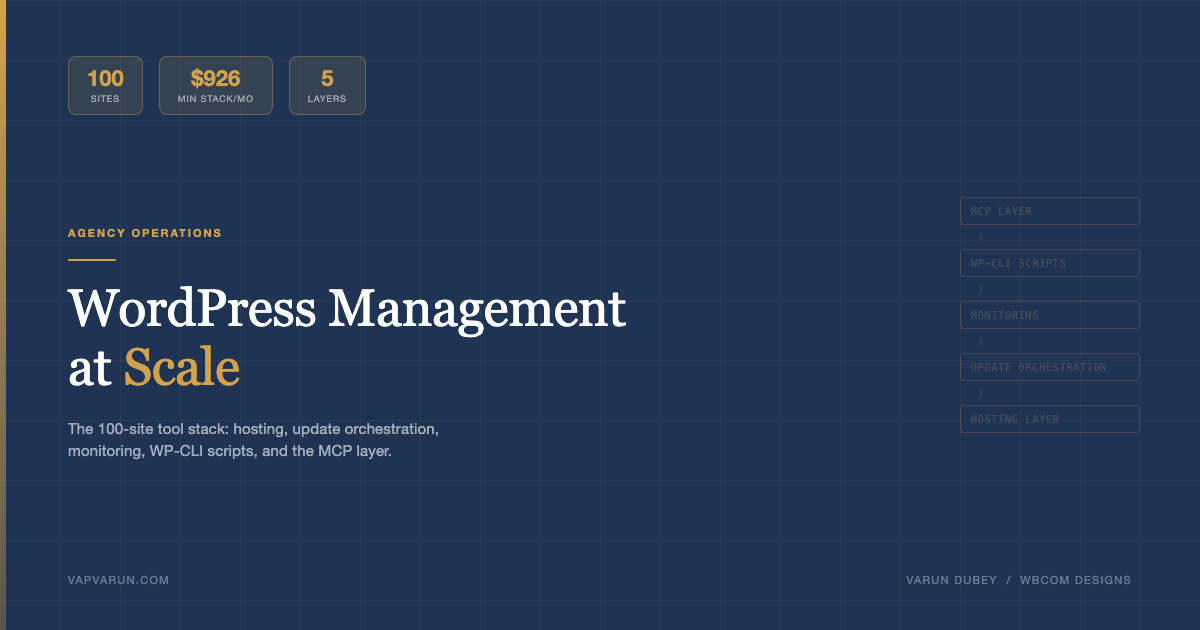
Running 100 WordPress sites is not 100x the work of running one. It is 100x the risk. One missed update across a hundred sites is not a maintenance oversight – it is a liability. One compromised plugin across a hundred clients is a crisis. The difference between an agency that scales cleanly and one that drowns in it comes down to the tools in the stack and, more specifically, whether those tools compound over time or just add to the list of things to check.
The 100-Site Problem
The math is straightforward until it isn’t. At 10 sites, you can stay on top of updates with a weekly routine and a shared spreadsheet. At 30 sites, the spreadsheet starts lying to you. At 50 sites, manual checks are a full-time job. At 100 sites, the spreadsheet model has failed and you’re either automating or you’re always behind.
The failure mode at scale isn’t catastrophic – it’s slow. A plugin that hasn’t been updated in three weeks on client site #47. A PHP warning generating thousands of log entries on site #83. An SSL certificate that lapsed on a site that hasn’t had a ticket in six months. None of these are emergencies until they are.
The first principle at scale is this: tools must compound. A tool that saves you five minutes once is not the same as a tool that saves you five minutes every day across every site. The right stack creates leverage that grows with your portfolio. The wrong stack creates a list of dashboards to check.
At 100 sites, manual checks are a full-time job. The right stack creates leverage that grows with your portfolio – the wrong stack creates a list of dashboards to check.
The Hosting Layer: Cloudways vs Pressable vs SiteGround for Portfolios
Hosting choice has the biggest impact on portfolio management, and not just for performance reasons. The management interface matters as much as the server specs when you’re operating at scale.
Cloudways
Cloudways is where most growing agencies land, and for good reason. The team account model lets you manage hundreds of applications across multiple cloud providers (DigitalOcean, AWS, Vultr, Linode, Google Cloud) from a single interface. The SSH access is unrestricted – you can run WP-CLI against any application from your own scripts without going through a dashboard. That’s the key differentiator for automation workflows.
The per-application server structure means cost control is granular. A small brochure site runs on a $15/month DO droplet. A high-traffic WooCommerce store gets its own $80/month server. You’re not paying WP Engine’s minimum commitment for every client.
The limitation: Cloudways’ native WordPress-specific tooling is thin. Their plugin management, staging, and update workflows are basic compared to dedicated WordPress platforms. You’ll be running your own management layer on top.
Pressable
Pressable targets agencies explicitly and the product shows it. The central dashboard handles updates, backups, and staging across all sites. Their WordPress-specific support is genuinely good – they understand plugin conflicts, PHP version migrations, and Gutenberg edge cases at a level that generic cloud support does not.
The trade-off: less infrastructure control. If your agency has strong DevOps opinions about server configuration, Pressable can feel limiting. For agencies whose strength is WordPress development rather than infrastructure, that’s an acceptable trade.
Pricing per site makes cost planning predictable. For 100 sites with an average complexity, Pressable’s agency tiers often come in at less than equivalent Cloudways infrastructure once staff time for server management is factored in.
SiteGround for Portfolios
SiteGround’s collaboration tools and reseller program work reasonably well for freelancers managing 20-50 sites for clients who want separate billing. The WordPress Starter dashboard is client-friendly. For agency-owned portfolios that all need centralized control, it is the weakest of the three options at scale – the management tooling doesn’t reach the same level of portfolio-wide automation.
The verdict for 100-site portfolios: Cloudways for infrastructure-forward agencies that run their own automation. Pressable for WordPress-product agencies that want managed tooling. SiteGround as a client-hosting option, not a portfolio management platform.
Update Orchestration: MainWP vs ManageWP – An Honest Comparison
This is the layer most agencies get wrong. They either update everything manually, or they flip on auto-updates globally and cross their fingers. Neither is the right answer at scale.
MainWP
MainWP is self-hosted, which is both its biggest advantage and its biggest responsibility. The dashboard installs on your own WordPress site, connects to child plugin installations on each client site, and gives you centralized control over updates, backups, security scans, uptime monitoring, and client reporting from a single owned interface.
The self-hosted model means no third-party has credentials to all your client sites. For enterprise clients with security requirements, this matters. The MainWP community has also produced a solid set of extensions for task scheduling, white-label reporting, and vulnerability scanning.
The limitation: you are responsible for the MainWP installation itself. When MainWP updates break something, you’re debugging your management tool instead of managing your sites. The extension ecosystem is powerful but the cost adds up quickly once you’re buying extensions for reporting, WooCommerce sync, and advanced site management.
ManageWP
ManageWP is the SaaS option and it shows. The interface is polished, the onboarding is fast, and the feature set covers the essentials without requiring extension purchases. For agencies that want to manage sites without running their own infrastructure, ManageWP gets you operational in a day.
The concern at scale: all your client site credentials live on ManageWP’s servers. That’s a real security consideration. ManageWP’s track record on security is reasonable, but it’s a concentration of risk that security-conscious clients may raise objections to.
The safe mode and smart update features are genuinely good. Scheduling updates to run after creating a backup, with a visual regression check before confirming, reduces the risk of updates breaking client sites without requiring manual oversight of every update.
InstaWP
InstaWP is not a management platform in the same sense – it’s primarily a spin-up and staging tool. The ability to create a full WordPress environment in seconds is useful for development and client demos, but for portfolio management it’s complementary to MainWP or ManageWP rather than a replacement.
The verdict: MainWP for security-conscious agencies with the technical capacity to maintain their own management infrastructure. ManageWP for agencies prioritizing polish and speed to operational. Neither is wrong – the choice reflects where your operational risk tolerance sits.
Monitoring: Uptime, Security, and Performance
At 100 sites, you cannot be the first to know a site is down from a client phone call. The monitoring layer exists to surface problems before clients notice them.
Uptime Monitoring
UptimeRobot at the free tier covers 50 monitors with 5-minute checks. For 100 sites you need the pro tier at $7/month per 50 monitors, which is effectively nothing. The Slack or email alerting integrates cleanly with agency workflows.
StatusCake is a direct alternative with slightly more sophisticated alerting. For sites with SLA commitments, a paid monitor with 1-minute checks and page speed tracking is worth the cost.
Security Scanning with Wordfence
Wordfence Central is the right choice for portfolio-level security management. It aggregates security status across all sites where Wordfence is installed, surfaces threat alerts centrally, and lets you push firewall rules and settings changes from one interface rather than site by site.
The key configuration for a 100-site portfolio: set Wordfence to email critical alerts to a monitored inbox and surface non-critical findings in a weekly digest. Getting hourly Wordfence emails across 100 sites will exhaust your attention faster than it protects your clients.
Performance with Query Monitor
Query Monitor is a development and debugging tool first, not a production performance dashboard. Its value in a portfolio context is in diagnosing performance regressions on specific sites – a plugin update that added 40 slow queries, a theme that’s loading 200 blocking scripts on every page load.
For ongoing production performance monitoring, the right tools are New Relic (for sites with budget for observability), or at minimum WP Rocket’s performance data combined with hosting-level metrics from Cloudways or Pressable. Query Monitor gives you the why once you’ve identified the which.
Backup Strategy: Three Layers, No Exceptions
The backup conversation usually surfaces after a data loss event. At 100 sites, the question is not whether you’ll have a site failure that requires a restore – it’s how many and how fast you can recover.
| Layer | Tool | Retention | Purpose |
|---|---|---|---|
| Hosting-level | Cloudways / Pressable native | Daily, 14 days | Full server snapshots, fast restore |
| Plugin-level | UpdraftPlus, WP Time Machine | Daily DB, weekly files | Granular file/database restore |
| Offsite | UpdraftPlus + S3/Backblaze B2 | 30 days minimum | Protection against hosting-level failure |
The three-layer model is non-negotiable. Hosting-level backups cover server failures and accidental deletions within the hosting infrastructure. Plugin-level backups give you granular control – restore just the database from two days ago without touching files. Offsite backups protect against the scenario where your host has the problem, which does happen.
Backblaze B2 is the cost-effective choice for offsite storage at scale. The pricing at $0.006/GB/month means storing 100 sites worth of backups (assume 500MB average compressed per site, 30-day retention) runs about $90/month. That’s the cost of one client hour. UpdraftPlus Premium handles the B2 connection natively.
The backup configuration that covers most failure scenarios: daily automated DB backup to offsite, weekly full backup to offsite, hosting-level daily snapshots as the fast-restore option. Test restores quarterly – a backup you’ve never tested is not a backup you can trust.
WP-CLI Scripts That Pay for Themselves
WP-CLI is the productivity multiplier that most agencies underuse. The commands that save the most time at scale are the ones that would be impossibly tedious to run through the dashboard at 100-site volume.
Bulk Plugin Updates with Selective Exclusions
The naive approach is wp plugin update --all on every site. The correct approach updates everything except plugins that require manual verification before update (WooCommerce, payment gateways, page builders). A simple shell script that reads an exclusion list and runs the update command with --exclude handles this cleanly.
For agencies running WP-CLI across SSH on Cloudways, a Bash script that loops through a site list file, SSH-ing into each server and running the update command, can process 100 sites in under 20 minutes with appropriate error handling.
Search-Replace Across Migrations
wp search-replace with the --dry-run flag first, then executed with --precise on serialized data, is how clean migrations happen. The ‘precise’ flag handles PHP-serialized data correctly – without it, search-replace on serialized strings breaks object data in ways that aren’t always immediately obvious.
A reliable migration script sequence: export the database, search-replace staging URL to production URL, verify with --dry-run, execute, flush permalinks with wp rewrite flush, clear all caches. Two minutes of WP-CLI versus thirty minutes of doing it through the dashboard.
User Audits
wp user list --role=administrator --fields=ID,user_login,user_email,display_name across all sites surfaces administrator accounts that shouldn’t exist – former contractors, old client accounts, test users that were never removed. Running this quarterly across 100 sites via a looping shell script takes five minutes and produces a spreadsheet that would take a day to produce manually.
Combined with wp user get --format=json for detailed checks and wp user delete for cleanup, this is a security audit tool that most agencies don’t use because they haven’t written the wrapper script yet.
The MCP Layer: When Automation Becomes Agentic
The tools described above handle the operational layer well. What they don’t handle is the cognitive layer – the judgment calls, the content work, the site health analysis that requires understanding context rather than just executing commands.
This is where MCP servers change the equation. At Wbcom Designs, the shift toward MCP-based automation started with specific, high-repetition tasks: blog publishing pipelines, site health reporting, support ticket routing. The pattern that emerged is that MCP tools work best when the workflow has clear inputs, clear outputs, and clear rules – which describes most of what agencies do repeatedly.
The wp-blog MCP Server
The wp-blog MCP server we built at Wbcom manages the full content pipeline across 13 sites – from calendar management to content generation to featured image creation to SEO meta to publish. The value isn’t just speed; it’s consistency. Every post goes through the same audit gates. Every featured image meets the same brand standard. Every piece of content gets checked against the same forbidden patterns and voice guidelines before it touches WordPress.
Without the MCP layer, maintaining quality across 13 sites would require 13 separate editorial workflows and constant manual checking. With the MCP layer, the rules are in config, the checks are automated, and the human work is judgment and direction rather than execution and verification.
The site-doctor MCP
The site-doctor MCP handles health checks, error detection, and diagnostic queries across the portfolio. It reads logs, checks PHP error output, validates plugin compatibility, and surfaces actionable findings rather than raw data. The integration with WP-CLI on Cloudways means a health check that would take 20 minutes of SSH commands runs in 30 seconds from a single tool call.
The pattern that makes it genuinely useful: routing the output into Basecamp cards rather than email. Every health finding that needs action becomes a trackable task, not a notification that gets lost. The Wbcom Designs services model for maintenance retainers runs on this kind of pipeline – clients get transparent reporting because the reporting pipeline is automated, not because someone is manually writing status updates.
Automation Pipelines
The broader pattern at Wbcom is treating automation as a product discipline. Every pipeline gets documented, versioned, and tested like code. The approach to treating MCP servers as publishable infrastructure is part of that same discipline. The n8n flows that connect WordPress events to Slack notifications, the scripts that route support tickets through triage, the calendar automation that schedules content – these are maintained as part of the agency’s operational infrastructure, not as one-off scripts that only the person who wrote them can debug.
If your agency is evaluating MCP server adoption, the right starting point is not the most complex workflow you want to automate – it’s the workflow that’s most repetitive and most clearly defined. Build the automation for that first. The judgment about where MCP tools add the most leverage in a WordPress development and operations context becomes much clearer once you have a working example to benchmark against.
The Real Cost of Running 100 Sites
The cost conversation is one that most agencies handle poorly – either they underprice maintenance because they haven’t accounted for tool costs, or they overprice because they’re still doing things manually that should be automated.
| Category | Minimum Stack | Full Stack | Notes |
|---|---|---|---|
| Hosting (100 sites) | $800/mo (Cloudways DO) | $2,000/mo (mixed cloud + Pressable) | Varies heavily by site size |
| Management platform | $29/mo (ManageWP Business) | $99/mo (MainWP + extensions) | ManageWP scales per site at high volume |
| Security (Wordfence) | $0 (Central free tier) | $500/yr (Wordfence Care 10 sites) | Free tier covers monitoring; paid for incident response |
| Uptime monitoring | $7/mo (UptimeRobot pro) | $25/mo (StatusCake team) | Pro required for 100+ monitors |
| Backups (offsite storage) | $90/mo (Backblaze B2) | $150/mo (B2 + UpdraftPlus Premium) | UpdraftPlus Premium ~$70/yr per site or per license |
| MCP / automation tooling | $0 (self-built) | $200/mo (hosting + Claude API) | Depends on what you build and run |
| Total monthly | ~$926/mo | ~$2,474/mo | Excludes staff time |
The numbers above are real ranges from agency operations, not estimates from a spec sheet. For context on how this connects to service pricing, the agency pricing in the AI era post covers the broader model. The difference between the minimum and full stack is not just about features – it’s about how much staff time the stack replaces.
At $926/month for 100 sites, you’re spending about $9.26 per site per month on tooling. A maintenance retainer priced at $50/site/month generates $5,000/month against $926 in tool costs, leaving margin for the human work of reviewing what the tools surface. At the full stack cost of $2,474/month, you need $25/site/month in revenue just to cover tooling – which means pricing maintenance below $40/site at scale is a race to the bottom.
Minimum Viable Stack vs the Full Stack
Not every agency is at 100 sites, and not every 100-site operation needs the full stack on day one. The right question is: what is the minimum stack that eliminates the failure modes that kill client relationships?
Minimum Viable Stack (50+ sites)
- Cloudways or Pressable (hosting with centralized management interface)
- ManageWP Business or MainWP (update orchestration and centralized reporting)
- Wordfence Central (security monitoring, free tier)
- UptimeRobot Pro (uptime monitoring)
- UpdraftPlus + Backblaze B2 (plugin-level + offsite backups)
- WP-CLI scripts for bulk updates, user audits, search-replace
This stack runs under $1,000/month for 100 sites and eliminates the core failure modes: missed updates, undetected downtime, no offsite backup, and manual-only security monitoring. It doesn’t eliminate all the manual work, but it contains the risk.
Full Stack (100+ sites, service-level commitments)
- Everything in the MVP stack
- MainWP with vulnerability scanning and white-label reporting extensions
- New Relic or Datadog for performance monitoring on high-traffic sites
- Wordfence Care for incident response coverage
- MCP server layer for content automation, health diagnostics, and pipeline operations
- n8n or Make for workflow automation between tools
- Site-doctor MCP for proactive health monitoring and anomaly detection
The full stack is justified when maintenance retainer revenue is consistent and you’re operating with SLA commitments to clients. The automation investment pays back in staff time at scale – every hour the MCP layer saves on a task that repeats across 100 sites is 100 hours of staff time per year.
The agency that reaches 100 sites cleanly is not the one with the best spreadsheet. It’s the one that made the tooling investment before the manual process became untenable. The right time to build the stack is when you’re at 30 sites thinking about 100, not at 100 sites thinking about why everything is on fire.
At Wbcom Designs, the move toward this kind of portfolio operations infrastructure is what makes the custom development and maintenance work sustainable at scale. If you’re building toward a similar model – or evaluating where your current agency stack breaks down at scale – the Wbcom services team works directly with agencies on the operational infrastructure layer, not just the code.