The Multi-Site SEO Stack: GSC + GA4 + SpyFu Through MCP
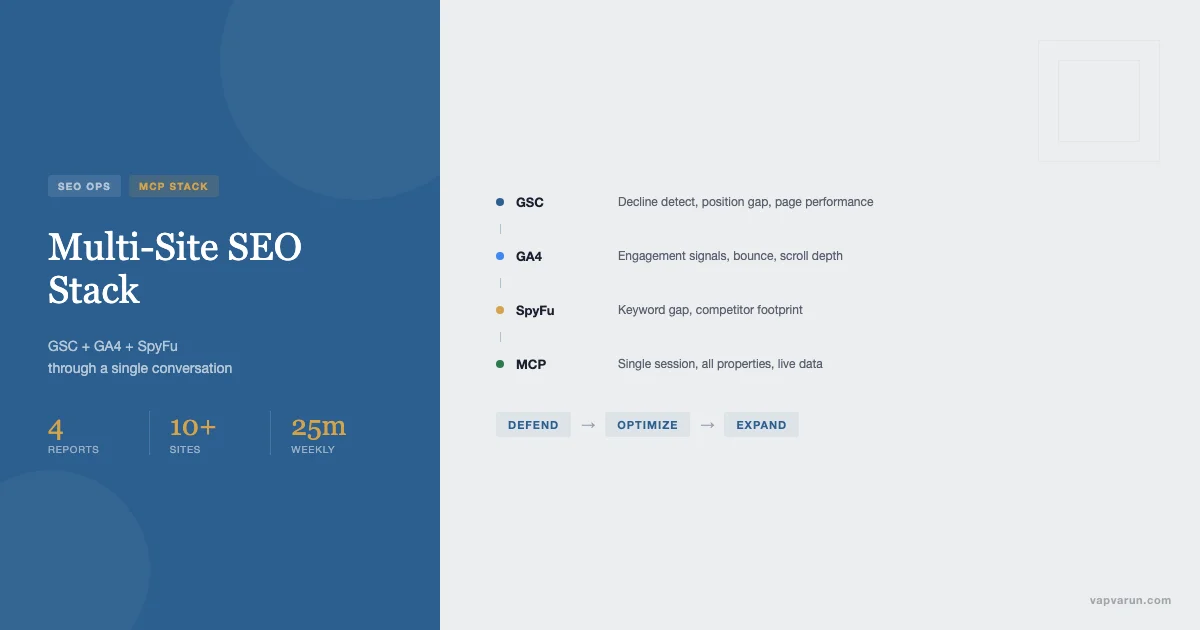
Running SEO across 10+ WordPress sites without a unified interface turns into tab soup fast. Ten GSC accounts. Ten GA4 properties. A SpyFu subscription you check once a week when you remember. Content decisions made on gut feel because pulling the actual data takes 40 minutes you don’t have. The stack itself isn’t the problem. The interface to it is.
The unlock is treating GSC, GA4, and SpyFu as MCP data sources that Claude reads and writes across all properties inside a single conversation. No tab switching. No CSV exports. No “let me pull that up” pauses mid-planning session. One prompt surfaces the signal, another routes it to a prioritized content plan, a third queues calendar entries for every site that needs work.
This piece walks through how the multi-site SEO stack works at Wbcom Designs, where we run 13 WordPress properties. The same architecture applies at 5 sites or 50.
The N-Site SEO Problem
The math compounds fast. At 10 sites you have: 10 GSC verification tokens to maintain, 10 GA4 data streams to monitor, 10 sets of keyword rankings to check, 10 editorial calendars to populate. Most SEO operators handle this by picking the highest-traffic sites and ignoring the rest until something breaks.
The signals that should inform content decisions get buried. A GSC decline_detect that would catch a ranking drop within 48 hours never gets run because it requires logging into a property you only touch monthly. A position_gap showing 40 keywords sitting at positions 8-15 on a secondary site never becomes a content brief because the opportunity cost of pulling the data feels too high relative to the urgency of the main site’s work.
This is not a discipline problem. It is an interface problem. When the friction of accessing data is higher than the urgency of acting on it, the data wins by default. Operators make content decisions from the properties they can see, and the properties they can see are the ones they have open tabs for.
Three failure modes show up consistently across multi-site operations:
- Siloed attention: The main money site gets weekly SEO reviews. Satellite sites get quarterly reviews at best. By the time a decline is caught on a secondary property, it has been declining for 60 days.
- Keyword cannibalization: Without a single view across all properties, two sites end up competing for the same long-tail term. Traffic divides rather than accumulates.
- Priority blindness: Content gets written based on editorial calendar slots, not signal. The piece with the highest gap-volume score never gets assigned because no one pulled that score.
An MCP-connected stack changes the underlying dynamic. Instead of pulling data to inform decisions, the data surfaces to the conversation and the conversation becomes the planning session.
The MCP Unlock: What Changes When Claude Reads Across All Properties
The Model Context Protocol (MCP) lets Claude maintain active connections to external services within a conversation. For SEO, this means GSC API calls, SpyFu API calls, and GA4 data fetches happen inline, not as pre-exported data you paste in.
The wp-blog MCP server we use at Wbcom Designs exposes GSC and SpyFu as first-class actions: gsc_site_overview, gsc_top_queries, gsc_position_gap, gsc_decline_detect, gsc_page_performance, spyfu_keyword_research, spyfu_keyword_gap, spyfu_domain_keywords. Each is callable inside a Claude Code session with site_id as a parameter. Because the server holds credentials for all 13 sites, a single conversation can run gsc_position_gap across all of them sequentially or read results from multiple sites before issuing any recommendations.
The GA4 side runs through a separate analytics-mcp server, connected via a service account with read access to all properties. GA4 surfaces what GSC can’t: on-page behavior. Bounce rate on landing pages, scroll depth, time-on-page for articles we’re considering refreshing. GSC tells you ranking position and click volume. GA4 tells you whether the traffic you do get is converting or bouncing. Both signals together change the prioritization logic significantly.
What changes at the interface level:
- A weekly content planning session that used to take 2-3 hours of tab-switching now runs inside a single Claude Code prompt that returns a prioritized list with scoring.
- Decline detection that used to depend on someone remembering to check now runs on a cadence, with the output surfaced in the same conversation where action happens.
- Keyword gap analysis that used to require a SpyFu export, a CSV filter, and manual copy-paste now runs against the live API and returns structured output Claude can act on directly.
The insight is not that the tools are better. GSC, GA4, and SpyFu were all available before. The insight is that access latency was the bottleneck, not analytical capability. MCP removes the latency.
Building the Stack: wp-blog MCP, Analytics MCP, and Content-Trends MCP
The stack at Wbcom Designs uses three MCP servers in combination. Each handles a different data layer. For background on how MCP servers fit into WordPress development more broadly, see MCP Servers for WordPress: How AI Tools Are Changing Plugin Development.
wp-blog MCP (GSC + SpyFu layer)
The wp-blog MCP server is the primary content operations interface. It holds WordPress REST API credentials for all sites, GSC service account credentials, and the SpyFu API key. GSC actions query the Google Search Console API via a service account with read access to each property. SpyFu actions query the SpyFu API for keyword research, domain keyword lists, and competitor gap analysis.
The server’s site configuration stores gsc_url per site (URL-prefix format for URL-prefix properties, sc-domain: format for domain properties). Without per-site gsc_url config, the GSC actions fail with a 403. This is a common setup mistake: a single service account with access to all properties, but the MCP server not told which URL to query per site.
Key GSC actions used in the weekly SEO workflow:
- gsc_decline_detect: Returns pages that have lost clicks or impressions over the last N days compared to the prior period. This is the first thing we run on any site we haven’t reviewed in two weeks.
- gsc_position_gap: Returns keywords ranking at positions 5-20 with significant impression volume. These are candidates for title optimization, content refresh, or internal link boosts. The output includes opportunity_score which weights position, impressions, and CTR gap.
- gsc_page_performance: Returns top pages by clicks for a given date range. Used to understand what content is working before making editorial decisions about what to write next.
- gsc_top_queries: Returns the highest-click queries. Used to validate keyword territory – are the queries sending traffic aligned with the site’s intended keyword_territory, or is the site ranking for off-niche terms by accident?
SpyFu actions serve a different purpose: competitive positioning and long-tail discovery. Where GSC shows you what you already rank for, SpyFu shows you what you don’t rank for but your competitors do. The spyfu_keyword_gap action is the most useful in practice – it returns keywords a competitor domain ranks for that your domain does not, filtered by volume and difficulty thresholds.
Analytics MCP (GA4 layer)
The analytics-mcp server connects to GA4 via the Google Analytics Data API. It is configured with a service account that has read access to all properties, keyed by ga4_property_id per site. The wp-blog MCP config stores these property IDs alongside the GSC URLs so both layers are accessible from the same conversation.
The GA4 layer is primarily used for content performance validation, not keyword discovery. When gsc_decline_detect flags a page, the next step is checking GA4 metrics for that page: is the traffic decline accompanied by a worsening bounce rate (suggesting the page is ranking but not satisfying intent) or is it a pure ranking drop (suggesting a SERP shift)? The answer changes the fix.
GA4 also surfaces content that GSC under-values: pages with low clicks but high engagement metrics that may be converting silently on branded queries not captured in GSC.
Content-Trends MCP (signal aggregation layer)
The content-trends MCP runs on a local Docker stack and connects to several trend signal sources: Google Trends via unofficial scraping, Reddit search for emerging discussions in target niches, and a simple keyword velocity tracker that monitors position change rate for tracked terms. It is the most volatile layer – signal quality varies by niche – but it provides a forward-looking complement to the historical data in GSC and GA4.
In practice, the content-trends layer is most useful for timing decisions. A topic that GSC shows as medium-opportunity but which is trending up on Google Trends gets elevated in the priority queue. A topic that is declining in search interest despite current traffic volume gets flagged for strategic review rather than investment.
The 4 Reports That Move the Needle
Across all the GSC, GA4, and SpyFu actions available, four specific reports do the majority of the work in the weekly planning cadence. Everything else is diagnostic support.
1. Decline Detect (gsc_decline_detect)
This report runs first, before any planning. The question it answers is: does anything on any site need defensive attention before we write anything new? A declining page that needs a refresh will always outperform a new post on the same topic in ranking time. Defending existing positions is higher ROI than building new ones in most niches.
We run gsc_decline_detect with days_back: 30 on all sites at the start of each weekly session. Pages that show 20% or more click decline get flagged for a content audit before they get queued for a full revamp. The audit often reveals a simpler fix: a meta title that has drifted off the primary keyword, an internal link that was pointing at the page but got broken by a slug change, or a structured data element that stopped validating.
2. Position Gap (gsc_position_gap)
The position gap report is where most content ROI lives for established sites. Positions 8-15 represent rankings where the content has proven topical relevance (the page indexed and ranked) but hasn’t achieved click volume (positions 1-7). The conversion rate from position 8 to position 4 in terms of click volume is roughly 3x on most SERP types.
Position gap keywords that surface in this report often need targeted intervention rather than a full content rewrite. Common fixes: adding the keyword to the H1 or a prominent H2, tightening the meta title to match the query intent more precisely, adding an FAQ section that addresses the specific question behind the query, or adding an internal link from a high-authority page on the same site pointing to the target page with the gap keyword as anchor text.
When we run this on all 13 sites in a single Claude session, we get a cross-site opportunity list we can sort by opportunity_score and assign to the content queue in priority order, regardless of which site the opportunity is on.
3. Page Performance (gsc_page_performance)
The page performance report answers a different question: given the content we already have that is working, what does the audience actually want to read? Top pages by clicks, filtered to the last 90 days, reveal the editorial voice and topic mix that the site’s existing audience responds to.
At Wbcom Designs, running this across vapvarun, attowp, and tweakswp shows distinctly different audience response patterns despite all three sites covering WordPress development. vapvarun traffic is concentrated in opinionated takes and workflow pieces. attowp traffic is concentrated in deep technical references. tweakswp traffic is concentrated in specific WP-config and debugging pieces. This cross-property view informs how we allocate content budget across sites rather than spreading it evenly.
4. Gap vs Competitors (spyfu_keyword_gap)
The SpyFu keyword gap report is the only one of the four that requires a specific competitor reference. We run it against 2-3 competitors per site per quarter, not weekly. It is slower to produce actionable signal because the gap list is large and requires editorial judgment to filter down to genuinely in-scope opportunities.
The output is a list of keywords the competitor ranks for in positions 1-20 that the target site does not rank for at all, or ranks for below position 20. Filtered by search volume and keyword difficulty, this produces a net-new content opportunity list that is completely grounded in what an established player in the niche has already proven can rank.
Combined with the position gap report (keywords to optimize on existing content) and the decline detect (defensive refresh candidates), the keyword gap report completes the three-mode content strategy: defend, optimize, expand.
From Signal to Action: Prioritization Scoring
Raw signal from four reports across 10+ sites produces more candidates than any editorial team can address in a week. Prioritization scoring reduces the list to a working queue.
The scoring formula we use at Wbcom Designs is: volume x inverse_difficulty x commercial_relevance. Each factor is normalized to a 0-1 scale and the product gives a priority score from 0 to 1.
- Volume: Monthly search volume from SpyFu or impression volume from GSC. Normalized against the highest volume item in the current candidate set.
- Inverse difficulty: (1 – keyword_difficulty / 100). A KD of 20 scores 0.8. A KD of 80 scores 0.2. We bias toward lower-difficulty terms because the portfolio is primarily sub-DA-40 sites where high-difficulty terms return slow results even with good content.
- Commercial relevance: A manual 0-1 score assigned by editorial judgment based on how directly the keyword connects to a Wbcom Designs service or product line. SEO for clients and agency ops content scores 0.9. Pure WordPress tutorials that don’t funnel to services score 0.4. This is the factor that prevents the stack from optimizing purely for traffic volume at the expense of business fit.
Claude computes this score in the planning conversation once the candidate list is assembled. The output is a ranked table with score, source (which report surfaced it), target site, and recommended action (new post, refresh, optimization, internal link boost). The content scheduler then populates calendar entries from the top of this list down until the week’s slot budget is filled.
One thing the formula does not capture: time sensitivity. Trending topics need a boost factor that overrides the base score when velocity is high. We handle this by running the content-trends MCP layer against the 10 highest-scored candidates and applying a 1.5x multiplier to any candidate where Google Trends is showing upward movement over the last 30 days. This rarely changes the three leading candidates, but it regularly reshuffles positions 4-8 in ways that matter for timing.

The Weekly Content Planning Cadence with MCP
The weekly cadence at Wbcom Designs runs as a single Claude Code session each Monday morning. It takes roughly 20-25 minutes from start to calendar entries populated. Before MCP, the equivalent planning work took 2-3 hours and produced lower-confidence output because half the data never got pulled.
The session follows a fixed sequence.
Phase 1 (5 minutes) – Defense check: Run gsc_decline_detect on all sites with days_back: 14. Any page showing 25%+ click decline gets flagged immediately and a revamp task gets queued in the backlog. If the decline is severe (50%+), it gets inserted into this week’s queue ahead of new content.
Phase 2 (5 minutes) – Opportunity harvest: Run gsc_position_gap on all sites. Filter to opportunity_score above 60. Return the cross-site list ranked by score. This is the core of the week’s content brief list for optimization tasks on existing posts.
Phase 3 (5 minutes) – Performance review: Run gsc_page_performance on the three highest-traffic sites. Look for thematic patterns – which content categories are over-performing, which are underperforming. This informs the tone and angle for new content briefs.
Phase 4 (5 minutes) – Scoring and queue: Assemble the week’s candidates from phases 1-3, apply the volume x inverse_difficulty x commercial_relevance formula, rank the output. Assign top candidates to sites and content types (new post / refresh / optimization).
Phase 5 (5 minutes) – Calendar populate: For each assigned candidate, create a calendar entry in the wp-blog MCP with title, target keyword, action type, and scheduled date. The content pipeline agent then picks these up in sequence.
The session produces roughly 8-12 calendar entries per week across all sites, split roughly 40% new posts, 40% refreshes, 20% on-page optimizations. The ratio shifts toward refreshes and optimizations as sites age – established content with proven rankings almost always returns faster results than new content that needs to index and build authority.
Cost: Token Spend vs SEO Tool Subscriptions
The economics of the MCP-based stack are worth being direct about, because the comparison to traditional SEO tool subscriptions is not straightforward.
The traditional tool stack for 10+ sites running serious SEO typically involves: Ahrefs or Semrush at $120-200/month per seat, maybe a dedicated rank tracker at $40-80/month, possibly BrightEdge or Conductor if the portfolio is larger. All-in, $200-400/month is a reasonable number for a small multi-site operation without enterprise tools.
The MCP stack uses: GSC (free, included with Google Search), GA4 (free), SpyFu at $39-79/month depending on tier, and Claude API token spend for the planning sessions. Token spend for a weekly 25-minute planning session across 13 sites runs approximately $0.80-1.20 in API costs (Sonnet 4.5 pricing, roughly 50-80k tokens per full session including all the GSC and SpyFu API responses piped through context). At 4 sessions per month, that’s $3-5/month in Claude tokens.
Total monthly cost: SpyFu ($39-79) + Claude tokens ($3-5) + GSC + GA4 (free) = $42-84/month. Compared to $200-400 for traditional tools. The cost difference is real.
What you give up with the MCP stack versus dedicated SEO tools: a polished UI, historical rank tracking back further than GSC’s 90-day window, backlink analysis (SpyFu has some, but Ahrefs is more comprehensive), and the structured reporting dashboards that enterprise clients often require. If you’re running SEO for clients who need deliverables in specific formats, the dedicated tool UI matters. If you’re running SEO for your own portfolio and care about decisions more than dashboards, the MCP stack wins on both cost and flexibility.
Limits: SpyFu Data Freshness, GSC 90-Day Window, GA4 Sampling
No stack is honest without its limits. These three are the ones that have mattered in practice.
SpyFu data freshness
SpyFu crawls and updates its keyword database on a monthly cycle, not real-time. For rapidly changing niches where rankings shift week-to-week, SpyFu’s competitor gap data can be 4-6 weeks behind current SERP state. This is most problematic for news-adjacent topics or emerging product categories where competition is moving fast.
Mitigation: Use SpyFu for strategic positioning (what does the competitor’s full keyword footprint look like) rather than tactical monitoring (exactly what position are they at this week). For tactical freshness, GSC data is real-time (24-48 hour lag at most) and more reliable for your own site’s current position.
GSC 90-day window
The Google Search Console API only returns data for the last 90 days. For trend analysis that requires year-over-year comparison (common in seasonal content strategy), 90 days is insufficient. You can’t ask “was this page’s traffic higher in April last year than this April?” without external storage.
At Wbcom Designs, we export monthly GSC snapshots to a lightweight SQLite database and query against that for longer-horizon trend analysis. The MCP server has a gsc_historical action that reads from this database rather than the live API. For most weekly planning, the 90-day window is fine. For annual content reviews, the historical export matters.
GA4 sampling on large properties
GA4 applies sampling to reports on high-traffic properties when the query involves a large date range and complex segmentation. For most of our sites, which are medium-traffic properties, sampling is not an issue. But for a site with 500k+ monthly sessions, GA4 report sampling can produce misleading engagement metrics on long date ranges.
The mitigation is to scope GA4 queries to shorter date ranges (28 days rather than 90) when precision matters, or to use the GA4 Data API with limit and sampling threshold parameters set explicitly. The analytics-mcp server handles this with a fallback to unsampled data export for properties above a traffic threshold – but this requires Google Analytics 360 or BigQuery export for production-grade precision.
Connecting This to the Wbcom Designs Content Operation
The multi-site SEO stack described here is the same one that runs the Wbcom Designs content operation across vapvarun, wppioneer, attowp, tweakswp, bpcustomdev, reigntheme, buddyxtheme, and several other properties. The wp-blog MCP server that handles the GSC and SpyFu integrations is the same server that handles content creation, quality auditing, and publishing for all of those sites.
For agencies building out a similar operation, the architecture generalizes. The core requirement is: one MCP server per data layer (content ops, analytics, trends), a consistent site_id scheme that ties them together, and a planning conversation pattern that sequences the reports in defense-first, optimize-second, expand-third order.
The SEO content planning workflow at Wbcom Designs services is available as part of the AI-assisted agency operations stack. If you’re running a WordPress agency and want to see how MCP-connected SEO planning fits into a full operations stack, that’s the starting point.
Two posts that go deeper on the infrastructure side: Inside a Blog Publishing MCP: The Architecture That Powers AI-Native Content Ops covers how the wp-blog MCP server is structured end-to-end. Open-Sourcing Your AI Workflow: The Case for Publishing Your MCP Servers covers why exposing this infrastructure publicly creates a compounding advantage rather than giving away the store.
Practical Starting Point
If you’re running 5-15 WordPress sites and want to run this stack today, here is the minimum viable setup:
- Verify a single Google service account on all your GSC properties (Settings > Users and permissions > Add user with Full access). One service account credential file covers all properties.
- Set gsc_url per site in your MCP config. URL-prefix properties use https://yoursite.com/ with trailing slash. Domain properties use sc-domain:yoursite.com. Getting this wrong produces a 403 on every GSC action.
- Connect your analytics-mcp server to GA4 with property IDs per site. The GA4 Data API requires a separate service account from GSC.
- Configure the content-trends layer only after the GSC and GA4 layers are stable. Signal aggregation is useful but not foundational – the core value is in the historical GSC data.
- Run your first planning session manually, walking through the four reports in sequence: decline_detect, position_gap, page_performance, keyword_gap. Note where you spend decision time. Those are the places to optimize the prompting next.
The stack compounds over time. The first session produces a content queue. The second session builds on decisions made in the first. By week 6, the planning conversation has context about which interventions produced position changes, which refreshes moved traffic, and which new posts indexed faster than expected. That feedback loop – data to decisions to results back to data – is what makes the MCP approach produce better editorial judgment over time rather than just faster process execution.
SEO at scale is a data problem before it is a content problem. The MCP stack solves the data problem in a way that puts the signal where decisions happen: inside the conversation.