From Proposal to Delivery: The MCP Servers That Run Our Agency
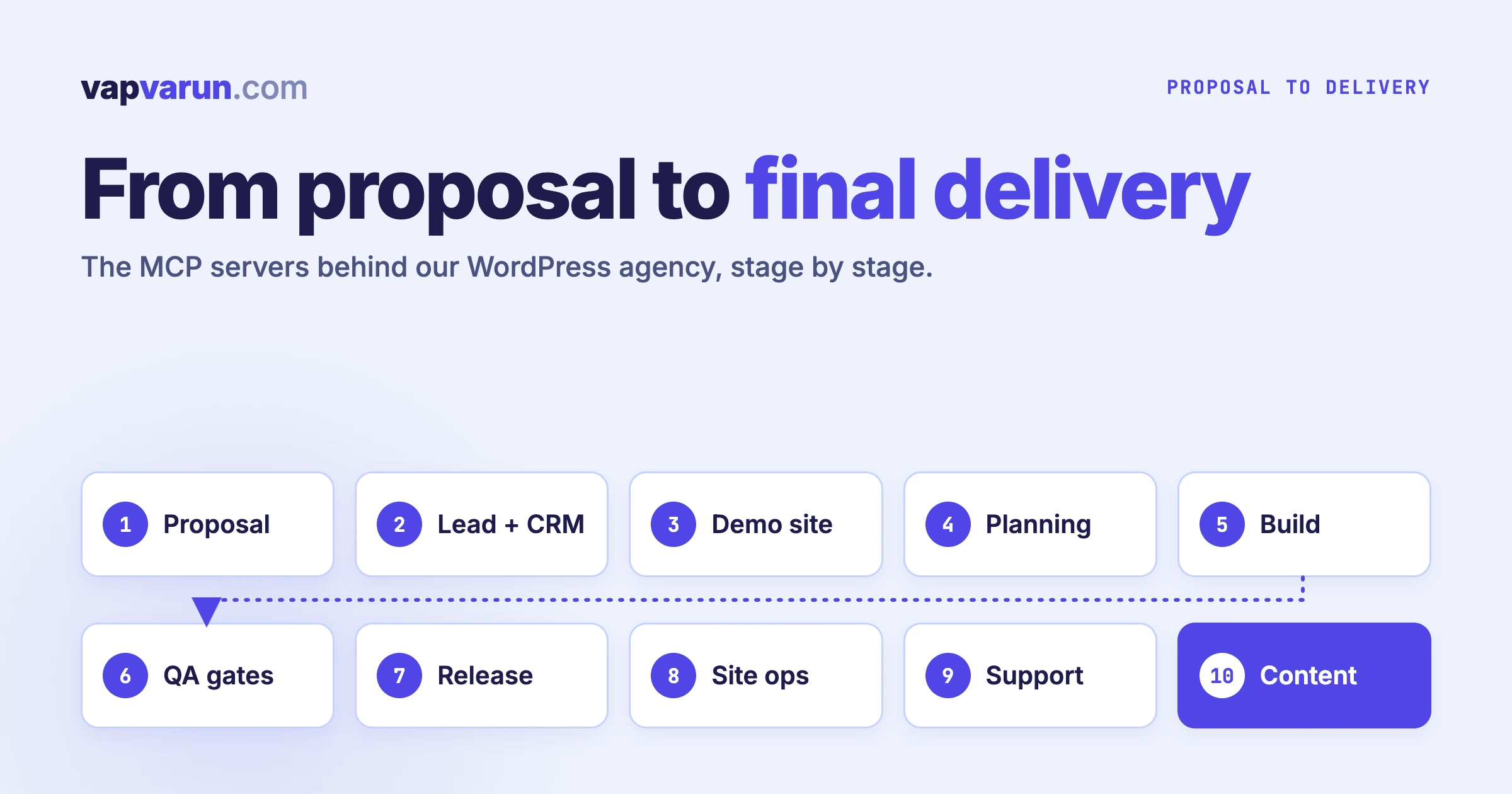
Most posts about MCP servers are lists of tools. This one follows a single client project from first proposal to final delivery and names the automation that runs at each step. We use Claude Code with a set of MCP servers and skills across our WordPress agency, and the useful question turned out to be “which stage is this for?” and not “which server is best?” The skills half of the setup, grouped by department, is in the Claude Code skills library that runs our agency.
We will not explain what MCP is. If you need that, start with Model Context Protocol for WordPress Agencies: The Complete Guide. Here we stay on the lifecycle. For each of the ten stages we cover what the automation replaced, what still needs a person, and one failure that taught us something. The failures are the part we would have wanted before we started.
A note on honesty. These are the servers configured in our own Claude Code setup today. Some we wrote ourselves, some are official or community servers, and a few arrive through plugins. We name only what we use, and we leave out client names, credentials and file paths.
The whole lifecycle on one page
| Stage | What happens | What runs it |
|---|---|---|
| 1. Proposal | Scoped, branded proposal | A proposal skill, plus fetch and filesystem |
| 2. Lead and CRM | Contact, tags, follow-up, store history | wbcom-crm, Groundhogg |
| 3. Demo site | A disposable site to show the work | InstaWP |
| 4. Planning | Cards, threads, decisions | Basecamp, Slack |
| 5. Build | Code, local sites, browser checks | Claude Code skills, local-wp, GitHub, Playwright, Figma |
| 6. QA gates | Standards, test plans, release gates | wp-plugin-qa, wpcs, smoke and contract-audit skills |
| 7. Release | Tag, notes, distribution check | Release skills, GitHub |
| 8. Site ops and security | Health, hardening, malware, edge | wp-site-doctor, wp-malware-cleanup, Cloudflare API |
| 9. Support | Triage, replication, drafts | Zoho Desk, a triage skill, Jetonomy |
| 10. Content and reporting | Research, publishing, distribution, numbers | wp-blog, content-trends, Buffer, YouTube, analytics, Ubersuggest |
Memory runs underneath all ten. We use AutoMem, a graph and vector memory server, so a decision made at stage 4 is still there at stage 9. More on that near the end.
Stage 1: Proposal
A proposal is where scope gets fixed, so mistakes here are the most expensive ones in the whole project. We use a proposal skill that produces a branded HTML and PDF document and enforces scoping discipline, so hours and timelines stay defensible. Claude Code reads the brief, pulls reference pages with the fetch server, reads our own past scopes through the filesystem server, and drafts to a fixed template.
What it replaced. Starting from a blank document and copying the last proposal. The template carries our design rules, so the draft already looks like us, and the scoping rules push back on vague line items.
What still needs a person. Everything that matters commercially: what to promise, what to price, what to leave out. The model drafts. A human decides, and a human talks to the client.
A failure we learned from. Early versions of the print layout used a repeating footer that collided with page content in the PDF. We tried it, it broke, and now the skill says not to add it back. The bigger lesson is the rule that sits next to it: a proposal is never handed over until someone has rendered it and looked at the pages. A file that passed a script check can still have a layout problem you only see on the page.
Stage 2: Lead and CRM
Once a lead replies, the record has to live somewhere useful. Our CRM stack is Groundhogg for contacts, funnels and email, EDD for the store, and tag rules that connect purchases to CRM tags. The wbcom-crm server is our own. It gives Claude Code structured control over Groundhogg, the EDD store and its tag rules, the demo wiring, a Mailchimp audience and a local index that lets us query across all of them. A separate Groundhogg server covers the CRM on its own.
What it replaced. Switching between four admin screens to answer “who is this person, what did they buy, and what are they waiting on?” One question in Claude Code now returns the joined answer.
What still needs a person. The relationship. Tags and funnels can send the right email, but they cannot decide that a particular customer needs a phone call instead.
A failure we learned from. Two of our own CRM tools misbehaved in quiet ways. A contact lookup by email did not filter the way its name promised, and committing a funnel failed until we activated it first. Our rule since then is simple: after every write, read the record back and check it. A tool that reports success has told you only that it finished, not that it did the right thing.
Stage 3: Demo site
A demo turns a proposal into something a client can click. The InstaWP server manages demo sites at the account level: creating them, listing them and removing them. Content inside a demo is edited by that site’s own tooling. The account server does not reach inside it.
What it replaced. Spinning up a throwaway WordPress install by hand, then remembering to delete it.
What still needs a person. Deciding what the demo should prove. A demo that shows ten features proves nothing. One that shows the three the client asked for does.
A failure we learned from. Demo slots are a fixed pool, so long demos crowd out new conversations. Our rule is a fresh short-lived demo for each conversation, or the free versions on the customer’s own staging site, and no extended demos. It is a policy lesson more than a technical one, but the automation is what made it visible, because the pool is something you can count.
Stage 4: Planning and cards
Planning lives in Basecamp, and team conversation lives in Slack. Claude Code can read and post in Slack through a plugin, so a long thread can be summarized and the decision written back where the team will see it, without copying text between tabs.
What it replaced. Re-typing the same decision into three places so that everyone sees it.
What still needs a person. Priorities. Claude Code can tell you a card has sat in a column for two weeks. It cannot tell you whether that matters more than the customer who is waiting.
A failure we learned from. Cards drift when they are scattered. The rule we settled on is one board per product, bugs live in that product’s Bugs column and stay there, and updates go in comments instead of moving cards around. It sounds like housekeeping. It is what lets an agent find the right card without guessing.
Stage 5: Build
This is the stage most people picture when they hear “Claude Code”. The part that surprised us is how much of the value is in the setup around it. Our plugin development skill carries the rules for the whole portfolio: architecture, security, tests, release packaging. The local-wp server gives Claude Code access to our local WordPress sites, the GitHub server handles branches, pull requests and issues, and Figma provides design context when a mockup exists. We have written about that configuration layer separately in The Claude Code Config Layer Nobody Uses: Hooks, Plan Mode, and Skills.
The Playwright server is the one we would keep if we could keep only one. It drives a real browser, so Claude Code can load the page it just changed, click through it, resize it to a phone width and take a screenshot. Every interface change gets checked in a browser before the work counts as done.
What it replaced. Writing code, switching to a browser, eyeballing it, switching back. The loop is tighter, and the check is no longer optional because it is part of the job.
What still needs a person. Taste, and the decision about what to build. Claude Code is good at implementing a plan and poor at noticing that the plan is wrong. We plan in the main session first and write code second.
A failure we learned from. Passing code-quality tools does not mean a feature works. A change can satisfy every coding standard and still leave a button that does nothing. So we have a standing rule that a plan item is done when its check passes in the browser, not when the code is written. A second rule came from the same place: reproduce a reported bug and find its root cause before changing anything, because a bug report can be wrong, and an error message can be the correct behaviour.
For the wider picture of how this changes who does what on the team, see Stop Prompting, Start Orchestrating: What a Year of AI Agents Changed in Our WordPress Agency.
Stage 6: QA gates
Quality gates are where we stopped trusting any single check. The wp-plugin-qa server scans a plugin directory, finds its features (post types, REST routes, AJAX handlers, settings, cron jobs, database tables and more), generates a prioritized test plan and analyses the code across several categories. The wpcs server runs WordPress Coding Standards and can fix many violations automatically. On top of those we run a smoke skill before a release and a contract-audit skill that looks for settings which are saved but never applied, or read but never written.
For page-level work there is also a specification server that reads the Website Specification and can return audit-style checklists, so “does this page follow the standard?” has an answer other than opinion.
What it replaced. A QA pass that depended on whoever remembered to check what. The scan produces a list of things that exist, so nothing gets skipped because nobody knew it was there.
What still needs a person. Judgment about experience. A tool can tell you a setting has no effect. It cannot tell you that the screen is confusing to a site owner.
A failure we learned from. QA feedback is an input, not a verdict. When a QA note says a layout “looks empty” or “feels narrow”, that is an interpretation of a problem, not the problem. We learned to reproduce it at the exact screen size QA used, look at it as the site owner and the customer would, and check it against published references before changing code. Real functional bugs get fixed without argument. Preference calls get a written answer, and sometimes a filter hook so a site owner can choose.
Stage 7: Release
Releasing is a sequence of small steps that are easy to skip when you are tired. A release skill walks a branch through packaging and publishing, GitHub holds the tags and release notes, and a style skill keeps changelogs in one scannable format: action labels first, one sentence per line, no marketing copy.
What it replaced. A checklist in someone’s head, and release notes written in a different voice every time.
What still needs a person. The decision to ship, and the sentence that tells customers why they should care.
A failure we learned from. A pushed GitHub tag is not a release that customers can install. We now count a release as available only after our team channel shows the confirmation that the distribution step finished. If you automate releases, automate the check that the thing reached the customer, not just the step before it.
Stage 8: Site operations and security
Once a site is live, the job changes from building to keeping. Two servers share one site registry. The wp-site-doctor server connects over SSH and WP-CLI and runs diagnostics, health checks, database audits and hardening. The wp-malware-cleanup server handles infection: scans are read-only by default, every destructive action shows a preview and needs confirmation, deletions are quarantined first, and it refuses to run without a recent backup. Cloudflare’s API server handles the edge, such as cache purges and firewall rules.
The division matters. Diagnose and harden a healthy site with one, find and remove an infection with the other, then hand back. Tool output points at the sibling when the findings call for it.
What it replaced. Logging into a server to run the same dozen commands, and keeping the results in your head. The same checks now run the same way on every site.
What still needs a person. Anything destructive or irreversible. We read the preview. We confirm the backup exists. We decide whether to restore or rebuild.
A failure we learned from. Signature scanners called a server clean while a backdoor was quietly re-creating itself. That case, a WHM server with more than 60 WordPress installs, is written up in Cleaning 60+ WordPress Installs on a Fully-Infected WHM Server. The lesson shaped the malware server: hunt the whole persistence chain, not only the visible file. On the edge side, a smaller lesson: a firewall can block scripted requests to your own domain, so we verify live pages in a real browser, not with a command-line fetch, before we tell anyone a URL works.
Stage 9: Support
Support is where the project meets reality. Zoho Desk holds tickets, and we reach it through two servers. A triage skill pulls tickets, checks them against known bugs and board cards, and prepares a response. For community products, a Jetonomy server lets Claude Code read a forum’s moderation queue and thread history without opening the browser.
What it replaced. Reading a ticket, opening three other tabs to find out whether it is a known bug, and then writing from scratch.
What still needs a person. Every reply. We use the automation to gather facts and to draft, and a person sends. We treat a customer’s own reply as the ground truth over any note or tag in our system, because notes go stale and customers do not.
A failure we learned from. A support-side git command once overwrote a branch a developer was working on. The fix was structural, not a promise to be careful. Support verification now runs only in its own isolated copies of each product, never in the development team’s working tree. Any time two teams share a tool, ask which one of them could damage the other’s work, and draw that boundary in the tool itself.
Stage 10: Content, distribution and reporting
Our last stage is how the work becomes visible. The content trends server is a research input. It collects what people are asking about, from scheduled sources and from a browser pass, and it does not post anywhere. Ideas come from there, are checked against what we have already published, and then move into the wp-blog server, which runs a fixed pipeline from research and duplicate check to draft, taxonomy, featured image, search metadata, scoring, link checks and a final audit. It will not publish by any path except the audited one. The architecture is covered in Inside a Blog Publishing MCP: The Architecture That Powers AI-Native Content Ops.
After publishing, Buffer handles social scheduling and the YouTube server handles the video channel. For numbers, Google Analytics comes through an analytics server, search data and keyword data come through the same publishing server, and Ubersuggest adds a second keyword source. We covered that stack in The Multi-Site SEO Stack: GSC + GA4 + SpyFu Through MCP, and the image workflow in Featured Image Automation: The HTML + Playwright Workflow.
What it replaced. A content calendar kept in a spreadsheet, and a reporting routine that meant exporting from four dashboards.
What still needs a person. The decision about what is worth saying, and whether a site’s voice and nature fit the topic. A trend that is hot is not automatically a post that belongs on a given site.
A failure we learned from. A duplicate check that returns zero results is not proof there are no duplicates. Our local content index can be empty or stale, and then a search reports no matches while published posts exist. So the pipeline now requires a second check against the live post list before a topic is locked. The same goes for keyword tools: a zero from a research tool usually means “no data”, not “no demand”. Read a zero as a question, not an answer.
What runs underneath: memory and the small utilities
Three kinds of server do not belong to one stage.
- Memory. The AutoMem server stores decisions, patterns and fixes as a graph, so a lesson from one stage can be found at another. We store reasoning and not file paths, because the same memory is shared across machines and paths differ.
- Fetch and filesystem. Plain utilities. They read a web page or a local file. Nobody writes about them, and nearly every stage uses them.
- Browser tools. Playwright is the main one. For pages that need a logged-in session we also drive Chrome directly.
What we do not automate
It helps to be clear about the edges.
- Prices and promises. A model can draft a quote. A person owns it.
- Anything irreversible. Deleting files, restoring a database, sending to a customer list. Each of those shows a preview and waits for a person.
- Customer replies. We draft with automation. A person reads and sends.
- Anything on a live site that the owner did not ask for. Staging first, always.
If you want the economics and the team structure behind this, we wrote about them in The Economics of Running an AI-First WordPress Agency and Claude Code as an Agency Team Member: Workflows That Stick.
If you are a small agency, start with these three
You do not need twenty servers. We built ours over time, and most of them solve a problem we had already felt. If you are starting from nothing, we would pick three.
- A browser server (Playwright). It changes the most. The moment Claude Code can open the page it just edited, “done” starts to mean “checked”. It costs nothing and works on any WordPress site.
- A site diagnostics server (like wp-site-doctor), read-only first. Point it at your own sites, run the health checks, and read the output. You will learn more about your own portfolio in an afternoon than in a year of occasional logins. Turn on fixes later, once you trust it.
- A memory server. Agencies lose the most time re-explaining. A memory server keeps decisions, customer quirks and past fixes where the next session can find them. Store reasoning, not secrets.
Add the rest when a real problem asks for it. A proposal skill when you write your fifth proposal. A CRM server when contacts outgrow a spreadsheet. A publishing pipeline when you have more than one site to feed.
For a view of what a larger portfolio looks like once these pieces are layered, see WordPress Management at Scale: The 100-Site Tool Stack.
Questions we get asked
Do you need all of these servers?
No. Our setup is the result of adding one at a time. Start with the stage that hurts most and add the next when it hurts.
Which stage gave us the biggest change?
Build and QA, because a browser check turned “I think it works” into “I saw it work”. The proposal and support stages gave the least raw speed and the most consistency.
Is it safe to give an AI access to server tools?
Only with limits. Our malware server shows a preview before any destructive change, quarantines before deleting, and refuses to run without a recent backup. Choose servers that make the safe path the default, and keep a person on anything you cannot undo.
Where do skills fit next to servers?
A server gives Claude Code the ability to act on something. A skill gives it the rules and sequence for doing it well. Stages like proposals and releases are mostly skills. Stages like site operations are mostly servers. Most real work uses both.
Want this built for your agency?
If you run a WordPress agency and want this kind of lifecycle automation without building it yourself, our team at Wbcom Designs can set it up with you, from the first server through the quality gates and the content pipeline. Start with the stage that costs you the most time, and tell us about it. We will begin there.