Designers Are Prototyping in Code With Claude Instead of Figma: What a WordPress Design Studio Should Try
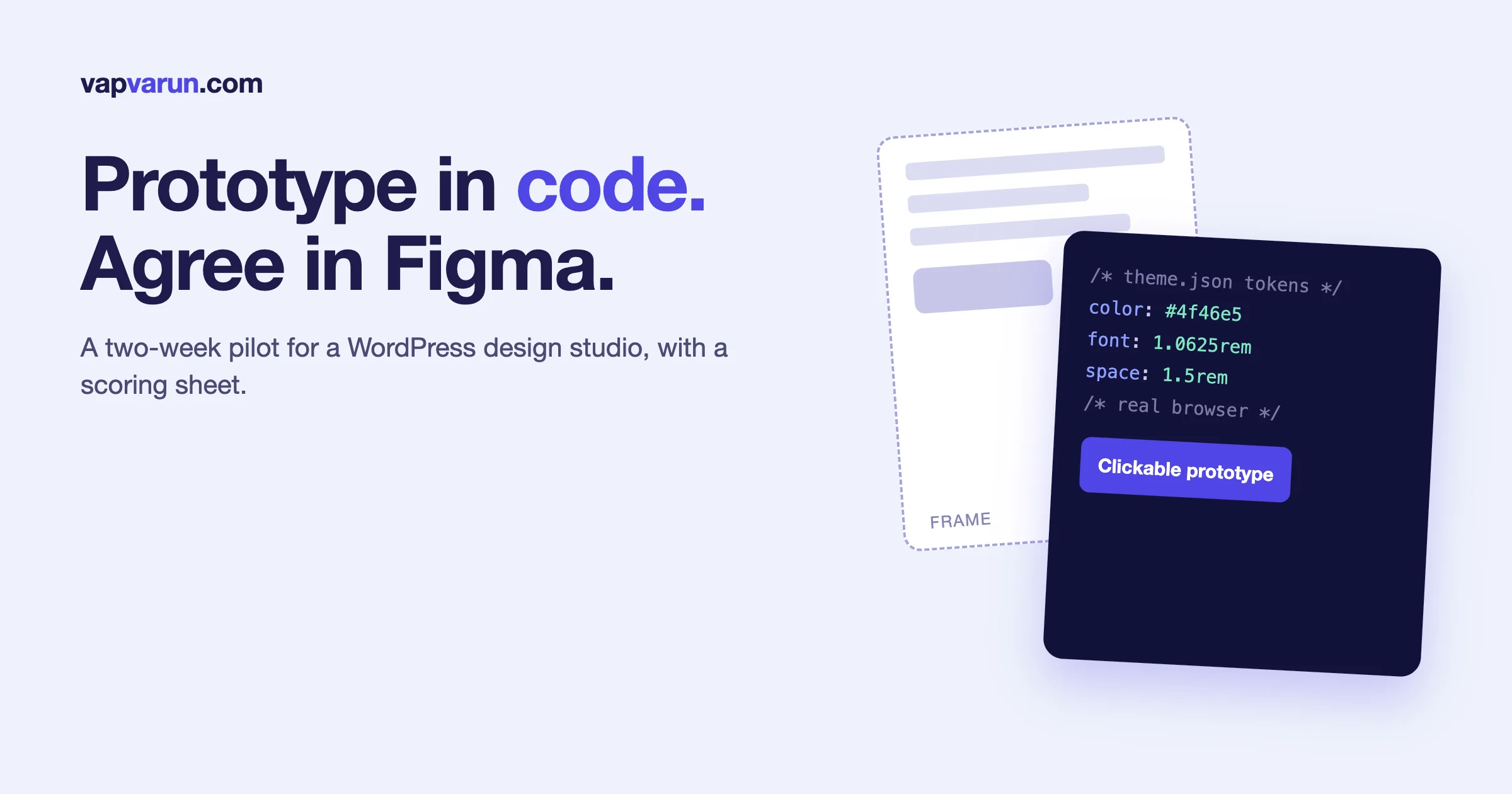
Designers are moving the prototyping step out of Figma and into working code, and a WordPress design studio should run a short, honest pilot of it rather than copy the headlines. The practical shape of the pilot is simple: keep Figma as the place where the team agrees on the design, let Claude build the clickable, real-browser version from that agreement, and measure three things, the time to a prototype a client can use, the handoff rework afterwards, and the cost in usage limits. Both companies now document the bridge between the two tools, so this is a workflow you can test this week, not a prediction.
We build themes, plugins and community platforms at Wbcom Designs, and our design and development seats share one problem: a static mockup answers “what does it look like” and leaves “how does it behave” for the build. Code prototypes answer both earlier. This article covers what the vendors say each tool does, where the two approaches fit a WordPress project, a two-week pilot you can run, and the mistakes that make a pilot look better than it is. We checked every product claim against Anthropic’s and Figma’s own pages on 3 November 2026, and we say where we could not.
What does “prototyping in code with Claude” actually mean?
The phrase covers three different workflows, and mixing them up is how arguments about “Figma versus Claude” go nowhere.
- Claude Design. A product from Anthropic Labs, launched in April 2026 as a research preview. Anthropic’s launch post describes it as a way to collaborate with Claude on “polished visual work like designs, prototypes, slides, one-pagers, and more”. You describe what you need, Claude builds a first version, and you refine it through conversation, inline comments, direct edits or sliders Claude makes for you.
- Claude Code with the Figma MCP server. Claude Code, Anthropic’s coding agent, connects to Figma through Figma’s own MCP server, reads a selected frame and writes code from it. Figma documents this directly.
- A plain Claude conversation that produces an interactive artifact. No Figma file at all. You describe the screen, Claude produces a working page you can click.
The first and third are about speed of exploration. The second is about fidelity to a design you already agreed on. A studio’s answer will differ by project stage, which is why the pilot below tests all three on the same small brief.
What does Anthropic say Claude Design does?
From Anthropic’s launch post, which we read on 3 November 2026:
- It is powered by Claude Opus 4.7 and launched in research preview for Pro, Max, Team and Enterprise subscribers.
- It lists realistic prototypes among its uses: designers can “turn static mockups into easily-shareable interactive prototypes to gather feedback and user-test, without code review or PRs”.
- During onboarding, Claude builds a design system for your team by reading your codebase and design files, and later projects use your colors, typography and components automatically.
- You can start from a prompt, uploaded documents and images, or by pointing Claude at your codebase, and a web capture tool grabs elements from your website.
- Designs can be exported as an internal URL, a folder, Canva, PDF, PPTX or standalone HTML, and when a design is ready to build, Claude packages a handoff bundle for Claude Code.
Two later changes matter if you plan around it. Anthropic’s support center says Claude Design now lives inside Claude, the standalone site at claude.ai/design closes on 14 December 2026 and becomes read-only after that, and Claude Design is available on Free, Pro, Max, Ultra, Team and Enterprise plans. New designs, design systems and slide decks started in Claude are created as artifacts. If you tried it in the spring on a paid plan, your projects and design systems need to be moved. That is a reason to start your pilot in the current product, not the standalone one.
What does Figma say the Figma MCP server does?
Figma’s developer documentation describes the Figma MCP server as bringing Figma into your AI workflow: it gives AI agents the design context they need to generate code from your Figma files, and it lets agents write native Figma content back to the canvas. The pieces that matter to a studio:
- Generate code from selected frames. Select a frame and turn it into code.
- Extract design context. Pull variables, components and layout data into your IDE, which Figma says is especially useful for design systems.
- Code Connect. Reuse your real components so generated code stays consistent with your codebase.
- Write to the canvas. Agents create and modify frames, components, variables and auto layout in your files. Figma says this needs the remote server and a Full seat to write outside your drafts, and that it is free during the beta and will eventually become a usage-based paid feature.
- Code to canvas. Capture live UI from your browser (production, staging or localhost) as editable design layers, so a team can review a multi-step flow side by side, then hand the link back to the agent to implement changes. Figma lists Claude Code among the supported clients.
That last one is the answer to the strongest objection to code prototypes: “my client and my team still review in Figma.” The round trip Figma describes is code to canvas for review, then back to code. Figma also notes that code to canvas captures your running UI as flat layers, without a connection to your libraries, which is different from writing to the canvas with your existing components.
Setup is short. Figma’s Claude Code page recommends installing the Figma plugin, which bundles the server settings and Figma’s skills:
If plugins are blocked in your environment, the manual route adds the remote server directly:
Figma’s troubleshooting notes warn that an older desktop-server entry at 127.0.0.1:3845 can shadow the remote one, so remote-only tools never load. Run claude mcp list and remove it if it is there. We would also check the current plan and tool-call limits on Figma’s pricing page before you give a whole team access, because we have not verified them.
Why are designers doing this at all?
Three pressures push the same way, and none of them is “designers want to code”.
- A static frame hides behavior. Empty states, error states, long names, slow loading, keyboard order and responsive breakpoints are where a design usually breaks. A coded prototype meets those in the first hour.
- Clients review better on a real page. A link that opens in their own browser on their own phone ends a lot of “what happens when I tap this” meetings.
- Handoff loses detail. The more the prototype is already in the target technology, the less is retyped by a developer later.
There is a fair counter-argument, and it is not nostalgia. Figma is where several people comment on one canvas, where a design system’s variables and components live, and where non-technical stakeholders already know how to leave feedback. A code prototype is only as good as the code quality process around it, and a studio that has no review habit for generated code is creating a new kind of mess.
Where does each approach fit a WordPress project?
| Project stage | Better fit | Why |
|---|---|---|
| Early exploration, many directions | Claude Design or a Claude conversation | Cheap to produce a dozen directions, as Anthropic’s own pitch says |
| Agreeing layout and components with a client | Figma | Comments, versions and a canvas everyone already uses |
| Behavior: forms, filters, member dashboards, checkout steps | Code prototype | Behavior is hard to judge from still frames |
| Turning an approved design into a block theme | Figma frame to Claude Code, with theme.json tokens | Fidelity to the agreed design, reuse of real tokens |
| Design system maintenance | Figma variables plus Code Connect | One source of truth in design, one in code, mapped |
| Accessibility checks | Code prototype in a real browser | Keyboard and screen reader behavior needs real markup |
The pattern we would defend: explore in code, agree in Figma, build from the agreement, and review the build back in Figma through code to canvas when the team needs a shared canvas again. Treat that as a hypothesis to test, not as our proven process.
What should a WordPress studio put in the shared design tokens?
The biggest practical win for WordPress work is that the token file already exists. A block theme’s theme.json holds colors, type scale and spacing in one place, and WordPress turns them into CSS custom properties. If your design tokens in Figma and your theme.json agree, a coded prototype can start from the real values instead of invented ones.
Give that file to Claude at the start of a prototype session and say, in plain words, “use only these tokens”. Then the prototype’s colors and spacing map straight onto the theme. Without this step, the usual failure is a prototype that looks right and uses forty values that do not exist in the system. Anthropic says Claude Design can build a design system by reading your codebase and design files, which is the same idea done by the tool. We have not tested how well that works on a WordPress block theme, and a pilot should.
What does a two-week pilot look like?
Pick one real, small brief. A pricing page, a member profile header or a checkout step all work. Do not pilot on your biggest client. Give two designers the same brief and run it through three routes.
- Day 1: write the brief and the scoring sheet. What is the screen, who is it for, what states must it show? Decide how you will measure before you start.
- Days 2 and 3: route A, Figma only. Your normal process. Time it from brief to a clickable Figma prototype a client could open.
- Days 4 and 5: route B, a Claude conversation or Claude Design. Same brief, same tokens. Time it from brief to a link a client could open in a browser.
- Days 6 to 8: route C, Figma frame to Claude Code. Use the agreed frame from route A as input, connect through the Figma MCP server, and build the block or template. Time it, and record how many manual fixes the developer made.
- Days 9 and 10: review with someone who was not involved. A developer, a copywriter and, if possible, a friendly client. Let them use each version on a phone.
- Days 11 and 12: accessibility pass. Keyboard only, then a screen reader on the one most-used flow.
- Days 13 and 14: write down what happened. Times, fixes, surprises and what you would do differently.
What to score
| Measure | How to capture it |
|---|---|
| Time to a prototype a client can use | Stopwatch from brief to a shareable link, per route |
| States covered | Count empty, error, loading and long-text states shown |
| Token fidelity | Count values in the prototype that are not in theme.json |
| Handoff rework | Developer hours to make the build match the agreed design |
| Accessibility defects | Count issues found in the keyboard and screen reader pass |
| Usage cost | Note how much of the usage allowance each route consumed |
| Reviewer preference | Which version the outside reviewers found easiest to judge |
The cost row matters more than studios expect. Running several agents on one plan runs into limits quickly, and design sessions with screenshots and long contexts burn them fast. We wrote down how our team plans around that in running several AI coding agents without hitting the wall. The same routing rules apply here: keep design sessions short, start fresh sessions for new screens, and put the tokens in a file instead of re-explaining them.
What goes wrong in these pilots?
Most of the disappointment comes from five predictable mistakes.
- Judging the first output. A first generation is a draft. The useful comparison is time to an approved version, not time to the first screen.
- Letting the prototype invent a design system. If the tool is not given your tokens and components, it makes up its own. Feed it the real ones. Practitioners posting about this online say the same thing: one GitLab design-system issue notes that Claude “doesn’t know about our components” unless it is told. That is an informal report, not a vendor claim.
- Prototype code that ships by accident. A prototype is for learning. If it goes into a client theme without review, you have shipped untested generated code. Mark prototype repositories as prototypes and keep them separate from production.
- Skipping accessibility because it “looks fine”. Generated markup can look right and fail on keyboard order, labels or contrast. Test it the way you would test any code.
- Treating one designer’s enthusiasm as data. Use the same brief and the same scoring for everyone, and include a person who does not like the new route.
Where should the work live so a client can review it?
Review is the part of this workflow that most often gets left until the end, and it is where clients form their opinion of the whole process. Decide the review surface before the first prototype.
- A link in the client’s own browser. Anthropic says Claude Design exports include standalone HTML. A coded prototype can also sit on a staging site. Pick one and tell the client how to leave feedback.
- A Figma frame for comments. If your client already comments in Figma, capture the running prototype into Figma with code to canvas, and let them comment there. Figma says captured frames are standard layers the team can organize, duplicate, edit copy on and annotate.
- A short recorded walkthrough. Two minutes of screen recording with your voice explaining the decisions often beats a long document.
Whichever surface you choose, keep one list of open decisions. A prototype that exists in three places with three different states is worse than a static mockup.
Is Figma going away for design studios?
Nothing we read from either vendor says so, and it would be a strange claim. Figma’s own documentation is building the bridge in both directions: code to canvas, write to canvas, Code Connect and design context for agents. Anthropic’s launch post names Canva among its integrations and describes handoff to Claude Code rather than replacement of other tools. The stronger and safer reading is that the prototyping step is moving, and the agreement step and the system step are not. Informal comparisons published by designers reach the same split: code-based prototypes are strong for interactive behavior, while Figma stays favored for collaboration, documentation and visual polish. Those are individual blog posts, so treat them as anecdotes.
How should a studio decide whether to adopt this?
Use the pilot numbers, and apply four tests.
- Did it save time to an approved prototype, not to a first draft?
- Did it reduce handoff rework, or did developers just spend the saved time cleaning up?
- Could every reviewer use it, including the non-technical ones?
- Did it stay inside the usage and budget limits you can afford for a whole team, not for one enthusiastic designer?
If the answer to all four is yes on a small brief, widen the pilot to a real client project with a clear rule: the prototype is never the deliverable, and the production build always goes through the normal review. If two or more are no, you have learned something cheaply. Our write-up of the MCP servers we use across an agency project shows how we think about adding one tool at a time and checking what it replaces.
Frequently asked questions
Can Claude replace Figma for a WordPress design studio?
Not on the evidence of the vendors’ own documentation. Claude is strong for fast exploration and for building interactive prototypes in code. Figma remains the shared canvas for comments, components and variables, and both companies document ways to move work between the two.
What is Claude Design?
It is an Anthropic Labs product that lets you create designs, prototypes, slides and one-pagers by working with Claude, then export them or hand them to Claude Code. Anthropic says it now lives inside Claude and the standalone site closes on 14 December 2026.
How does Claude Code connect to Figma?
Through Figma’s MCP server. Figma recommends installing its plugin for Claude Code with claude plugin install figma@claude-plugins-official. A manual option adds the remote server at https://mcp.figma.com/mcp.
Can Claude turn a Figma frame into a WordPress block theme?
Figma says the MCP server can generate code from a selected frame and that Code Connect keeps generated code consistent with your components. We have not verified how well that works for WordPress block themes, which is why we suggest testing it on one small brief, with your theme.json tokens supplied.
Is it safe to put client designs into these tools?
Check each vendor’s data handling terms and your client contracts before you do. Anthropic’s launch post describes organization-scoped sharing for designs, but contract terms are for you and your client to settle, and we are not giving legal advice.
How much does it cost to run a pilot?
We do not quote a figure, because plans and limits change. Record how much of your usage allowance each route consumes during the pilot, and read the current plan limits on Anthropic’s and Figma’s pricing pages. Figma notes that write to canvas is free during beta and will become usage-based.
What is code to canvas?
It is a Figma MCP feature that captures live UI from your browser, including localhost and staging, as editable Figma layers so a team can review it on the canvas. Figma lists Claude Code as a supported client.
The short version
Prototyping is moving into code, and the agreement step still happens on a canvas. Both Anthropic and Figma document the bridge, from Claude Design and handoff to Claude Code on one side to the Figma MCP server, Code Connect and code to canvas on the other. A WordPress studio should run one two-week pilot on a small brief, feed the tools its real theme.json tokens, score time to an approved prototype, handoff rework, accessibility and usage cost, and decide from numbers. We have not run this as a formal studio bake-off yet, so treat our plan as a method, not a result. Sources: Anthropic’s launch post for Claude Design and its support article on moving to Claude, and Figma’s developer documentation for the Figma MCP server and code to canvas, all read on 3 November 2026.