Running Several AI Coding Agents Without Hitting the Wall: How an Agency Plans Around Usage Limits
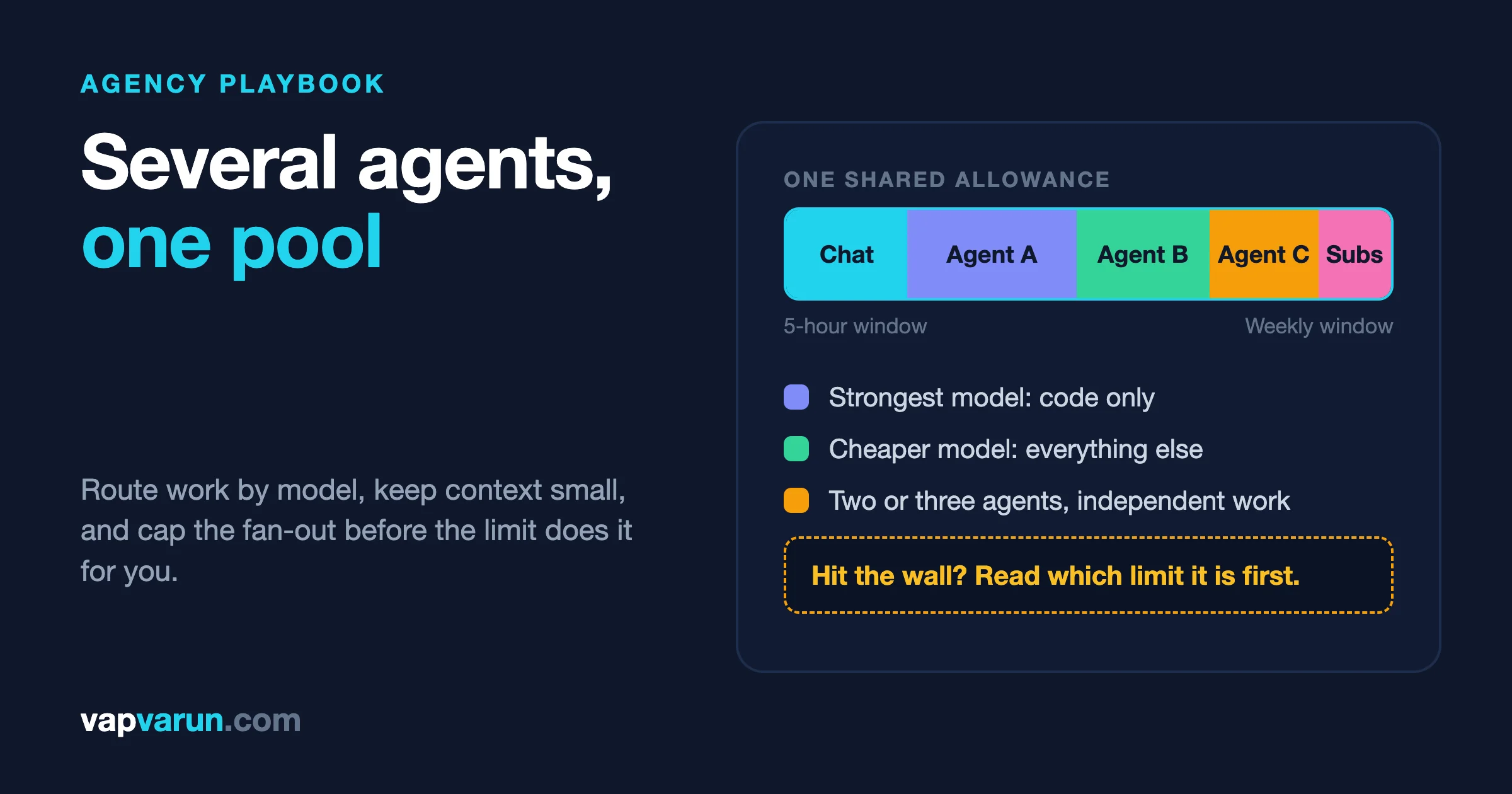
Short answer: you do not beat usage limits by finding a bigger plan. You beat them by knowing which limit you are actually hitting, and by spending fewer tokens on work that never needed the strongest model. On a Claude subscription, Anthropic documents a five-hour session limit and a weekly limit, shared between Claude and Claude Code. Every agent you run in parallel draws from the same pool. So the plan is a routing problem first and a purchasing problem second.
This is how our team plans around that. We run several agents at once across more than a hundred plugin and site repositories, and the routine below is what keeps a long day from stopping at 2pm. Everything about limits comes from Anthropic’s own documentation, linked as we go. The habits are ours, and we say so where it matters.
What limits do Claude Code users actually hit?
There is more than one wall, and they behave differently. Mixing them up is the most common reason people fix the wrong thing.
Anthropic’s support article on using Claude Code with a paid plan says Pro and Max plans have a five-hour session limit and a weekly limit. Ultra plans have a weekly limit, and verified Ultra accounts do not have a five-hour session limit. Max and Ultra also have a separate weekly limit for Fable, the top model tier. The same article says these limits are shared across Claude and Claude Code, so a long chat in the app and a long agent run in the terminal come out of one allowance.
Team and Enterprise seats work on the same shape. According to the Claude Code cost documentation, each member draws from a per-seat allowance that resets on a rolling five-hour window and a weekly window, shared with chat and Cowork, and sized by seat tier.
If you use the API or a cloud provider instead of a subscription, the wall is different again. You are billed per token, and the limits are requests per minute and tokens per minute at the organization or workspace level. Same agents, different arithmetic.
| You are on | What stops you | What you can do about it |
|---|---|---|
| Pro, Max or Ultra | Five-hour session limit (not on verified Ultra), weekly limit, and a separate weekly Fable limit on Max and Ultra | Wait for the reset, turn on usage credits, or change what you spend |
| Team or Enterprise seat | Per-seat allowance on a rolling five-hour and weekly window | Usage credits with spend limits set by an admin |
| Claude Console (API) | Workspace rate limits and spend limits | Raise limits, lower a workspace rate limit to protect other workloads |
| Bedrock, Google Cloud or Foundry | Your cloud account quotas and budgets | Cloud billing controls and per-user metrics through OpenTelemetry or a gateway |
The support article does not state exact token counts for the subscription windows. Anything you read that quotes an exact number of messages per window is a guess or a measurement from one account on one day. We plan around behaviour, not around a number we cannot verify.
Why do several agents hit the wall so much faster than one?
Because the cost is not what you type. Claude Code sends your whole conversation with every request, and every tool call sends another request carrying the results so far. Prompt caching makes re-reading that history cheaper, but it does not make it free. Anthropic’s cost page says plainly that a one-line question in a session that has been open all day still draws usage for the whole conversation.
Run three agents and you have three of those loops. Add subagents and each one sends its own requests on top of the parent’s. The documentation lists the usual reasons a session climbs faster than your activity suggests:
- Long context. The longer a session lives, the more every follow-up costs.
- Cache misses. The first message after a break longer than the cache lifetime reprocesses your full context.
- Scheduled tasks. A session-scoped loop fires on its interval even while you are away, sending the whole context each time.
- Messages between sessions. A message from another of your sessions arrives as a new turn when a session sits idle.
- Goal check-ins. While background work keeps a goal waiting, Claude Code can start idle check-ins, up to three per goal between your prompts.
- Subagents and workflows. Each one is a separate stream of requests.
- Agent teammates. Each active teammate keeps consuming tokens until it exits.
- Compaction. Summarising a large context is itself a large request.
The team case is the sharpest. The same page says agent teams use approximately seven times more tokens than a standard session when teammates run in plan mode, because each teammate keeps its own context window as a separate Claude instance. They are off by default, and you turn them on with an environment variable. That is a feature worth using on purpose, and an expensive one to leave running by accident.
How do you find out where your usage is going?
Before changing anything, look. Anthropic’s documentation describes the /usage command, and on a Pro, Max, Ultra, Team or Enterprise plan it shows more than a bar. It attributes recent usage to skills, subagents, plugins and individual MCP servers, each as a percentage of the total. It also lists recommendations, one per row, for behaviour that accounts for at least ten percent of your recent usage. Examples in the docs include trimming a project guidance file that adds tens of thousands of tokens to every request, and switching from maximum to high effort.
Three things to know before you trust it. The shares tell you how much of your usage a row applies to, not how much the fix saves, and one request can count toward several rows, so the percentages can add up past one hundred. The figures are approximate and computed from local session history on that machine, so another laptop or the web app is not included. And if you press f when the footer offers it, Claude Code will run the effort changes for you and prompt Claude to walk through the others, showing each change before making it.
There is also /insights, which writes an HTML report on how you work: what you spend time on and where friction shows up. It uses your plan too, so run it deliberately rather than daily.
Our habit is one look at /usage at the end of a heavy week, not a constant glance at a meter. The point is to find the one or two behaviours that carry the bill. In our experience those are almost always the same few: sessions that were never cleared, a bloated guidance file, and the wrong model on routine work.
Which model should do which job?
This is the biggest lever, and it is the part where an agency can write down a rule instead of relying on mood.
Our rule, which we described in more detail in the post on Claude Opus 5.5 for plugin work, is simple. The strongest model writes, fixes and reviews code. A cheaper model does everything else: investigating and reproducing a bug, releases, support drafts, content, documentation, site operations and research. The handoff between them is a short written brief, so the code step checks only the claims that matter and does not redo the investigation.
The price gap is large enough to justify the discipline. Using Anthropic’s published list prices as we reported them in that post, Opus 5.5 is $4 per million input tokens and $20 per million output, and Sonnet 5.5 is $2 and $10. Half the price per token for the work that does not need the best model. On a subscription you are not billed per token, but the same ratio shows up as how fast a window drains.
Anthropic’s own cost guidance points the same direction. It says Sonnet handles most coding tasks well and costs less than Opus, and recommends reserving Opus for complex architectural decisions or multi-step reasoning. It also says a switch to Opus applies to subagents that inherit your session’s model, which is easy to miss. For simple subagent jobs you can pin a smaller model, such as Haiku, in the subagent configuration.
One more routing fact that matters during a crunch. When you see “You’ve hit your session limit” or “You’ve hit your weekly limit”, that is a seat-based window shared across all models, and switching models with /model will not bring you back. A message naming one family, such as an Opus limit, is different: according to the docs, switching to a model outside that family does keep you working. Know which message you got before you reach for the model picker.
What our routing looks like in practice
- Opus for code. Features, fixes, reviews, tests, security and performance audits.
- Sonnet for the rest. Our built-in subagents default to Sonnet through a single environment setting, so a fan-out of helpers does not silently run on the expensive model.
- Cause on Sonnet, fix on Opus. Investigation is cheap and wide. The fix is narrow and careful.
- A stated escalation point. If a root cause survives one fix attempt, we flag it in one line and a person decides whether to bring in the larger model.
How many agents should run at once?
Fewer than you think. Parallel agents are worth their cost when the work is genuinely independent and spread across many files: auditing ten plugin folders for the same pattern, or checking separate sites after a shared change. They are a poor trade for a narrow question, where one agent in the main session answers faster and costs less.
Our working limit is two or three at a time, and only for independent work. We do not launch a fan-out to answer a question we could answer with one search, and we do not run the same search in the main session and in a helper. That sounds obvious until you watch a day of agents repeating each other’s reading.
The Anthropic guidance for agent teams matches this. Use a smaller model for teammates, keep teams small because token use grows roughly with team size, keep the spawn prompt focused because everything in it lands in each teammate’s context from the start, and shut teammates down when their work is done.
A quick test before you add another agent
- Can the pieces be done without talking to each other? If not, it is one agent’s job.
- Will each piece touch different files? If two agents edit the same folder, you are buying merge conflicts.
- Is the answer worth more than the context it will burn? A one-line lookup is not.
- Who reads the result? An agent report nobody reviews is spend with no output.
For the git side of parallel work, including worktrees so agents do not trample each other, see our post on Claude Code and Git across 100+ repos.
How do you keep context small?
Context is the multiplier on everything else, so shrinking it pays on every request that follows. The cost documentation gives a short list, and we follow nearly all of it.
- Clear between unrelated tasks.
/clearcosts nothing and removes stale context that would otherwise ride along on every message. Use/renamefirst if you want to come back to the session. - Compact with instructions.
/compactcan be told what to keep, for example test output and code changes. Remember compaction is itself a large request, so do it before you step away, not in the middle of a limit. - Keep the guidance file short. The docs suggest keeping CLAUDE.md under 200 lines and moving workflow-specific instructions into skills, which load only when invoked.
- Trim MCP overhead. Tool definitions are deferred by default now, but the docs still say command-line tools like
ghare more context-efficient than MCP servers, and that you should disable servers you are not using. - Filter before the model sees it. A hook that greps a ten-thousand-line log for errors turns tens of thousands of tokens into hundreds. The docs include a test-output filter as an example.
- Delegate noisy work. Tests, documentation fetches and log processing in a subagent keep the verbose output out of the main conversation, though the subagent’s own requests still count.
- Write specific prompts. “Improve this codebase” triggers broad scanning. “Add input validation to the login function in auth.ts” does not.
We have written about why oversized skills hurt in keeping Claude Code skills small. The short version is that anything loaded on every session is rent you pay on every request, so it has to earn its place.
The habits that are ours, not Anthropic’s
These are not from the documentation. They are what we do, and they are free.
- Read the written record first. Before an agent scans code, it reads the plugin’s manifest, its guidance file and our stored decisions. Re-deriving what is already written down is the cheapest waste to remove.
- Read a line range, not a whole file. When the symbol is known, grep for it and read that range.
- One search, run once. No repeating the same search in the main session and a helper.
- Batch browser actions and use half-size screenshots unless fine detail matters. Measure with a page query when a number answers the question.
- Write down what you learned. A deep read done once goes into the manifest or guidance file so the next session does not pay for it again.
What about thinking and effort settings?
Thinking tokens are billed as output. Anthropic’s cost page says extended thinking is on by default because it helps on complex planning, and that for simpler tasks you can lower the effort level with /effort or in the model picker. It also says you cannot turn thinking off on Opus 5.5, Sonnet 5.5, Haiku 5.5 or the Fable models, which always use extended thinking. On those models the dial you have is effort, not on and off.
So set effort on purpose. High effort for the change that touches money or authentication. Lower effort for a rename, a changelog line or a link check. A setting inherited from a hard task and left in place on easy ones is a quiet leak. Our post on LLM cost guardrails covers the same idea from the business side.
What do you do when you hit the limit anyway?
You will, sometimes. A plan for that day is cheaper than panic.
- Read the message. A shared session or weekly window, a model-family limit and a spend limit are three different problems.
- Let a running step finish. When you hit the five-hour limit mid-response, Claude Code may show “Usage limit reached, wrapping up” and allow a small capped amount so a response in progress can complete. It counts toward your weekly limit.
- Consider waiting and continuing. On Claude Code 2.1.234 or later, the documentation describes waiting for a limit to reset and continuing the interrupted task automatically, either picked from
/rate-limit-optionsor started on its own. Admins can control whether it starts on its own with theautoContinueAtUsageLimitsetting. - Decide about usage credits. On Pro, you can enable usage credits to keep working after either limit. On Max they can cover the five-hour limit, the weekly limit or the Fable weekly limit. They bill at standard API rates, not at plan prices, and Anthropic notes that the monthly API credits included with Max cannot be used in Claude Code or the Claude apps. Set a monthly spend limit before you turn them on.
- Do the work that needs no model. A limit reset is a good time for the review, the manual test pass and the client call you have been postponing.
One trap to check for. If an ANTHROPIC_API_KEY environment variable is set, Claude Code uses it instead of your subscription, and you are paying API rates without meaning to. If your usage looks strange, check that first.
How much does a developer day cost?
Anthropic gives a benchmark for API and enterprise use. Across enterprise deployments, it says the average cost is around $13 per developer per active day and $150 to $250 per developer per month, with costs below $30 per active day for 90 percent of users. Treat that as an order of magnitude for planning a pilot, not a forecast for your team. The same page recommends starting with a small pilot group and measuring a baseline before wider rollout.
For API organizations, it also gives starting points for token-per-minute limits per user, and the number falls as the team grows because fewer people are active at once. A group of one to five users is pointed at 200,000 to 300,000 tokens per minute each, while a group of 100 to 500 is pointed at 15,000 to 20,000. These are recommendations for requesting organization limits, not caps on an individual.
| Team size | Tokens per minute per user | Requests per minute per user |
|---|---|---|
| 1 to 5 | 200k to 300k | 5 to 7 |
| 5 to 20 | 100k to 150k | 2.5 to 3.5 |
| 20 to 50 | 50k to 75k | 1.25 to 1.75 |
| 50 to 100 | 25k to 35k | 0.62 to 0.87 |
| 100 to 500 | 15k to 20k | 0.37 to 0.47 |
| 500 and up | 10k to 15k | 0.25 to 0.35 |
What should a small team do on Monday?
- Write the routing rule. Strongest model for code, a cheaper one for everything else, with one named escalation point.
- Pin subagents. Set the default for helpers to the cheaper model so a fan-out is cheap by default.
- Cap the fan-out. Two or three agents, independent work only.
- Run
/usageonce and fix the largest row. Usually it is the guidance file or an uncleared session. - Make clearing a habit. One task, one session.
- Set effort per job, not per day.
- Decide your limit-day plan in advance: wait, credits with a spend limit, or switch to non-model work.
What should a non-technical owner take from this?
Three things. First, an AI coding bill or limit is not mainly about which tool you chose. It is about how the people using it work, and that is a management question you can ask: show me the routing rule, show me how long sessions run, show me what you changed after the last bad week. Second, parallel agents multiply spend as well as speed, so ask what each extra agent buys. Third, a team that hits its limit every Thursday has a process problem that a bigger plan will only postpone.
If you would rather have a team run this for you, that is part of what we do for clients through our WordPress maintenance work, where agents handle the routine and people own the decisions.
Frequently asked questions
What are the Claude Code usage limits?
On Pro and Max plans there is a five-hour session limit and a weekly limit. Ultra plans have a weekly limit, and verified Ultra accounts have no five-hour limit. Max and Ultra also have a separate weekly limit for Fable. They are shared across Claude and Claude Code. Anthropic does not publish exact token counts.
Does switching models help when I hit my limit?
Not for a session or weekly limit, which is shared across all models. It can help when the message names a single model family, such as an Opus limit, because a model outside that family keeps working.
Why does a short question use so much of my allowance?
Because the whole conversation is sent with each request. A long-lived session makes even a one-line question expensive. Clear between unrelated tasks.
Are subagents worth it if they cost extra?
Yes, for noisy or independent work, because the verbose output stays out of your main context. Their own requests still count against your usage, so pick a smaller model for them where you can.
Should I buy a higher plan or use usage credits?
Anthropic’s guidance for people who keep hitting limits is to consider the next plan up, and to be careful with credits, which bill at API rates. We would change routing and context habits first, then decide.
Can I keep working while a limit resets?
You can wait and continue automatically on Claude Code 2.1.234 or later, or use usage credits if they are enabled. Otherwise, switch to work that does not need the model until the reset.
How do I see what is using my usage?
Run /usage. On a paid plan it shows plan usage bars and a breakdown by skill, subagent, plugin and MCP server, with recommendations. It reflects the machine you run it on.
A closing thought
The agencies that run out of usage first are rarely the ones doing the most work. They are the ones doing the most repeated work: the same files re-read, the same questions asked twice, the strongest model typing a changelog. Plan around that, and the limit becomes a number you notice on a Friday instead of a wall you hit on a Tuesday.
Sources, read on 3 November 2026: Anthropic’s support article on using Claude Code with a Pro, Max or Ultra plan, and the Claude Code documentation page on managing costs. Plan names, limits and settings change, so check your own plan’s page before you act on any figure here.