We Shipped Our First EmDash Plugin: What We Learned
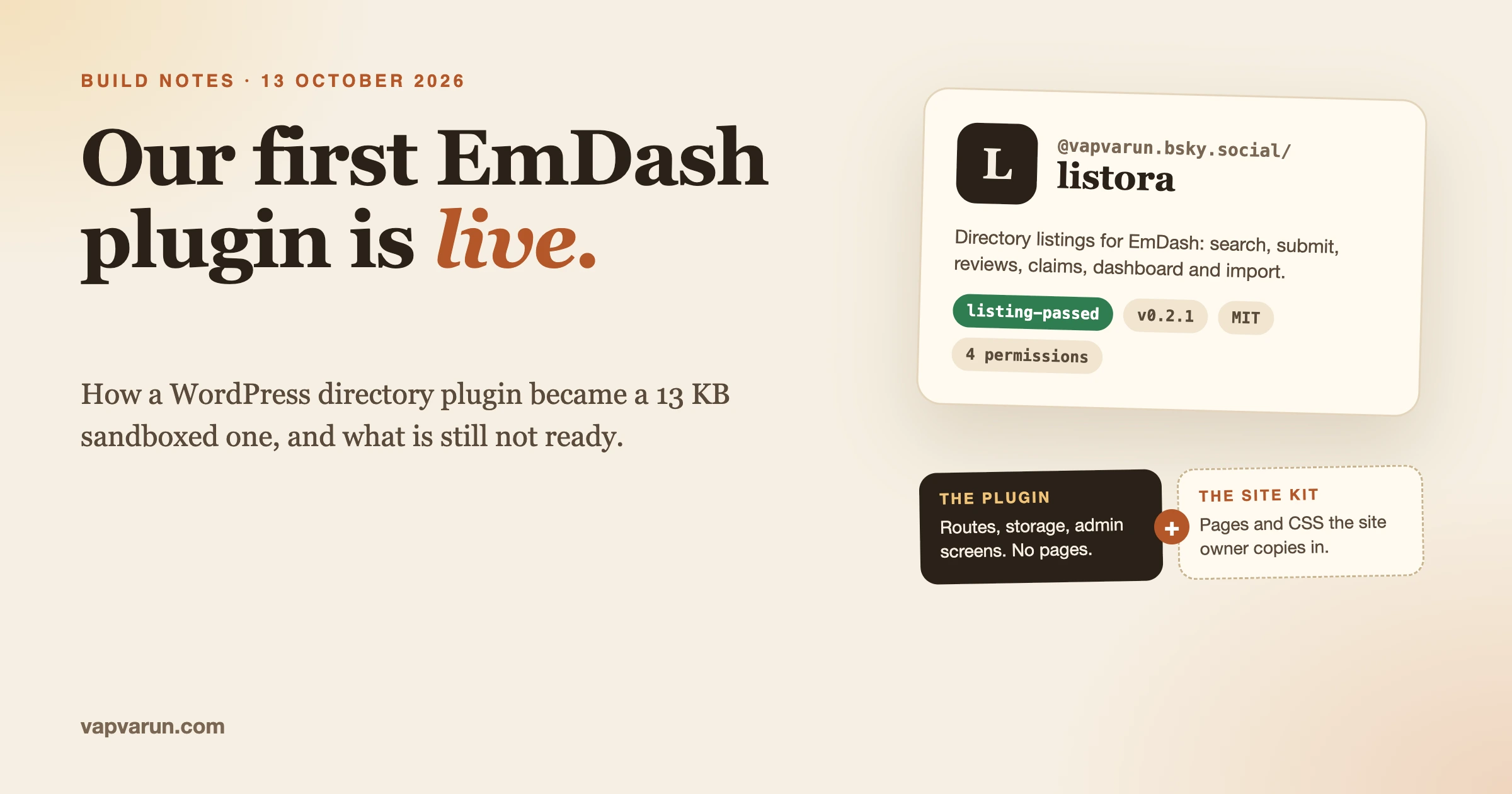
Listora is now on the EmDash plugin registry. It is the first plugin our team has published there, it passed the registry’s listing checks on 13 October 2026, and when I looked that afternoon it was sitting first under “Recently updated”. This post is the full account: why we bothered, how a WordPress plugin becomes an EmDash plugin, how publishing works, what broke along the way, and what is honestly still not ready.
I am writing it the same day on purpose. The details are fresh, the ecosystem is young, and the notes a team makes in its first week on a new platform are the ones nobody can reconstruct a year later.
The short version, if you only read one paragraph: the engine works and is published, the whole thing weighs about 13 KB, and a site owner still cannot get a finished directory from one click. That last part is the interesting one, and it comes from how EmDash is designed, not from a missing feature.
What did we publish?
A directory engine for EmDash, the Astro-based CMS several of our own sites now run on. The package is @vapvarun.bsky.social/listora, version 0.2.1, MIT licensed, with the source in a public GitHub repository.
It is a port of Listora, our WordPress directory plugin, and it is a new TypeScript codebase. No PHP came across. What it does today:
- Search listings, with ten listing types (business, restaurant, real estate, hotel, event, job, healthcare, education, place, classified)
- Take a listing from a visitor and hold it as a draft until someone approves it
- Reviews, claims (“this is my business”), favourites and a contact form
- An owner dashboard, import, a privacy export and listing renewal
- Four admin screens: Get started, the listings queue, reviews and claims
- A “Load sample directory” button that fills a new site with 12 New York listings so there is something to look at
It asks a site for four permissions: read content, write content, publish content and read the content structure. It asks for no network access at all.
Why build for EmDash now?
Because the shelf is nearly empty, and that will not last.
The registry home page listed 73 plugins when I counted on 13 October. I went through the list. There is commerce, email, SEO, events, image generation, webhooks. There was one directory plugin, and it is ours. In the WordPress directory a new listings plugin arrives as the hundredth of its kind. Here it is the only one, and that is worth more than a clever feature.
There is a second reason, and it is less about marketing. We moved a group of our own sites to EmDash this autumn, so we have real sites to test on and a real reason to want plugins for them. Building for a platform you run in production is a different job from building for one you read about. You notice sooner when something is awkward.
And the third reason is the one I would give any plugin team. Plugin revenue is under pressure on every platform, which I wrote about in plugin revenue is down everywhere. A small bet on a young ecosystem costs a few days. Waiting until the ecosystem is proven costs the first-mover position, and you cannot buy that back later.
How is an EmDash plugin different from a WordPress plugin?
In almost every way that matters to how you design it. A WordPress plugin is PHP that runs inside the site with full access to everything. An EmDash plugin comes in one of two formats, and you choose before you write a line.
| Sandboxed | Native | |
|---|---|---|
| How a site gets it | One click from the registry inside the admin | npm install, edit the site config, redeploy |
| Where it runs | An isolated runtime, apart from the site | The same process as the site |
| What it can touch | Only the APIs it declared, enforced by the sandbox | Declared APIs, but it is not a security boundary |
| Admin screens | Block Kit, described as JSON | React components or Block Kit |
| Can go on the registry | Yes | No, it ships through npm |
That table is condensed from the EmDash guide to choosing a format, which says to choose sandboxed unless you need something only native can do. We chose sandboxed for one reason: it is the only format the registry accepts, and the registry is the whole point of being early.
That choice has a price, and we paid it straight away.
The first surprise: the plugin cannot ship pages
A sandboxed plugin can return data and describe admin screens. It cannot add a page to the public site. No templates, no stylesheet in the visitor’s theme, no front-end components.
For a directory that is a strange thing to hear, because a directory is mostly pages. A grid of listings, a detail page, a submit form, a calendar, an account area. On WordPress, Listora creates all of that when you activate it. On EmDash, the plugin cannot.
So the product had to be cut into two halves, and we wrote the cut down so nobody on the team would blur it later:
| Layer | Owns | Cannot own |
|---|---|---|
| The plugin | Routes, storage, hooks, admin screens, settings | Public pages, visitor CSS |
| The site kit | CSS, sample data, ready-made page files to copy | Content APIs, sandbox code |
| The EmDash site | Logins, roles, collections, SEO tags, the sandbox runner | Directory design |
The “site kit” is a folder in the same repository. It holds one stylesheet of about 1,500 lines and five page files: archive, detail, submit, calendar and account. Each page fetches its data from the plugin’s routes and renders it with the kit’s CSS. A site owner copies the kit into their EmDash site after installing the plugin.
Every public screen therefore has two halves: data from the plugin, markup on the site. When we change a listing card we change the kit. When we change a field we change the plugin. Mixing the two is the WordPress habit that breaks an EmDash site.
It reads like a limitation, and it is also a protection. The site owner’s design stays the site owner’s, the plugin cannot inject anything a visitor sees, and the permissions screen at install time means what it says. It is a real trade, though, and it is the reason for the honest status report further down.
How do you decide what to port?
You read what the existing product does, from the code, and you sort every feature into a bucket. We did not port from memory. One of the first files in the repository is a plain description of what WordPress Listora 1.9.0 ships, read from the plugin itself, and a spreadsheet of its 76 catalogue features with a verdict on each.
| Verdict | Features | Meaning |
|---|---|---|
| Sandboxed | 38 | Belongs in the plugin |
| Theme | 11 | Belongs in the site kit pages and CSS |
| Host | 7 | EmDash already does it (logins, roles, SEO tags) |
| Collection | 6 | A content collection the site declares |
| Skip | 6 | Not coming across |
| Compose | 4 | Payments and plans, for a later separate piece |
| Split between plugin and theme | 4 | Both halves needed |
Half the catalogue is plugin work. A quarter is not ours to build at all on this platform, because the host or the site’s theme owns it. That table saved us from the most common porting mistake, which is rebuilding things the new platform already has.
We also made a scope decision early and wrote it at the top of every guidance file: this release is the free product only. No paid tier, no credits, no Google Maps, no comparison tool, no lead forms. A first release on a new platform should prove the engine, not the price list.
The same jobs, different machinery
For WordPress developers, this is the translation table we ended up with.
| WordPress | EmDash |
|---|---|
| A custom post type for listings | A listings collection the site declares |
| REST routes under the plugin’s namespace | Plugin routes under /_emdash/api/plugins/listora/ |
| 11 Gutenberg blocks | Astro pages plus the site kit CSS |
| A feature-flags option | Settings declared in the manifest |
| wp-admin screens with our own CSS | Block Kit screens. Match the structure, not the pixels |
$wpdb and WP-CLI | ctx.content, ctx.storage, ctx.kv |
What does the manifest look like?
Everything the plugin is allowed to do is declared in one file, emdash-plugin.jsonc. This is the top of ours, shortened.
{
  "slug": "listora",
  "publisher": "did:plc:2o6axbe264shvyedyhycyhya",
  "license": "MIT",
  "repo": "https://github.com/wbcomdesigns/emdash-listora",
  "capabilities": ["content:read", "content:write", "content:publish", "schema:read"],
  "allowedHosts": [],
  "storage": {
    "submissions": { "indexes": ["status", "createdAt", "title"] },
    "reviews":     { "indexes": ["status", "listingId", "member_id", "createdAt"] },
    "claims":      { "indexes": ["status", "listingId", "member_id", "createdAt"] },
    "favorites":   { "indexes": ["member_id", "listingId", "createdAt"] }
  },
  "admin": {
    "pages": [
      { "path": "/setup",   "label": "Get started", "group": "Listings" },
      { "path": "/queue",   "label": "Listora",     "group": "Listings" },
      { "path": "/reviews", "label": "Reviews",     "group": "Listings" },
      { "path": "/claims",  "label": "Claims",      "group": "Listings" }
    ]
  }
}
Three things in there deserve a comment.
The capabilities are the trust contract. A site owner sees those four lines as plain sentences on the install screen: read content, manage content, publish content, read content structure. If the code tries something that is not declared, the sandbox refuses. We keep the manifest and the code in step in every pull request, because a mismatch is either a broken feature or a permission we should not be asking for.
The empty allowedHosts is deliberate. The plugin talks to no outside server. We left Google Maps out partly for scope and partly because adding a host widens what we are asking a stranger to trust. For a first release from a publisher nobody on this platform knows yet, asking for less is the right call.
Storage is declared with its indexes. Reviews, claims and favourites live in the plugin’s own storage, separate from the site’s content, and you say up front which fields you will query by.
How does publishing work?
This is the part that is most different from WordPress.org.
There is no plugin review queue with a person at the other end, and no SVN. Your publisher identity is what the EmDash documentation calls an Atmosphere account: an account on the AT Protocol network, the same kind you use on Bluesky. My handle there is the publisher name, which is why the package is called @vapvarun.bsky.social/listora. The release is written to that account. The publishing guide describes the release record as immutable.
Approval comes from a labeler, a service that runs checks and attaches a label to the package. Until it passes, the documentation says the package stays out of the public site. When I ran the info command this afternoon, ours showed one label: listing-passed.
The commands, from a merged main branch:
npm run validate && npm run test && npm run build
git tag v0.2.1 && git push origin main --tags

npx emdash-plugin whoami
npx emdash-plugin login vapvarun.bsky.social    # only if the session expired
npx emdash-plugin publish

# watch the checks
npx emdash-plugin info vapvarun.bsky.social listora --version 0.2.1 --watch
The validation step enforces limits that shaped the whole design. From the same guide: the unpacked bundle must be 256 KB or less in total, no file over 128 KB, and no more than 20 files. Sandbox code cannot import Node built-ins such as fs or path. You use web APIs or you do without.
Our 0.2.1 package is a 13.5 KB compressed file. The plugin source is about 2,200 lines of TypeScript. A single translation file in a WordPress plugin is often bigger than that.
One caution from the documentation that I would repeat to anyone: the registry is marked experimental, its record formats can change, and the guide tells you to pin the command line tool to an exact version. We pinned ours.
What happened on the day?
Three registry releases before lunch, which sounds better than it was.
| Time (IST, 13 Oct) | What happened |
|---|---|
| From about 2am | Planning notes written: the WordPress feature list, the 76-row catalogue, the screen plan, the sample data inventory |
| About 9:20 | 0.1.0 published. The engine, three admin screens, tested in a local lab site |
| 9:27 to 9:57 | Repository rules, team documents, form rules, the detail page rebuilt |
| 11:18 | 0.2.0. Get started screen, the sample directory button, drop-in page files |
| 12:00 | 0.2.1. Phone layout for the type chips, featured listings, cover image and sidebar |
| 13:13 | A handoff note for the next working session |
| Afternoon | The registry shows the listing-passed label and the public page is live |
The lab site itself had existed since late September, so the platform was not new to us that morning. The plugin was.
Why three versions in three hours? Because releases cannot be overwritten, and I would not want them to be. 0.1.0 proved the engine and looked unfinished to anyone who installed it. 0.2.0 fixed the first impression. 0.2.1 fixed the phone layout that 0.2.0 did not cover. The cost is that the registry now carries two versions we tell testers to ignore. The rule we wrote afterwards: the version in package.json, the changelog heading, the git tag and the registry release are always the same number, and nothing is published from a branch that is not merged.
What went wrong, and how did we fix it?
Small things, mostly, and each one cost time because the platform is new and the answer was not on the first page of a search. I am listing them because they are exactly the kind of note that helps the next team.
A method that does not exist
Symptom. Saving a value to the key-value store failed.
Check. We had written ctx.kv.put, the name that habit suggests.
Fix. The method is ctx.kv.set. One word.
Prevent. We wrote it into the team notes in one line. On a young platform, your own notes are the documentation you will search first.
Sample reviews attached to nothing
Symptom. The sample listings loaded, and their reviews did not appear on them.
Check. Our sample data gave each listing a readable ID. EmDash assigns its own IDs when it creates content, so the IDs in our review data never existed on the site.
Fix. Sample reviews now match a listing by its slug as well as its ID.
Prevent. Never assume you control an ID on someone else’s platform. Match on something you did set.
A health check that wrote data
Symptom. Opening the plugin’s health route on an empty site left demo rows behind.
Check. The route seeded demo rows whenever it found none.
Fix. Removed in 0.2.0. A health check reads. It does not write.
Prevent. Test on an empty site, not only on the lab site that is already full of data.
Events on the wrong day
Symptom. Calendar times for the New York sample directory were not pinned to New York time, and a date-only event could drift off its day.
Check. Nothing in the calendar said which time zone the directory lives in.
Fix. 0.2.1 uses America/New_York for the sample calendar and keeps date-only events on their calendar day.
Prevent. Decide the time zone rule before you render the first date. This one is not specific to EmDash. It never is.
An unfinished tile on the registry
Symptom. Our listing has no icon and no screenshots. It shows a letter L.
Check. The bundle format accepts an icon and up to eight screenshots. We did not include them.
Fix. Planned for the next patch release.
Prevent. Treat the listing as part of the product. Nobody ships a WordPress.org plugin without a banner. The same care belongs here.
What is honestly not ready?
Our own readiness review, written against 0.1.0, ends with a blunt line: not owner-ready on a second site. Two releases later that is still the fair summary, and I would sooner say it here than have someone find out after installing.
| Step for a site owner | Status | Why |
|---|---|---|
| Find the plugin in the registry | Works | Listing passed, page is public |
| Review permissions and install | Works | Four content permissions, no network access |
| See the admin screens | Works | Get started, queue, reviews, claims |
| Load sample listings | Works once the collection exists | The site must have a listings collection first |
| Public directory pages | Manual | The owner copies the page files and CSS from the site kit |
| Setup on a clean second site | Not proven | We have a setup script. It has only run on our own machine |
| Real member logins | Not done | The account area still uses a demo member |
| Paging through results | Not done | Fine for a sample directory, not for a large one |
| Dark mode | Not re-checked | Last walked before the 0.2.1 layout changes |
There is also a pre-existing type-check complaint in two files that we have not cleared. The nine route tests pass, and the build is clean, but “the tests pass” and “the types are clean” are different claims and only the first is true today.
So who should install it now? A developer who runs an EmDash site, is comfortable copying page files into it, and wants to see how a directory can work on this platform. Not yet a site owner who expects a finished directory from one click. That version is what we are working towards.
How did we work with AI agents on this?
The repository is set up so that a coding agent, or a new person, can pick it up cold. I think this matters more on a new platform than on an old one, because nobody has years of habit to fall back on.
Four things made the difference.
- An agent instructions file at the root. It says what to read first, what is out of scope, and which checks to run. It is thirteen lines long. Most of it is a list of things not to build.
- A handoff note. One page: where the code lives, what shipped, how to start on any machine, the next six tasks in order, and a “do not do” list. It is rewritten in the same commit as the work, so it cannot drift far.
- A skill for the platform. EmDash’s own guide to creating plugins sits in the repository, and the instructions tell the agent to read all of it before editing. An agent that guesses at a new platform’s API writes
kv.put. - Scripts that prove, not describe. One command resets the lab site to known sample data. Another walks every route and exits with an error if any fails. “It works” in our notes means that script exited clean.
The “do not build” list did more work than anything else. Left alone, an agent porting a product will port all of it, paid features included, because that is what the source code contains. Saying “free only, and here is the list of things that are not free” in the first paragraph of every guidance file kept the scope where we wanted it. I wrote more about this way of working in what a developer’s job is when agents write the code and in the Git rules we use across 100 repositories.
What would I tell a WordPress plugin author thinking about this?
Seven things, in the order I wish I had known them.
- Pick the format first. If you want the registry, you are writing a sandboxed plugin. Read what that format cannot do before you plan a single screen.
- Do not port. Sort. List every feature and decide who owns it on the new platform: your plugin, the site’s theme, or the host. Expect to delete a quarter of your list.
- Design the split for anything visual. If your product has public pages, decide on day one how a site owner gets them. We chose a kit of files to copy. It is not the last answer.
- Ask for the fewest permissions that work. You are an unknown publisher. A short permissions screen is your first sales page.
- Budget for the size limits. 256 KB and 20 files concentrates the mind. It also rules out bundling a library because it was convenient.
- Treat every release as permanent. You cannot quietly replace a version. Check the phone layout before you publish, not after.
- Finish the listing. Icon, screenshots, a real description. I skipped them and I am fixing that next.
And one thing that did not change at all: the work that took longest was not the code. It was deciding what the product is on this platform, and writing that down clearly enough that the next session, human or otherwise, would not undo it.
What comes next for Listora on EmDash?
The next release is planned as a patch, 0.2.2, and the order is already written down:
- Prove the setup script on a clean second EmDash site. That is the gate for calling it owner-ready.
- Finish the archive page: a category grid, paging, and proper empty, loading and error states.
- Pull the card, grid and search into reusable pieces so the page files stay simple to drop in.
- A month view for the calendar, with an agenda list on phones.
- The registry icon and screenshots.
- A dark-mode walk at phone, tablet and desktop widths.
Paid features stay parked. I would like to see whether anyone uses the free engine before deciding what a paid layer on this platform should even be. Payments in EmDash look like they belong to a separate piece that composes with a plugin, not to the plugin itself, and I do not understand that well enough yet to design for it.
Questions you may have
Is this the WordPress plugin running on EmDash?
No. It is a separate TypeScript plugin that does the same jobs. The WordPress plugin carries on as before, with its own roadmap, and it is the visual reference for the EmDash screens.
Is it free?
Yes. MIT licensed, and there is no paid version on EmDash at the moment.
Can I move a WordPress Listora directory to it?
Not as a supported path today. The plugin has an import route for listing data, but we have not built or tested a WordPress-to-EmDash migration, so I will not promise one.
Do I need a Bluesky account to install it?
No. You need one to publish plugins, not to install them. Installing happens from your own EmDash admin.
Why is the publisher my personal handle and not the company?
The first release went out under my own handle. The author field says Wbcom Designs and the source lives under the company’s GitHub organisation. Whether to move publishing to a company handle is a decision for later, and I would want to understand what that does to existing installs before changing it.
How long did the port take?
The registry releases happened in one morning. The planning notes are dated from the early hours of the same day, and our lab site had been running since late September. I am not going to put a neat number of hours on it, because the honest answer includes the weeks of running EmDash sites that made the morning possible.
Where to find it
The listing is at plugins.emdashcms.com, and the source, the planning notes and the readiness review are all in the GitHub repository. If you run an EmDash site and try it, the most useful thing you can send us is where the setup stopped making sense.
If you have a WordPress plugin and are wondering whether a port like this is worth it for your product, that is the kind of work our team at Wbcom Designs does every day, and I am happy to compare notes.