Is This Plugin Still Alive? How We Decide Before Installing One
The answer first: is this plugin still maintained? Before you install any WordPress plugin, spend two minutes on five checks. When did it last ship a release? Which WordPress and PHP versions does it say it works with? Who maintains it, and how much else do they keep alive? Do real sites actually use it? And if it has gone quiet, is there a maintained plugin that does the same job? A plugin that “still works” can still be a risk if nobody is shipping fixes, because the day something breaks or a flaw turns up, there is nobody to ship the repair.
This post gives you the checks, shows what green, amber and red look like on real plugins we checked on 24 November 2026, and tells you what to do when a plugin you already run turns red. It also introduces a free tool we built to make the two minutes shorter: wbcomplugins.com.
Why “is this plugin still maintained?” keeps coming up
This week a debate on X asked a simple question: would you install a plugin that has not been updated in two years? Dozens of replies came back, split almost evenly. Some said an old plugin that does one small thing is fine. Others said an unmaintained plugin is a door left unlocked. Both sides had a point, and neither had a clear way to decide.
The problem is that the WordPress plugin directory does not tell you “this is safe” or “this is dead.” It shows you a few facts and leaves the judgement to you. Most site owners never read those facts, because the install button is right there and the plugin has a pretty banner and a four-star rating.
We wrote this for the person standing at that install button: a site owner, a freelancer, or an agency developer. If you want the bigger argument about why abandoned plugins are a problem for the whole ecosystem, we made it in an earlier essay, The WordPress Plugin Security Problem Nobody Talks About. This post does not repeat it. This one is the how-to-decide guide.
Is this plugin still maintained? The two-minute check, in five signals
Every plugin page on wordpress.org shows most of what you need in the right-hand sidebar: version, last updated, active installations, required WordPress version, tested-up-to version, and required PHP version. Here is how we read each one.
Signal 1: When was the last release?
What it tells you: whether anyone is still looking after the plugin. A plugin with no release for years has had no bug fixes, no compatibility updates and no security patches for that whole time.
Where to see it: the “Last updated” line in the plugin page sidebar, or the changelog tab for exact dates.
How to read it:
- Green: a release in the last six months. The plugin is actively looked after.
- Amber: six months to two years since the last release. Not an emergency, but go on to the other signals before you decide. Small plugins that do one stable thing can sit quiet for a year and be fine.
- Red: two years or more with no release. Treat it as unmaintained until proven otherwise.
Those bands are the same ones our own index uses, which we explain below. They are a rule of thumb, not a law. A release date tells you about care, not about quality.
Signal 2: Tested up to, and the PHP range
What it tells you: whether the maker has checked the plugin against recent WordPress and PHP versions.
Where to see it: “Tested up to” and “PHP version” in the sidebar.
How to read it:
- Green: tested up to the current WordPress version or one release behind.
- Amber: several releases behind. Plenty of plugins keep working, but nobody has confirmed it.
- Red: far behind current WordPress, combined with a very old minimum PHP. That pairing often means the code has not been touched in years.
Be fair to plugins here. “Tested up to” is a statement by the maker, not a test result you can run. A plugin that was last tested on an old version might work perfectly. What the field cannot do is give you any promise, and with no maker watching, there is nobody to call if it breaks.
Signal 3: Who maintains it, and what else do they look after?
What it tells you: whether the plugin has a real owner. A plugin from a company with a product, a support forum presence and several other plugins that are all current is a better bet than a one-off from an author who has not shipped anything in three years.
Where to see it: the author name on the plugin page, then click through to the author’s profile for their other plugins.
How to read it: ask three questions. Does the maker answer support threads? Do their other plugins have recent releases? Has the plugin changed hands recently? An ownership change is not automatically bad, but it is a reason to look at the next release carefully.
Signal 4: Real use
What it tells you: whether other site owners trust the plugin enough to run it, and whether a problem would be noticed fast.
Where to see it: “Active installations” in the sidebar, plus the rating and the number of ratings. WordPress shows installs in bands such as 1,000+ or 100,000+, not exact numbers.
How to read it: high installs plus recent releases is the best combination. High installs with no releases is the combination that worries us most: many sites rely on something nobody maintains. Read ratings with care. A 4.9 from 74 ratings and a 4.8 from 27,000 ratings are not the same level of evidence.
Signal 5: Is there a maintained alternative?
What it tells you: how painful it will be to leave. If three maintained plugins do the same job, an amber signal elsewhere matters less. If yours is the only one that does a particular thing, you need to look harder before depending on it.
Where to see it: search the directory for the job, not the name. “Limit login attempts” and “hide widget by device” bring up the alternatives. Our own checker also lists other matches and nearest maintained alternatives, covered below.
The quick rule
If signal 1 is green, you are usually fine. If signal 1 is red, you need a strong reason to keep going, and signal 5 should be your next stop. Everything in between is a judgement, and the signals help you make it with your eyes open.
A free tool for the two minutes: wbcomplugins.com
We kept doing these five checks by hand, plugin after plugin, every time we picked something for a client site. So we built a free place to do them faster. wbcomplugins.com is an independent index of website extensions: plugins, modules and add-ons across WordPress and other platforms, checked every week. It has been live since 22 November 2026, and nothing on it is paid for.
Here are the numbers on its home page as we read them on 24 November 2026:
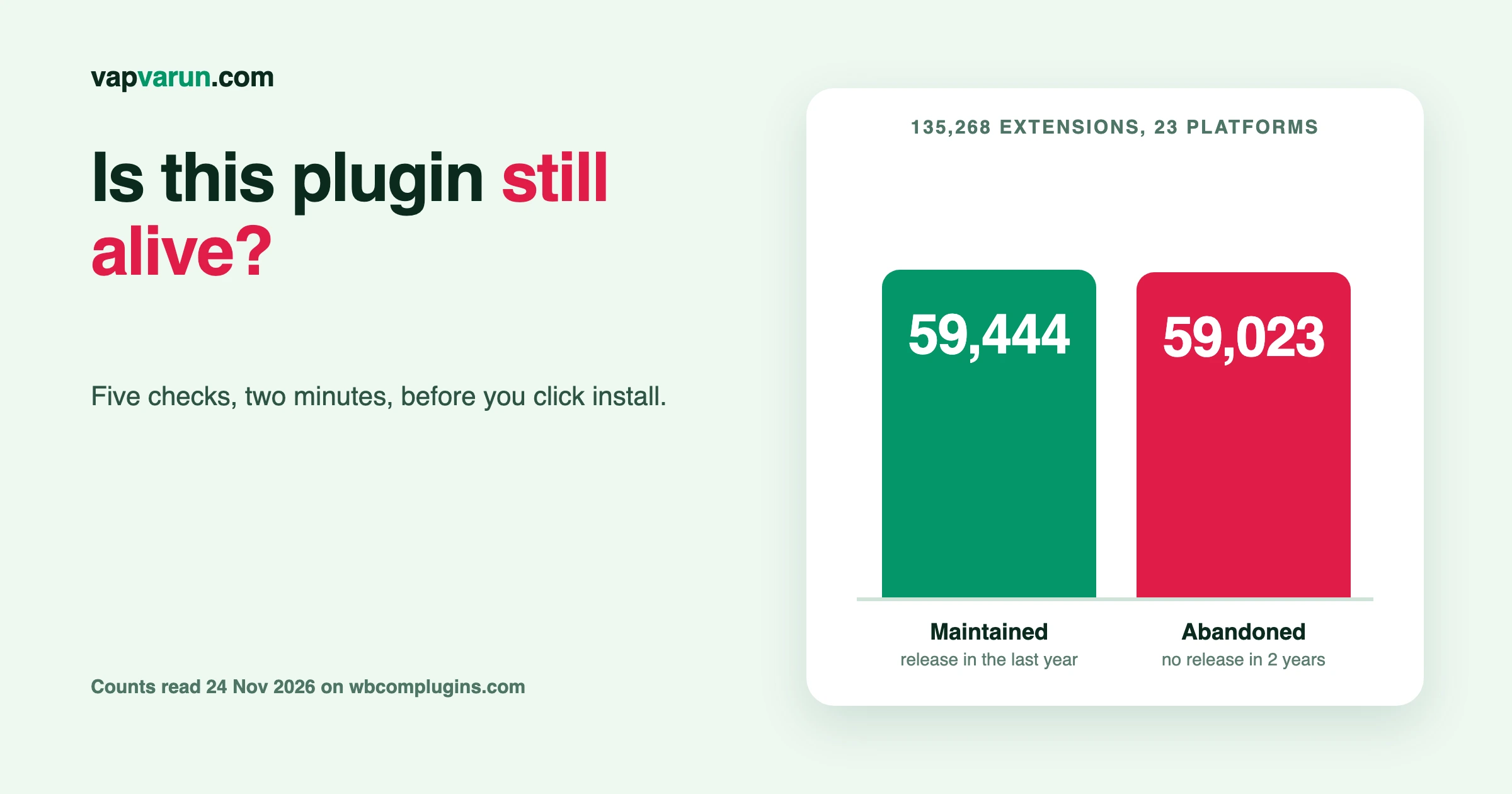
- 135,268 extensions across 23 platforms, including WordPress, Drupal, Craft CMS, EmDash, Nextcloud, Moodle, Matomo, TYPO3, Magento, Shopware, Strapi and Directus.
- 59,444 maintained, meaning a release in the last year.
- 59,023 abandoned, meaning no release in two years.
- On WordPress, of the 6,908 plugins that sit on 1,000 or more sites, 1,223 are abandoned but still installed, which the site puts at 18 percent.
That last line is the one that matters for a site owner. These are not obscure plugins nobody runs. They are plugins people actively keep on live sites with no one keeping the plugin up.
What you can do there
- Check one plugin. Paste a plugin name or its wordpress.org address into the WordPress plugin checker. You get a green, amber or red result built from the facts on wordpress.org: last release, tested-up-to version, PHP minimum, installs, support activity and rating. Nothing in it comes from reading the plugin’s code.
- Screen plugins. Filter by installs, job, rating, WordPress version and PHP version when you are choosing between several.
- Browse lists. Examples are abandoned but still installed, best rated and still maintained, and plugins by job.
- Look at authors. See how much of a maker’s work is currently maintained.
- Watch what changed. A weekly view of plugins that moved up or down in use.
Three honest notes. First, the labels say whether a plugin is looked after, not whether it is secure or well made. The site says so itself. Second, it has no written reviews yet, and every page without one says so plainly. Third, you do not have to trust us on the numbers: the site publishes where its data comes from and how it labels and ranks extensions, and every plugin result links back to the plugin’s own wordpress.org page so you can check any fact yourself.
Maintained against abandoned, in two bars
Across all 135,268 extensions in the index on 24 November 2026, the split between looked-after and left-behind is close to even.
| Group | What the label means | Count |
|---|---|---|
| Maintained | A release in the last year | 59,444 |
| Abandoned | No release in two years or more | 59,023 |
The remainder sits in between: quieter than a year but not yet two years old. That is the amber zone, and most of your judgement calls will come from it.
Platforms differ a lot. On the same home page, WordPress shows 80,052 plugins and 49 percent maintained. Drupal shows 37 percent, Magento 26 percent, Astro 75 percent and Payload 85 percent. These figures are each platform’s own, and the site is clear that platforms should not be ranked against each other, because installs, downloads and votes mean different things on each. Treat the table above as a picture of the problem, not a league table.
Worked examples: three real checks, 24 November 2026
We ran these on the live plugin checker on 24 November 2026. Results change every week, so run your own.
Example 1, healthy: Yoast SEO
The checker showed Yoast SEO by Yoast at version 28.9.
| Signal | What the check showed | Reading |
|---|---|---|
| Last release | Nov 2026, 6 days before the check | Green |
| Tested up to | WordPress 7.1.5, current WordPress is 7.1 | Green |
| PHP | Declares PHP 7.4 as its minimum | Fine |
| Reach | 10,000,000+ active installs | Heavy real use |
| Support | 48 threads in the last 2 months, 41 marked resolved | The maker answers |
| Rating | 4.8 from 27,821 ratings | Strong evidence |
This is what “alive” looks like: a release in the last week, tested on the current WordPress, a maker that closes support threads, and a huge number of sites that would notice any problem fast. Healthy does not mean perfect or right for you, but it clears the question we are asking here.
Example 2, abandoned but still installed: Limit Login Attempts
The older Limit Login Attempts plugin by Automattic is a good teaching case. It is on the index’s list of abandoned plugins that sites still run.
| Signal | What the check showed | Reading |
|---|---|---|
| Last release | Apr 2023, 3 years ago, version 1.7.2 | Red |
| Tested up to | WordPress 6.2.16, shown as 9 releases behind current | Red |
| PHP | Sets no minimum PHP version | No guidance at all |
| Reach | 200,000+ active installs | Still widely run |
| Rating | 4.6 from 202 ratings | Liked in its day |
Two things stand out. First, 200,000 or more sites run a plugin that has not had a release since April 2023, in a job, protecting the login page, where you want a living maker. Second, a name search for “Limit Login Attempts” on the checker returned a different, current plugin first: Limit Login Attempts Security, with 1,000,000+ installs and a release five days before the check. The old Automattic plugin appeared under “other matches.” Names collide on wordpress.org, so check the author and the address, not just the title.
If you run this plugin, do not panic and do not ignore it either. The login screen is exactly the kind of place we would prefer to rely on something maintained. Read the section on what to do when a plugin turns red.
Example 3, abandoned and quiet: Widget CSS Classes
The checker marked Widget CSS Classes by keraweb as abandoned.
| Signal | What the check showed | Reading |
|---|---|---|
| Last release | Nov 2024, 2 years ago, version 1.5.4.1 | Red |
| Tested up to | WordPress 6.7.12, shown as 4 releases behind current | Amber |
| PHP | Declares PHP 5.2.4 as its minimum; the most common minimum in the directory is 7.4 | Very old floor |
| Reach | 80,000+ active installs | Widely run |
| Support | 1 thread in the last 2 months, marked resolved | Quiet |
| Rating | 4.9 from 74 ratings | Loved by its users |
This one is more nuanced, and it shows why a colour is a starting point. The rating is excellent, the plugin does one small thing, and its release is only just over the two-year line. A reasonable owner might keep it for a while and plan a replacement. A careful one would not add it to a new build. The checker gives you the facts for that call. It does not make the call for you.
When a plugin you already run turns red
Finding a red result on a live site is not an emergency by itself. It is a prompt to make a plan. These are your three options, in the order we usually try them.
Option 1: Replace it
- Name the job. Write down what the plugin does for you in one sentence.
- Find maintained alternatives. Search the directory by job, or use the other matches and alternatives on the plugin’s check page.
- Run the five signals on each candidate. The same two minutes apply.
- Test on a copy. Make a staging copy of the site, switch plugins there, and check the pages and settings that used the old one.
- Switch on the live site after a fresh backup, and remove the old plugin completely. A deactivated plugin that is still on disk is still code on your server.
Option 2: Fork it
If the plugin is small, open source and nothing replaces it, you can copy the code, keep it in your own repository and maintain your own version. Be honest about the cost. Forking means you now own every future compatibility fix and any security flaw found later, and you need someone who can read the code. For a few lines of well-understood behaviour this is sensible. For anything that handles logins, payments or file uploads, we would be careful.
Option 3: Have someone maintain it
Sometimes the plugin is part of how the site works and replacing it would cost more than the risk. In that case the right answer is to pay for someone to watch it: check it against each WordPress release, patch compatibility problems, and replace it on a schedule you control. Our WordPress maintenance service tests every plugin update on a staging copy first and scans your active plugin list for known vulnerabilities every 24 hours, per its service page. The same approach works if you hire any careful developer.
What not to do
- Do not just leave it and hope. Unmaintained is not the same as broken today. It means nothing will be fixed tomorrow.
- Do not delete it blindly. If the plugin controls something visible, removing it can break pages. Replace on a copy first.
- Do not assume the premium version is exempt. Paid plugins can go quiet too, and they have their own failure mode, updates that stop arriving while the plugin still looks fine. We wrote up one case we hit ourselves in Premium Plugin Updates Not Showing in WordPress?
How we use the same signals on client builds
Our team runs these same checks before a plugin goes into a client site, and again when we review a site we have inherited. The order we use is simple:
- Last release. A red here ends the conversation unless there is no alternative.
- Tested-up-to and PHP. We want the plugin tested on the version the client will run.
- The maker. We look at their other plugins and at how they handle support threads.
- Use. Real installs, read with the rating count, not just the star score.
- An exit path. If the plugin disappears next year, how hard is it to move off? We prefer plugins that keep data in standard WordPress places over ones that lock content inside their own structure.
We also keep our own plugins signed and updated for the same reason. If you are a plugin maker, our post on why we sign every plugin update covers the vendor side of the same trust problem.
A printable checklist
Copy this into a note and run it before every install.
- Last release: within six months (green), up to two years (amber), over two years (red).
- Tested up to: current or one behind (green), several behind (amber), far behind with a very old PHP floor (red).
- Maker: replies in support, other plugins are current, no surprise ownership change.
- Use: real installs, and a rating backed by a meaningful number of reviews.
- Alternative: at least one maintained plugin does the same job.
- If any signal is red, can you live with it for a year? If not, pick another plugin.
- Exit plan: know how you would remove it and what you would lose.
- Re-check twice a year. Plugins change, and so does the answer.
Frequently asked questions
Is a plugin that has not been updated in two years always unsafe?
No. Unmaintained is a risk, not a verdict. A small plugin with simple behaviour may run for years without trouble. The risk is that when a flaw or an incompatibility appears, nobody will fix it. The longer the gap and the more sensitive the job, the more that matters.
What does “tested up to” actually mean?
It is the highest WordPress version the plugin’s maker says they tested against. It is a statement by the maker, not an independent test. An old value is a reason to look closer, not proof of a fault.
Do the colours on wbcomplugins.com mean a plugin is secure?
No. The labels say whether a plugin is looked after, based on facts from the platform’s own directory. They are not a security review and not a judgement of quality, and the site says so.
Does the checker cost anything?
No. It is free to use and nothing on the site is paid for.
Why did a name search show a different plugin than the one I meant?
Plugin names are not unique on wordpress.org. As the Limit Login Attempts example shows, two plugins can share almost the same name. Paste the plugin’s wordpress.org address into the checker to be sure which one you are checking.
Which signal matters most?
The last release date, because it tells you whether anyone is home. Read the others to decide what a red or amber result means for your site.
Can I check plugins for other platforms?
Yes. The index covers 23 platforms, including Drupal, Magento, TYPO3, Moodle and Craft CMS. The one-plugin checker is for WordPress; the other platforms have their own lists.
Want someone else to watch your plugins?
If you would rather not run these checks yourself, our team does it for client sites as part of ongoing care. See our WordPress maintenance service, or tell us about your site and we will check your plugin list first.
Every figure about wbcomplugins.com and the plugin check results above were read on 24 November 2026. The index refreshes weekly, so numbers you see later will differ.