Why We Sign Every Plugin Update, and Why Every Vendor Should
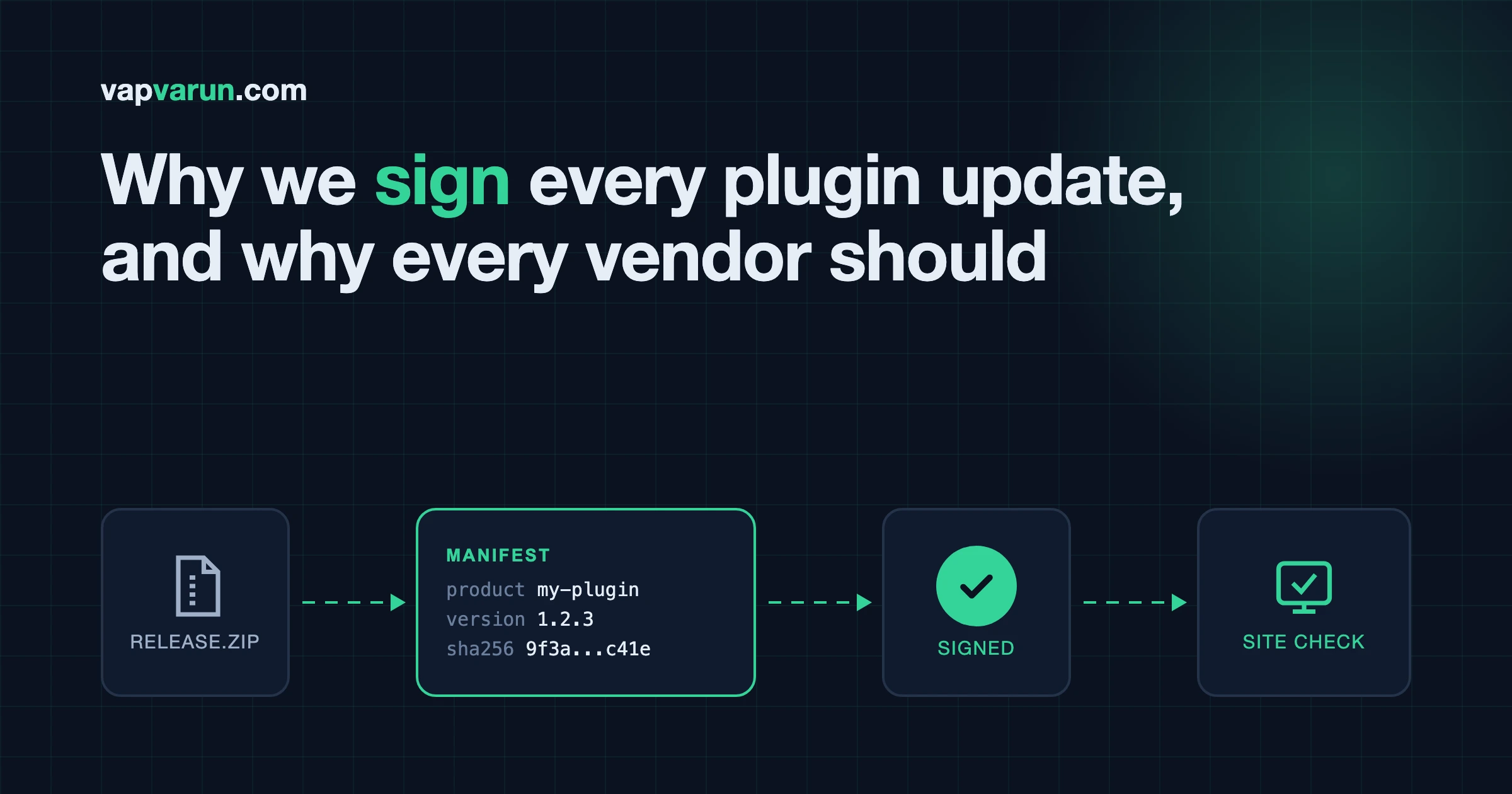
WordPress installs a third-party plugin update without checking who made the zip. A vendor can close that gap alone, with a signature made at release time and checked on the customer site. Signed plugin updates take an afternoon to understand, a few releases to roll out, and customers never notice them. Our team has done it across our own store, and we think every plugin vendor who serves updates from their own server should do the same.
This post is the positive version of a security story. Here is the gap in plain words, why it matters this year, what we built, what went wrong on the way (every item below was caught before it hurt a customer), and a checklist you can copy. If you only want the checklist, jump to the section called “A checklist any vendor can copy in an afternoon”. If you are a site owner, the first half tells you what to ask your vendors.
The gap, in plain words
When you click Update on a plugin, WordPress downloads a zip file from an address the plugin gave it, unpacks it over the old version and carries on. It does not ask a simple question: is this the file the vendor released? The server holding the zip could be hacked, a deploy key could leak, or someone with access could swap one file. In each case your site would take the new zip as genuine, because nothing on your site can tell the difference.
That is not an oversight in one plugin. It is how core works. We checked this on 24 November 2026 in the local WordPress copies on our bench machines (version 7.1.5) and in the current development code of WordPress core on GitHub (trunk, which reports itself as the 7.2 release candidate line). Both say the same thing.
- The upgrader’s
download_package()method takes a second argument,$check_signatures, and its default isfalse. - When the upgrader runs an update, it calls
download_package( $options['package'], false, $options['hook_extra'] ). The signature check is switched off in the call. - Core does contain signature code. The function
wp_trusted_keys()lists the keys a signature may come from. But it holds a single key, labelled WordPress.org Key #1, with the comment “This key is only valid before April 1st, 2021”, and a TODO beside it to add a second key with a longer life.
Put those together and the picture is simple. The machinery exists, the caller has to ask for it, the updater for plugins does not ask, and the one built-in key stopped being valid more than five years ago. This is a gap that a vendor can fill without waiting for core, because core gives us two hooks to do it with: the upgrader_pre_download filter, which runs before the zip is fetched, and the wp_trusted_keys filter.
Who is already covered, and who is not
Plugins hosted on WordPress.org have another layer. The zip is built by WordPress.org from the vendor’s repository, and the vendor can switch on release confirmation. Per the WordPress.org release confirmation documentation, when it is enabled you tag a release in SVN and then confirm it on the Release Management dashboard, access is limited to plugin committers, and every action needs a tokenised link sent by email. That protects the path from developer to directory.
This post is about the other path: plugins and themes that a vendor sells or serves from its own store or its own update server. There the vendor is the directory, and the only thing standing between a stolen credential and thousands of sites is the security of the server. Signing adds a second lock that does not depend on that server.
Why this matters now
We will stick to primary sources here, with the date of each statement, because this topic attracts exaggeration.
Gravity Forms, July 2025
On 11 July 2025 the security company Patchstack published an article on malware found in the plugin as downloaded from the official Gravity Forms site. A researcher had noticed a slow outbound request to an unfamiliar domain from a plugin file he had downloaded from the vendor’s own domain on 10 July. Patchstack’s article records these points, with updates through 12 July:
- A member of the vendor’s staff confirmed to Patchstack that the malware affected manual downloads and Composer installations of the plugin.
- The reporter found the malicious code gone after downloading the package again about an hour later.
- Patchstack heard from large hosting companies that had scanned for the indicators and said the infection did not look widespread, which pointed to a short window and a small number of affected downloads.
- The vendor released version 2.9.13 so customers could update to a clean build, and the domain registrar suspended the attacker’s domain.
Patchstack also says that Groundhogg, another plugin vendor, was hit by the same pattern first: malware injected into plugins through the vendor’s own channel. Its full details are linked from the Gravity Forms article.
Read that list as a vendor and one thing stands out. Both cases came through a download channel that the vendor owned. A signature made on a separate machine at release time, and checked by the site before installing, is the control designed for exactly that situation. A swapped file would not carry a matching signature, and the site would refuse it.
UpdraftCentral, October 2026, and the honest lesson
We want to be careful here, because it would be easy to claim too much. On 19 October 2026 Patchstack published an article on stolen UpdraftCentral keys backdooring WordPress sites. The campaign ran through an 18-hour window on 18 and 19 October. This was not a swapped plugin zip. An attacker holding valid dashboard keys sent genuine, signed remote commands that told connected sites to install backdoor plugins. Patchstack’s own words are that every check in the plugin passes, because the commands are correctly signed with genuine private keys and, from the site’s point of view, the instruction is legitimate.
So signed updates would not have stopped it, and we are not going to pretend they would. What the incident teaches us is narrower and still valuable. According to Patchstack, the dashboard private keys never touch the connected sites, they live with the vendor’s cloud service, and the evidence points to the keys leaking from that environment. The security of every connected site rested on one assumption: that the keys stay where they belong.
That is the lesson we took for our own signing. A signature is only as good as the privacy of the key behind it. Ours exists only in the release step. It is not on the web server that sells our plugins, not in the store’s database, and not in a deploy script on someone’s laptop. If you copy one rule from this post, copy that one.
How we ship signed plugin updates, in order
Our team sells licensed plugins and themes from our own store, and every customer site calls home for updates. (The story of how we answer those calls from a Cloudflare Worker is in an earlier post, and what broke in our updates last month is in another.) Signing sits on top of that system. The plan, in the order we shipped it:
- Sign at release. When a release is drafted on GitHub, a separate signing workflow downloads the release zip, hashes it, reads the version from the plugin or theme header inside the zip, and signs a small manifest with an Ed25519 key. The signature is attached to the release beside the zip. A tag that does not match the version inside the zip is refused with no signature at all. After publishing, the release is immutable, so files cannot be swapped afterwards.
- Serve the signature. Our edge adds the signature as a header on the package download. If a proxy strips the header, the site fetches the same manifest from a fallback address.
- Check on the site. A small module bundled in each plugin hooks core’s
upgrader_pre_download, downloads the zip, checks the signature against public keys embedded in the plugin, and only then hands the verified file back to the upgrader. - Start in warn mode. The module logs a bad or missing signature and installs anyway. Enforce mode, where a bad signature stops the update, comes in a later release, one product pair at a time.
The pilot was Jetonomy and Jetonomy Pro 2.0.5 in late October 2026. On a test site, the real WordPress updater took the update from our store, the download carried the signature header, and the module’s log recorded the check as verified. We then moved product after product inside regular releases, one free and Pro pair per release, never as a special emergency drop.
The numbers, with the date we took them: on 5 November 2026 our product index showed 12 of the 82 store-served products signed and verified at the edge, which is 15 percent. That was Jetonomy, BuddyNext, Learnomy, WPMediaVerse, MediaShield and WP Sell Services, each free and Pro. More products have shipped since, and every new release since early November has gone out signed. We are not going to quote a current total from memory. The count is a single read-only query against our licence data, and any total in a blog post is stale the day after it is written.
What a signature actually covers
The first design decision is the one that matters most. A signature on the zip alone is not enough. If the signature only says “this file is genuine”, then an older genuine build, with a known vulnerability, is just as genuine as the newest one. An attacker, or a cache, could hand your site last year’s zip and the check would pass.
So the signature covers a small manifest, not the bare zip. The public module documents its format: a version number, the product, the version, the file name, its size, its SHA-256 hash, the key identifier and the signing time. The site then checks four things. The signature must verify against one of its embedded keys. The product in the manifest must be the product being updated. The version must be the one WordPress was offered, and newer than the one installed. And the size and hash must match the zip that was downloaded. Break any one and the package is rejected.
{
  "manifest": "",
  "signature": ""
}
Ed25519 is a good fit for this job. Signatures are tiny, verification is fast, and PHP has shipped the sodium extension in core since PHP 7.2, so on our supported PHP range (8.1 and up) sodium_crypto_sign_verify_detached() is simply there. No extra library, no server setting for the customer to change.
What went wrong, and what each one taught us
We said we would be honest. A project like this has rough edges, and ours are useful because each one is now a line on a checklist. All of them were found in design review, on the test bench or in our release checks, before they could hurt a customer.
1. A signature on the zip alone lets an old build through
Found in design review, before any code. The fix is the manifest described above: product, version and hash are all inside what gets signed. The check also requires the offered version to be newer than the installed one, which closes the downgrade route.
Your checklist item: sign a manifest, never a bare file.
2. Hashing a big zip in memory is heavy
Some of our packages are large. Learnomy is around 15 MB, and themes are bigger. Loading a whole zip into memory to verify it can break on a small shared host. The answer is that the site only verifies the small manifest with the public key, and hashes the zip separately in chunks with PHP’s hash_file(), which streams the file from disk.
Your checklist item: verify the manifest, stream the hash, never load the whole zip into memory.
3. The first verifier build never shipped
Our first version of the module, 1.0.0, never reached a customer. During a pilot check that deliberately breaks things to see how the plugin degrades, we found that an incomplete bundled copy of the module could cause a fatal error. A security feature that can white-screen a site is worse than none. Version 1.0.1 skips an incomplete copy instead and lets the update continue. When several plugins on one site bundle the library, the newest copy runs and only that copy loads its classes.
Your checklist item: test what happens when your verifier is broken, missing or half-copied. It must fail safe and quiet, not loud.
4. The store’s firewall refused a zip with uncompressed PHP files
One of our release uploads failed on the store with a vague “Unexpected response from the server”. The cause was a managed rule at our CDN, the one named “PHP Dangerous File Upload”. It fires when a zip holds PHP files stored uncompressed, such as the tiny “Silence is golden” index files that the zip tool leaves as stored entries, because the firewall can then read raw PHP in the upload body. The fix is to repack the zip with every file compressed. The contents stay identical, and the CRCs stay the same, but the hash of the whole zip changes.
That last sentence is the important one for signing. If you repack after you sign, your signature no longer matches the file your customers download.
Your checklist item: sign the final file, the exact bytes that customers will download, and compress every entry in your build so no firewall in the path has a reason to touch it.
5. Re-cuts happen, and each one needs a fresh signature
Sometimes a release is rebuilt on the same version number after a late fix. WP Sell Services 1.9.2 is one example from this month, and it was not the only one. A re-cut is a different file with a different hash, so the store’s copy has to be replaced and the signature made again. If the old signature stays, the check fails on a perfectly good zip. We handle this with one rule: the zip on the store is always the zip downloaded from the GitHub release, and the signature is made from that same release.
Your checklist item: make re-signing part of the re-cut procedure, and check store zip against release zip before you tell anyone a release is live.
6. A free integrity win before any signing
To start signing we first had to compare the zips on our store with the releases on GitHub. That comparison found one product whose store zip was seven months behind its GitHub release, and the newer release carried security fixes. We fixed it on 25 October. No attacker was involved, just a manual upload step that someone forgot once. Since 24 October our edge checks every zip against its GitHub release before serving it, which catches this class of mistake whether or not the product has been signed yet.
Your checklist item: before you sign anything, diff what you serve against what you released. You may find a problem that has nothing to do with attackers.
A checklist any vendor can copy in an afternoon
This part is for developers and anyone running a release process. Non-technical readers can skip to the next heading. Solution first, so here is the whole list, with the reason for each line.
| Step | What to do | Why |
|---|---|---|
| 1 | Sign at release, in a separate step | The key lives in one small place and never on the web server |
| 2 | Sign the final file | Repacking changes the hash and breaks the signature |
| 3 | Sign a manifest of product, version, size and hash | Stops an old genuine zip or another product’s zip from passing |
| 4 | Check on the site with core’s upgrader_pre_download hook | Runs for dashboard updates, auto-updates and WP-CLI alike |
| 5 | Start in warn mode | You see real-world failures before anyone is blocked |
| 6 | Embed two public keys, current and next | You can rotate a key without breaking older versions |
| 7 | Keep the key off every server and laptop | The UpdraftCentral lesson: everything rests on the key staying private |
| 8 | Deliver the signature by header and by fallback address | Some proxies strip custom headers |
| 9 | Make a missing signature a failure in enforce mode | Otherwise an attacker simply removes the header |
| 10 | Plan a way to drop to warn if a signing run misfires | A bad run must not block the update that fixes it |
| 11 | Keep old versions updating | Sites on older releases have no module yet and must still update as before |
| 12 | Diff your served zips against your released zips | Catches stale or swapped files early |
Two keys, one rotation plan
Embed the current public key and the next one in every release. When the day comes to rotate, you start signing with the next key, and every site already trusts it. Sites that have not updated in a year still hold both keys, so they keep updating. Without this, a rotation strands the sites that most need the update.
Why warn mode first, and what enforce needs
In warn mode a failure is logged and the update installs. This gives you weeks of real traffic to find the surprises: a host that rewrites downloads, a plugin that sends a different URL, a zip that was repacked after signing. Move a product to enforce only after every release for that product has carried a signature for a full release cycle, and after you have tried the drop-to-warn path on a test site. Our design has the store publish a small signed policy that can tell sites to drop to warn or to treat a key as revoked, so a bad signing run never traps customers on an old version.
What it looks like in code
You do not have to build this yourself. We published the module as a free, public library under the GPL: vapvarun/package-signatures on GitHub. It works with any updater, not only ours, because it hooks core. You bundle the folder inside your plugin and make one call. This is the registration from its README:
require_once __DIR__ . '/libs/package-signatures/package-signatures.php';

package_signatures_register(
	array(
		'product'  => 'my-plugin',                    // as written in the signed manifest
		'plugin'   => 'my-plugin/my-plugin.php',      // or 'theme' => 'my-theme'
		'hosts'    => array( 'store.example.com' ),   // where update packages come from
		'keys'     => array( 'store-2026-1' => 'BASE64 PUBLIC KEY' ),
		'mode'     => 'warn',                         // 'enforce' once every release is signed
		'fallback' => 'https://store.example.com/package-signatures/{product}/{version}',
	)
);
Products that are not registered, and packages that come from other hosts, are never touched. In warn mode the result goes to a log option and an action hook, package_signatures_checked, so you can watch it. In enforce mode a missing or invalid signature stops the update and the site stays on its current version.
Producing signed plugin updates takes two commands. One makes a key pair, printing the public key and writing the secret key with owner-only permissions. The other produces the bundle for a release:
php bin/keygen.php ~/secure/store-2026-1.key

PACKAGE_SIGNATURES_SECRET_KEY="$(cat ~/secure/store-2026-1.key)" \
  php bin/sign.php --product=my-plugin --version=1.2.3 \
  --key-id=store-2026-1 --file=my-plugin-1.2.3.zip > bundle.json
Treat the example path as a placeholder. In real use the secret key belongs in your CI system’s protected secrets for the release job, with an offline backup, and nowhere else. The library also ships a test file for the verifier (run php tests/verifier-test.php), so you can see tampered, mismatched and downgraded packages being refused on your own machine in a minute.
What customers see with signed plugin updates
In warn mode, nothing. The update installs exactly as before. In a typical update the check adds a download and a hash, which finish in a moment on any normal host. The only visible change is in the log, where a good update is recorded as verified and a bad or missing signature is recorded with its reason.
In enforce mode, when a package does not match its signature the update stops, the plugin stays on the installed version, and the owner sees a notice with a support link. There is no half-installed state. We have kept enforce for later on purpose, because a security measure that blocks a paying customer from updating needs a stronger case than a pilot gives.
Questions to ask your plugin vendors
- Do you sign your update packages, and where does the signing key live?
- If your download server were compromised tonight, what would stop a bad zip reaching my site?
- Do you compare the zips you serve with the releases you published?
- Have you ever practised an emergency release and key replacement?
A vendor who can answer these calmly has thought about it. A vendor who cannot may still be fine, but now you know which conversation to start. We wrote about a related problem, plugins that nobody watches after the sale, in The WordPress Plugin Security Problem Nobody Talks About. Signing deals with the other end of the same chain, the moment an update leaves the vendor.
What signing does not do
A fair post names its limits, and the limits make the case for doing it properly rather than against doing it.
- It does not protect against a vendor who signs bad code. A signature proves who made the file, not that the code is good.
- It does not protect against a stolen signing key, which is why the key stays in one small place and why you plan a revocation path before you need it.
- It does not stop remote-management attacks like the UpdraftCentral campaign, where the commands were genuine.
- It does not cover sites that never take the version with the module, which is why we roll out inside regular releases and keep old versions updating.
- It does not replace vulnerability scanning, two-factor authentication on developer accounts or good hosting. It adds one more lock to a door that was open.
Still, one lock that costs an afternoon of understanding and a small amount of work per release is a good trade. The vendors in the two incidents above could each tell you what a swapped file costs. A signed release makes that attack fail on the customer’s site, quietly, with a line in a log.
Frequently asked questions
Does WordPress check plugin update signatures?
Not for plugin and theme updates. The upgrader calls the download step with signature checking switched off, and the one key built into core was only valid before 1 April 2021. We checked both in WordPress 7.1.5 and in current core trunk on 24 November 2026.
Do I need this if my plugin is on WordPress.org?
The directory builds and serves the zip, and you can turn on release confirmation so no release goes out without a committer approving it. Signing matters most when you serve updates from your own store or server.
Will signing slow down updates or break old sites?
The check hashes the file in chunks and verifies a small manifest, so memory use stays low. Sites on older versions without the module keep updating the old way until they take a release that has it.
Does it work with Easy Digital Downloads Software Licensing?
Yes. It was built for stores that sell with that add-on, and it works with any updater because it hooks core’s own filter. Our free EDD software licensing SDK on GitHub is a companion if you want a ready client for the licence side.
Would signing have stopped the UpdraftCentral attack?
No. Patchstack reports that the commands were genuinely signed with real keys, so every check passed. The lesson from that incident is about key custody: a signing key must never live on a web server or a laptop.
How many of your products are signed?
On 5 November 2026, 12 of 82 store-served products were signed and verified at the edge. Every new release since early November has been signed, and we move the rest in regular releases, one free and Pro pair at a time.
Where to start
If you are a vendor, take the twelve-line checklist above and do the cheapest part today: diff the zips you serve against the releases you published. Then pick one product, bundle package-signatures, make a key pair on a machine that is not your server, and sign your next release in warn mode. Read the log for a release cycle. Everything after that is a decision you can make with real data.
If you are a site owner, ask your vendors the four questions and share the answers with your team. The more customers ask, the sooner signing becomes normal. And if you want to see the other side of our update system, read how we moved licence and update checks to the edge and why premium updates can silently stop showing.