Why Most Businesses Fail at Their First Online Community
Over the past decade, I have helped dozens of businesses build online communities. And I will be honest with you — most of them made the same online community mistakes in the first six months. The same patterns, the same missteps, over and over again.
Not because they lacked ambition or resources, but because building a community is deceptively different from building a website or launching a product. I have watched businesses pour money into platforms only to end up with ghost towns. Here is what I have learned from watching those failures up close, and what you can do differently.
The Uncomfortable Truth About Online Community Mistakes
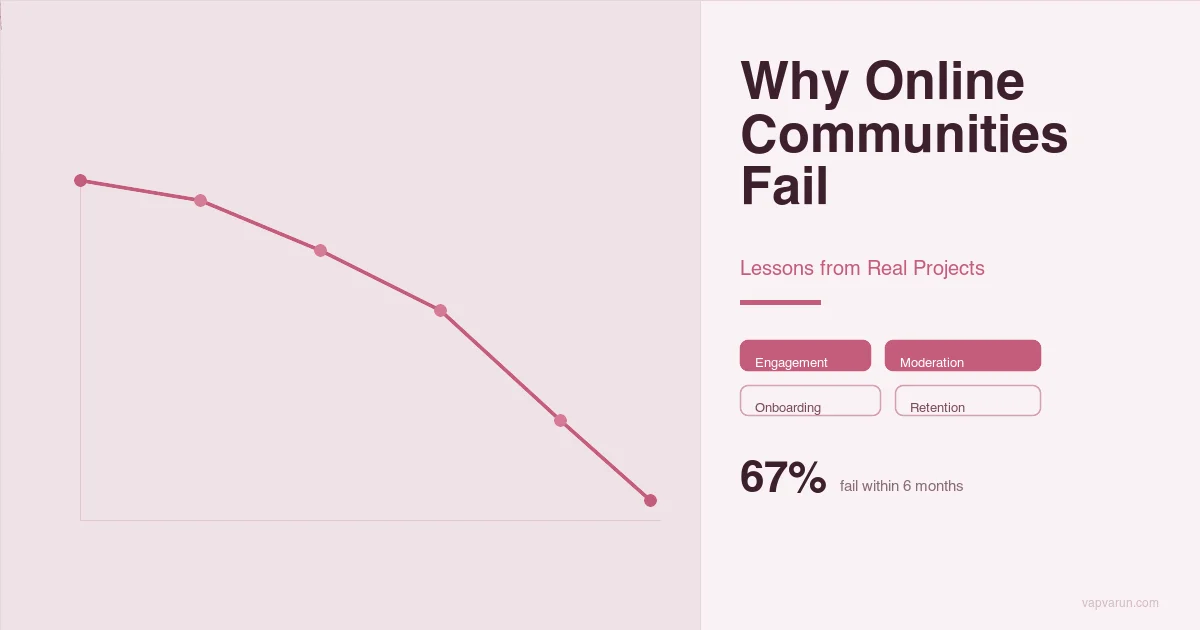
Let me set the stage with a number that might surprise you. Based on what we have seen across our projects at Wbcom Designs, roughly seven out of ten business communities see a steep activity drop-off within the first three months after launch. That is not a made-up statistic — it is a pattern we have observed across industries, from fitness brands to professional networks to niche e-commerce stores.
According to community management research by FeverBee and CMX, only about 30% of online communities survive past their first year. The failure rate is staggering — and almost entirely preventable.
The reason is almost never technical. The platforms work fine. The design looks good. The problem is almost always strategic. Businesses treat community building like a feature launch: build it, announce it, and wait for the magic to happen. That approach simply does not work here.
A community is a living thing. As I explored in why genuine human connection matters more than ever, it needs feeding, nurturing, and constant attention — especially in the early days. If you are about to invest in building an online community for your business, here are the online community mistakes I want you to avoid.
Mistake 1: Launching Without a Clear Purpose
This is the single biggest killer of business communities, and I have seen it happen more times than I can count. Of all the online community mistakes on this list, launching without a clear “why” is the one that dooms projects before they even get started.
A client comes to us and says, “We want a community for our customers.” When I ask why, the answer is usually something vague like “engagement” or “brand loyalty” or “everyone else has one.”
I remember working with an e-commerce brand that sold premium fitness equipment. They wanted a community because their competitors had one. We built them a beautiful platform with forums, activity feeds, groups, the works.
Six weeks after launch, their most active discussion had four replies. The community felt empty because nobody knew what they were supposed to do there.
What Should Have Been Done
Before writing a single line of code, you need a crystal-clear answer to one question: What specific problem does this community solve for your members? Not for your business — for your members. Your community needs a reason to exist that is valuable to the people you want to join.
- A fitness equipment brand could build a community around workout accountability and form-check videos
- A SaaS company could create a space for users to share workflows and templates
- A coaching business could offer peer support groups between sessions
The fitness brand we worked with eventually pivoted to a “30-Day Challenge” community model. Suddenly, people had a reason to show up every day. Activity went from four replies to hundreds of daily posts within two months.
Mistake 2: Zero Moderation Strategy
This one still surprises me. Businesses will invest tens of thousands in building a community platform and then assign exactly zero people to manage it. They assume that once the platform is live, members will self-moderate and things will just work out.
We had a client in the professional services space who launched a community for their industry network. Within the first month, a few members started posting promotional content. Then came the arguments in discussion threads. One particularly toxic exchange drove away about twenty active members in a single week. The client had no moderation policy, no guidelines, and no one watching the space.
“A community without moderation is not a community — it is an unattended campfire. It will either burn out or burn everything around it.”
What Should Have Been Done
You need a moderation plan before launch, not after problems start. This does not mean you need a full-time moderator from day one, but you need the basics in place.
| Element | Why It Matters | When to Set It Up |
|---|---|---|
| Community guidelines | Sets expectations for behavior | Before launch |
| Designated moderator (even part-time) | Someone needs to be watching | Before launch |
| Escalation process | Know what to do when things go wrong | Before launch |
| Welcome message and onboarding flow | Guides new members to participate correctly | Launch week |
| Regular check-ins and content seeding | Keeps conversations healthy and active | Ongoing |
The professional services client eventually hired a part-time community manager. Within three months, the tone of conversations completely changed. Spam disappeared, discussions became valuable, and members started inviting colleagues.
Community management research consistently shows that communities with active moderation see roughly 40% higher member retention compared to unmoderated spaces. Moderation is not optional — it is the foundation.
Online Community Mistakes Around Feature Overload
I get it. When you are planning your community, the feature list gets exciting fast. Forums, groups, private messaging, events, gamification, badges, leaderboards, media galleries, marketplace — you want it all. And technically, most modern community platforms can deliver all of it.
But launching with everything turned on is one of the fastest ways to overwhelm your members and your team. We built a community for a mid-sized education company that wanted every feature available. The result was a platform that looked like a spaceship dashboard. New members would sign up, stare at the interface for thirty seconds, and leave. The bounce rate in the first month was brutal.
What Should Have Been Done
Start with the minimum viable community. I recommend launching with no more than two or three core features that directly support your community purpose. Here is the framework we now use with every client.
- Phase 1 (Launch): Activity feed, member profiles, and one primary interaction space (a forum or group). That is it.
- Phase 2 (Month 2-3): Add private messaging and a second interaction type based on member feedback.
- Phase 3 (Month 4-6): Introduce gamification, events, or advanced features once you have a core of active members who will actually use them.
The education company we worked with eventually stripped their community back to just discussion forums and a resource library. Engagement doubled within six weeks because members finally understood what to do and where to go.
Mistake 4: Ignoring the Mobile Experience
This is a mistake I see even from technically savvy businesses. They build their community on desktop, test it on desktop, demo it on desktop, and launch it on desktop. Then they are shocked when analytics show that sixty to seventy percent of their members are accessing the community from their phones — and having a terrible experience. Among online community mistakes, this one is increasingly costly as mobile usage continues to dominate.
Industry data shows that 55% or more of community members now access their communities primarily via mobile devices. If your community is not mobile-first, you are alienating the majority of your audience from day one.
One client, a retail brand with a younger demographic, launched their community with a theme that looked stunning on a 27-inch monitor. On mobile, the navigation was buried, the activity feed was nearly unreadable, and posting a comment required five taps and two scrolls. Their mobile users, who made up over seventy percent of their audience, simply stopped visiting.
What Should Have Been Done
Design mobile-first, period. In 2026, your community experience on a phone should be as good as — or better than — the desktop version. Here is what that means in practice.
- Test every feature on actual mobile devices before launch, not just browser dev tools
- Ensure the posting and commenting experience requires minimal taps
- Make navigation simple and thumb-friendly
- Consider push notifications to bring members back (but do not overdo them)
- Optimize image uploads and media for mobile bandwidth
After we rebuilt the retail brand’s community with a mobile-first responsive theme, their daily active users tripled. People were engaging during their commute, during lunch breaks, and in the evening — times when they would never open a desktop.
Mistake 5: No Engagement Plan for the First 90 Days
The first 90 days of your community are absolutely critical, and most businesses treat them like any other quarter. They launch, send an email blast, post a welcome message, and then wait for members to start talking. When the silence stretches out, panic sets in.
We had a client who launched their community to their email list of 15,000 subscribers. They got 800 sign-ups in the first week, which seemed amazing. By week three, only about 40 people were logging in daily. By week six, it was down to twelve. The vast majority signed up, looked around, saw no activity, and never came back. This is one of the most painful online community mistakes because the window to make a first impression is so narrow.
What Should Have Been Done
You need a 90-day engagement plan that treats the launch like a campaign, not an event. Here is what that looks like in practice.
- Pre-launch (2 weeks before): Invite a small group of 20 to 30 “founding members” — loyal customers, fans, or team members. Let them populate the community with initial content so it does not feel empty on launch day.
- Launch week: Post daily discussion prompts. Welcome every new member personally. Share your best content and start at least five active conversation threads.
- Weeks 2-4: Run a themed challenge or event. Feature member contributions. Respond to every comment within 24 hours.
- Months 2-3: Introduce your first “community-only” benefit — exclusive content, early access, or an AMA with someone interesting. Start identifying and nurturing your super-users. Tools that help you measure your community’s true health can be invaluable here.
The client with 15,000 subscribers relaunched three months later using this playbook. This time, they maintained over 200 daily active users through the first 90 days, and the community became self-sustaining by month four.
Mistake 6: Treating Your Community Like a Marketing Channel
This is the mistake that makes me cringe the most, because it destroys trust faster than anything else. Some businesses launch a community and immediately start using it as a megaphone for promotions, product announcements, and sales pitches.
I worked with a software company that created a community for their users. Within the first month, about half of the admin posts were product announcements or thinly veiled upsell pitches. Members started complaining. Some left publicly. The community developed a reputation as a sales funnel disguised as a community, and recovering from that perception took over a year.
What Should Have Been Done
Your community should be about your members, not about your products. That does not mean you can never mention what you sell — it means the ratio matters enormously. I recommend the 80/20 rule.
- 80 percent of your community content should be member-focused: helpful discussions, shared knowledge, celebrations of member achievements, Q&A, and genuine support
- 20 percent can be business-related: product updates (framed as member benefits), feedback requests, and behind-the-scenes content
When the software company shifted to this model, something interesting happened. Members started recommending the product to each other organically. The community became their best sales channel — precisely because they stopped treating it like one.
How to Avoid Online Community Mistakes: The Pre-Launch Checklist
After working on dozens of community projects, I have distilled everything into a pre-launch checklist that we now share with every client. If you can check off every item on this list before your launch date, your odds of avoiding these online community mistakes go up dramatically.
- Define your community purpose in one sentence that focuses on member value
- Write your community guidelines and make them visible and enforced
- Assign a community manager (even part-time) for at least the first six months
- Launch with two or three core features only — resist the urge to add more
- Test everything on mobile before you test on desktop
- Recruit 20 to 30 founding members to seed content before public launch
- Create a 90-day engagement plan with specific activities for each week
- Commit to the 80/20 content rule — members first, business second
Final Thoughts on Online Community Mistakes
Building an online community is one of the most valuable things a business can do. When it works, you get direct access to your most engaged customers, genuine word-of-mouth growth, and a feedback loop that no survey or focus group can match. But it only works if you treat it as a serious, ongoing commitment — not a set-it-and-forget-it project.
Every online community mistake I have described in this post is one I have seen firsthand across real projects. The good news is that every single one of them is avoidable. You do not need a bigger budget or better technology. You need a clear purpose, a realistic plan, and the patience to nurture something that takes time to grow.
If you are in the early stages of planning a community for your business, I genuinely hope this saves you from some of the pain I have watched others go through. And if you are already running a community that is struggling, it is never too late to course-correct. Strip back, refocus on your members, and rebuild the engagement plan from scratch. Recognizing these online community mistakes early is half the battle.
The businesses that get community right do not just build platforms — they build relationships. My own journey from writing PHP in a college cybercafe to running a global agency taught me that lesson the hard way. And that is something no amount of features or marketing spend can replace.
Frequently Asked Questions
How much does it cost to build an online community for a business?
The platform cost varies widely, but the real cost most businesses underestimate is the ongoing management. Budget for at least a part-time community manager for the first six months. The technology is the easy part — keeping the community alive and active requires consistent human effort.
How long does it take for an online community to become self-sustaining?
Based on what I have seen across our projects, a well-managed community typically starts to sustain itself around the four to six month mark. That is when you begin to see members initiating conversations, answering each other’s questions, and creating content without prompting. But that timeline depends entirely on how well you execute the first 90 days.
What are the most common online community mistakes beginners make?
The most common online community mistakes I see from first-time community builders are launching without a clear purpose, skipping moderation entirely, and trying to activate every feature at once. If you focus on solving one specific problem for your members and commit to active management for the first 90 days, you will avoid the pitfalls that sink most new communities.
Should I build a custom community platform or use an existing solution?
For most businesses, starting with an established platform and customizing it makes far more sense than building from scratch. Custom platforms take longer to develop, cost more to maintain, and delay your launch. Focus your energy on the community strategy, not the technology. You can always migrate to a custom solution later once you have proven the concept.