Twelve Products, One Vendor: What Building the Whole Stack In-House Actually Buys You
Ask anyone running a large WordPress platform what they dread, and it is rarely a feature request. It is the Tuesday when a plugin update lands and something unrelated stops working, and the four vendors involved each explain, politely and correctly, that the problem is somebody else’s.
That situation is not caused by bad software. It is caused by the shape of the stack. A typical community or learning platform is assembled from a theme by one company, an LMS by another, a forum by a third, media handling by a fourth, and a payments layer by a fifth. Every one of them is competent. None of them tests against the others.
Our customers kept describing the same problem, so over the last two years our team built the missing layers ourselves.
What we actually build
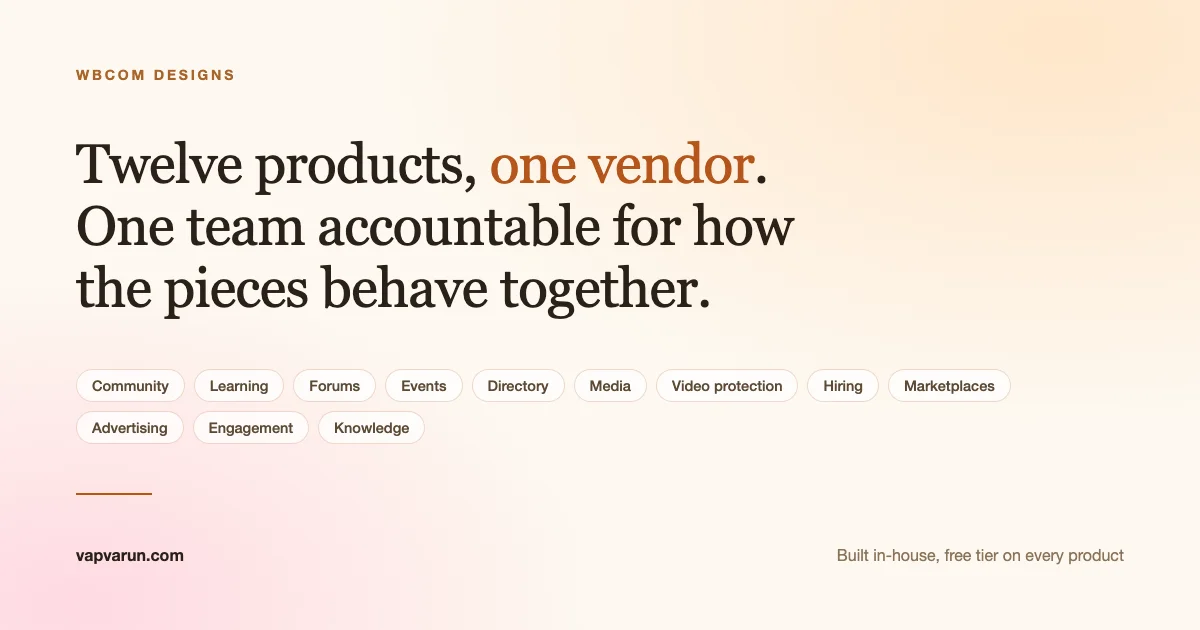
Twelve product families, each with a free tier that is genuinely usable and a paid tier for the parts that only matter at scale.
- Community: BuddyNext, a full community platform rather than a base plugin plus a dozen patches
- Learning: Learnomy, with courses, quizzes, certificates, checkout and memberships in the free tier
- Forums: Jetonomy, which keeps its own database tables so search and threading stay fast past a few thousand topics
- Events: Eventonomy, unlimited events and RSVPs without a per ticket cut
- Directory: Listora, listings with reviews, maps and search in one place
- Media: WPMediaVerse on dedicated tables, because the WordPress media library slows at ten thousand uploads
- Video protection: MediaShield, watermarking and encryption for people who sell what they record
- Hiring: WP Career Board, built on blocks and the Interactivity API rather than shortcodes
- Marketplaces: WP Sell Services, for selling services rather than bending a physical-product plugin
- Advertising: WB Ad Manager, replacing three separate plugins
- Engagement: WB Gamification, points and badges across everything else
- Knowledge: WB Member Wiki and SnipShare, for communities that produce reference material
Alongside them sits Reign, the theme layer, which is what makes a stack assembled from several of these look like one product rather than a collection. We set out the fuller reasoning for building the layers this way in the complete WordPress platform piece.
Why this matters on an ordinary Tuesday
The argument for a single vendor is usually made about price. That is the least interesting part of it.
One place to report a problem
When the forum stops rendering correctly after a theme update, there is no question about whose problem it is. This sounds small until you have spent three weeks in a triangular support thread while your community is broken.
Upgrades are tested together
Because the same team ships the theme and the plugins, an integration problem is caught before release rather than reported after it. A recent example: our theme work made button styling opt-in specifically so that plugin controls keep their own appearance instead of being flattened by the theme. That is the kind of fix that only happens when both sides have the same owner.
One renewal, one licence, one invoice
Five vendors means five renewal dates, five price rises to absorb, and five chances for a product to be discontinued or acquired by somebody with different plans.
Light and dark that actually holds
A colour mode is easy to add to one plugin and very hard to make consistent across six. Ours is a shared system rather than six separate toggles, which is why it holds in the block editor, in admin screens, and across every integration surface.
The honest limits
Single vendor has real trade-offs and we would rather name them than have you find them later.
You are more dependent on one company. If we make a bad architectural call, it affects more of your platform than a single plugin would. That is a legitimate reason to check how we behave over time rather than taking a claim on trust, which is why every product’s full release history is public.
Our products are also younger than some of the tools they replace. A ten year old LMS has had ten years of edge cases reported against it. We close that gap by shipping often, not by pretending it does not exist.
And we are not asking anyone to rip out what already works. Reign ships maintained integrations for LearnDash, LifterLMS, Sensei, Tutor, Dokan, WC Vendors, WCFM, GeoDirectory and WP Job Manager, all updated this month. If you are happy with the LMS you have, keep it. The in-house option exists for people who want fewer moving parts, not as an ultimatum.
If you are building on this
This section is for developers. If you are evaluating commercially, skip to the next heading.
The practical question for anyone extending a stack like this is whether the pieces share conventions or merely share a publisher. Ours share the following.
- Custom tables, not post meta abuse. Jetonomy, WPMediaVerse and Learnomy each store their primary data in dedicated tables. This is why they hold up past the point where a post-meta design starts timing out on queries.
- REST first. Every product exposes its functionality over REST rather than treating the API as an afterthought, which is what makes the mobile apps possible without a parallel codebase.
- Extension seams rather than forks. Pro tiers are built as extensions on documented hooks, the same seams available to you. If we can build a Pro feature without forking the free plugin, so can you.
- Shared design tokens. The colour and spacing system is common across the theme and the plugins, so a custom component inherits the site’s palette in both light and dark rather than needing its own theming layer.
- Capability checks on write paths. Recent releases across several products tightened permission checks on settings handlers that previously verified only a nonce. Worth knowing if you are auditing.
For a worked example of these conventions in one product, see the Learnomy hooks, REST API and extension seams walkthrough. The honest developer-facing caveat is that documentation quality varies by product. The newer ones are better documented than the ones that grew fastest.
What this means if you are choosing
We are not the right answer for every project. If you need one specific capability and nothing else, buy the specialist tool that does it best.
The case for us is when you are building something with several of these layers at once, expect to run it for years, and would rather have one team accountable for how the pieces behave together. That is the situation our customers were in when they asked us to build these, and it is the situation the whole stack is designed around.
Every product has a free tier with no licence key and no site limit, so the evaluation costs nothing but an afternoon. That is deliberate. A claim about how well parts fit together is only worth anything if you can check it yourself.