9 Best WordPress Project Management Plugins for Teams and Freelancers in 2026
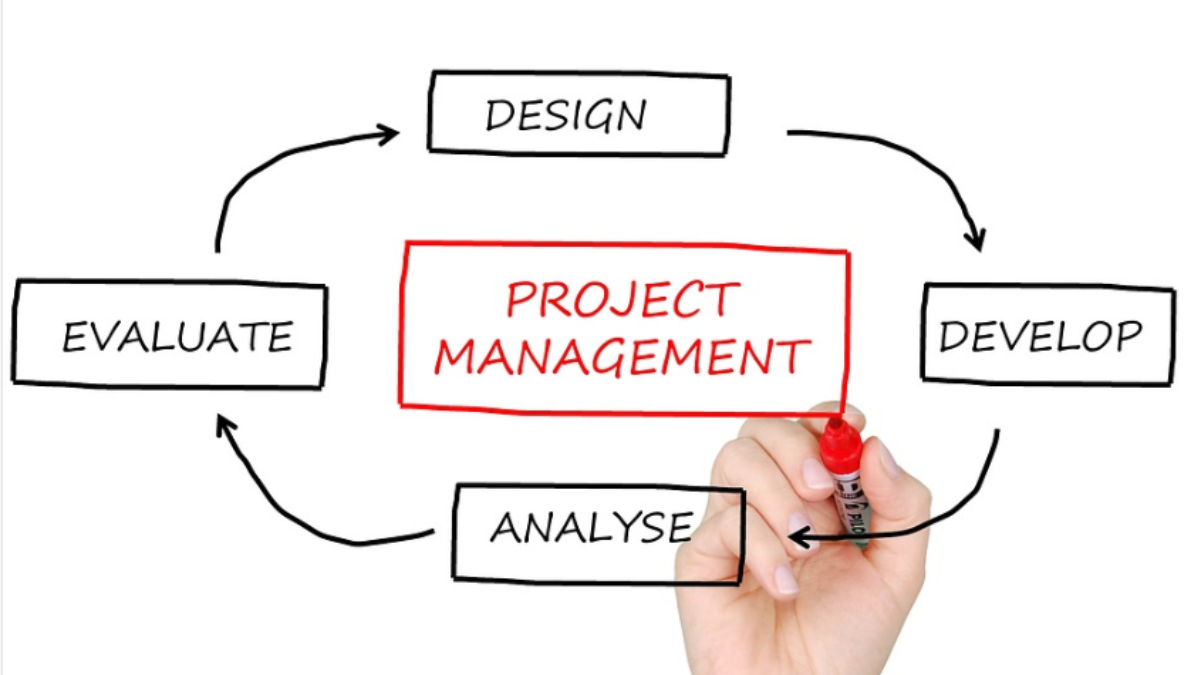
Managing projects inside WordPress eliminates the need for external tools like Asana, Monday.com, or Basecamp. Everything lives where your website already runs, tasks, deadlines, team assignments, client communication, and file sharing all happen within your WordPress dashboard or a frontend portal.
This approach works particularly well for agencies, freelancers, and small teams that already spend their day inside WordPress. Instead of switching between tabs and paying for separate SaaS subscriptions, you install a plugin and your project management system sits alongside your content, client sites, and business operations.
I have reviewed dozens of WordPress project management plugins. This guide covers nine that are actively maintained, regularly updated, and suited to different team sizes and workflows in 2026.
Not every project management plugin works the same way. Before picking one, consider what your workflow actually needs:
- Task management: Can you create tasks, assign them to team members, set due dates, and track completion? This is the baseline requirement.
- Views: Do you prefer Kanban boards, list views, Gantt charts, or calendar views? Different plugins emphasize different visual approaches.
- Team collaboration: Can team members comment on tasks, share files, and get notifications without email chains?
- Client access: Can clients log in and see project progress without accessing your WordPress admin? This matters for agencies.
- Time tracking: If you bill by the hour, built-in time tracking eliminates the need for a separate tool.
- Integrations: Does the plugin work with WooCommerce, BuddyPress, or other plugins in your stack?
- Performance: Project management plugins can slow down WordPress if poorly coded. Check that the plugin uses efficient database queries, especially if you manage hundreds of tasks.
WP Project Manager is the most feature-complete WordPress project management plugin available. It brings the core functionality of tools like Asana and Basecamp directly into your WordPress dashboard with task lists, Kanban boards, Gantt charts, milestones, and team collaboration.
The free version handles basic project and task management well enough for small teams. The pro version adds Kanban boards, time tracking, Gantt charts, advanced reporting, and integrations with BuddyPress and WooCommerce. The BuddyPress integration is particularly useful for community-driven teams, project discussions happen within BuddyPress groups.
Task management is thorough. You create projects, add task lists within projects, then create individual tasks with assignees, due dates, descriptions, and file attachments. Tasks can be organized by priority and status. The drag-and-drop Kanban board provides the visual workflow many teams prefer.
Key Features
- Unlimited projects, task lists, and tasks
- Kanban board with drag-and-drop task management
- Gantt chart for timeline visualization (pro)
- Built-in time tracking with reports (pro)
- Milestone tracking for project phases
- File sharing and comments on tasks
- BuddyPress and WooCommerce integration (pro)
- Frontend project view for client access
- Calendar view with drag-and-drop rescheduling
- Activity log tracking all project changes
Pricing
Free version on WordPress.org. Pro starts at $79/year for personal use. Business plan $149/year. Developer plan $249/year with all addons.
Best For
Teams that want a full-featured project management system inside WordPress without external SaaS subscriptions. Particularly strong for agencies using BuddyPress for team collaboration.
Jetrack combines project management with a client-facing portal, making it ideal for agencies and freelancers who need clients to see progress without accessing the WordPress admin. Clients log in to a frontend dashboard showing their projects, tasks, and deliverables.
The plugin includes task management, time tracking, file sharing, and invoice generation from tracked hours. The approval workflow lets clients sign off on deliverables directly in the portal, reducing the back-and-forth of email-based approvals.
Key Features
- Frontend client dashboard with project overview
- Task management with status tracking and team assignments
- Client feedback and approval workflows
- Time tracking with billable hour reports
- Invoice generation from tracked time
- File sharing between team and clients
- Email notifications for project updates
- Progress bars and milestone tracking
Pricing
Single site $79/year. Agency plan $199/year for unlimited sites.
Best For
Web agencies and freelancers who need project management with a client-facing portal. The approval workflow and time-to-invoice pipeline make it particularly suited for service businesses. Also works well as a client portal for managing projects and deliverables.
If your workflow revolves around Kanban boards, moving tasks through columns like To Do, In Progress, Review, and Done, Jetstory delivers this experience natively in WordPress without the complexity of a full project management suite.
The plugin creates customizable Kanban boards where you define your own columns, assign tasks to team members, set deadlines, and track time. It is similar to Trello but lives inside WordPress. You can create multiple boards for different projects or departments.
What makes it practical is the simplicity. No Gantt charts, no milestones, no complex hierarchy, just boards, columns, and cards. For teams that already think in Kanban terms, this removes the overhead of features they never use.
Key Features
- Customizable Kanban boards with drag-and-drop cards
- Custom columns matching your workflow stages
- Task assignment to team members
- Due dates and time estimates per task
- Time tracking on individual tasks
- Works as CRM, editorial calendar, or sales pipeline
- Mobile-responsive board layout
- Compatible with contact form plugins (Gravity Forms, Ninja Forms)
Pricing
Free core plugin on WordPress.org. Pro version $149/year adds time tracking, multiple boards, user permissions, and notifications.
Best For
Teams that want a Trello-like Kanban experience inside WordPress. Content teams using it as an editorial calendar. Sales teams tracking deals through pipeline stages. Any workflow that maps to columns and cards.
Jetwoo Tasks integrates project and task management directly with WooCommerce, creating tasks automatically when orders are placed. This is designed for service businesses that sell project-based services through WooCommerce, web design packages, consulting hours, custom development, or any service that requires task tracking after purchase.
When a customer completes an order, the plugin can automatically create a project with predefined task templates. Your team sees the new project in their dashboard and starts working immediately. The customer can track progress from their WooCommerce My Account page.
Key Features
- Automatic project creation from WooCommerce orders
- Task templates tied to specific products
- Customer project tracking from My Account
- Team task assignments with due dates
- File sharing between team and customers
- Progress notifications via email
- Integration with WooCommerce Subscriptions for recurring projects
Pricing
$99/year for a single site.
Best For
Service businesses selling project-based work through WooCommerce. Web agencies, design studios, and consultants who want order-to-project automation. If you also use WooCommerce Subscriptions for recurring services, this plugin handles the project side of those subscriptions.
SP Project and Document Manager turns your WordPress site into a document management system similar to Google Drive or Dropbox, but self-hosted. Each user gets their own file repository where they can upload, organize, and share documents through folders and subfolders.
While not a traditional task management tool, it excels at the document and file management side of project work. For businesses where project management is primarily about organizing and sharing files, legal firms, accounting practices, design agencies, this plugin handles that workflow well.
Key Features
- Per-user file repositories with folder/subfolder organization
- Drag-and-drop file uploads
- File tagging for search and categorization
- List view and thumbnail view options
- SSL-secured document access
- Admin can upload files to any user’s repository
- Recycle bin with file recovery
- Embed media (YouTube, documents) as files
- Login required for downloads
- Fully responsive on mobile devices
Pricing
Free version on WordPress.org. Premium from $75/year adds advanced permissions, email notifications, and bulk operations.
Best For
Document-heavy businesses that need secure file management per client or team member. Works alongside task management plugins to handle the file organization side of projects.
Jetwoo PM is a lightweight project management plugin that focuses on simplicity. It provides the core project-task-subtask hierarchy with assignees, due dates, and progress tracking without the feature bloat that slows down larger plugins.
The admin interface is clean and fast. Projects contain tasks, tasks can have subtasks, and each item has an assignee, due date, priority, and status. Comments and file attachments keep communication in context. That is the full feature set, and for many teams, that is exactly enough.
Key Features
- Project, task, and subtask hierarchy
- Task assignment with due dates and priorities
- Progress tracking with completion percentages
- Comments and file attachments on tasks
- Email notifications for assignments and updates
- Dashboard overview of all active projects
- User role-based permissions
- Minimal performance impact
Pricing
$49/year for a single site.
Best For
Small teams and freelancers who want basic project management without complexity. Good choice when you need to track tasks and deadlines but do not need Kanban boards, Gantt charts, or time tracking.
Jetwoo Board provides a visual project board similar to Monday.com’s board view. Each project is a board with customizable columns (status, assignee, due date, priority, custom fields), and tasks are rows that you can sort, filter, and group.
This spreadsheet-meets-project-management approach works well for teams that think in terms of data views rather than Kanban cards or Gantt timelines. You can create different views of the same project data, filter by assignee, sort by due date, group by status, without duplicating tasks.
Key Features
- Customizable board columns with multiple field types
- Sort, filter, and group tasks by any column
- Multiple views of the same project data
- Color-coded status and priority indicators
- Due date tracking with overdue highlighting
- Team member assignments and workload view
- Comments and activity log per task
- Import/export project data
Pricing
Free version with basic boards. Pro $79/year adds custom fields, multiple views, and advanced filters.
Best For
Teams that prefer spreadsheet-style project tracking over Kanban or Gantt views. Operations teams managing multiple parallel workstreams. Anyone who outgrew a spreadsheet but does not want the complexity of full PM software.
Jetwoo Milestone takes a milestone-first approach to project management. Instead of organizing work by tasks, you organize by milestones, key deliverables or phases that mark project progress. Tasks exist within milestones, giving each task a clear connection to a larger project goal.
This approach is particularly effective for client projects where you need to show progress against agreed-upon deliverables. Clients see milestones (Design Complete, Development Done, Launch Ready) rather than a granular task list they do not care about.
Key Features
- Milestone-based project organization
- Visual progress bars per milestone and project
- Tasks organized within milestones
- Client-facing progress view via shortcode
- Due date tracking with timeline visualization
- Document attachments per milestone
- Email notifications for milestone completion
- Project description and overview pages
Pricing
Free version on WordPress.org. Pro $69/year adds advanced timelines, client access, and reporting.
Best For
Client-facing project tracking where milestones matter more than individual tasks. Web agencies showing clients how their project is progressing through defined phases.
Software Issue Manager turns WordPress into a bug tracking and issue management system. It is designed for software development teams, QA teams, and anyone who needs to track issues through a lifecycle, reported, assigned, in progress, testing, resolved.
The plugin creates custom post types for projects, issues, and team members. Each issue has fields for severity, priority, status, assignee, and custom fields you define. The frontend submission form lets clients or testers report issues directly into your tracking system.
Key Features
- Issue tracking with custom status workflows
- Severity and priority classification
- Frontend issue submission for clients and testers
- Custom fields for issue-specific data
- Field-level access control (who sees what)
- Email notifications for status changes
- Project-based issue organization
- Reporting and analytics on issue resolution
- Accessible from any device
Pricing
Free core plugin on WordPress.org. Pro from $49/year adds advanced workflows, time tracking, and API access.
Best For
Software development teams, QA teams, and IT departments that need issue tracking inside WordPress. Also useful for agencies tracking client-reported bugs across multiple projects.
| Plugin | Starting Price | Kanban | Gantt | Time Tracking | Client Portal |
|---|---|---|---|---|---|
| WP Project Manager | Free / $79/yr | Pro | Pro | Pro | Yes |
| Jetrack | $79/yr | No | No | Yes | Yes |
| Jetstory Kanban | Free / $149/yr | Yes | No | Pro | No |
| Jetwoo Tasks | $99/yr | No | No | No | WooCommerce |
| SP Project & Doc Manager | Free / $75/yr | No | No | No | Per-user files |
| Jetwoo PM | $49/yr | No | No | No | No |
| Jetwoo Board | Free / $79/yr | No | No | No | No |
| Jetwoo Milestone | Free / $69/yr | No | No | No | Shortcode |
| Software Issue Manager | Free / $49/yr | No | No | Pro | Frontend form |
- Need full project management (tasks + Gantt + time tracking): WP Project Manager. Most complete solution with the largest feature set.
- Need client-facing project portal: Jetrack. Built for agency/freelancer workflows with approval processes and invoicing.
- Want Trello-style Kanban boards: Jetstory. Simple, visual, and does one thing well.
- Sell services through WooCommerce: Jetwoo Tasks. Automates project creation from orders.
- Need document management more than task management: SP Project and Document Manager. Self-hosted file sharing per user.
- Want basic task tracking without complexity: Jetwoo PM. Lightweight, fast, and affordable.
- Prefer spreadsheet-style project views: Jetwoo Board. Filter, sort, and group tasks like a database.
- Track milestones, not tasks: Jetwoo Milestone. Show clients progress against deliverables.
- Track bugs and software issues: Software Issue Manager. Purpose-built for development teams.
Regardless of which plugin you choose, these practices will help you get value from it faster:
- Start with one project. Set up a single project with your most common workflow. Test task creation, assignment, completion, and notifications before onboarding your team.
- Define your workflow stages first. Whether you use Kanban columns or status labels, establish your stages before adding tasks: Backlog, To Do, In Progress, Review, Done. Custom stages are fine, just be consistent.
- Set notification preferences carefully. Too many email notifications and your team will ignore them. Configure only the notifications that require action: new task assignments, approaching deadlines, and completed tasks requiring review.
- Keep task descriptions specific. A task called “Update website” is useless. “Update homepage hero image with Q2 campaign creative (file in project folder)” gives the assignee everything they need.
- Use milestones for client communication. Clients care about deliverables, not individual tasks. Set milestones that map to what you promised in your proposal, then share milestone progress rather than task-level details.
- Review and archive completed projects. Project management plugins can slow down if you accumulate thousands of completed tasks in the database. Archive or delete completed projects quarterly.
For teams that also need to manage payment collection from clients, pairing your project management plugin with a payment solution creates a complete client workflow, from project kickoff to final invoice.
The right WordPress project management plugin depends on how your team works, not how many features the plugin has. A freelancer tracking client deliverables needs a fundamentally different tool than a development team managing sprints and bug reports.
Start with the simplest option that covers your current workflow. WP Project Manager is the safe default for teams that want everything. Jetstory Kanban is the best choice for visual thinkers. Jetrack wins for agencies that need client-facing project portals. And Software Issue Manager is the clear pick for development teams.
The goal is not to replicate Asana or Monday.com inside WordPress, it is to manage your work where you already work. Pick a plugin, set up your first project, and refine your workflow as you go.