Astro CMS Options in 2026: What Your Editors Need When Astro Isn’t One
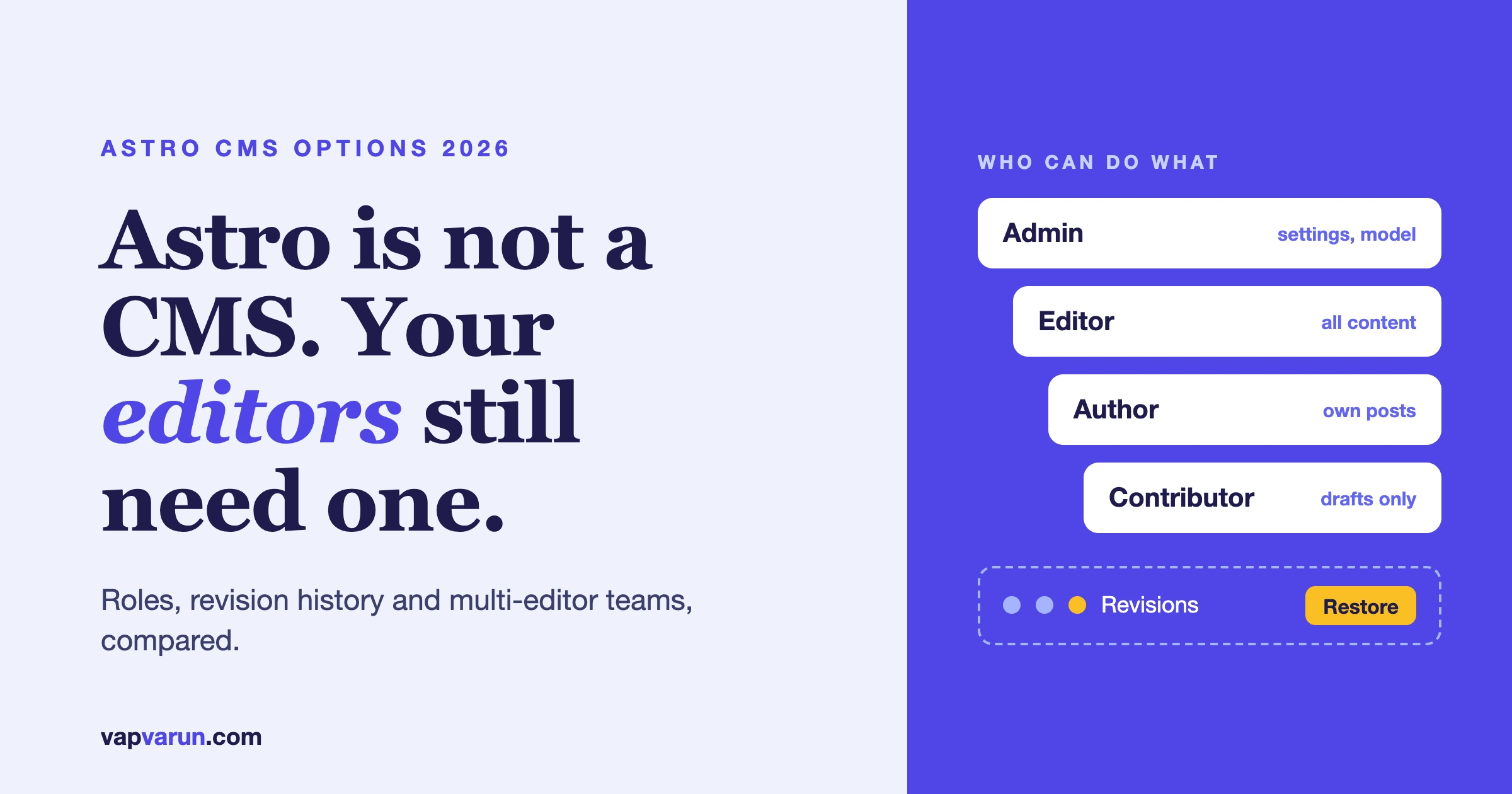
Astro is not a CMS. It is a front-end framework that builds fast pages from content, and the content has to live somewhere else. If one person edits that content, a folder of Markdown files is enough. If a team edits it, you need an editing layer with roles, drafts, revision history and a way to undo a bad Tuesday. This post compares the Astro CMS options we have actually run or evaluated, on those editor needs rather than on developer taste.
The debate is loud this week. One side says Astro on Cloudflare beats WordPress on every metric that matters. The other side says Astro is not a CMS and never will be. Both are right, and neither answers the question a content team asks on day two: who is allowed to publish, and how do we get the old version back?
What Astro is, and what it is not
Astro renders pages. It reads content, turns it into HTML at build time or on request, and ships very little JavaScript by default. Its own docs say the same thing in plain terms: Astro handles presentation, and you pair it with a CMS for writing and managing content. The CMS guides in the Astro docs list more than forty options, from WordPress and Drupal to Sanity, Contentful, Payload, Keystatic, Decap CMS, TinaCMS and EmDash.
Without a CMS, Astro still works. Content collections read Markdown or MDX files from your repository, and a developer edits them in a code editor. That is a fine setup for a documentation site or a developer’s own blog.
What Astro does not give you:
- A login screen for people who are not developers.
- Roles, so a freelancer can draft but not publish.
- Revision history you can browse and restore without knowing Git.
- A media library with search and replacement.
- A preview of an unpublished draft that matches the live design.
- Any guard against two people overwriting each other.
None of that is a flaw. A rendering framework should not ship a user database. But it means “Astro or WordPress” is the wrong question. The real question is which editing layer sits behind Astro, and what that layer costs your editors and your developers.
We run three setups in production: WordPress on its own, WordPress behind headless Astro, and EmDash. The choice of destination per site is covered in our post on choosing between WordPress, headless Astro and EmDash. This post stays one layer down, on the editing screen itself.
The five things editors need that developers forget
Developers pick a CMS by schema flexibility and API quality. Editors pick it, indirectly, by what happens when something goes wrong. After years of running content teams, these are the five checks we run before recommending any editing layer.
1. Roles that match how people actually work
A content team is rarely one trust level. A guest writer should be able to draft and nothing more. A staff writer should publish their own work. An editor should fix anyone’s post. One person should hold the keys to settings and the content model. If the CMS has one role, the team shares one login or gives everyone full power, and both are bad.
2. Revision history with restore
Somebody will delete a paragraph that legal needed. Somebody will paste over a pricing table. The question is not whether it happens but whether a non-developer can undo it in under a minute, without asking anyone to run a Git command.
3. Drafts and preview that are separate from live
Editing a live page directly is how typos reach customers. A draft state, a preview that renders with the real theme, and a publish action that is a deliberate click are the minimum. Scheduled publishing is the next step, because content calendars exist.
4. A media library
Alt text, replacing an image everywhere it is used, finding last year’s logo. A folder of files in a repository does not do this for a marketing team.
5. Protection against simultaneous edits
Two editors open the same article. One saves, the other saves later, and the first edit vanishes. Systems handle this in different ways: locking, merging, or refusing the stale save. Which one you get changes how a team behaves.
The options, one by one
Every capability below comes from the product’s own documentation. Where the docs we read did not cover something, we say so rather than guess.
Headless WordPress with Astro in front
WordPress stays as the editing system. Astro, or a Worker, reads posts through the REST API and renders them. Editors keep the screen they know.
What you get is the most mature editing layer on this list. WordPress ships five core roles that matter here: Administrator, Editor (publishes and manages all posts), Author (publishes and manages their own), Contributor (writes and manages their own but cannot publish), and Subscriber. Revisions are built in: the revisions system stores each saved draft or published update, shows a diff, and restores with one click. Since WordPress 7.0 there is a new revisions screen, and the classic one is still reachable. Autosave keeps one autosave per user per post, and it does not overwrite published content. Core also has a post lock: it checks whether another user is currently editing a post, which is what produces the “someone else is editing” warning.
Drafts, scheduling, preview and the media library are all core features that people have used for years.
What it costs: you still run WordPress. That means updates, a database and a login surface that needs protecting. You also add a second system, the Astro front end, plus the plumbing between them. Preview of a draft in the Astro design needs custom work, because the WordPress preview button points at the WordPress theme unless you build a preview route. Our own experience of that plumbing, including cache invalidation on publish, is in our write-up on headless WordPress request-time rendering.
Where it wins: any team that already has editors trained on WordPress, any site with membership or commerce that must stay on WordPress anyway, and any site with years of content.
EmDash
EmDash is described in the Astro docs as an open-source, full-stack CMS built for Astro. It runs inside your Astro project and needs a database. The admin lives at /_emdash/admin, and the site and the editing screen deploy together as one project. The EmDash docs go into the editing layer in detail, which is why it earns space here.
Roles: five levels, Subscriber, Contributor, Author, Editor and Admin, each inheriting from the one below. Contributors create content and edit their own drafts but need approval to publish. Authors create, edit and publish their own content. Editors manage all content. Admins hold settings, the content model, users, plugins, backups, and permanent deletion. The docs state that the server checks permissions on each action, so hiding a menu item is not the security boundary.
Revisions: collections with revision support show a Revisions panel with saved versions grouped by day and the names of everyone who edited each one. Selecting a version shows it read-only with added text highlighted and removed text struck through. Restore copies that version into a new draft, your previous draft stays in the list, and visitors keep seeing the published version until you publish.
Drafts and scheduling: saving and publishing are separate. Saving a published entry updates its draft only, and visitors keep seeing the previous live revision until someone clicks Publish changes. There is a scheduling control and a publishing calendar with month and agenda views.
Simultaneous editing: this is where EmDash differs from most. On sites that run co-editing, several people can edit an entry at the same time, and rich text merges so everyone’s typing is kept. Other fields hold one value, so if two people change the title at once, one change is kept. In single-editor mode with edit locking enabled for a collection, opening an entry holds a lock, and other writers are refused while it is active. Either way, EmDash refuses a stale save instead of silently overwriting.
Media: a library with grid and list views, search, metadata, replacement and usage information.
What it costs: you host a database and media storage. EmDash is newer than WordPress, so the plugin ecosystem is smaller, and you accept that. It also expects a developer to define the content model.
Where it wins: editorial teams on content sites who want a modern admin inside the same project as the front end, and who do not need WordPress plugins. We run several of our smaller content sites this way.
Payload
Payload is a code-first CMS that you configure in TypeScript and can run inside the same application as your front end. The Payload docs are specific about versions.
Drafts: with drafts enabled you control which documents are published and which are drafts, and access control can restrict who sees drafts. Autosave needs versions, drafts and autosave all enabled, and it saves edits to a new draft version without changing the published document.
Revision history: versions are stored in a separate collection with a full copy of each document. Collections keep 100 versions per document by default. The admin UI can compare versions with diffs and roll back, and you can restore through REST, GraphQL or the Local API.
Roles: this is the honest nuance. Payload’s access control is built from functions you write per operation: create, read, update, delete, at collection, global and field level. The docs give role-based access as an example, with a role field on the user, but they do not describe a built-in roles system. You design the roles. That is more flexible than a fixed list and more work for the person setting it up.
Locking: Payload locks a document while a user edits it. The lock ends when they leave or after a period of inactivity, 300 seconds by default. Other users see that the document is being edited, can view it read-only, or can take over, which notifies the original editor.
Where it wins: teams with developers who want one TypeScript codebase for content model, access rules and front end, and who need unusual permission logic.
Git-based editors: Keystatic, Decap CMS and TinaCMS
These three keep content as files in a Git repository and give editors a form-style screen on top. Every save becomes a commit. That is attractive for developers: content is versioned with the code, there is no content database to back up, and the history is Git history.
For editors it is a different trade, so read the details.
Keystatic can save data locally, directly to GitHub, or both. In GitHub mode, editors log in with GitHub, and the docs say collaborators need write access to the repository to use the admin UI. That is a clear model, and it is also a limit: every editor needs a GitHub account with write access. Keystatic’s docs have a branch prefix option, and the page we read does not describe pull request review. Keystatic Cloud is a separate option the docs link to, and we did not find editor-authentication or pricing details on the introduction page, so check the current Cloud page before planning around it.
Decap CMS, formerly Netlify CMS, describes itself as an open-source CMS for your Git workflow. It wraps Git operations through the GitHub, GitLab or Bitbucket APIs. Its editorial workflow is the most review-minded in this group: entries move through Draft, In review and Ready badges, saving a draft opens a pull request on a branch named after the collection and entry, and approving merges it. That gives you a real approval step, built on pull requests. The docs we read did not describe who can draft, review or approve, so permissions come from your Git host rather than from CMS roles.
TinaCMS is a Git-backed headless CMS. Each saved change creates a commit, editors use the admin at /admin, and the hosted backend, TinaCloud, can be swapped for a self-hosted one. It supports visual editing for React sites. The overview page we read did not cover editorial workflow, roles or media, so verify those in the product docs before you commit.
Where they win: small teams of one to three editors who are comfortable with GitHub accounts, content that is mostly text and images, and developers who want the content and the code in one history.
Where they struggle: guest contributors who should not have a repository account, teams that need granular roles, and editors who need a media library with search. Rolling back means reverting a commit or opening a pull request, and a non-developer will not do either without help.
Hosted headless CMSs, briefly
Sanity, Contentful, Storyblok, Hygraph, Prismic and DatoCMS all appear in Astro’s CMS guides. They are hosted services with their own editing screens, role systems and APIs, and your Astro site reads from them. The trade is simple: someone else runs the editing layer, and you pay for it by seat or by usage, and your content lives in their system. We have not run these in production for client work at the depth we have run the options above, so we are not scoring them on revision history here. If you are evaluating one, hold it to the same five checks in this post.
Comparison table
The table summarises what each product’s documentation says. “Not covered” means the pages we read did not say, so verify it before you rely on it.
| Headless WordPress | EmDash | Payload | Keystatic | Decap CMS | TinaCMS | |
|---|---|---|---|---|---|---|
| Editor roles | Five core roles, Contributor to Administrator | Five roles, Contributor to Admin | You write access functions | GitHub write access to the repository | Set by your Git host | Not covered |
| Revision history and restore | Built-in diff and restore | Panel with diff and Restore to new draft | Versions with diff and rollback, 100 per document by default | Git history | Git history | Git history, a commit per save |
| Drafts and preview | Core drafts, preview needs front-end work | Draft state, Preview draft | Drafts, autosave, draft preview | Branches | Draft, In review, Ready via pull requests | Not covered |
| Media library | Core library | Library with search and usage info | Upload collections you configure | Files in the repository | Uploads, integrations such as Cloudinary | Not covered |
| Multi-editor protection | Post lock warning | Co-editing, or locking in single-editor mode, and stale-save refusal | Document lock, 5 minutes by default | Not covered | Not covered | Not covered |
| Who hosts the editor | You (WordPress host) | You, inside the Astro project | You, with your app | Your site, plus GitHub | Your site, plus Git host | TinaCloud or self-hosted |
| Cost to run | Hosting and maintenance | Hosting and a database | Hosting and a database | Hosting, free Git account tier or Cloud plan | Hosting, Git host | Hosting, TinaCloud plan or self-host |
The cost row is deliberately coarse. Prices change, and a number in a blog post goes stale in a quarter. Check each vendor’s pricing page on the day you decide.
“Just prompt the AI to change the text”
A fair point has come out of the debate: if an AI agent can edit your Markdown files and open a pull request, why does anyone need an admin screen?
It works in specific places. A developer who owns a small site, changing a sentence or fixing a price, can ask an agent and review the diff. That is fast, and the Git history is a real audit trail. Several of the editors above, EmDash included, now expose their content to AI clients through MCP, with the permission model deciding what the assistant may do. EmDash’s docs say a tool call is rejected when either the token scope or the user’s role is insufficient, which is the right design: the AI gets the user’s permissions, no more.
It breaks down when the people changing text are not developers, or when more than one of them does it. A prompt is not a role. If the marketing intern can prompt the agent to rewrite the pricing page, the safeguard has to be somewhere other than the prompt. That somewhere is an account with a role, a draft state, an approval step and a revision list. The AI changes how text gets typed. It does not remove the need for the question “who changed this, when, and can we undo it?”
Teams also want a trail for reasons unrelated to AI: legal review, client sign-off, a complaint about something published in March. An audit trail is a business record, and it is cheaper to have it from day one than to reconstruct it.
So our position is practical. Use prompts to speed up the editing, and keep the editing layer to control who may do it.
Decision checklist by site type
Brochure site with one or two editors
A handful of pages, changed a few times a year. Content in Markdown plus a Git-based editor such as Keystatic, Decap CMS or TinaCMS is enough, and it keeps hosting simple. Pick the one whose login model suits your editors: GitHub accounts with write access for Keystatic, Git host accounts for Decap CMS. If a client will edit, test the whole flow with them before launch, including undoing a mistake.
Content network with a real editorial team
Several authors, an editor, an archive of hundreds or thousands of posts, scheduled publishing, and a need to see who changed what. This is where roles, revisions and edit protection stop being nice to have. The shortlist is headless WordPress if you want the most mature editing system, EmDash if you want the editing layer inside the Astro project, and Payload if your team wants to define everything in code. Ask each of them to demonstrate the five checks live: have a contributor draft, have an editor publish, break something and restore it, then have two people edit the same entry.
Membership or commerce
Logged-in users, carts, subscriptions, course progress. The editing layer is not the hard part here. The application is, and WordPress and its plugin ecosystem exist for exactly this. Keep membership and commerce on WordPress, and consider Astro for the marketing pages in front. A split setup, with accounts and checkout on WordPress and public pages on Astro, is what we run for our own store.
The one-line version
If the editing team is one developer, Git is the editor. If it is a team of non-developers, buy or run a real editing layer and treat the front end as a separate decision.
Questions to ask in every demo
These work for any CMS vendor or open-source project.
- Show me a contributor who cannot publish. What does their screen look like?
- Delete a paragraph in a published article, then restore it. How many clicks, and does it need a developer?
- Edit a published page without changing the live version. Where is the draft, and how do I preview it in the real design?
- Open the same article in two browsers. What happens when both save?
- Replace an image used on twelve pages. Does the library tell me where it is used?
- Where does the content live, and how do I get it out if we leave?
- Who patches this thing, and what breaks if nobody does for a year?
Frequently asked questions
Is Astro a CMS?
No. Astro is a front-end framework that renders pages. It reads content from Markdown files or from a CMS, and the Astro docs recommend pairing it with a headless CMS for managed content.
What is the best CMS for Astro?
It depends on who edits. For a single developer, Markdown content collections are enough. For non-technical editors who want a mature system, headless WordPress is the safest choice. For a modern admin inside the Astro project, look at EmDash or Payload. For Git-centred workflows, Keystatic, Decap CMS and TinaCMS fit.
Is Astro better than WordPress?
They solve different parts of the problem. Astro is a faster, simpler way to render pages. WordPress is an editing system with users, roles, revisions and a plugin ecosystem. The honest comparison is Astro plus an editing layer against WordPress as a whole. WordPress is still the CMS behind roughly four in ten websites, according to W3Techs, and that share is a reminder of how many teams rely on its editing features. Our own honest take on WordPress and static Astro sites covers the build-side trade-offs.
Can WordPress stay as the CMS while Astro handles the front end?
Yes. That is headless WordPress. Astro reads posts through the REST API. You keep the editing screen, roles and revisions, and you take on a second system and the work of previews and cache invalidation.
Do Git-based CMSs have revision history?
Yes, through Git. Every save is a commit, so history exists and can be restored. The catch is that restoring usually means reverting a commit or merging a pull request, which a non-developer may not be able to do alone. Decap CMS’s editorial workflow adds a Draft, In review and Ready flow on top of pull requests.
Can two editors work on the same article at once?
It depends on the system. WordPress warns when another user is editing. Payload locks the document, with a five-minute inactivity timeout by default. EmDash can merge rich-text edits in co-editing mode or lock the entry in single-editor mode, and it refuses stale saves. For Git-based editors, the docs we read did not describe locking, so assume you need a process.
Is “just ask the AI to edit the file” enough for a team?
For one developer on a small site, often yes. For several non-developers, no. A prompt does not carry a role, a draft state or an approval, so the permission model has to live in the editing layer.
Which option is cheapest to run?
A Git-based editor on static hosting has the lowest running cost, because there is no database. The price is paid in editor convenience. Everything else needs hosting and a database. Check each vendor’s current pricing page before deciding, since figures change.
Where we land
We do not think Astro versus WordPress is a useful fight. The useful question is the one a content team asks on day two: who can publish, what happens when someone makes a mistake, and can two people work at the same time.
Answer that first, then pick the front end. For the teams we work with, that usually means WordPress stays where membership, commerce or a large trained editorial team lives, and a lighter editing layer such as EmDash fits the content sites where the Astro front end is the point. If you want a second opinion on which layer fits your editors, our team at Wbcom Designs runs these setups every day and is happy to look at your case.