WordPress, Headless Astro or EmDash: How We Choose the Destination for Each Site in a Network
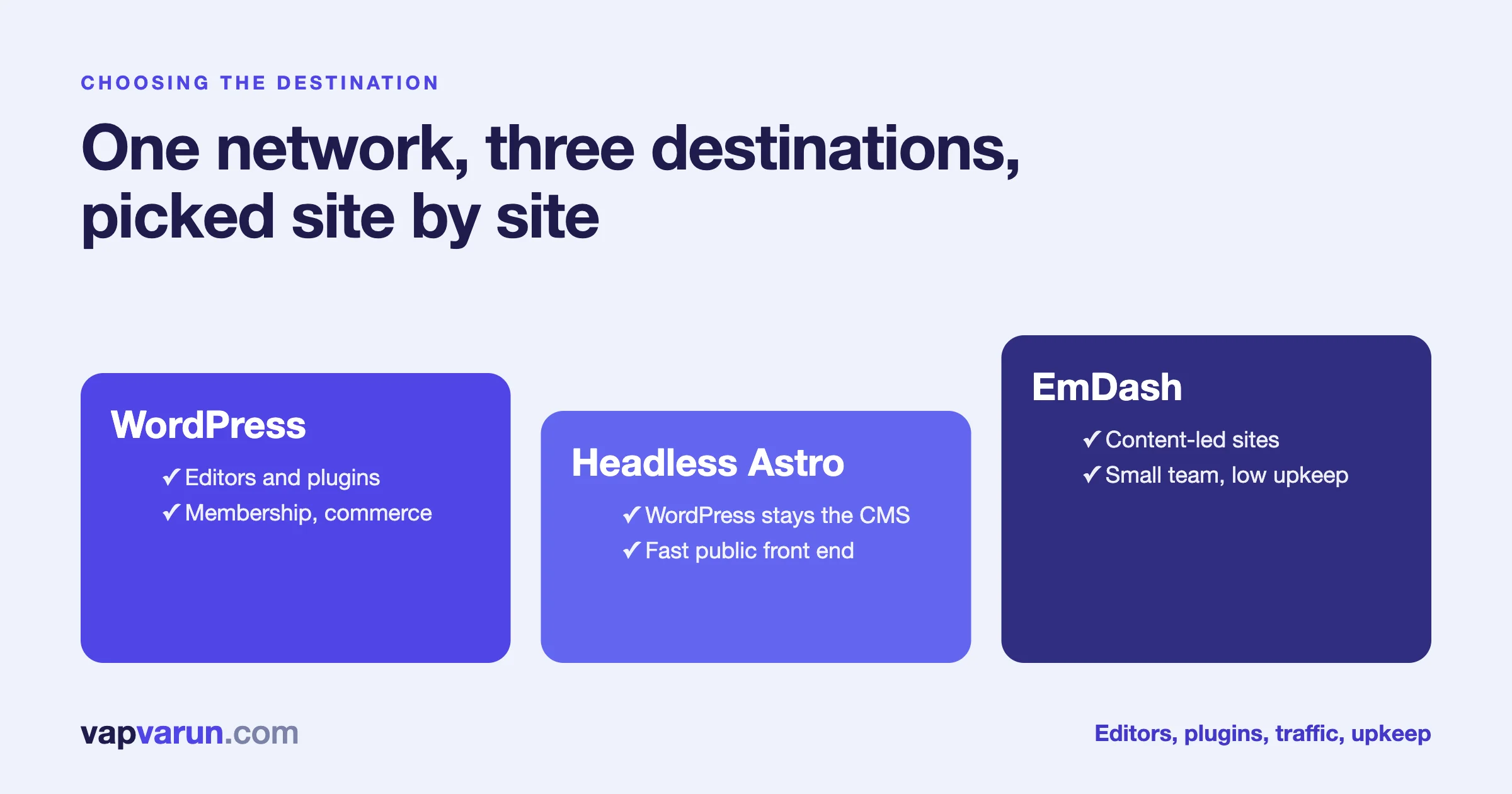
For a network of sites, you do not pick one platform. You pick a destination for each site, using six questions: who edits, which plugins the site truly needs, how much traffic it takes and how it is shaped, whether it runs membership or commerce, what the budget is, and who will maintain it in three years. Our team at Wbcom Designs runs all three of the destinations in this post in production: WordPress, headless Astro with WordPress behind it, and EmDash. This is how we choose between them, and where each one has let us down.
It is written for the people who sign off a migration: heads of digital, publishers, and the owners of media groups or corporate sites with more than one property. A developer section near the end shows how we write the decision down so it can be reviewed. It is marked, so you can skip it.
We will not tell you one option wins. We have already written the honest case for and against going static in WordPress vs Astro in 2026, and a framework for when a business needs a different stack altogether in When Your Business Needs Laravel, and When WordPress Is Enough. This post is the next step. It assumes you already have several sites and asks how to route each one.
The short version
- WordPress when the site needs plugins, members, orders, or an editorial team with a workflow that already works.
- Headless Astro with WordPress behind it when editors should keep WordPress but readers should get a much faster, simpler public site.
- EmDash when the site is mostly content, the team is small, and the owner wants the least upkeep.
- Decide per site, not per company. A network with three destinations is normal and often correct.
- Write the reason down. A decision with no recorded reason gets reopened every year.
What the three destinations are
Names get used loosely, so here is what we mean.
WordPress, as it is
WordPress serves the pages itself. The theme, the plugins and the database all sit behind the public address. Editors log in to the same system that readers see. This is the most familiar setup, and it has the largest pool of plugins, themes, hosts and people who know it.
Headless Astro with WordPress behind it
WordPress stays as the place where editors write. A separate front end built with Astro serves the public pages. Readers never touch WordPress. On our own sites, the blog part is rendered when someone asks for a page, from a cache that our publishing tool clears when a post goes live. We explained that design, and what bit us, in Headless WordPress With 2,000+ Posts. Static pages such as the home page and product pages are built once.
EmDash
EmDash is a content system built on Astro and Cloudflare Workers. The editing screen, the content store and the public site live in one project. There is no WordPress behind it once a site has moved. Posts, pages, media, menus, redirects and settings are managed there. We described the move of five of our own sites in We Moved Five WordPress Sites to EmDash the Week 1.0 Shipped.
Where we run each one, and why
We choose from experience here, so the examples come from our own estate.
- WordPress. Our community, learning and events products run on WordPress because they are WordPress products. Any site that needs members, courses, orders or user-generated content stays where the plugins are. Our own store is a good example of a split: the marketing pages are Astro, while the checkout and account journey stays on WordPress with its commerce plugin.
- Headless Astro with WordPress. Four of our larger content sites, including this one, use it. Each holds between about 600 and 2,500 posts, editors keep working in WordPress, and readers get static pages plus a cached blog. Our main company site holds about 8,000 posts and also renders its blog on request.
- EmDash. Five of our smaller content and lead sites run on it. They have a short list of editors, little custom functionality, and an owner who wants fewer moving parts.
We keep some sites on WordPress even after trying the alternatives. That is not a failure of the new platforms. It is the result of asking the six questions honestly.
The six questions
1. Who edits, and how?
This question decides more migrations than any technical factor. A newsroom has reporters, sub-editors, a scheduling desk, and perhaps freelancers who submit drafts. Some of that behaviour is built into WordPress and its plugins: roles, drafts, scheduled posts, revision history, editorial comments. If your team lives inside those tools, moving them has a real cost, and it shows up as slower publishing on the first busy news day.
Ask the editors to list what they do in a normal week. Then ask which of those actions they would be upset to lose. Anything on that list must exist in the destination, or be replaced with something the editors accept.
- WordPress: all of it, with years of practice behind it.
- Headless Astro with WordPress: all of it, because editors still use WordPress. Previews need work: a draft has to be shown through the new front end, not the old theme.
- EmDash: a clean editor with the basics a content team needs, but a smaller feature set and fewer editorial add-ons. Fit it to teams that publish and refresh content, not to teams with a complex approval chain.
2. Which plugins does the site truly need?
List every active plugin and mark each one as one of three kinds: it changes what readers see, it changes what editors can do, or it is housekeeping (backups, security, caching). Housekeeping plugins often become unnecessary on a different architecture. The other two kinds need a plan.
The plugin list is where a headless or EmDash move gets expensive. A plugin that prints something on the page, such as a form, a poll, a map or a membership gate, either has to be rebuilt in the new front end or kept alive in WordPress behind it. A site that depends on twenty such plugins is a WordPress site, and fighting that is rarely wise.
EmDash has its own plugin registry. We shipped our first plugin there and wrote honestly about what we learned and what is not ready yet in We Shipped Our First EmDash Plugin. Treat the ecosystem as young. If the site needs a specific plugin, check that an equivalent exists before you plan the move, not after.
3. How much traffic, and what shape is it?
Traffic has two parts: how much, and how it arrives. A site with steady traffic and mostly anonymous readers, such as a news or content site, is where a fast public front end pays off. Pages can be cached close to the reader, WordPress can sit behind a firewall and handle a trickle of requests, and a spike from a viral story does not touch the database.
A site with logged-in traffic is different. Members, carts and dashboards cannot be cached as one page for everyone. The more of a site's traffic is personal, the more it belongs on a system that handles sessions natively.
We have written about why speed matters for business in Why Fast Sites Win Bigger Clients. The short rule for a network is to put the fast, simple front end on the properties where most visitors are anonymous and arrive from search or social.
4. Does it run membership or commerce?
Yes means WordPress, or a headless setup where WordPress still handles those journeys. That is the plain answer, and we hold to it. Payment, tax, refunds, subscriptions, account pages and access control are the parts of a site where a mistake costs money or trust. Mature plugins have already met most of the edge cases. We do not recommend moving those journeys to a new platform to save a few seconds of page load.
The pattern that works is the split. Marketing and content pages go to the fast front end. Checkout and account stay on WordPress. Our own store works that way. It takes more care at the seam, such as links between the two and a shared look, but it avoids rebuilding payments.
5. What is the budget, and over what period?
Budget has two numbers: the cost to move, and the cost to run for years after. People often compare only the first.
- Staying on WordPress costs the least to start, because nothing moves. Running costs include hosting, updates, security and plugin licences.
- Headless Astro with WordPress costs more to start, because a new front end is built, and it carries two systems to maintain afterward: WordPress as the editor and the front end project. It often lowers hosting load on the WordPress side.
- EmDash costs a migration project to start. Afterward it is one system with fewer parts, which is why our smaller sites sit there.
We do not quote prices in a blog post, because they depend on the shape of the site. Our headless WordPress service page explains what is included, and a fixed quote follows a call. For how we think about rebuild budgets in general, see What a Business Website Rebuild Actually Costs in 2026.
6. Who maintains it in three years?
This is the question people skip. The platform you pick is also the platform someone has to update at three in the morning when a security fix lands. Ask who that is, by name or by team.
- WordPress has the biggest hiring pool. Almost any agency or freelancer can take it over.
- Headless Astro needs someone who can work on both a WordPress back end and a JavaScript front end. That is a smaller pool.
- EmDash is newer and has the smallest pool of outside experts. If we maintain it, that is fine. If you plan to hand it to an in-house team with no experience, plan training and documentation first.
For us this is why every site we move comes with its steps written into its own repository, so a new person or a new machine can repeat the work. The same rule should apply to any partner you choose.
A worked example: a network of five properties
Here is how the six questions play out for an imagined media group. This is a made-up example, not a client. It shows the method.
| Property | What it is | Answers that decide it | Destination |
|---|---|---|---|
| Flagship news site | Large archive, many editors, scheduled desk | Editors depend on WordPress workflow; mostly anonymous traffic; many plugins for ads and newsletters | Headless Astro with WordPress behind it |
| Subscriber portal | Paid members, premium archive | Membership and payments; logged-in traffic | WordPress |
| Regional micro-sites | Small blogs, two editors each | Few plugins; small team; low upkeep wanted | EmDash |
| Corporate site | About, careers, investor pages | Rarely edited; speed and stability matter | Headless Astro or EmDash |
| Events and community | Tickets, member directory | Orders and accounts | WordPress |
Notice that two of the five stay on WordPress, and that is the correct result. A network plan where every site moves is usually a plan written before anyone looked at the sites.
Headless Astro or EmDash: the choice between the two newer options
Once a site has ruled out staying on WordPress as it is, the real question is usually headless Astro or EmDash. The difference comes down to what you want to keep.
- Pick headless Astro with WordPress if you want to keep WordPress. Your editors, your plugin data, your user accounts and your habits stay. The new part is the public front end. You pay for two systems, and you gain a front end that you control completely.
- Pick EmDash if you are happy to leave WordPress. The content moves once, through an importer, and afterward there is one system. You pay once for the move and then for less upkeep. You give up the plugin catalogue, and you accept a younger ecosystem.
A useful test is to ask what would happen if WordPress disappeared from the site tomorrow. If the answer is "very little, the editors would barely notice," EmDash is worth a look. If the answer is "a lot of things would stop," keep WordPress in the picture, and put the fast front end in front of it.
What the move changes for readers and search
Whatever the destination, the rule from our migration method does not change: every old URL must end on a useful page and every search signal must carry over. The choice of platform changes how you get there, not whether you need to. We set out that method in How We Migrate a 2,000-Post Content Network Without Breaking a Single URL.
Two platform differences are worth knowing.
- Speed. A static or cached front end is usually faster than a plugin-heavy WordPress theme. We will not quote a number for your site, because it depends on the theme and hosting you have now. We measure one real page before the move and compare after.
- Publishing delay. With request-time rendering and cache clearing, a new post goes live in about a minute on our sites. With a full static rebuild, it waits for the build. Check this against how your newsroom works.
Mixing destinations inside one network
A network with different platforms raises practical questions. The answers are mostly about consistency.
- Shared brand. Colours, type and components should come from one design system, so a reader moving between properties sees one family.
- Shared analytics. The same tag setup on every property, so reports can be compared. We check a real analytics hit on each site, not only the presence of the tag.
- Shared SEO rules. The same rules for titles, canonicals, robots and structured data on every platform.
- Cross-links. Links between properties are real links, and they are checked after any move.
- Common publishing tool. Our publishing flow talks to WordPress and to EmDash through the same steps, so editors do not learn three ways to publish.
The order we move a network in
A network move is a sequence, not a weekend. The order matters because each site teaches the next one something.
- Start with the lowest-risk property. A small content site with few plugins and a patient owner. Run the whole method on it, including the verify gate and the rollback.
- Write down what went wrong. Every move we have made surfaced something the plan missed: a head tag nobody had listed, a slug the importer mangled, a firewall that blocked the import. Those notes become the checklist for the next site.
- Move the content-led properties next. They share the most with the first one and benefit most from the lessons.
- Leave the money journeys for last, or leave them alone. A membership or commerce site only moves once the team has a stable process, and sometimes the right answer is the split described above.
- Review the whole network after a month. Look at Search Console for every property, compare against the baseline you saved, and decide whether any site should change its destination.
This order keeps the number of live risks small at any moment. It also means a bad surprise lands on a site where it is cheap to fix. Google makes a similar point for large sites: if it is technically possible, move one section first and learn from it.
Common mistakes we see
- Choosing the platform first and the sites second. The destination should fall out of the site's needs.
- Counting only the move. The cost to run for three years is usually larger.
- Ignoring editors. A site that is fast but painful to publish on will be published on less.
- Moving commerce to save seconds. Keep money journeys on proven systems.
- Treating the plugin list as a footnote. It is the budget.
- No exit plan. Keep the old site alive and non-public for a month after any move, so you can go back.
How we help a network decide
We begin with an audit of each property: editors, plugins, traffic, journeys and maintainers. The output is a one-page decision per site with the reason written beside it. If a site should stay where it is, we say so. The move itself follows the method in our website migration service: map every address, rebuild on staging, switch at a quiet hour and watch Search Console for 30 days.
For developers: writing the decision down
This section is for developers. Decision makers can skip it.
We record the answers per site in a small file kept with the migration notes. It is not a scoring engine. It exists so the reasoning is reviewable and the next person can see why a site went where it did.
// destination.config.js: one entry per property, reviewed by a person.
export default {
  'flagship-news': {
    editors: 'workflow-heavy',      // roles, scheduling, revisions in daily use
    plugins: ['ads', 'newsletter', 'seo'],
    traffic: 'anonymous-mostly',
    commerce: false,
    maintainer: 'agency',
    destination: 'headless-astro',
    reason: 'Editors keep WordPress. Public pages gain speed. Ads and newsletter stay behind it.'
  },
  'subscriber-portal': {
    editors: 'light',
    plugins: ['membership', 'payments'],
    traffic: 'logged-in',
    commerce: true,
    maintainer: 'agency',
    destination: 'wordpress',
    reason: 'Payments and access control stay on mature plugins.'
  }
};

// A simple guard, not a decision-maker: it flags combinations that need a human.
export function needsReview(site) {
  if (site.commerce && site.destination !== 'wordpress') return 'commerce off WordPress: confirm the seam';
  if (site.traffic === 'logged-in' && site.destination === 'emdash') return 'logged-in traffic on EmDash: confirm the need';
  if (site.plugins.length > 8 && site.destination !== 'wordpress') return 'many plugins: confirm each has a replacement';
  return null;
}
Three habits keep this useful. Keep the file in the repository next to the redirect map, so the reason travels with the work. Make a person approve every entry, because the guard only catches combinations, not judgement. And record the date, so when the platform or the site changes, the decision can be revisited on purpose, not by accident.
For the headless case, the one technical choice that matters most is how the blog is served. A full rebuild on every publish is simple but grows with the archive. Request-time rendering from a cache grows with traffic instead. The trade-offs, and how we cleared the cache, are in the post linked above.
Frequently asked questions
Should every site in a network use the same platform?
No. Sites differ in editors, plugins, traffic and journeys. One platform is simpler to run, but forcing it onto a site that does not fit costs more than running two.
Is headless Astro better than WordPress?
It is better at one thing: serving fast public pages. It is not better at editing workflow, plugins or commerce. That is why we pair it with WordPress and use it where readers are mostly anonymous.
When is EmDash the right choice?
When a site is mostly content, has few plugins, has a small editorial team, and the owner wants the fewest moving parts. We would not choose it for membership or commerce sites today.
Can we move one site first as a test?
Yes, and we recommend it. Start with a lower-risk property, run the full verify process, and use what you learn on the rest.
What stays on WordPress in your own estate?
Our community, learning and events products, and the checkout and account journeys of our store. Sites that depend on members, orders and many plugins stay where those tools are mature.
Do you guarantee a result for every destination?
No. We guarantee the process: every old address accounted for, signals carried across, and 30 days of Search Console monitoring. Rankings depend on more than the platform.