How We Migrate a 2,000-Post Content Network Without Breaking a Single URL
To move a content network of 2,000 posts without breaking a URL, you do five things in order. You list every address that anyone can still reach. You decide where each one will live. You carry the page titles, canonicals and descriptions across unchanged. You prove the result by crawling the old list against the new site and comparing status, canonical and title. And you keep a way back until the proof is in. This post is how our team at Wbcom Designs runs that method, and what we learned from running it on our own sites.
It is written for the people who decide whether a migration goes ahead: editors in chief, heads of digital, and the technology owners who sign the cheque. The sections for you explain what is checked and why. One section near the end is for developers and is clearly marked, so you can skip it.
We have already written about two real moves. In We Moved Five WordPress Sites to EmDash the Week 1.0 Shipped we covered what a platform change looked like for five content sites. In Headless WordPress With 2,000+ Posts we covered how four sites changed how the blog is served and how we proved no URL broke. This post does not repeat either. It steps back and lays out the method that sits behind both, so you can judge any migration partner against it, including us.
The short version
- Every URL is a test case. The list comes from sitemaps, the CMS, Search Console, backlinks and Bing, not from a crawl alone.
- Keep paths where you can. The cheapest redirect is the one you never need.
- Redirect in one hop, to the page that answers the same need, never to the home page.
- Search engines read the head of the page. Title, canonical, description and structured data must match on day one.
- The verify gate decides. Nobody says "it looks fine." A script says it, and a person reads the exceptions.
- The old site stays alive. Rollback is a switch, not a rebuild.
What "without breaking a URL" means
It does not mean every URL looks the same. It means every address that worked before still ends on a useful page, and that nothing which was indexed changes its signals by accident. A URL can legitimately end in a 301 to a better page. A URL can legitimately return a 404 if the page was a test post that should never have been public. What it cannot do is quietly stop resolving, quietly point its canonical at a preview address, or quietly lose its title.
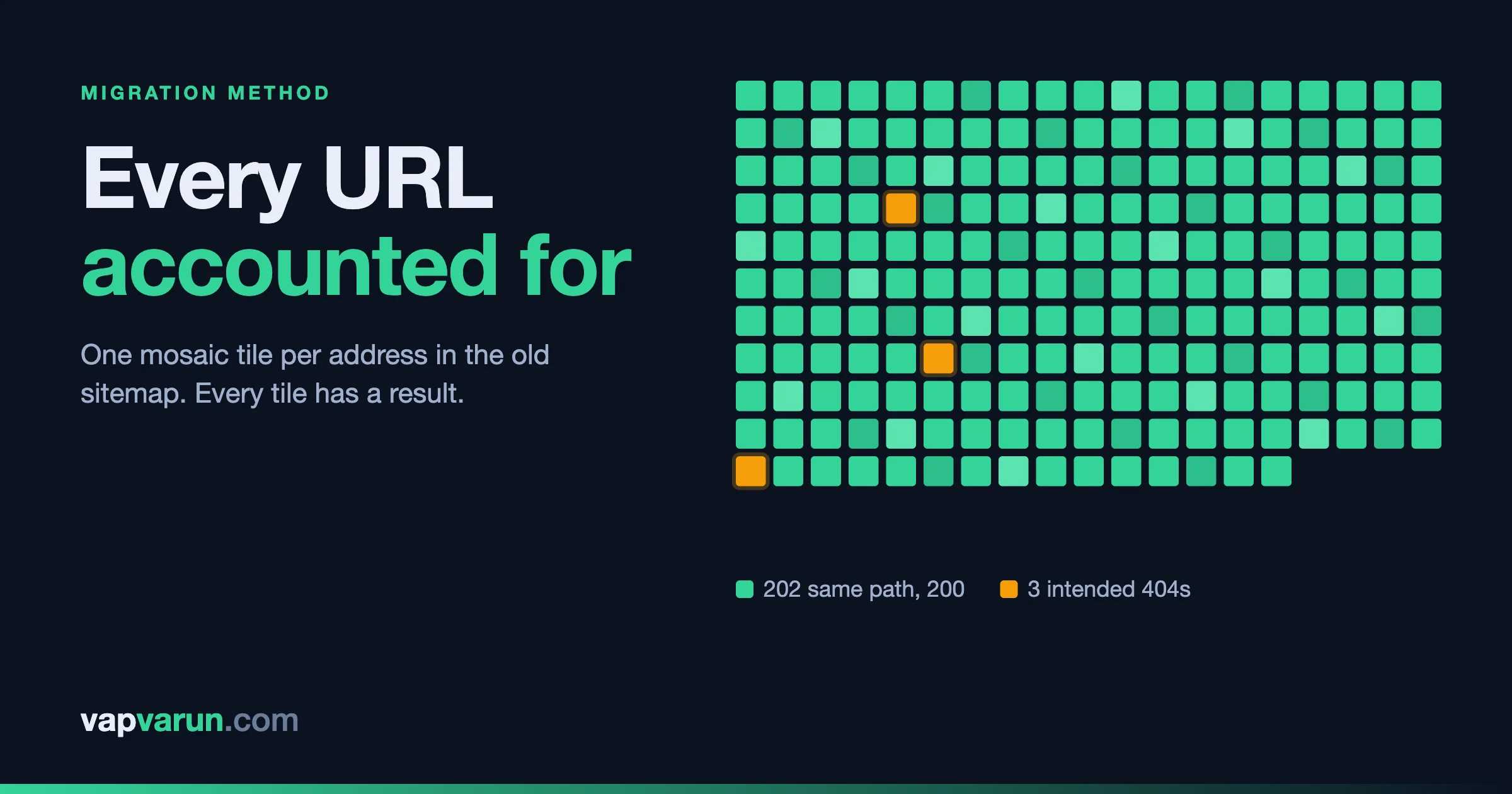
On one of our own moves, the audit result read like this: 202 of the 205 addresses in the old sitemap answered 200 on the same path, three returned a correct 404 (two pages that had been deleted and one blocked slug that already had a redirect), and there were no mismatches in titles, descriptions or canonicals on any page type. Notice what that sentence contains. It accounts for every address, including the three that did not return 200, and it says why. That is the standard. "Nothing broke" is a claim. "Every address is accounted for and these three are intended" is a result.
Google describes the same goal for site moves with URL changes. Its guide tells site owners to map old URLs to new ones, use server-side permanent redirects, and avoid sending many old URLs to one irrelevant destination such as the home page. You can read it in Google Search Central: site moves with URL changes. Everything below is our working version of that advice.
Step 1: Build the URL inventory from five sources
A crawl of the live site finds the pages the site links to today. That is not the same as the pages people can reach today. A news site has twenty years of old articles that are no longer linked from anywhere but still rank, still get shared and still sit in other people's bookmarks.
So we build the list from several places and merge them:
- The sitemaps. Every URL the site itself offers to search engines.
- The CMS. Every published post, page and archive, straight from the database, including ones missing from the sitemap.
- Search Console. Every page that has had impressions over the longest period the tool will give us. This catches pages that were deleted but still appear in search.
- Backlinks. Every address another site links to, from a backlink tool.
- Bing Webmaster Tools. Addresses where Bing reported crawl problems.
On our headless move we did exactly this. Search Console alone contributed 637 pages for one site and 4,631 for another, many of which no longer existed. If we had checked only the sitemap, those would have been invisible. Each URL then gets one label: serve as is, redirect, intentionally gone, or investigate. The inventory is saved before anything changes, because once the domain points at the new site the old sitemap is gone.
For decision makers, this is the first question to ask any partner: "Where does your URL list come from?" If the answer is "we crawl the site," the list is incomplete.
Step 2: Capture how the old site behaves
Before touching the new build, we write down the rules the old site follows. They are easy to forget because nobody chose them on purpose. They came with a theme or an SEO plugin.
- The permalink pattern. Does a post live at
/post-name/, or under a category path, or under a date? - Title format and separator. The pipe or dash between the post and the site name, and the suffix on archive pages.
- Which legacy URL types return 200. Tag pages, author pages, date archives, paginated lists, feeds, attachment pages.
- Robots rules on tag and author archives.
- Head tags such as the analytics ID, the social card tags, the language tag and the structured data types.
- Verification tags for Search Console and Bing, which must survive.
Head tags are where we have been caught. On one of our own moves, the analytics tag, the Twitter handle tags and the locale tag were all missed until after cutover, because nobody had listed them. We now capture them in the first step, and the verify gate compares them. The owner policy we apply on our own sites is also worth stating: we do not carry a noindex across by accident, and every public URL stays indexable unless the owner decides otherwise.
One more trap sits in the SEO data. A site can have an SEO plugin switched off while its old titles and descriptions are still stored on every post. On one of our moves, 273 descriptions were still stored for a plugin that was no longer active. Reading only the active plugin would have lost all of them. We read the stored values for each plugin and take the best available.
Step 3: The slug map
The slug map is a table with one row per URL. Old address on the left, new address on the right, and a reason. It sounds clerical. It is the document the whole migration depends on.
Keep the path whenever possible
The best slug map is mostly empty, because the path did not change. If the old site had posts at /post-name/ and the new platform can serve /post-name/, nothing needs redirecting. Fewer redirects means fewer places to be wrong, and no extra hop for readers or crawlers. We configure the new site to reproduce the old permalink structure before we consider changing it. Redesigns are a separate decision, and combining them with a platform change multiplies the risk.
Handle the awkward slugs on purpose
Large archives always contain slugs that break assumptions:
- Non-English slugs. One of our migrated blogs had a post with an Urdu slug that returned a 404 after import, because the importer had kept the slug percent-encoded. We now run a repair pass that decodes them so the new site serves them exactly as the old one did. In the headless move, two posts with Japanese and Chinese slugs 404'd until the path check also accepted the encoded form. The audit caught both.
- Loose spellings. WordPress will find a post for an upper-case or slightly different spelling of its slug. The new site needs a rule for that: redirect any spelling that is not the real slug to the real one.
- Category paths in the URL. If posts lived under
/category/post-name/, the category path must be rebuilt from the old data. On one import, category parents were dropped, and post URLs came out wrong until a repair step restored the hierarchy and a second step rebuilt each post's category path. - Duplicates. Two posts with the same slug in different categories, or a post and a page that clash.
Decide the fate of every URL that cannot stay
Some URLs have to go: test posts, thin tag pages, pages merged into others. For each one the map records a destination chosen by what the reader wanted, not by matching words in the slug. In our headless move, the first draft matched old slugs to new ones by similar words and made bad choices, such as sending a post about one topic to a post that shared a word but served a different reader. We rebuilt the choices by reading the actual search queries behind each dead URL, then picking the live page that answers them.
Step 4: The 301 rules
A 301 is a permanent redirect. It tells browsers and search engines that an address has moved for good and where it went. Google's documentation on redirects and Google Search recommends server-side permanent redirects wherever possible.
Our rules for them are short:
- One hop. Old URL to final URL. Google advises redirecting to the final destination directly and keeping any chain short, ideally no more than three redirects and fewer than five. We aim for zero chains. We check every target to be a live page before the rules go live, so no redirect leads to another redirect or to a 404.
- Specific before general. Exact-match rules for individual pages run first. Pattern rules for whole URL families (old tag, author, date and paginated archives) run after. A pattern that is too greedy can swallow a URL that deserved its own destination.
- Never to the home page by default. A redirect to a page that does not answer the same need is treated as a soft failure by readers and weak by search engines. If nothing fits, an honest 404 or 410 is better than a lazy redirect.
- Applied at the edge, kept in a file. In our setups the redirects are applied before the application runs and are stored in a file in the site's repository. That gives us history, review and a quick rollback. On the four headless sites the files held 55, 308, 26 and 65 single-hop redirects, plus pattern rules for old archive URLs.
- Keep them for a long time. Google's guidance is to keep redirects for as long as possible, and from a reader's point of view, to consider keeping them indefinitely. We treat redirects as permanent infrastructure.
Step 5: Content and internal links
Moving the URL is half the job. The content on the page has to arrive intact. Two things go wrong most often: text is lost in conversion, and links inside the content still point at the old world.
Content fidelity
We never assume an import is complete. We run a coverage check that compares the text of each post in the old system against the new one, then fixes and re-checks until it reports nothing lost. The numbers from our own sites are the reason this step is mandatory. On one platform move the importer dropped text from 94 of 442 posts on one site, 68 of 230 on another, and 29 of 210 on a third, along with some links, such as linked images and button addresses. Without the check, none of that would have been noticed until a reader complained. With the check, it was repaired before launch. The few posts whose source was already broken in the old system were listed for the owner instead of being silently "fixed."
Internal link rewriting
Inside a large archive, posts link to other posts. Those links point at old addresses. If the paths are unchanged, they keep working. If any path changed, every one of those links either becomes a redirect hop on every click or a 404. We rewrite internal links to the final address in the content itself, so readers and crawlers go straight to the right page, and we remove links to pages that no longer exist. After the rewrite we check the rendered pages, not only the stored content, and the target is zero broken internal links.
We also search the rendered pages for any remaining reference to the old media folder or old host. That check is quick, and any hit means something was missed.
Step 6: Media
Images are the part of a migration nobody sees until they are missing. Our approach:
- Move the files, then repoint every reference. Posts that still load images from the old server will break the day the old server is retired.
- Do not trust the count. The new library can legitimately hold fewer files than the old one. On one site, 238 of 265 files arrived because 27 were byte-identical duplicates stored once. We proved this by comparing file checksums before re-importing anything, rather than assuming files were lost.
- Fill in dimensions. Missing width and height cause layout shift. A check also finds the items that are called images but are really web pages saved with an image name.
- Prune last. Old size variants and orphaned files are removed only after every reference has been repointed and a dry run has been reviewed.
One practical risk: a firewall in front of the old site can block the importer. Bot protection that blocks automated requests can return 403 on the paths the importer needs. Check the firewall events first, and if a temporary exception is needed, add it with the owner's approval and remove it afterwards.
Step 7: SEO head parity
Search engines index what is in the head of each page. If the new site changes it, rankings can shift even when every URL works. We treat head parity as a checklist per page type, not per page:
- One title, identical to the old one (or a change the owner has approved).
- Meta description, present and carried over.
- Canonical URL that points at the page itself on the final domain.
- Robots directives that match the old behaviour.
- Open Graph and Twitter card tags, including a real share image.
- Structured data of the same types: article, breadcrumb, author, site.
- Analytics and verification tags.
- Hreflang and language tags where the site is multilingual.
There are known differences that are acceptable, and we write them down. For example, the new site may add a description or a self-referencing canonical where the old one had none. What is not acceptable is a difference we cannot explain. Where the old site's sitemap and its live canonical disagree, we compare against the live canonical, because that is what search engines saw.
Step 8: The verify gate
Everything above produces a new site on a preview address. The verify gate decides whether it may go live. It has three parts.
Part one: crawl the old list against the new site
We take the saved inventory and request every URL on the new site. For each one we record the status code, the final URL after redirects, the number of hops, the canonical, the title and the description. The old values were recorded from the old site before anything changed, so each row is a comparison, not a guess.
Part two: pass and fail rules
| Check | Pass | Needs a person |
|---|---|---|
| Status | 200 on the same path, or a single 301 to the mapped target | Any 404, 5xx, or a 200 that the map says should redirect |
| Hops | One or none | Two or more |
| Canonical | Self-referencing on the final domain | Points at a preview address, another page, or is missing |
| Title | Identical to the old title | Any difference not on the approved list |
| Description | Present and matching, or an approved improvement | Missing, or filled with template text |
| Robots | Same as before | New noindex, or a block on a path that was open |
We also flag a sneaky case: a URL that returns 200 only because a fallback theme or default template rendered something. A 200 does not prove the right page answered.
Part three: a person reads the exceptions
The output is a short list of rows that did not pass cleanly. A person reads each one and either fixes it or writes down why it is intended. The gate passes when there are zero unexplained rows. We repeat the crawl after every fix, and again on the production domain after cutover, using the saved list because the old sitemap no longer exists.
The same gate runs after any later change. We described how it protects routine updates in How We Update Five Live Sites Without Breaking Them.
Step 9: Rollback
A rollback plan is a design decision made before work starts, not a promise made on launch day. Our setup keeps the old site running and non-public. The domain's DNS does not change at the moment of switching. Instead the new site is attached with a route in front of the old one. If something is wrong, removing that route and deploying puts the old site back immediately. After that we restore the cache and caching rules we turned off, and purge the cache.
We keep the old server intact for a month after launch and retire it only after a clean month. That is cheap insurance. It also protects the redirect map: if a URL turns up in Search Console that nobody listed, the old site is still there to check against.
The next two posts in this series cover cutover day itself and the thirty days after it. For now, the rule is simple: if you cannot describe how to go back, you are not ready to go forward.
What this takes, and what it does not promise
Our website migration service follows this method: inventory, map, rebuild on staging, switch at a quiet hour, then watch Search Console for 30 days with problems fixed inside the migration. The service page gives typical durations: one to two weeks to audit, two to six weeks to migrate and stage, then a single cutover window. Those depend on the size and shape of the site, and a news group with a custom CMS needs a proper audit before anyone can quote a number.
Two honest limits. First, Google says that for medium-sized sites it can take a few weeks or more for the new URLs to replace the old ones in search results, and longer for larger sites. Rankings can move while that happens, and no one can promise otherwise. Second, our own largest moves so far have been in the low thousands of posts per site. The method does not change with scale, but the run time of the crawl and the number of exceptions do, so a larger archive should be moved in stages, one section at a time, which Google also suggests for large sites.
If you are earlier in the decision and still asking whether a platform change is worth it at all, read From Heavy Theme to Headless: A Migration Playbook for Business Sites first.
For developers: the shape of the verify script
This section is for developers. Decision makers can skip it.
The gate is a script, not a spreadsheet. Its core is small. It reads the saved list, fetches each URL without following redirects first (to count hops), then once more to read the final page, and compares the fields.
# verify_gate.py: compare a saved URL list against the new site.
# old.csv columns: url,status,canonical,title
import csv, re, sys, urllib.request, urllib.error

NEW = sys.argv[2].rstrip('/')          # e.g. the preview address

class NoRedirect(urllib.request.HTTPRedirectHandler):
    def redirect_request(self, *a, **k):
        return None

opener = urllib.request.build_opener(NoRedirect)

def fetch(url):
    try:
        r = opener.open(urllib.request.Request(url, headers={'User-Agent': 'migration-gate'}))
        return r.status, r.headers.get('Location'), r.read().decode('utf-8', 'ignore')
    except urllib.error.HTTPError as e:
        return e.code, e.headers.get('Location'), ''

def head(html, pat):
    m = re.search(pat, html, re.S | re.I)
    return m.group(1).strip() if m else ''

for row in csv.DictReader(open(sys.argv[1])):
    path = re.sub(r'^https?://[^/]+', '', row['url'])
    status, loc, html, hops = None, None, '', 0
    url = NEW + path
    while True:
        status, loc, html = fetch(url)
        if status in (301, 302, 307, 308) and loc and hops < 5:
            hops += 1
            url = loc if loc.startswith('http') else NEW + loc
            continue
        break
    canon = head(html, r']+rel=["\']canonical["\'][^>]+href=["\']([^"\']+)')
    title = head(html, r']*>(.*?)')
    problems = []
    if status != 200: problems.append(f'status {status}')
    if hops > 1: problems.append(f'{hops} hops')
    if row['title'] and title != row['title']: problems.append('title differs')
    if not canon: problems.append('no canonical')
    if problems: print(path, '|', ', '.join(problems))
Three details make it reliable in practice. Run it from the saved list, never from a fresh crawl, so the old values are the baseline. Send a browser-like user agent only where a firewall demands it, and say so in the report. And write the output to a file you keep with the migration notes, because the diff between the pre-cutover run and the post-cutover run is the evidence that nothing changed.
For the rules themselves, a flat file is enough. Exact matches first, patterns after, one target each:
# redirects.txt: exact rules, then patterns. One hop each.
/old-post-name/            /post-name/                  301
/2014/05/old-post-name/    /post-name/                  301
/tag/:slug/                /topics/:slug/               301
/author/:name/page/:n/     /author/:name/               301
Before applying a file like this, run every target through the same verify script. A target that returns anything other than 200 is a bug in the map, found before a reader finds it.
Frequently asked questions
How long should we keep 301 redirects after a migration?
As long as you can. Google advises keeping redirects for as long as possible so that signals can transfer and links from other sites keep working. We treat them as permanent.
Is it better to redirect old URLs to the home page when there is no match?
No. Google advises against sending many old URLs to one irrelevant destination such as the home page. Pick the page that answers the same need, or return a 404 or 410 for content that is truly gone.
Do we need to change the URL structure when we change platforms?
Usually not, and it is safer not to. Keep the permalink pattern on the new platform, then change it later as its own project if there is a reason.
How do you know the import did not lose content?
We compare the text of each post between the old and new systems, fix the differences and compare again until nothing is lost. Posts whose source is already broken are listed for the owner.
What happens if something goes wrong at launch?
The old site is still running and the switch is reversible. We remove the route that points at the new site, restore the cache settings and purge the cache, and the old site serves again straight away.
Can a migration guarantee no ranking loss?
No honest partner can. What a migration can guarantee is process: every address accounted for, signals carried across, and 30 days of watching Search Console so that problems are found and fixed early.