Best WooCommerce Customer Support Plugins in 2026: Helpdesk, Chat and Q&A
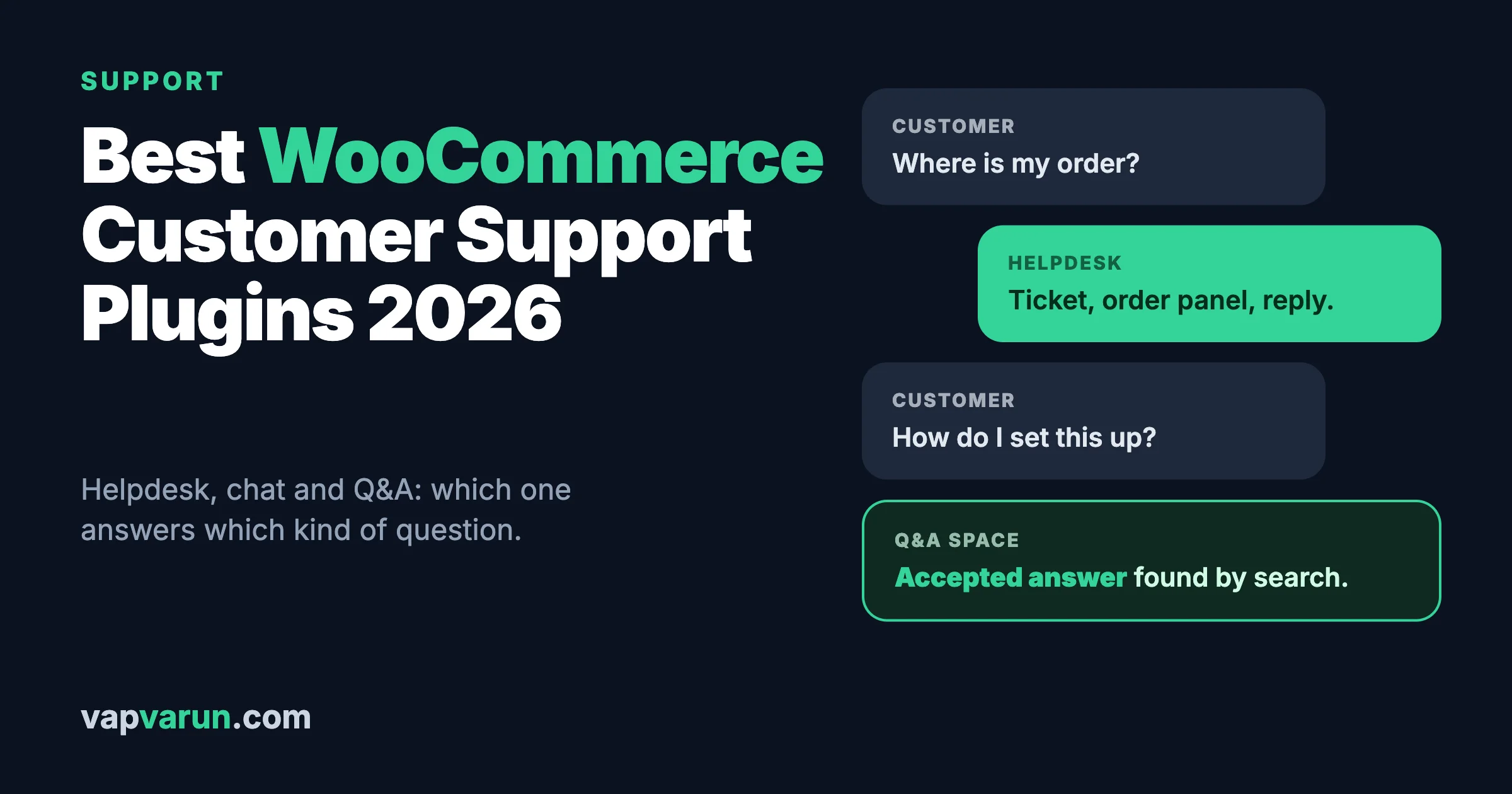
The best customer support setup for a WooCommerce store depends on how your customers ask for help. Our pick is Jetonomy, made by our team at Wbcom Designs, if many customers ask the same questions: a public Q&A space with accepted answers answers each one once and keeps the answer findable. It is not a helpdesk, so most stores add one beside it. If customers email and expect a ticket number, a helpdesk plugin such as Fluent Support or SupportCandy runs inside WordPress, and ThriveDesk, Help Scout or Freshdesk are hosted options. If they want an instant answer on the product page, add live chat with Tidio or LiveChat. Most stores need two of these, not all three.
We checked each wordpress.org listing on 11 November 2026 for version, last update and installs, and read vendor pricing pages on the same day. We did not install or test any plugin for this article.
Disclosure: Jetonomy is made by our team at Wbcom Designs, which is why it leads this list. It is a community Q&A tool, not a helpdesk, and we say below what it does not do. Some links to LiveChat, Zendesk and Freshdesk may be affiliate links.
Do you need a customer support plugin for WooCommerce?
WooCommerce shows orders and customers, but it has no place to answer a customer’s question. Without a tool, support lives in a shared inbox, and three problems appear. Messages get lost or answered twice. Nobody can see the customer’s order next to their message. And you cannot tell how long replies take.
A support tool fixes those problems. Which kind you need depends on three things: how many messages you get a week, how many people answer them, and whether customers ask the same questions again and again. A store with five messages a week can use a shared email address. A store with fifty a day needs tickets, assigned owners and saved replies.
What are the three kinds of support tools?
- Helpdesk (tickets). Each message becomes a ticket with an owner, a status and a history. Best for email support and for problems that take more than one reply.
- Live chat. A chat box on your site. Best for pre-sale questions and quick answers. It needs someone watching, or an automated assistant.
- Self-service (knowledge base or Q&A). Customers find an answer without writing to you. Best for repeated questions, and it keeps working at night.
The best stores combine a helpdesk with one self-service source, and add chat only if they can staff it.
What should you look for?
- Order context. Can the agent see the customer’s WooCommerce orders next to the message?
- Channels. Email, chat, forms, social.
- Pricing model. Per agent, flat fee, or free with paid add-ons. Costs change a lot as your team grows.
- Where the data lives. On your server or on the vendor’s.
- Automation. Saved replies, rules and AI help. Check what AI features cost.
- Reporting. Reply times and volume, so you can see if you are improving.
- Maintenance. The last update, for plugins.
Quick comparison
| Tool | Type | Where it runs | Published price |
|---|---|---|---|
| Jetonomy (ours, our pick for repeated questions) | Self-service Q&A | Your WordPress site | Free; Pro $69 a year or $199 once |
| Fluent Support | Helpdesk | Your WordPress site | Free; paid from $103 a year (list $129) |
| SupportCandy | Helpdesk | Your WordPress site | Free; paid plans from $79 a year |
| Awesome Support | Helpdesk | Your WordPress site | Free, with paid extensions |
| ThriveDesk | Helpdesk and chat | Hosted | $29, $69 or $129 a month, billed yearly, flat per plan |
| Help Scout | Helpdesk | Hosted | $25, $45 or $75 per user a month |
| Freshdesk | Helpdesk | Hosted | $19 or $55 per agent a month, billed annually |
| Zendesk | Helpdesk suite | Hosted | $19, $55 or $115 per agent a month, paid yearly |
| Tidio | Live chat and AI | Hosted, WordPress plugin | Free plugin; see vendor plans |
| LiveChat | Live chat | Hosted | From $19 per user a month |
Self-service for repeated questions: our pick
1. Jetonomy (made by our team, our pick for repeated questions)
We build Jetonomy, so weigh this entry with that in mind. See the pricing page for the current plans. It is a forum and Q&A plugin for WordPress, and it is not a helpdesk.


What it does for support: According to its product page, you can create a Q&A space where members ask questions, the asker accepts the reply that solved it, and replies sort by votes. The page says a searchable Q&A space where members answer each other takes a real bite out of tier-1 ticket volume; that is our own claim, so measure it on your store. Other spaces cover threaded discussion, an ideas board where customers vote on features and you set the status, and a show-and-tell feed. It has trust levels, moderation, notifications and search. It can gate a space by membership plan, with WooCommerce among the integrations in Pro. It is free with no member limits, and it keeps its data in its own tables.
What it does not do: Its product page does not list ticket assignment, service level timers, email piping or order panels, which are the core of a helpdesk. So use it beside a helpdesk, not instead of one. Public Q&A also needs people: customers or staff must answer, and someone must moderate. It is not on wordpress.org, so you download it from our site. It is newer than the other plugins here, with a smaller base of users.
Price: Free. Pro Personal is $69 a year or $199 once for one site, and a Developer tier is $99 a year. The page says there are no per-member fees.
Who it is for: Stores with a product that raises many “how do I” questions, and stores that want customers to vote on feature requests. If your support is mostly “where is my order”, a helpdesk or chat is the better fit. We discuss the plugin in more detail in our forum plugin comparison.
Helpdesks that run inside WordPress
2. Fluent Support
Fluent Support is version 2.5.0, updated on 2 November 2026, with about 10,000 active installs and a 4.6 star average from 69 ratings. It is tested up to WordPress 7.1.4. The listing describes a self-hosted ticket system with unlimited tickets, agents, users and products, and a customer view that can show previous tickets, address, purchase history and membership levels. It says you pay a fixed price for all features, with no add-ons.
Price: The vendor page lists a single-site licence at $129 (shown at $103 on sale), 5-site at $249 ($199) and a larger plan at $399 ($319), each with a year of updates and priority support. Who it is for: Stores that want tickets on their own server and a flat price. Watch for: renewals; confirm the price after year one.
3. SupportCandy
SupportCandy is version 3.5.5, updated on 3 November 2026, with about 10,000 active installs and a 4.9 star average from 289 ratings. The listing says the free version has unlimited tickets, agents and customers, and includes an AI chatbot and assistant that use your own OpenAI or Google Gemini key, which you pay for directly. It also lists 25 paid add-ons, such as email piping, WooCommerce, workflows, SLA and reports. So WooCommerce order context is a paid add-on here.
Price: Paid plans on the vendor page start at $79 a year, with higher plans at $149 and $299, billed yearly. Who it is for: Teams that want a strong free tier and will add only what they need.
4. Awesome Support
Awesome Support is version 6.4.2, updated on 16 October 2026, with about 6,000 active installs and a 3.5 star average from 194 ratings. The listing mentions support for multiple products and departments, product lists that can sync with WooCommerce and Easy Digital Downloads, and a free importer for tickets from Zendesk, Help Scout and Ticksy. It is the oldest of the three, and many features are paid extensions. Compare the extension list with your needs.
Hosted helpdesks
5. ThriveDesk
ThriveDesk is a hosted helpdesk and live chat made for WordPress and online stores. Its pricing page says it does not charge per seat: you pay one flat price per plan, and on its Unlimited plan the whole team is included. Plans are $29, $69 and $129 a month on yearly billing. The product page describes customer and order views, order management and returns and refunds inside the inbox, which the old version of this article also noted. We could not confirm the exact plan limits from the page text, so check them.
Who it is for: Small teams that want a hosted inbox with order context and no per-seat fee.
6. Help Scout
Help Scout lists plans at $25, $45 and $75 per user a month, and an add-on of $0.75 per resolution on its pricing page. It is a shared inbox with a knowledge base and chat, popular with teams that want a simple, clean tool. We could not confirm its current WooCommerce integration from the pages we read, so check the integrations page. Per-user pricing grows with your team.
7. Freshdesk
Freshdesk lists $19 and $55 per agent a month, billed annually, on its pricing page, with extra charges for AI agent sessions and for an AI copilot at $29 per agent a month. It has email, chat and other channels. The old version of this article said it lets customers view tickets on the My Account screen in WooCommerce. We could not confirm that on the current page, so check its integration list.
8. Zendesk
Zendesk lists $19, $55 and $115 per agent a month, paid yearly, with other plans at $50 and $83. Its page says pricing is mostly per agent per month, and that your total cost includes more than the headline fee. It suits larger teams with several channels. For a small store it is often more than you need.
Live chat
9. Tidio
Tidio is version 8.0.1, updated on 1 September 2026, with about 70,000 active installs and a 4.8 star average from 395 ratings. Its listing describes live chat and an AI assistant called Lyro, proactive chat messages, popups, and a WooCommerce integration that shows visitor carts, order history and product cards in chat. It says Lyro can handle up to 70 percent of inquiries; that is a vendor claim, so test it on your own questions. Its last update was over two months ago, which is slower than the others here, though still within the year.
10. LiveChat
LiveChat lists plans from $19 per user a month, with a higher plan at $79 per user a month, and WooCommerce appears on its page. It is a chat tool first. If you want tickets and a knowledge base too, check what the bundle includes. (Affiliate link.)
Should your helpdesk run on your server or the vendor’s?
This choice shapes cost, privacy and effort.
- Inside WordPress (Fluent Support, SupportCandy, Awesome Support). Customer messages sit in your own database, next to your orders. You control backups and access. You also own updates, email delivery and security. Fluent Support’s listing says you own your system and data. The cost is usually a flat yearly licence, not a price per agent.
- Hosted (ThriveDesk, Help Scout, Freshdesk, Zendesk). The vendor runs the servers, updates and uptime. You pay per agent or per plan, and your customer messages live on their systems. Check where data is stored and whether you can export it.
For a small store with one or two agents, an in-WordPress helpdesk is often the cheaper path, if you are comfortable with updates and email setup. For a team of ten with several channels, per-agent hosted tools are easier to run, and the per-agent fee is part of the price of not running servers. Work out the cost at your expected team size, using the per-agent price on each vendor’s page.
What should you measure?
Measure a few numbers each week. They tell you if support is getting better.
- First reply time. How long a customer waits for a first human answer. Many stores aim for under one business day.
- Time to resolution. How long a ticket stays open until the problem is solved.
- Volume by topic. The three most common reasons for contact. These are your best candidates for a published answer or a product fix.
- Tickets per order. If many orders produce a ticket, something in your checkout, shipping or product pages is unclear.
- Repeat contacts. A customer writing twice for the same issue means the first answer did not solve it.
Tags or categories on tickets make this work. Set them up on day one, because it is hard to add them to old tickets later.
How should you use AI in support?
Several tools here add AI: SupportCandy includes an assistant that uses your own OpenAI or Gemini key, Tidio has an assistant called Lyro, and Freshdesk lists AI agent sessions and a copilot as paid extras. AI can draft replies and answer simple questions. It can also be wrong, and a wrong answer about a refund or a delivery date costs you trust.
- Start with drafts. Let AI suggest a reply that a person reviews, before you let it answer alone.
- Limit it to your own content. Point it at your help articles and policies, not at the open web.
- Keep a clear path to a person. A customer who is stuck should reach a human in one click.
- Check the cost. Some tools charge per session or per resolution, and bring-your-own-key tools bill you directly for usage.
- Test it on your ten hardest questions before you launch it.
Vendor figures such as “handles up to 70 percent of inquiries” are claims, not promises for your store.
How do you write good saved replies?
Saved replies save time and keep answers consistent. A good one answers the question in the first line, uses the customer’s name and order number, gives the next step and says when they will hear from you. Write them in plain words, at a level a twelve-year-old can follow. Keep each under 120 words. Review them every quarter, because policies and shipping times change. Do not paste a saved reply without reading the customer’s message first, because a mismatched answer feels worse than a slow one.
What about self-service content?
Every question you answer three times should become a published answer. There are two ways to publish.
- A knowledge base. You write the articles. It is tidy, and you control the wording.
- A Q&A space. Customers ask, and staff or other customers answer. The asker accepts the answer that worked, and it stays searchable. This takes more moderation but surfaces questions you did not think of. Jetonomy’s page describes this model. Whatever tool you use, give accepted answers a visible mark and link them from your helpdesk replies.
Link your self-service content from the product page, the cart and the order confirmation email. A good answer nobody finds does not reduce tickets.
How do you pick?
- The same questions every week (our pick): a Q&A space such as Jetonomy, or a knowledge base, beside your helpdesk.
- Small store, email support, tight budget: SupportCandy or Fluent Support on your own site.
- Small team that wants a hosted inbox with order context: ThriveDesk.
- Growing team with several channels: Freshdesk, Help Scout or Zendesk, after you price the seats.
- Pre-sale questions on product pages: Tidio or LiveChat, if you can staff chat or trust an AI assistant.
How do you set up support that customers like?
- Put one clear contact route on your product, cart and account pages.
- Show your reply time. “We reply within one business day” is a promise you can keep.
- Write saved replies for your top ten questions, and update them each quarter.
- Link orders to tickets. The agent should see the order without asking for the number.
- Track reply time and volume weekly.
- Turn repeated tickets into answers. Every question you answer three times becomes a published answer.
- Test the whole flow as a customer, on a phone.
Frequently asked questions
What is the best customer support plugin for WooCommerce?
For repeated questions, our pick is a Q&A space such as Jetonomy (made by our team), beside a helpdesk. For tickets inside WordPress, Fluent Support or SupportCandy. For a hosted inbox, ThriveDesk. For chat, Tidio or LiveChat.
Is there a free helpdesk for WooCommerce?
Yes. SupportCandy, Fluent Support and Awesome Support have free versions on wordpress.org. WooCommerce order context may need a paid add-on, as with SupportCandy.
What is the difference between a helpdesk and live chat?
A helpdesk tracks conversations as tickets over time. Live chat answers in the moment and needs someone available.
Can I use a forum for customer support?
Yes, for repeated questions. A Q&A space with accepted answers lets customers help each other and keeps answers searchable. It does not replace a helpdesk for private order issues.
Is Jetonomy a helpdesk?
No. It is a forum and Q&A plugin. Use it beside a helpdesk for self-service answers.
How much does a support tool cost?
From free to about $19 to $115 per agent a month on hosted plans, and from free to a few hundred dollars a year for WordPress plugins.
Do I need live chat?
Only if someone can answer quickly. Unanswered chat hurts more than no chat.
Should a small store use a ticket system at all?
If you get fewer than about ten messages a week, a shared inbox and saved replies are enough. Move to a ticket system when messages get lost, when two people answer the same message, or when you cannot say how long replies take.
Can customers see their tickets in their WooCommerce account?
Some tools offer this. Check each vendor’s integration page, because we could not confirm it for every tool here.
What is a good first reply time?
Under one business day is a common target for small stores. Say your target on your contact page, and keep it.
How does support connect to the rest of your store?
Support is part of the same customer journey as quotes, memberships and orders. If you sell made-to-order goods, see our guide to request a quote plugins, because quote replies are support work too. If you sell memberships, our membership plugin guide covers the access side, and a community around the membership adds its own support load, which we cover in the hidden costs of running a community platform.
What we could not confirm: WooCommerce integration details for Help Scout, Freshdesk and Zendesk, ThriveDesk plan limits, Tidio and LiveChat plan prices beyond the figures shown, and how well any AI assistant answers your own questions. Prices were taken from vendor pages on 11 November 2026 and can change.