Best WooCommerce Membership Plugins in 2026: Compared

The best WooCommerce membership plugin depends on what you sell. Our pick is BuddyNext, made by our team at Wbcom Designs, if what you really sell is access to a community, not content: it sells plans that open spaces, and it can leave billing to WooCommerce. It is not a content locker. If the membership lives inside your shop (member prices, members-only products, content that drips out over time), use WooCommerce Memberships. If you want a general membership plugin that sells access to content and can work beside WooCommerce, look at MemberPress, ProfilePress or YITH WooCommerce Membership. If you only need to restrict content and want a free plugin, try Simple Membership, WP-Members or Ultimate Member.
We checked each wordpress.org listing on 11 November 2026 for version, last update, installs and the WordPress version tested. Prices come from vendor pages on the same day. We did not install or test any plugin for this article.
Disclosure: BuddyNext is made by our team at Wbcom Designs, which is why it leads this list. It is a community platform, not a WooCommerce membership plugin, and we say below what it does and does not do. Some links to YITH, WooCommerce.com and MemberPress may be affiliate links.
What is a WooCommerce membership plugin?
A membership plugin decides who can see or buy what, based on a plan a person holds. In WooCommerce, that plan is usually bought through your shop. Once someone holds it, the plugin can open pages, posts, products, downloads or discounts that others cannot see.
People often mix up three things:
- Memberships give access. A plan holder can see content, buy members-only products or get a discount.
- Subscriptions repeat a payment. A subscription plugin charges a card every month. A membership can be paid once or by subscription. See our guide to WooCommerce subscription plugins for the billing side.
- Community gives a place to meet. Members talk, post and message. A membership plugin does not give you that by itself.
Decide which of the three you need. Most stores need the first, sometimes with the second. Some need all three.
What should you look for?
- How access is granted. A purchase, a manual grant, a free sign-up, or a subscription.
- What it can restrict. Pages, posts, products, categories, downloads, whole sections.
- Member benefits. Discounts, free shipping, early access or drip content.
- Billing. Does it use WooCommerce checkout, or its own payments?
- Cost and renewals. What you pay in year one and year two.
- Maintenance. The last update and tested-up-to version.
- Exit cost. What happens to your members if you remove the plugin.
Quick comparison
| Plugin | Free version | Price (vendor page) | Active installs | Fits |
|---|---|---|---|---|
| BuddyNext (ours, our pick for paid communities) | Yes, community core | Plans are Pro, from $149 a year or $399 once | Not on wordpress.org | Paid community access |
| WooCommerce Memberships | No | Paid; price shown in your currency | Not on wordpress.org | Membership inside your shop |
| YITH WooCommerce Membership | No | $179.99 | Not on wordpress.org | Gated content with YITH tools |
| MemberPress | No | From $199.50 first year | Not on wordpress.org | Full membership sites |
| ProfilePress | Yes | Free, with paid plans | 100,000 | Membership, profiles and forms |
| Ultimate Member | Yes | Free, with paid extensions | 200,000 | Profiles, directory, restriction |
| WP-Members | Yes | Free, with paid extensions | 50,000 | Simple restriction |
| Simple Membership | Yes | Free | 40,000 | Basic free memberships |
Memberships for a community (made by our team, our pick)
1. BuddyNext
We build BuddyNext, so read this entry with that in mind. See its pricing page for the plans. It is not a WooCommerce membership plugin. It is a community platform for WordPress, and it has its own kind of membership: you charge for access to a community.
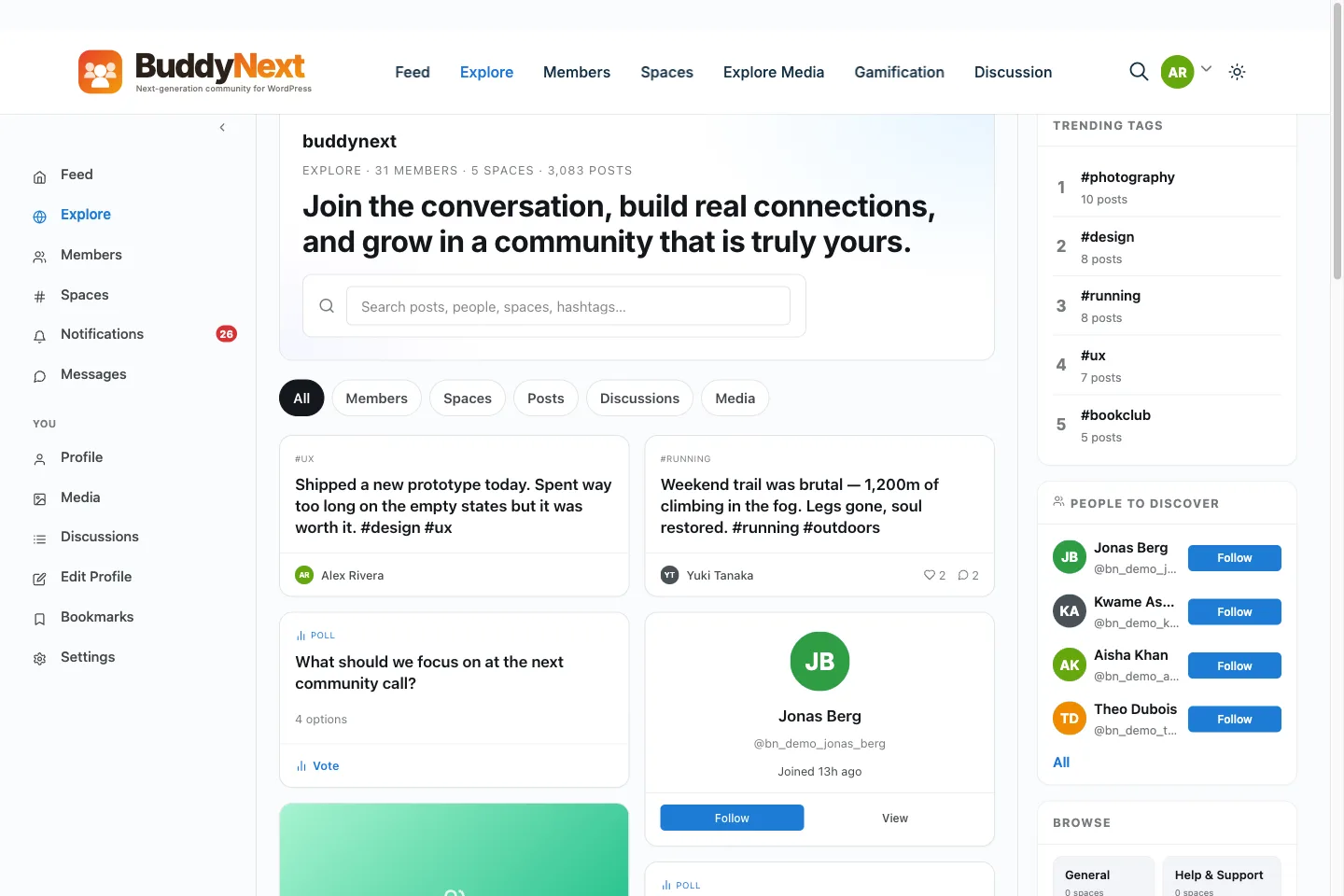
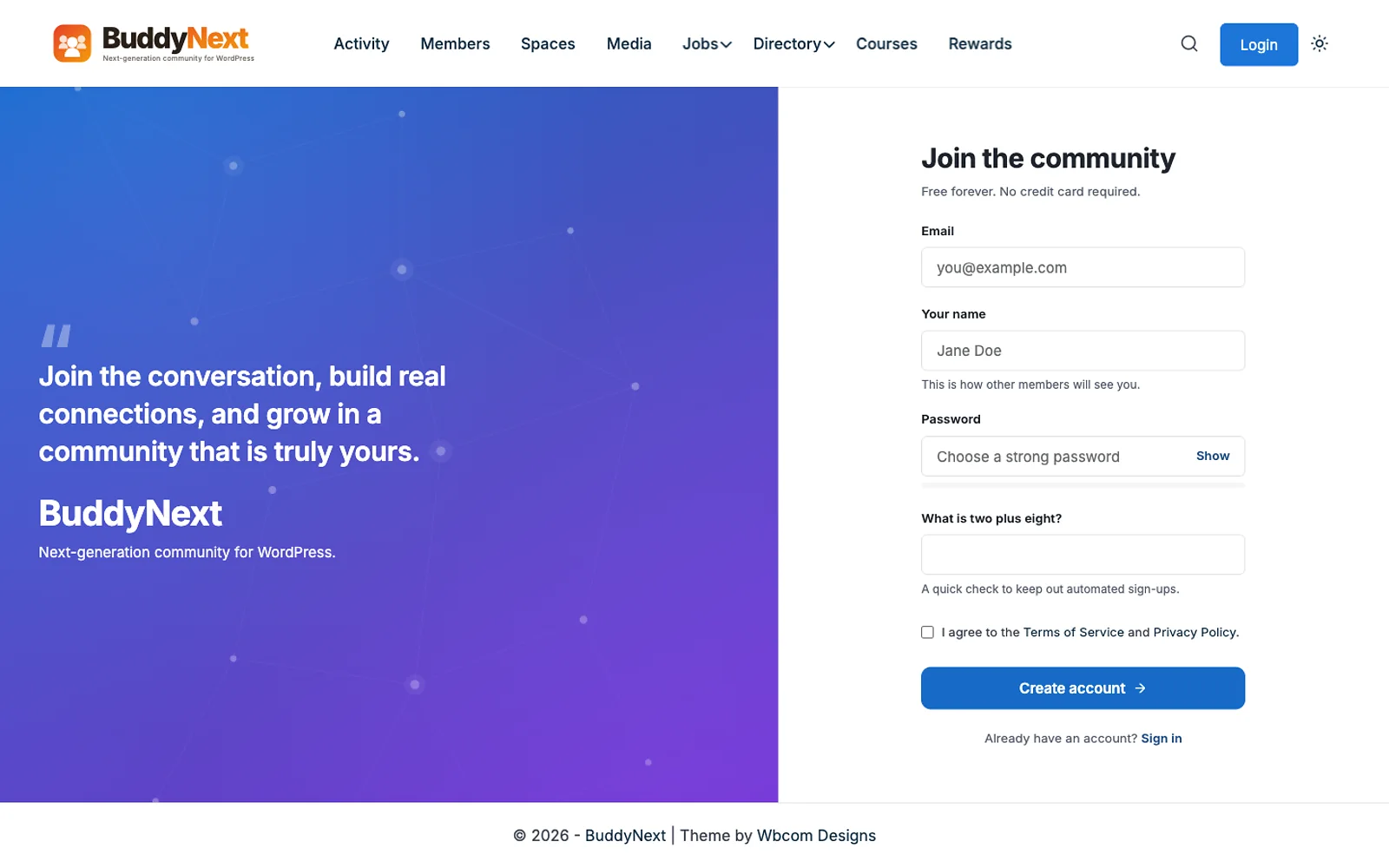
What its membership feature does: According to its membership page, members subscribe to a plan, get into the spaces that plan opens, and pick up perks that lift limits, such as how many spaces they can create or how large a group message can be. Plans can be one-time or recurring, monthly or yearly, with an optional free trial. You can run a free plan beside paid plans. Spaces can be gated to a plan. Stripe and PayPal are supported, plus offline payment and community points as gateways. You can create plans with no gateway connected and grant access by hand. It supports discount codes and manual extend or revoke.
Its relationship with WooCommerce, as documented: BuddyNext can take the membership grant from Paid Memberships Pro, WooCommerce or Learnomy instead of running its own billing. Per its page, the system you already trust stays in charge of the money, and BuddyNext handles what that access unlocks inside the community. So if your store sells the membership through WooCommerce, BuddyNext can read that and open the right spaces. It does not replace WooCommerce checkout.
What it does not do: It is not a content locker. The page says that if you want to gate blog posts, custom post types or downloads, use a content-protection plugin and let BuddyNext take the grant from it. It does not sell courses; that is Learnomy’s job in our family. The membership features are Pro: plans, gated spaces and gateways are not in the free plugin. It needs a WordPress site and a plan for hosting and moderation.
Price: The free community core costs $0 on unlimited sites. Pro is $149, $249 or $399 a year for 1, 5 or unlimited sites, or $399, $599 or $999 once. Every Pro tier has the same features, and the page says there are no per-member fees and no cut of what you charge. If a Pro licence lapses, features keep working and only updates and priority support stop.
Who it is for: Sellers of access to a community: clubs, creator groups, associations. Who should skip it: stores that only need member prices or locked pages. See why we built BuddyNext for the thinking, and our post on selling plans through one signed endpoint for how plans connect to outside tools.
Membership plugins for your shop
2. WooCommerce Memberships
The WooCommerce Memberships extension is sold on the official marketplace. Its page describes a site-wide membership solution that ties content, products and memberships together. Membership plans are created separately from products, so you choose how access is granted: by buying a product, by assignment, or as a perk of another purchase. You can restrict content and drip it over time, and give members discounts. It works on its own, and the page says it works well with WooCommerce Subscriptions for recurring payments. A separate Teams extension handles memberships for companies or groups.
Price: It is a paid extension. The page showed 19,077 Indian rupees when we viewed it from India, so check the price in your own currency and the renewal terms. Who it is for: Stores that want memberships to feel like part of the shop. Watch for: it is paid from day one.
3. YITH WooCommerce Membership
YITH WooCommerce Membership is a premium plugin (affiliate link). Its page lists $179.99, and describes gated areas for courses, services and downloads, scheduled publication of exclusive content, and messages to members. It can sell a membership with a subscription plan through YITH WooCommerce Subscription, and it lists compatibility with YITH Dynamic Pricing for member discounts. We could not find a version or update date because it has no public wordpress.org listing.
Who it is for: Stores that already use YITH plugins. Watch for: several features rely on other YITH add-ons, which adds to the cost.
4. MemberPress
MemberPress is a full membership plugin sold from the vendor. Its pricing page lists plans with first-year discounts, with the lowest plan at $199.50 for the first year and a higher plan at $349.50 (normally $699). Its page lists a member directory and profiles, direct messaging, a coaching platform and an affiliate platform on higher plans. We could not confirm from the pages we read which plan includes WooCommerce integration, so check that before you buy. It uses its own checkout by default, which can matter if your whole store runs on WooCommerce.
Who it is for: Membership-first sites where WooCommerce is secondary. Watch for: first-year discounts and renewal prices.
5. ProfilePress
ProfilePress is version 4.18.0, updated on 31 October 2026, with about 100,000 active installs. Its listing describes paid memberships, online courses, user registration and login forms, user profiles and content restriction in one plugin. The old version of this article listed it as a WooCommerce membership plugin, and the listing shows it has its own ecommerce and membership system, so it works as an alternative to WooCommerce checkout, not only a companion. Check the vendor page for WooCommerce integration and paid plan prices, because its pricing page blocked our request.
6. Kadence Memberships (formerly Restrict Content)
The wordpress.org listing at the restrict-content address is now titled Membership Plugin – Kadence Memberships. It is version 4.0.5, updated on 14 October 2026, with about 8,000 active installs and a 3.1 star average from 100 ratings. The old article listed Restrict Content Pro, and we could not confirm that the Pro product still exists under that name, so we replaced the entry with the listing we could verify. Read the listing for features and the vendor page for prices.
Free membership and restriction plugins
These plugins restrict content and manage members. They are not built around WooCommerce checkout, but many stores use them beside WooCommerce, and some have WooCommerce extensions. Check the extension list for what you need.
- Ultimate Member, version 2.14.2, updated 2 November 2026, about 200,000 active installs. Profiles, registration, login, a member directory and content restriction.
- WP-Members, version 3.5.8.3, updated 27 October 2026, about 50,000 active installs, a 4.6 star average from 272 ratings. Simple content restriction and registration.
- Simple Membership, version 4.8.8, updated 10 November 2026, about 40,000 active installs, a 4.6 star average from 477 ratings. Free and paid membership levels with content protection.
- Groups by itthinx, version 4.9.0, updated 4 November 2026, about 10,000 active installs. Group-based access control, with WooCommerce extensions sold by the same vendor; check their page.
- Members, version 3.3.1, updated 30 October 2026, about 300,000 active installs. A role and capability editor, useful for access rules, but not a billing tool.
A note on Paid Memberships Pro
Paid Memberships Pro is a well-known membership plugin. Its wordpress.org listing is closed: the listing says the closure took effect on 17 October 2024, is permanent, and was by the author’s request. The vendor’s pricing page offers a free core plugin you host yourself, and paid plans such as Standard. We list it here so you do not look for it in the plugin directory. We could not confirm WooCommerce support from the pages we read, so check the add-on list.
What we removed
We removed Restrict Content Pro under that name (see above), and we rewrote the ProfilePress and MemberPress entries because the old claims about WooCommerce could not be confirmed. We also dropped a quoted MemberPress price from the old article, because the current pricing page shows different plans.
How do memberships and subscriptions work together?
Many stores want both: a member pays every month, and while the payment is active the member gets access. This is where plugins differ most, so check it before you pay.
- Access follows payment. When a renewal succeeds, access continues. When it fails, access should pause or end after a grace period. Ask how each plugin handles a failed payment, and test it with a test card.
- Who owns the billing? With WooCommerce Memberships, billing sits in WooCommerce, and the vendor page says it works well with WooCommerce Subscriptions. With MemberPress or ProfilePress, the plugin has its own billing. With BuddyNext, either its own gateways or a grant from WooCommerce can drive access.
- Cancellation. Decide whether a member keeps access until the end of the paid period. Most stores do, and most plugins can do it, but the setting is not always on by default.
- Upgrades and downgrades. Moving from a monthly to a yearly plan, or between tiers, needs rules for proration. If your plan structure has several tiers, test every move, not only the first sign-up.
What do members actually pay for?
The plugin does not make people join. The offer does. Strong membership offers usually come down to one of these.
- Exclusive content such as courses, guides or archives.
- Member prices that beat the public price enough to cover the fee.
- Early or limited access to products or events.
- Community access, a place to ask questions and meet peers.
- Service, such as faster support or a named contact.
If you offer member prices, do the sums. A member who saves ten percent on every order must spend enough each year to cover the fee, or the plan feels like a bad deal. If the average customer spends less than that, a membership of this type will not sell, and a loyalty program or a coupon scheme fits better.
What problems do membership sites hit?
- Caching shows members the wrong page. A page cache can serve a logged-out version to a member. Exclude member pages and the cart from page caching, and test as a member.
- Protected content leaks through search or feeds. Check that restricted posts do not appear in RSS, in the XML sitemap or in site search results with full text.
- Direct file links. Restricting a page does not protect a file if its address is public. Serve paid downloads through a controlled link. Our guide to S3 and private files explains signed links.
- Emails go to spam. Welcome and renewal emails matter. Use a transactional email service.
- Theme clashes. Login, account and pricing pages must look right in your theme at phone width. Test them early.
- Tax and invoices. If you sell to buyers in regions with sales tax or VAT rules, check that the plugin and your checkout handle it.
How do you switch from one membership plugin to another?
Switching is harder than choosing. Plan it like a small migration.
- Export your members and plans from the old plugin, including expiry dates and payment references.
- Check what the new plugin can import. Ask the vendor about importers for your old plugin.
- Keep billing running. If members pay by subscription, make sure the payment tokens or subscriptions carry over, or members will have to re-enter cards.
- Run the move on staging with a copy of real members.
- Move access rules, then test as members of every plan.
- Tell members before you switch, and keep the old data until the first renewal cycle has passed.
This is one more reason to pick carefully at the start. If you may add a community later, check how the membership plugin can hand a grant to other tools, so you do not have to change it again.
What does a membership cost to run?
Count four lines: the plugin, your payment fees, your hosting, and your time. The plugin is often the smallest. A paid plugin with a first-year discount can double at renewal, so compare year-two prices. Payment gateways charge per transaction, and subscription failures cost you support time. Hosting needs grow with logged-in users, because page caching helps less for members. Time goes into content, support and fixing failed payments.
If you plan a community around the membership, add moderation and community management. We wrote about those costs in the hidden costs of running a community platform.
How do you choose?
- A paid community (our pick): BuddyNext, with WooCommerce or its own gateways for billing.
- Member prices and members-only products in your shop: WooCommerce Memberships.
- Gated content with YITH tools you already own: YITH WooCommerce Membership.
- A membership site first, WooCommerce second: MemberPress or ProfilePress.
- A free way to lock pages: Simple Membership, WP-Members or Ultimate Member.
- Recurring billing for physical goods: a subscription plugin, not a membership plugin. See our subscription guide.
How do you set up a membership so it sells?
- Define the promise. What does a member get that a visitor does not? Write it in one sentence.
- Start with one plan. Add tiers only when members ask for them.
- Decide how it is billed. One-time, monthly or yearly. Test the full checkout.
- Protect the right things. Check content, products and downloads in a logged-out window.
- Write the emails. Welcome, renewal reminder, expiry and failed-payment.
- Decide what happens at expiry. Does access end at once, or after a grace period?
- Plan the first 30 days. Deliver something useful in the first week, so members see value early.
Frequently asked questions
What is the best membership plugin for WooCommerce?
For a paid community, our pick is BuddyNext, made by our team. For memberships inside your shop, WooCommerce Memberships. For a membership site with its own checkout, MemberPress or ProfilePress. For free restriction, Simple Membership or WP-Members.
Is there a free WooCommerce membership plugin?
Yes. Simple Membership, WP-Members, Ultimate Member and ProfilePress have free versions. Check each for WooCommerce support.
What is the difference between membership and subscription?
A membership grants access. A subscription repeats a payment. A membership can be paid once or by subscription.
Can I manage WooCommerce memberships with a community plugin?
Yes. BuddyNext’s pages say it can take the membership grant from WooCommerce, so WooCommerce stays in charge of billing and BuddyNext handles what the access opens.
Does BuddyNext replace WooCommerce?
No. It can use its own gateways, or take a grant from WooCommerce, Paid Memberships Pro or Learnomy.
Are BuddyNext memberships free?
No. Plans, gated spaces and gateways are Pro, from $149 a year or $399 once.
Is Paid Memberships Pro still on wordpress.org?
No. The listing is closed, as of 17 October 2024, by the author’s request. The vendor offers a free core plugin from its own site.
Can I protect WooCommerce products with a membership?
Yes, with a plugin built for it, such as WooCommerce Memberships, which the vendor describes as tying content, shop and memberships together. Check that the plugin can hide products, restrict purchase, or give member-only prices, since not every plugin does all three.
Should I use a membership plugin or a subscription plugin?
If you only repeat a payment for goods, a subscription plugin is enough. If you grant access to content, prices or a community, you need a membership plugin, and you may use both together.
What we could not confirm: which MemberPress plan includes WooCommerce integration, ProfilePress and Restrict Content Pro prices, WooCommerce support for Paid Memberships Pro, and current versions of the paid-only plugins. Prices were taken from vendor pages on 11 November 2026 and can change.