Can AI Replace a Website Maintenance Retainer?
Can AI replace website maintenance, or at least the retainer you pay for it? If you pay a monthly fee to keep a site updated, secure and working, you have probably wondered. AI tools now write code, read logs and draft reports. It is fair to ask whether the person on the other end of your retainer is still needed.
Our team runs maintenance across several kinds of sites, and we use AI agents every day to do it. So when people ask whether AI can replace website maintenance, we can answer from experience rather than from a sales page. The short version: AI now does a real share of maintenance work, but as a tool behind an engineer, not instead of one. This guide explains which parts agents handle well, which parts still need a person, where AI makes things worse, and what to ask any provider in 2026.
Business owners can read the plain-English parts and skip the developer section. Developers get a signposted section with the tools and checks we actually use.
Can AI replace website maintenance? The short answer
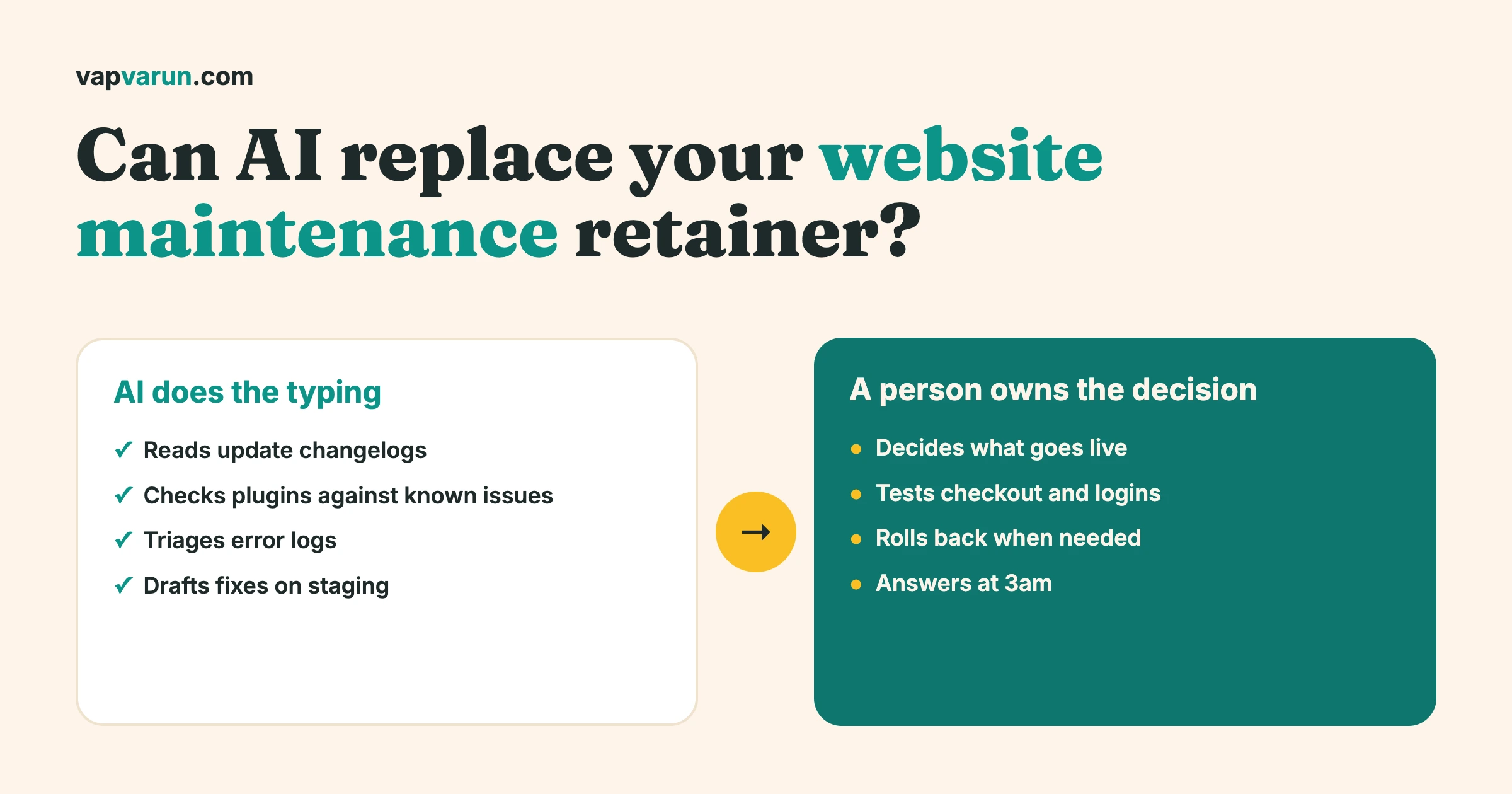
AI can replace the typing in a maintenance retainer. It cannot replace the judgement, the testing against your real business flows, or the accountability when something breaks at 3am.
Think of a retainer as three layers:
- Routine work: checking for updates, reading changelogs, scanning logs, running health checks, drafting reports. Agents are good at this and it is getting cheaper.
- Decisions: should this update ship today, should we wait, what do we roll back, what is worth fixing now. People make these calls, because they depend on your business and your risk.
- Ownership: someone who answers the phone, knows your site’s history, and is accountable for the outcome. That is a relationship, not a task.
AI is strong in layer one, a helpful assistant in layer two, and absent from layer three. A retainer that was mostly layer one should get cheaper or deliver more. A retainer that was mostly layers two and three will not change much.
What “maintenance” actually includes
Before comparing AI to a retainer, it helps to list what a good retainer does. The details vary, but most cover these jobs:
- Applying updates to the core platform, plugins, themes and libraries.
- Watching for security problems, including known vulnerabilities in what you have installed.
- Keeping backups and checking that they can actually be restored.
- Monitoring that the site is up, fast, and that forms, checkout and logins still work.
- Keeping the certificate, domain and email delivery in order.
- Fixing small issues and making small content or layout changes.
- Reporting what was done, in words you can understand.
- Responding when something goes wrong.
Each item has a routine part and a judgement part. The split between them is where the question gets answered.
What our agents handle today
We run more than one kind of site, and AI helps differently on each. Here is what we really do, by stack. We keep this to the stacks we run ourselves.
WordPress sites
WordPress is where most maintenance retainers live, and it is where agents save the most routine time.
- Reading update diffs. Before an update goes anywhere near a live site, an agent reads what changed and flags anything that touches payments, login, data storage or file handling.
- Changelog and vulnerability triage. An agent compares the installed plugin list against known issues and release notes, and separates “update now” from “update this week” from “no action”.
- Log triage. Error logs on a busy site are noisy. An agent groups repeated errors, finds the first occurrence and points at the likely plugin.
- First-pass fixes on a staging copy. For small problems, an agent proposes a fix on a copy of the site. A person reviews it before anything reaches the live site.
- Report drafts. At the end of the month, an agent turns the work log into a plain-English report. A person reads and sends it.
Astro and EmDash sites on Cloudflare
We run a growing group of content and lead sites on EmDash, an Astro-based CMS hosted on Cloudflare. We wrote about moving five of them in a single week in our EmDash 1.0 migration story. Maintenance on these sites looks different, because there are no plugin updates to chase, but agents still carry real load:
- Deploy checks. After a change, an agent checks that pages still build, key URLs respond, and nothing returns an error.
- Redirects. When pages move, agents build and verify the redirect map, so old links keep working.
- Specification and SEO checks. A page-level checklist runs against new and changed pages: titles, descriptions, canonical tags, structured data, accessibility basics.
A person starts production deploys on these sites. The agent prepares and checks; it does not decide to go live.
Laravel applications
We also maintain Laravel applications, including our own security scanner product. Here agents help with dependency updates, reading failing jobs and queues, checking that scheduled tasks ran, and drafting tests for changed code. The same rule applies: they work on a branch, and a person approves what ships.
The shared layer under every stack
Whatever the platform, every site sits on the same foundations: DNS, a certificate, backups and email. Agents can check these continuously and cheaply:
- Is the certificate close to expiry?
- Do the DNS records match what they should?
- Did the last backup run, and is it recent?
- Does the site’s email pass its authentication checks, or is it landing in spam?
These checks used to depend on someone remembering. Now they run on a schedule and speak up when something drifts.
What still needs a person
This is the part that decides whether a retainer is worth keeping. Everything below stays with a human on our team, and we do not expect that to change soon.
Deciding whether an update ships
An agent can tell you what changed. It cannot know that your busiest week of the year starts on Friday, that your payment provider is mid-migration, or that a particular plugin update broke another customer’s site last month. The decision to update now, wait or skip is a risk call about your business.
Testing against a real flow
“The site loads” is not the same as “a customer can buy, log in, renew and get their email”. A person walks the flows that make money: checkout, memberships, bookings, forms. Agents help by running scripted checks, and a scripted check only covers what someone thought to script. A person notices the thing that feels wrong.
Rollback and recovery
When an update breaks something, the question is how fast you can get back to a known good state, and whether you lost data on the way. That depends on backups you have actually tested, and on someone calm enough to choose between rolling back and fixing forward. We cover how we think about this in our tool stack for managing sites at scale.
Finding what is hidden
Security tooling can scan for known bad code and list every administrator account. A person still decides whether an unfamiliar admin is a former colleague or an intruder, notices a reinfection after a clean-up, and works out how the attacker got in so the same hole is closed. Agents surface the clue. A person reads it.
Owning the site at 3am
When a site goes down at night, you do not want a tool that has a good theory. You want a named person who is awake, has access, knows the setup and will tell you plainly what happened. We wrote about that line in who owns it at 3am. Software can wake someone up. It cannot be accountable.
Talking to you in plain words
Most owners do not want a log file. They want to hear: “The site was slow because of X, we fixed it, here is what we changed, and here is what we recommend.” Turning technical events into a clear recommendation, with an honest view of risk, is a skill. Agents can draft the words; a person has to stand behind them.
Where AI makes maintenance worse
Handing maintenance to AI is not neutral. Done badly, it adds risk. These are the patterns we see, and the ones we avoid.
AI connected straight to the live site
An agent with direct write access to production is one misunderstood instruction away from a bad afternoon. It can follow a bad instruction exactly, or fix the wrong thing with total confidence, or fixate on a harmless warning and change something that was working. The fix is simple and not negotiable for us: agents work on staging copies or branches, and live changes go through a person.
No staging environment
If there is nowhere safe to try a change, then every change is tested on your customers. That is true with or without AI, but AI makes changes faster, so the cost of having no staging goes up.
No gate
An agent will tell you the work is done. Whether it is done depends on whether something independent checks it. We rely on checks that can fail without the agent’s cooperation, which we explain in why written rules do not reliably govern AI agents. A rule written in a prompt is a request. A check in the process is a fact.
No owner
The worst version is a service that sells “AI maintenance” with no named human behind it. When something goes wrong, nobody is responsible and the tool has no memory of what it did last month. If a provider cannot tell you who looks at the output before it touches your site, treat that as the answer.
Selling the tool instead of the outcome
Be careful with vendors who tell you AI will do everything. Maintenance is mostly about risk management over years, and a tool that is confident about everything is not managing risk.
Can you do it yourself with AI?
Some of it, yes, and you should. Non-technical owners can now edit their own content, update text and images, and draft pages with AI help. That removes a lot of small requests from the retainer, and it is a good change.
Where we would draw the line for a do-it-yourself owner:
- Safe to do yourself: editing page text, swapping images, writing blog posts, changing menu labels, using the visual editor.
- Do with a safety net: installing a new plugin, changing a theme setting, adding a snippet of code. Do it on a copy first, and have a backup you know how to restore.
- Leave to a professional: platform and plugin updates on a site that takes money or holds member data, security incidents, database changes, hosting and DNS changes, and anything you cannot undo.
One more caution: an AI assistant that edits your site through a plugin or connection is just a very fast intern with your admin password. Give it the smallest access that does the job, keep a backup, and review what it did.
For developers: how we set this up
This section is for technical readers. Owners can skip to the checklist below.
Tools that do the routine work
We use MCP servers, which are small services that give an AI agent a defined set of tools. Several are purpose-built for site care:
- A site diagnostics server that connects over SSH and WP-CLI and runs health checks: update status, plugin and theme audits, core file verification, cron health, database and autoload checks, error log review, SSL and DNS checks, and a full health report. It can apply safe fixes, and we scope what it is allowed to change.
- A malware cleanup server that scans for known infections, lists administrators and recently created users, takes database backups, and handles clean-up steps. We use it for incident work, with a person in the loop for every destructive step.
- A Cloudflare server for DNS, redirects and security rules, which makes record changes reviewable instead of clicked together in a dashboard.
- A plugin QA server that audits our own plugins for REST, template and database problems.
We cover how these fit across a project in the MCP servers that run our agency.
Rules enforced by the harness, not the prompt
We use Claude Code skills to hold the standing procedure for each type of job, and hooks to enforce the rules that must not be broken. A hook runs before an action and can block it. A skill describes how to do a task. The principle is the same one we use for releases: if a rule matters, put it somewhere that can stop the action.
- Agents work on staging by default. Changes to a live site happen when the owner asks for them.
- Production deploys for our EmDash sites are started by a person.
- Destructive steps, such as deleting users or restoring a database, need a human to confirm them.
- Every run leaves a written record of what was checked and what was changed.
A typical WordPress update cycle
- An agent lists pending updates and reads the release notes and diffs for each.
- It flags risk areas, such as checkout, login, data migration or file handling, and proposes an order.
- The updates are applied to a staging copy, and scripted checks run against the key flows.
- A person reviews the result, walks the revenue flows by hand and decides what goes live and when.
- After the live update, health checks run again, and the report is drafted.
- If something regresses, the rollback plan is already in place, because the backup was verified before the change.
An example month, step by step
To make this concrete, here is how a normal month looks on a WordPress site that takes bookings or memberships. The numbers vary by site, so we describe the shape rather than the counts.
Week one: look and plan
Agents pull the list of pending updates, read the release notes, check the installed plugins against known vulnerabilities and review the error log from the previous month. By the end of the day there is a short plan: what is urgent, what can wait, and what needs a closer look. A person reads it and changes the order where business context calls for it, for example holding an update because a campaign launches that week.
Week two: test on a copy
The approved updates go onto a staging copy. Scripted checks run through the key flows. A person then walks the flows that earn money by hand: sign up, pay, log in, renew, cancel, receive the email. This is the step that finds the problems automated checks do not, such as a button that works but sits in the wrong place after an update.
Week three: ship and watch
The updates go live in a quiet window, after a fresh backup that has been verified. Health checks run straight after, and again later in the day. If anything is off, the plan to roll back is already written, so nobody has to improvise.
Week four: report and tidy
Agents turn the work log into a plain-English report: what was updated, what was found, what was fixed and what we recommend next. Small content or layout requests that came in during the month are handled on staging first. A person reads the report, adds the judgement an agent cannot, and sends it.
Notice how few of these steps are hands-on typing, and how many are decisions or checks. That is why we say AI replaces the typing, not the retainer.
What a good retainer should include in 2026
If you are renewing or choosing a provider, this is a reasonable bar for a site that matters to your business.
- Staging for every change. Nothing goes straight to the live site.
- Verified backups. Restores are tested, not assumed.
- Human review of updates. Someone with context approves what ships and when.
- Flow testing. The checkout, membership, booking or contact flows are walked after every meaningful change.
- Security monitoring. Known vulnerabilities in your installed software are watched, and urgent ones are handled quickly.
- A named contact and an out-of-hours path. You know who to call when something breaks.
- Plain-language reporting. You can read what happened without a glossary.
- A clear statement on AI. The provider can tell you where it is used and what checks sit around it.
If a cheaper “AI-only” service offers none of these, the price difference is the cost of the missing parts, and you will pay it the first time something breaks.
What to ask any provider in 2026
Whether you use an agency, a freelancer or a product, these questions tell you more than any price list:
- Do you use AI in maintenance, and where exactly? A clear answer is a good sign. A vague one is not.
- Who checks the AI’s work before it touches my live site? You want a named person or an automated check that can fail on its own.
- Is there a staging copy for every change? If not, ask why.
- How do you test that backups restore? A backup you have never restored is a hope, not a backup.
- What happens when something breaks outside office hours? You are asking who owns the site.
- What will you never automate? A provider who can answer this has thought about risk.
- Will you tell me what you changed, in plain words? Reporting is part of the service.
Can AI replace website maintenance for your site? A rough guide
It depends on what you are paying for. Here is a rough guide.
| Your situation | What we would do |
|---|---|
| Brochure site, few changes, no sales or member data | Lighter care is reasonable. Automated checks plus occasional human review may be enough. |
| Site that takes payments or bookings | Keep a human in the loop. Use AI to cut routine cost, not accountability. |
| Membership, community or course platform | Keep a retainer. Member data and complex flows need testing and ownership. |
| Retainer that is mostly small content edits | Move those edits in-house with AI help and keep the rest. |
| Provider cannot explain how they use AI | Ask the questions above before renewing. |
The honest summary: AI should lower what routine care costs and raise how much of it you get. It should not remove the person who is responsible for your site.
Common questions
Will AI make website maintenance cheaper?
The routine layer, yes. Time spent reading changelogs, triaging logs and drafting reports falls sharply. Judgement and ownership do not get cheaper, because they depend on people. Expect more coverage for the same fee, or a lower fee for a lighter scope.
Is it safe to let AI update my WordPress plugins?
Only with a safety net: a tested backup, a staging copy, checks on the flows that matter and a person approving the live change. Automatic updates with no review are a gamble, with or without AI.
Can I let an AI assistant manage my site directly?
We would not give any tool, AI or otherwise, broad write access to a live site without a backup, a way to undo changes and a person reviewing results. Give the minimum access needed.
What about sites that are not on WordPress?
The same logic applies. Static and headless sites have fewer moving parts, so fewer routine tasks, but deploys, redirects, DNS and content still need care and a responsible owner.
What does a human add that an agent cannot?
Context, risk judgement, testing with a customer’s eyes, accountability, and the ability to explain what happened in plain words.
The takeaway
AI has changed what maintenance costs and how fast it happens. It has not changed who should be responsible. The best setup we know uses agents for the routine layer and people for decisions and ownership, with checks in between that do not depend on anyone’s good intentions.
If you run a WordPress site and want care that uses AI sensibly, our team offers maintenance for WordPress sites at Wbcom Designs. If your site runs on another stack, such as Astro, EmDash or Laravel, ask us. We run all of them ourselves and will tell you honestly what we would automate and what we would not.
For the bigger picture of how we work with agents across the whole business, read what a year of AI agents changed in our WordPress agency.