ChatGPT Projects vs Claude Projects for WordPress Agency Client Management
I’ve been running a WordPress agency for over a decade. In the past year, I’ve organized almost every active client relationship inside an AI tool’s “Projects” feature – one project per client, with their brand docs, site exports, and running context loaded in. It changed how I handle support handoffs, content briefs, and code reviews for each account.
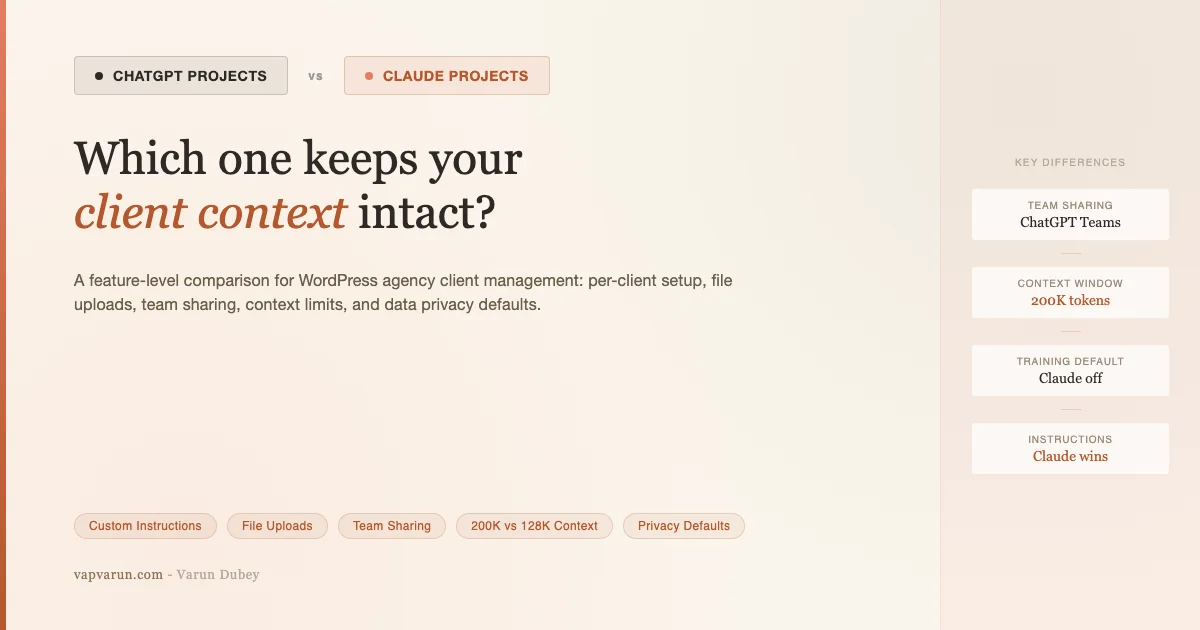
If you want the big-picture comparison – model quality, pricing tiers, MCP ecosystem, who switched and why – I covered that in Why the Builder Crowd Switched From ChatGPT to Claude. This post is scoped differently. Here, I’m comparing one specific feature set: the Projects workspace in ChatGPT and the Projects workspace in Claude. How each handles per-client context, what persists, how you upload client docs, whether your team can share it, and how the retrieved context actually holds up when you’re mid-project. Real agency workflow, not benchmarks.
What “Projects” actually means in each tool
Both ChatGPT and Claude introduced a persistent workspace concept to solve the same problem: every new conversation starts from zero. Projects lets you define a context that carries over – instructions, uploaded documents, chat history – so you don’t re-brief the AI every time you open a new thread.
In ChatGPT, Projects appear in the left sidebar. You create a project, give it a name, add custom instructions specific to that project, and upload files. Every conversation you start inside that project inherits those instructions and has access to the uploaded files. The project also shows a chronological list of past conversations, so you can scroll back through a client’s history.
In Claude, Projects work similarly. You create a project, add a custom system prompt (Claude calls it “project instructions”), upload knowledge files, and start conversations inside it. Claude shows a list of past chats in the project sidebar. The key difference I’ll get into below is how the knowledge files are retrieved and how instructions interact with Claude’s overall behavior.
Structurally, both are “one project per client” containers. The gap is in the execution.
Setting up a client project: custom instructions
When I create a new client project, the first thing I do is write instructions the AI should always follow for that client. This typically includes: the client’s stack (WordPress version, page builder, key plugins), their brand voice, things I should never suggest (like migrating away from their current host mid-contract), and recurring context about their business.
ChatGPT Projects instructions
ChatGPT lets you add project-specific custom instructions in a free-text field. These sit on top of your account-level custom instructions, so you get a two-layer system: global preferences you set across all chats, plus per-project overrides. The project instructions are prepended to each conversation context.
In practice, I’ve found ChatGPT’s instruction following to be solid for factual constraints (“this client is on PHP 8.1, don’t suggest 8.2-only features”) but looser on tone and style guidance. If I tell it to always write support replies in a formal register, it’s hit-or-miss whether that survives a complex multi-turn thread.
Claude Projects instructions
Claude’s project instructions act as a system prompt prepended to every conversation in the project. Claude tends to follow nuanced behavioral instructions more reliably than ChatGPT in my experience – if I write “always lead with the business impact before the technical fix” in a client project instruction, Claude respects that across sessions. This isn’t a function of model intelligence in isolation; it’s partly that Claude’s training places more weight on the system prompt as an authoritative constraint.
Claude also lets you set a longer instruction block without the character limits that constrain ChatGPT’s custom instruction fields. For complex clients with multi-page onboarding docs, this matters.
Uploading client docs: what persists and what degrades
The main reason I use Projects is to load client documentation – brand guidelines, site exports, plugin lists, past audit reports – without re-uploading every conversation. Here’s where the two tools diverge meaningfully.
What you can upload
Both tools accept PDFs, Word docs, text files, and code files. ChatGPT also handles spreadsheets natively through its code interpreter. Claude handles large text files well and maintains fidelity on long structured documents. For my typical uploads – a 30-page brand guidelines PDF, a plugin manifest JSON, a product catalog CSV – both tools handle the ingestion without issues.
How retrieval actually works
This is where things get interesting, and where I’ve seen real differences in day-to-day use.
ChatGPT uses retrieval-augmented generation (RAG) for project files. When you ask a question, it searches the uploaded documents for relevant chunks and surfaces them into context. This works well when your question maps cleanly to a section of a document. It breaks down when you need to synthesize across multiple documents or when the relevant context is spread across a file in a non-obvious way. I’ve had ChatGPT miss client-specific constraints that were clearly in the uploaded brief – it retrieved the wrong paragraph.
Claude’s approach for Projects knowledge files is similar in mechanism but tends to produce better retrieval quality in my usage. For dense technical documents – like a plugin’s architecture notes or a client’s custom post type schema – Claude surfaces the relevant section more reliably. My working theory is that Claude’s longer context window (up to 200K tokens) means more of the document gets loaded directly rather than chunked, reducing the retrieval miss rate.
That said, neither tool is infallible. For a client with 20+ uploaded documents, I’ve had both tools lose track of which document contains which piece of information. The practical fix is to structure your uploads with clear file names and a short index document that describes what’s in each file – both tools handle that better.
File limits
- ChatGPT Projects: Up to 20 files per project, 2GB per file (for Plus/Teams/Enterprise). File types processed by code interpreter or retrieval depending on format.
- Claude Projects: Up to 200MB per knowledge base upload (varies by plan). Fewer hard file count restrictions documented publicly, but the practical limit is the 200K token context budget per conversation.
For most agency clients with typical document volumes, neither limit is a real constraint. Where it matters is for clients with large codebases or multi-year audit histories.
Chat history and context persistence
Both tools store past conversations inside a project and let you scroll back through them. What they do not do is automatically carry the content of past conversations into new ones. Each new conversation starts fresh, with only the project instructions and knowledge files as context – not the full history of every prior thread.
This is a critical distinction for agency workflows. If I had a long troubleshooting thread with a client last month and I open a new conversation in that project today, I cannot expect the AI to remember what we resolved. I need to either reference the old thread explicitly (“per our last session on the caching issue…”) or add a running summary document to the project knowledge base.
My workflow: I keep a plain-text “session log” in each client’s project. After any substantive conversation – a support call debrief, a code review, a content strategy session – I paste the key decisions and outcomes into that doc and re-upload (or update) it. Both ChatGPT and Claude treat this as the project memory. It’s manual, but it works reliably.
Neither tool auto-summarizes past sessions and feeds them forward. If that feature ships, it will meaningfully change the calculus here. For now, this is a manual step in both tools.
Team sharing and collaboration
This is arguably the biggest practical difference between the two tools for agencies right now.
ChatGPT Teams plan
On ChatGPT Teams, Projects are shared workspaces. You can invite team members to a project, and they see the same project instructions, the same uploaded files, and the same conversation history. Any team member can start a new conversation in the shared project, and all conversations are visible to the whole team.
This is genuinely useful for agency handoffs. When a developer on my team picks up a client’s support ticket, they can open that client’s ChatGPT project, see the brand guidelines, the past conversations, and start a new thread without me briefing them. The shared workspace removes a coordination step.
The downside: on Teams, all conversations in a shared project are visible to all team members. There’s no per-conversation privacy. For sensitive client discussions, that can be a concern.
Claude Pro and Teams
Claude Pro is a single-user plan. Projects on Claude Pro are private to you. There is no sharing or collaboration – no way to invite a team member to access your project.
Claude for Work (Teams/Enterprise) does support shared projects and team collaboration, with more granular controls than ChatGPT Teams. But the pricing is different: Claude for Work starts at a higher per-seat cost than ChatGPT Teams, and the feature set for project sharing is better documented on the Enterprise tier than on the base Teams offering.
For my agency, this creates a practical split: I use Claude Projects personally (on Pro) for my own client management workflow, and I use ChatGPT Teams for anything that needs team visibility. That’s not an ideal setup – it means I’m context-switching between tools – but it reflects where the features are today.
Context limits per project
Context limits are the ceiling you hit when you’ve uploaded too many docs or started a long enough conversation that the model starts dropping earlier context.
Claude’s 200K token context window gives it a meaningful edge here. A typical client project – brand guidelines (30 pages), plugin list (5 pages), site audit (20 pages), session log (10 pages) – totals roughly 65 pages of text. That’s comfortably within Claude’s window, meaning the model can read the entire knowledge base in one pass rather than chunk-retrieving. The conversation can run long without the project instructions or key documents falling out of context.
ChatGPT’s context window is smaller per conversation (varies by model – GPT-4o has 128K tokens). For most client projects, this is still plenty. But for a large codebase review or a client with extensive documentation history, I’ve hit the point where GPT-4o starts losing context from earlier in the conversation. This is recoverable (start a new thread, reference the key points) but it’s an interruption.
Practical threshold: if your client projects are document-heavy or involve long troubleshooting threads, Claude’s context window gives you more headroom. For typical project sizes – a dozen documents and moderate conversation depth – both tools work fine.
Privacy and data training per project
Agencies handle sensitive client data: contracts, unreleased products, internal strategies, financial information. The data training policies of both tools matter here.
ChatGPT
On ChatGPT Plus, conversations can be used for model training by default. You can opt out in settings, and the opt-out applies globally – there’s no per-project training toggle. ChatGPT Teams turns off training by default (conversations are not used for model training). ChatGPT Enterprise offers stronger guarantees with full data isolation and a business associate agreement.
Claude
Claude Pro does not use your conversations to train models by default, according to Anthropic’s current policy (as of mid-2026). Claude for Work (Teams/Enterprise) extends this with explicit contractual commitments. For client-sensitive material, this is a meaningful difference from ChatGPT Plus, where you need to actively opt out.
My practice: sensitive client documents (contracts, unreleased plans) go into Claude Projects on Pro, where training is off by default. Non-sensitive operational docs (plugin lists, brand guidelines) can live in either tool. When the whole team needs access, those go into ChatGPT Teams, where training is off at the plan level.
Real agency workflow examples
Support handoffs
When a client submits a support ticket, my team lead opens that client’s ChatGPT Teams project. The project has the client’s plugin manifest, their custom configuration notes, and a session log of past issues. They start a new conversation, paste the ticket content, and ask for a diagnosis. The shared project means the team lead doesn’t need me to brief them – the project context does it.
For tickets that need my input on client relationship context – “this is the third time this issue has come up, how do we handle the conversation?” – I use my Claude Pro project for that client instead. The instructions in that project include relationship notes that I don’t want the whole team to see.
Content briefs per client
I run content for several clients alongside their development work. Each client has a project that includes their brand voice guidelines, audience personas, and a running list of published topics (to avoid repeats). When I need to write a brief, I open that project and ask for a draft. The brand guidelines are already loaded – I don’t re-paste them. Claude handles this particularly well for tone-sensitive work where the instructions need to stick through a long conversation about angles, hooks, and structure.
Code review context
For clients on ongoing plugin maintenance, I load the plugin’s architecture notes, coding standards document, and a file listing into the project. When I need to review a pull request or debug an issue, I start a conversation in that project, paste the relevant code, and the AI already knows the plugin’s conventions. This saves the five minutes of re-explaining the codebase structure that would otherwise open every debugging session.
I use Claude for this workflow more than ChatGPT, purely because Claude’s instruction adherence means the architecture notes stay “active” throughout a long code review thread. ChatGPT tends to drift from early context in long technical conversations.
Head-to-head: Projects feature comparison
Here’s how the two tools compare on the features that matter specifically to agency client management. General model capability comparisons are out of scope – see the broader comparison linked above.
| Feature | ChatGPT Projects | Claude Projects |
|---|---|---|
| Custom instructions per project | Yes (project-level + global layer) | Yes (project system prompt) |
| Instruction adherence (long threads) | Moderate – drifts in complex sessions | Strong – respects constraints through long threads |
| File upload formats | PDF, DOCX, TXT, code, spreadsheets, images | PDF, DOCX, TXT, code, images |
| Max files per project | 20 files (Plus/Teams) | Not hard-capped; limited by 200K context budget |
| Retrieval quality on dense docs | Good; misses on cross-doc synthesis | Better on dense technical docs; fewer retrieval misses |
| Context window per conversation | 128K tokens (GPT-4o) | 200K tokens (Claude 3.5/4 models) |
| Chat history visible in project | Yes – chronological list | Yes – chronological list |
| Past sessions carry into new chat | No – manual reference required | No – manual reference required |
| Team sharing (shared workspace) | Yes – ChatGPT Teams | Pro: No. Claude for Work: Yes |
| Per-project team permissions | All-or-nothing (invite to project) | Claude for Work: more granular controls |
| Data training default (paid plans) | Plus: opt-out needed. Teams: off by default | Pro: off by default. Work: off by default |
| Pricing for team sharing | $30/user/month (Teams) | Claude for Work: higher per-seat (contact for enterprise) |
| Project count limit | No published hard cap | No published hard cap |
| Per-project color/label/organization | Basic naming | Basic naming |
Which one should your agency use?
There’s no clean winner. The right answer depends on which workflow you’re optimizing for.
Use ChatGPT Projects (Teams plan) if: your team needs shared access to client context without each person maintaining their own copy. The Teams plan’s shared workspace model is well-suited for agencies where multiple people touch the same client – developers, project managers, support leads. The $30/user/month pricing is transparent and accessible. Shared visibility is the biggest practical advantage here.
Use Claude Projects (Pro) if: you’re a solo operator or working on sensitive client material. Claude’s instruction adherence is noticeably better for tone-sensitive, context-heavy work like content briefs and long technical reviews. The larger context window means you can load more client docs without retrieval degradation. And for private, sensitive material, the default-off training policy is the cleaner starting position.
The hybrid approach (what I actually do): Claude Pro projects for personal client management and sensitive workflows; ChatGPT Teams for anything the broader team needs shared access to. It’s not perfectly efficient – two tools, two monthly bills – but the feature sets don’t fully overlap yet, and forcing everything into one tool means accepting meaningful compromises.
If you’re building on top of these tools programmatically – wiring AI into your client CRM, automating brief generation, or connecting your project context to your WordPress workflow – read how I built that layer in The Real MCP + WP Fusion Stack: How I Wired Claude to Every Client CRM. The Projects feature is the human-facing layer; MCP is what connects it to your actual systems.
Honest limitations of both tools
Neither Projects feature is the “persistent AI team member” that the marketing language sometimes implies. Both tools have real limitations that matter in practice.
- No automatic session memory: You have to manually maintain a running log if you want continuity across conversations. This is the biggest operational gap – it requires discipline and adds time.
- Retrieval is imperfect: For large document sets, both tools will miss context that’s “in there.” Specific, narrow queries work better than broad synthesis questions.
- No real-time data: Neither tool knows what happened on your client’s site today unless you tell it. Live site state, recent ticket volumes, and current analytics all need to be pasted in manually or via a workflow integration.
- File versions aren’t managed: When you update a client doc and re-upload, both tools treat it as a new file. There’s no version history or “replace this document” function. Managing evolving documentation inside Projects requires manual hygiene – delete old versions, upload new ones.
- Sharing granularity is limited: On ChatGPT Teams, there’s no “view-only” mode or selective conversation hiding within a project. On Claude Pro, there’s no sharing at all. Neither tool currently supports the kind of role-based access control you’d want in a larger agency setup.
- Projects don’t talk to each other: If a client relationship spans two projects (e.g., one for dev work, one for content), there’s no cross-project context. The AI in project A doesn’t know what’s in project B.
These aren’t dealbreakers. I use Projects every day and they make client work faster and more consistent than the alternative. But it’s worth being clear about what they actually are: a structured way to persist instructions and documents across conversations, not a memory system or a client record of truth.
What I’d actually tell another agency owner
Start with one project for your most active client. Upload the three or four documents you reference most often – brand guidelines, stack notes, plugin manifest. Write instructions that capture the things you always have to re-explain. Run it for two weeks before adding more clients or switching tools.
If your team needs shared access, start with ChatGPT Teams. The setup is straightforward and the per-seat cost is predictable. If you’re solo or your work is sensitive, start with Claude Pro – the instruction adherence and default privacy posture make it the better individual-use option.
The Projects feature in both tools is genuinely useful for agency client management. It’s not magic – it’s persistent context management, which is a simple idea that happens to save real time. The choice between tools for this specific use case comes down to team access and instruction reliability, not raw model capability. That’s a more tractable decision than the general “which AI is better” question, and the answer is more likely to stay stable as both tools continue to improve.
For how I handle the team workflow side of this – briefing AI tools like a team member rather than a search engine, and keeping that context current at scale – read Claude Code as an Agency Team Member: Workflows That Stick.