Claude Code Hooks vs CLAUDE.md: The Hidden, Dangerous Mistake We Fixed
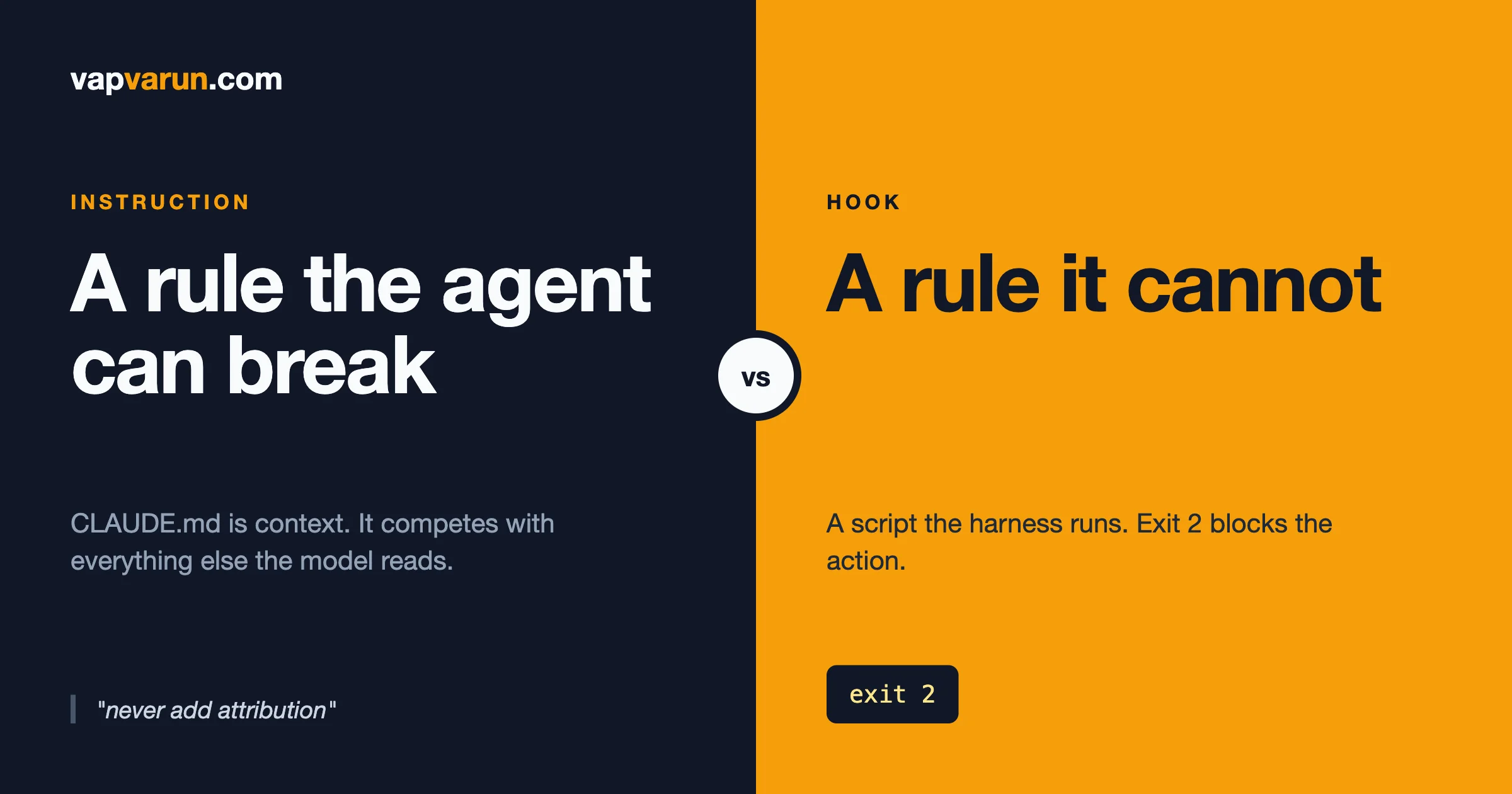
A rule in CLAUDE.md is text the model reads and weighs against everything else in its context, so it can be outweighed. A Claude Code hook is a script the harness runs, and on a PreToolUse hook an exit code of 2 blocks the action no matter what the model decided. So the working rule is simple: put judgment in CLAUDE.md, put invariants in hooks. If breaking a rule once would cost you money, trust or a public history rewrite, and a script can check it, it belongs in a hook. This post shows the incident that taught us that, the three layers we built afterwards, the matcher and exit-code traps that make a hook silently useless, and how to test that a hook can actually fail.
We have written before about why written rules do not reliably govern AI agents and about the Claude Code config layer. Those posts give the argument. This one is the worked example: one real failure, the exact structure that fixed it, and the details you need to copy it without repeating our mistakes.
The short version
- CLAUDE.md is for judgment. Style, architecture, how we name things, which trade-offs we prefer. Cases where a thoughtful person would decide differently in different situations.
- Hooks are for invariants. Things that must be true every time, that a script can detect: a forbidden string in a commit, a protected file, a destructive command.
- One layer is not enough. A hook on the agent’s tool calls cannot see what a teammate’s editor does. A git hook cannot see a pull request body. We use both, plus the setting that stops the source of the problem.
- A hook that has never failed is a hook you have not tested. Exit code 2 blocks. Almost every other failure mode lets the action through.
- Matchers match tool names, not commands. This is the single most common reason a hook never fires.
The incident: a written rule that did not hold
Our global instructions file has a rule, in plain words, that we never add AI co-author attribution to commits or pull request descriptions. It is not ambiguous and it is not buried. It had been followed for months.
In September, two commits in two repositories, one of them public, shipped with a co-author trailer and a session trailer naming the tool. The session was running under a directive supplied by the tool itself that told the model to add those lines, and that directive carried more weight in the model’s context than our file did. We can describe what happened from the outside: a rule we wrote lost to a more specific instruction from a different source, and nothing in the system was positioned to say no.
The cost was real. Because the repository was public, removing the trailers meant rewriting history and force-pushing it. A force-push on a public repository is something you do carefully, tell collaborators about, and would prefer never to do. The lesson was not that the model is untrustworthy. It was that we had put an invariant in a layer designed for judgment.
Why the rule lost
It helps to be precise, because the fix depends on it. A CLAUDE.md file is loaded into the model’s context. Claude Code’s own docs say a CLAUDE.md or rules file loads into context at session start and can also load lazily during a session. Context is a pile of competing instructions: your file, the tool’s own system instructions, the task, the conversation so far. The model resolves conflicts by weighing them, and when two instructions disagree, the more specific or more recent one often wins. That is the right behaviour for judgment calls. It is the wrong behaviour for a rule you need to be true every time.
The same property is why a file from outside your control matters. Recent write-ups on dev.to describe the other side of this coin: one argues that a planted AGENTS.md or CLAUDE.md can steer an agent that opens it, and another argues you should write scripts for agents instead of markdown files. We read both through search excerpts, not in full, and the point we take from them is the same one our incident made: instructions in prose are inputs, and inputs compete. If a rule must win, it cannot live only in the input.
The fix: three layers, each covering the others’ blind spots
Layer 1: remove the source
Claude Code has an attribution setting for commits and pull requests. We set the values to empty strings in our user settings so the harness does not tell the model to add attribution at all:
"attribution": { "commit": "", "pr": "", "sessionUrl": false }
This is the cheapest layer and the one that addresses the cause. It is also not enough on its own, because settings can be overridden, a new machine may not have them, and the model can still write a trailer from habit.
Layer 2: a PreToolUse hook that blocks
A PreToolUse hook runs before a tool call. According to the Claude Code hooks reference, the script receives JSON on stdin, exit code 0 means no objection, and exit code 2 blocks the tool call, with the script’s stderr passed back to Claude as the reason. Ours reads the command, looks for the shape of an attribution trailer, and exits 2 with a plain explanation.
Here is a minimal version of the idea, with the pattern kept short for reading:
#!/bin/bash
# PreToolUse guard: block attribution trailers in git and gh commands
INPUT=$(cat)
if printf '%s' "$INPUT" | grep -qiE 'TRAILER_PATTERN_HERE'; then
  echo "BLOCKED: remove the attribution line and run the command again." >&2
  exit 2
fi
exit 0
Three design choices matter more than the pattern itself.
- Match the shape of the problem, not a word. Our pattern needs the trailer label followed by real content naming the tool. A command that merely searches for the phrase, such as a verification grep, passes. A genuine human co-author trailer passes. We learned to write it this way because an over-broad pattern blocks legitimate work, and a blocked agent that cannot tell why starts working around the block.
- Scan the whole command, not the start. The docs’ short example for blocking
rmcompares the beginning of the command. That is fine for an example and unsafe for a guard, becausecd repo; git commit ...starts withcd. - Tell the agent not to route around it. Our message says so explicitly, because the obvious workaround is to write the message to a file and pass the file to git. This is why layer 3 exists.
Layer 3: a git hook for everyone, not just the agent
Claude Code hooks only see what Claude Code runs. A teammate’s editor, a script and another agent all bypass them. A git commit-msg hook sees the final message file whoever made the commit, including the file-based workaround above. A minimal version of the idea is a script that deletes unwanted trailer lines from the message file git hands it:
#!/bin/sh
# commit-msg: $1 is the path to the commit message file
sed -i.bak -E -e '/^TRAILER_LABEL:.*TOOL_NAME/Id' "$1" && rm -f "$1.bak"
Test the sed flags on your own system before relying on it, since options differ between versions. To apply a hook to every repository on a machine, set a global hooks path. That comes with one trap we want you to know about before you hit it: once core.hooksPath is set, git looks only in that folder. Any repository’s own local hooks stop running unless your global hooks forward to them. Our global folder has a small chain script that forwards each standard hook name to the repository’s own copy. Whatever you use, check that your existing pre-commit checks still run before you trust the setup.
Why three layers and not one
| Layer | What it stops | What it cannot see |
|---|---|---|
| Attribution setting | The harness asking the model to add trailers | Habit, other tools, other machines |
| PreToolUse hook | Any agent command that carries a trailer, plus PR and release bodies | A teammate’s editor, or a message written to a file first |
| Git commit-msg hook | Any commit from any tool on the machine | Pull request descriptions and release notes |
Each layer has a hole the next one fills. That is the design, and it is why a single rule in a markdown file, which has all of those holes at once, was never going to be enough.
What belongs where
After the incident we went through every rule in our global instructions file and sorted it. This is the sorting test we use now.
| Question | If yes, it belongs in |
|---|---|
| Would a thoughtful person decide differently in different situations? | CLAUDE.md |
| Is it a multi-step procedure the agent needs only sometimes? | A skill, loaded on demand |
| Must it be true every single time, and can a script check it? | A hook |
| Is it “never touch this file or command”? | A permission deny rule, or a hook if the check needs logic |
| Does it apply to humans and other tools too? | A git hook, or CI |
| Is it about what the code should do? | A test |
What we kept in CLAUDE.md
- How we plan before we code, and when to ask for clarification.
- Architecture preferences: where logic lives, how free and paid plugins share data.
- Style and naming conventions.
- Which model does which kind of work, and when to escalate.
- The reasons behind our rules. A file that explains why gets applied more sensibly than one that only lists commands.
Our guide to layering CLAUDE.md for WordPress developers covers how to keep that file small enough to be read, which is its own discipline.
What we moved into hooks
- No AI attribution in commits, pull requests or releases. The incident above.
- A guard on live systems. A hook blocks any command that would change our live licensing systems unless the owner approved that specific action.
- Coding-standard checks before a commit. The idea is that the agent finds out about a lint failure at the moment it can still fix it. This is also the hook we are re-testing, for the matcher reason in the next section.
What we moved into skills
Procedures. How to cut a release, how to verify a bug, how to set up a test bench. These are instructions, and they are allowed to be followed with judgment, so they live in skills that load when needed. Keeping Claude Code skills small explains how we stop them growing into a second, worse CLAUDE.md.
Claude Code hooks vs skills: the short answer
This is a common search, so here is the plain answer. A skill is a set of instructions the agent chooses to load and follow. A hook is a program the harness runs whether or not the agent cares. Skills carry knowledge and procedure. Hooks carry guarantees. If you catch yourself writing “always” or “never” in a skill, ask whether that sentence should be a hook instead.
Hook matcher gotchas (for developers)
This section is for developers. Decision makers can skip to the next heading.
Most of what follows comes straight from the hooks reference, and every item is a way a hook can look installed and do nothing.
1. The matcher filters on the tool name, not on the command
The matcher field decides which tool calls trigger a hook. For tool events it compares against the tool name, such as Bash, Edit or Write. A matcher made only of letters, digits, underscores, hyphens, spaces, commas and pipes is treated as an exact name or a list of exact names, so Edit|Write matches either tool. Anything else is treated as a JavaScript regular expression, tested anywhere in the value, not anchored. Two consequences:
Edit.*also matchesNotebookEdit. Use^Edit$when you mean exactly one tool.- A matcher written like a permission rule, for example
Bash(git commit*), contains parentheses and an asterisk, so it is read as a regular expression. As a regex, it does not match the plain tool nameBash. We checked that in Node and it returns false. By the docs, a hook registered that way should never run.
We found one of our own hooks registered in exactly that prefix form while preparing this post. By the documentation it should not match, so we are treating that hook as untested until we prove otherwise, and we suggest you audit yours the same way. The /hooks menu in Claude Code opens a read-only list of every configured hook and where it came from, which is the quickest place to start.
2. Use the if field for command-level filters
The docs add a second filter, an if field on the individual hook handler, written in permission rule syntax. They say "Bash(git *)" runs when any subcommand of the Bash input matches git *. That is the right place for “only when it is a commit”. It also covers compound commands, which a start-of-string check does not.
{
  "hooks": {
    "PreToolUse": [
      {
        "matcher": "Bash",
        "hooks": [
          { "type": "command", "if": "Bash(git commit *)", "command": "$HOME/.claude/hooks/guard.sh" }
        ]
      }
    ]
  }
}
We still run our attribution guard on plain Bash with no if, and let the script do the filtering. It also has to catch gh pr create and release commands, and a broad matcher with a cheap script is simpler to reason about than a list of narrow ones.
3. Only exit code 2 blocks
This one catches people out. The reference says that exit 0 means the hook had no objection, exit 2 blocks, and any other exit code is a non-blocking error. Unless the hook is one whose failure blocks the action, a script that crashes with exit 1 lets the tool call through. A guard that dies because jq is missing, or because of a typo, fails open.
The docs describe an onFailure field, with the values continue and block, that sets whether the action goes ahead when the hook fails, and say it needs Claude Code v2.1.295 or later. For a guard you cannot afford to lose, read that section and decide deliberately whether it should fail closed.
4. stderr only reaches Claude on exit 2
The docs are explicit that Claude never sees stderr from a hook that exits 0. If you want the model to read your explanation, the explanation must come with a blocking exit. Write the message for the agent: say what was wrong and what to do instead, in one or two sentences.
5. A matcher on an event that does not support one is ignored
If you add a matcher to an event without matcher support, the docs say it is silently ignored. The hook then fires on every occurrence of the event. That is the safe direction to fail, but it can also be slow.
6. MCP tool names need the full name
MCP tools appear as mcp__server__tool. A matcher naming only the server key with no pattern characters is compared as an exact string and matches nothing. Use mcp__server__.*. For servers bundled in plugins the name carries a plugin segment, so a matcher written against the bare server key never fires.
Examples you can copy
These cover the most common searches for Claude Code hook examples. Each uses the same pattern: read JSON from stdin, check one thing, exit 2 with a useful message or exit 0.
Example 1: block a dangerous command
The reference shows Bash hooks that block rm commands. One of its examples checks whether the command starts with rm, which is enough for a demo. For a real guard, search the whole command and use the if field so the script only runs when it might matter.
Example 2: protect a file from edits
Register a PreToolUse hook on Edit|Write. The tool input includes tool_input.file_path, which the docs use in their own Write and Edit examples. Your script compares that path to a short list and exits 2 with “this file is protected, ask a person”. This turns “please do not edit the lockfile” from a request into a fact.
Example 3: run checks after an edit
A PostToolUse hook on Write|Edit can run a formatter or linter on the changed file. The docs say that on PostToolUse, exit 2 makes Claude see the stderr even though the tool already ran, which is how the agent learns the lint failed while it can still fix it.
Example 4: block content in a commit
The attribution guard above. Swap the pattern for anything you never want in a commit message: ticket-less commits, a banned phrase, or a string shaped like a key. This is the same mechanism as the secret guard we describe in our post on Claude Code settings files and secrets.
How to test that a hook can actually fail
A guard you have never seen block is a guess. This is our routine, and it takes ten minutes.
- Feed the script the exact JSON Claude Code sends. Pipe a sample payload into the script and read the exit code. The script is just a program, so you do not need a live session for the first pass.
- Run four cases, always. A command that should block. The same command inside a compound line such as
cd repo; .... A command that mentions the forbidden thing but does not do it, such as a search. And a legitimate lookalike that must pass. If any of the four surprises you, fix the pattern. - Use realistic fixtures. This one bit us while we were writing this post. Our first test payload had a fake trailer naming the tool once. The script exited 0 and we nearly wrote down a pass. Real trailers also carry the vendor’s address, which our pattern requires, so the realistic fixture blocked and the lazy one slid through. A test fixture is part of the test.
- Break it on purpose. Change the pattern so it should no longer match, rerun, and confirm the test now fails. If it does not, your test cannot detect a broken guard.
- Confirm it fires in a real session. Open
/hooksto see it registered and from which file, then trigger it. When the matcher is right, Claude receives an error prefixed with the event name, the tool name and the hook command, then your stderr text. - Check the failure mode. Rename the script, or make it exit 1. Decide, with the
onFailurefield if your version supports it, whether the action should go ahead.
One more first-hand note. While drafting the examples for this post, our own attribution guard blocked two of the shell commands we ran. The commands were not commits. They contained text shaped like the trailer, because we were writing tests for the guard. That is the guard working exactly as designed, and it is also the false-positive cost in miniature: any guard that matches text will occasionally match text about itself. Keep patterns narrow, and keep the message clear enough that a person or an agent knows what to change.
What hooks cost you
- Speed. A hook on
Bashruns on every shell command. Keep the script fast and avoid network calls. Use theiffield to skip it when it cannot matter. - False positives. Every block is friction. Match shapes, not words, and make the message actionable.
- Maintenance. A hook is code. Keep it in version control, give it an owner and keep its four test cases next to it. Our guard scripts live in a shared configuration repository so every machine gets the same version.
- Per-machine wiring. The scripts can be shared, but the settings that register them are per machine. A guard that exists in the repository and is wired on only some machines is the same gap as a rule in a file nobody loads. We check wiring, not just scripts.
- False confidence. A hook proves one thing. It does not prove the agent understands why. That is what CLAUDE.md is for, which is why we keep both.
For decision makers: how to ask
If an agency or vendor says AI agents work on your code under rules, these questions separate rules that are written from rules that are enforced.
- Which of your rules for the agent are enforced by a mechanism that blocks, and which are only written down?
- For each enforced rule, when was the last time you saw it block something?
- What happens if the enforcement script itself fails? Does the action go ahead?
- Does the enforcement also cover people and tools outside the agent?
- Who owns the guard scripts, and where are they stored?
A good answer to the second question is a specific recent example. We can give ours: the attribution trailers above, and the blocked test commands that proved the guard was alive.
A migration plan for your own CLAUDE.md
- List every sentence containing always, never or must. Those are the candidates.
- Mark which can be checked by a script. “Never commit a key” can. “Write clear code” cannot.
- Write the cheapest guard for the top three. Start with the one whose failure would be most expensive or most public.
- Write four test cases for each, as described above, and run them.
- Leave the sentence in CLAUDE.md anyway, with the reason. The agent should know why the guard exists, so it picks the right alternative instead of probing for a way around.
- Add the guard to your wiring checklist for every machine.
- Review quarterly. Remove guards for rules that no longer matter. Dead guards are the hook equivalent of an archived plugin’s rule still loading.
Frequently asked questions
What is the difference between Claude Code hooks and CLAUDE.md?
CLAUDE.md is context the model reads and weighs. A hook is a script the harness runs at a fixed point, and a blocking exit stops the action. Use CLAUDE.md for judgment and hooks for rules that must hold every time.
Which exit code blocks a Claude Code hook?
Exit code 2 blocks the action on events that can block, such as PreToolUse, and the script’s stderr is returned to Claude as the reason. Exit 0 means no objection. Other exit codes are non-blocking errors unless the hook is configured so that its failure blocks.
Why is my Claude Code hook not firing?
The most common cause is the matcher. It filters on the tool name, so a command pattern such as Bash(git commit*) in the matcher field is read as a regular expression and does not match Bash. Use Bash as the matcher and put the command pattern in the if field. Then open /hooks to confirm the hook is registered.
Can the agent bypass a hook?
It cannot ignore one, because the harness runs it. It can try routes the hook does not cover, such as writing a message to a file before committing. That is why we pair the agent-level hook with a git-level hook that sees the final commit message.
Should every CLAUDE.md rule become a hook?
No. Most rules are judgment and belong in CLAUDE.md. Move only the few that must hold every time and that a script can check. Too many hooks slow every command and create friction.
What is the difference between hooks and skills?
A skill is a procedure the agent loads and follows with judgment. A hook is enforced by the harness. Skills carry knowledge, hooks carry guarantees.
Where do Claude Code hooks go?
In a settings file under a hooks key: your user settings for rules that apply everywhere, or a project settings file for rules the whole team shares. The /hooks menu lists each configured hook and the file it comes from.
Is it safe to open a repository that ships its own CLAUDE.md or hooks?
Treat both as input from someone else. Claude Code’s settings documentation says that project allow rules and most environment values apply only after you trust the folder. Review instruction files and project settings before trusting a repository you did not write.
The takeaway
The agent did not break our rule out of malice or confusion. It followed a louder instruction, because that is what instruction-following does. The fix was not a stricter sentence. It was to move the one rule that had to be true every time out of the place where rules compete and into the place where a script says no. Keep your judgment in plain words, keep your guarantees in code, test that the code can fail, and write both down so the next person knows which is which. If you would like help sorting your own agent rules, get in touch.