Claude Code’s Hidden settings.local.json Secret Leak: A Dangerous Mistake to Fix Now
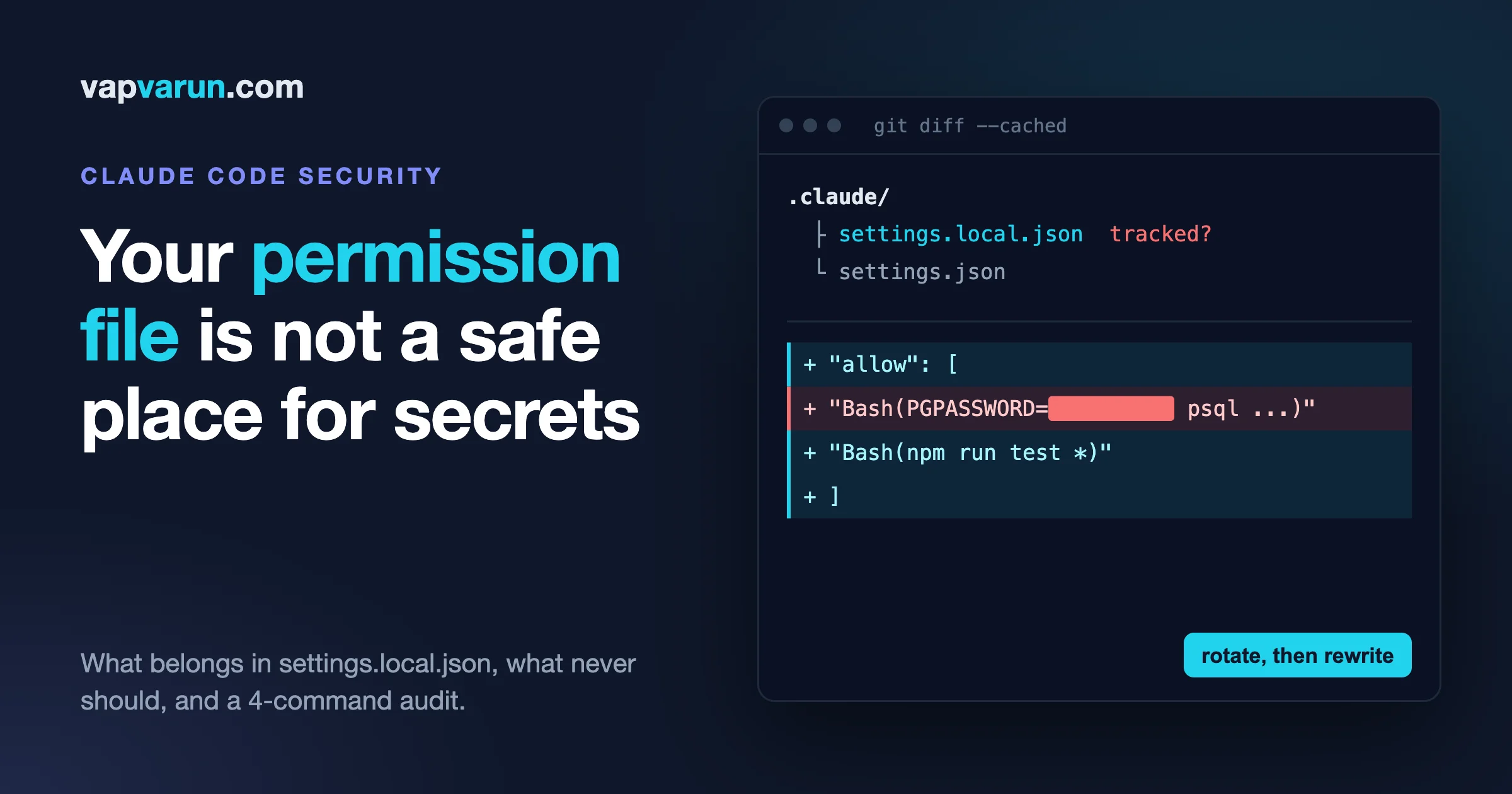
The Claude Code settings.local.json file is where Claude writes a rule every time you pick “Yes, and don’t ask again” on a permission prompt, and if the command you approved contained a password or token, that secret is now saved in the file in plain text. Security researchers found real secrets in more than a thousand public copies of that file on GitHub. The fix is not complicated: keep the file out of git, let allow rules name commands and never values, keep secrets in an owner-only file or the keychain, and add one hook that blocks bad content before it is committed. This post shows what the reports found, what the official docs say, and exactly how our team at Wbcom Designs runs it.
A note on sources before the numbers. We read the Claude Code docs, the GitHub issue and several write-ups directly. The Apiiro blog and the Ars Technica article both refused automated access when we tried to open them, so every figure from those two is marked as reported by secondary coverage and should be checked against the original pages. We say which is which as we go.
The short version
- What leaks: allow rules saved by “Yes, and don’t ask again” can contain the exact command you approved, including any credential typed into it.
- How big it was: Apiiro reportedly found real secrets in 1,122 of 104,185 public copies of the file (secondary coverage, see below).
- What the docs say: Claude Code adds the file to your global git excludes the first time it writes it. A file you create by hand is not covered, and neither is a repo where someone force-added it.
- What to do today: run the three-line audit later in this post, rotate anything it finds, and move secrets out of commands.
- What to build: a small allowlist policy, a pre-commit guard, and one hook with the right matcher.
What the reports found
The Apiiro research, as reported
Apiiro published research in early November 2026 titled around coding agents leaking secrets on GitHub through “Don’t Ask Again” entries. We could not open the page ourselves, so these numbers come from several outlets that summarised it, and they agree with each other on the main points. Treat them as secondhand until you read the original.
- Apiiro searched public GitHub in the first days of November 2026 and reportedly found 104,185 copies of
.claude/settings.local.jsonacross 103,617 repositories. - About 1,122 of those files held at least one real secret, roughly 1,379 secrets in total.
- When Apiiro also counted git history, shared settings files and agent transcripts, the reported total rose to 2,539 secrets across 1,994 repositories. Some outlets lead with one figure and some with the other, so always check which number a headline is using.
- A DEV Community write-up of the research says two popular scanners, Gitleaks and TruffleHog, missed 215 of the 1,122 files. If that holds, scanning alone is not a safety net, because the secret sits inside a command string and not in a tidy
KEY=valueline.
Separately, coverage also reports that GitGuardian counted more than 31,000 secrets in these files across more than 23,000 repositories. That is a different company with a different method, and we have not seen its report directly, so we only mention it to show how far apart the estimates are. The honest reading is not “the number is X”. It is “the number is large under every method, and nobody counting it is looking at a small problem”.
What Ars Technica added
Ars Technica covered the story on 9 November 2026. Its page also refused our automated fetch, so what we know of it is from other outlets quoting it. The detail worth knowing is that people are arguing about whether the file is ignored by default. One side says Claude Code does not add it to a project’s own .gitignore. A Claude Code team member reportedly replied that the file is ignored automatically when Claude creates it. Both can be true, and the next section shows how.
The GitHub issue that came up in the same week
A related thread surfaced the same week on Hacker News under the title “Claude Code sends your email address to websites”. It points to issue 107757 in the Claude Code repository. We read it directly. The reporter says Claude Code placed the account email address in the User-Agent header of web requests, and that dozens of scam emails a day followed. The issue was opened on 5 November 2026 and is labelled as a bug in the security area.
An Anthropic contributor replied in the thread that version 2.1.317 added a built-in mod called cc-plugin-privacy that blocks this behaviour by default, and that it can be turned off in the plugins screen. A user then reported that on version 2.1.319 a shell curl command still carried the email in its header, tested against a closed local port so nothing left the machine. Whether the mod covers commands run through the Bash tool is, as of our reading, an open question in that thread.
This is not the same problem as secrets in settings files, and we do not want to blur them. It matters here for one reason: both stories are about what an agent writes down or sends out as a side effect of doing its job. The same discipline answers both.
How the secret gets into the file
The official Claude Code settings page explains the mechanism. When Claude asks permission to run a Bash command and you choose “Yes, and don’t ask again”, Claude Code saves that approval as an allow rule in .claude/settings.local.json. The rule is built from the command. That is the useful part: next time the same command runs without a prompt.
Now picture a normal afternoon. You ask Claude to check a row in a staging database. It proposes a psql command with the password typed right in front of it as an environment variable. You are busy, the prompt is the third one this hour, and you pick “don’t ask again”. The allow rule now contains the password. It sits in a JSON file in your project folder, which is exactly where git expects project files to be.
Why the file ends up on GitHub anyway
The docs say two things that matter here. First, Claude Code adds **/.claude/settings.local.json to your global git excludes file the first time it writes the file in a repository that does not already ignore it. Second, if you create the file by hand, you have to add it to .gitignore yourself. From those two sentences, and from the reports, we can see several ways the file still reaches a public repo:
- Someone created it by hand or copied it from a teammate or a tutorial, so the automatic exclude never applied to it.
- A new machine or a fresh clone. The global excludes file lives on one computer. A teammate on another computer has no such rule unless they, too, had Claude write the file first.
- Someone ran
git add -f, or a tool or a broadgit add .with a different ignore setup picked it up. - An agent committed it. Coverage of the research says that in a share of affected repos Claude was a co-author of the commit that changed the file, which fits an agent staging files in a hurry. We have not verified that number.
- It was committed once and removed later. The file is gone from the current tree, but the secret is still in git history, where anyone can read it.
The last one is the quiet killer, so we built our audit around it. Deleting the file does not delete the secret. Only rotating it does.
What belongs in Claude Code settings.local.json
The file is meant for “personal overrides for one project”, in the words of the settings docs. That is a small job and it should stay small. Here is what we put in it and why.
- Allow rules for commands that carry no secret. Examples: a test runner, a linter, a read-only git command, a build command. The rule names a command and its shape, such as the docs’ own example of allowing
npm run testwith arguments. - Personal tool preferences that are yours alone, such as a model choice for this one repo.
- Experiments you want to try before sharing them with the team in the shared project settings file.
That is the whole list. Everything else goes somewhere else.
What never goes in Claude Code settings.local.json
- Any value you would rotate if it leaked. Passwords, API keys, tokens, connection strings with credentials, signed URLs.
- Commands with a secret on the command line. The secret is part of the allow rule the moment you approve it.
- Hostnames, account IDs and customer names you would not put in a public README. These are not secrets, but they are the map an attacker likes to have.
- Broad allow rules for powerful commands. A rule that allows a whole shell, a package manager’s install, or a deploy tool is a standing permission, and a leaked file shows an attacker which doors are open.
- Anything a teammate must share. If the whole team needs the rule, it belongs in the shared project settings file, reviewed like code, not in a personal file that every person edits alone.
Our setup, step by step
We run more than 100 plugin and theme repos, and several people and several machines touch them. This is what we actually do, in the order we would set it up on a new machine.
Step 1: keep the file out of git in two places
We rely on the automatic global exclude, and we do not rely on it alone. Each repo we own has the file in its .gitignore:
.claude/settings.local.json
The global exclude protects the repos we forget. The repo-level line protects a teammate’s machine, a fresh clone and a hand-made file. Two small lines, two different failure modes. To see which rule is winning in a given repo, ask git:
git check-ignore -v .claude/settings.local.json
If it prints a source file and a pattern, the file is ignored and you can see where from. If it prints nothing, the file would be committed.
Step 2: allowlists name commands, not values
The rule we teach new team members is simple. An allow rule is a sentence about what kind of action is fine. It is never a record of one specific call with its data.
- Good: allow the project’s test script, with any arguments.
- Good: allow read-only git commands such as status and diff.
- Bad: allow a database command that carries a password.
- Bad: allow a curl call that carries a bearer token.
Two habits make this stick. First, when a prompt shows a command with a credential in it, choose “Yes” for this one time, never “don’t ask again”, and then fix the way the command gets its secret (step 3). Second, once a month someone opens the personal settings file in each active repo and reads every allow rule. It takes two minutes, and it turns a surprise in a public audit into a boring Tuesday.
The settings docs also point to a safer pattern for the things you want Claude to never touch. They show a deny rule that stops Claude from reading .env files. Deny rules apply right away, so the combination is useful: allow the commands you trust, deny the files that hold secrets.
Step 3: secrets come from the environment or the keychain, never from the command
A command can use a secret without containing it. The pattern is to keep each secret in a file that only your user can read, or in the operating system keychain, and have the command refer to it by name:
# the command text holds a name, not a value
psql "$STAGING_DATABASE_URL" -c 'select count(*) from orders'
We load those variables from an owner-only file when the shell starts. Our reasoning, which is an inference from the docs and not something we have tested for every case: the allow rule is saved from the command text, so a command that mentions a variable name saves the name. The value never appears in the rule. If you want to be sure for your own setup, approve one such command with “don’t ask again” in a throwaway repo and read the rule that was written.
Two more details we learned the practical way:
- Never run a command whose job is to print a secret, such as echoing a token to check it is set. The output lands in the session transcript, and transcripts are kept. Check that a token works by calling a harmless read endpoint and reporting “valid” or “invalid”.
- Do not paste a secret into the chat to save a step. If the agent needs access, give it the path to the owner-only file or the name of the variable. Our earlier post on secrets leaking through MCP configs, logs and chat covers that side in full, and we will not repeat it here.
Step 4: a hook that blocks before the commit exists
Instructions are not enough for the cases that hurt, so we add a guard that runs before the command. Claude Code hooks are shell commands the harness runs at fixed points. On a PreToolUse hook, exit code 2 blocks the tool call, and whatever the script writes to stderr goes back to Claude as the reason. Exit 0 lets the normal permission flow continue.
We run one such hook, no-ai-attribution.sh, on the matcher Bash. It reads the command from stdin as JSON and blocks any git commit, pull request or release command whose message carries an AI attribution trailer. That is a content rule, and the pattern is identical to a secret rule: look at the command text before it runs and refuse a known-bad shape. You can point the same mechanism at secrets. A script that greps the incoming command for strings shaped like cloud keys or bearer tokens can exit 2 with a message telling the agent to use the environment variable instead.
The matcher choice matters, and we got this wrong once. We first wanted to catch only commits, so we reached for a narrow matcher that looked like Bash(git commit*). The hooks reference says the matcher field is tested against the tool name, for example Bash or Edit|Write. A string with characters outside letters, digits, underscore, hyphen, space, comma and pipe is treated as a JavaScript regular expression, tested against the tool name. Read as a regex, Bash(git commit*) does not match the plain name Bash. We checked that one detail in Node and it returns false, so a hook with that matcher would silently never run. The permission-style pattern belongs in the separate if field on the hook handler, and the docs describe it as matching any subcommand of the Bash input.
There is a second trap inside the script. Our own team’s first draft only inspected the start of the command, the way the docs’ short example does for rm. A command written as cd repo; git commit -m ... starts with cd, so a start-of-string check misses it. That is why we match on the whole command text and keep the matcher broad: the script is cheap, and the filter lives inside it.
If you want the long version of why we moved some rules out of prose and into hooks, we are publishing that as its own post. For this one, the point is narrow: a hook is the only layer that still works on the day the agent misses an instruction.
Step 5: turn off the trailer, and know what else the agent adds
Claude Code can add attribution lines to commit messages and pull request descriptions. We set the attribution values to empty strings in our user settings so the harness does not ask the model to add them:
"attribution": { "commit": "", "pr": "", "sessionUrl": false }
This is not strictly about secrets. It belongs here because the research says the agent often does the committing, and every extra thing an agent writes into a commit is something a human did not review. A commit that carries a trailer you did not expect is a useful canary: if the agent can add that, it can also stage a file you did not mean to share. Our post on git worktrees and clean commits covers how we keep each agent’s work in its own checkout so a stray file is easier to see.
Step 6: a git-level layer for everyone, not just Claude
Claude Code hooks only see commands Claude Code runs. A teammate’s editor, a script, or another tool will not pass through them. For that gap we use a global git hook path with a commit-msg hook that strips unwanted trailers whoever makes the commit. The same idea applies to secrets: a pre-commit hook that runs a secret scanner on the staged diff catches the file no matter which tool staged it. We run a scanner there as a second net, with a caveat from the research above: scanners can miss a secret buried inside a command string, so the scanner supports the discipline and does not replace it.
One warning if you set a global hooks path: git then looks only in that folder, so your repos’ own local hooks stop running unless your global hooks forward to them. Test that on one repo before you roll it out.
The audit you can run today
Run these inside any repo you own. They are read-only. We tested the commands on a scratch repo that had a fake password committed once and then removed.
1. Was the file ever committed, anywhere in history?
git log --all --oneline -- ':(glob)**/.claude/settings.local.json'
Any commit hash in the output means the file existed in that commit. Pay attention to a commit that later removed it: the secret is still readable in the earlier one. The :(glob) prefix makes ** match nested folders, which matters in monorepos.
2. Is any Claude folder content tracked right now?
git ls-files ':(glob)**/.claude/**'
Shared files such as team settings, skills and commands are fine to track. A personal local settings file in this list is not.
3. Does anything in the Claude folders look like a credential, across all history?
git grep -nEI 'PGPASSWORD=|AKIA[0-9A-Z]{16}|ghp_[A-Za-z0-9]{36}|sk-[A-Za-z0-9_-]{20,}|Bearer [A-Za-z0-9._-]{20,}' $(git rev-list --all) -- ':(glob)**/.claude/**'
This searches every commit for a few common shapes: a Postgres password variable, an AWS access key ID, a GitHub personal token, a typical API key prefix and a bearer header. It is a starting list, not a complete one. On a very large repository it can take a while, so run it once, not in a loop. Add the patterns for the services you use.
4. Which ignore rule is protecting the file?
git check-ignore -v .claude/settings.local.json
You want to see a rule. If you see only the global one, add the repo-level line from step 1 too.
If the audit finds something
- Rotate the secret first. Do this before anything else. Rewriting history does not help if someone already copied the value, and on a public repo you should assume they did.
- Remove the file from tracking with
git rm --cachedand add the ignore line. - Only then decide whether to rewrite history. For a private repo with few collaborators it can be reasonable. For a public one it is a heavy step, and rotation is the part that actually protects you.
- Search the other places the same secret may live: shell history, CI settings, old transcripts, screenshots.
For decision makers: what to ask your team or vendor
You do not need to read a hooks reference to manage this risk. These questions get a useful answer fast, and they apply to us as much as to anyone who builds on your behalf.
- Is the personal Claude Code settings file ignored by git in every repo that touches our systems, and who checked?
- When was the last audit of old commits for that file, and what did it find?
- Where do credentials for our project live, and does any engineer type them into commands?
- Which actions would your tooling block on its own, before a person sees them?
- If a repo went public by mistake tomorrow, which credentials would need rotating, and how long would that take?
A vendor with a calm, specific answer to the fifth question has thought about it. A vendor who goes quiet has not. We keep the answer written down, per client, because a rotation list written during a crisis is always worse than one written during a quiet week.
The mistakes we see most
Treating the global exclude as the whole plan
It is a good default and the docs describe it plainly. It lives on one machine, so it protects that machine’s clones and nobody else’s. Add the repo-level line.
Choosing “don’t ask again” to make prompts stop
Permission fatigue is the real root cause behind most of these leaks. The prompt appears, you are in the middle of something, and the fastest way to make it go away is the button that also writes a permanent record. If the prompts are too frequent, the fix is a better shared allowlist for harmless commands, so the prompts that remain are the ones worth reading. Our post on the Claude Code config layer shows where each kind of setting should live.
Fixing the file and forgetting the history
Teams delete the file, feel relieved and move on. The old commit is still there. Run the history audit, not just a directory listing.
Trusting a scanner to catch everything
If the 215-file figure from the DEV Community summary is right, a lot of secrets in this format slipped past two well-known tools. Use scanners, and also keep secrets out of commands in the first place.
Putting team rules in a personal file
If three people each approved the same command with “don’t ask again”, you have three copies of one rule and no review. Move it to the shared settings file, review it in a pull request, and remove the local copies.
A policy you can copy
This is the short version we give new team members. It fits on a sticky note.
- The local settings file is ignored by git in every repo, at repo level as well as globally.
- Allow rules name kinds of commands. They never contain a secret, a hostname you would not publish or a customer name.
- Secrets live in an owner-only file or the keychain, and commands refer to them by variable name.
- “Don’t ask again” is for harmless, repeatable commands only.
- One hook on the Bash tool blocks commit and pull request content that breaks our rules, and we test that it can fail.
- Once a month, read your allow rules. Once a quarter, run the history audit.
- If a secret was ever typed into a command, treat it as exposed and rotate it.
Frequently asked questions
Is .claude/settings.local.json supposed to be committed?
No. The Claude Code docs describe it as a personal, per-project file for you alone and say Claude Code keeps it out of git when it creates the file. If you created it by hand, add it to .gitignore yourself. Settings the whole team should share belong in the shared project settings file instead.
How does a password end up in a Claude Code settings file?
When you choose “Yes, and don’t ask again” on a Bash permission prompt, Claude Code saves an allow rule based on that command. If the command contained a credential, the saved rule can contain it too. Reports about the Apiiro research say this is how most of the exposed secrets got there.
How many secrets were exposed?
As reported by secondary coverage of the Apiiro research, about 1,122 of 104,185 public copies of the file held at least one real secret, and the total rose to 2,539 secrets across 1,994 repositories when history and other files were included. A separate report attributed to GitGuardian gave much higher numbers. We have not verified either against the original reports.
Does deleting the file from my repo remove the secret?
No. The secret stays in every earlier commit that contained it. Rotate the secret, then decide whether to rewrite history. Use the history audit in this post to find old commits.
Do deny rules help?
Yes, for files. The docs show a deny rule that stops Claude from reading .env files, and deny rules apply immediately. They do not stop a secret that you type into a command yourself, so keep secrets out of commands as well.
Which exit code blocks a Claude Code hook?
Exit code 2 on a PreToolUse hook blocks the tool call, and the script’s stderr is sent back to Claude as the reason. Exit 0 means no objection. We cover how to test that a hook can actually fail in our follow-up post on rules agents can and cannot break.
Is this a Claude-only problem?
The mechanism is specific to Claude Code’s permission file. The habit behind it is not. Any agent that remembers an approval can remember a secret along with it, so the same policy applies to other coding agents you use.
The takeaway
The reports are a useful alarm and a poor reason to stop using the tool. The file did what it was designed to do: remember an approval. The leak came from a command that carried a secret, an approval button that made the prompt go away, and a git setup that did not cover every machine. Each of those has a boring fix. Ignore the file in two places, keep secrets out of commands, read your allow rules monthly, run the history audit once, and put a hook where a written rule used to be. If you want a second pair of eyes on how your own team’s agent setup handles credentials, get in touch.