One Signed Endpoint, Not Twelve Integrations: Let Make, Zapier and n8n Sell Into WordPress
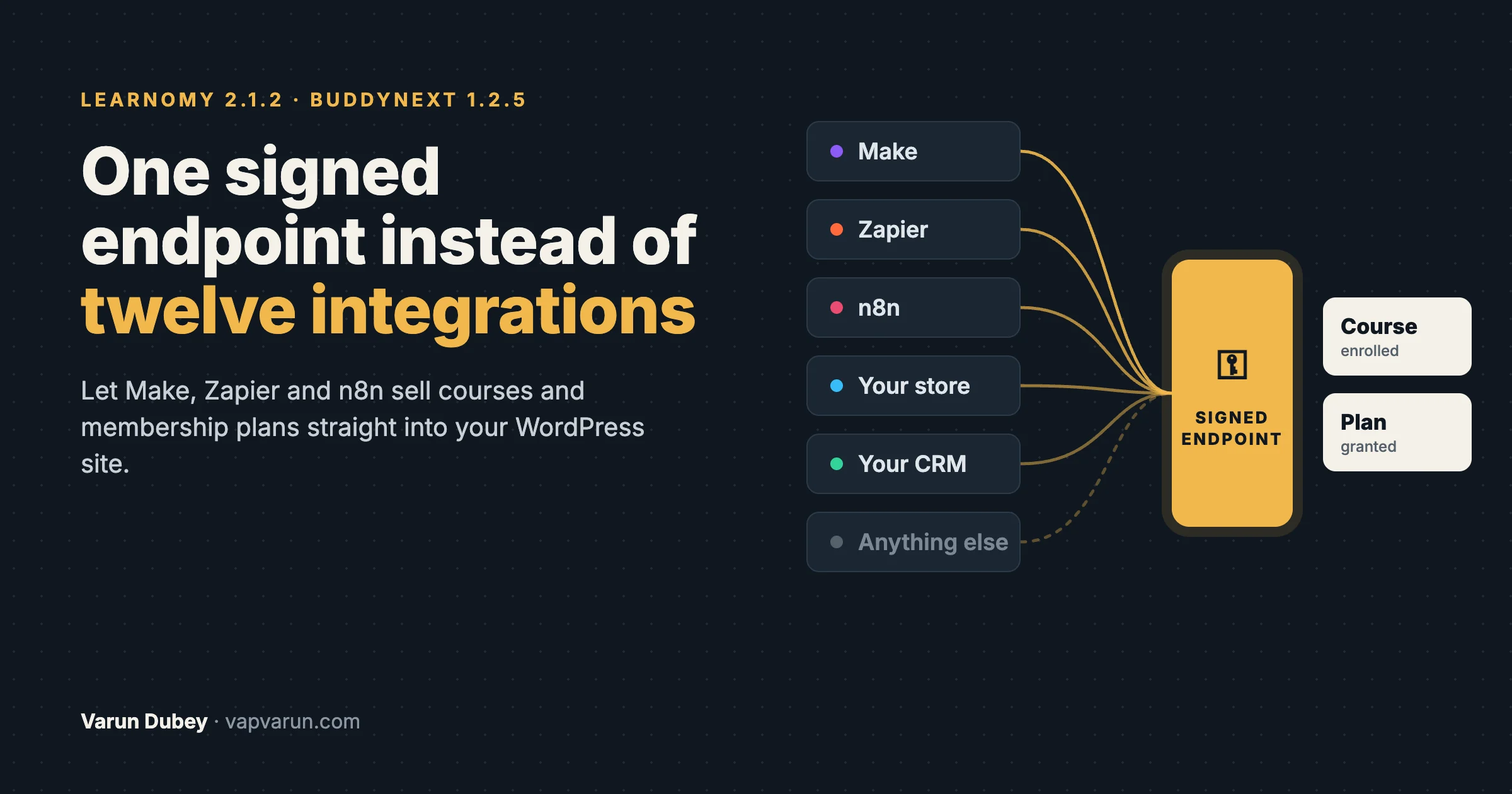
Every week someone asks us the same question in a slightly different shape. “Do you integrate with Gumroad?” “Can my course sell through ThriveCart?” “My members pay in our CRM, can your plugin pick that up?” “We already use Make for everything, can it give people access?” Each question names a different system, and each one sounds like a reasonable request for one more integration.
For years the honest answer in the WordPress world has been “only if someone builds that integration”. So plugin vendors build them, one store, one CRM, one payment tool at a time, and every one of them becomes code that has to be maintained forever. In October 2026 we stopped playing that game in two of our products. Learnomy 2.1.2 and BuddyNext 1.2.5 both ship one signed endpoint that any outside system can call to record a sale and give a buyer access. Make, Zapier and n8n can now sell into our plugins without us writing a single store-specific integration.
This post explains why we made that choice, how a signed endpoint works in plain terms, what a site owner can connect today, and what to watch out for. It is written for site owners first. There is a signposted section for developers near the end.
The short version
- The problem: every store, CRM or payment tool a customer uses becomes a request for one more integration, and each integration is code a vendor must maintain for years.
- What we did instead: each product now has one door for outside sales. Any system that can send a web request can use it.
- Learnomy 2.1.2: a sale made somewhere else (Make, Zapier, Gumroad, a CRM or your own checkout) is recorded through one signed endpoint and enrols the buyer through the same checks as Learnomy’s own checkout.
- BuddyNext 1.2.5: the access webhook can grant, extend and cancel a member’s plan, so Make, Zapier or n8n can sell membership plans taken elsewhere. Plans need BuddyNext Pro.
- Why “signed” matters: every request carries a signature made with a secret only you and your tool know, so nobody else can send fake sales to your site.
The integration treadmill
Here is how the old model works. A course creator sells on a platform we have never heard of. They ask for an integration. If enough people ask, a developer reads that platform’s documentation, writes code that listens for its purchase events, maps its fields to ours, tests it, ships it, and documents it. Then the platform changes its API, renames a field, or adds a new kind of product, and the integration breaks quietly until a customer notices that a buyer paid and never got access.
Multiply that by every store, every CRM and every payment tool people use, and three things happen:
- The list is never finished. There is always one more system. A vendor can build twelve integrations and the thirteenth customer still uses something else.
- Each integration is a maintenance bill. The code has to follow every change the other company makes, on their schedule, not ours.
- Every integration behaves a little differently. One handles refunds, another does not. One creates accounts, another expects them to exist. Owners never quite know what they will get.
Meanwhile, the tools our customers actually use to connect things have changed. Make, Zapier and n8n already know how to talk to thousands of apps. They can catch a “new sale” in almost any store and send a web request anywhere. What they need from us is not twelve integrations. It is one well-defined, safe door they can knock on.
One door instead of twelve
The idea is simple. Instead of our plugin reaching out to learn every other system’s language, every other system speaks one short, documented language to our plugin. The outside tool says, in effect: “this person bought this course, here is the order number, here is what they paid.” Our plugin checks that the message is genuine, then does exactly what it would have done if the buyer had paid on the site itself.
That last part is the important one. An outside sale is not a second-class sale. In Learnomy, a sale that arrives through the endpoint is fulfilled exactly like a sale on the site’s own checkout:
- the buyer is enrolled in the course,
- the transaction shows in Transactions and in revenue reports,
- instructor commission is calculated,
- the purchase events other tools listen to (WP Fusion, outgoing webhooks) fire as usual,
- and a refund sent the same way goes through the same refund process as a Stripe or PayPal refund.
Because every sale, from every source, ends up in the same place, the site owner gets one set of reports, one set of rules and one place to look when something goes wrong. That consistency is what twelve separate integrations could never give.
What “signed” means, in plain words
An open door that anyone can knock on would be dangerous. If a web address could grant course access just by being called, anyone who found it could give themselves every course on the site. So the door only opens for messages that carry a valid signature.
Think of it like a wax seal on a letter. When you set up the connection, the plugin creates a long random secret. You copy that secret into your Make, Zapier or n8n scenario, and nowhere else. Every time your tool sends a sale, it uses the secret to calculate a seal for that exact message and sends the seal along with it. The plugin calculates the same seal from the message it received. If the two match, the message really came from your tool and was not changed on the way. If they do not match, the request is refused and nothing is written.
The technical name is HMAC-SHA256, and it is the same method most payment providers use for their own webhooks. Two more protections sit on top of it:
- A time limit. The tool can include the current time in what it signs. A message that arrives more than five minutes after it was signed is refused. BuddyNext’s access endpoint requires this, and Learnomy supports it as an option.
- No replays. Someone who somehow captured a genuine request cannot send it again to get a second grant. BuddyNext refuses a signature it has already processed. Learnomy records each order once, keyed on the order reference, so a repeated request is recognised as the same sale.
With no secret set, both endpoints refuse every request. The door is closed until the owner decides to open it.
What you can connect to Learnomy
Learnomy is our course platform for WordPress. Its incoming sales webhook records a course sale that happened somewhere else and gives the buyer access. Typical uses:
- You sell on another platform (Gumroad, a funnel builder, a marketplace) but want students to learn on your own site.
- Your CRM or invoicing tool takes the money, for example for corporate or invoiced training, and the learner should be enrolled as soon as the invoice is paid.
- You run your own checkout elsewhere and want one consistent place for learning, progress and certificates.
- You sell bundles in another store and want each course in the bundle granted. One order can cover several courses: the tool sends one request per course with the same order reference.
What the endpoint can do for each sale:
- enrol a buyer in any course as soon as they pay elsewhere, including courses set to “Access granted externally” and priced courses,
- create the buyer’s account if they do not have one yet,
- record the amount, tax, coupon and access period of the outside sale,
- refund a sale in full or in part (a full refund removes access),
- remove access without touching money, for example after a chargeback you handle elsewhere,
- and show every call, accepted or refused, in Payment Log, filtered to Incoming sales.
Today the endpoint sells courses. Membership plans, learning paths, Space seats and gifts from outside sales are planned, so check the documentation before you build a flow around them.
Setting it up
- Go to LMS Settings, Webhooks. The Incoming sales panel is at the top and shows when the last call arrived and how many arrived in the last 24 hours.
- Copy the endpoint address.
- Click Regenerate to create a signing secret, then copy it into your tool.
- Build your scenario: catch the sale in your store, build the request, sign it, send it. The documentation has ready recipes for Make and Zapier.
- Use Send a test sale. Learnomy signs a test request the same way your tool must, runs the whole sale and enrolment, then removes the test sale again. Nobody is notified.
Two design choices here came straight from things that go wrong in real life. When you regenerate the secret, the old one keeps working for 24 hours, so you can update each connected tool without losing a sale in between. And if you regenerated because the secret leaked, one button stops accepting the old secret immediately. The full field list and every response code are in the Incoming Sales Webhook documentation.
What you can connect to BuddyNext
BuddyNext is our community platform. It already had a signed access endpoint that a trusted outside service could use to change a member’s role, abilities or credits. In 1.2.5 that endpoint learned three new actions: grant a plan, extend a plan and cancel a plan. That turns any Make, Zapier or n8n scenario into a way to sell community membership.
Common flows:
- Membership sold in another store. A buyer pays in your existing shop, the scenario grants the matching BuddyNext plan, and they can use the community straight away.
- Renewals handled elsewhere. When the outside system renews a subscription, the scenario extends the plan. When it cancels, the scenario cancels the plan.
- Bundles across products. A course sale in one system can also grant a community plan, so students and members are the same people without anyone copying lists by hand.
BuddyNext Pro shows the order reference, amount and currency the tool sends on the Subscriptions screen, so the owner can always see where a plan came from. Unknown plans are refused, and revoking access also stops billing at the gateway where BuddyNext took the payment.
The Webhooks screen in 1.2.5 shows the endpoint address, a sample request you can copy, and the last ten requests that arrived. That last part matters more than it sounds. When an automation does not work, the first question is always “did the request even reach the site?”, and now the owner can answer it without a developer.
Two things worth knowing
- Creating accounts is off by default. The access webhook can create an account for a buyer who has none yet, but the owner has to switch that on. An account it creates is always a plain member. Role changes through the endpoint are off unless the owner allows them, so an automation can never quietly make someone an administrator.
- Plans without an end date now follow the plan’s own period. A plan granted with no end date runs for the plan’s period (a month, a year, or for ever for a one-time plan). If a plan really should never end, the tool sends
"lifetime": true. This changed in 1.2.5, so check older scenarios that relied on the previous behaviour.
Why this is better for site owners
It is fair to ask whether a “build it yourself in Make” answer is just a vendor avoiding work. It is not, and the reasons are practical.
- You are not waiting on us. If your store exists in Make, Zapier or n8n, or can send a web request at all, you can connect it today. No feature request, no roadmap.
- Your business flow stays yours. You keep selling where your buyers already are and decide exactly what each sale grants. This is the same thinking behind starting from your business flow instead of a plugin’s limits.
- Every sale follows the same rules. Refunds, commission, tax and reports behave the same whether a sale came from the site’s checkout or from outside.
- It is visible. Both products log incoming requests on an admin screen. A missing enrolment becomes something you can look up, not a mystery.
- It lasts. One endpoint with a documented contract changes rarely. Twelve integrations each change whenever the other company changes.
We wrote before about why the bridge between systems matters more than the tool you pick. A signed endpoint is that idea applied to sales: build the bridge once, properly, and let every system cross it.
What it does not do
Being clear about limits saves owners from building on assumptions.
- Someone still has to build the scenario. The endpoint removes the custom integration, not the setup. A Make or Zapier scenario takes a few steps, and the recipes in the docs make it shorter, but it is not zero work.
- One currency per site. Learnomy sells in the site’s currency. A sale in a different currency is refused rather than shown under the wrong symbol.
- Refunds happen where the money was taken. The endpoint records a refund the outside system reports. It does not reach into Gumroad or your CRM and send money back.
- The secret is only as safe as where you keep it. Store it in your automation tool’s secure field, not in a shared document or a chat message. If it leaks, regenerate it.
A checklist before you switch it on
- Decide exactly what each outside product grants: which course, which plan, for how long.
- Always send the outside order number. Make and Zapier retry on timeouts, and with an order reference a retry is recorded once instead of twice.
- Use the timestamp in the signature where it is optional, so old captured requests are useless.
- Send a test sale and check the result in the log before real buyers go through it.
- Test a refund too, so you know what the buyer sees when access is removed.
- Keep the secret in one place, and write down who has access to the scenario.
- Check the incoming log weekly for refused requests. A refused request is often a buyer who paid and did not get access.
For developers: how the endpoints are built
This section is for developers and agencies wiring these endpoints. Site owners can skip it.
Signing a Learnomy request
The endpoint is POST /wp-json/learnomy/v1/webhooks/enrollment. Compute the HMAC-SHA256 of the exact body you send, keyed with the secret, as hex, and send it in X-Learnomy-Signature. For replay protection, also send X-Learnomy-Timestamp and sign {timestamp}.{body} instead. In a Code by Zapier step:
const crypto = require('crypto');
const body = JSON.stringify({
  user_email: inputData.email,
  course_id: Number(inputData.course_id),
  external_ref: inputData.order_id,
  amount: Number(inputData.amount),
});
const signature = crypto.createHmac('sha256', inputData.secret).update(body).digest('hex');
return { body, signature };
Send body unchanged. Re-serialising the JSON after signing is the most common reason a correct secret still fails: the bytes no longer match what was signed.
Signing a BuddyNext request
The access endpoint is POST /wp-json/buddynext/v1/webhook/access. Here the timestamp is required: sign {timestamp}.{raw body} and send X-BuddyNext-Timestamp and X-BuddyNext-Signature. Requests older than 300 seconds and signatures already processed are refused. A plain token or bearer header is not accepted. Send an idempotency_key with every action: a repeat with the same key within 24 hours returns the first answer, while the same key with a different request answers 409.
const crypto = require('crypto');
const timestamp = Math.floor(Date.now() / 1000).toString();
const body = JSON.stringify({ action: 'grant_plan', user_email: email, plan: planSlug, idempotency_key: orderId });
const signature = crypto.createHmac('sha256', secret).update(timestamp + '.' + body).digest('hex');
Check the BuddyNext webhooks REST reference for the exact field names each action takes before you copy this into production.
Read the response codes
| Status | Meaning | What to do |
|---|---|---|
| 200 | Done, or a retry of a sale already recorded | Nothing |
| 400 | Malformed body: bad email, missing order reference, unknown operation | Fix the scenario; nothing was written |
| 401 / 403 | No secret, missing or wrong signature, stale timestamp | Check the secret and that the body is sent exactly as signed |
| 404 | Course or sale not found | Check the course ID mapping |
| 409 | Order reference belongs to another buyer, or enrolment was refused | Fix the cause and resend the same request |
| 422 | Wrong currency, unknown coupon, refund too large | Fix the data; nothing was written |
These are Learnomy’s codes. BuddyNext follows the same idea and returns 503 when no secret is configured.
One funnel behind every source
The reason an outside sale behaves exactly like a checkout sale is architectural. In Learnomy, every sale, whichever way it arrives, passes through one service that turns a payment into access and one service that records the transaction. Built-in gateways, third-party gateways and the incoming endpoint all feed the same two places, and the same purchase actions fire afterwards. A conformance test runs the same purchase scenarios through every inlet (Test, Stripe, PayPal, WooCommerce and the incoming endpoint) and asserts the same database result, including refunds. That is the same principle we described in three entry points every data store needs: many doors, one shared service behind them.
For a system with its own wire format, such as an unsigned ping that carries a token instead, Learnomy lets you add an inbound source on the learnomy_incoming_purchase_sources filter. The source only verifies the sender and maps field names. Validation, fulfilment, logging and refunds stay in Learnomy, so a custom source cannot skip the rules. The payment gateways and purchase sources guide has a worked Gumroad example.
What this changes for how we build
The bigger lesson is not about webhooks. It is about where a product’s boundary should sit. A plugin that tries to integrate with everything spends its life chasing other companies’ changes. A plugin that offers one safe, documented, logged door lets the automation tools do what they are good at, and spends its own effort on making that door reliable.
We will still build direct integrations where they genuinely add something an automation cannot, such as a gateway that takes payment on the site itself. But “can you integrate with X?” now has a better default answer than “not yet”. It is “yes, here is the endpoint, here is the recipe, and here is the log that shows it working”.
If you run a community, courses or memberships across several systems and want them wired together properly, that is the kind of work our team at Wbcom Designs does every week: map the flow, connect the sale to the access, and check that each step actually lands.
Frequently asked questions
Can Zapier give access to a WordPress membership or course?
Yes, with Learnomy and BuddyNext. A Zapier scenario catches the sale in your store, signs a request with your secret and sends it to the plugin’s endpoint. Learnomy enrols the buyer in a course; BuddyNext grants, extends or cancels a membership plan (plans need BuddyNext Pro).
Does it work with n8n and Make?
Yes. Any tool that can send an HTTP request and compute an HMAC-SHA256 signature works. Make’s sha256 function computes an HMAC when you give it a key, and n8n has a crypto node for the same job.
What happens if Make or Zapier sends the same sale twice?
Learnomy records a sale once per order reference, so a retry is recognised and access is only re-checked. BuddyNext refuses a signature it has already processed, and an idempotency_key (your order or payment ID) makes a re-signed retry within 24 hours change nothing. Always send your order number so retries are safe.
Can someone send fake sales to my site?
Not without your secret. Every request must carry a valid signature made with it, and with no secret set every request is refused. Keep the secret in your automation tool only, and regenerate it if it ever leaks.
Do I need the Pro version?
Learnomy’s incoming sales webhook is in Learnomy itself. In BuddyNext the access webhook is in the free plugin, but membership plans need BuddyNext Pro, so selling plans through it needs Pro.
Where do I see whether a request arrived?
In Learnomy, Payment Log filtered to Incoming sales shows every call, accepted or refused. In BuddyNext, the Webhooks screen shows the last ten inbound requests.