Thirty Days After Migration: The Search Console Checks That Prove Nothing Was Lost
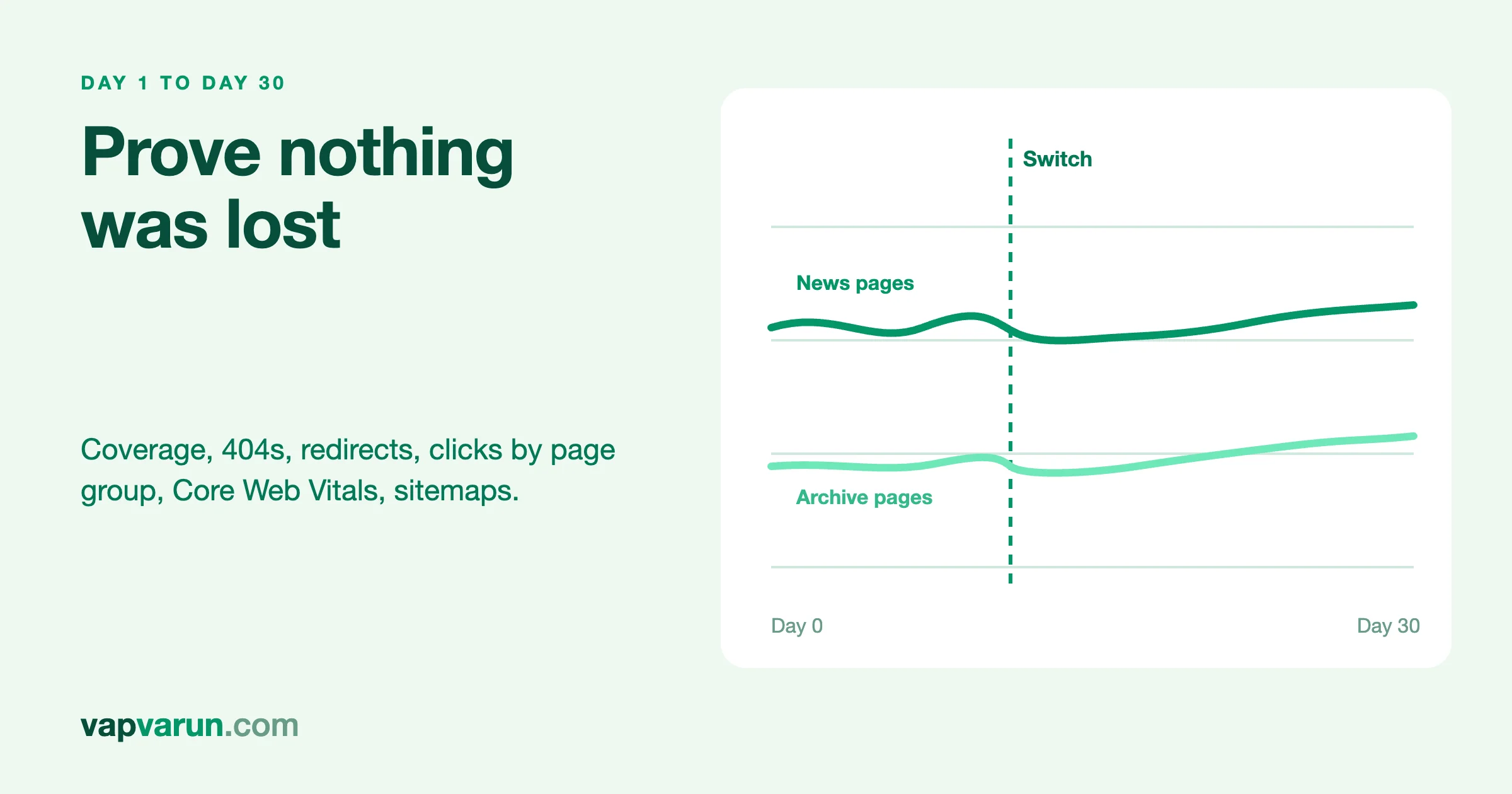
Thirty days after a migration, the Search Console checks that prove nothing was lost are these five: the page indexing report for new errors and 404s, the redirect problems Google reports, clicks and impressions for groups of pages compared with a saved baseline, the Core Web Vitals report, and the sitemaps report. Run them on a fixed schedule, write the numbers down each time, and compare like with like. This post is how our team at Wbcom Designs does it, and it matches the 30-day monitoring we promise on our migration service.
It is written for decision makers who want to know what "we are watching Search Console" actually means, and for the developers who run the checks. A marked developer section near the end has two small scripts. You can skip it.
A word on sources. Everything below about how Search Console reports behave comes from Google's own documentation, which we link as we go. Where something is our own practice, we say so. Where we could not confirm something at a primary source, we say that too. This is the last post in a series. The earlier ones cover the full migration method and cutover day.
The short version
- Save a baseline before the switch. Without one, you cannot tell a loss from normal movement.
- Check on a schedule: day 1, day 3, day 7, then weekly to day 30.
- Page indexing: look for new errors, 404s you did not expect, and redirect errors.
- Performance: compare clicks and impressions by group of pages, not just the site total.
- Core Web Vitals: expect data to arrive slowly, and read it as groups of URLs.
- Sitemaps: submit the new one and confirm it was read without errors.
- Be patient and honest. Google says moves take a few weeks or more to settle for medium-sized sites, and longer for larger ones.
Why thirty days, and what it can and cannot prove
Search engines do not update everything at once after a move. Google's guidance for site moves says that for medium-sized sites it can take a few weeks or more for new addresses to gradually replace old ones in results, and for larger sites, even longer. It also says rankings settle down over time. You can read the whole guide in Google Search Central: site moves with URL changes.
That shapes what thirty days can prove. It can prove that the mechanical parts held: addresses resolve, redirects are clean, pages are being crawled and indexed, and no group of pages has fallen off a cliff. It cannot prove that rankings are final, because Google itself says they are still settling. So we frame the 30-day window as a detection window. Its job is to find problems early, while they are cheap to fix, and to show the owner a clear picture of what is and is not recovering.
Our WordPress migration service works the same way. It promises 30 days of Search Console monitoring, with issues fixed inside the migration, not as extra billable work. It does not promise that rankings will not move. Nobody honest can.
Before the switch: the baseline
The most important check of the 30 days happens before day one. A baseline is a saved record of how the site performed in search before anything changed.
- Performance export by page. Export clicks, impressions, click-through rate and position for pages over the longest comparable period you can get, and for the last four weeks separately.
- Performance export by query for the top queries, so you can see if a loss is in branded or non-branded searches.
- Page indexing counts. The number of indexed and not indexed pages, and the reasons listed.
- The saved URL list used by the verify gate. This is the list of every old address that must still work.
- Sitemap details. How many URLs the old sitemap listed.
- Core Web Vitals status for mobile and desktop, if the report has data.
The Performance report in Google's documentation describes clicks, impressions, click-through rate and average position, and lets you group data by dimensions such as query or page. By default it shows the last three months. See Google's Performance report overview. Because the default view is limited, export the data you need before the move, not after.
Properties and ownership
Check that you have Search Console access for every version of the address that matters: with and without www, and both protocols if you use a domain property or separate URL-prefix properties. Google's site move guide asks for all variants to be verified. Verification tags in the head of the page must survive the migration, which is why we list them in the pre-flight.
The schedule
| When | What we look at | What we are trying to find |
|---|---|---|
| Day 1 | Sitemap submitted and read; robots and canonical sanity; a few URLs inspected live | Anything that blocks crawling or points signals at the wrong place |
| Day 3 | Page indexing report, redirect errors, server errors; our own 404 log | Early breakage, before it spreads |
| Day 7 | First comparison of clicks and impressions by page group against the baseline | Any group that has dropped far more than the others |
| Day 14 | Indexing trend, redirect cleanup, validation of fixes | Whether fixes are working |
| Day 21 | Performance by group again; Core Web Vitals if data has arrived | Recovery or continuing loss |
| Day 30 | Full review against the baseline; written report | A clear statement of what is intact, what is recovering and what needs work |
This cadence is our own practice. It is not a Google rule. What matters is that it is fixed in advance, and that every check is written down with the date.
Check 1: Page indexing
The page indexing report tells you which of your pages Google has indexed and, for the ones it has not, why. Google documents the reasons, and a few of them matter most after a migration. The full list is in Google's Page indexing report help page.
Not found (404)
Google describes this as a page that returned a 404 when requested, discovered without an explicit request or sitemap, possibly as a link from another page, or because the page existed before and was deleted. Two points from the documentation shape how we read it. The report shows only URLs that returned a 404 in the past month, so the list does not grow forever. And Google recommends fixing only the 404 errors that you link to yourself or list in a sitemap. If a page has moved, Google says to return a redirect.
Our process for each 404 is:
- Is it on the saved URL list? If yes, it is a bug in the redirect map, and we fix it that day.
- Is it linked from our own pages or a sitemap? If yes, fix the link or the sitemap.
- Does it have inbound links or search history? If yes, add a redirect to the best matching live page, chosen by what the visitor wanted.
- Is it junk, such as a probe for a login page the site never had? Leave it as a 404.
A 404 that was always intended, such as a deleted test page, is not a failure. We wrote down those intended ones in the verify gate, so they are on a list and not a surprise.
Soft 404
Google describes a soft 404 as a page that shows a friendly not-found message without returning a 404 status. Google recommends returning a real 404 for pages that are truly not found. After a migration, a soft 404 often means a template is rendering an empty page for an address that no longer has content. The fix is in the application, not in a redirect.
Page with redirect and redirect errors
Google explains that redirecting URLs are not indexed, only their targets. So a long list of "page with redirect" after a migration is expected, not a problem. The report you should read closely is redirect errors. Google lists the causes: a redirect chain that was too long, a redirect URL that exceeded the maximum length, and a bad or empty URL in the chain.
Google's site move guide advises redirecting to the final destination directly, and if a chain cannot be avoided, keeping it short, ideally no more than three redirects and fewer than five. Our own target is one hop, and our verify gate flags anything with two or more. If a redirect error appears, it means a rule was added or changed after the gate, and we trace it.
Crawled and discovered, not indexed
Two statuses cause needless alarm. Google says "Crawled – currently not indexed" means the page was crawled but not indexed, and that Google does not index every page it finds, so it is a common message that does not necessarily point to a problem. "Discovered – currently not indexed" means the page was found but not crawled yet, typically because crawling it was expected to overload the site and Google rescheduled.
What we do with them: compare the counts to the baseline. If a group that was indexed before the move now sits in these statuses in large numbers, that group needs a closer look, for example at thin content, duplicate content or server speed. If the numbers are about the same as before, we leave them alone.
Duplicate and canonical statuses
Statuses such as "Alternate page with proper canonical tag," "Duplicate without user-selected canonical" and "Duplicate, Google chose different canonical than user" point to the canonical tags we check on cutover day. A jump in "Google chose different canonical" after a migration often means the canonical tags on the new site disagree with what Google sees, for example because they still point to a preview address or because two addresses serve the same content. This is one of the most valuable things the report can tell you.
Blocked pages
The report also lists pages blocked by robots rules, and pages that returned 401 or 403. After a migration, these are worth reading line by line. A rule meant for staging that was never removed, or a firewall that blocks Google's crawler, shows up here first. Check the examples Google gives, not just the count.
Server errors
Google documents that server errors make its crawlers slow down, and that already indexed URLs are preserved for a while but eventually dropped if the errors persist. See How HTTP status codes affect Google's crawlers. After a migration, watch for 5xx spikes in the first week, and compare them with your own server logs. A short outage during the cutover window is survivable. A pattern is not.
Validating fixes
When you fix an issue, you can ask Google to validate the fix. Google's documentation says validation starts a 28-day monitoring session, that it typically takes up to about two weeks but can take much longer, and that it will stop if Google finds a single remaining instance of the issue. It also says you can fix issues without validating, and the counts update whenever Google crawls a page with a known issue. Do not click validate again until the first attempt has succeeded or failed.
Google also gives a tip that we use: for a faster validation, submit a sitemap that contains only your most important pages, filter the report by that sitemap, and then request validation. A request against a smaller set of affected URLs can complete faster than one that covers the whole site. Be aware that when you filter by sitemap, validation applies only to items in that sitemap at the time of the request.
Check 2: Our own 404 log
Search Console is one view. Your own server or application also records what visitors and bots request. On our EmDash sites there is a not-found summary we read each week. On WordPress sites we use the host log or a redirect plugin's log. This is our practice, not a Google feature, and it matters because it catches human traffic Search Console never shows, such as old links in emails, books and social posts.
For each address with repeat hits, we add a redirect or fix the link. We also record the date, so the report at day 30 can say how many were found and how many were fixed.
Check 3: Clicks and impressions by page group
A site total can hide a serious problem. If the news section rises and the archive section collapses, the total might look fine. That is why we compare by groups of pages.
What the report measures
Google's Performance report documentation defines the metrics: clicks, the number of times a user clicked through from search results; impressions, the number of times your site appeared in results; click-through rate, clicks divided by impressions; and position, the average position of the topmost result from your site. In a table grouped by page, the position is for that specific URL. The report also lets you filter by search type, such as web, image, video or news. The same page notes that results are specific to time, place, device and search history, so what you see when you search yourself may differ from the report.
Forming groups
We group pages by the part of the address they share. For a news site, typical groups are:
- articles from the last year,
- articles from older years, by year range,
- section and category pages,
- author pages,
- tag pages,
- the home page and static pages.
We export the Performance data by page for the same length of time before and after the switch, line up the same days of the week, and add up clicks and impressions for each group. Then we compare the groups with each other.
How we read the result
- All groups move together. This is usually seasonality or a general change in search, not the migration. Check against a period a year earlier if you have one.
- One group drops far more than the others. That is where we look first. For example, if older articles fall while new ones hold, the redirect map for archive URLs or the canonical rules for old articles may be at fault.
- Impressions hold but clicks fall. The pages still appear in search but fewer people click. We look at titles and descriptions. This is the case where head parity may have slipped. In our own monthly reports we treat steady impressions with falling clicks as a signal to work on titles and descriptions.
- Position slips a little for everything. A small drop right after a move is normal, and Google says rankings settle. A drop that grows over weeks is not.
One caution from the report's own documentation: average position is an average over many queries and devices, so small movements are noise. Look at trends, not single days.
We also read the human signal in our own analytics, not only totals. On our sites a large part of reported sessions is direct traffic with low engagement, which is mostly bots and link previews. The readers who matter arrive from organic search, from AI assistants and from social. We track those and the form submissions that lead to enquiries, because a healthy search line with no leads is a different problem from a falling search line.
Check 4: Core Web Vitals
The Core Web Vitals report shows how groups of URLs perform on loading, interactivity and visual stability, using real visit data. Google's Core Web Vitals report documentation explains how it works, and a few of those points matter right after a migration.
- It reports groups of similar URLs, not single pages. The status of a group is the status of its worst-performing metric.
- It uses field data from real visits, collected in the Chrome User Experience Report. Google says it can take a few days after a property is created to analyze and post existing data.
- Groups without enough data are left out. Google says a group without minimum data for both loading and layout shift is omitted, and a new or small property may show "No data available."
- Only indexed URLs can appear, and the report shows a sample, not a full list.
- Data comes from all visitors in all places combined, so a slow region can pull the numbers down.
What this means in practice: do not expect a complete picture in week one. We run lab tests on key pages ourselves from day one, and we use the report to confirm the field picture as it arrives. We compare against the pre-move status where one exists. If a new design is faster on paper but a group turns poor in the field, we look at what is different in the real world, such as third-party scripts or images served from a slow location.
This is also where the migration can pay off. Many of our moves are to a lighter front end, and the field data is how you prove it. We wrote about why speed matters commercially in Why Fast Sites Win Bigger Clients.
Check 5: Sitemaps
The sitemaps report tells you whether Google can read your sitemaps and how many URLs it found. Google's documentation is in the Sitemaps report help page.
- Submit the new sitemap on day one, and remove or leave old ones as the plan says. Google notes that submitting lets you track success and error rates even if it has found the sitemap another way.
- Read the status. The report shows the status of the latest crawl: success, a sitemap that can be read but has errors, or one that could not be fetched.
- Compare the count of discovered URLs to the number of pages you expect. A large gap means the sitemap lists too few, or too many, addresses.
- Use the per-sitemap index coverage link. The report links to the indexing coverage for URLs in a sitemap. For a sitemap index, it includes the child sitemaps that have been crawled.
- Mind the size limit. Google says a sitemap larger than 50 MB uncompressed must be split into several files, listed in a sitemap index.
A good sitemap after a migration lists only live, indexable addresses at their final form: no redirects, no 404s, no addresses that canonical to something else. Our site gate checks that every address in the sitemap returns 200 and points at itself, so the sitemap report is confirmation, not discovery.
What goes in the day-30 report
Our report is short and says the same things every time:
- The baseline and the date of the switch.
- Indexing: counts of indexed pages against baseline, new errors, what was fixed, what remains and why.
- Redirects and 404s: found, fixed, intentionally left.
- Performance by page group: clicks and impressions before and after, with the seasonal caveat.
- Core Web Vitals: status and any group without data.
- Sitemaps: status and counts.
- What we could not confirm, in plain words.
- The next review date. We keep checking monthly after the first month.
That last item is as important as the rest. A migration does not end on day 30. The old site stays non-public for a month and is retired after a clean one, and the redirects stay for as long as possible.
What the checks cannot prove
- They cannot prove rankings are final. Google says they settle over time.
- They cannot separate migration effects from market effects without a baseline and, ideally, a year-earlier comparison.
- They cannot show traffic from channels other than Google search. Use your analytics for that.
- Search Console data is sampled in places and delayed. Do not read a single day as truth.
For developers: two small scripts
This section is for developers. Decision makers can skip it.
First, a redirect-chain check against the saved URL list. It reports any address that takes more than one hop or does not end at a 200.
#!/usr/bin/env bash
# chains.sh: report addresses with more than one redirect, or a non-200 end.
UA="Mozilla/5.0 (compatible; post-migration-check)"
while read -r url; do
  out=$(curl -s -o /dev/null -L --max-redirs 5 -A "$UA" -w '%{http_code} %{num_redirects} %{url_effective}' "$url")
  code=${out%% *}; rest=${out#* }; hops=${rest%% *}
  if [ "$code" != "200" ] || [ "$hops" -gt 1 ]; then echo "$url -> $out"; fi
done < saved-urls.txt
Second, a comparison of two Performance exports by page group. Export the Pages table as CSV for the same number of days before and after the switch. The script groups by the first part of the path and prints the change per group.
# groups.py: compare clicks and impressions by path group, before vs after.
import csv, sys
from collections import defaultdict
from urllib.parse import urlparse

def group(url):
    parts = [p for p in urlparse(url).path.split('/') if p]
    return '/' + parts[0] + '/' if parts else '/'

def load(path):
    g = defaultdict(lambda: [0, 0])          # clicks, impressions
    for row in csv.DictReader(open(path, encoding='utf-8-sig')):
        key = group(row['Top pages'])         # column name in the Pages export
        g[key][0] += int(row['Clicks'])
        g[key][1] += int(row['Impressions'])
    return g

before, after = load(sys.argv[1]), load(sys.argv[2])
for key in sorted(set(before) | set(after)):
    b, a = before.get(key, [0, 0]), after.get(key, [0, 0])
    def pct(x, y): return 'n/a' if x == 0 else f'{(y - x) / x * 100:+.0f}%'
    print(f'{key:30} clicks {pct(b[0], a[0]):>6}  impressions {pct(b[1], a[1]):>6}')
Check the column names against your own export, because Search Console labels can differ by language. Keep both CSV files with the migration notes, with the dates in the file names. The point of the scripts is not cleverness. It is that the day-30 report can show the same numbers, computed the same way, that you saw on day 7.
For the parts of the process that sit before the switch, see our post on the verify gate and slug map, which produce the saved URL list these scripts depend on.
Frequently asked questions
How long until Search Console shows the effect of a migration?
Some reports show changes within days, and others take weeks. Google says that for medium-sized sites it can take a few weeks or more for new addresses to replace old ones, and longer for larger sites.
Is a long list of "page with redirect" a problem?
No. Google says redirecting URLs are not indexed, only their targets. A long list is expected after a migration. Redirect errors are the ones to read closely.
Should we fix every 404 in the report?
No. Google recommends fixing the 404s that you link to yourself or list in a sitemap. If a page has moved, redirect it. Leave genuinely gone pages as 404s.
How long does fix validation take?
Google says validation typically takes up to about two weeks but can take much longer, and it starts a 28-day monitoring session.
Why does the Core Web Vitals report show no data?
Google says the report needs enough real-visit data for groups of URLs, and a new property may show no data at first. Use lab tests meanwhile.
Can you guarantee no ranking loss?
No. We guarantee the process and 30 days of monitoring with fixes inside the migration. Rankings depend on more than the move.