What a Community Platform Actually Costs in 2026: An Honest Breakdown
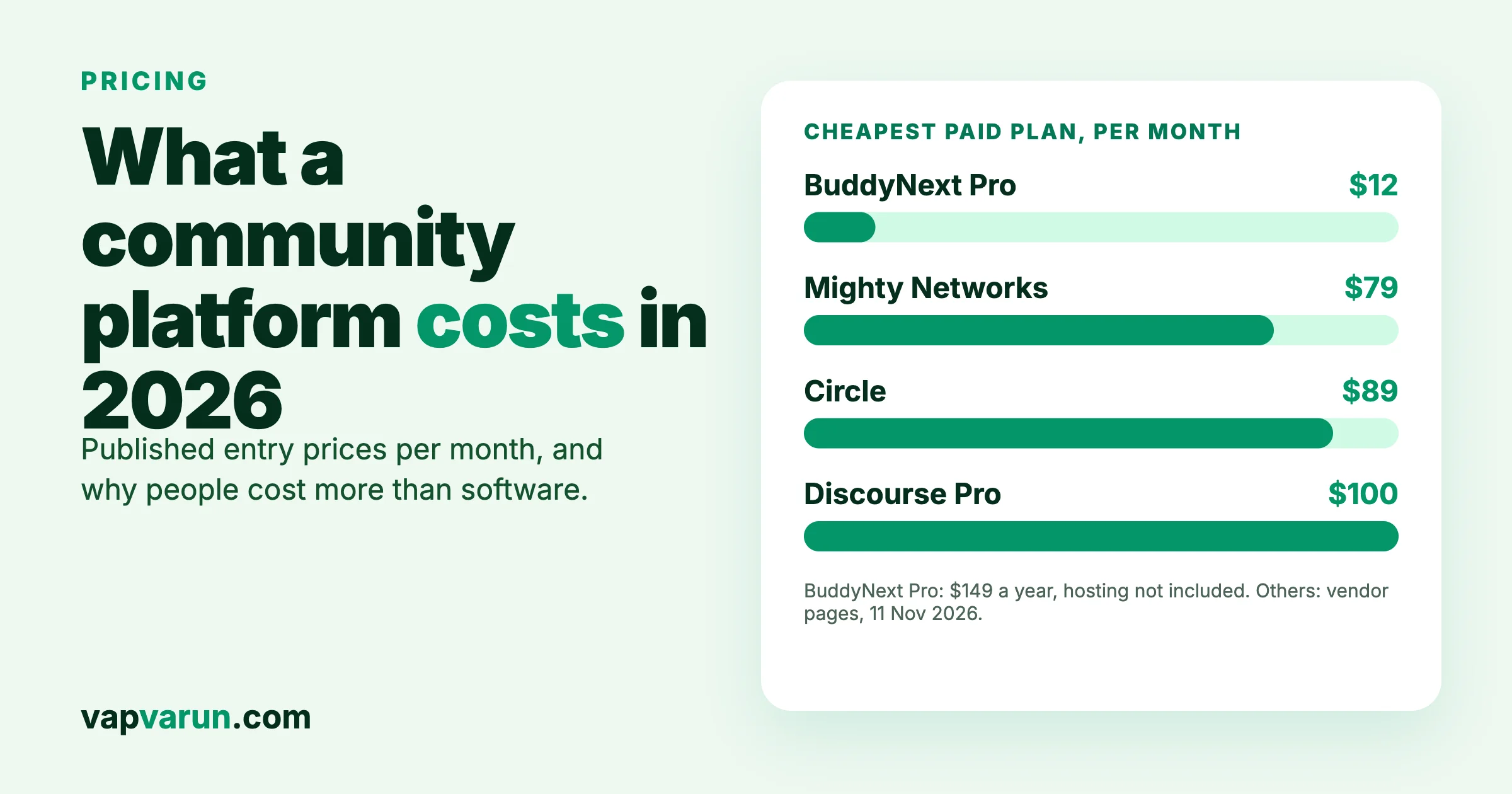
A community platform costs anywhere from nothing to several hundred dollars a month for the software, and the software is usually the smaller part of the bill. Published prices in November 2026 run from $0 (BuddyNext Free, Jetonomy Free, Discourse’s free plan) to $89 to $419 a month on Circle and $79 to $354 on Mighty Networks. The larger costs are the people who moderate, host events and keep conversations going. Our pick for a branded community on your own WordPress site with no per-member fees is BuddyNext, made by our team, and we list it first. This guide lists what each platform publishes, what each pricing model does as you grow, and how to run a three-year calculation with your own numbers.
We build community software ourselves: BuddyNext, a self-hosted WordPress community platform, and Jetonomy, a WordPress forum plugin, are both made by our team at Wbcom Designs, which is why the self-hosted section comes first. We give them their published prices and say what they leave on your side. All prices were taken from vendor pricing pages on 11 November 2026, in US dollars, and can change. We did not sign up for any service. Where a page would not load or a detail was unclear, we say so.
What are the main ways to pay for a community platform?
There are three models, and they behave differently when your community grows.
- Hosted plans (SaaS). You pay a monthly fee, and the vendor runs the servers. Fees step up with tiers, and some plans take a share of the payments you collect.
- Self-hosted software. You install it on your own server, usually on WordPress. You pay a licence (sometimes nothing) plus hosting, and you or your agency handle updates.
- Custom build. A team builds a platform for you. You pay for the build, then for running it.
Many readers search “community platform pricing” and see a table of monthly prices. A table of monthly prices only shows one of the three models, so we cover all three.
What do self-hosted WordPress options publish?
| Product | Free version | Published paid prices |
|---|---|---|
| BuddyNext (ours, our pick) | Yes, unlimited sites | Pro $149, $249 or $399 a year for 1, 5 or unlimited sites; or $399, $599 or $999 once |
| Jetonomy (ours) | Yes | Pro Personal $69 a year or $199 once; Developer $99 a year |
| BuddyBoss Platform Pro | Check vendor | $199 a year first year (renews at $399), $349 a year first year (renews at $699), and a $2,149 a year plan |
Self-hosted prices do not include hosting, which depends on your provider and your traffic.
BuddyNext (made by our team, our pick)
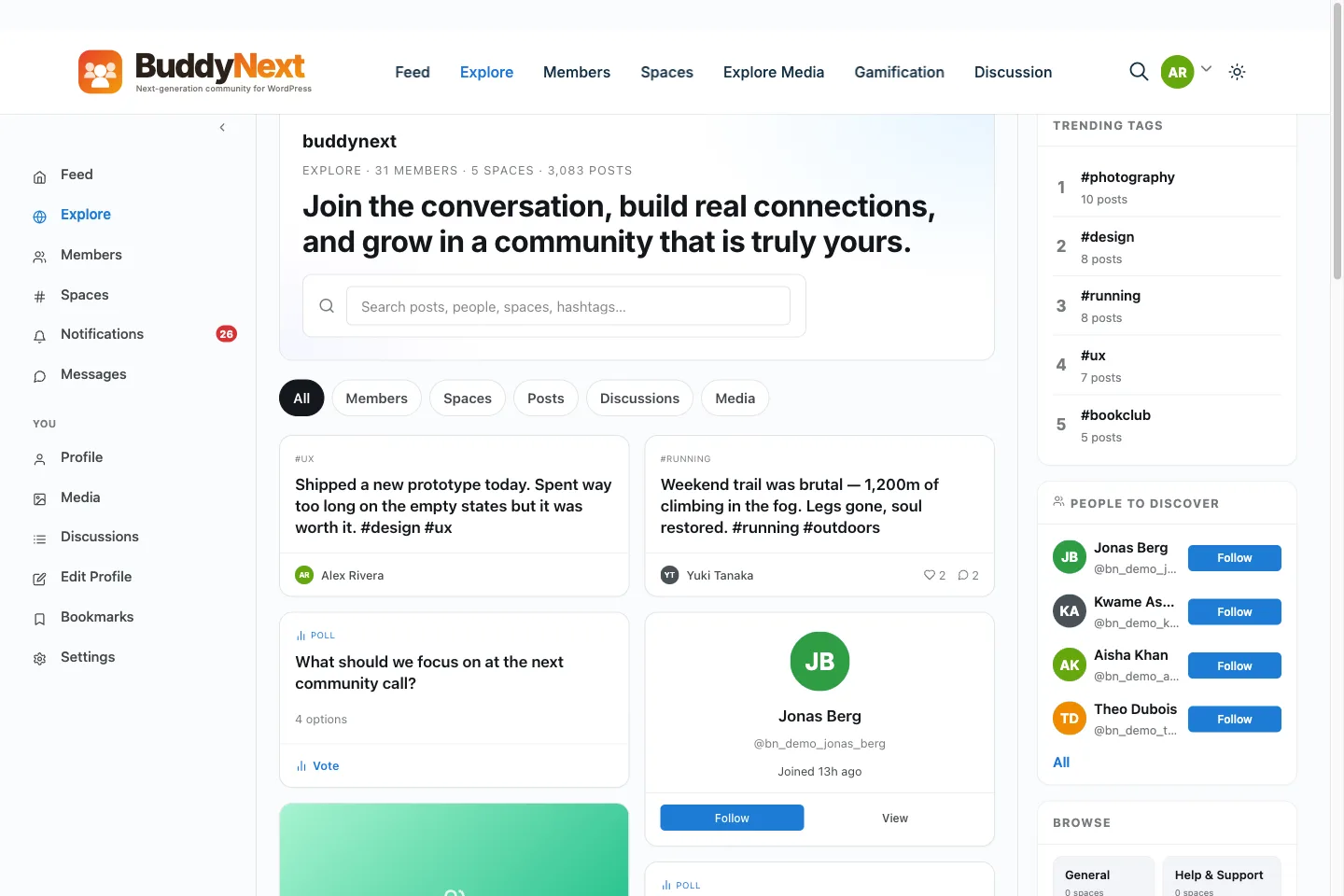
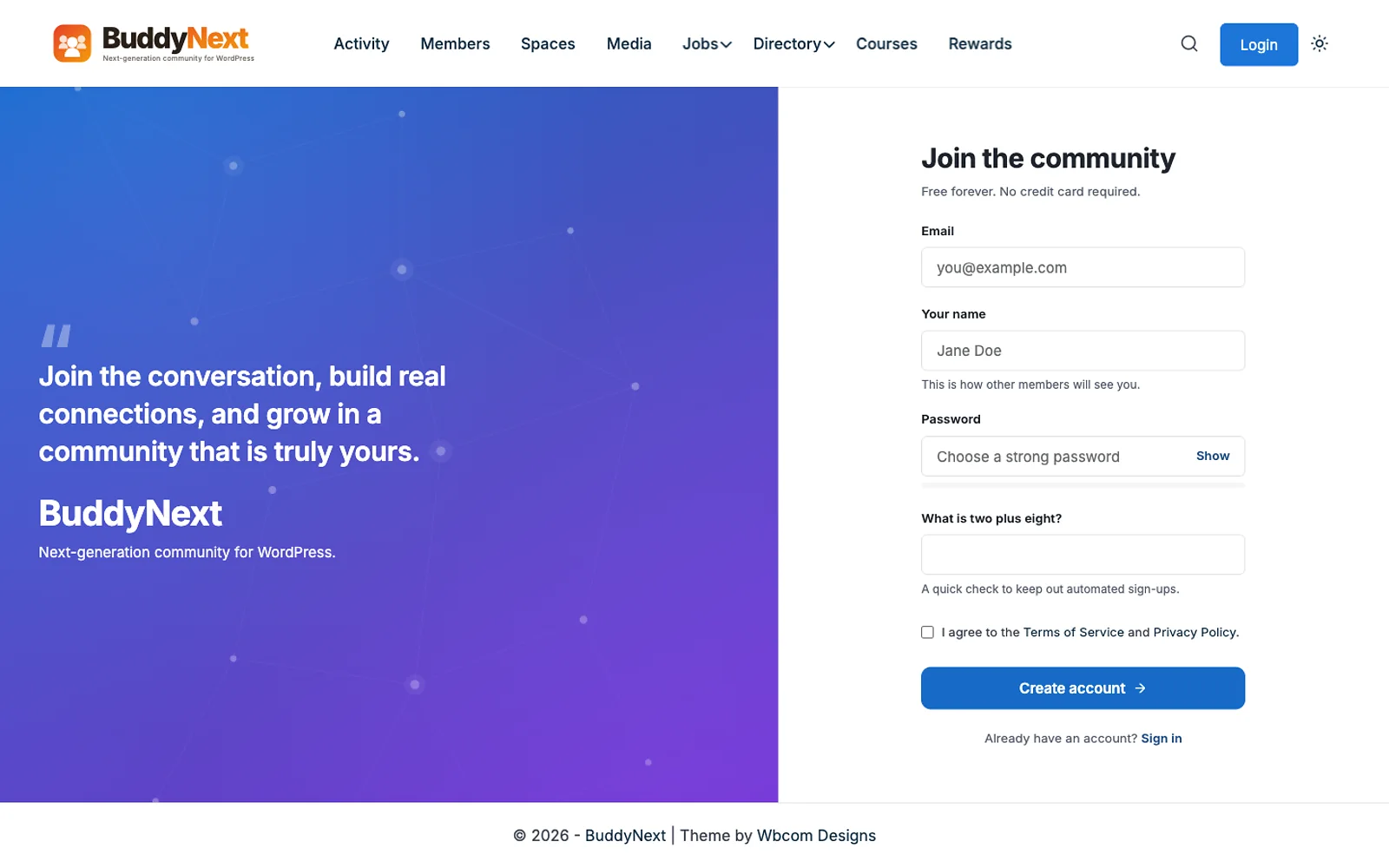
Read this entry with our connection in mind. BuddyNext’s pricing page says the free version is a complete community platform on unlimited sites: activity feed, spaces (open, private and secret), member profiles and directory, notifications, moderation, an installable web app, a REST API and Gutenberg blocks. Pro adds monetization, scale, AI and priority support. Every Pro tier has the same features, and the tiers differ only by how many sites receive updates. The page states there are no per-member fees and no cut of what you charge, so you pay your host, your own Stripe or PayPal account, and the licence. If a Pro licence lapses, every feature keeps working, and only updates and priority support stop until you renew. Direct messages and photo posts run on WPMediaVerse, a free companion from the same team.
What this does not cover: hosting, moderation, community management, email delivery and maintenance. It needs a WordPress site. If you want no server at all, a hosted plan is simpler. Read why we built BuddyNext for the reasoning, and see the BuddyNext pricing page for the current tiers, or buddynext.com for the product. Pro has a 30-day money-back guarantee.
Jetonomy (made by our team)
Jetonomy is a forum and discussion plugin for WordPress. Its pricing page says there is no per-member pricing and no transaction cut, with a free plan, Pro Personal at $69 a year or $199 once, and Developer at $99 a year. It is a good fit when you want threaded discussion and Q&A, not a full social network. We compare it with other forum options in our bbPress, wpForo and Jetonomy comparison.
What do hosted platforms publish?
| Platform | Published prices | Notes from the pricing page |
|---|---|---|
| Circle | $89, $199 and $419 a month on annual billing | Transaction fees listed as 2% on Professional and 1% on Business; AI credits differ by plan |
| Mighty Networks | $79, $179 and $354 a month | Plan names Launch, Growth and Scale; the page highlights programs and an earnings example |
| Discourse (hosted) | Free plan, Pro $100 a month, Business $500 a month | Enterprise is also listed; migration services appear on higher plans |
| Bettermode | From $1,788 a year to $21,000 a year | Add-on AI team from $750 a month |
| Skool | Page did not load for us | Check the vendor page |
We could not confirm exact tier names for every plan on Circle and Mighty Networks from the text we read, so the table lists the prices only. Check member limits, transaction fees and the features you need before you pick a tier.
What does a custom build cost?
We cannot give you a published price list, because custom work is quoted by scope. From our own project experience, the range is wide, from a few thousand dollars for a basic community on existing plugins to tens of thousands for a platform with custom workflows, integrations or mobile apps. Treat that as a rough sense of scale, not a quote. Ask two or three agencies for a written scope and price, and ask each what the monthly cost to run it will be after launch. A custom build makes sense when the community is your product, when you need workflows no off-the-shelf tool has, or when strict data rules decide where information may live. It is usually more than you need for a community of a few hundred members with standard features.
What does each model do as you grow?
- Hosted plans: your bill steps up when you pass a tier limit, and any transaction fee grows with your sales. You trade a rising bill for no server work.
- Self-hosted licence: the licence stays flat, and your hosting bill rises slowly with activity. You trade a flat licence for owning the server work.
- Custom: a large upfront cost, then a running cost for changes and care. You trade money for control.
That is why a table of today’s prices can mislead. Ask what the price is at your member count in a year, and what it is if you charge members and sell at volume.
How do you compare three years honestly?
Three years is long enough to see tier steps and renewals. Use this method with your own numbers.
- Project your members. Pick a realistic number for the end of each year.
- Price the platform each year. For hosted plans, find the tier at that member count. For licences, use the published price and note first-year discounts and renewals.
- Add transaction fees. Estimate your payment volume and apply any platform percentage on top of card fees.
- Add hosting, email and backups for self-hosted platforms, from your providers’ own price pages.
- Add people. Hours of moderation, management and content, times an hourly cost.
- Add one-time costs. Migration, design and legal documents.
- Sum all three years for each option.
Here is a small illustration with clearly invented inputs: 1,000 members and $50,000 of member payments a year. A hosted plan at $199 a month costs $2,388 a year, and a 1% transaction fee on $50,000 adds $500, for $2,888 a year or $8,664 over three years, before people costs. BuddyNext Pro at $149 a year for 1 site would be $447 over three years, or $399 once, plus your own hosting bill. People costs are the same on both. These numbers show how the models differ, not which platform to buy. Your own member count, fees and hosting will change the answer.
What costs sit outside every platform price?
These costs exist on every option, and they usually outweigh the software line.
- Moderation and community management. Someone has to do it daily.
- Content. Discussion prompts, resources and events.
- Migration. Moving members and posts from an old platform.
- Design. Branding beyond a logo and colours.
- Integrations. Email, payments, your main website and a CRM.
- Legal. Terms, privacy policy and guidelines.
Our companion post on the hidden costs of running a community platform goes through each of these and shows how to estimate them.
Which option fits which community?
- You want a branded community on your own WordPress site and no per-member fees (our pick): BuddyNext, with a plan for hosting and care.
- You are testing an idea with no technical help: a hosted plan or a free tier, such as Discourse’s free plan. Spend little until you see use.
- You want a forum or Q&A and not a full social network: a forum tool such as Jetonomy or Discourse.
- You sell courses or memberships and want the community inside that product: check whether the platform supports payments and plans natively, and what fee it takes.
- Your community is the product and your workflows are unusual: talk to agencies about a custom build.
How do you avoid the common money mistakes?
- Do not choose by month-one price. Ask for the price at your member count in a year.
- Read the fee on payments. A small percentage on a large payment volume is real money.
- Check first-year discounts. Several vendors show a discounted first year and a higher renewal. BuddyBoss’s page, for example, lists renewal prices of $399 and $699 a year next to its intro prices.
- Ask about export. Make sure you can take your members and posts with you.
- Budget people first. A community without a manager stays empty on any platform.
- Add a buffer. Add 30% to your first estimate.
What should an association or company community check?
Several searches that reach this page come from organizations, not creators: a trade body with a fixed budget, a company running a customer or research community, a cluster manager with 25 member companies. Their needs differ from a coach selling a membership, and so do their costs.
- Single sign-on. Members should not need another password. Check whether it is on the plan you can afford, because many vendors keep it for their top tier.
- Roles and private groups. A member company, a staff team and the public need different views.
- Data location and contracts. A hosted vendor holds your data. Ask where, and ask for a data processing agreement in writing. A self-hosted setup keeps data on your own server, which can simplify this, but you take on security.
- Procurement time. A hosted vendor with a clear plan can be approved in weeks. A custom build can take months to scope. Budget the delay too.
- Directory and matchmaking. If members should find each other by skill or sector, check the search and profile fields on every option, since this is where basic plans fall short.
For a fixed budget, ask each vendor for a written quote at your member count for three years, including support and any onboarding charge. Compare totals, not monthly prices. A “per year” number that hides an onboarding fee is not a real number.
What features are locked behind higher tiers?
Plan prices make more sense once you see what sits in each tier. These are the features that most often move up a tier on hosted platforms, and the ones to check on every option.
- Payments and transaction fees. A lower tier may allow paid access but charge a larger percentage.
- Custom domain and white label. Many plans show the vendor’s name until you move up.
- API and webhooks. Needed if you connect a CRM or send data to your own tools.
- Analytics. Basic counts are common, member-level reports are not.
- Admin seats. A team of three moderators may cost more than one.
- Branded mobile app. Usually a separate plan or add-on. Circle’s page, for example, lists branded apps under its Circle Plus offer.
- AI features and credits. Circle lists AI credits per month per plan, and Bettermode lists an AI team as an add-on from $750 a month.
On self-hosted platforms the same question looks different. The question becomes which features are in the free core and which need a paid licence. BuddyNext, for example, keeps the feed, spaces, members, messaging and moderation in Free and puts membership plans, gated spaces and gateways in Pro, which its pricing page lists from $149 a year or $399 once. Write down the features you need on day one and in month six, then check each against the plan you plan to buy.
What does a migration add to the bill?
If you already have a community somewhere else, migration is a line on your budget. The work includes exporting members, mapping their roles, moving posts and comments with their dates and authors, moving media, and redirecting old links. Ask each option three questions: what does the vendor import for free, what needs a paid migration service, and what is lost. Some vendors list migration services on their higher plans, as Discourse does on its pricing page. Run the move twice: once as a rehearsal on a copy, and once for real. Tell members in advance, and keep the old community readable for a short time so people can find what they posted. These steps take weeks of calendar time even when the technical work is quick.
What about events, courses and memberships inside a community?
Communities often add events, courses and paid tiers. Each addition changes the cost.
- Events. Check if events are built in, or need a separate tool. A separate tool means another bill and another login.
- Courses. Hosted platforms often bundle courses at higher tiers. On WordPress, courses come from a separate learning plugin.
- Paid tiers. Check the fee on payments, the supported gateways, and whether plans can open private spaces. BuddyNext’s membership page says paid plans, gated spaces and gateways are part of Pro, with Stripe and PayPal supported.
The simplest test is to write the three things your members will do in their first week, and check that each one works on the plan you can afford. If any of the three needs a higher tier or an extra tool, add that to the price before you compare.
What are the red flags in community platform pricing?
- No price at your size. If a vendor will not tell you what you pay at 5,000 members, assume it is high.
- A low first-year price with a hidden renewal. Read the renewal line.
- Transaction fees you cannot remove. They scale with your success.
- Export that is vague. If the vendor cannot say what you get in an export, plan to lose something.
- Key features sold as add-ons. Ask for the total with every feature you listed.
- A custom quote with no scope document. A price without a written scope is a guess.
What does a typical year look like for three kinds of community?
These three sketches use only published prices and leave the people line open, so you can add your own. They are not quotes.
A small paid community of 200 members, run by one founder
The founder needs a place to talk, a way to charge and little else. A hosted plan such as Mighty Networks Launch at $79 a month is $948 a year before any other cost. A self-hosted setup with BuddyNext Pro at $149 a year plus a small hosting plan avoids the monthly platform fee, but needs someone to set it up and keep it updated. The deciding question is whether the founder wants to run a site or only run a community.
A growing community of 2,000 members with one part-time moderator
At this size, tier steps and transaction fees start to show. A hosted plan at $199 a month is $2,388 a year, plus any percentage on payments. A flat licence costs the same in year three as in year one, and hosting grows slowly. The people line, a moderator and a manager, is likely several times larger than either platform line.
An association with 25 member companies and a fixed budget
The deciding factors are single sign-on, data location and a written three-year quote. Ask each vendor for the total, including onboarding and support. A custom build may be worth scoping if workflows are unusual, and a hosted business plan may be enough if they are not.
In all three cases, the way to avoid a surprise is to write the people hours down first and then choose the platform that adds the fewest extra lines.
Frequently asked questions
How much does BuddyNext cost?
Free is $0 on unlimited sites. Pro is $149, $249 or $399 a year for 1, 5 or unlimited sites, or $399, $599 or $999 once. There are no per-member fees and no cut of what you charge, according to its pricing page.
How much does a community platform cost?
Software ranges from free to a few hundred dollars a month on hosted plans, and from free to a few hundred dollars a year on self-hosted licences. People and hosting costs are on top.
What does Circle cost?
Circle’s pricing page lists $89, $199 and $419 a month on annual billing, with transaction fees of 2% on Professional and 1% on Business.
What does Mighty Networks cost?
Its pricing page lists plans at $79, $179 and $354 a month.
Is there a free community platform?
Yes. Discourse has a free plan on its hosted pricing page, and BuddyNext Free and Jetonomy Free run on your own WordPress site.
Is self-hosted cheaper than SaaS?
It can be, mostly because the licence stays flat as you grow. But you also take on hosting and maintenance. Run the three-year calculation above with your numbers.
Do I need a custom build?
Usually not. Most communities with standard features fit an existing platform. Consider custom when the community is your product or your workflows are unusual.
What we could not confirm: Skool’s current pricing, full tier names and limits on Circle and Mighty Networks, hosting prices for self-hosted options, and any custom build price, which depends on scope. The three-year illustration uses invented inputs.