Codex vs Claude Code vs Cursor: What We Actually Run, and Why
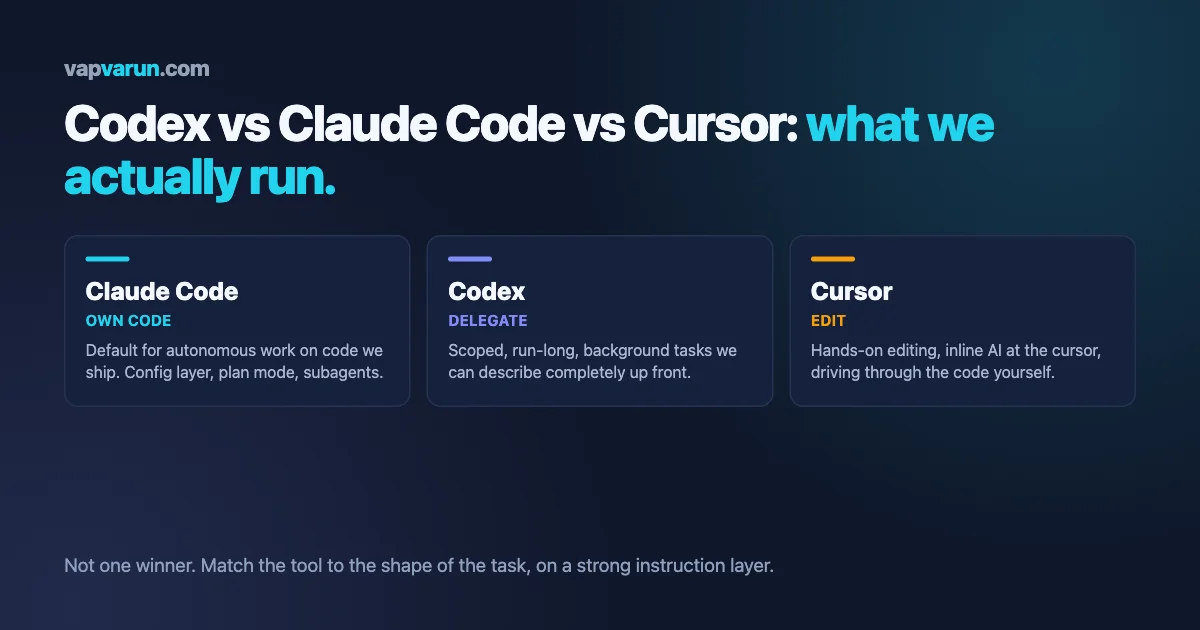
The honest answer to the codex vs claude code question is not a single winner, and that is the first thing most comparisons get wrong. We run all three of these tools across our team every day, on real client work and on our own products, and the useful question was never which one is best in the abstract. It was which one earns its place for which job, what it costs to switch, and what we finally standardized on so the whole team is not relearning a workflow every week. This is that breakdown, from the inside of an agency that ships on these tools rather than reviews them for sport.
We will keep the first half readable for anyone making a tooling decision, and put the deeper, developer-only detail in a clearly marked section near the end, so a non-technical reader can stop before it and still walk away with a clear answer. If you only want the short version: the three tools are not really competing for the same seat, and the mistake we see teams make is picking one on hype and forcing every job through it.
What each of these tools actually is
Before comparing them, it helps to be precise about what each one is, because they get lumped together as if they were the same product with different logos. They are not.
Claude Code is Anthropic’s coding agent that lives in your terminal. You point it at a project, describe what you want, and it reads files, runs commands, edits code, and works through a task with real autonomy. It also runs in the IDE and on the web, but the terminal is its home. Its defining trait is the layer around the model: hooks, plan mode, skills, subagents, and a config file that tells it how to behave in your repository.
Codex is OpenAI’s coding agent. It comes as a CLI, a cloud agent that works on tasks in the background, and an IDE integration, all built on OpenAI’s coding-tuned models. Its pitch is autonomy at the task level, hand it something scoped and let it grind, and it reads the same kind of instruction file that the ecosystem is standardizing on.
Cursor is a different animal. It is an AI-native code editor, a fork of the familiar VS Code, with the assistance built into the editing surface itself: inline completion, an agent mode, and the ability to run different underlying models, including Anthropic’s and OpenAI’s. You are still in an editor, looking at your code, with AI woven through it.
Two of these are agents you talk to, and one is an editor you work in. Treating all three as interchangeable is why so many teams end up frustrated with a tool that was never built for the job they gave it.
That distinction, an agent you delegate to versus an editor you work inside, matters more than any benchmark. It is the difference we felt within a day of running them side by side.
The codex vs claude code question, as we actually experience it
Since this is the head-to-head everyone searches for, we will take it directly. In the codex vs claude code comparison, these two are the closest of the three, because both are terminal-first agents you hand a task to. Here is where we land after months of daily use, kept to what we have seen rather than spec-sheet claims.
Autonomy and how far each will run
Codex leans toward running long on a scoped task. Give it something well-defined and it will push through a lot of steps before it comes back to you, which is genuinely useful for the kind of work you can describe completely up front. Claude Code, in our use, is stronger at the interactive middle ground: planning a change with you, checking in at the right moments, and staying legible while it works. Neither is simply more autonomous. They are autonomous in different shapes, and the shape that fits depends on whether your task is fully specified or still being figured out.
The instruction layer is where reliability lives
Both tools read a project instruction file, and the ecosystem has been converging on a shared standard for it. This is the single most important thing we can tell you: the model matters less than the instructions and the harness around it. A well-written instruction file, with your conventions, your guardrails, and your do-not-touch list, changes the output of either tool more than switching between them does. We wrote about this at length in our piece on the Claude Code config layer nobody uses, and it applies to Codex just as much.
Cost and rate limits, the part nobody enjoys
This is the least glamorous and most decisive factor for a team. Both tools can burn through usage fast when you run them hard, and both have tiers and limits that shape how many of them you can keep running at once. We treat this as a real budget line, not an afterthought, and we planned for it deliberately, which is a whole discipline of its own that we covered in our guide to LLM cost guardrails for founders. The short version: measure cost per finished task, not cost per token, and the ranking between these tools shifts depending on the work.
Where each one wins for us
- Claude Code wins for interactive, high-stakes work in a codebase we care about: refactors, debugging, anything where we want the agent to plan, check in, and stay accountable step by step. The config layer and subagents are why it holds up on our own plugins and themes.
- Codex wins for scoped, hand-it-off tasks we can describe completely, and for running work in the background while we do something else. When the job is well-bounded, its willingness to run long is a feature.
- Both lose to a human when the task is not actually understood yet. Neither agent rescues a vague request; they both just produce a confident wrong answer faster.
Codex vs Claude Code, task by task
Averages hide the truth, so here is the codex vs claude code split the way it actually plays out across the kinds of work we do in a normal week. This is the level of detail we wish more comparisons offered.
- Large refactor in code we own: Claude Code, because plan mode lets us agree on the approach before a single file changes, and the config layer keeps it inside our conventions.
- Greenfield feature from a clear spec: Codex, because the work is bounded and its run-long behavior turns a full description into a working draft while we do something else.
- Hunting a subtle bug: Claude Code, because debugging is a conversation, and the interactive back-and-forth beats a long autonomous run that guesses.
- A repetitive migration across many files: either agent, with a tight instruction file, run and reviewed in batches. This is where a second agent in parallel pays off.
- A quick one-off script or throwaway tool: Cursor, honestly, because you are half writing it yourself and the inline help is faster than briefing an agent.
- Reading and understanding an unfamiliar codebase: Cursor for browsing, an agent for a written summary. We often use both in the same hour.
Where Cursor fits, and where it does not
Cursor is the one we reach for when the work is editor-shaped rather than task-shaped. When we are reading through code, making a series of small local changes, and want AI right there at the cursor, the editor experience is genuinely better than tabbing to a terminal agent. Its inline completion and in-editor agent are excellent for the flow of active coding.
Where Cursor is a weaker fit, for us, is the large autonomous task, the kind you describe once and walk away from. That is agent territory, and the terminal agents are built for it. This is not a knock on Cursor; it is a reflection of what an editor is for. Some of our developers live in Cursor for hands-on work and hand the big autonomous jobs to a terminal agent. That pairing, editor for driving, agent for delegating, is more common on our team than any single-tool loyalty.
The teams who are happiest are not the ones who picked the one true tool. They are the ones who matched the tool to the shape of the task and stopped arguing about it.
A week of the three-agent workflow, concretely
To make this less abstract, here is roughly how the three tools show up in a normal week on our team, without naming clients. It is not a schedule anyone enforces; it is just where each tool naturally lands.
Early in the week, when we are scoping new work, most of it happens in conversation with Claude Code in plan mode, agreeing on approach before code changes, on the repositories we own and ship. As tasks get fully specified, the bounded ones get handed to Codex to run in the background while a developer moves on to the next thing, so two streams of work progress at once. Through the middle of the week, when someone is deep in a file making a run of small changes, that is Cursor, editor open, inline help on. When a nasty bug appears, it goes back to an interactive Claude Code session, because chasing a bug is a dialogue, not a fire-and-forget task.
The pattern is not one tool per person; it is one tool per kind of moment. A single developer might touch all three in a morning, and none of them feels like a compromise, because each is doing the job it is actually good at. That is the whole point of running more than one, and it is why the codex vs claude code argument, framed as a single choice, misses how the work really flows.
What we standardized on, and why
Standardizing does not mean banning tools. It means agreeing on defaults so nobody starts from zero. Here is roughly where our team landed, and the reasoning, because the reasoning transfers even if your choice differs.
We made Claude Code the default for autonomous work on code we own, because the config layer, plan mode, and subagents give us the control and accountability we need on production plugins used by many sites. When an agent is changing code that ships to real customers, legibility and guardrails matter more than raw speed, and that is the trade we chose.
We kept Codex in active rotation for background and scoped tasks, where its run-long behavior is an advantage and the work is bounded enough to trust it. Running a second agent in parallel on a different, well-defined task is a real productivity gain, and Codex is good at that lane.
We let developers choose Cursor freely for hands-on editing, because forcing an editor preference helps no one. The one rule is that autonomous, ships-to-customers work routes through the agent workflow with our shared instruction file, whichever agent runs it.
The thread running through all of it: we optimized for the team, not for any one person’s favorite. A workflow that only one developer can run is a liability, not a productivity win. We wrote more about treating an agent as an actual team member, with the habits that make that stick, in how we run Claude Code as an agency team member.
A simple way to choose for your own team
If you are making this call, skip the benchmark wars and answer four questions about the work in front of you. This is the same framework we use when a new tool appears and everyone asks whether we should switch.
- Is the task fully specified, or still being figured out? Fully specified favors a run-long agent like Codex. Still being figured out favors an interactive agent like Claude Code, or a human with an editor.
- Does this code ship to customers? The more it does, the more you want guardrails, plan mode, and a strong instruction file, which pushes toward the agent whose config layer you trust most.
- Are you driving or delegating? Driving through code is editor work, and Cursor shines. Delegating a whole task is agent work.
- What does a finished task cost? Not per token, per completed and reviewed result. Run a real task through each and measure. The answer surprises people.
Answer those honestly and the choice usually makes itself, often landing on more than one tool for different jobs, which is the outcome we think most teams should expect.
The mistakes we watch teams make
Having helped a number of teams set this up, the failure patterns rhyme. None of them are about picking the wrong tool; they are about how the tool gets adopted.
- Picking one on hype and forcing every job through it. The editor-shaped work suffers in an agent, the autonomous work suffers in an editor, and everyone blames the tool.
- Skipping the instruction file. Running any of these on defaults leaves most of the reliability on the table. The config layer is the work.
- Ignoring cost until the bill arrives. Usage adds up quietly across a team running agents all day. Measure it from day one.
- Letting each developer build a private workflow. If only one person can reproduce a result, you have a bus-factor problem dressed up as productivity.
- Trusting a confident answer on an unclear task. The faster the agent, the faster it produces a wrong result on a request nobody actually thought through.
Questions we get asked
Is one of them clearly better at writing code? Not in a way that settles the argument. On any given task the gap is smaller than the gap between a good instruction file and no instruction file. We have watched the same tool go from frustrating to excellent purely because someone finally wrote proper project instructions.
Can we just pick one and be done? You can, and plenty of teams do. Our view is that you leave real productivity on the table by forcing editor work through an agent or autonomous work through an editor. Two defaults cost very little to maintain once the instruction file is shared.
Does the model behind each tool decide it? Less than you would think. The models move month to month, and the tools can often run more than one. What stays constant is the harness: how the tool plans, recovers from a wrong step, and keeps its work legible. That is what we actually choose on.
For developers: the layer under the comparison
This section is for the developers on your team. If you are making a purely business decision, you can stop above with a clear answer already in hand. What follows is the technical texture that decides how well any of these tools performs in a real repository.
The instruction file is the center of gravity. Both Claude Code and Codex read a project-level file that sets conventions, boundaries, and behavior, and the community has been standardizing the format so one file can guide multiple agents. In practice, we keep a single well-structured instruction file per repository: architecture rules, the do-not-touch list, testing expectations, and the commands the agent is allowed to run. That file, more than the model choice, is what makes an agent behave like it knows our codebase. We treat writing it as real engineering, not documentation busywork.
Beyond the instruction file, the harness features are where the day-to-day reliability comes from. Plan mode, where the agent proposes an approach before touching code, is the single habit that has saved us the most rework. Hooks let us enforce checks automatically at the right moments. Subagents let us fan work out and keep the main context clean. These are the details that separate a demo from a workflow that holds up across a hundred repositories, and they reward the time you put into them.
On the model layer, we care less about which model is marginally ahead this month and more about how the tool recovers when the model is wrong, how it handles long context without losing the plot, and how legible its work stays while it runs. Those are harness properties, not model properties, and they are why two tools running similar models can feel completely different in real work. We went deeper on this shift, and on the accountability questions that come with more autonomous agents, in our piece on the week AI coding agents grew up.
The last technical point is interoperability. Because the instruction-file format is converging and the tools all sit on top of standard version control, moving a task between them costs less than it used to. That lowers the stakes of the whole comparison. You are not marrying one tool for life; you are choosing sensible defaults and keeping the option to route a given job to whichever agent fits it. For a team, that flexibility is worth more than any single tool’s edge, and it is why we built our workflow to be agent-agnostic at the seams. You can read how we think about the wider tooling migration in our take on why the builder crowd has been switching tools.
The verdict, such as it is
The codex vs claude code framing, and the versus-Cursor extension of it, sells the decision as a fight with one survivor. Our experience is the opposite. Claude Code is our default for autonomous work on code we own, because of the control its config layer gives us. Codex earns its place for scoped, run-long, background tasks. Cursor is where hands-on editing happens. The real skill is not loyalty to one name; it is reading the shape of the task and routing it well, then writing the instruction file that makes whichever agent you chose actually reliable.
That is how we run it, and it is what we would set up for a team that wants to move fast without betting everything on a single vendor’s roadmap. If you want help designing an agent workflow that fits your codebase, your guardrails, and your budget, rather than whichever tool is loudest this quarter, that is the kind of thing our team does. The tools will keep changing. A workflow built to route work by task, on a strong instruction layer, is what stays useful when they do.