Moving Twenty Years of News Archives: Bylines, Categories, Embeds and Image Libraries
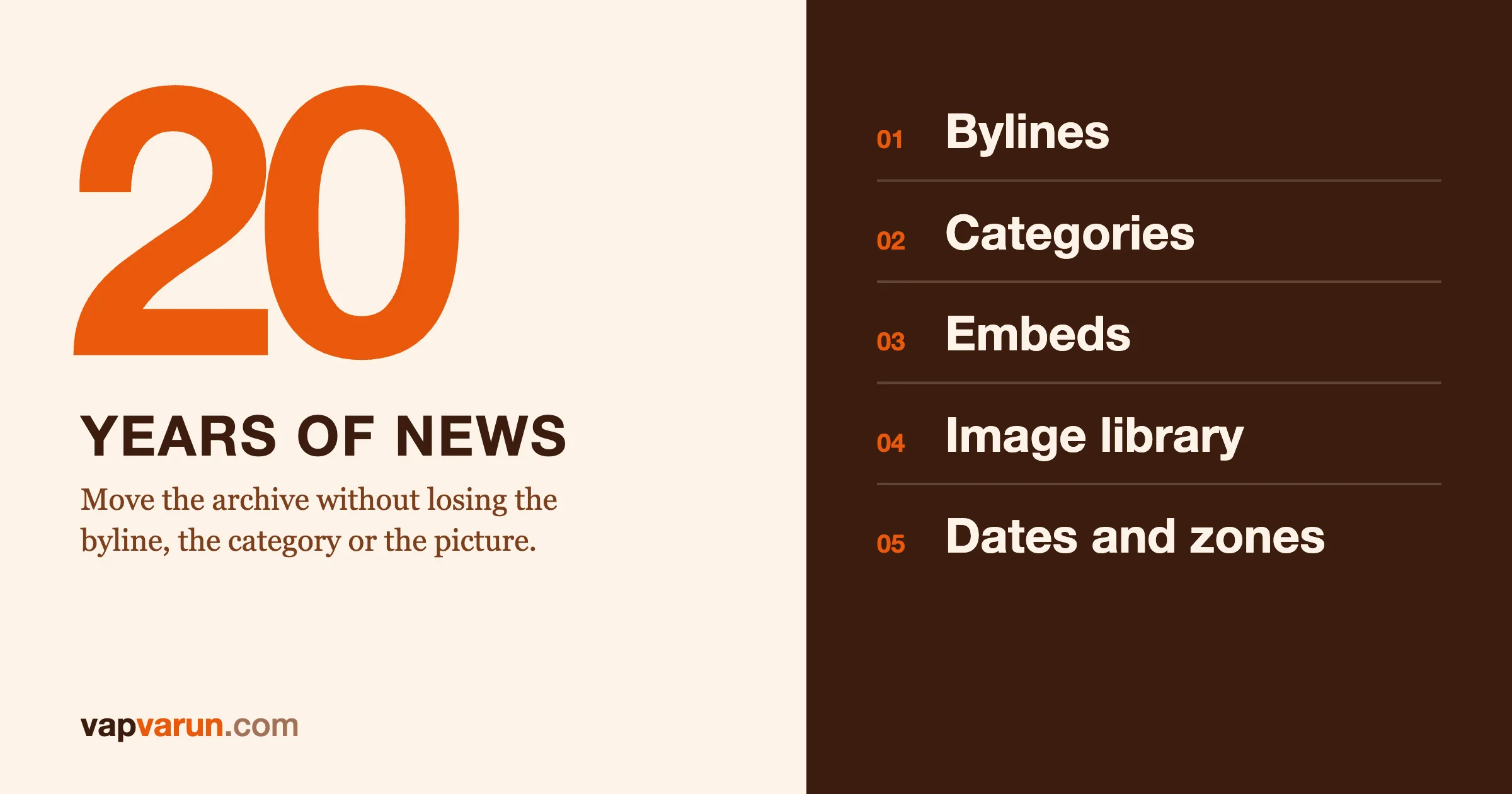
Moving twenty years of news archives is mostly a data-quality job, not a design job. Five things decide whether the archive arrives intact: every article keeps the right author, every category and section keeps its address, every embed either still works or degrades cleanly, every image loads from the new home, and every date still means the same moment. This post is how our team at Wbcom Designs handles each of those, and the checks we run so that nobody has to take our word for it.
We want to be clear about what this post is. We have not moved the archive of a national newspaper, and we will not invent a client story. What we have done is move several of our own content sites between platforms, with hundreds to a few thousand posts each, and write down every way the import lost or bent something. News archives multiply each of those problems by years of changing editors, plugins, embed providers and habits. The method below is what we would apply, and the failure list is real.
It is written for editors in chief, publishers, heads of digital and the technology owners who approve the work. A developer section near the end shows the shape of a resumable batch import. It is marked, so you can skip it. For the wider method of keeping every address alive, read How We Migrate a 2,000-Post Content Network Without Breaking a Single URL first. This post covers the content inside the pages.
The short version
- Authors are people, not strings. Map each person once, merge duplicates on purpose, and never credit a story to whoever ran the import.
- Categories carry URLs. Clean the taxonomy, but keep every old address alive with a redirect.
- Embeds rot. Inventory them by provider, decide what each becomes, and check the rendered page.
- Images need a home. Move the files, repoint the references, and prove nothing still loads from the old server.
- Dates are data. Store one exact moment and show it in one agreed way.
- Imports run in batches that can stop and resume. A twenty-year archive will not move in one pass.
Why news archives are harder than other archives
A company blog has a few authors and a clear structure. A news archive has hundreds of bylines across decades, including freelancers, wire copy and staff who left long ago. Its categories reflect the sections of a paper that were reorganised several times. Its articles embed whatever social network, video host and graphics tool was fashionable in the year it ran. Its images came in through three different upload tools. And a very large share of its traffic lands on old articles through search, so a broken old article is not a footnote. It is lost audience.
That is why we treat the archive as the main asset in the project. The new design is the part everybody sees on launch day. The archive is the part readers and search engines will test for years.
Step 1: Count what you have before you move it
Before any import, we produce an inventory of the archive, one number per kind of thing:
- articles, by status, by year and by section,
- authors, with article counts per author,
- categories and tags, with article counts and parent links,
- embeds, by provider,
- media files, by type and by where they are stored,
- articles that use special layouts or shortcodes,
- articles with odd slugs, such as non-English characters.
These numbers become the acceptance test. After the import we count the same things in the new system, and every difference must be explained. A difference is not automatically a problem. For example, a new media library can legitimately hold fewer files than the old one because identical files are stored once. But an unexplained difference is always a problem, because it means something moved that nobody was watching.
Step 2: Bylines, author mapping and merging
Bylines are where an archive carries its credibility. A story with the wrong name on it, or no name, is an editorial and sometimes a legal problem. It is also the part of an import that fails quietly.
What goes wrong
On one of our own migrations the importer attributed every post to the user who ran the import. That site had 234 posts credited to one account, and seven of them belonged to another author. Nothing errored. The posts simply carried the wrong name. We only knew because we compared bylines to the old author list before launch. Author archive pages, which readers and search engines both use, would have been wrong from day one.
The same archive taught us a second rule. A repair script that fills in missing credits must never guess. If a post has no byline, we link it to the byline for its own author. If we cannot tell who the author was, the post goes on a list for the owner. We never quietly credit someone else's work to the site owner.
How we map authors
- Export the author list from the old system with login name, display name, the URL-friendly name used in author addresses, email if there is one, and the article count.
- Decide the identity of each person. Two accounts with similar names may be one person who changed their login, or two different people. Only an editor can decide. We ask for those decisions in a short table, not in a meeting.
- Merge on purpose. When two accounts are one person, we choose one canonical name and slug. The other account's old author address redirects to the canonical one, so old links to the author page still land on a page about that person.
- Keep guest and wire bylines as bylines. A freelancer who wrote three pieces in 2009 does not need a login in the new system. They need a name that shows on those three pieces and, if the site has author pages, a page that lists them.
- Import the byline separately from the user account. Our rule is that the byline is rebuilt from the old author data, with the slug taken from the old URL-friendly name and the display name from the old display name. Credit follows the byline, not the account that ran the import.
What we check
- Every author in the old list has a matching byline, or a recorded reason why not.
- The count of articles per byline matches the old count per author.
- No article is credited to the import account unless that person wrote it.
- No article has an empty byline.
- Old author archive addresses either return the page or redirect to the merged one.
Step 3: Categories, sections and tags without URL loss
Taxonomy cleanup is tempting. A twenty-year archive has categories nobody uses, near-duplicates, and tags that were typed in slightly differently by different people. Cleaning that up is good for readers. Doing it at the same moment as the platform move is a risk, because categories often form part of the address of an article.
The two-pass approach
Pass one: move as it is. Recreate the old taxonomy faithfully, including parent and child relationships and the order of terms. Keep every article in the same categories and keep the same address for every article and every category page. The goal of this pass is parity.
Pass two: clean up, with redirects. Once the verify gate has passed on the faithful copy, merge and rename categories as a separate, reviewed change. Every merged category gets a permanent redirect from its old address to the new one, and every article in it keeps its own address unless there is a reason to change it. Doing it in this order means a taxonomy mistake cannot be confused with a migration mistake.
What went wrong on our imports
- Parents dropped. On one import the child categories came across without their parents. Category pages and any article address that included the category path were wrong until a repair step restored the hierarchy, and a second step rebuilt each article's primary category path from the old data.
- Stray characters in names. Term names, descriptions, titles and excerpts arrived with a literal
&in them, because the text had been encoded twice. A small repair script decoded them. It sounds minor, but a category called "Arts & Culture" on every page of a section is the kind of detail readers notice. - Primary category. When an article sits in several categories, only one can appear in its address. The old system chose one by rule. We read that rule and reproduce it, instead of letting the new system pick.
What we check
- Every old category address answers 200 or redirects once to a page that covers the same topic.
- Article counts per category match, or the difference is explained by a merge on the approved list.
- Category and tag archive pages keep the same robots rules as before, unless the owner chooses otherwise.
- No term has stray encoded characters.
Step 4: Dead embeds
Embeds are the part of an archive that ages worst, because they depend on a third party staying alive and staying compatible. A twenty-year news archive will contain several generations of them.
The usual generations
- Flash. Interactive graphics and video players built on Flash do not run in current browsers. Adobe stopped supporting Flash Player at the end of 2020, so these are not coming back. They need a replacement, such as a static image of the graphic with a caption, or a recorded video.
- Iframes from services that have closed. The frame still loads, but it shows an error page or a blank box. The article reads as if something is missing.
- oEmbed providers that changed or went away. In WordPress, a bare link on its own line can turn into an embed, but only for providers on core's internal allowlist. WordPress documents that the list can be changed, and providers get added and removed over time. A link that embedded in 2012 may show as plain text today. See WordPress's own page on oEmbed.
- Social posts. Embedded posts that have been deleted, accounts that were renamed, and services whose embed code has changed several times.
- Raw HTML blocks with script tags pasted from a vendor, often with a tracking or ad code inside.
How we deal with them
- Inventory by provider. We search the stored content for the patterns each provider leaves: iframe sources, script sources, shortcodes, bare links on their own line. The result is a table of providers and counts.
- Test a sample from each provider. Does it still load? If the answer is no for the whole provider, the fix can be a single rule, not thousands of edits.
- Choose one fate per provider. Keep as it is, convert to a current embed, replace with a static fallback (an image, a quote, a plain link with the title), or remove with a note in the redirect log.
- Apply with a dry run first. Our content repair scripts always print what they would change before they change it, so an editor can look at a sample.
- Check the rendered page. After repair, we look for embeds in the rendered pages, not the stored content, and the target is zero broken ones.
Related clean-up belongs in this step. Old caption shortcodes, wrappers left behind by an export, and stray top-level headings in the body of articles all show up as visible junk. Our repair pass removes them, and also removes internal and external links that no longer resolve.
We cannot restore an embed whose source is gone. What we can do is make sure the article still reads well without it, and record what was replaced so an editor can restore something better later.
Step 5: Image libraries and hotlinks
Images are the largest part of an archive by weight and the most common cause of silent breakage. We split the work into four jobs.
Move the files
Every file in the old media library comes across to the new home, with its original name kept where the old addresses matter. For WordPress destinations, WordPress's own command line has an import command for media. See the wp media import reference.
Repoint every reference
The article text, featured images, galleries and social cards all point at files. After the move, all of them must point at the new location. A reference that still points at the old server will keep working until the day the old server is switched off, and then break everywhere at once. We search the rendered pages for the old media path, and a single hit means something was missed.
Treat hotlinks as a separate problem
Older articles often pull images from other sites or from a content network the publisher no longer uses. Those images may already be gone. We list every external image host in the archive, test a sample from each, and decide: copy the image into the new library if we have the right to and it still exists, or replace it with a fallback. We do not hotlink to third parties from a freshly migrated site.
Count honestly
The number of files in the new library can be lower than the old one without anything being lost. On one of our migrations, 238 files arrived out of 265, because 27 were byte-identical copies that the new system stores once. We proved it by comparing file checksums before we re-imported anything. Without that check, someone would have spent a day hunting for missing images that were not missing.
We also fill in missing width and height, because images without dimensions cause layout shift. And we find items that are called images but are really web pages saved with an image name, which show as broken boxes. After every reference is repointed, a final pass removes media that nothing uses, with a dry run reviewed first.
Step 6: Dates and time zones
A news archive depends on dates. They appear in the byline, in the address of old articles that include the year and month, in sitemaps, in structured data, and in the feeds that other sites read. If a date shifts by a few hours, an article can jump into the wrong month and its address changes with it.
WordPress stores two values for a post: the local date and a date in universal time. The WordPress reference describes both as part of a post (see the WP_Post class). That design is fine, but it means an import has to carry both correctly, and the time zone setting of the destination must match the source.
- Capture the time zone of the old system as a setting, not a guess. Older archives often hold local times with no zone attached.
- Store one exact moment. Our rule on every site is to keep every time in universal time and show it through one agreed display setting.
- Test the edges. Pick articles published near midnight, near month boundaries and near daylight saving changes. Compare the old and new values.
- Keep both the published and the modified date. Search engines and readers both read them, and a bulk import that resets "modified" to the day of import makes the whole archive look fresh in a misleading way.
- Check scheduled and draft items. Scheduled posts in the old system should not publish by accident at import time.
Step 7: Batches you can stop and resume
A large archive is not imported in one pass. Something will time out, a firewall will block a request, or a file will be malformed. The import has to be designed for that.
- Idempotent. Running the same batch twice must not create duplicates. We key every imported item by its original identifier and skip items that already exist.
- Batched. Small, ordered batches, so a failure affects a known range.
- Logged. Each item records success, failure or skip, with a reason.
- Restartable from the log. A new run picks up from where the last one stopped.
- Paced. Repair scripts that write to the new system take time per write. On one of our sites, rebuilding the category paths for 210 posts took 11.5 minutes with six workers running at once. We plan the schedule around that, and we run one writer at a time per kind of repair so two jobs do not overwrite each other.
- Dry run first. Every script prints its plan before it acts.
We also keep the old site running, unchanged, during the import. That lets us re-run a catch-up pass for anything published in the meantime. Our importers for forums and communities work the same way: they match records by original ID and can be re-run to catch up while the old system stays live.
Firewalls deserve a mention. Bot protection in front of the old site can block the importer, because an importer is an automated visitor. Check the firewall events before the import, and if a temporary exception is needed, add it with the owner's approval and remove it afterwards.
Step 8: The content fidelity check
After the import and the repairs, we compare the text of every article between the old system and the new one. It is a mechanical check, and it is the one that has surprised us most. On one platform move the importer dropped text from 94 of 442 posts on one site, 68 of 230 on another and 29 of 210 on a third. It also lost some links, such as linked images and button addresses. None of that raised an error. We fix, compare again, and repeat until the report shows nothing lost. The few articles whose source was already damaged in the old system go on a list for the owner.
For a news archive, this check is the difference between "the import finished" and "the archive is intact." Our verify gate for addresses is described in the migration post linked above. The content check is its twin for what is inside each page.
What we cannot promise
- We cannot restore embeds whose source no longer exists. We can make the article read cleanly without them.
- We cannot recover images that were already missing in the old system. We can list them.
- We cannot decide who wrote an article when the old data does not say. An editor must.
- Search results will move for a while after any large change. Google says that for medium-sized sites it can take a few weeks or more for new addresses to replace old ones, and longer for larger sites.
Our website migration service covers the audit, the staged rebuild, the cutover at a quiet hour and 30 days of Search Console monitoring. A large archive needs a proper audit before anyone can quote durations, and we will say so on the first call.
For developers: the shape of a resumable import
This section is for developers. Decision makers can skip it.
The core of a resumable import is a ledger keyed by the old identifier. The import reads the ledger first, skips what is done, writes what is new, and records the result. A simplified version:
// import_batch.js: idempotent, resumable. Run it as often as you like.
import fs from 'node:fs';

const LEDGER = 'ledger.jsonl';           // one JSON line per processed item
const done = new Map();
if (fs.existsSync(LEDGER)) {
  for (const line of fs.readFileSync(LEDGER, 'utf8').split('\n').filter(Boolean)) {
    const r = JSON.parse(line);
    done.set(r.oldId, r);
  }
}

async function run(items, createOrUpdate, { batch = 50, dry = true } = {}) {
  for (let i = 0; i < items.length; i += batch) {
    for (const item of items.slice(i, i + batch)) {
      const prev = done.get(item.oldId);
      if (prev && prev.status === 'ok') continue;      // skip what is already done
      if (dry) { console.log('would import', item.oldId, item.slug); continue; }
      try {
        const newId = await createOrUpdate(item);       // upsert by oldId, never blind insert
        fs.appendFileSync(LEDGER, JSON.stringify({ oldId: item.oldId, newId, status: 'ok' }) + '\n');
      } catch (e) {
        fs.appendFileSync(LEDGER, JSON.stringify({ oldId: item.oldId, status: 'fail', error: String(e) }) + '\n');
      }
    }
  }
}
Three details matter. The upsert must look the item up by the old identifier stored on the new record, for example in a meta field, so a second run updates instead of duplicating. Failed items stay in the ledger with their error, so a person can read the list and fix causes, not symptoms. And the dry-run default means the first run of any new script is always a plan.
For author mapping, a plain table beats code. One row per old author: old login, display name, slug, canonical byline, merge target if any. A reviewer can read and approve it. The importer then reads the approved table and never invents a mapping.
For embeds, a detector is a list of patterns per provider. Count matches first, then decide what each becomes. Keep the detector output in the migration notes so the next archive starts with a head start.
Our next post in this series goes deeper on mapping a custom content model before writing an importer, with a field mapping table. If you are weighing platforms for the destination, see how we choose the destination for each site in a network.
Frequently asked questions
How long does it take to move a large news archive?
It depends on the number of articles, the state of the old data and the number of embed providers. We do not quote durations before an audit. Our service page gives typical ranges for ordinary sites, and a news archive sits at the larger end.
Should we clean up categories during the move?
Move them as they are first, pass the verify gate, then clean up as a separate change with redirects. That keeps a taxonomy mistake from being mistaken for a migration mistake.
What happens to old embeds that no longer work?
We list them by provider, test each provider, and choose one fate per provider: convert, replace with a static fallback, or remove with a record. The article should read cleanly either way.
How do you keep bylines right?
We rebuild bylines from the old author data through an approved mapping table, merge duplicates on purpose, and check that article counts per author match. Nothing is credited to the account that ran the import.
Can we keep publishing during the import?
Yes. The old site stays live, and a catch-up pass picks up what was published meanwhile. A freeze window and a final catch-up come at cutover.
Do dates change in the migration?
They should not. We carry both the published and modified dates, store one exact moment, and test articles near midnight, month ends and daylight saving changes.