Why We Built Kanbanomy: What It Does Today and What Comes Next
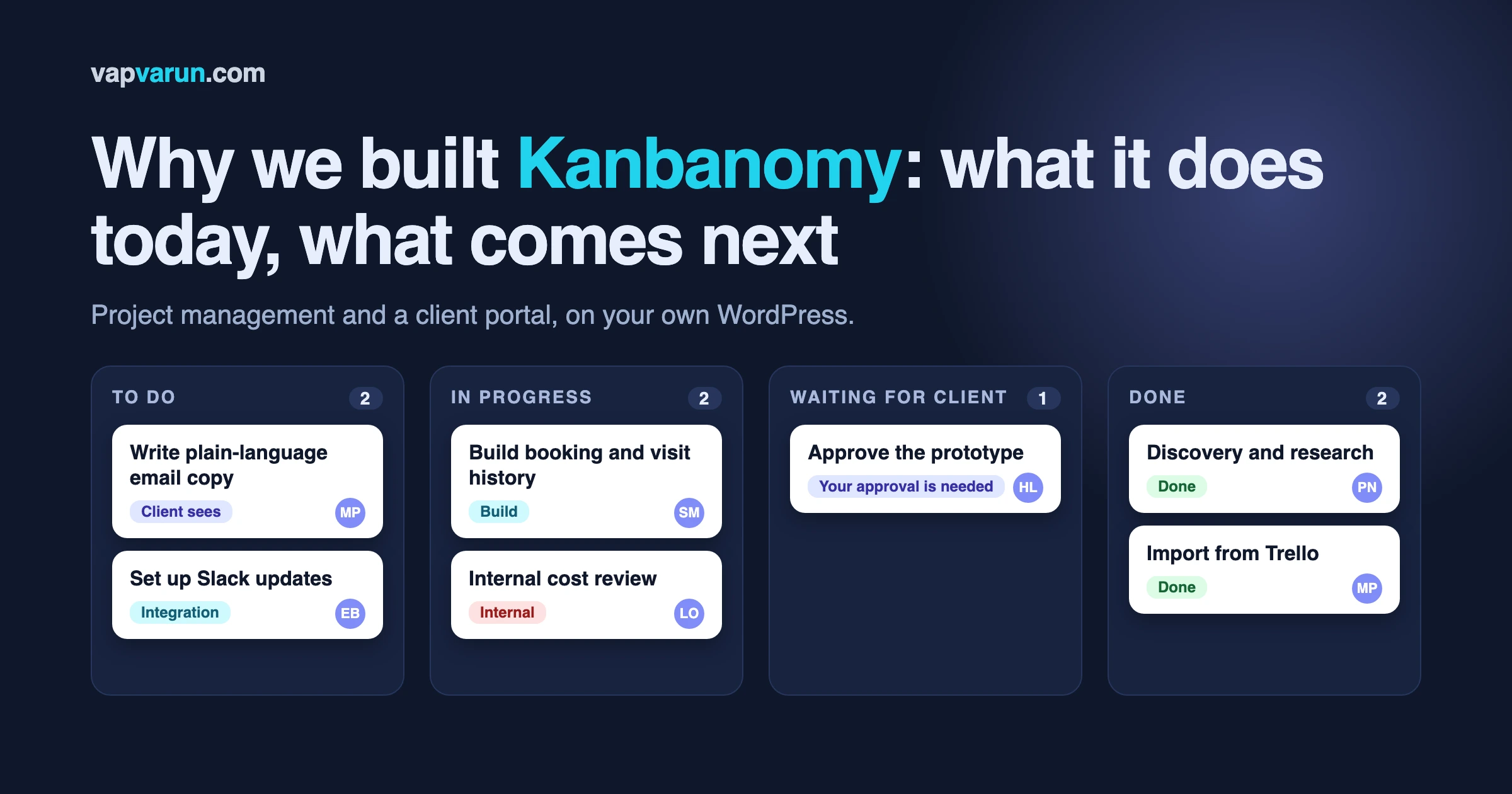
The short version: we built Kanbanomy because our own client work kept running into the same three walls in hosted project tools. They charge for every seat and every guest. They show clients more than we want them to see, or less than clients need. And the data lives on someone else’s servers. Kanbanomy is project management that runs on your own WordPress site: boards, a Gantt timeline, a calendar, time tracking and a client portal where clients see only what you choose to share. This post tells the story of why, lists what the current release, 1.3.0, does today, is plain about what it does not do, and says what we are working on next, without dates.
If you only want the facts, jump to what it does today or what comes next. If you want the reasoning behind the product, read on.
Why we built Kanbanomy: the problem with client work in hosted tools
We are an agency and a product company, so we live on both sides of client work. We run projects for clients, and we build the software other teams use to run theirs. We have used hosted project tools for client work, and the same frustrations came back.
Wall 1: you pay for every seat and every guest
Hosted tools price by the person. That feels fair for your own team. It stops feeling fair when a client needs to approve one task a week and you have to decide whether that client counts as a paid seat, a free guest with half the features, or someone who gets updates by email instead. Add a few clients, a contractor and a part-time designer, and the monthly bill grows with the number of people looking at the work, not with the amount of work.
Wall 2: clients see too much, or not enough
Client work has a particular shape. Some tasks are for the client to see: the milestones, the due dates, the thing waiting for their approval. Others are not: the internal cost review, the candid comment about a delayed deliverable, the hours your team logged. In many tools, keeping those apart takes careful setup on every project, and one slip puts an internal note in front of a client. The other failure is the reverse: a locked-down guest account that cannot comment or approve, so the client goes back to email and the project tool becomes a place only your team looks at.
Wall 3: approvals live in email
“Can you approve this?” is the most common sentence in client work, and the answer usually arrives in an email thread that nobody links back to the task. Weeks later, no one can say who approved what, or when.
Wall 4: the data is not yours
Your project history, your clients’ comments and your time logs sit in a vendor’s database. You can export some of it. You cannot run a query on it, back it up on your schedule or keep working if the vendor changes its pricing. Many of our clients run on WordPress already, and we kept thinking: the site, the users, the permissions and the database are already there. Why does project management have to live somewhere else?
That question is the product. We wrote about one comparison with a hosted tool in Kanbanomy: An Asana Alternative You Run on WordPress, and we will not repeat it here. This post is about the why and the road ahead.
What we decided Kanbanomy had to be
Before writing code, we set a short list of rules. They are still the test we apply to every change.
- It lives on your own WordPress. Your team and your clients are users of the site you already host. There is no separate account system and no per-user fee.
- Clients see only what you share. A Client user role ships for this purpose. A client has no access to wp-admin and sees the shared projects, never the tasks marked Internal, never team-only comments, never the activity log, the team list or logged time.
- Every feature in every licence. The licence is priced per site, and nothing is held back for a higher tier. See the pricing page for the current plans.
- If the licence lapses, the plugin keeps working. Updates and support stop, but your projects do not. That is a promise we would want from a vendor ourselves.
- Few outside connections. The only outbound request the plugin makes on its own is the licence check, which sends the key and the site address, never your content.
- Your data stays yours. Deleting the plugin keeps your data by default, and it connects to the WordPress personal data export and erase tools.
None of these rules is clever. They are the things we wished our hosted tools did, written down and built.
What Kanbanomy does today (version 1.3.0)
Kanbanomy 1.3.0 requires WordPress 7.0 or newer and PHP 8.1 to 8.5. There is no build step: download, install, activate. The full list of changes in the release is on our release notes page, and every feature has a guide in the Kanbanomy documentation. Here is the plain-English tour, organised by what you are trying to do.
Plan the work, in the view that suits each person
- Four views of the same work: a task list, a Board, a Gantt timeline and a Calendar. Move a card once and every view agrees.
- Tasks carry what real tasks need: status, priority, several assignees, due dates, labels, subtasks, dependencies, checklists, comments with @mentions, time entries, custom fields, file attachments and recurrence.
- One task panel opens from every list, board, calendar, Gantt chart, search result, notification and email, with a link you can share.
- Quick add on every task list, board column, milestone and calendar day, plus keyboard shortcuts: N adds a task, / searches, Esc closes and ? lists the shortcuts.
Do the work, and count the hours
- Time tracking with a task timer that keeps running across pages and closed tabs. Time can be marked billable or non-billable, with a default per project.
- Estimates against reality: project cards show hours logged against the estimate, and reports show estimated hours, logged hours and the difference by project and by person.
- Reports cover a portfolio overview, per-project rollups and per-member workload, with CSV export of projects, tasks, milestones and time.
Share with clients, and keep the rest private
This is the heart of why we built it, so it gets the most detail.
- A client portal, with no wp-admin. Clients land on the Hub and see the Overview, Tasks, Gantt, Calendar, Milestones and Discussions of the projects shared with them. You can read the full walkthrough on the client portal page.
- Internal means internal. Tasks marked Internal stay with your team. Tick Team only on a comment to keep it away from clients on every screen, email and notification. The budget is hidden from clients unless you choose to show it per project.
- Clients can take part. They can comment on the tasks they can see, edit or delete their own comments, and @mention your team. Their comments notify the task’s assignees and watchers.
- Approvals with a history. A manager asks a client to approve a task. It shows as Waiting for client on the board, and the client sees “Your approval is needed” with two answers: approve, or ask for changes. The first answer counts, and every round stays in the task’s history, so nobody has to search email for who said yes.
- Intake forms. Forms create pending projects in an approval queue. Guest submissions are off by default, and when you turn them on, rate limiting and a honeypot are active.
- Discussions. Every project has a message board with @mentions. A thread can be shared with the project’s clients or kept team-only, and clients never see a team-only thread anywhere.
Let rules do the handoffs
Automation rules have a trigger, conditions and an action. A rule can fire when a task moves to a column, is created, becomes overdue, gets a comment or receives a client’s approval answer, or when someone joins the project. It can then assign, move, set a due date, add checklist items, notify people or send to a webhook. Every run is listed with what it changed, and runs that assigned, moved, set a due date or added checklist items can be undone. There is a limit of 20 rules per project, and a rule pauses itself after 100 runs in an hour so a loop cannot flood your team.
Connect it to the places your team already is
- Slack task updates through an incoming webhook. Each channel picks its events: assignments and @mentions by default, plus status changes, comments, new tasks, client approvals and a daily due-tomorrow list.
- Calendar feeds for Google Calendar, Apple Calendar and Outlook, through a private calendar link.
- BuddyPress groups. Link a project to a private or hidden BuddyPress group. People who join the group join the project, and people who leave it leave the project and keep their tasks, with a notice to the owners to reassign them.
- An optional AI assistant on WordPress 7.0. It is off by default and uses the AI provider you set up in WordPress. It sends only what the person asking can see, never budgets, and clients never get it. Drafted tasks show as a preview first and are only created when you press Create tasks.
Move in from where you are now
A new tool is only useful if you can bring your work with you. Kanbanomy imports a Trello board from a JSON export and an Asana project from a CSV export, and it has a CSV importer with column-mapping presets for Asana, Trello and Monday.com exports. Every import shows a preview first, lets you match each person to a site user, and runs in the background with a progress bar. Nobody is emailed during the import, and you can undo it for 7 days. Be aware of the limits: Trello attachments stay behind with links kept in the description, Asana’s CSV has no comments or files to bring, and no import brings milestones or time entries. Our migration guides list exactly what comes across from each tool.
Built to behave with a lot of data
We test at a size most sites will never reach, because a plugin that works on ten projects and falls over on a thousand is not a product. In our scale test the site had 10,000 users, 2,007 projects and 100,023 tasks. In that test the Hub answered in under 210 ms for a member of 300 projects, and a project with 5,000 tasks answered in 80 to 90 ms. These are our own test results on our own test data, not a promise about your host, but they show how we think about it: lists are paged, counts are counted in the database and the heavy views are capped and say so.
Plays well with your theme
We checked it on BuddyX, BuddyX Pro, Reign and Twenty Twenty-Five, in light and dark, and right to left. It is translation-ready, although no translations are bundled.
For developers: the part a non-technical reader can skip
If you build on WordPress, here is what sits underneath.
- Your database, your tables. Kanbanomy keeps its data in 25 tables in your site’s database, and deleting the plugin keeps that data by default.
- REST API, a module system and documented hooks. You can read and write projects and tasks over REST, extend the plugin through modules and hook into documented actions and filters. The developer guide in the docs is the place to start.
- Roles you can reason about. Project roles are owner, member and viewer. Viewer is how you share a project with a client, and the Client user role ships for exactly this.
- Feature toggles. Fifteen features have their own on and off switch, so a site can turn off what it does not use.
- Signed updates. Release 1.3.0 ships with signed updates. We explain why we sign plugin updates in Why We Sign Every Plugin Update.
- Read-only AI abilities. Three read-only abilities let AI agents list your projects and tasks and read a task through the WordPress Abilities API, with the caller’s own access.
What Kanbanomy does not do
A product story that only lists strengths is a sales page. Here is what Kanbanomy does not do today, so you can decide with the full picture.
- No invoicing, deal pipeline or ticketing. It tracks projects, tasks, time and clients. It does not bill them or run a sales pipeline.
- No native mobile app. The interface is responsive and has a bottom tab bar on phones, but there is no app in an app store.
- Clients cannot request timeline changes in 1.3.0.
- No bundled translations. It is translation-ready, with a .pot file included.
- Imports are not backups. The export offers more than the import accepts.
- No direct importers for ClickUp, Teamwork or Jira. CSV is the route, with manual column mapping.
- Email delivery is your site’s. Kanbanomy sends through whatever your WordPress site uses to send mail.
If any of these is a dealbreaker, better to know now. If a hosted tool does something on that list that you cannot live without, use it. We built Kanbanomy for people whose problem is the one in the first half of this post.
What comes next
We do not publish dates for work in progress, because a date we miss is worse than no date. We can tell you what is being built, and why.
Kanbanomy 1.3.1: fixes found after 1.3.0
1.3.1 is not released yet. It collects fixes from our own testing of 1.3.0, and the main ones are these:
- A more honest Gantt. The timeline will draw arrows only between tasks that really depend on each other. Today a bar can look connected to its project, its parent task or a milestone when no dependency exists. The fix also makes large projects behave: the Gantt response and block are capped, the screen says when it is showing part of a project, and milestones load in one query.
- Request forms for view-only clients. A client who can only view a project will still be able to send a request through a form.
- Settings polish. The settings screen will stay on the tab you were using after you press Save, project tab defaults will be disabled when the feature behind them is off, the Reports From and To days will switch on when you choose a custom range, and the “No account required” line on the submission form will show to guests only.
Notice the pattern. None of these is a flashy new feature. They are the corrections that make a tool trustworthy after the first week of real use. That is the part of product work we think matters most.
Starter content in the Wbcom Demo Installer
Starter content matters for a tool like this, because a board with no cards looks the same as a board that does not work. So we are building starter content for the Wbcom Demo Installer: a set of client projects, a public support board, an estimates board and a Try the demo guide. The aim is that you can install a demo site and see a populated, believable workspace within minutes, then decide if it fits. This is in progress and not part of a released Demo Installer version yet.
You can already try the hosted Kanbanomy demo today.
How we decide what to build next
Our rule is to lead with what people actually asked for. After each update, a What’s new card appears on the Kanbanomy dashboard, and there is a Request a feature link in the card and in the Help menu. Those requests, plus our own client work, decide the order.
Who Kanbanomy is for, and who it is not for
A good fit:
- Agencies and freelancers who run client projects on WordPress and want clients to see progress without a second login system. The agencies page covers this in more depth.
- Teams who already run WordPress with BuddyPress or a community theme and want projects inside the same site.
- Anyone tired of paying per seat for people who only look.
Probably not for you:
- Teams who need invoicing, a sales pipeline or ticketing in the same tool.
- Teams who need a native mobile app.
- Anyone who does not run WordPress and does not want to.
If you are comparing options, our roundup of WordPress project management plugins puts several side by side, and kanbanomy.com has a section on alternatives. We would rather you pick the right tool than ours by accident. And whatever you install, run the checks from our guide on whether a plugin is still maintained first. We hold ourselves to the same test.
Frequently asked questions
Is Kanbanomy open source?
No. It is a premium plugin with a licence priced per site. Every feature is in every licence.
What happens if my licence expires?
The plugin and all its features keep working. Updates and support stop until you renew.
Can my clients use it without a WordPress admin login?
Yes. Clients get a Client role with no access to wp-admin. They use the front-end Hub and see only the projects, tasks and discussions shared with them.
Can I move my Trello or Asana projects in?
Yes. Trello imports from a JSON export and Asana from a CSV export. Each import shows a preview first and can be undone for 7 days. Check the migration guides for what is left behind, such as Trello attachments.
Does it send my data to an outside service?
The only outbound request it makes on its own is the licence check, with the key and the site address, never content. If you switch on Slack, calendar feeds or the AI assistant, those features connect to the services you set up.
Can I try it before I buy?
Yes, there is a demo you can open now. There is also a 30-day refund window.
When is 1.3.1 coming?
We do not give dates for unreleased work. The release notes page is where it will appear first.
Try it, and tell us what is missing
Start at kanbanomy.com, open the feature overview or go straight to the live demo. If you run client work on WordPress and something on the not-yet list is exactly what you need, tell us. That is how the next version gets decided.
Facts about Kanbanomy in this post come from the Kanbanomy 1.3.0 release notes, the product documentation and the kanbanomy.com site, read on 24 November 2026. Work described under “what comes next” is in progress and may change before release.